

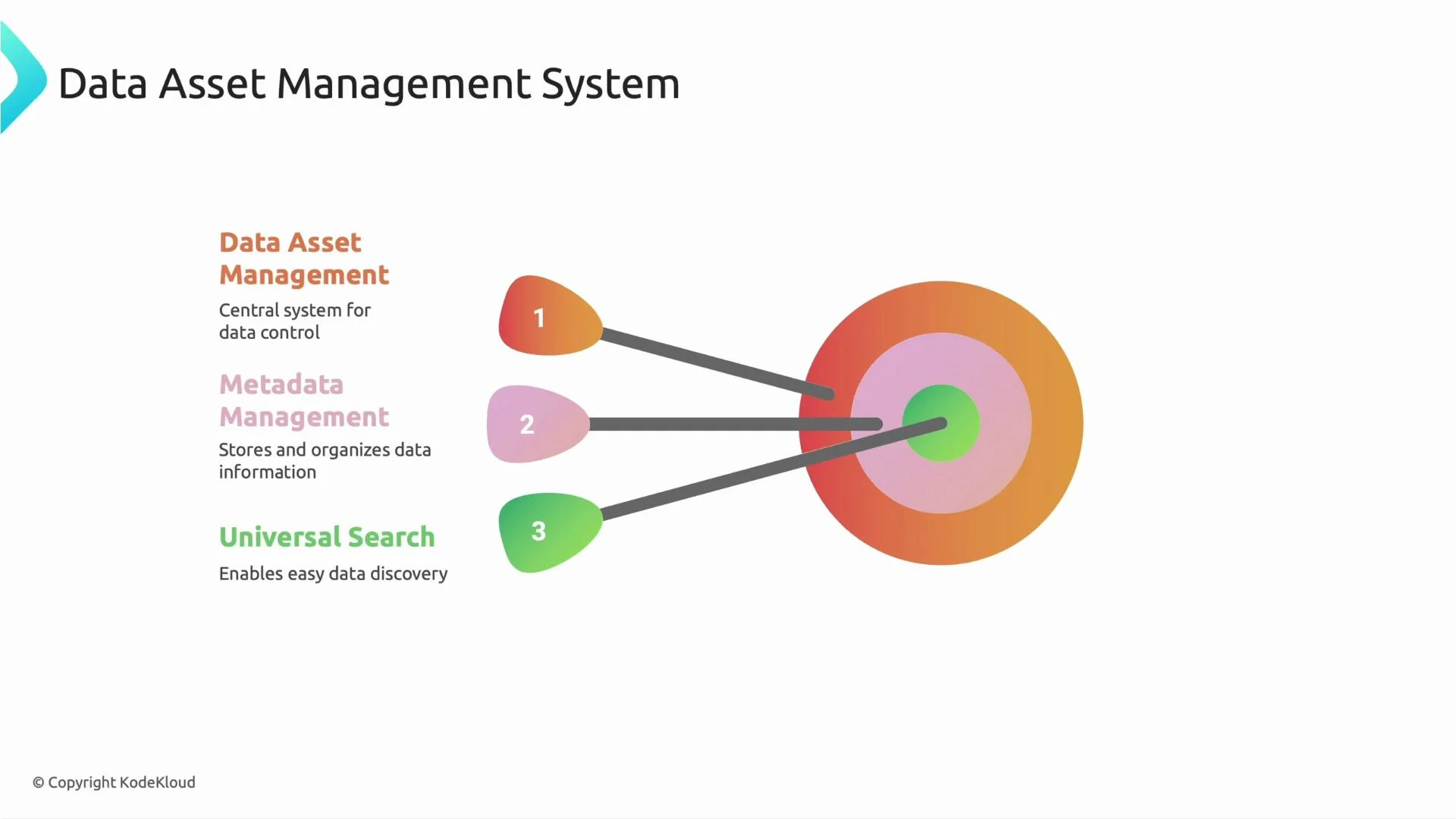
- Centralized inventory: Track datasets, tables, files, reports, and dashboards across systems.
- Context and trust: Store schema, lineage, freshness, and ownership so users can evaluate data fitness for purpose.
- Governance and compliance: Identify and control sensitive data (PII, PHI) using classification and access workflows.
- Faster discovery: Provide universal search and consistent metadata so teams spend less time hunting for data.
Together, these capabilities make enterprise-wide data discovery practical, repeatable, and auditable.
-
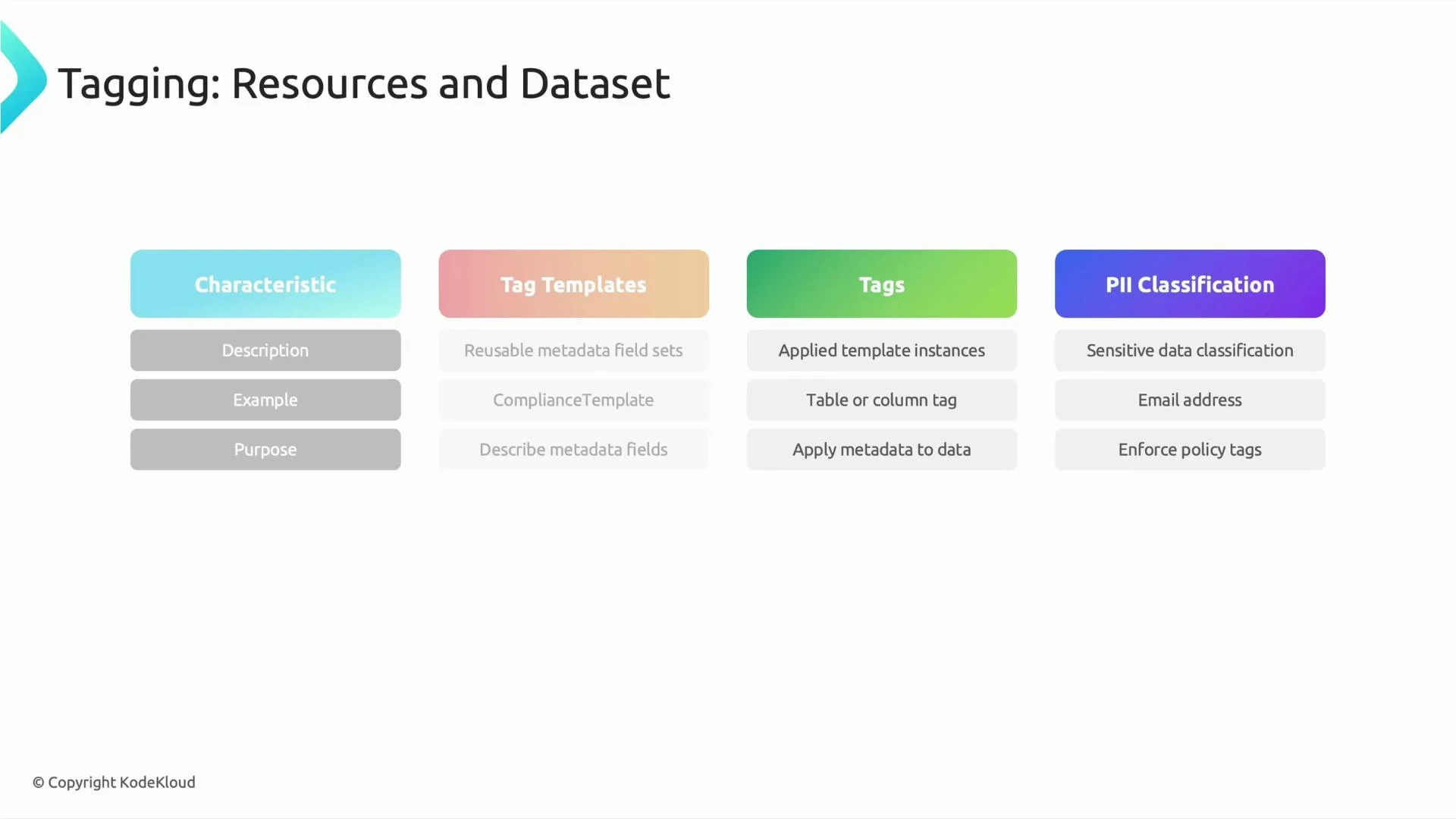
Characteristics (descriptive metadata)
- Human-readable notes describing what a dataset or table represents and its intended use.
- Typical fields:
description,example,business purpose,tags.
-
Tag templates (reusable metadata schemas)
- Define a standard set of metadata fields that can be applied across assets.
- Enforce consistency by requiring certain fields for classes of assets (for example, a “data product” template requiring owner, SLA, and criticality).
-
Tags (applied instances of templates)
- Concrete applications of templates against datasets, tables, or columns.
- Example: applying a
PIItemplate to anemailcolumn results inPII: trueplus filled fields for steward and classification level.
-
PII and sensitive-data classification
- Explicitly mark sensitive columns (email, SSN, phone number, etc.) and apply appropriate access controls and handling workflows.
- Classification can be manual, automated (scanners/classifiers), or hybrid. Tagged results drive enforcement, redaction, or alerting workflows.
- Establish and publish tag templates before expecting teams to tag assets. Provide examples and required fields.
- Automate discovery and classification where possible using scanners, pattern-based heuristics, and ML classifiers to improve coverage and reduce manual effort.
- Make ownership explicit — every dataset should list a data owner and contact details in the catalog.
- Enforce critical tags (for example, PII classification) via CI checks, ingestion pipelines, or governance policies to prevent untagged or noncompliant assets from propagating.
- Integrate the catalog into developer workflows (notebooks, CI/CD, ingestion jobs) so metadata updates are routine and timely.
- Treat metadata as part of the data product lifecycle — measure tag coverage and correctness as operational metrics.
Plan small, iterate quickly. Start with minimal required templates (e.g., owner, sensitivity, SLA) and expand tagging as teams adopt the catalog. Automate what you can and validate the rest with lightweight governance reviews.
Sensitive data classification must be accurate. Incorrect tagging can expose sensitive data or block legitimate access. Combine automated scanners with human review for high-risk assets.
- Kubernetes Documentation — general reference for infrastructure patterns.
- Data Catalog and Governance Patterns — design patterns and best practices.
- NIST Privacy Framework — guidance for protecting personal data.