

- Automatically scale out when Spark jobs need more executors or capacity.
- Scale in after demand drops to reduce cost.
- Avoid manual cluster resizing and complex executor management inside application code.
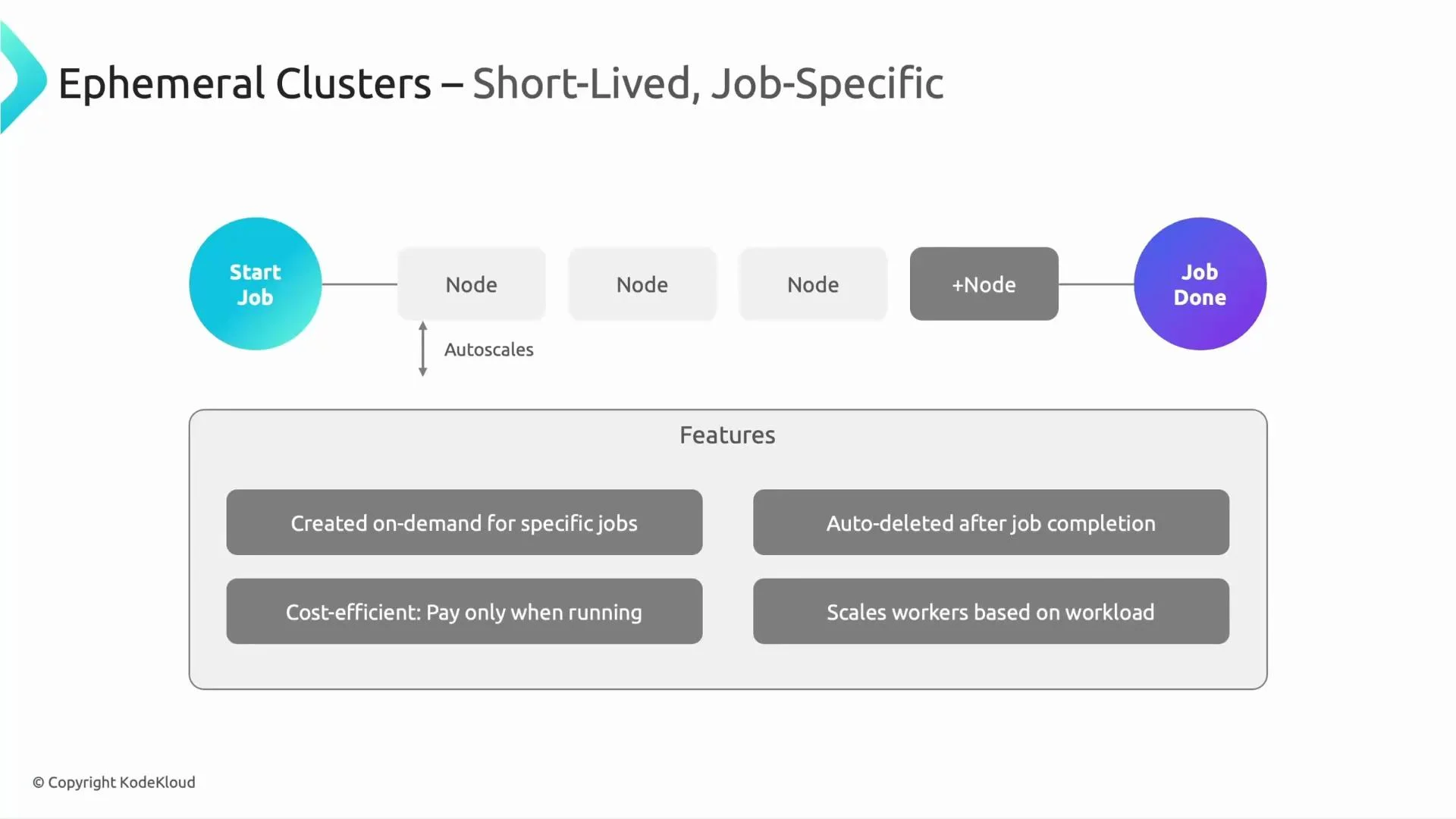
Ephemeral (short-lived) clusters
Short-lived clusters are created for a specific job or batch of jobs and deleted afterward. Typical workflow: create cluster → submit job(s) → delete cluster. Dataproc can add worker nodes automatically while the job needs more compute, and the cluster is removed afterwards so you don’t pay for idle infrastructure. Common uses:- Scheduled batch processing (nightly jobs, ETL windows).
- One-off analytical runs.
- On-demand cluster creation and automatic deletion.
- No leftover infrastructure to maintain.
- Cost-efficient: you pay only while the cluster is running; autoscaling helps minimize runtime by adding workers during peaks.
Long-lived (persistent) clusters
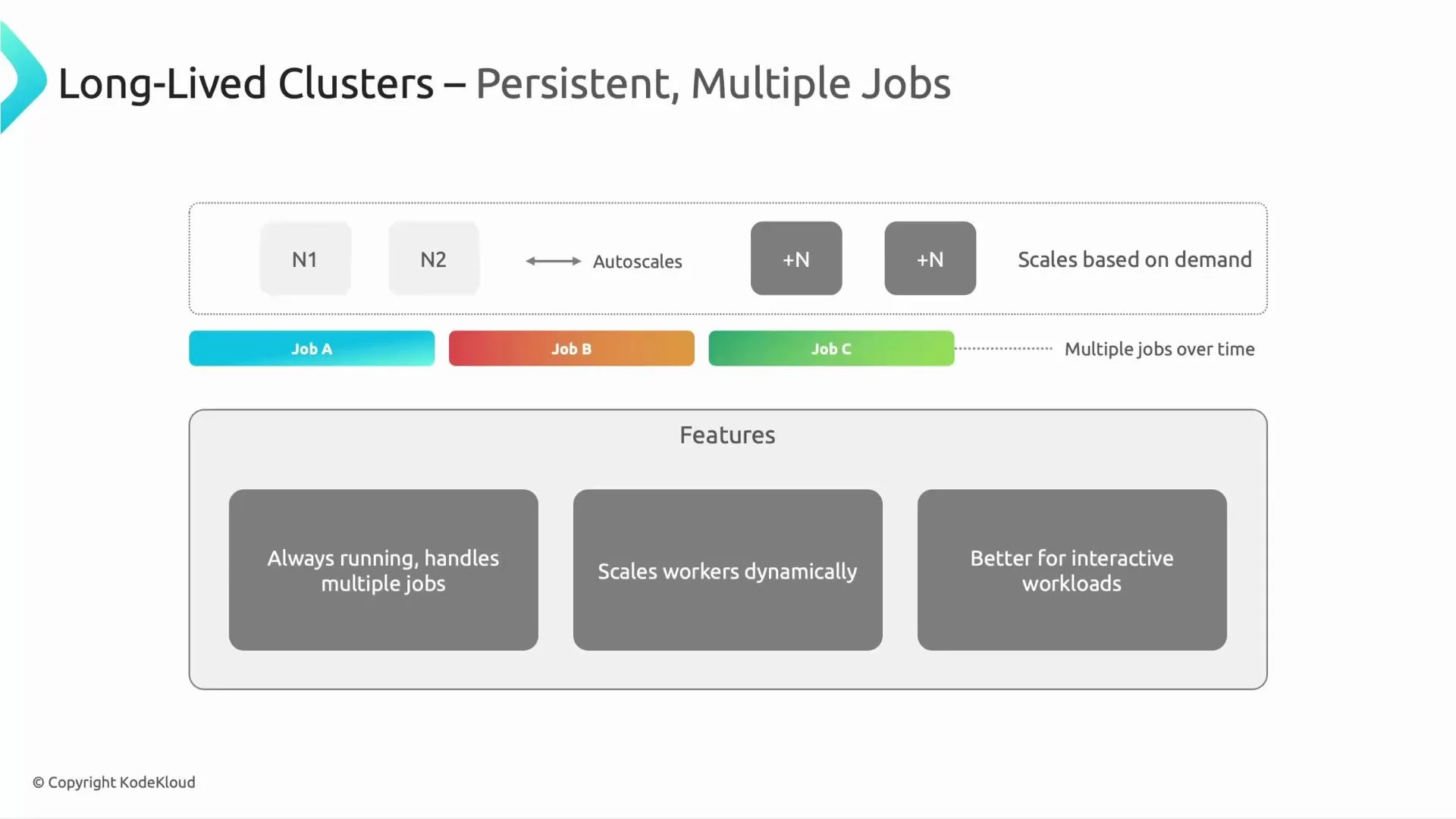
Long-lived clusters run continuously and serve multiple users and jobs (for example, Job A, Job B, Job C). They are commonly used for interactive workloads (notebooks, REPLs) and streaming pipelines. Long-lived clusters can autoscale workers up and down while preserving a minimum baseline to handle interactive or low-latency requests. Key points:- Always available for multiple jobs and users.
- Support dynamic worker scaling while keeping a minimum baseline.
- Suitable for interactive analysis, streaming jobs, and environments where short startup time matters.
Which cluster type should you choose?
It depends on your workload pattern:- Use ephemeral clusters for scheduled or one-off batch jobs to minimize cost.
- Use long-lived clusters for streaming, interactive sessions, or when low-latency job submission is required.
Choose the cluster type based on workload patterns: ephemeral for scheduled or one-off batch jobs, long-lived for streaming and interactive workloads.
Autoscaling configuration and triggers
Autoscaling policies determine when Dataproc adds or removes worker nodes. Dataproc observes cluster and job metrics and acts when thresholds are met. Typical scale-up triggers include:- Sustained CPU or memory utilization above configured thresholds.
- A backlog of pending tasks (e.g., many YARN containers waiting).
- Spark executor demand (more executors required to meet parallelism).
Example: a simple autoscaling policy fragment (JSON)
Why graceful decommissioning timeout matters
Graceful decommissioning lets a worker finish running tasks or hand them off before being removed. This reduces the risk of failed tasks when scaling down, particularly for non-preemptible VMs. However, note the limitation with preemptible/spot VMs: the cloud provider can reclaim these instances at any time. Graceful decommissioning cannot prevent provider-initiated preemption, but it does help when nodes are removed intentionally by the autoscaler.Preemptible or spot VMs can be terminated by the provider at any time. Graceful decommissioning can reduce disruption for non-preemptible VMs but cannot always prevent abrupt termination of preemptible instances.
Best practices and operational tips
- Configure reasonable
minandmaxbounds to match business SLAs and budget constraints. - Use cooldown periods to avoid repeat scaling events for workloads that arrive in bursts.
- Set a graceful decommissioning timeout appropriate for your job durations so that in-progress tasks can complete or be reassigned.
- Combine cluster types across teams: ephemeral clusters for batch jobs and long-lived clusters for interactive users to balance cost and availability.
- Monitor autoscaling actions and cluster metrics (CPU, memory, pending YARN containers, Spark executor usage) to refine policies.
How Spark executors and Dataproc nodes relate
When Spark runs on Dataproc, executors are placed on worker nodes. Autoscaling increases the number of worker nodes to accommodate more executors, which can reduce job runtime by increasing parallelism. Conversely, when executors are idle and the autoscaler determines they are not needed, it will remove worker nodes (respecting graceful decommissioning), and Spark will have fewer executor slots available. Important: autoscaling operates at the infrastructure level (worker nodes). Spark’s own dynamic allocation and executor settings still affect how many executors are requested and used on available nodes — combine both cluster autoscaling policies and Spark settings for best results.Links and references
- Dataproc Autoscaling documentation
- Apache Spark Dynamic Resource Allocation
- YARN scheduling and containers