

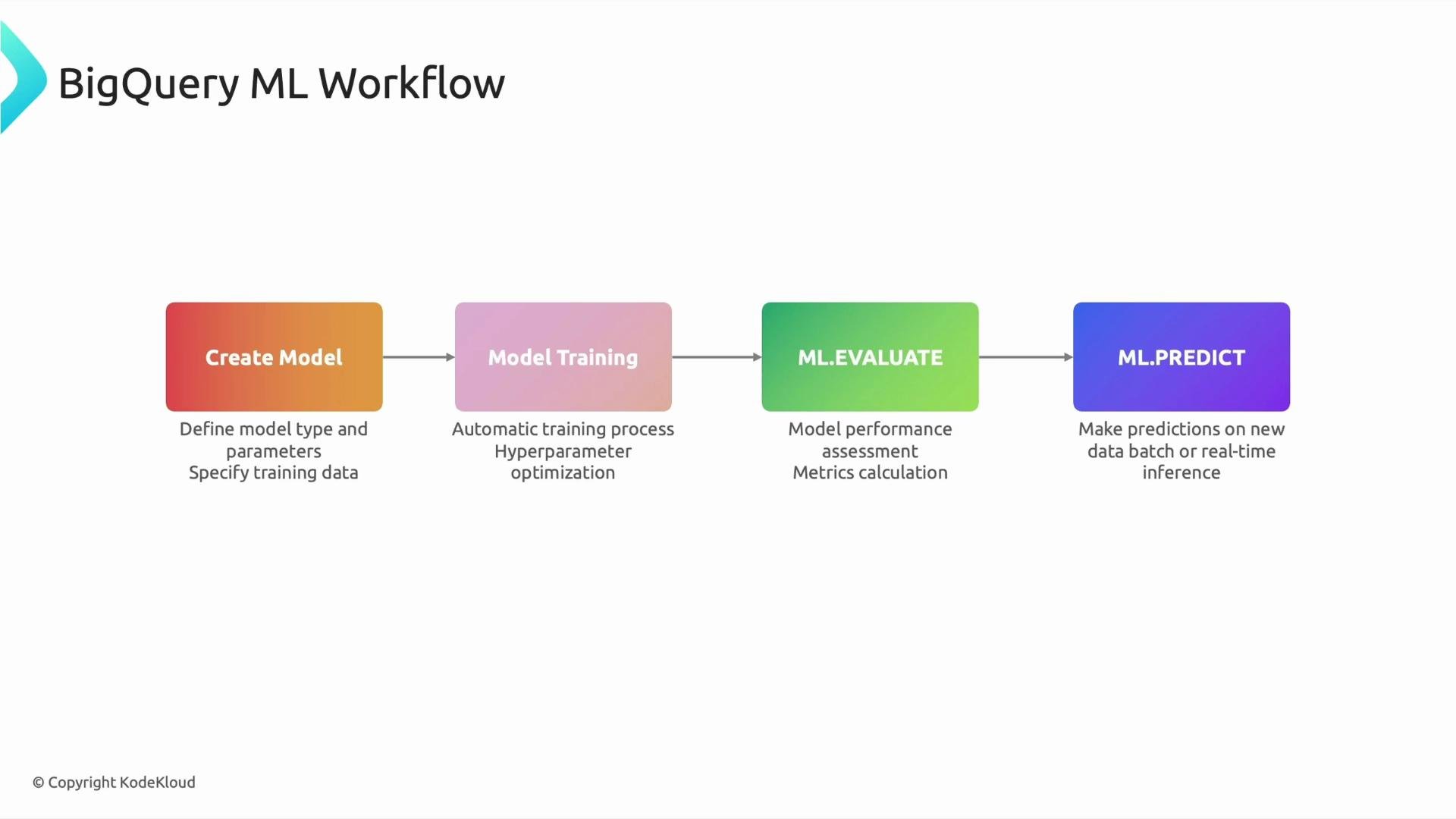
- CREATE MODEL — define the model and the training query.
- Model training — BigQuery executes the SQL, trains the model, and can tune hyperparameters (you can also set hyperparameters explicitly via
OPTIONS). - ML.EVALUATE — compute evaluation metrics to verify model quality.
- ML.PREDICT — generate predictions on new data (batch or streaming).
1) CREATE MODEL — define your model with SQL
CREATE MODEL registers a model in your dataset and specifies the training query. Use the OPTIONS clause to select model_type and other configuration values (e.g., hyperparameters, input label, and optimization settings). The SELECT query defines the features and the label (target). If you know SQL, you already have most of the skills required to start with BigQuery ML.
Example — create a simple linear regression model:
model_type='linear_reg'specifies linear regression. BigQuery ML supports many model types: logistic regression, DNN classifiers/regressors, boosted tree and XGBoost models, clustering, matrix factorization, and more.- The SELECT query defines the training set and the features. For supervised models, include the label (target) column in the query.
- Use additional
OPTIONSto set hyperparameters or to enable automatic hyperparameter tuning for supported model types.
2) Model training — automatic or configured
When you runCREATE MODEL ... AS SELECT ..., BigQuery trains the model using the specified training data. For many model types it:
- Performs feature preprocessing when appropriate (e.g., automatic handling of categorical features).
- Can run automatic hyperparameter tuning (if enabled).
- Persists the trained model in your dataset for later use.
OPTIONS, for example to set the max_iterations, hidden_units for DNNs, or learn_rate.
3) ML.EVALUATE — validate model performance
After training, useML.EVALUATE to compute metrics and confirm the model’s quality. Typical metrics include:
Example — evaluate a trained model:
4) ML.PREDICT — generate predictions
UseML.PREDICT to apply a trained model to new data and produce predictions. Predictions can be executed in batch (SQL) for offline scoring or integrated into streaming pipelines and APIs for near-real-time inference.
Example — batch prediction:
predicted_label, probability) and predicted values for regression models (predicted_value).
If your model underperforms, treat the evaluation results as actionable feedback: refine features, enrich or clean the training data, tune model options, and retrain. The SQL-first approach makes iteration fast and reproducible.
Production considerations and workflow at scale
Designing a production-ready BigQuery ML workflow includes:- Automating training and retraining (via scheduled queries, Airflow, or Cloud Build).
- Monitoring model performance and data drift.
- Versioning models and tracking experiments.
- Exposing predictions through APIs or streaming exports to Pub/Sub / Dataflow.
- Managing cost and quota (training large models can be compute-intensive).
Links and references
- BigQuery ML overview: https://cloud.google.com/bigquery-ml
- BigQuery ML CREATE MODEL: https://cloud.google.com/bigquery-ml/docs/reference/standard-sql/bigqueryml-syntax-create
- BigQuery ML ML.EVALUATE and ML.PREDICT: https://cloud.google.com/bigquery-ml/docs/reference/standard-sql/bigqueryml-syntax-evaluate-predict