

- Inputs and outputs (sources & sinks)
- Bounded vs unbounded data
- Parallelization, autoscaling, and shuffle behavior
- Fusion: benefits and pitfalls
- When and how to break fusion (Reshuffle, GroupByKey, ParDo boundaries)
- A real-world skew example and recommended patterns
Inputs and outputs
Dataflow supports a wide range of connectors. Typical sources and sinks include:
Two important data categories to design for:
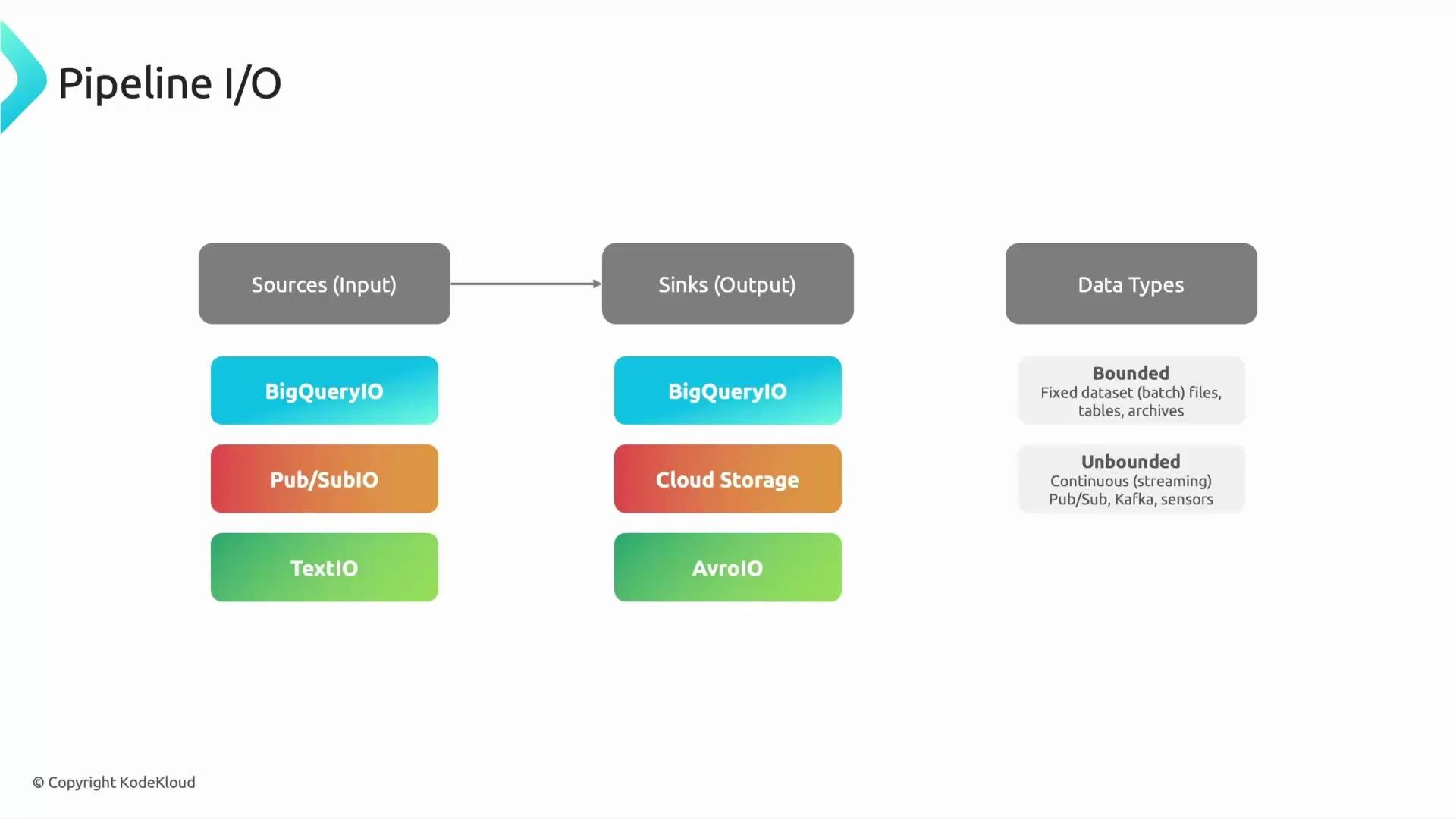
- Choose bounded sources for finite ETL jobs and unbounded for continuous/real-time processing.
- Match sink semantics to your downstream needs (streaming inserts vs bulk loads).
- Consider windowing and triggering behavior on unbounded sources to control lateness and output cadence.
Parallelization and autoscaling
Dataflow parallelizes work by splitting inputs into work units (bundles) and scheduling bundles across worker instances. Each transform can execute concurrently on many workers when the computation is parallelizable. Important runtime behaviors:- Autoscaling: Dataflow adds workers when there is more work or resource pressure and removes them when load subsides.
- Shuffle operations (e.g.,
GroupByKey) redistribute elements between workers and act as synchronization barriers. - Dynamic work rebalancing can break large, long-running bundles into smaller pieces to reduce stragglers.
- Stateless, element-wise transforms parallelize easily.
- Operations that require redistribution (shuffles) introduce network and synchronization overhead but are necessary for grouping/aggregation workloads.
- Long-running or blocking fused operations can impede dynamic splitting and autoscaling effectiveness.
Fusion: what it is and when to break it
Apache Beam applies fusion (also called “operator fusion”) to combine adjacent transforms into a single execution unit when possible. Fusion reduces materialized intermediates and network I/O, often improving latency and resource usage. Benefits of fusion:- Fewer intermediate materializations
- Reduced network traffic and overhead
- Lower per-element latency for short operations
- Hotspots/data skew: a dominant key or element may cause one worker to do most work.
- Long-running fused sequences reduce opportunities for dynamic splitting and rebalancing.
- Difficult to isolate expensive CPU- or I/O-bound steps for targeted scaling.
- Reshuffle (a lightweight forced shuffle)
- Explicit
GroupByKeyor other aggregations - Introducing independent
ParDo/DoFn boundaries for expensive steps
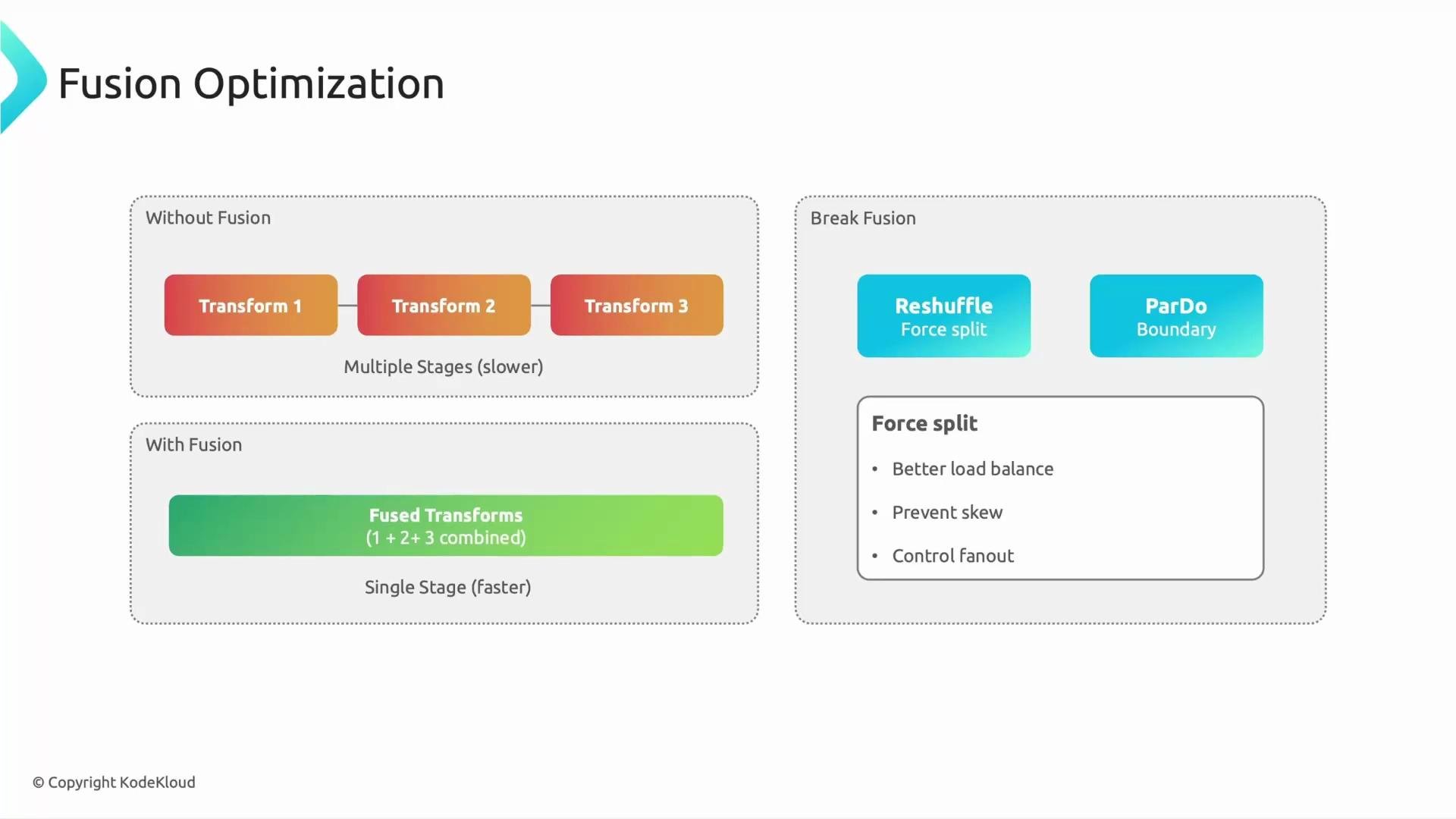
- You see data skew causing a single worker to become a bottleneck.
- Upstream and downstream steps are long-running and should be isolated for independent scaling.
- You need the runner to be able to split and rebalance work more aggressively.
Example: forcing a shuffle with Reshuffle (Python SDK)
The example shows a pipeline with an expensive step, followed by an explicit reshuffle to break fusion so downstream expensive work can be balanced across workers.- Inserts a lightweight shuffle that redistributes elements across workers.
- Helps avoid single-worker bottlenecks when one key or element dominates.
- Adds network and shuffle costs — use it only when needed.
Break fusion when you observe hotspots, heavy keys, or long-running fused transforms.
Reshuffle, GroupByKey, or adding ParDo boundaries are practical ways to create runnable boundaries that enable rebalancing.Avoid overusing forced shuffles. Each additional shuffle increases network traffic, I/O, and cost. Apply shuffle barriers only when they address clear performance issues such as skew or long-running fused operations.
Real-world skew example
Imagine a purchase stream where one product ID appears 1,000,000 times while other IDs appear ~100 times. In a fused pipeline, that heavy key could be pinned to one worker, causing a long tail for the whole job. How breaking fusion helps:- A shuffle redistributes records for the heavy key across workers (or allows the runner to split the heavy bundle).
- Isolating expensive processing steps into separate transforms improves the runner’s ability to parallelize and scale those steps independently.
- Combined with autoscaling, this reduces tail latency and improves throughput.
Recommended patterns and best practices
Operational tips:
- Use Dataflow monitoring to identify bundle duration, worker CPU/memory, and shuffle metrics.
- Benchmark with representative data distributions (including skewed keys).
- Combine code-level changes (reshuffle, boundaries) with pipeline options like autoscaling and worker machine type adjustments.
Summary
- Use bounded sources for batch workflows and unbounded sources for streaming.
- Dataflow parallelizes via bundles and workers and adjusts capacity with autoscaling.
- Fusion reduces I/O but can create hotspots and make splitting harder.
- Break fusion selectively using
Reshuffle,GroupByKey, orParDoboundaries when you encounter skew or long-running fused steps. - Always measure before and after changes — forced shuffles trade added network cost for better balance and lower tail latency.
Links and references
- Apache Beam programming model: https://beam.apache.org/
- Google Cloud Dataflow documentation: https://cloud.google.com/dataflow/docs
- Pub/Sub documentation: https://cloud.google.com/pubsub/docs