

Important exam fact: Analytics Hub supports data sharing across organizations without creating copies of the data.
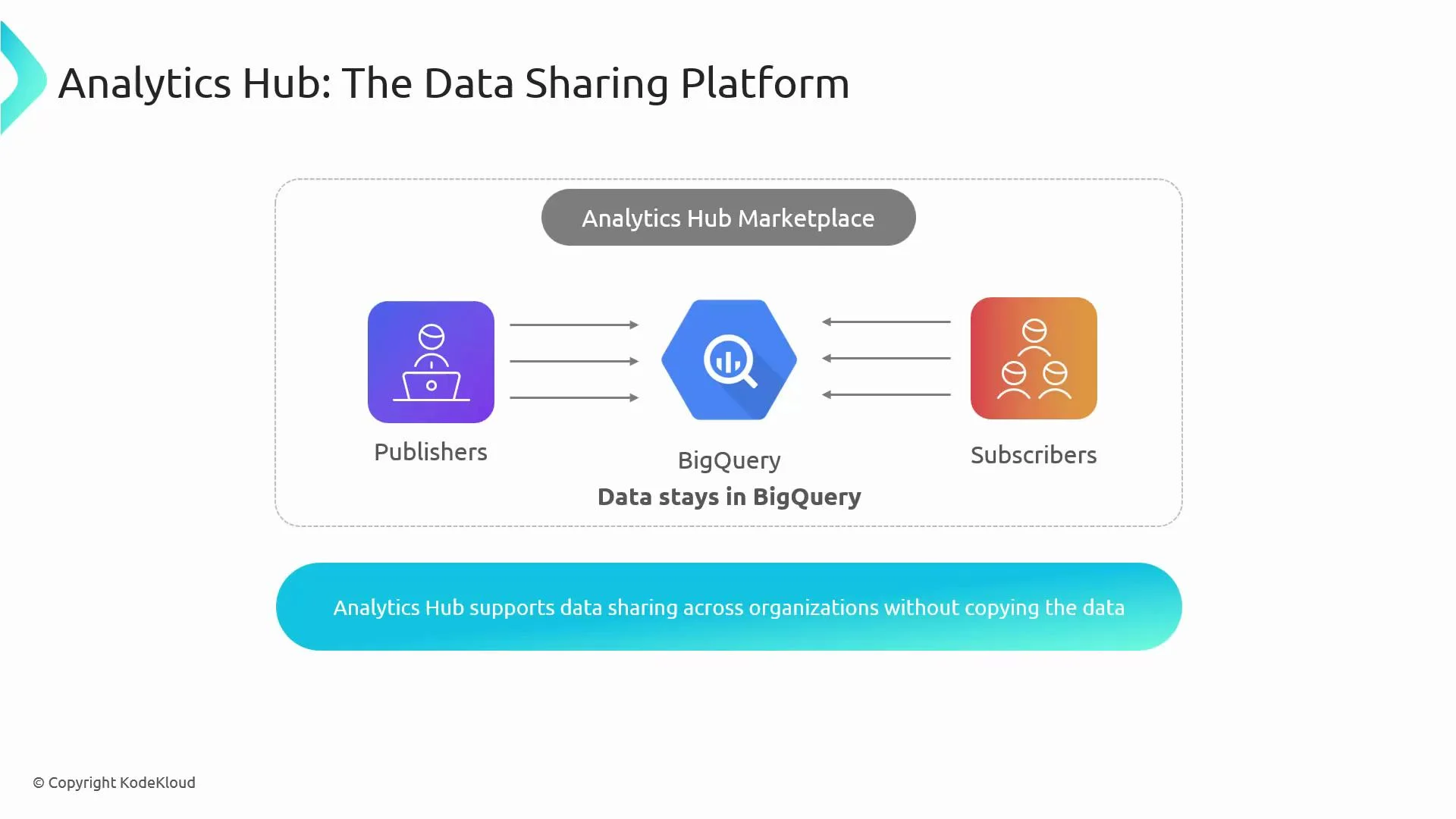
- Solves multi-tenant and cross-organization sharing scenarios where consumers should not have direct project-level access to publishers’ resources.
- Avoids ETL pipelines and dataset duplication; subscribers query data in-place.
- Provides centralized governance, auditability, and fine-grained access control for shared datasets.
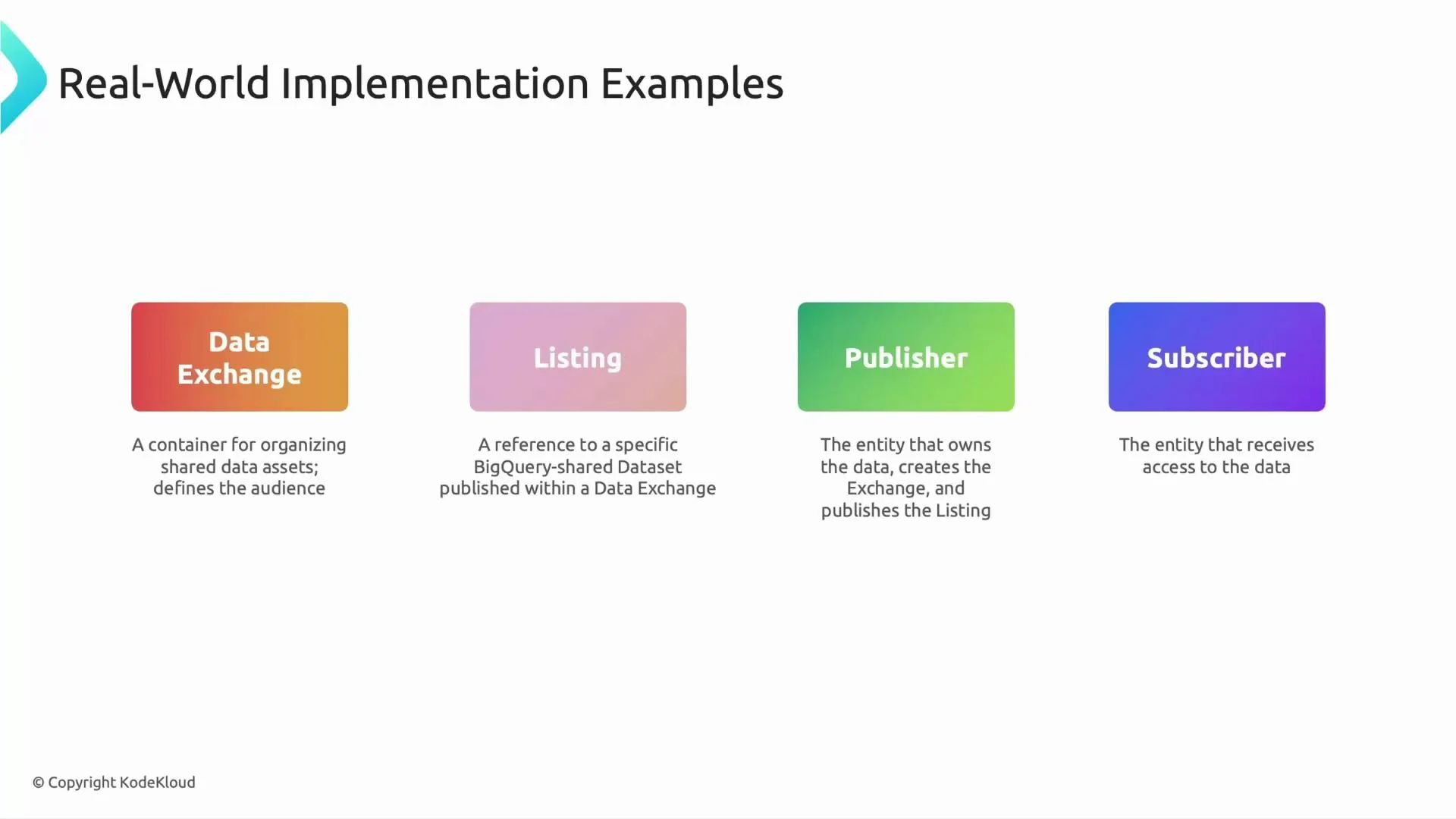
- Data Exchange: A logical container or marketplace for related listings. Exchanges group shared assets and define the intended audience and access policies.
- Listing: A listing points to a specific BigQuery dataset and describes the asset being shared. It configures how subscribers can discover and request access.
- Publisher: The dataset owner who creates exchanges and listings, sets access controls, and manages share policies.
- Subscriber: A consumer who subscribes to a listing. Subscription creates a linked dataset in the subscriber’s project that references the publisher’s dataset without copying data.
Typical subscription and access flow
-
Subscriber discovers a listing and clicks Subscribe.
- Analytics Hub provisions a linked dataset in the subscriber’s project — a read-only pointer to the publisher’s dataset. No data is copied.
-
Subscriber queries the linked dataset in BigQuery.
- Queries executed by the subscriber read data directly from the publisher’s dataset at query time.
-
Billing and cost allocation.
- Query costs are billed to the project that runs the queries (usually the subscriber).
- Storage costs remain with the publisher’s project. Always validate your organization’s billing policies and quotas.
-
Security and governance.
- Publishers retain control over who can subscribe and access specific datasets.
- Analytics Hub integrates with IAM for fine-grained permissions and provides auditable sharing workflows.
Be careful with cost and access boundaries: subscribers incur query charges while publishers continue to be responsible for storage and access controls. Review IAM roles, audit logs, and your billing setup before enabling large-scale sharing.
- The retailer (publisher) creates an exchange for supply-chain data and a listing per supplier or product line.
- Suppliers (subscribers) find listings, subscribe, and receive linked datasets in their own projects.
- Suppliers run analytical queries (billed to their projects) without the retailer creating per-supplier dataset copies.
- The retailer controls access, revokes subscriptions, and audits usage centrally.
- Design exchanges and listings by business domain for easier discovery and governance.
- Use descriptive listing metadata and clear access policies to reduce subscription requests.
- Monitor audit logs and set quotas to prevent unexpected billing spikes.
- Combine Analytics Hub with Data Catalog and Dataplex for discovery, metadata management, and governance across your data estate.
- Analytics Hub documentation: https://cloud.google.com/bigquery/docs/analytics-hub
- BigQuery documentation: https://cloud.google.com/bigquery/docs
- Data Catalog: https://cloud.google.com/data-catalog/docs
- Dataplex: https://cloud.google.com/dataplex/docs