

What is Dataproc?
Dataproc is Google Cloud’s fully managed Apache Spark and Hadoop service. It automates cluster creation, scaling, and lifecycle management so you don’t need to provision or maintain VMs manually. Dataproc clusters start quickly, scale to match workloads, and integrate tightly with other Google Cloud services. Dataproc is optimized for speed, simplicity, and cost-efficiency — you pay only for what you use. Key SEO terms: Google Cloud Dataproc, managed Spark, managed Hadoop, Dataproc clusters, Spark on GCP.Core features that make Dataproc convenient
- Fast deployment: Typical cluster spin-up is on the order of a minute or two (commonly ~90 seconds), enabling fast iteration for development and testing.
- Auto-scaling: Built-in autoscaling policies and cluster resizing let you add or remove worker nodes automatically, lowering idle costs.
- Google Cloud integration: Native integrations with Cloud Storage, BigQuery, Pub/Sub, Cloud Monitoring (Stackdriver), and IAM make Dataproc a first-class component of GCP data platforms.
- Cost controls: Support for preemptible VMs and ephemeral (short-lived) clusters helps reduce costs for batch and transient workloads.
- Customization: Initialization actions, component gateways (web UIs), custom images, and image versioning let you control software stacks and bootstrap behavior.
Dataproc supports initialization actions, component gateways (for web UIs), custom images, and image-versioning so you can control software stacks and bootstrap behavior at cluster creation.
Storage options in Dataproc
Choose storage based on durability, cost, and performance. Below is a concise comparison and guidance.
Optimization levers:
- Use preemptible VMs where jobs tolerate interruptions to lower costs.
- Right-size node types (CPU, memory, and disk) to match workload characteristics.
- Leverage autoscaling and ephemeral clusters for variable workloads.
- Optimize storage layout (partitioning, file formats like Parquet/ORC, and file sizes) for better I/O and query performance.
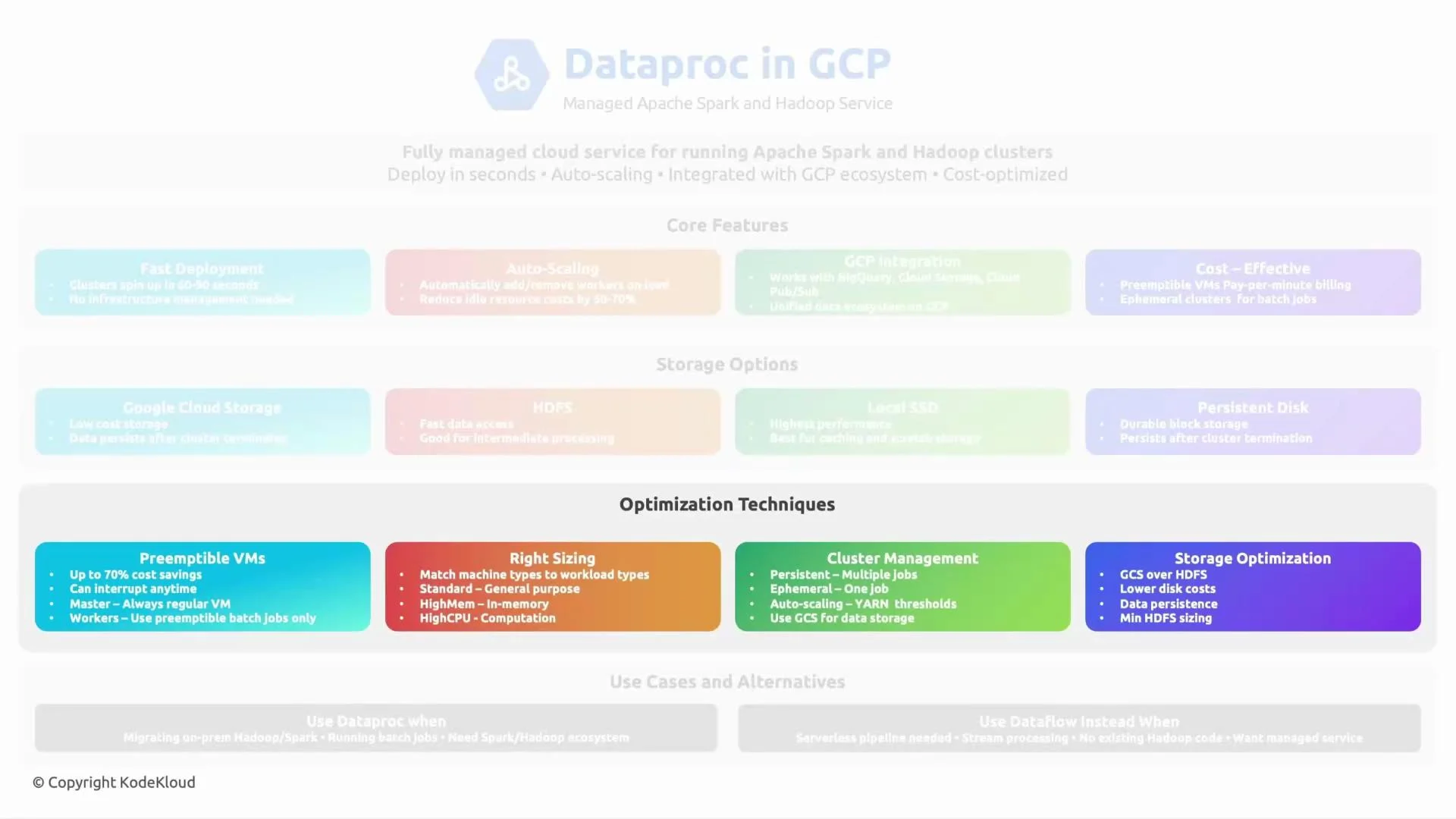
Preemptible VMs are much cheaper but can be reclaimed at any time. Use them for fault-tolerant batch jobs, and ensure your job or workflow can handle worker interruptions.
Typical use cases
- Running Spark jobs: Managed Spark clusters for Spark SQL, DataFrame jobs, MLlib, and Spark Streaming.
- Apache Flink and other engines: Dataproc can run Flink and other frameworks though Dataproc’s core strength is Spark.
- Interactive SQL / Presto: Run Presto on Dataproc to query data in GCS; for many ad-hoc analytics and warehousing scenarios, BigQuery is often a simpler, fully managed alternative with higher performance on large datasets.
- ETL, batch processing, and machine learning pipelines: When you need the Hadoop/Spark ecosystem integrated with GCP services and want tight control over cluster topology for performance or cost.
- Choose Dataproc when you need full control over Spark/Hadoop libraries, custom runtime dependencies, or complex distributed processing logic.
- Choose BigQuery for serverless, high-performance analytics, ad-hoc SQL querying, and workloads where you don’t need direct control over the execution environment.
Closing
This concise summary covered what Dataproc is, its core features, supported storage options, optimization strategies, and common use cases. Dataproc is best when you need managed Spark/Hadoop infrastructure with flexible lifecycle control and close integration with Google Cloud services. See you in the next lesson.Links and references
- Dataproc documentation
- Apache Spark
- Apache Hadoop
- Google Cloud Storage (GCS)
- BigQuery
- Preemptible VMs