

Scenario: counting website clicks in 10-second windows
- Imagine counting website clicks in fixed, 10-second event-time windows (0–10s, 10–20s, …).
- Some clients are on slow networks, so click events for a window may arrive late.
- Clicks with event timestamps 3s, 5s, and 8s arrive before the window end (0–10s) — these are on-time.
- Other clicks with event timestamps within 0–10s may arrive after the window end (after 10s) and are considered late.
- Questions to answer: when should we emit the aggregated result for that window? Wait for late events or emit early and update later?
How watermarks help
- A watermark is the system’s estimate of event-time progress: the best guess of how far event time has advanced for the stream.
- If the watermark is at 8s, Dataflow estimates that most events with event-time ≤ 8s have been seen.
- When the watermark passes a window end (for example, 10s), that commonly triggers emission of that window’s result.
- As the watermark advances (e.g., to 15s), Dataflow assumes late events for earlier windows are increasingly unlikely.
Watermarks are heuristics, not strict guarantees. They represent the system’s estimate of completeness for event-time processing. Design triggers and allowed-lateness with that uncertainty in mind.
Trigger types
There are several trigger patterns you can apply to emit results for windows. Below is a concise comparison, followed by a diagram that visualizes the common trigger types.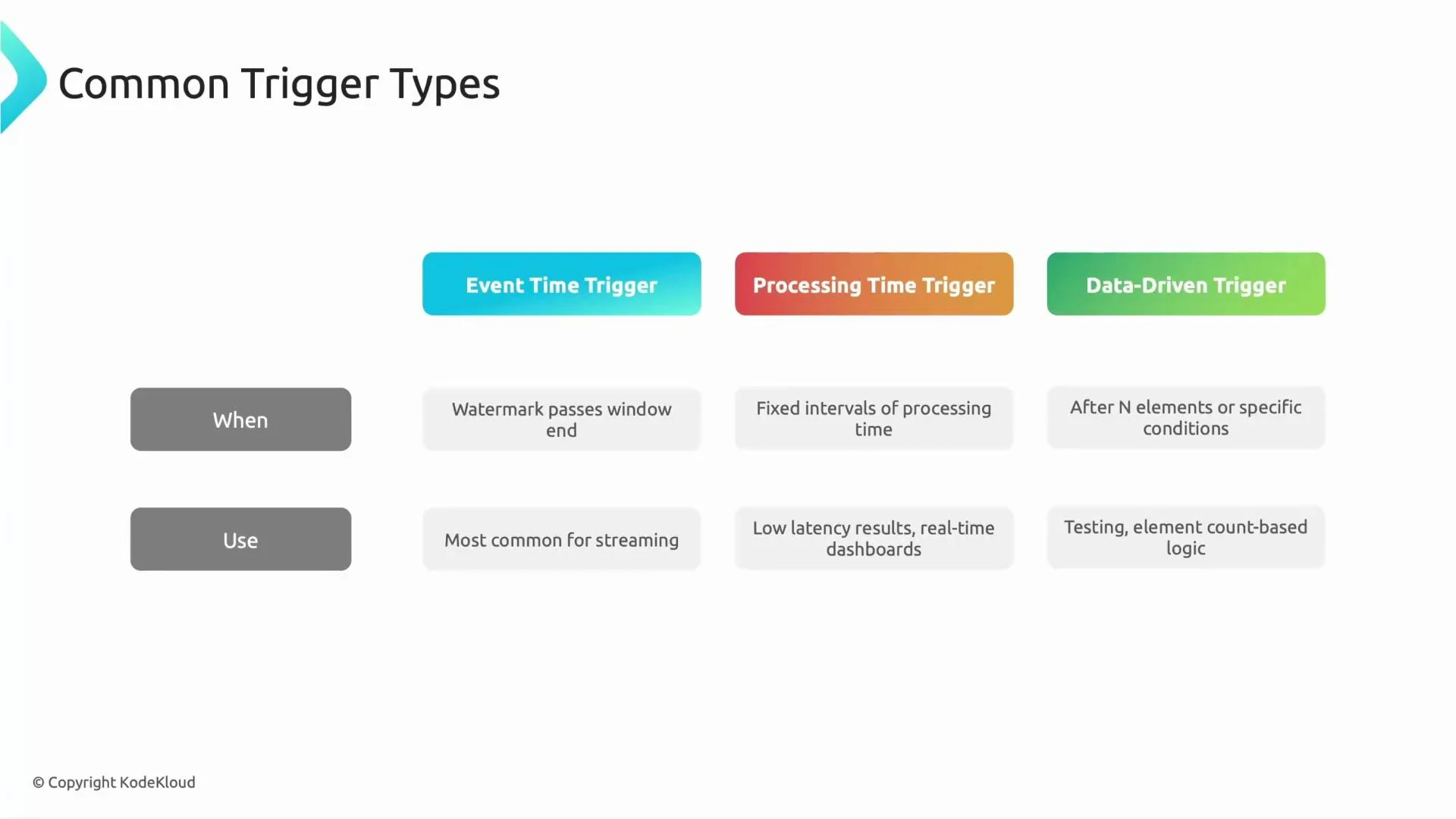
- Event-time (watermark) triggers are the most common for event-time correctness because they align output with event timestamps.
- Processing-time triggers give predictable low-latency outputs regardless of event-time progress.
- Data-driven triggers are ideal when the business logic requires emission after a condition (e.g., first 100 events).
- It’s common to combine triggers in a multi-stage strategy:
- Early firings (processing-time or data-driven) to provide low-latency, partial results.
- A final firing when the watermark passes the window end to provide a stable, accurate result.
- This hybrid approach balances latency and correctness.
Handling late data (allowed lateness)
- Allowed-lateness (also called grace period) defines how long late events can still update a closed window.
- Example: an allowed-lateness of 5 minutes means late events for a given window that arrive within 5 minutes after the window end will still be incorporated, and the window result can be re-emitted (updated).
- After the allowed-lateness expires, events that belong to that window are considered too late. Dataflow can:
- Drop them, or
- Route them to a dead-letter or side output for separate handling and analysis.
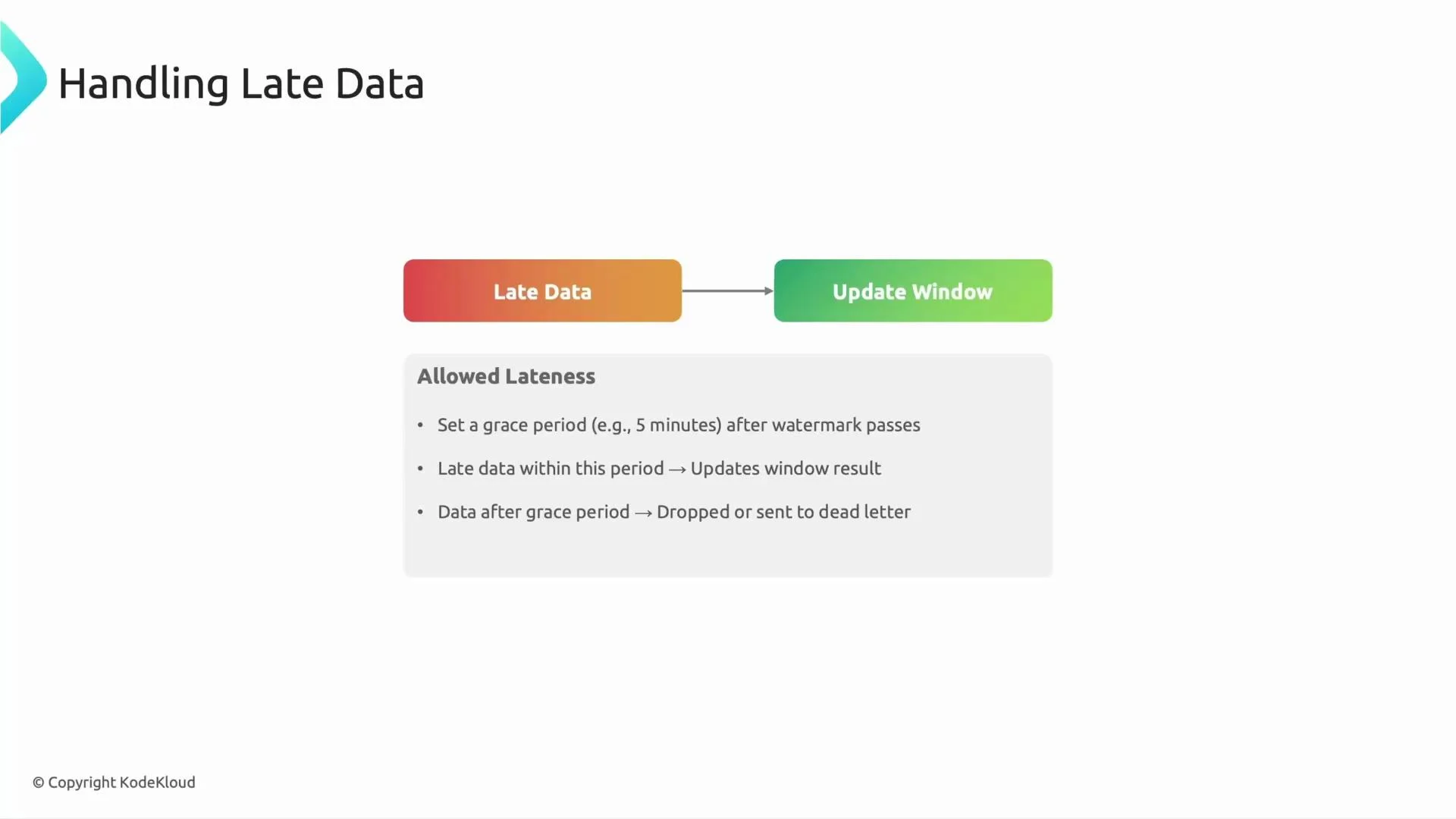
If you set allowed-lateness too short, you may lose valid late events. If you set it too long, you increase state retention and resource usage. Tune allowed-lateness to balance accuracy and cost.
Choosing the right balance
- Use event-time (watermark) triggers when correctness relative to event timestamps matters most (financial aggregation, audits).
- Use processing-time triggers when you need consistent, low-latency updates (live dashboards, monitoring).
- Combine early (processing-time or data-driven) firings with a final watermark-based firing to get both low latency and eventual correctness.
- Configure allowed-lateness to control how long you accept updates for closed windows, balancing result accuracy against state and cost.
Links and references
- Apache Beam Windowing and Triggers Guide
- Google Cloud Dataflow Documentation
- Streaming Analytics Patterns and Best Practices