

What is a service account and why use one?
IAM grants identities (users or service accounts) roles that permit specific actions. A human Google account receives a role and a person signs in to the Cloud Console to act. For non-human identities—Compute Engine VMs, Cloud Run services, Cloud Composer workers, or other GCP services—you need a programmatic identity: a service account. When you attach a service account to a resource (for example, a Compute Engine VM), applications running on that resource can call Google Cloud APIs with the service account identity and the permissions you granted. This avoids impersonating individual users and enables automated tasks to act securely.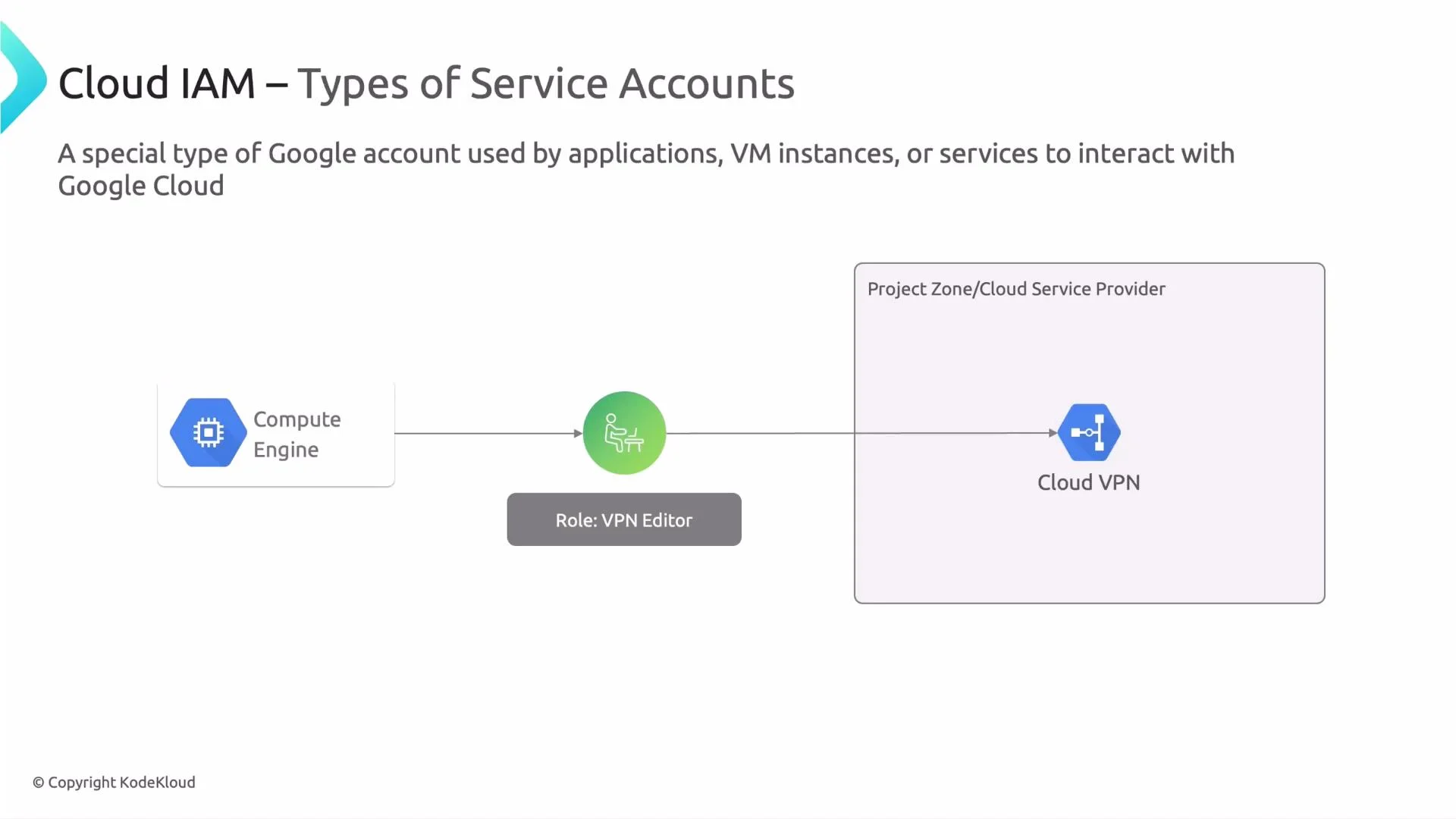
- A VM needs to change network settings (Compute Network Admin). Attach a service account with the appropriate role and the VM can make those changes programmatically.
- Cloud Composer needs to write to Cloud Storage. Assign a dedicated service account to Composer and grant the required Storage permissions so Composer writes without a human credential.
- Grant a role to a service account:
- Create a VM with a service account attached:
- Replace the service account on an existing VM:
Types of service accounts
Google Cloud provides three main types of service accounts. The table below summarizes who manages each type, typical use cases, privilege patterns, and how they are created or deleted.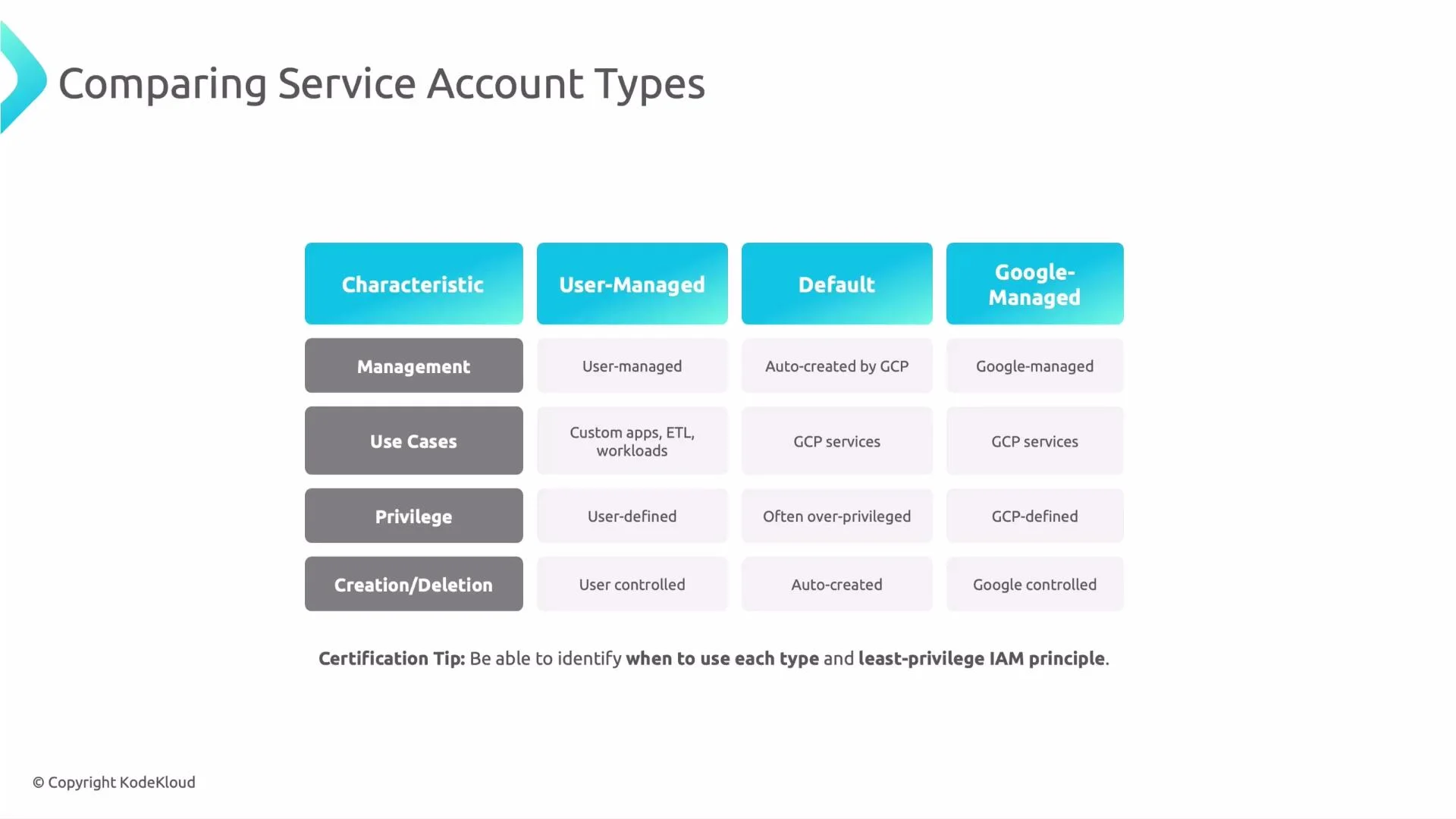
Editor, or can you grant a narrowly scoped role?
Prefer user-managed service accounts for workloads. They provide ownership and let you grant only required permissions (least privilege).
Recommended production practices
Follow these practices to maintain good IAM hygiene and reduce risk:
Additional operational tips:
- Rotate credentials and keys for any service account keys you create.
- Prefer Workload Identity Federation or short-lived tokens over long-lived service account keys where possible.
- Use IAM Conditions for more granular access (e.g., restrict by request time or resource attributes).
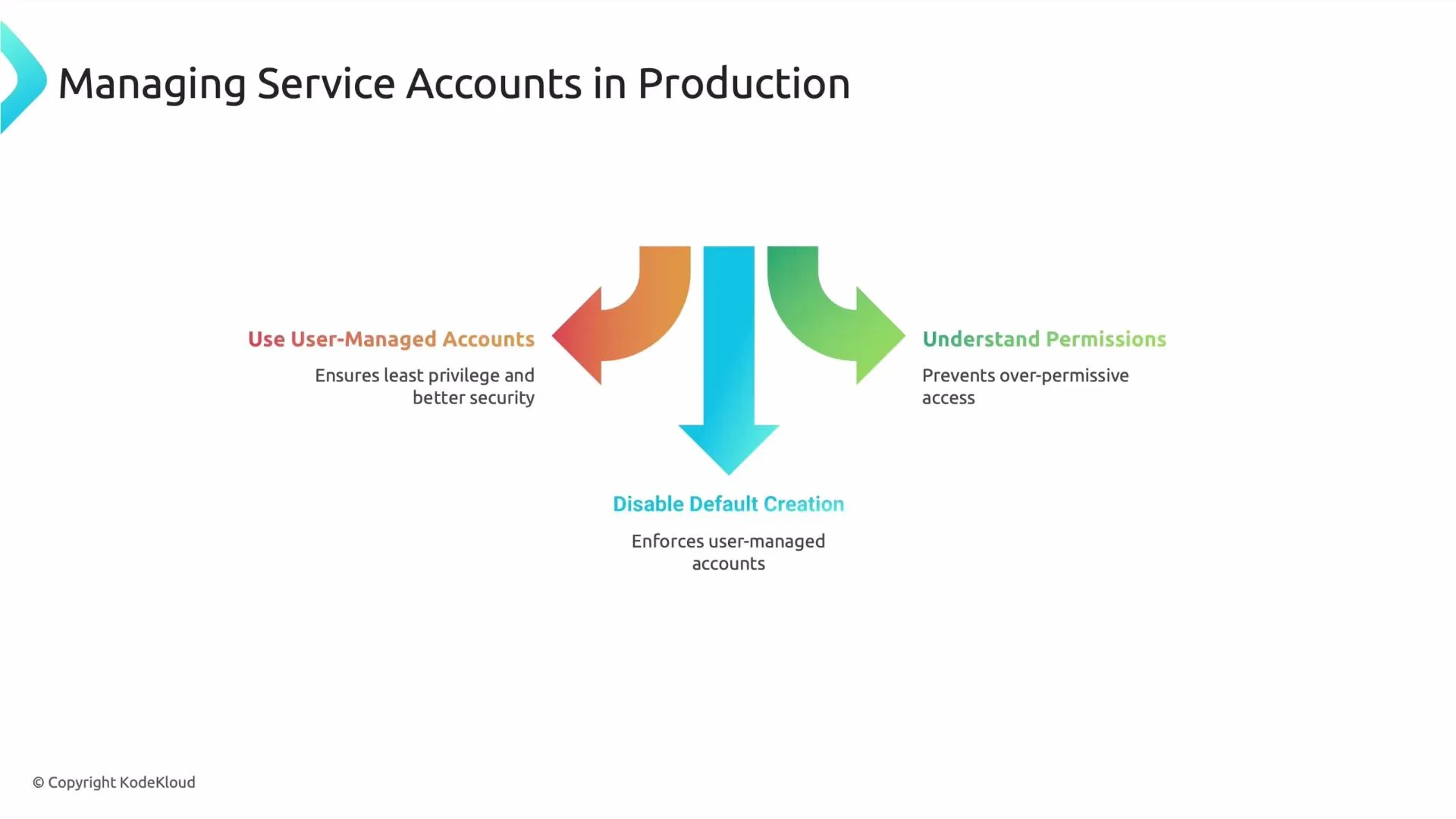
Do NOT reuse a single service account across unrelated services or environments. Reuse increases the blast radius of a compromise and makes it hard to determine which workload performed an action.
Summary
- Service accounts are non-human identities used by applications and services to call Google Cloud APIs.
- Prefer user-managed service accounts for production workloads and enforce least-privilege permissions.
- Avoid default account reuse, create explicit service identities with clear ownership, and monitor their activity.
Links and references
- Cloud IAM overview — Google Cloud
- Understand service accounts — Google Cloud
- Principle of least privilege — Google Cloud security guidance