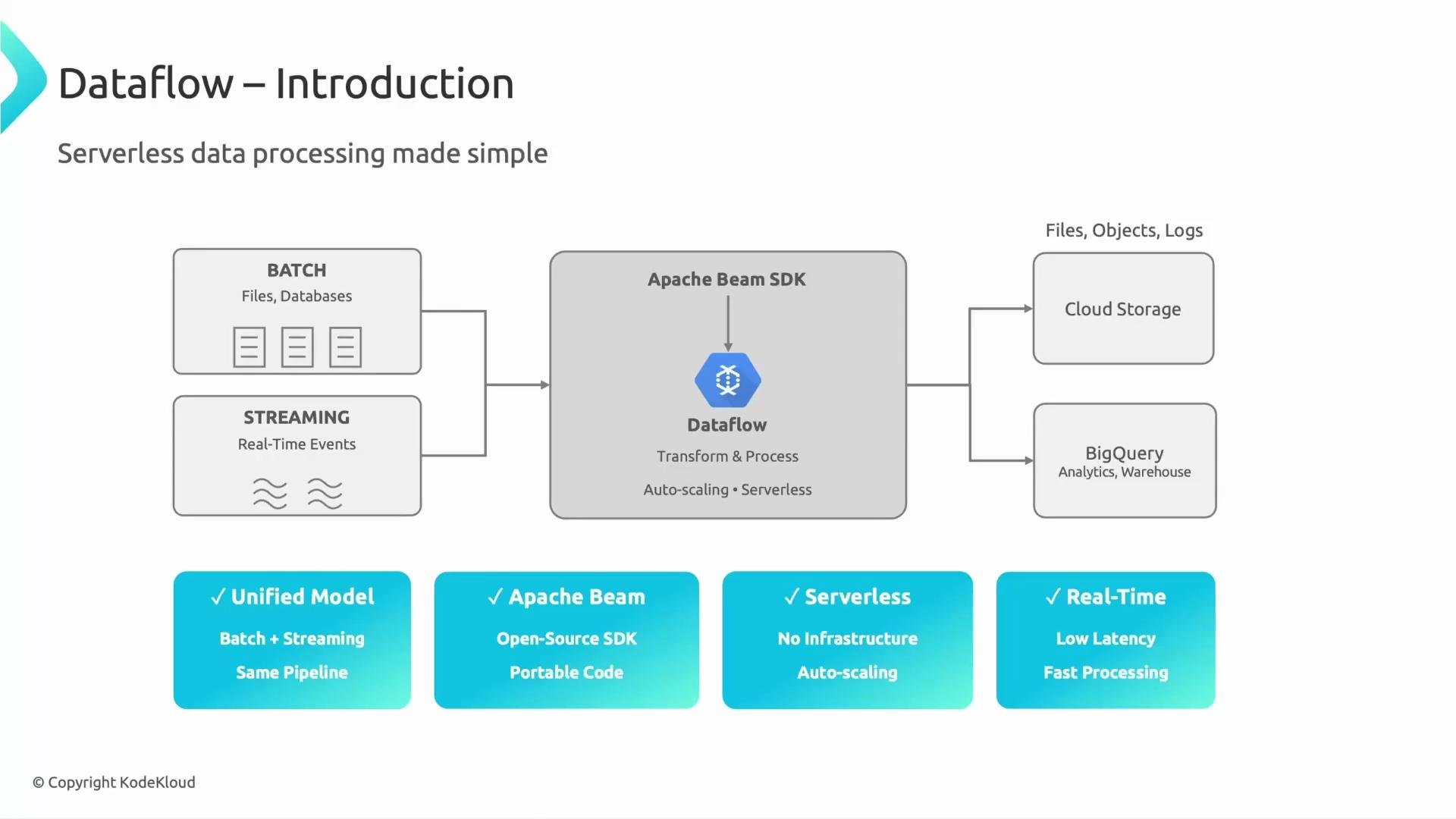
- Dataflow is Google Cloud’s fully managed, serverless service for running data processing pipelines written with the Apache Beam SDKs.
- It executes Beam pipelines (the sequence of transforms, windowing, and triggers you define), and it handles provisioning, autoscaling, checkpointing, and operational tuning so you can focus on logic rather than infrastructure.
- Use Dataflow when you need a managed service that can run both batch and streaming workloads with minimal operational overhead.
- Dataflow is ideal for ETL, real-time analytics, event processing, and transforming data for sinks like BigQuery or Cloud Storage.
Dataflow supports both batch and streaming within the same Beam pipeline model, simplifying development and reuse.
Apache Beam and Dataflow
- Apache Beam is the open-source programming model and SDK that defines how to express data-processing pipelines (transforms, windowing, triggers, and I/O).
- Dataflow is a managed Beam runner on Google Cloud that executes Beam pipelines and manages underlying compute, autoscaling, and reliability concerns.
- The Beam portability model means you can run the same pipeline code on different runners (for example, Dataflow, Apache Flink, or Apache Spark) without changing business logic.
- Cloud Storage — for files, batch exports, or intermediate artifacts.
- BigQuery — for analytics, BI, or serving results to dashboards.
- Other sinks — Pub/Sub, databases, or custom sinks as required by your pipeline.
Dataflow is best when you want a managed, autoscaling service to run Beam pipelines that handle both batch and streaming workloads with minimal infrastructure management.
- Dataflow is a serverless, autoscaling engine for running Apache Beam pipelines.
- It supports both batch and streaming workloads in the same programming model and writes results to sinks such as Cloud Storage or BigQuery.
- Use Dataflow when you need a managed solution for scalable ETL, streaming analytics, or other pipeline-based data processing tasks.