

search_trials option), so manual tuning is often unnecessary.
After training, evaluate the model with ML.EVALUATE. This returns performance metrics—accuracy, precision/recall for classification, mean squared error for regression, and other useful diagnostics. If the metrics are unsatisfactory, iterate: refine features or data and retrain.
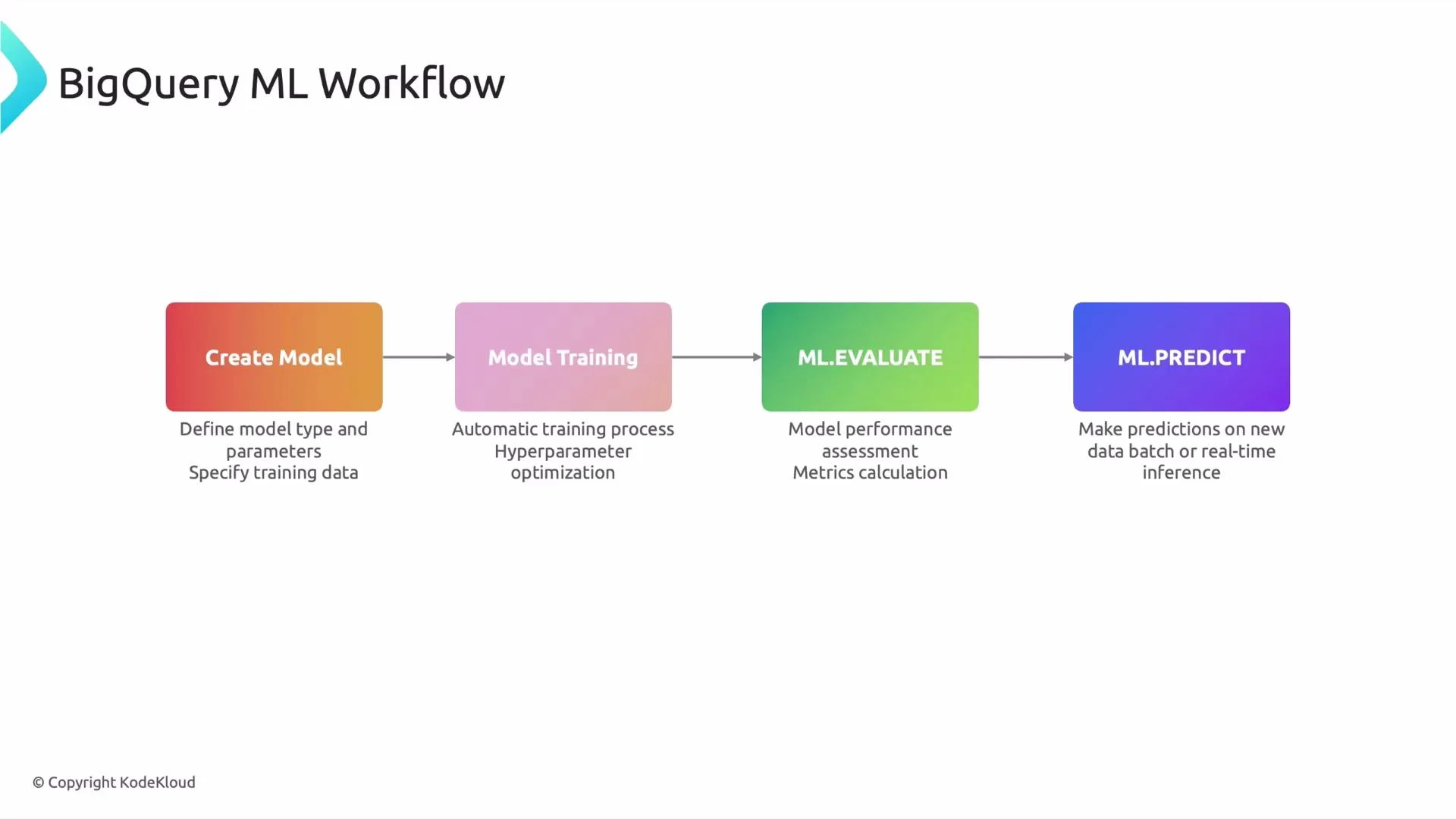
Finally, use ML.PREDICT to generate batch predictions on new data. For online (real-time) prediction, export the trained model for serving in a system such as Vertex AI. The workflow is cyclical: create → train → evaluate → predict, and repeat as you collect more data or adjust features.
1. CREATE MODEL — define and train
The CREATE MODEL statement both defines and (by default) trains the model. Specify the model identifier, chosenOPTIONS (for example, model_type), and a SELECT query that returns training examples with features and the target label.
If you know SQL, you already understand most of BigQuery ML: you declare the model name, set options, and provide a training query. BigQuery handles training and optional hyperparameter tuning.
project.dataset.model_name: destination model identifier in BigQuery.OPTIONS(model_type='linear_reg'): chooses a built-in model type. Other options includelogistic_reg,boosted_trees_classification,boosted_trees_regression,dnn_classifier, etc.- The SELECT statement supplies training rows. Include feature columns and the label column.
search_trials and configure input preprocessing with input_label_cols, data_split_method, and other model-specific options.
Common BigQuery ML model types
2. ML.EVALUATE — inspect model performance
After training, run ML.EVALUATE to compute metrics on a held-out evaluation dataset. Pass the model identifier and a query that returns the same features plus the true target. Example: evaluate the model- For classification: accuracy, precision, recall, AUC, and confusion matrix details.
- For regression: mean squared error (MSE), mean absolute error (MAE), and explained variance.
- Additional model-specific diagnostics may be available (e.g., feature importance for tree models).
WHERE RAND() < 0.8 for training and >= 0.8 for evaluation) or use BigQuery ML’s built-in data_split_method.
3. ML.PREDICT — generate predictions
Use ML.PREDICT to make batch predictions. It returns the input features plus predicted values (and class probabilities for classification models). Example: predict using the model- Regression models return predicted numeric values in
predicted_<label>. - Classification models return predicted class and probabilities (for example,
predicted_label,probability).
Putting it all together
- CREATE MODEL: defines and trains using a SELECT query.
- ML.EVALUATE: returns metrics to judge model quality.
- ML.PREDICT: generates predictions for new inputs.
Be mindful of query and training costs: BigQuery charges for processed bytes and model training. Use appropriate data sampling, partitioning, and test splits to control cost. For online serving, plan model export and monitoring (latency, payload size, and versioning).
Production considerations and next steps
- Prepare stable training and validation datasets, maintain data versioning, and log model metrics.
- Monitor model drift: schedule periodic evaluation and retraining as data distribution changes.
- For large-scale or low-latency serving, export models to a serving platform (for example, Vertex AI) and implement A/B tests and model promotion workflows.