

What is the Principle of Least Privilege?
Least privilege means granting only the permissions required to perform a task—and nothing more. That applies to human users, service accounts, and APIs: each actor should receive the minimal permissions necessary for its role. Example:- If a user only needs to view logs in Cloud Logging, grant them viewer permissions for logs. Do not grant delete or modify permissions.
Before granting permissions, ask: “Is this required for the task now?” If not, do not grant it. This simple discipline prevents many security incidents.
Why least privilege matters
Limiting permissions provides measurable security and operational benefits:A practical security hierarchy for implementing least privilege
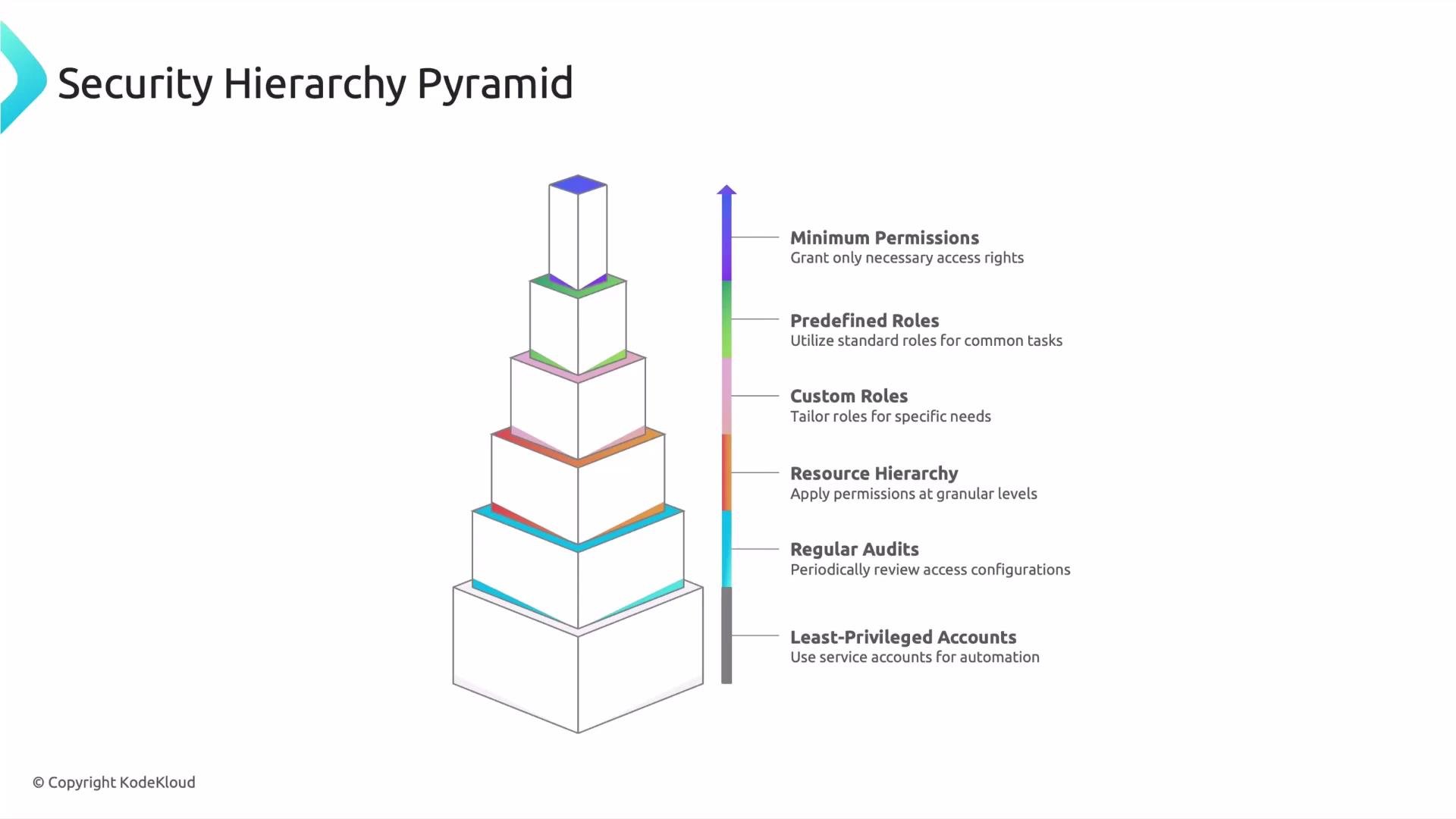
Apply least privilege as a layered approach. Work from broad controls down to the most precise permissions:- Least-privileged accounts: Use service accounts and automation identities scoped narrowly for their tasks.
- Regular audits: Periodically review roles and remove unnecessary or stale permissions.
- Resource hierarchy: Apply IAM at the most appropriate level—organization, folder, project, or resource—so permissions are as granular as possible.
- Custom roles: When predefined roles are too broad, create custom roles that include only the required permissions.
- Predefined roles: Use cloud provider predefined roles when they map well to responsibilities; they’re maintained and commonly follow best practices.
- Minimum permissions: The ultimate goal—grant only the essential permissions needed to operate.
Practical tips for applying least privilege
- Start with the smallest scope: assign roles at the resource or project level rather than the organization level when possible.
- Prefer predefined roles if they match the required capabilities—these are tested and frequently updated.
- When predefined roles are too broad, create a custom role with only the necessary permissions.
- Use groups for IAM assignments to simplify management and reduce human error.
- Automate permission reviews and logging to detect overprivileged accounts quickly.
- Use short-lived credentials where possible and enable audit logging to monitor actions.
Next steps
Later in this series we’ll dive deeper into Cloud IAM permissions and roles to show how permissions are structured in Google Cloud and how roles aggregate permissions. You’ll learn how to inspect permissions, test roles, and design custom roles that follow least-privilege principles.Links and references
- Google Cloud IAM documentation
- Principle of Least Privilege — NIST
- Google Cloud best practices for IAM