Why this matters
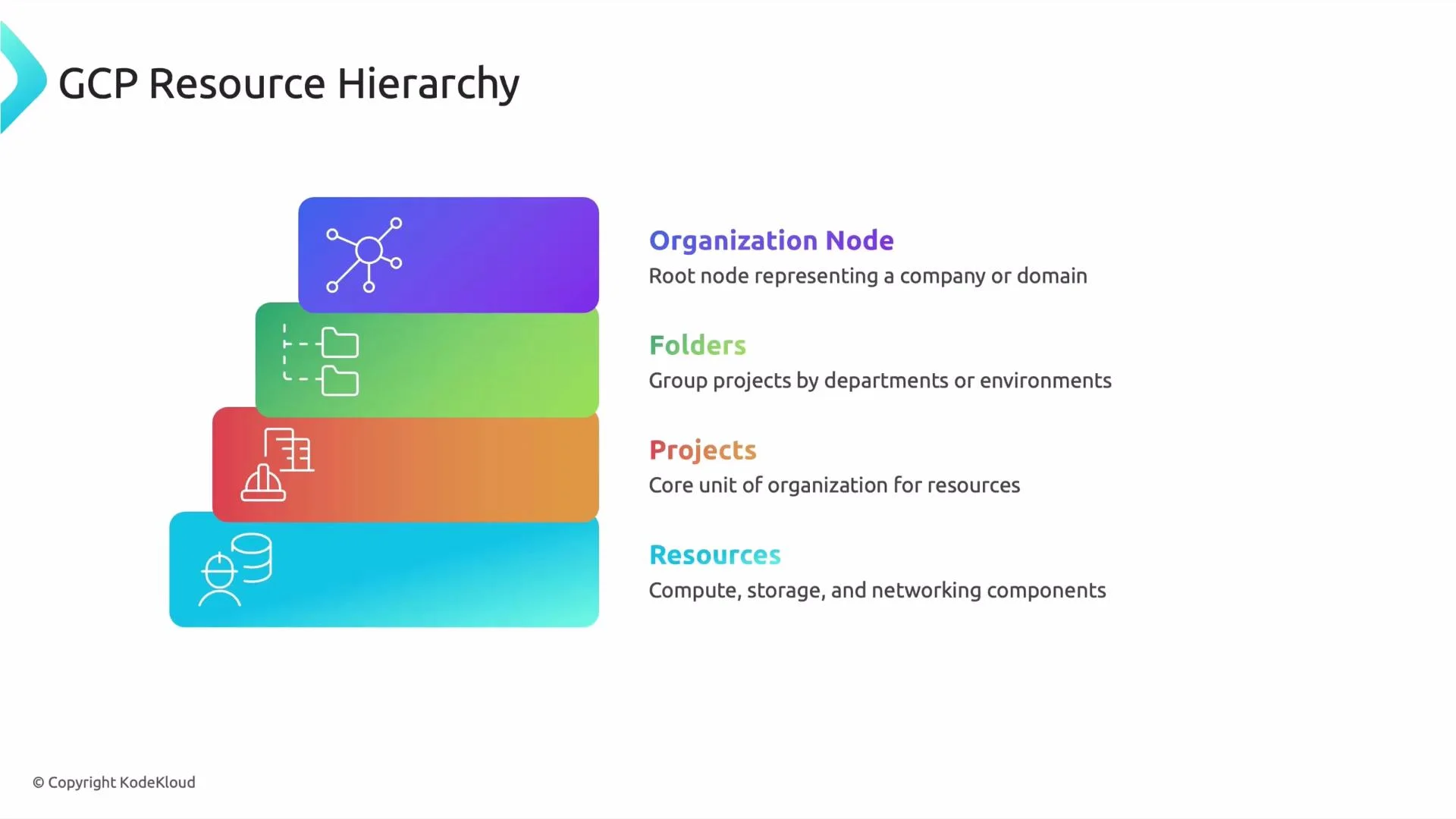
- The resource hierarchy defines how Google Cloud organizes everything from your entire organization down to individual resources like VMs and buckets.
- It determines how IAM, organization policies, and billing are applied and inherited across your cloud estate.
- If you manage projects inside an organization, each project is a node in this hierarchy. Knowing the structure helps you standardize permissions, enforce policies, and simplify auditing.
Overview: the layers of the hierarchy
-
Organization node
- The organization node is the root for your company inside Google Cloud. It typically represents your domain (for example,
kodekloud.com) and requires Cloud Identity or Google Workspace to be established. - Policies and IAM bindings applied at the organization level affect every child below it—folders, projects, and resources—making it the highest point for central enforcement.
The organization node is created when you set up Cloud Identity or Google Workspace for your domain. Without it, projects are created without a shared organizational root. - The organization node is the root for your company inside Google Cloud. It typically represents your domain (for example,
-
Folders
- Folders are optional grouping containers that help you structure projects and subfolders. Use folders to represent departments, environments (e.g., dev, staging, prod), or business units.
- They simplify applying consistent IAM and organization policies across many projects without configuring each project individually.
-
Projects
- Projects are the primary boundary for resources, billing, APIs, and IAM. Every Google Cloud resource belongs to a project.
- A project contains configuration, quota, enabled APIs, and a link to a billing account. Teams typically own projects to isolate environments and responsibilities. (Billing accounts are separate resources that can be attached to multiple projects.)
-
Resources
- Resources are concrete services and objects such as Compute Engine VMs, Cloud Storage buckets, BigQuery datasets, Pub/Sub topics, etc.
- Resources live inside projects and inherit policies and IAM bindings from their parent project, folder (if any), and organization node.
Inheritance and scope
- Permissions and organization policies flow downward: a policy set at the organization node applies to folders, projects, and all resources beneath it.
- You can add more specific IAM bindings or policies at lower levels (folders, projects, or individual resources). The effective permissions for an identity are the union of all applicable bindings across the hierarchy.
- Organization Policy constraints let you restrict resource creation and configuration across the organization (for example, limiting regions, disallowing external IPs, or blocking certain APIs).
Be careful when assigning broad roles at high levels (organization or folder). A single overly-permissive binding can grant access across many projects and resources. Prefer least privilege and use predefined/custom IAM roles where possible.
Quick mental model
- Organization node → Folders (optional) → Projects → Resources
- Each layer can have many children and inherits controls from its parent. This enables centralized management while allowing targeted exceptions or additional controls at lower levels.
Summary table
Next steps
A related topic is the project identification framework: naming conventions, labels, and tags to manage projects efficiently within this hierarchy. Consider documenting a naming and labeling standard (for example:proj-<team>-<app>-<env>) and enforcing it with organization policies and automation.
Links and references