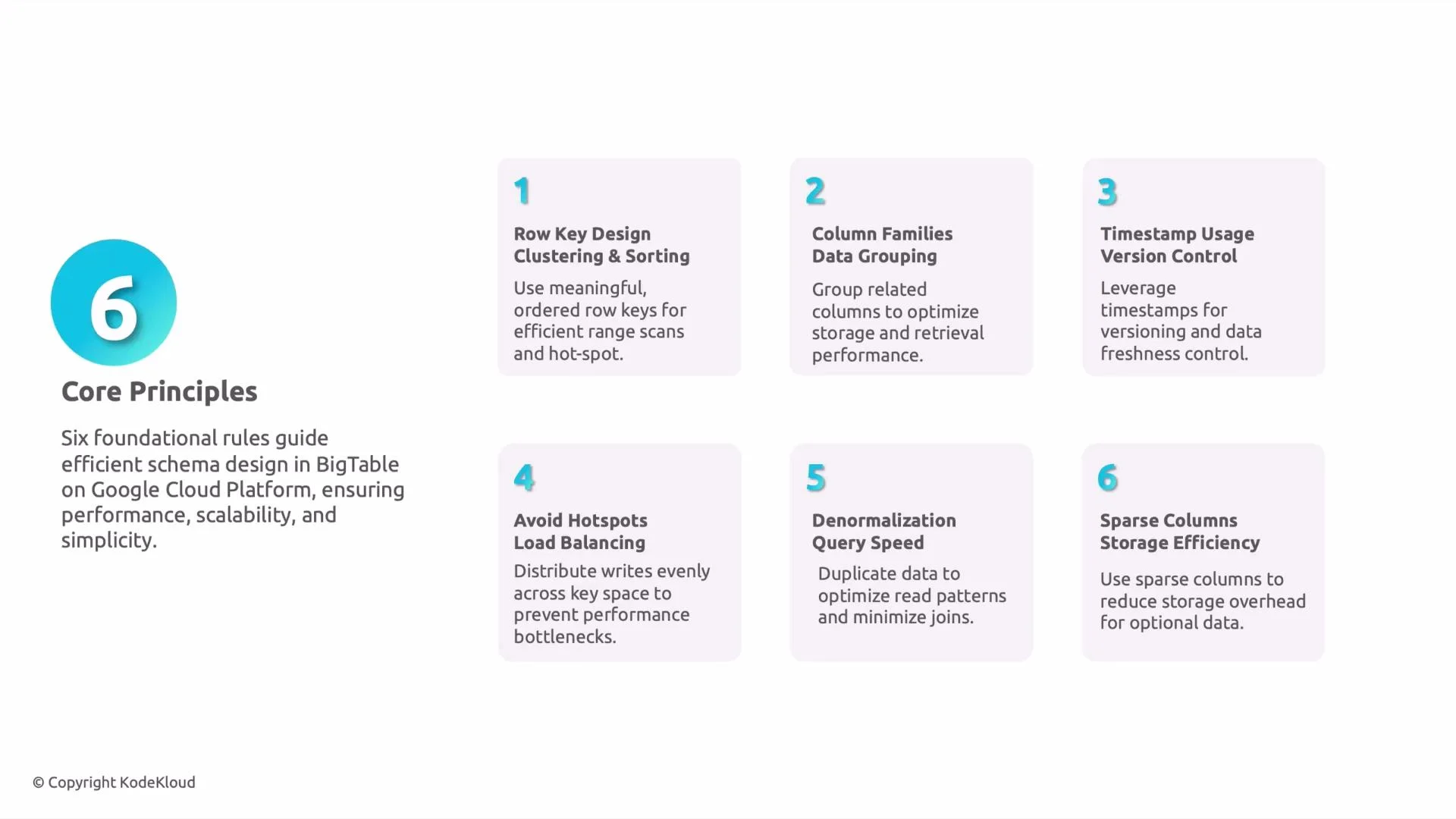
- Data distribution
The row key controls how Bigtable splits data into tablets and assigns them to nodes. Similar or highly sequential keys can concentrate data on a few tablets, creating uneven resource use. - Query efficiency
Bigtable excels at contiguous range scans. Keys that colocate related rows (for example, via a consistent prefix) make range queries fast and efficient. - Hotspotting
Writes that target the same key range will overload a single tablet. Avoid predictable, strictly increasing keys for high-write workloads. - Sort order
Rows are ordered lexicographically by key. This behavior is ideal for time-series and prefix-based access, but naive timestamp-leading keys will funnel writes to the same tablet.
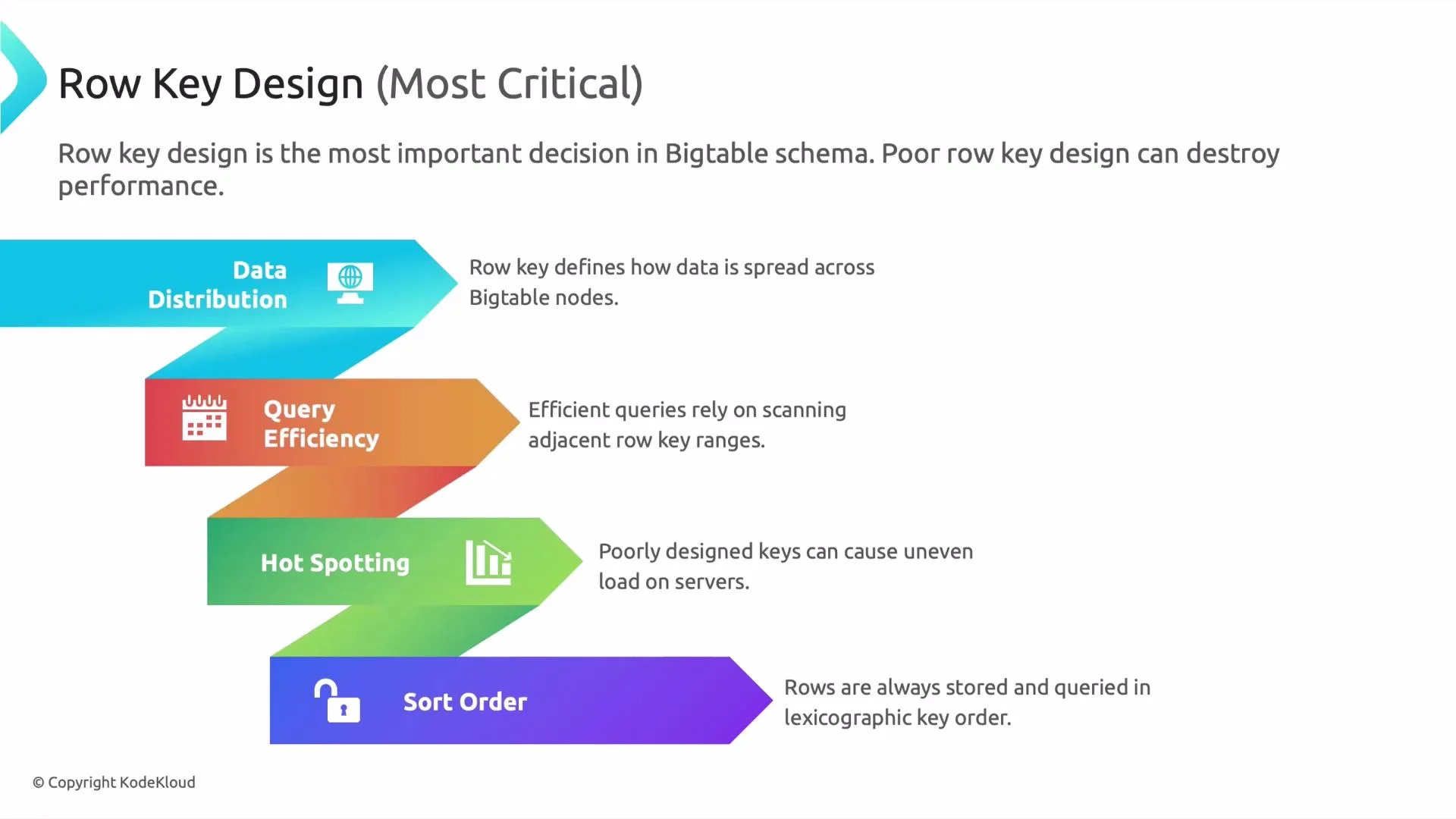
- Row key design, clustering, and sort order
- Use a key layout that groups related rows so range scans are contiguous and efficient.
- For sensor data, prefix the key with the sensor identifier to cluster that sensor’s readings together.
- Column families (logical grouping)
- Group columns that are read together into the same column family so Bigtable reads fewer blocks.
- Example: store
temperatureandhumidityin one family andsystem_logsin another to avoid unnecessary IO when you only need sensor readings.
- Timestamp usage and versions
- Bigtable stores multiple versions per cell, ordered by timestamp. Use this for short-term history (e.g., last N readings).
- Configure column-family GC (max versions, age-based retention) to control storage and retention.
- Example policy: keep the last 5 versions for a measurement column.
- Avoid hotspotting and design for load balance
- Distribute writes across the key space using short hashed prefixes, explicit shard numbers, or timestamp transforms (e.g., reverse timestamps).
- Preserve read locality where possible—don’t remove prefixes that you need for range scans.
Exam tip: Questions about avoiding hotspotting usually expect answers mentioning hashing, bucketing, or adding randomness to the row key to distribute writes.
Avoid using strictly increasing values (like leading timestamps) as the first part of the row key for high-write workloads—this is a common cause of hot tablets.
- Denormalization for performance
- Bigtable is optimized for wide rows and single-table access. Duplicate frequently used fields (for example, sensor location or type) inside each row to avoid additional lookups or joins.
- Trade-off: higher storage costs for much faster read latency.
- Storage efficiency and sparse columns
- Bigtable stores only columns with values; sparse columns do not consume storage for rows that lack them.
- Put optional or infrequent attributes in separate columns or families to avoid extra IO for common queries.
Monitoring and testing
- Test with a realistic workload and monitor tablet splits, CPU, and IO in Cloud Monitoring (Stackdriver). Watch for skew in tablet sizes and request rates.
- If you see hotspots, try introducing hashing or additional shards and re-evaluate read patterns.