

High-level view
A production-grade GCP data platform is typically organized into these layers:- Ingestion and streaming: capturing data from devices, apps, and logs.
- Storage and databases: short- and long-term storage with different latency and consistency characteristics.
- Transformation and processing: batch and stream analytics, ETL/ELT.
- Orchestration and integration: scheduling, pipelines, and visual ETL.
- Monitoring and operations: observability, security, and developer tooling.
Ingestion and streaming
Use these services to collect events, telemetry, and messages in real time or near-real time:- Pub/Sub — A globally distributed messaging bus for ingesting events from IoT devices, mobile/web apps, and logs. Ideal for decoupling producers and consumers.
- Cloud Storage — Frequently used as a durable landing zone for batch uploads, logs, and bulk files (CSV, JSON, Parquet).
- Data Transfer Service / Transfer Appliance — For large, periodic data transfers from on-premises systems or third-party sources.
For streaming-first architectures, pair Pub/Sub with a stream processor such as Dataflow to apply windowing, enrichment, and exactly-once semantics before loading into BigQuery or other sinks.
Transformation and processing (analytics)
These services cover interactive SQL analytics, batch and stream compute, and visual data preparation:- BigQuery — Serverless, highly scalable data warehouse for fast SQL analytics on petabyte-scale datasets.
- Dataflow — Managed Apache Beam runner for unified batch and streaming pipelines (ETL, event processing, windowing).
- Dataproc — Managed Hadoop / Spark clusters for lift-and-shift or custom Spark jobs.
- Dataprep — Visual, no-code/low-code data cleaning and preparation built for analysts and data engineers.
- Data Fusion — Visual, drag-and-drop ETL/ELT for building integration pipelines that can run on-prem or in the cloud.
- Data Catalog — Metadata management and discovery service to catalog datasets, schemas, and lineage.
Databases and storage
Choose storage based on access patterns, consistency, and scale. The table below summarizes the primary GCP storage and database options:Orchestration, integration, and workflow
Coordinate and manage pipelines with:- Cloud Composer — Managed Apache Airflow for complex scheduling and DAG-based workflows.
- Data Fusion — Also used for integration and orchestration in visual ETL scenarios.
- Cloud Build & Cloud Functions — For event-driven transforms, CI/CD of data pipelines, or light-weight orchestration tasks.
Monitoring, security, and developer tooling
Production platforms require observability, security, and the right developer tools:- Cloud Operations (Monitoring, Logging, Trace) — Centralized metrics, logs, traces; alerting, dashboards, and incident management.
- Cloud Console, Cloud Shell, Cloud SDK — Developer tools and CLI for provisioning, debugging, and automation.
- Cloud IAM — Fine-grained identity and access control to secure resources and data.
Security and cost are operational first-class concerns. Use IAM roles, audit logs, and monitoring alerts to detect misuse and control spend — especially for serverless services like BigQuery and Dataflow where costs scale with usage.
Quick reference mapping
The table below maps each key GCP service to its primary role and typical use case:How to choose services
- Start with requirements: latency, throughput, consistency, global scale, and team skillset.
- For analytics-first workloads with SQL queries: BigQuery is the default choice.
- For stream processing and event-driven pipelines: Pub/Sub + Dataflow provides a robust, scalable pattern.
- If you already have Spark jobs or need custom libraries: Dataproc is the natural migration path.
- For OLTP relational workloads with global consistency: consider Spanner; for managed single-region relational DBs, use Cloud SQL.
- Use Data Catalog and IAM together to secure and make datasets discoverable.
Next steps and architecture example
With this landscape in mind, a practical next step is studying concrete architectures — for example, a real-time IoT pipeline using Pub/Sub, Dataflow (Beam), BigQuery, and Cloud Monitoring. That will show how ingestion, processing, storage, and observability work together end-to-end.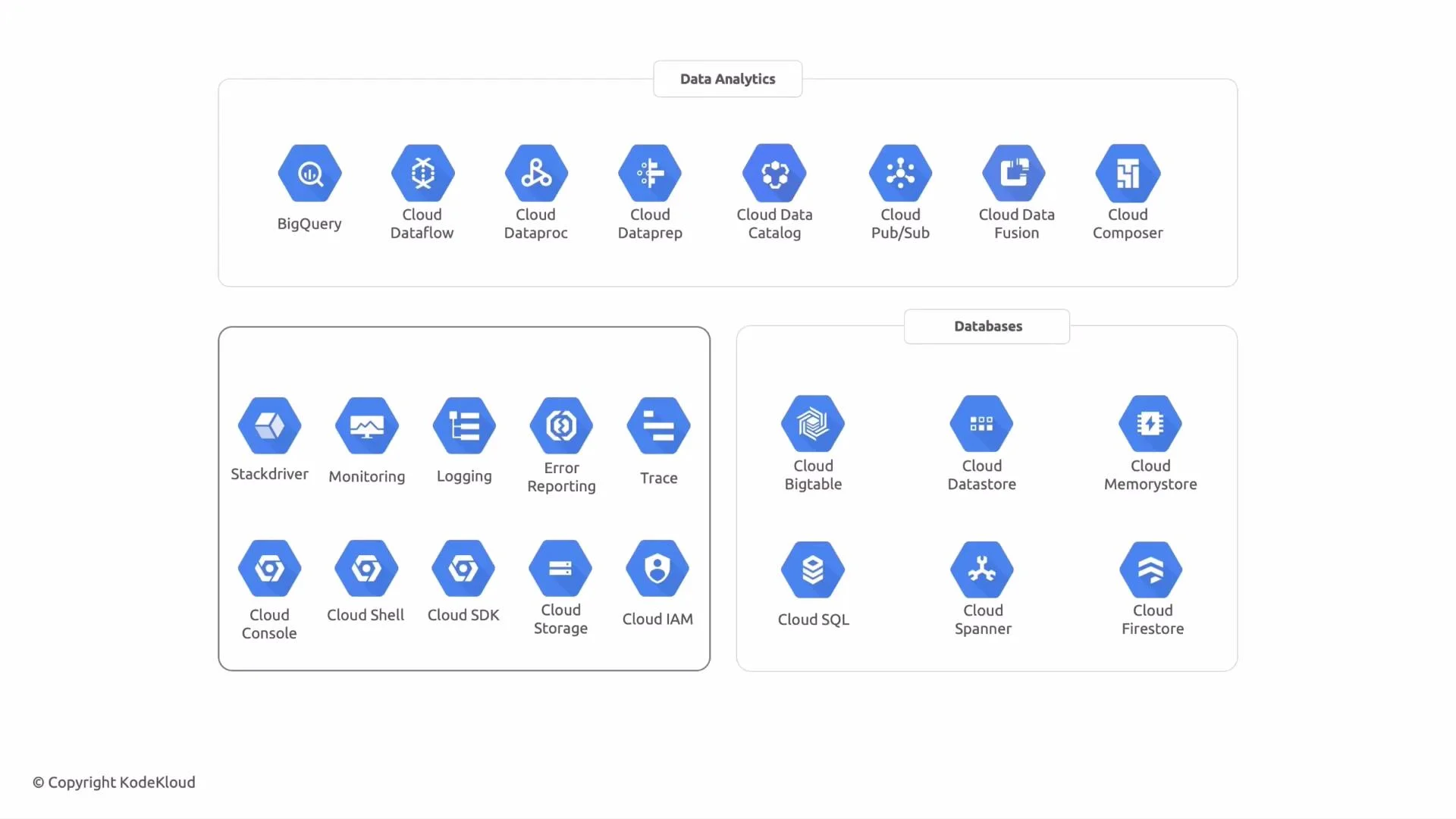
- GCP Documentation — BigQuery
- GCP Documentation — Dataflow
- GCP Documentation — Pub/Sub
- GCP Documentation — Dataproc
- GCP Documentation — Cloud Storage
- GCP Documentation — Cloud Composer (Airflow)
- GCP Documentation — Cloud Operations (Monitoring & Logging)