Unified programming model: batch and streaming
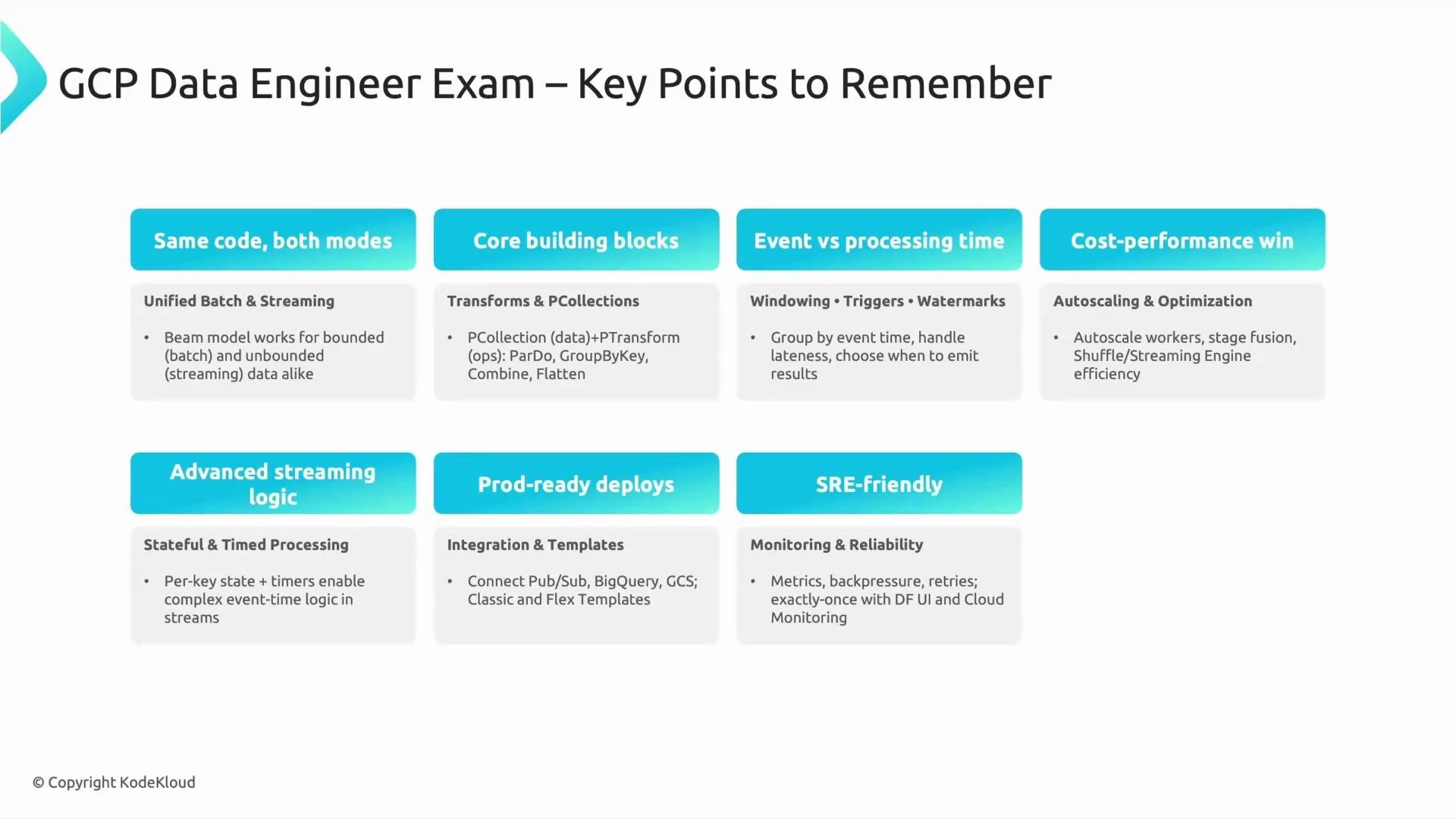
One powerful Beam feature is that identical pipeline code can handle both batch and streaming workloads. Beam supports both bounded (batch) and unbounded (streaming) PCollections, enabling a single programming model for both processing modes. Exam-style question:- Which Beam model feature allows the same code to be used for both batch and streaming pipelines?
- Answer: The unified model supporting both bounded and unbounded data.
Core building blocks of a Beam pipeline
Think of a Beam pipeline as a sequence of instructions operating on collections:
A simple analogy: a PCollection is a box of invoices; ParDo scans invoices to extract amounts; GroupByKey groups by customer ID and Combine computes per-customer totals.
Event time vs processing time, windowing, triggers, and watermarks
Understand these core streaming concepts and how they interact:- Event time: when the event actually occurred (timestamp embedded in the event).
- Processing time: when the event is processed by the pipeline (system time).
- Windowing: groups events by event time (fixed windows, sliding windows, sessions).
- Triggers: decide when to emit results for a window (e.g., after watermark passes end-of-window, or after a processing-time delay).
- Watermarks: an estimate of event-time progress—used to decide when to close windows and emit results even with out-of-order arrivals.
- Allowed lateness: how long late events are accepted and processed for a closed window.
Exam-style question:
- What Beam concept helps manage out-of-order or late-arriving events?
- Answer: Watermarks (used along with windowing and triggers).
Autoscaling and cost management
- Dataflow autoscaling dynamically adjusts worker count according to pipeline load.
- Benefits: reduces cost, simplifies testing, allows stress-testing without provisioning a large static cluster, and helps pipelines recover from bursts.
- Consider autoscaling policies and worker types when optimizing cost and latency.
Advanced streaming logic: state and timers
- Per-key state: store small, bounded state per key (e.g., counts, last-seen timestamp).
- Timers: schedule a future callback for a key to implement time-driven behaviors (e.g., expire session after inactivity, send alerts after a delay).
- Use cases: sessionization, de-duplication, per-user activity windows, delayed actions (e.g., check for missing payment 10 minutes after checkout).
Exam tip: Focus on the distinctions between windowing, triggers, and watermarks—questions often test when and why a pipeline emits results and how late data is handled.
Deployment strategies and Dataflow templates
Dataflow offers templates to simplify pipeline deployment and reuse:
Exam-style question:
- Which type of Dataflow template allows runtime parameterization?
- Answer: Flex Template.
Integration and monitoring
Dataflow integrates tightly with core GCP services:- Pub/Sub — streaming ingestion: https://cloud.google.com/pubsub
- BigQuery — analytics and storage: https://cloud.google.com/bigquery
- Cloud Storage (GCS) — staging, batch inputs, templates: https://cloud.google.com/storage
- Key metrics: throughput, latency, system resource usage, worker CPU/memory, and backpressure.
- Backpressure occurs when downstream systems slow ingestion or processing; monitor and tune I/O and worker types.
- Use Cloud Monitoring / Logging and Dataflow job metrics to build alerts and dashboards.