Welcome back. This guide expands on BigQuery fundamentals — creating datasets, tables, and views — and walks through materialized views in BigQuery: what they are, when to use them, and how to manage refresh behavior. Materialized views store precomputed query results to speed up repeated queries. They can refresh automatically on a schedule or be refreshed manually when you need immediate, up-to-date results. Prerequisites
  • A BigQuery dataset (this example uses kodekloud-gcp-training.demo_dataset).
  • A base employees table already present in the dataset (used for the materialized view source).
Quick check — view current summary
SELECT *
FROM `kodekloud-gcp-training.demo_dataset.employee_summary`
ORDER BY salary DESC;
Create a departments table To demonstrate joining a materialized view with another table, create a simple departments table:
CREATE TABLE `kodekloud-gcp-training.demo_dataset.departments` (
    department_id INT64 NOT NULL,
    department_name STRING NOT NULL,
    location STRING,
    budget INT64
);
Insert sample department records:
INSERT INTO `kodekloud-gcp-training.demo_dataset.departments`
(department_id, department_name, location, budget)
VALUES
  (101, 'Engineering', 'San Francisco', 500000),
  (102, 'Sales', 'New York', 300000),
  (103, 'Marketing', 'Los Angeles', 250000),
  (104, 'HR', 'Chicago', 150000);
Verify the inserted data:
SELECT department_id, department_name, location, budget
FROM `kodekloud-gcp-training.demo_dataset.departments`
ORDER BY department_id;
Relational context Now you have two related tables: employees and departments. This is a classic relational setup where department_id in employees references department_id in departments, enabling joins at query time. Important: materialized view limitations BigQuery materialized views are optimized for performance but have SQL restrictions. They do not support arbitrary joins across multiple base tables or every SQL construct. If you require a precomputed result combining many tables or unsupported SQL, use:
  • a regular view (virtual, computed at query time), or
  • a scheduled query that writes a denormalized table for fast access.
Warning: use materialized views when queries match the supported patterns and when caching precomputed results is beneficial. Create a materialized view (precomputed employees) This example creates a materialized view that precomputes selected columns from the employees table, including department_id so you can join to departments in queries. The materialized view is configured to auto-refresh every 30 minutes.
CREATE MATERIALIZED VIEW `kodekloud-gcp-training.demo_dataset.employee_department_view`
OPTIONS (
    enable_refresh = TRUE,
    refresh_interval_minutes = 30
)
AS
SELECT
    employee_id,
    CONCAT(first_name, ' ', last_name) AS full_name,
    email,
    salary,
    hire_date,
    department_id
FROM `kodekloud-gcp-training.demo_dataset.employees`;
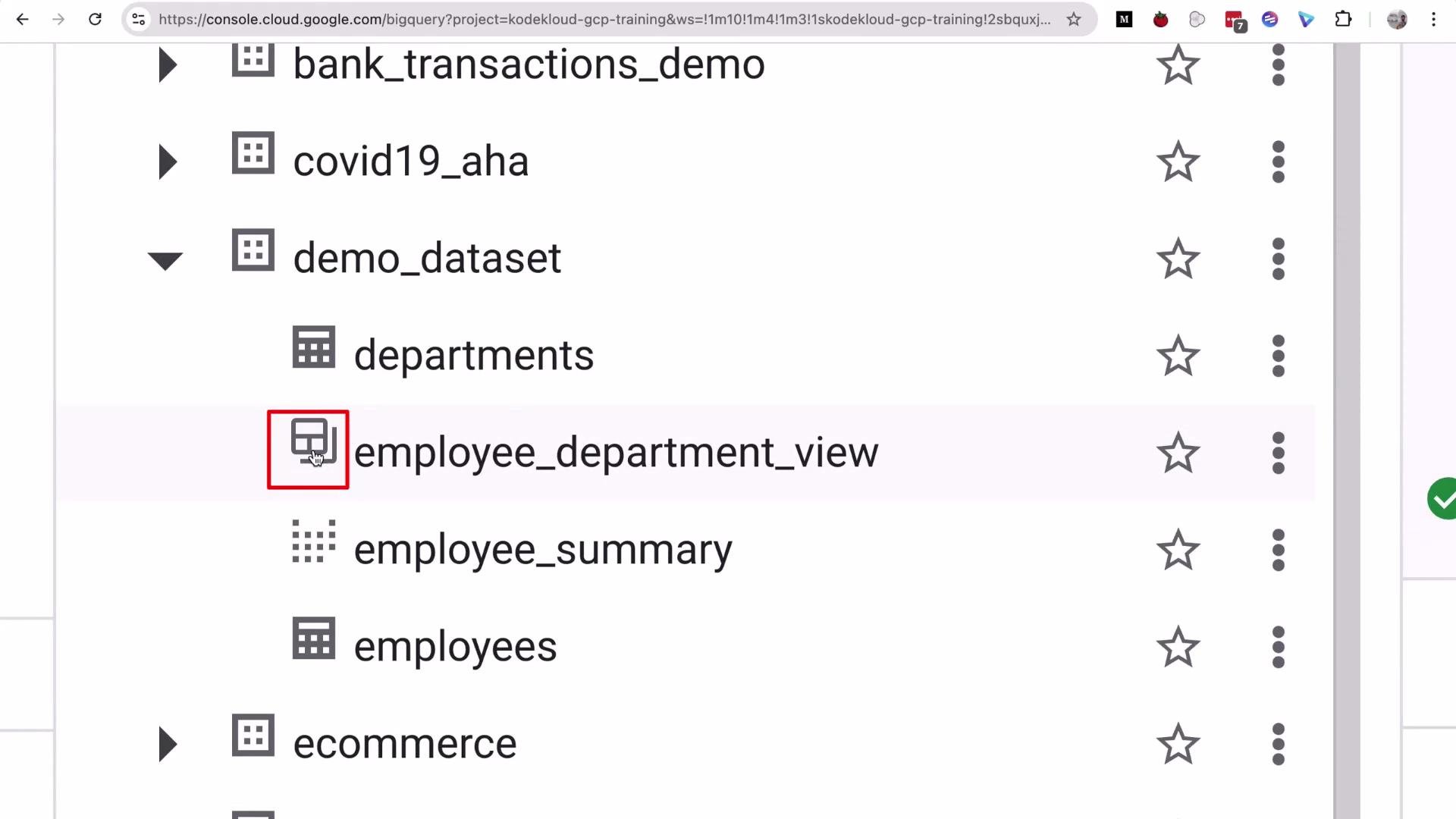
The materialized view is created. In the BigQuery UI it has a distinct icon that differentiates materialized views from regular views and tables:
A screenshot of the Google Cloud BigQuery console showing a dataset tree (demo_dataset) with tables like departments, employee_department_view (highlighted), employee_summary, and employees. The employee_department_view row is selected and outlined in red.
Query the materialized view Run a simple query against the materialized view to read the precomputed results:
SELECT *
FROM `kodekloud-gcp-training.demo_dataset.employee_department_view`
ORDER BY department_id, salary DESC;
Join the materialized view with departments If you need department metadata (name, budget), join the materialized view with the departments table at query time:
SELECT
  mv.employee_id,
  mv.full_name,
  mv.email,
  mv.salary,
  d.department_name,
  d.budget
FROM `kodekloud-gcp-training.demo_dataset.employee_department_view` AS mv
JOIN `kodekloud-gcp-training.demo_dataset.departments` AS d
  ON mv.department_id = d.department_id
ORDER BY d.department_name, mv.salary DESC;
Materialized view metadata & benefits BigQuery displays metadata for materialized views (for example, row counts and logical bytes stored). Materialized views store logical results and can reduce both query cost and latency for repeated queries that match the materialized query pattern. Table — Materialized view vs Regular view (summary)
FeatureMaterialized ViewRegular View
StorageStores precomputed results (logical)No storage; computed at query time
PerformanceFaster for repeated, supported queriesDepends on the underlying query
RefreshAutomatic interval or manual (REFRESH)Always reflects current base tables
SQL supportLimited; no arbitrary multi-table joinsFull SQL support
Use caseCache common aggregations/filtersFlexible joins/complex queries
Refresh behavior — demo and manual refresh
  • Automatic refresh: materialized view results refresh automatically on the configured interval (30 minutes in this example).
  • Manual refresh: you can force an immediate refresh to ensure the materialized view reflects the latest base-table changes.
  1. Check current values for an employee (example: employee_id = 1):
SELECT
    full_name,
    department_id,
    salary
FROM `kodekloud-gcp-training.demo_dataset.employee_department_view`
WHERE employee_id = 1;
  1. Update the base employees table (for example, change salary):
UPDATE `kodekloud-gcp-training.demo_dataset.employees`
SET salary = 85000
WHERE employee_id = 1;
  1. If you query the materialized view immediately, it may still show the previous salary until the next automatic refresh. Force an immediate refresh:
REFRESH MATERIALIZED VIEW `kodekloud-gcp-training.demo_dataset.employee_department_view`;
  1. Re-run the SELECT to validate the refresh:
SELECT
    full_name,
    department_id,
    salary
FROM `kodekloud-gcp-training.demo_dataset.employee_department_view`
WHERE employee_id = 1;
After the forced refresh, the materialized view should show the updated salary (85,000).
Materialized views are useful for precomputing and accelerating common queries. They have limitations (for example, not all SQL constructs or non-deterministic functions are supported). You can rely on scheduled refresh intervals or trigger refreshes (for example, from Airflow or other orchestration tools) when you need up-to-date results.
References and further reading That concludes this demo on BigQuery materialized views. See you in the next lesson.

Watch Video