

buildspec.yml file for defining build steps in a CI workflow.
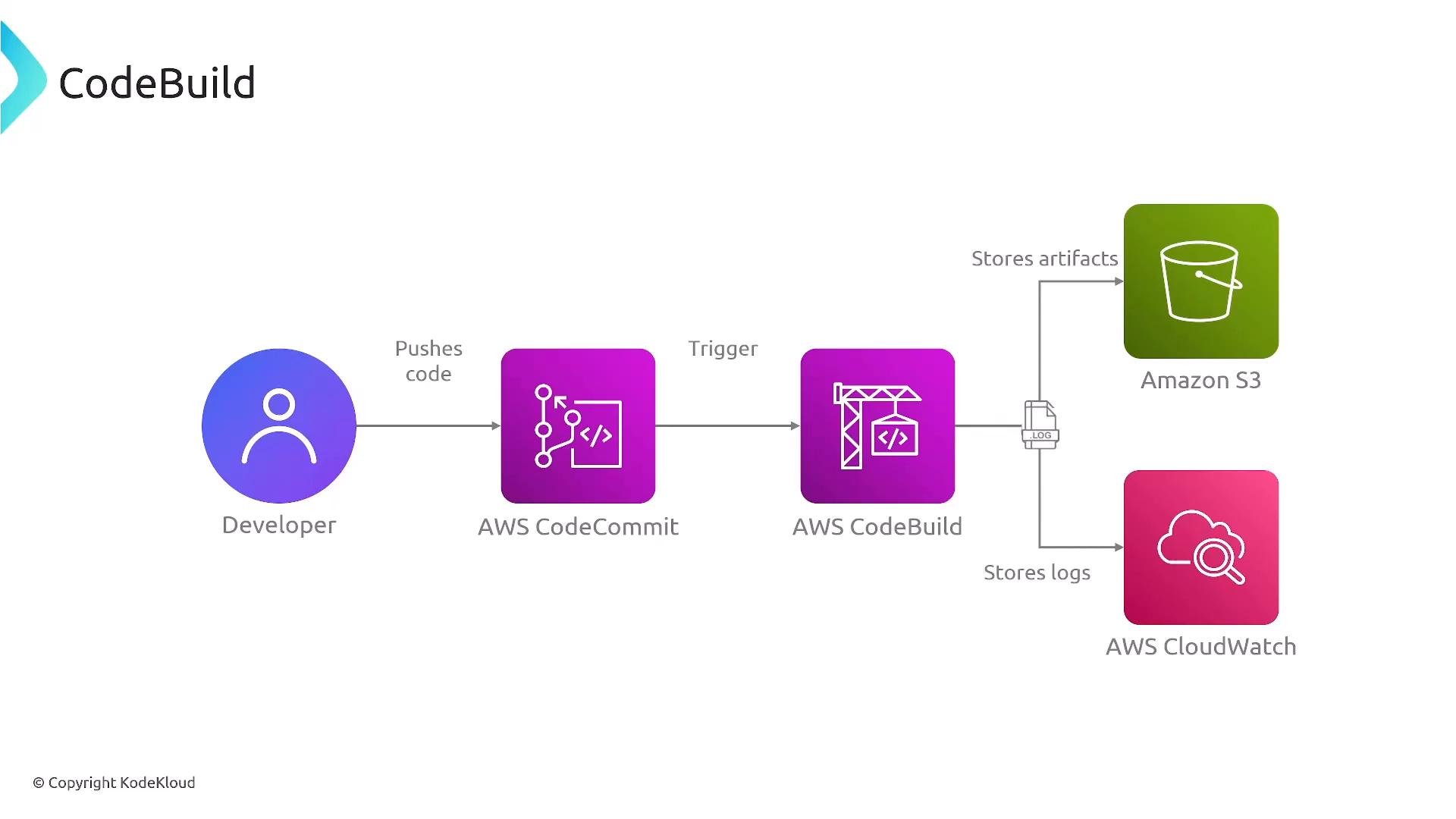
At a high level, AWS CodeBuild is a fully managed continuous integration (CI) service that runs your build, test, and artifact creation steps. A commit to a source repository (for example, CodeCommit, GitHub, or another provider) typically triggers a CodeBuild project. CodeBuild executes the commands in your buildspec.yml, produces artifacts (for Docker images this often means pushing to Amazon ECR), and streams build logs to CloudWatch Logs so you can monitor and troubleshoot.
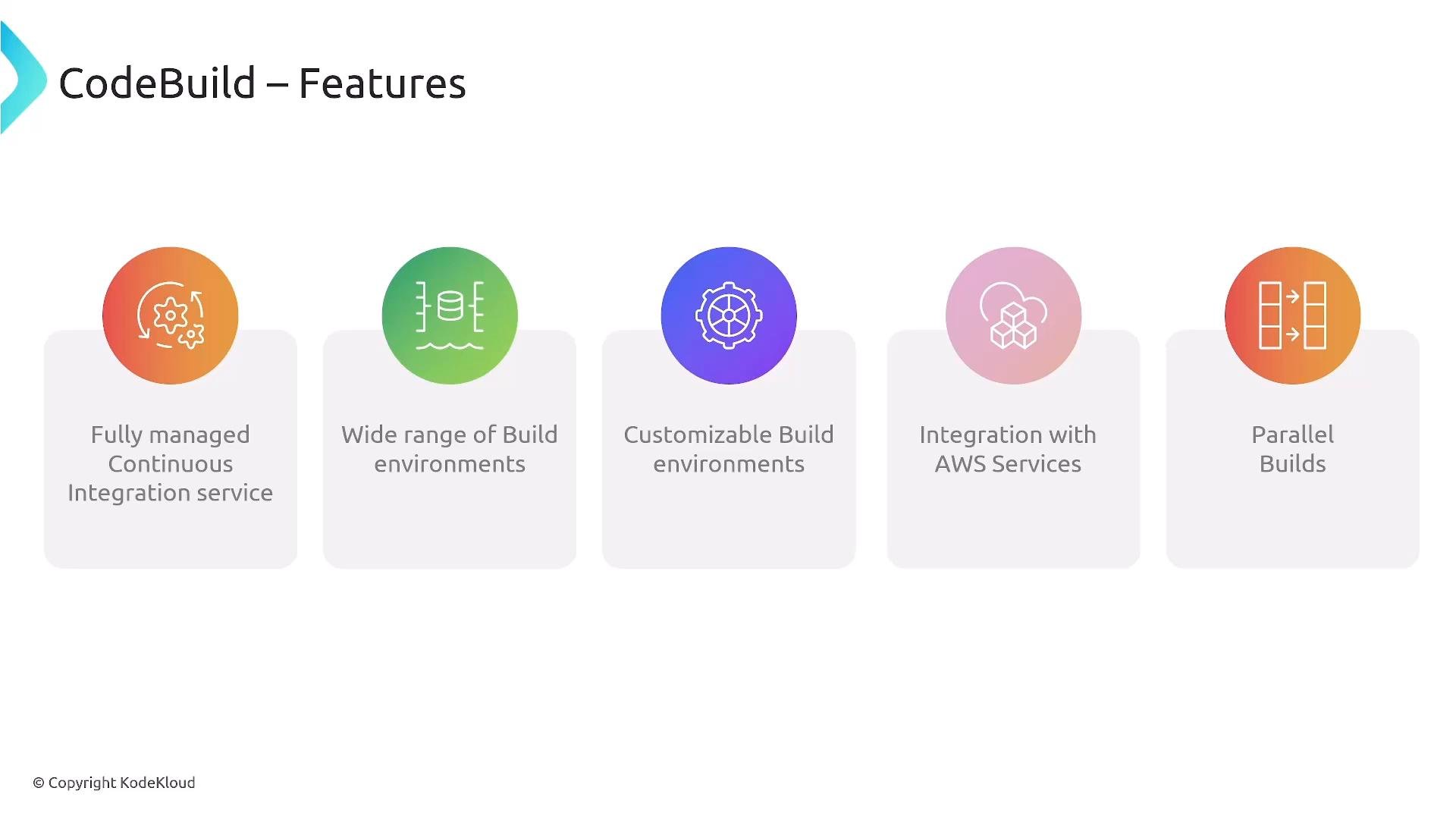
- Fully managed CI / build service.
- Managed runtime environments plus support for custom build images.
- Tight integration with AWS services (IAM, CodePipeline, CodeDeploy, CloudWatch).
- Parallel and batch builds to run multiple configurations concurrently.
Buildspec phases — the core of CodeBuild
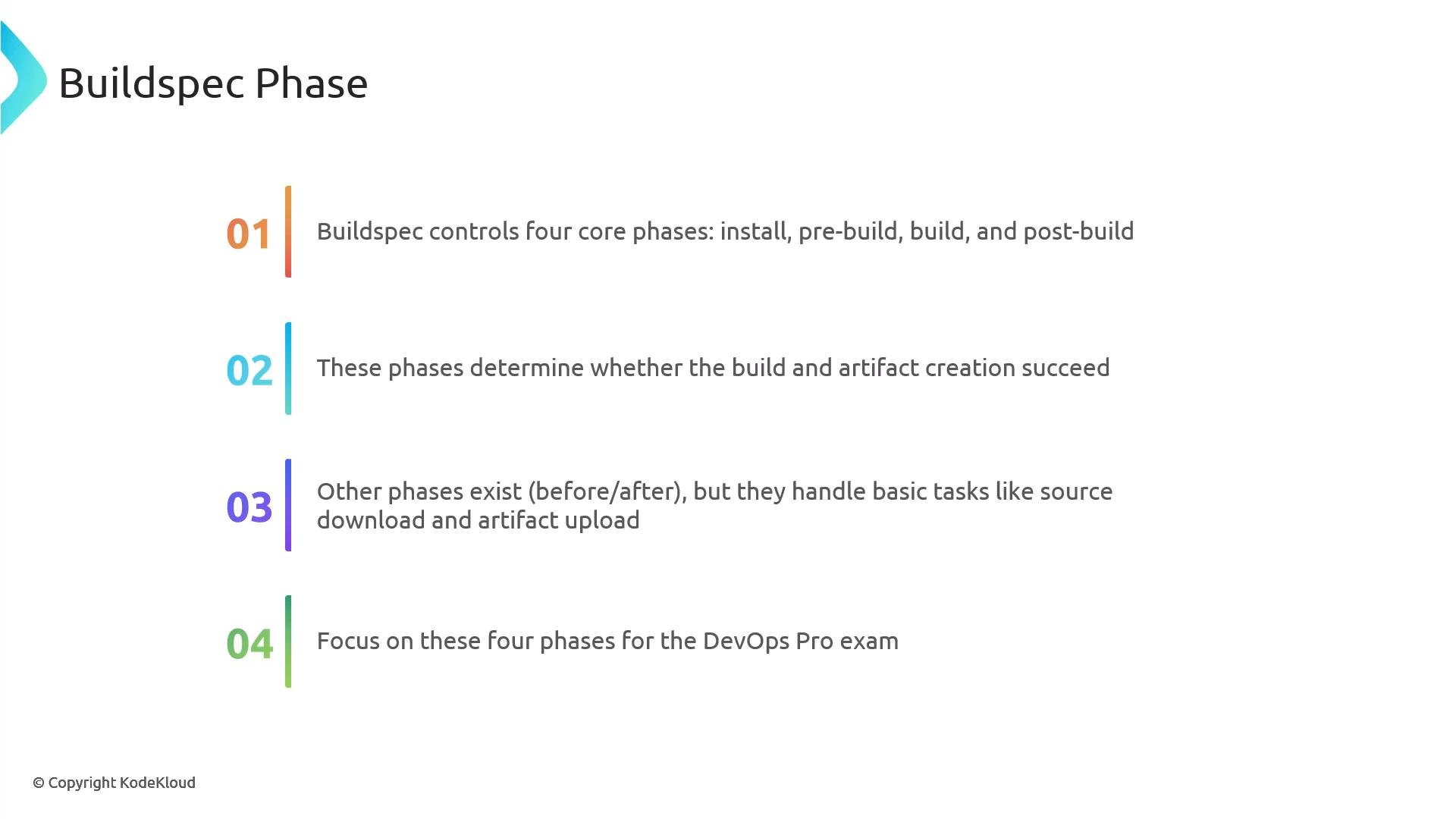
Thebuildspec.yml file (placed at the repository root by convention) defines the commands and environment settings that CodeBuild runs inside the build container. Focus on these four primary phases:
There are additional lifecycle steps managed by the service (for example, source download before
install and artifact upload after post_build), but the buildspec.yml controls what runs inside the worker during the four main phases.
Example buildspec.yml
This example demonstrates the four main sections. It installs Python dependencies, runs tests during pre_build, builds a Docker image during build, and pushes the image to ECR during post_build. Make sure AWS_DEFAULT_REGION is available in the build environment (set via environment variables or project settings).
version: 0.2is the current recommended buildspec schema.- Use
installto set up runtimes and tools your build requires. pre_buildis a great place for tests, linting, and gathering environment metadata for later phases.buildcontains the primary build logic (for Docker, building and tagging images).post_buildcommonly pushes artifacts or triggers downstream actions. CodeBuild will also upload artifacts to the project’s configured artifact location automatically when configured.
Security: Execution role and permissions
CodeBuild runs with an IAM service role (the project’s service role). Grant only the permissions necessary for the build to run—least privilege:- ECR:
ecr:GetAuthorizationToken,ecr:BatchCheckLayerAvailability,ecr:PutImage,ecr:InitiateLayerUpload, etc., if pushing/pulling images. - S3: read/write access to artifact buckets if using S3 artifacts or caching.
- CodeCommit / GitHub: permissions to access private repositories when needed.
- CloudWatch Logs:
logs:CreateLogGroup,logs:CreateLogStream,logs:PutLogEventsso CodeBuild can create and publish logs.
Always ensure the CodeBuild service role has the minimum IAM permissions required for the build operations your project performs (ECR push/pull, S3 artifact access, publishing logs/metrics, or calling other AWS APIs).
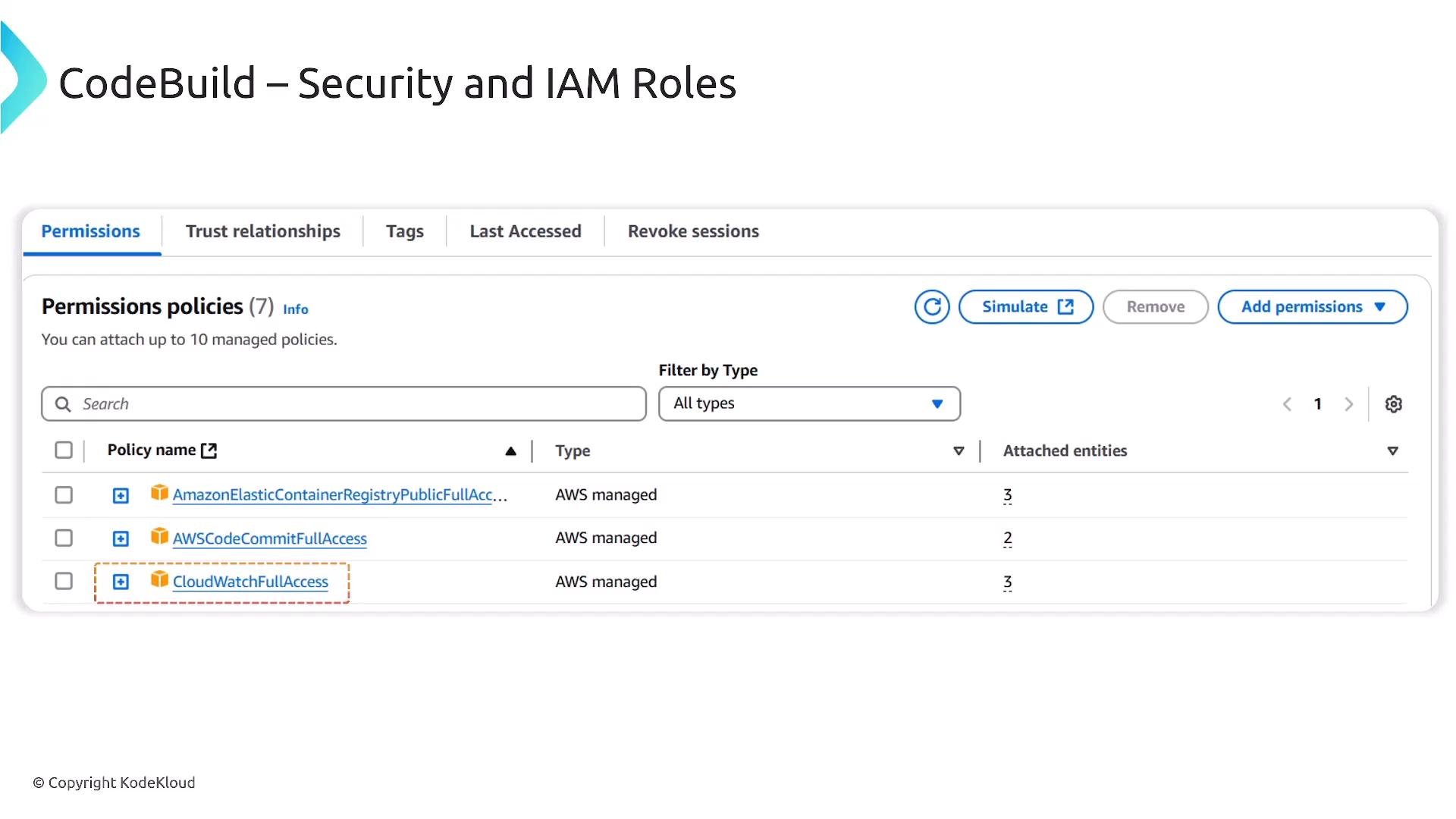
If CloudWatch Logs permissions are missing, CodeBuild cannot create log groups or streams. Confirm the service role includes
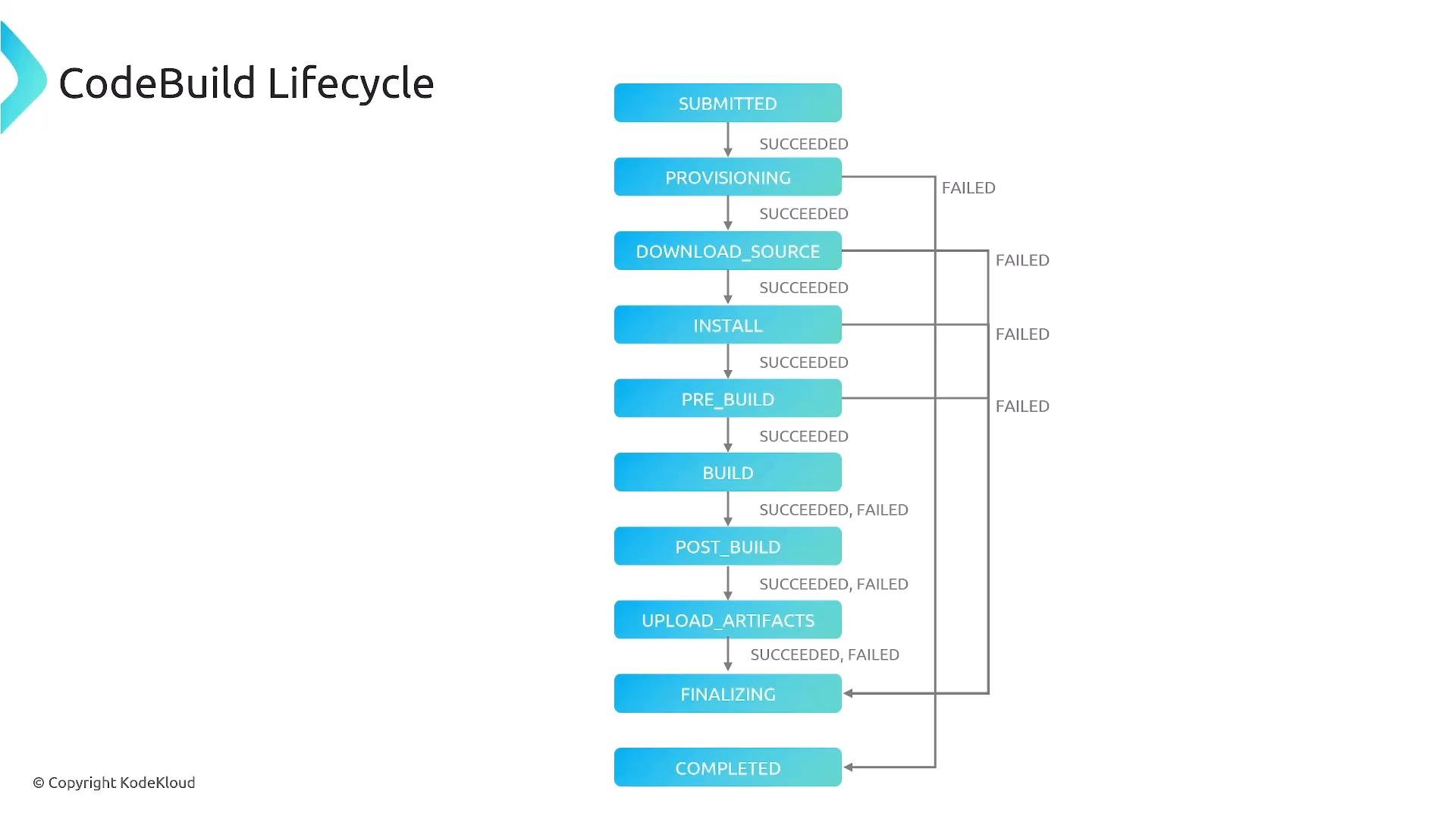
logs:CreateLogGroup, logs:CreateLogStream, and logs:PutLogEvents to ensure build logs are delivered to CloudWatch.Full CodeBuild lifecycle
Thebuildspec.yml controls the phases inside the build container, but the full lifecycle includes additional service-managed steps:
- Job submission and worker provisioning
- Source download
- Execution of
install/pre_build/build/post_build - Artifact upload and build completion reporting
install phase and will cause the build to fail early. CloudWatch Logs and the CodeBuild console show lifecycle events and status for troubleshooting.
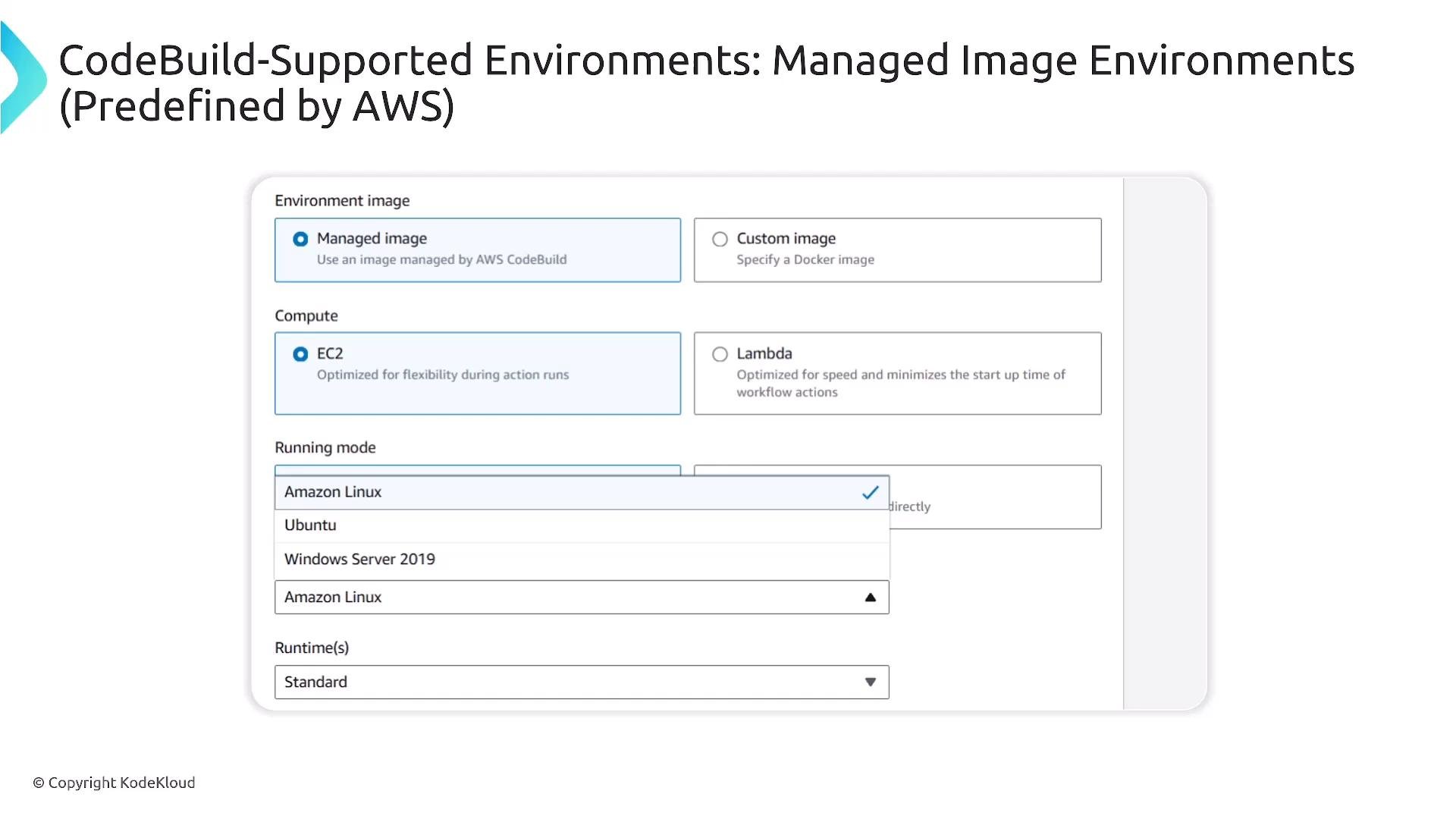
Managed images and custom images
CodeBuild offers both managed build environments and support for custom Docker images:
Note: CodeBuild runs on managed build instances (not Lambda). Select the compute type (CPU/memory) that matches your build workload and ensure the service role can access your chosen image registry.
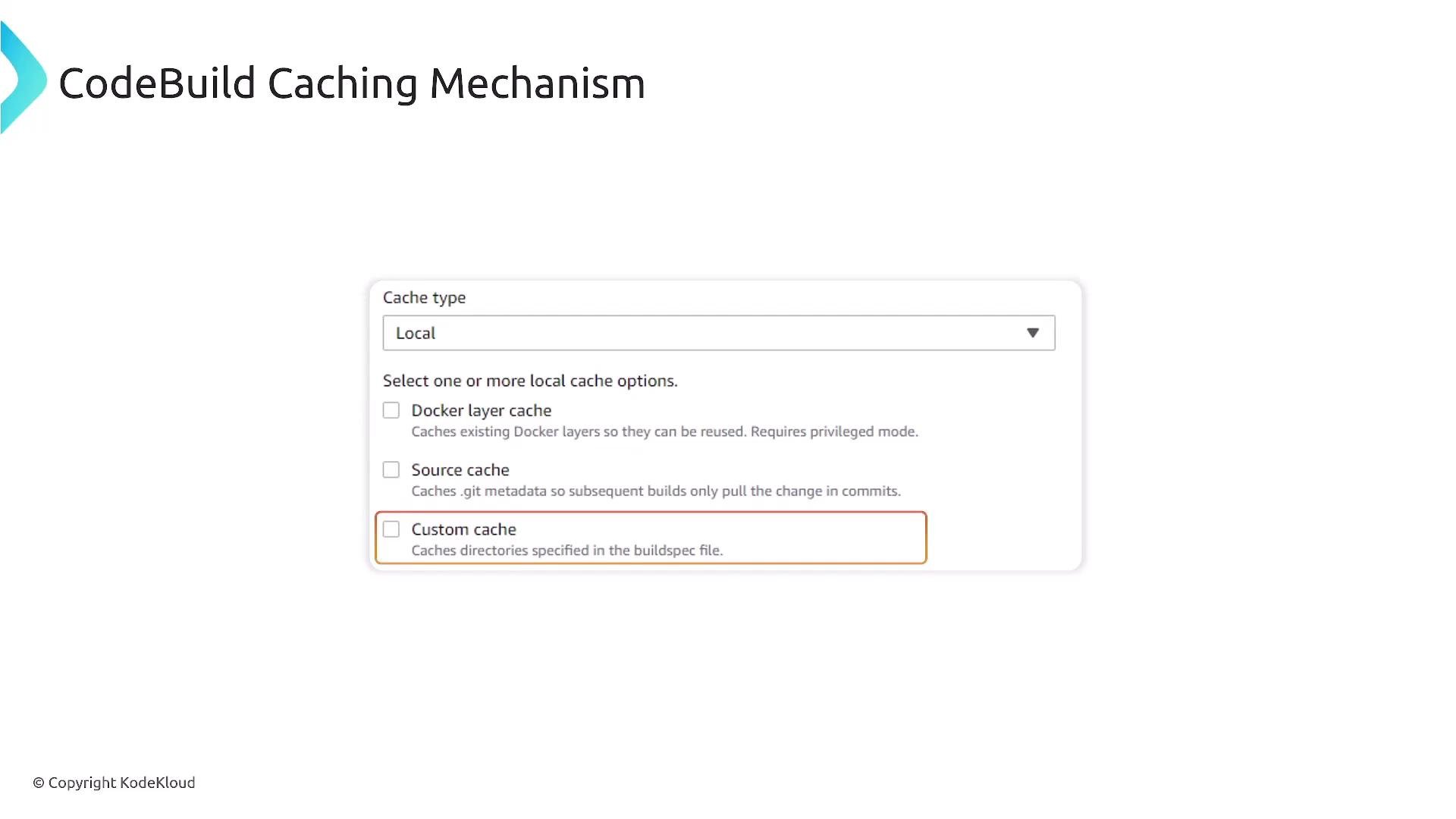
Caching
CodeBuild supports caching to speed up builds by reusing dependencies, Docker layers, and other artifacts. Cache options include:- Local caches (container-local): Docker layer cache, source cache.
- S3 cache: Shared cache across build instances.
buildspec.yml to preserve files between builds.
Integration with deployment and pipelines
CodeBuild is commonly used as the build/test stage in CodePipeline. After a successful build stage, the pipeline can continue to deployment services (for example, CodeDeploy, ECS, EKS, or CloudFormation) to promote artifacts to QA or production.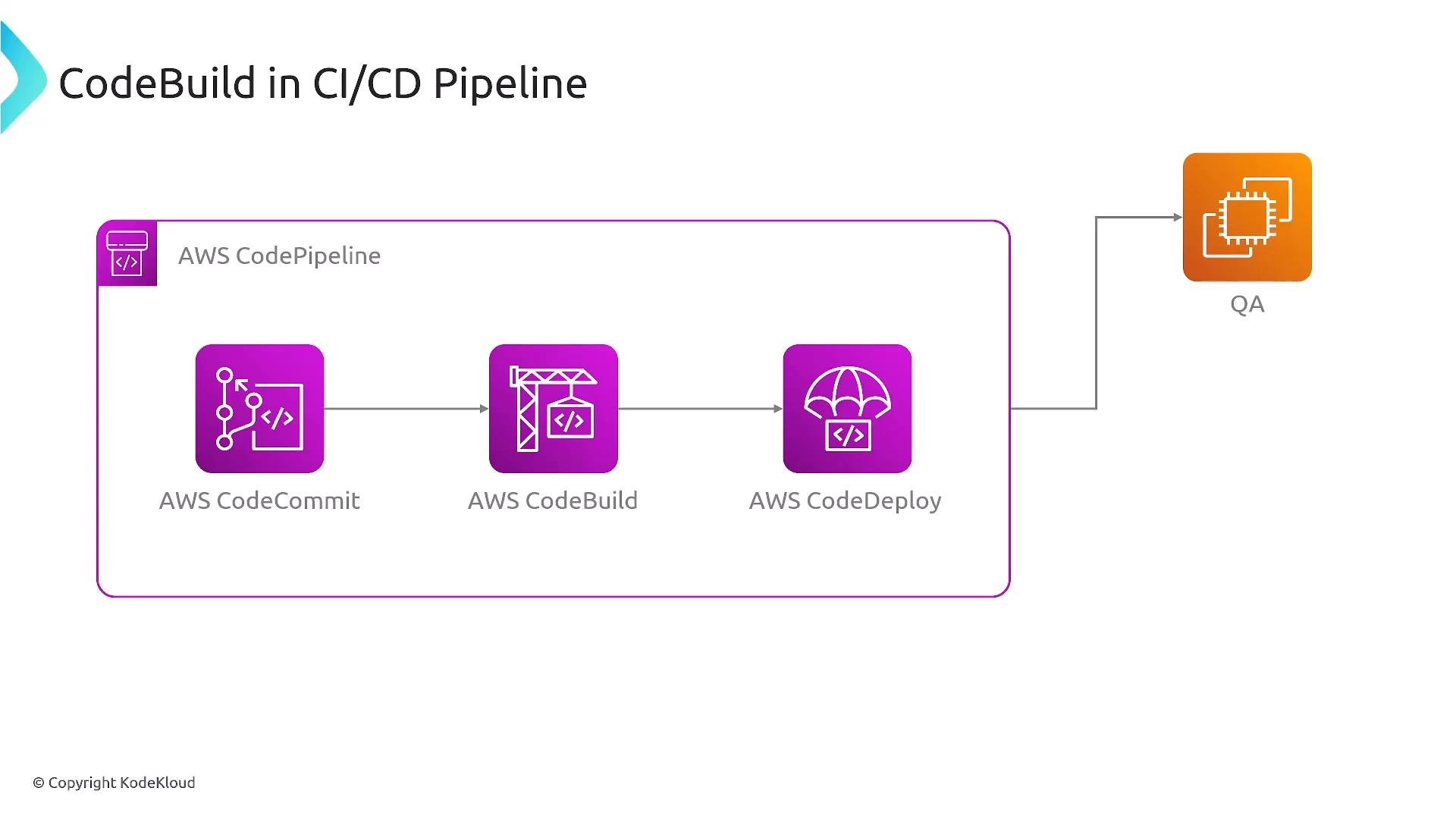
Logs and monitoring
CodeBuild automatically ships build logs to CloudWatch Logs and publishes metrics (build durations, success/failure counts) to CloudWatch. For troubleshooting, open the specific build run in the CodeBuild console to jump to the associated CloudWatch log stream.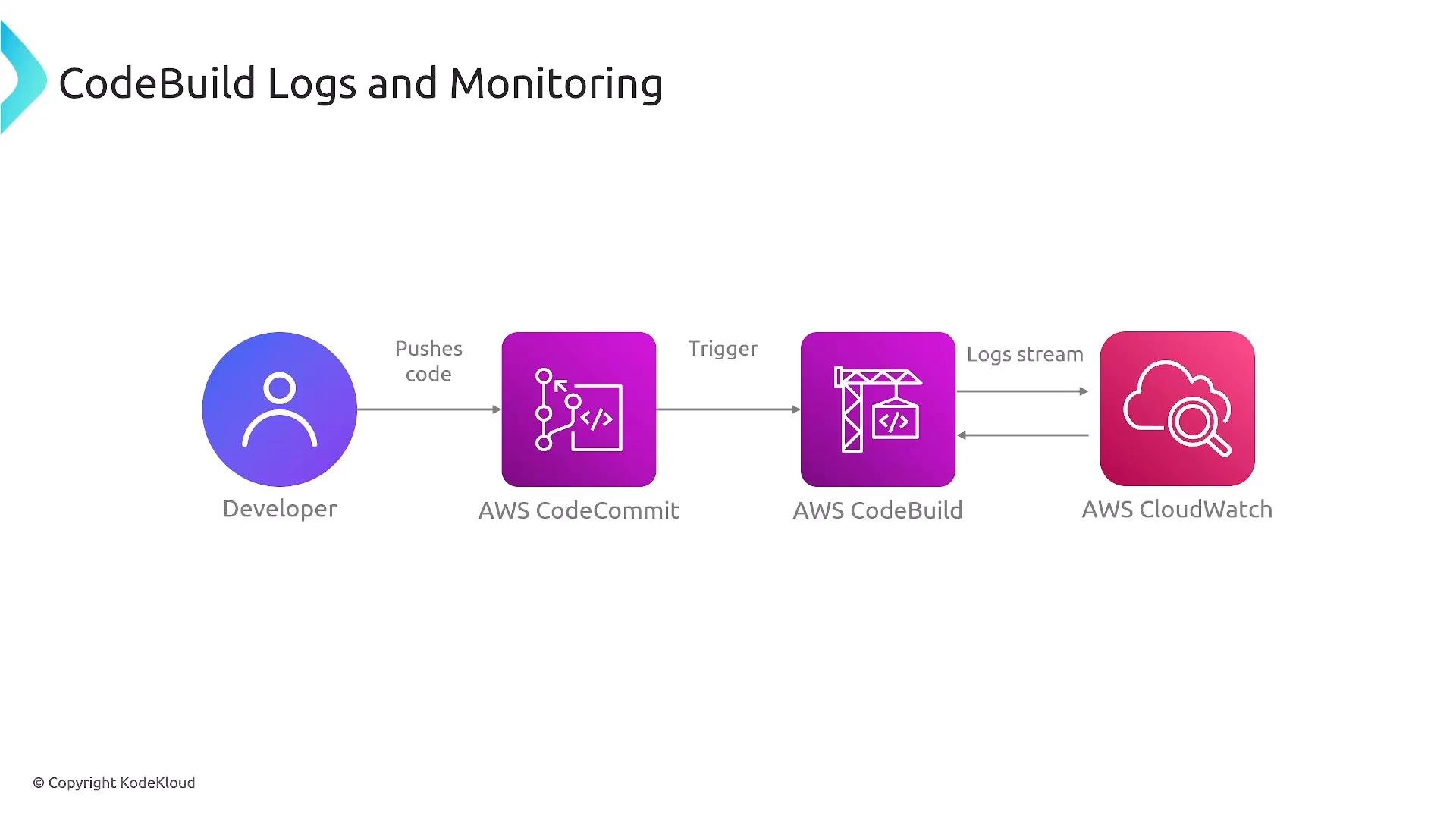
Parallel and batch builds
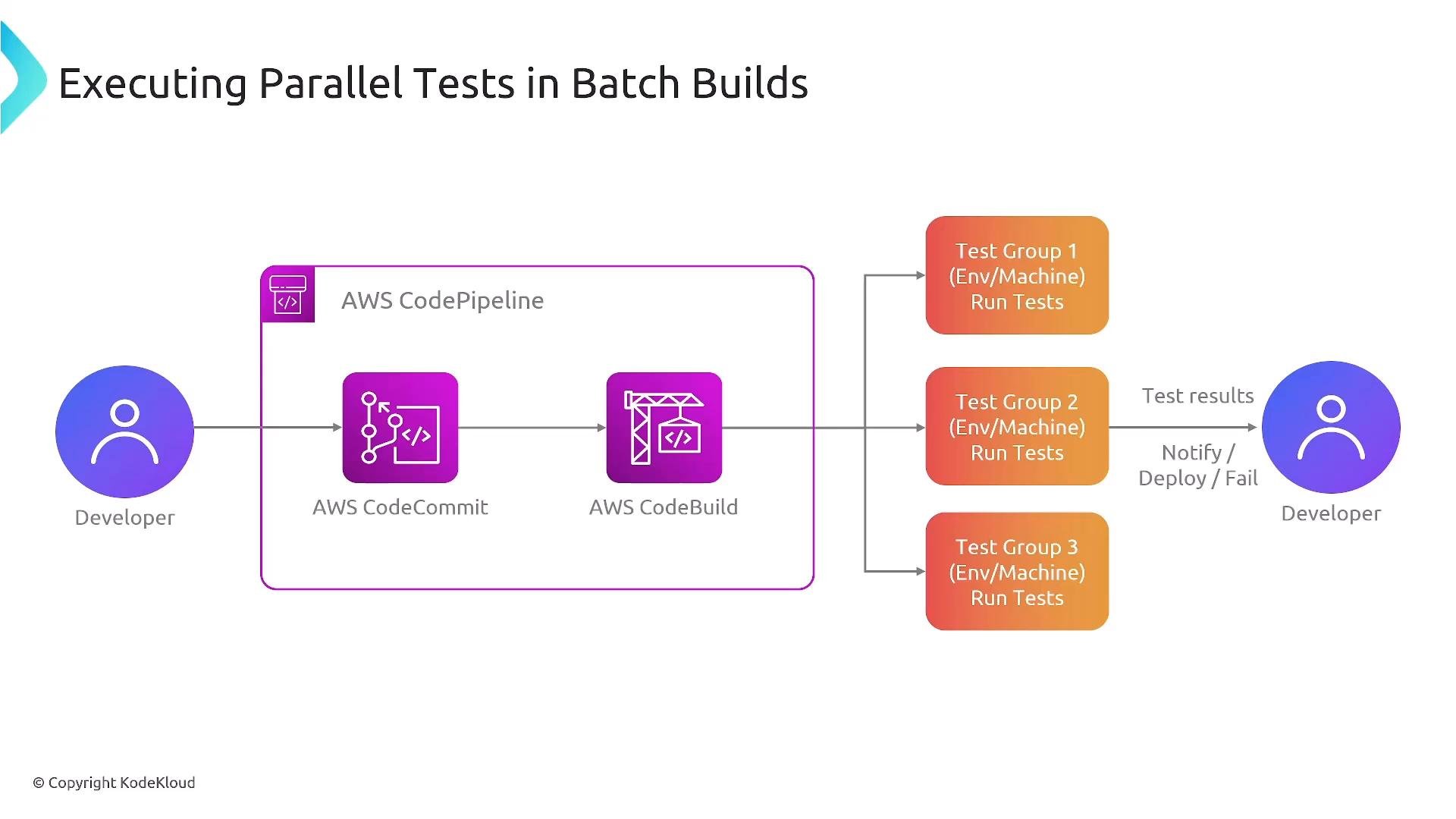
CodeBuild supports concurrent builds and batch builds to execute the samebuildspec.yml across multiple environments or compute types (for example, ARM/x86, Linux/Windows/macOS). This is useful for matrix testing and multi-platform image builds. Each target reports success or failure so you can identify problematic configurations quickly.
Summary / best practices
- Keep
buildspec.ymlin the repository root and structure phases aroundinstall,pre_build,build, andpost_build. - Use the CodeBuild service role with least-privilege IAM policies required for ECR, S3, CloudWatch, and other AWS services your builds interact with.
- Use caching and custom images to speed up builds and maintain consistent toolchains.
- Integrate CodeBuild into CodePipeline to create multi-stage CI/CD workflows.
- Monitor build logs and metrics in CloudWatch to detect and troubleshoot build issues quickly.