In this lesson we explore AWS CodeArtifact from the AWS Management Console and the AWS CLI. You’ll learn how to create, configure, and manage artifact repositories as part of SDLC automation. While many teams use Amazon S3 for artifact storage, CodeArtifact is purpose-built for package repositories and integrates with developer tools (npm, Maven, pip, NuGet, etc.). Key concepts
  • Domain: A top-level grouping for an organization (frequently one domain per company). Domains deduplicate package content across repositories within the domain so identical packages stored in multiple repositories are retained only once.
  • Repository: Lives inside a domain and supports one or more package formats. Repositories can be primary (the authoritative store) or configured with upstreams to pass-through and cache packages from public or other CodeArtifact repositories.
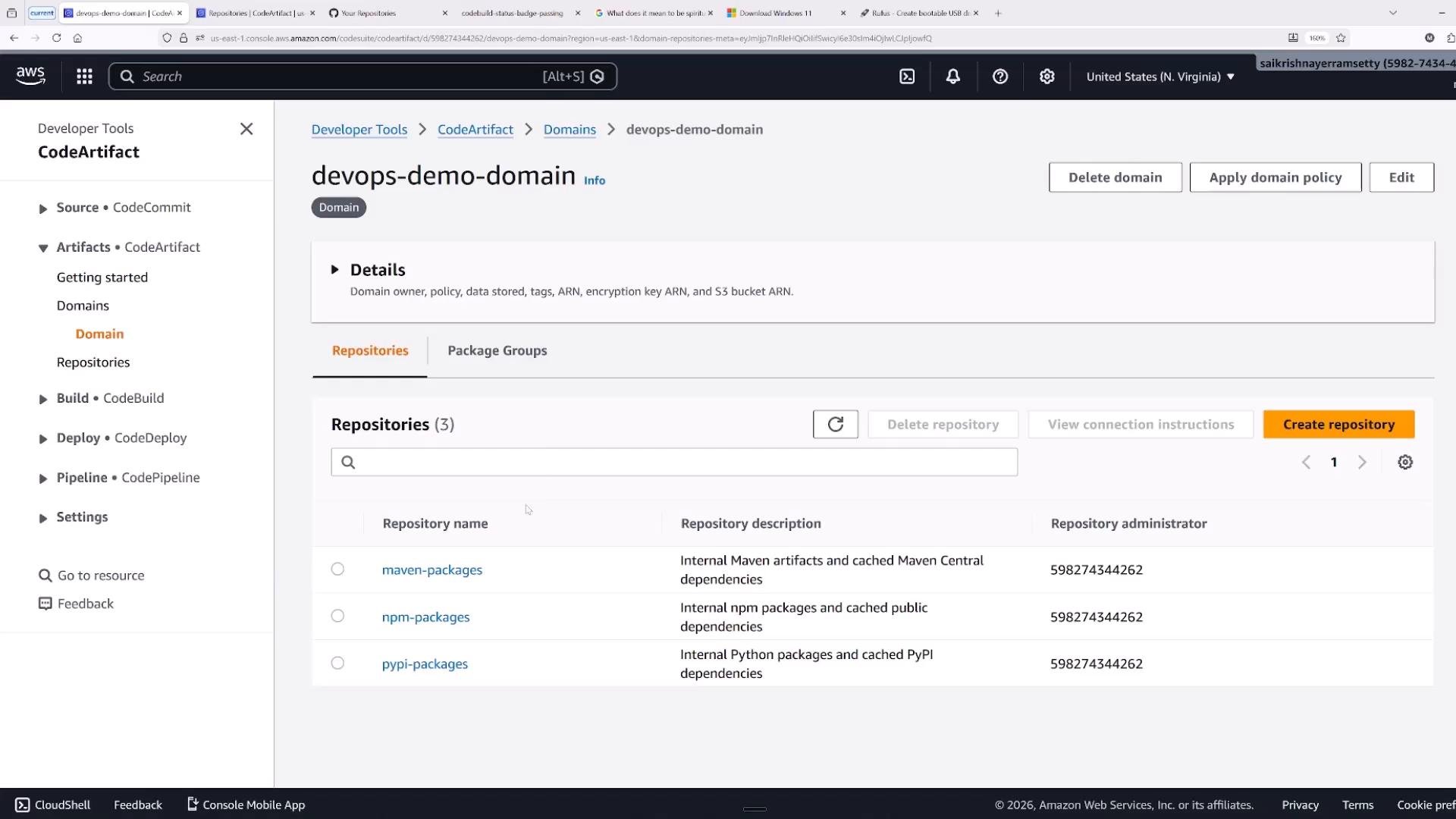
Screenshot of the AWS CodeArtifact console showing the "devops-demo-domain" domain and a list of three repositories (maven-packages, npm-packages, pypi-packages). Domain management buttons (Delete domain, Apply domain policy, Create repository) and the Developer Tools navigation menu are visible.
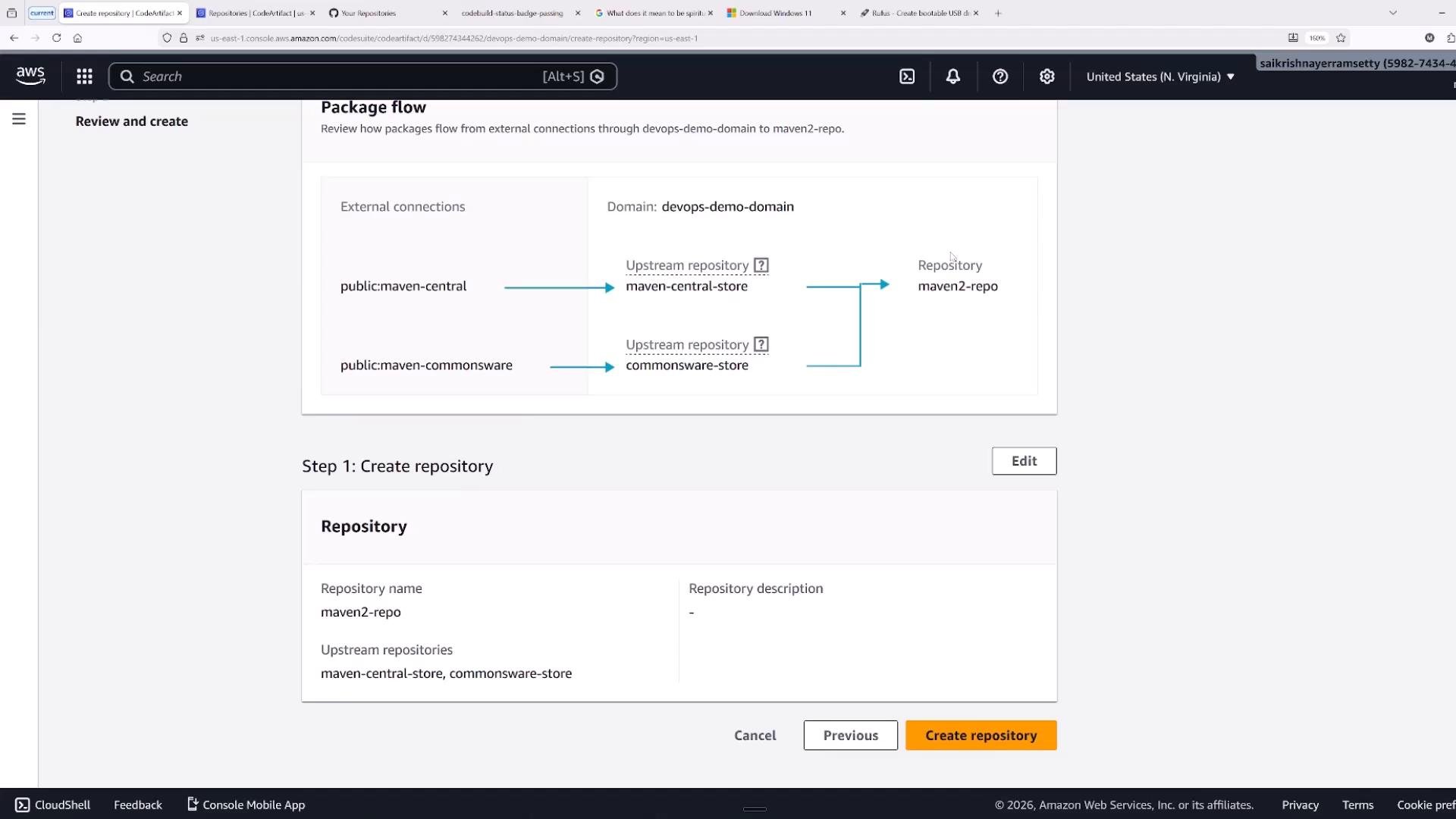
You can create multiple repositories beneath a domain and mix package formats as required. Domains also let you attach resource policies to grant cross-account access and control. Upstream repositories and package flow When you add upstream connections (public registries or other CodeArtifact repositories) the repository can fetch packages that aren’t present locally. CodeArtifact creates upstream store mappings to enable caching and pass-through automatically.
Screenshot of the AWS CodeArtifact console showing package flow and repository creation details: two external connections (public:maven-central and public:maven-commonsware) mapped to upstream stores (maven-central-store, commonsware-store) that feed into a repository named maven2-repo. The lower pane shows repository settings and a highlighted "Create repository" button.
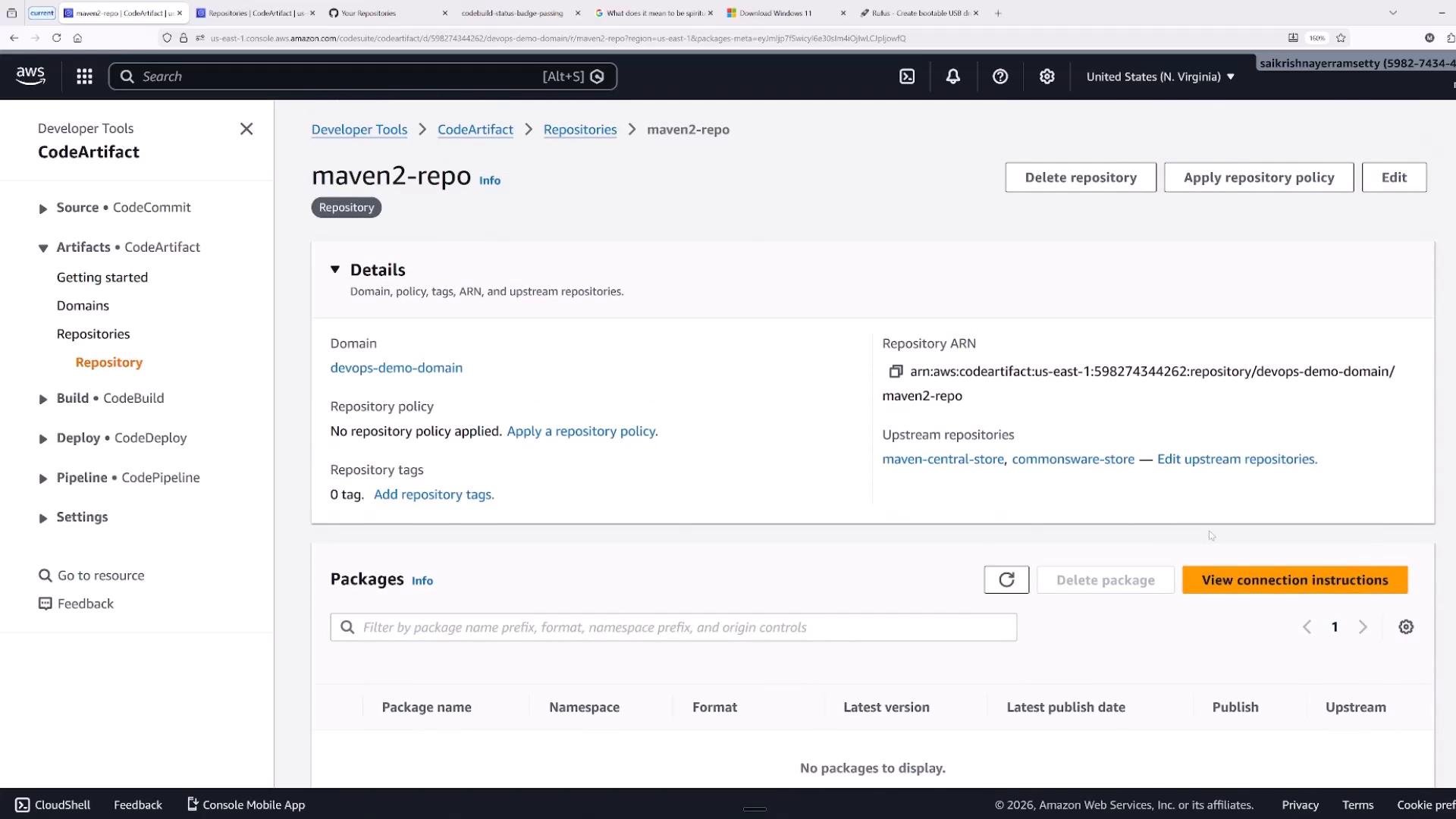
Once a repository is created you can view details such as the repository ARN, configured upstreams, tags, and connection instructions from the console.
A screenshot of the AWS CodeArtifact console showing the "maven2-repo" repository details, including domain, repository ARN, and upstream repositories. The packages section is visible but shows "No packages to display."
Repository and domain policies CodeArtifact uses standard IAM-style JSON resource policies for domain and repository permissions. Use these resource-based policies to grant cross-account or cross-principal access. A minimal policy skeleton:
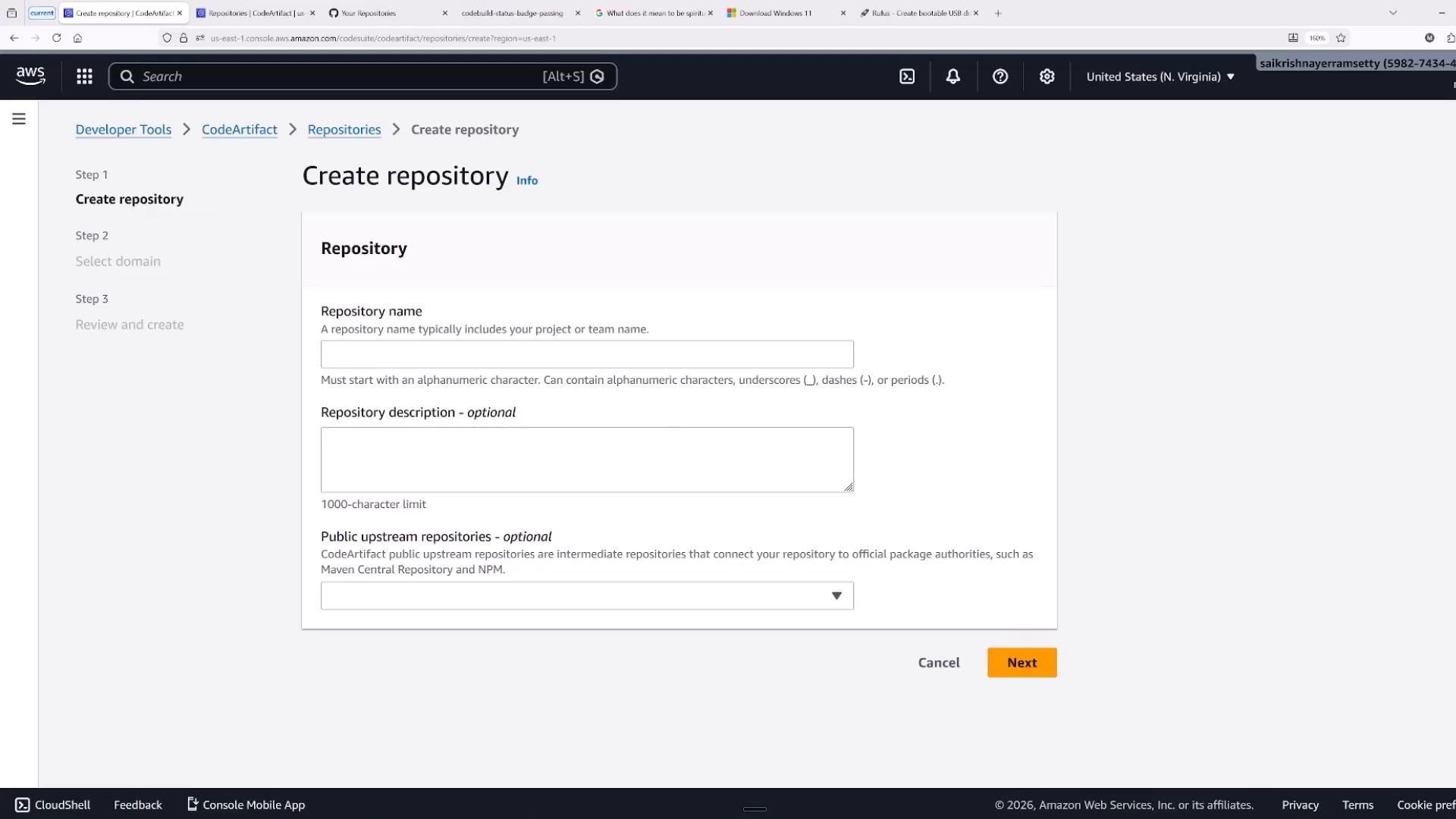
You can also create general-purpose repositories that store binary artifacts (installers, ML models, etc.) and do not have upstreams.
A screenshot of the AWS Management Console showing the CodeArtifact "Create repository" page with form fields for repository name, description, and public upstream repositories. The page includes step navigation on the left and a prominent orange "Next" button at the bottom right.
Cross-account access and encryption considerations
  • For cross-account access to CodeArtifact, you usually need a customer-managed KMS key (CMK) for repository/domain encryption. AWS-managed keys generally cannot be used for cross-account CodeArtifact access.
  • Example formats (for clarity only):
    • domain endpoint: devops-demo-domain-598274344262.d.codeartifact.us-east-1.amazonaws.com
    • KMS alias ARN: arn:aws:kms:us-east-1:598274344262:alias/devops-020-220-codeartifact
When granting cross-account access, ensure the CMK key policy and the CodeArtifact domain/repository policies both allow the target account to access the encrypted artifacts. If the KMS policy blocks access, cross-account operations will fail even if the CodeArtifact policy appears correct.
Example domain policy (allowing another account to list repositories, get domain permissions, get an auth token, and describe the domain):
CLI helpers and common authentication pitfalls AWS provides CLI commands that make it straightforward to authenticate developer tools (npm, pip, mvn, etc.) against a CodeArtifact repository. A frequent error is forgetting to specify the correct region or domain owner, which produces a “Domain not found” or ResourceNotFoundException.
If you see “Domain not found,” confirm your --region and --domain-owner values. The AWS CLI defaults to the configured region; if the domain exists in another region you must add --region <region>.
Example: npm login without region may fail
Retry with the correct region:
After configuring npm, installing packages from CodeArtifact is the same as a public registry:
Maven connection example The CodeArtifact console provides connection instructions for Maven, showing how to obtain an authorization token and configure the settings.xml with server credentials and repository URLs. Windows cmd example to set an environment variable with the token:
Add a <server> entry in settings.xml that references the token:
Add a Maven profile to point to your CodeArtifact repository URL so Maven will resolve artifacts from that repository:
All of these connection snippets are available from the repository’s “View connection instructions” link in the console.
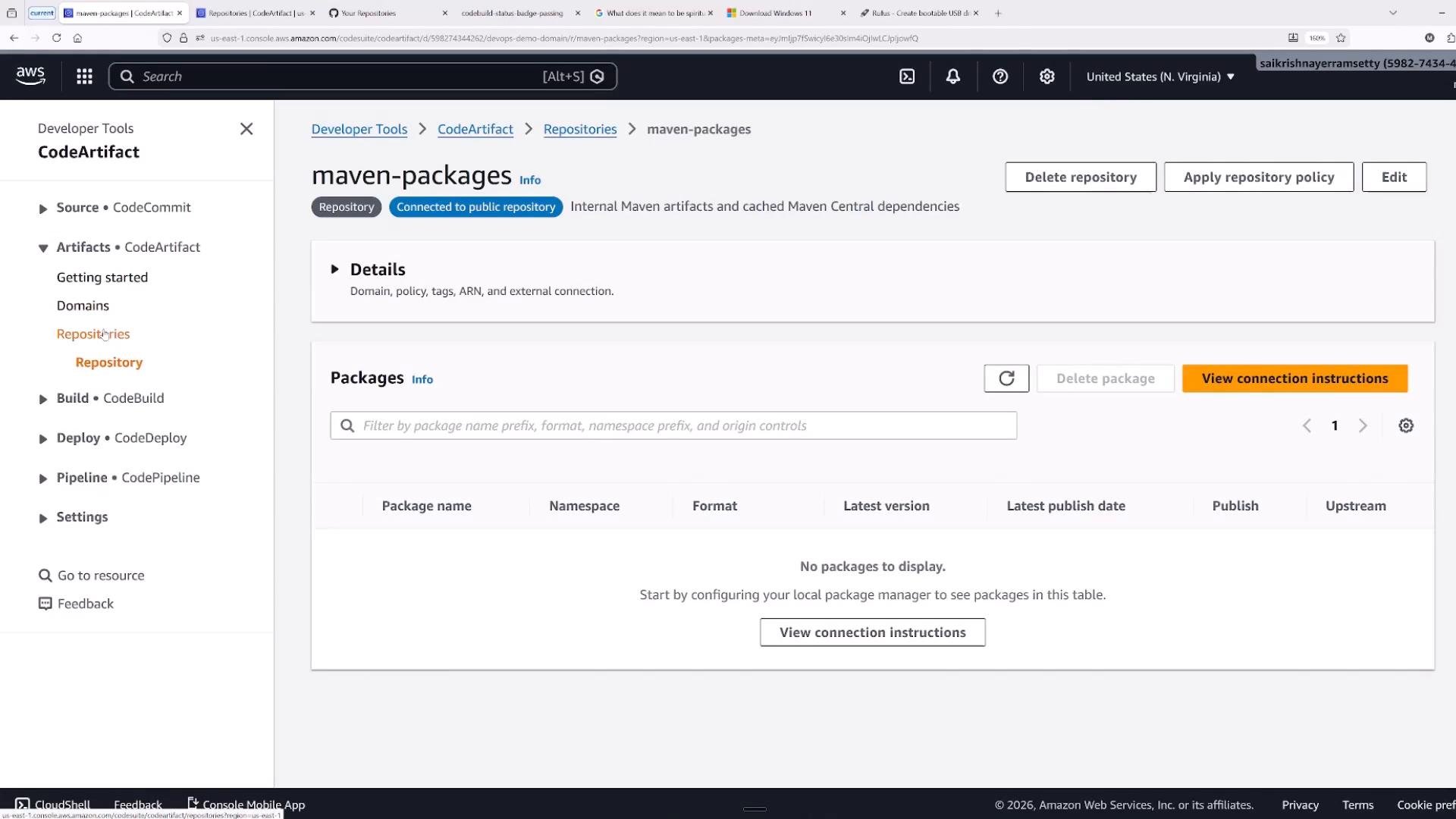
Screenshot of the AWS CodeArtifact console showing a "maven-packages" repository (connected to a public repository) with no packages listed. The left sidebar shows Developer Tools navigation (CodeCommit, CodeArtifact, CodeBuild, etc.) and a "View connection instructions" button is highlighted.
Summary and best practices Key takeaways
  • Domains contain repositories. Repositories can be primary (store your published packages) or pass-through (cache and proxy upstream public repositories).
  • Repositories act as caches to bring packages closer to your build and deployment environments, improving reliability and speed.
  • Use domain and repository resource policies to control access. For cross-account encryption scenarios, prefer a customer-managed KMS key (CMK) and ensure KMS key policies allow the target accounts access.
  • Use the AWS CLI helpers to configure developer tools; always verify --region and --domain-owner to avoid authentication errors.
Further reading and references This concludes the CodeArtifact lesson. For additional SDLC automation topics, review other lessons in the course.

Watch Video

Practice Lab