

Where they run and what they can do
- CloudFront edge locations (points of presence) are optimized for delivering content to end users with minimal latency.
- Both CloudFront Functions and Lambda@Edge run code at those edge locations, but they target different use cases and have different runtime characteristics.
- CloudFront Functions execute on CloudFront’s edge servers in a constrained, high-performance runtime. They are ideal for very fast, high-throughput manipulations of HTTP requests and responses, such as header changes, URL rewrites, redirects, lightweight authentication checks, or A/B testing logic.
- Lambda@Edge runs in the CloudFront execution environment with more compute, memory, and library support. It can handle viewer events and origin events, enabling origin-aware transformations (for example, content transformation, image manipulation, signing cookies/tokens, or calling external services).
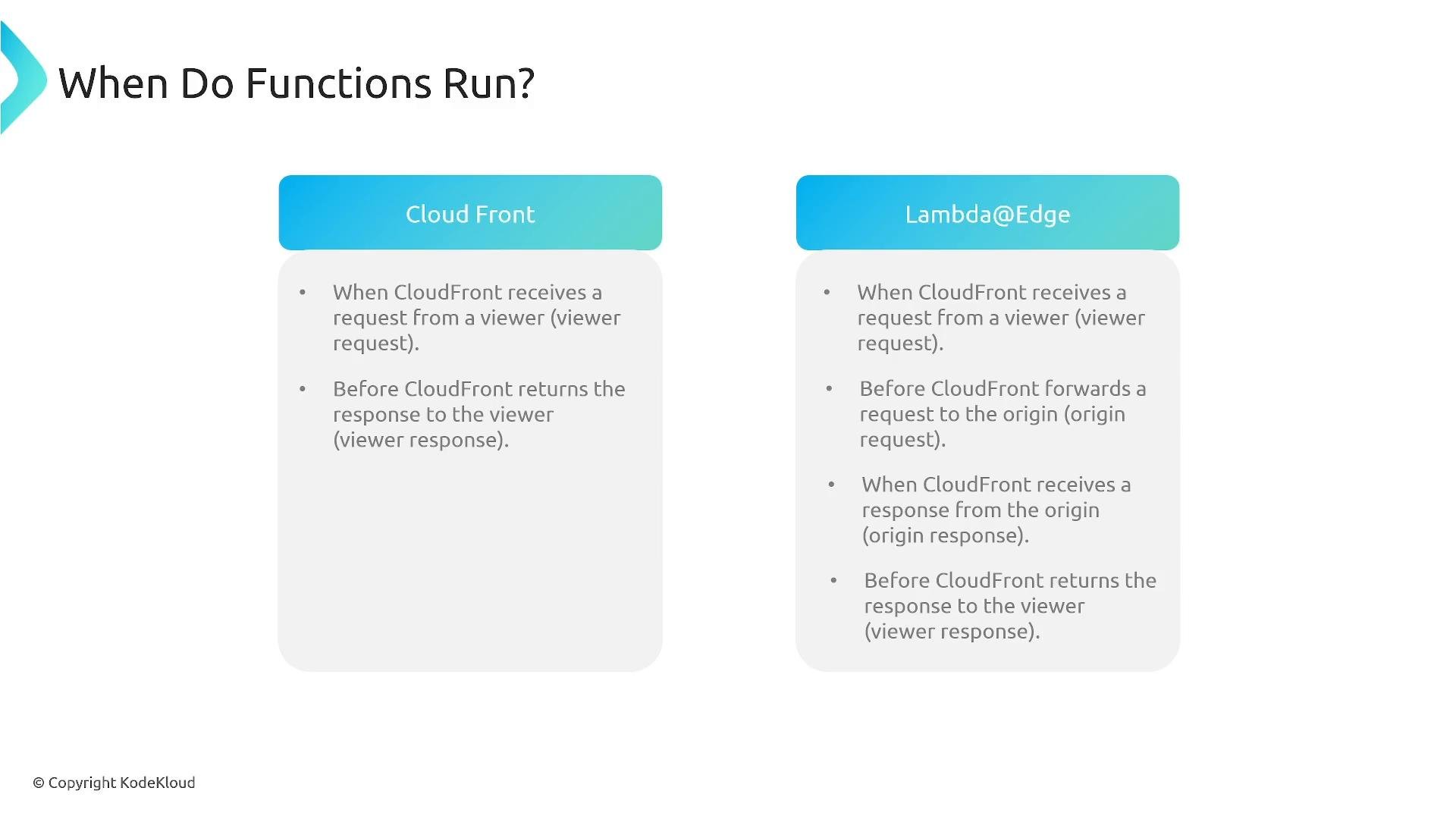
Quick capability summary
-
CloudFront Functions
- Runtime optimized for sub-millisecond request/response transformations.
- Supports Viewer Request and Viewer Response events.
- Small, fast, JavaScript-based runtime with constrained APIs.
-
Lambda@Edge
- Full Lambda execution model (broader runtime, more CPU/memory, native Node.js/Python runtimes).
- Supports Viewer Request, Viewer Response, Origin Request, and Origin Response events.
- Suitable for complex logic and library-heavy operations, but may introduce higher latency (and cold starts) compared to CloudFront Functions.
Event summary:
- CloudFront Functions: Viewer Request, Viewer Response.
- Lambda@Edge: Viewer Request, Viewer Response, Origin Request, Origin Response.
Comparison (at-a-glance)
Example snippets
- CloudFront Function (simple header add / redirect logic)
- Lambda@Edge (viewer request; Node.js style skeleton)
When to choose each
-
Choose CloudFront Functions when:
- You need extremely fast, high-concurrency request/response manipulations.
- Your logic is simple (header rewrites, rewrites/redirects, AB tests, lightweight auth) and does not require external libraries or origin context.
-
Choose Lambda@Edge when:
- You need access to origin events (origin request/response).
- Your logic requires more CPU/memory, third-party libraries, or complex transformations.
- You need to perform operations that depend on origin response content.
Be mindful of latency and limits: CloudFront Functions are fastest but limited in capability. Lambda@Edge offers more flexibility but can increase latency (cold starts, larger execution environment). Match the service to your performance and feature requirements.
Best practices and tips
- Keep logic in edge functions minimal and deterministic to optimize cache hit ratios and overall performance.
- Use CloudFront Functions for purely request/response header and URL manipulation to avoid cold starts and extra latency.
- Use Lambda@Edge only when you require origin-level context or heavier processing that cannot fit within CloudFront Function constraints.
- Monitor performance and error metrics in CloudFront and CloudWatch to validate the impact of edge code on latency and availability.
Links and references
- CloudFront Functions — AWS Documentation
- Lambda@Edge — AWS Documentation
- Amazon CloudFront — Developer Guide