

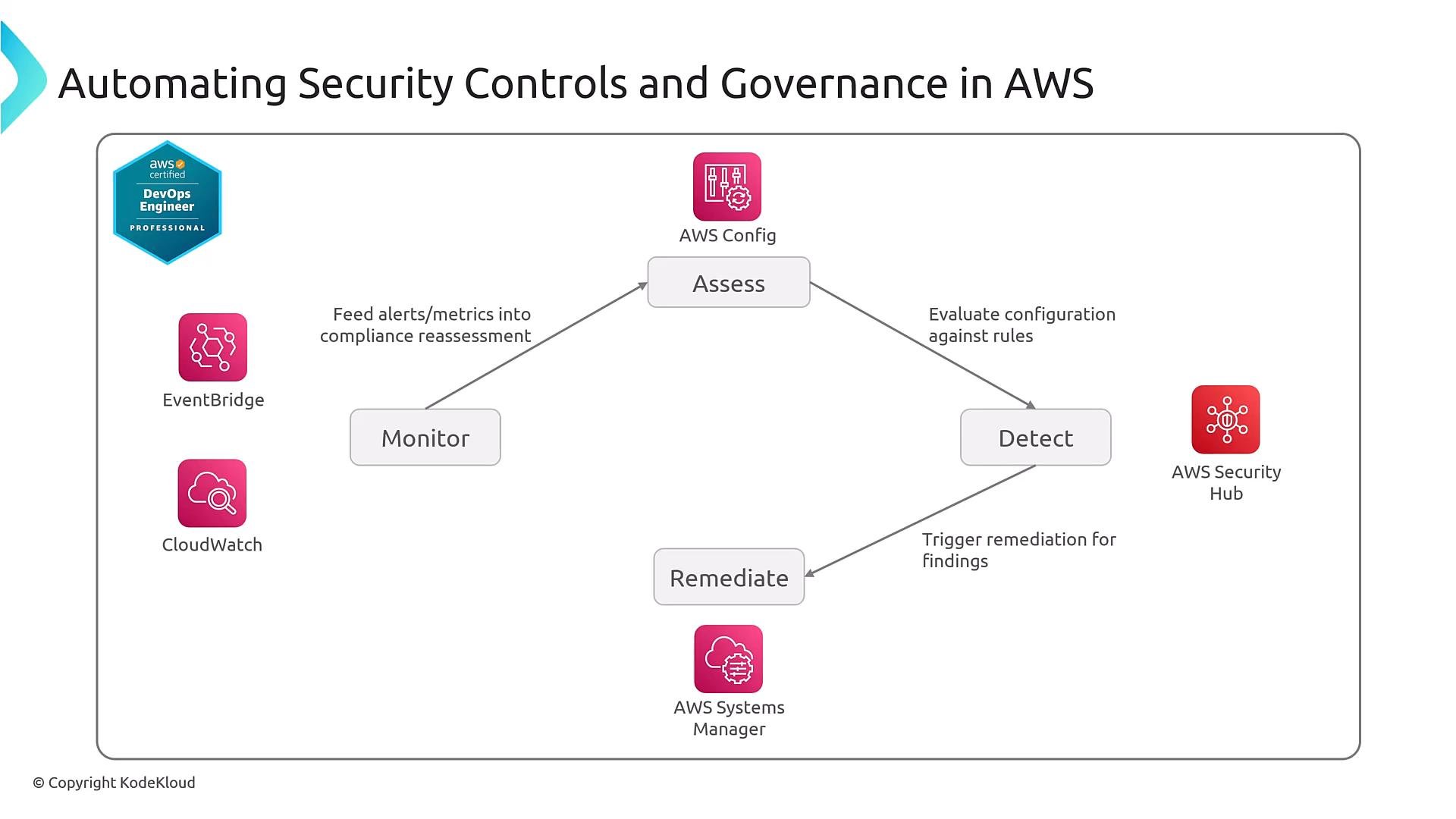
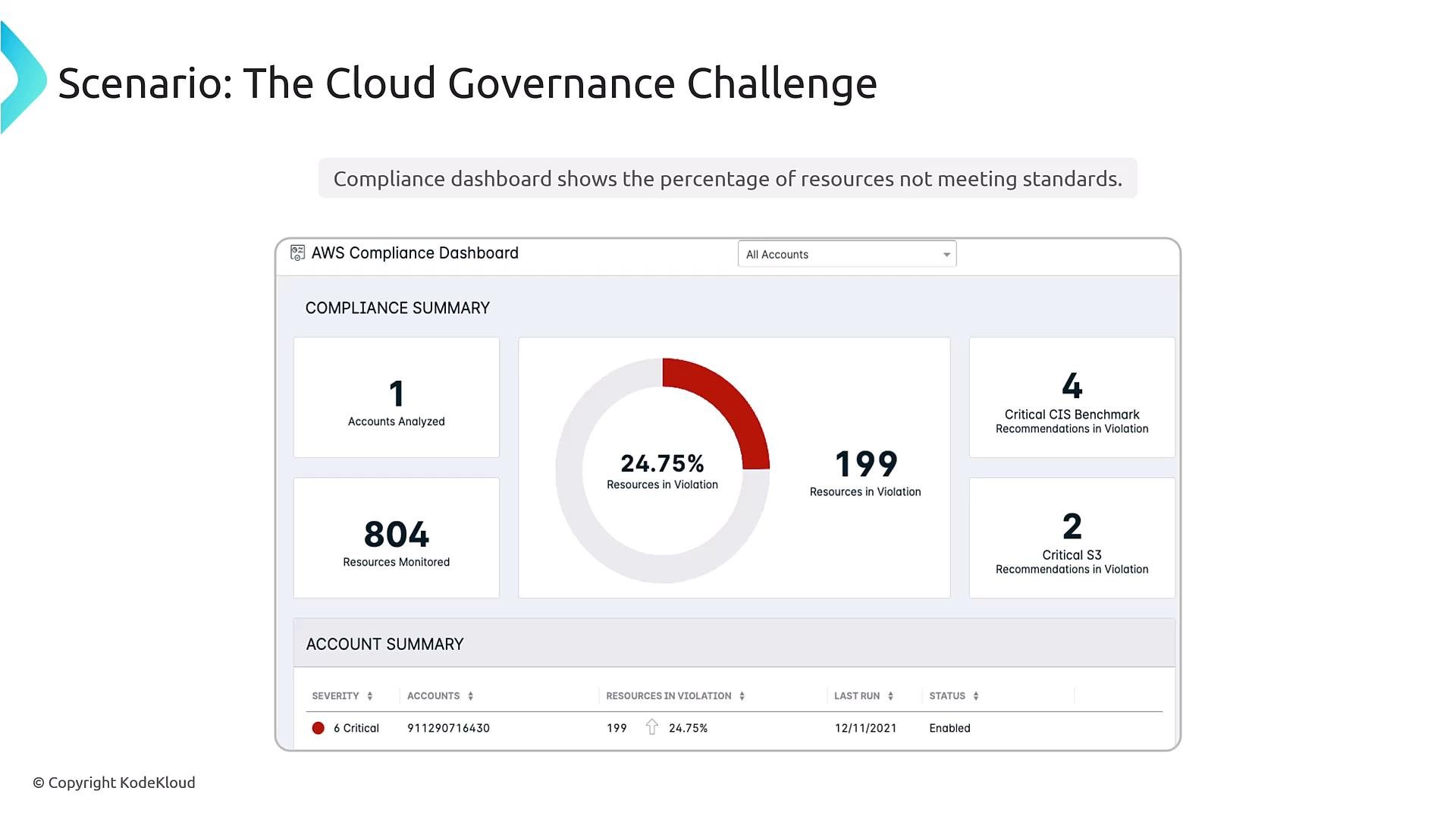
What AWS Config provides
AWS Config is the inventory and configuration-tracking service. It:- Records configuration items (point-in-time snapshots) and configuration history.
- Produces configuration streams and snapshots that can be delivered to Amazon S3, Amazon SNS, or aggregated across an Organization.
- Evaluates resources using Config rules and initiates notifications or remediation when non-compliance is detected.
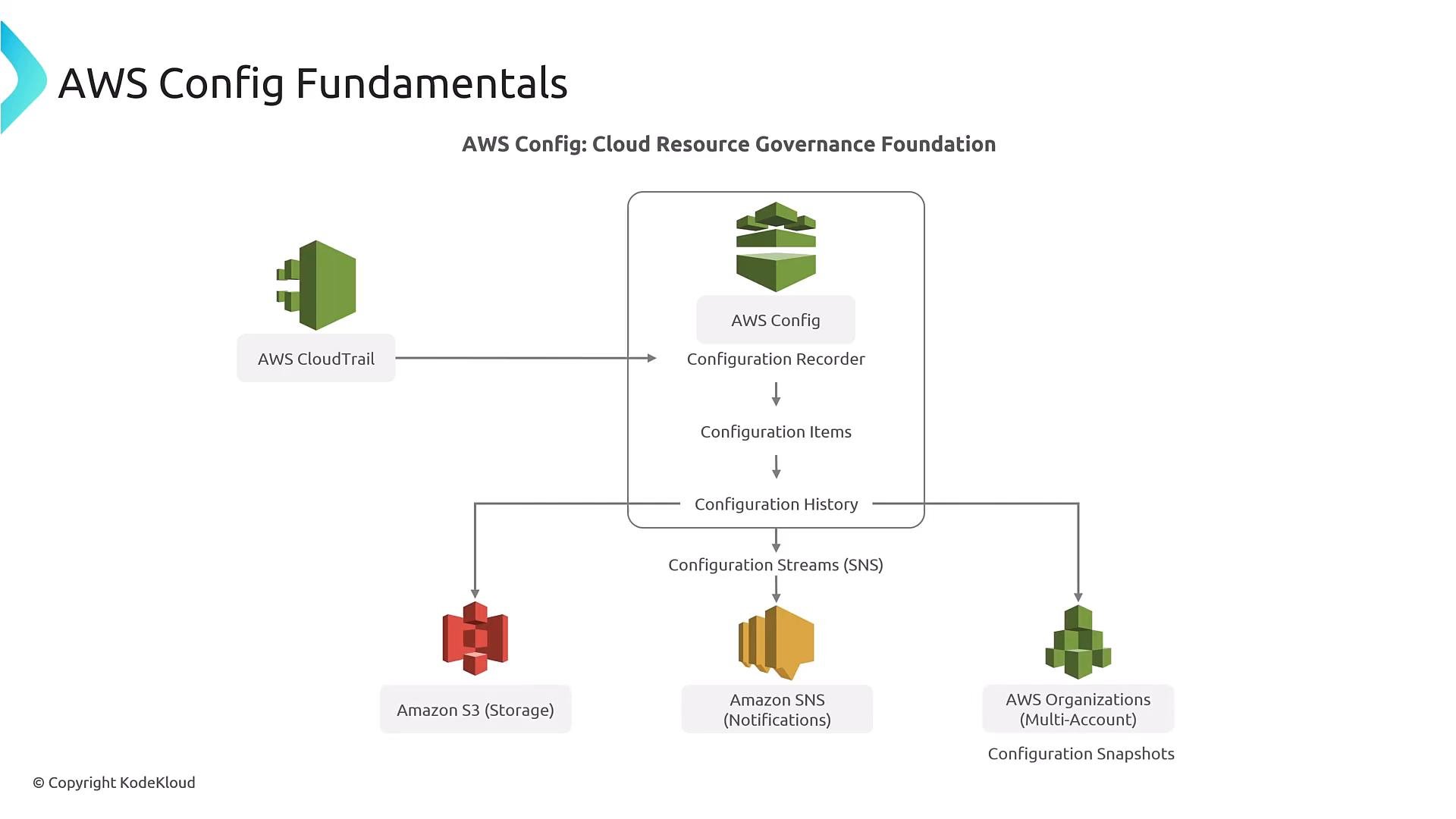
- Snapshots are useful for point-in-time inventory.
- Streams deliver near-real-time notifications to other systems for event-driven workflows.
Config rules: managed vs custom
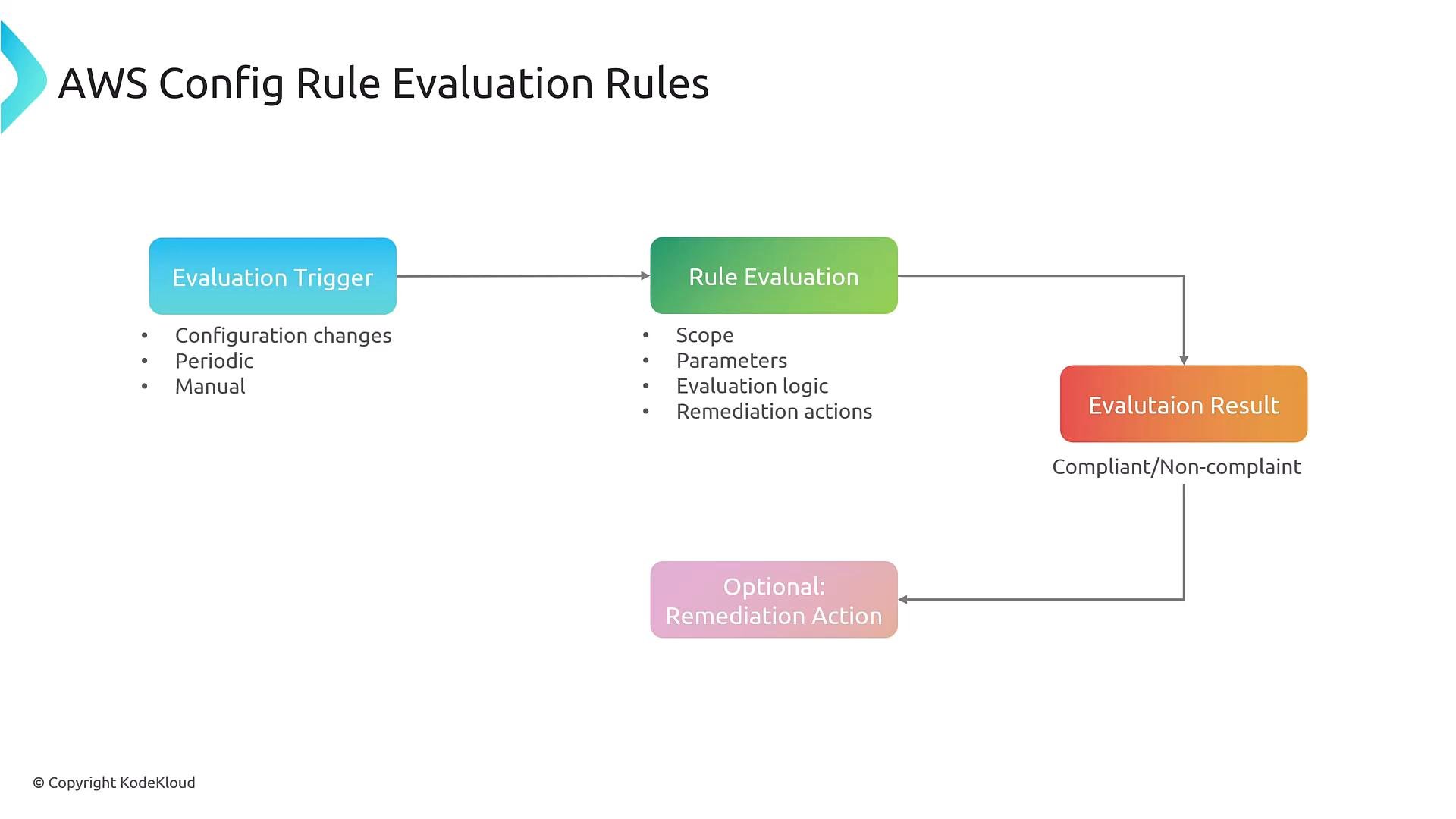
Config rules evaluate configuration items and return compliant/non-compliant results. They can trigger notifications and remediation.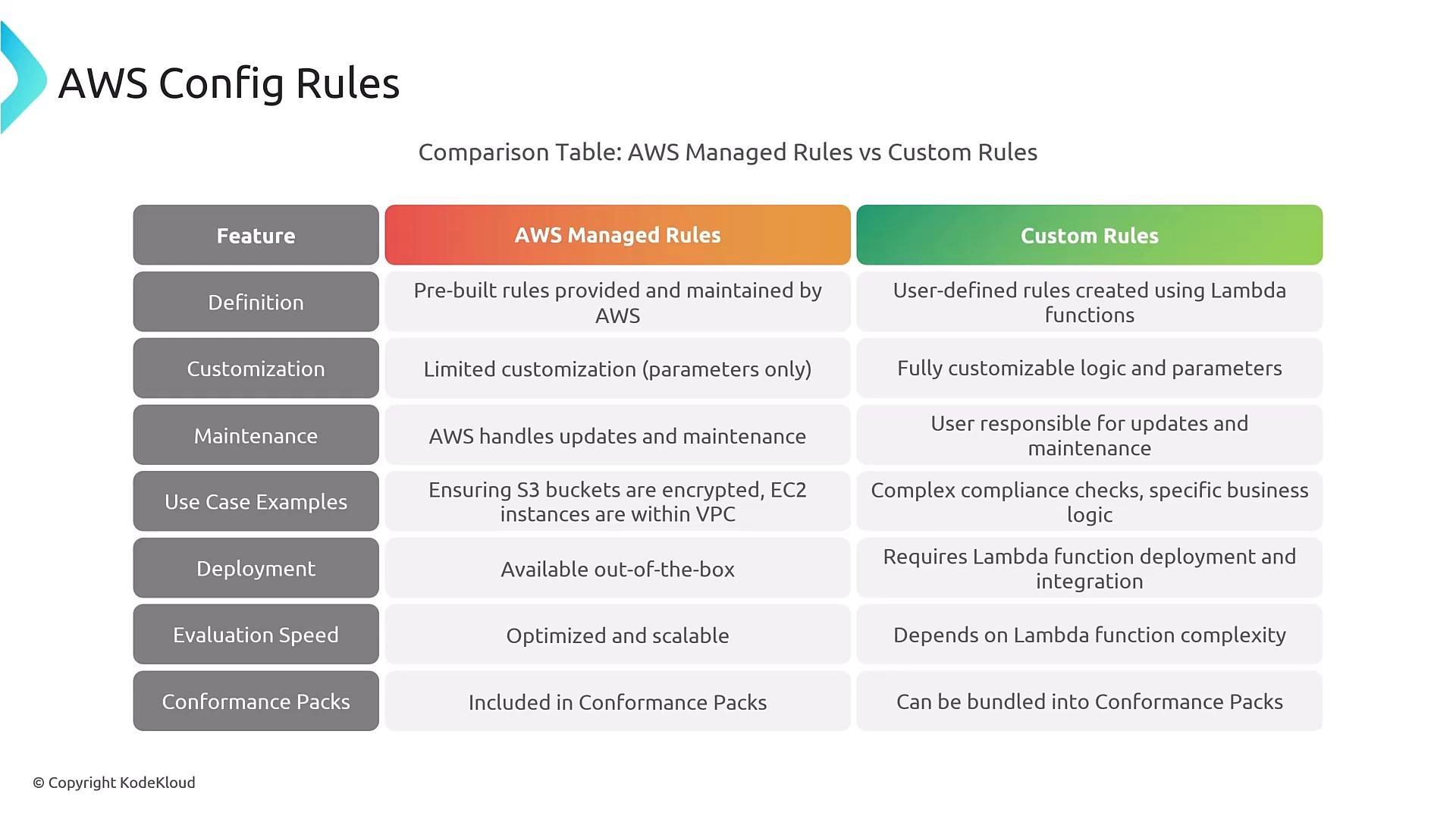
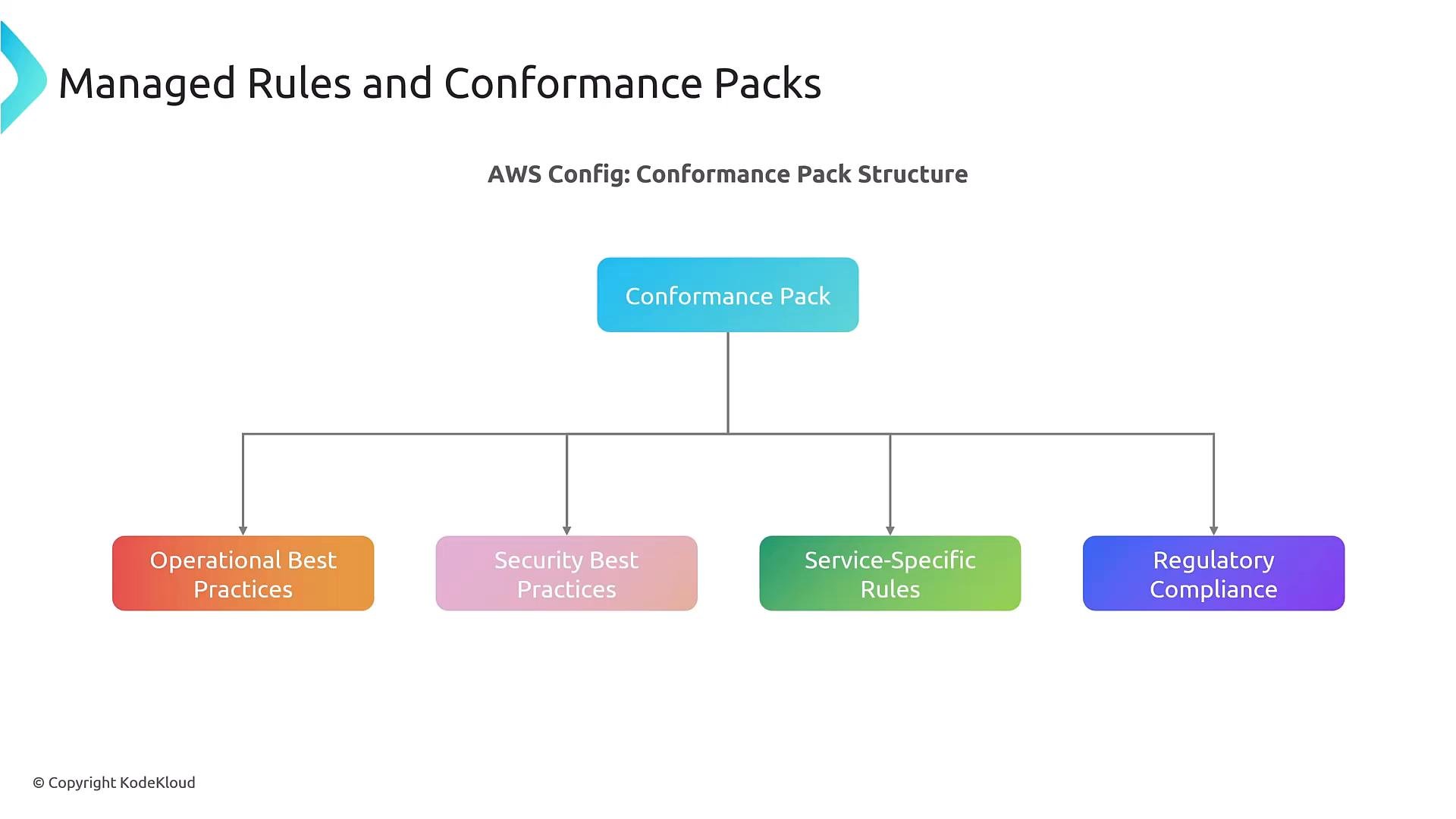
Conformance packs are collections of rules and remediation actions packaged as templates for deployment across accounts and OUs—useful for enforcing regulatory or organizational policies.
- Configuration changes (real-time),
- Periodic schedules,
- Manual invocation.
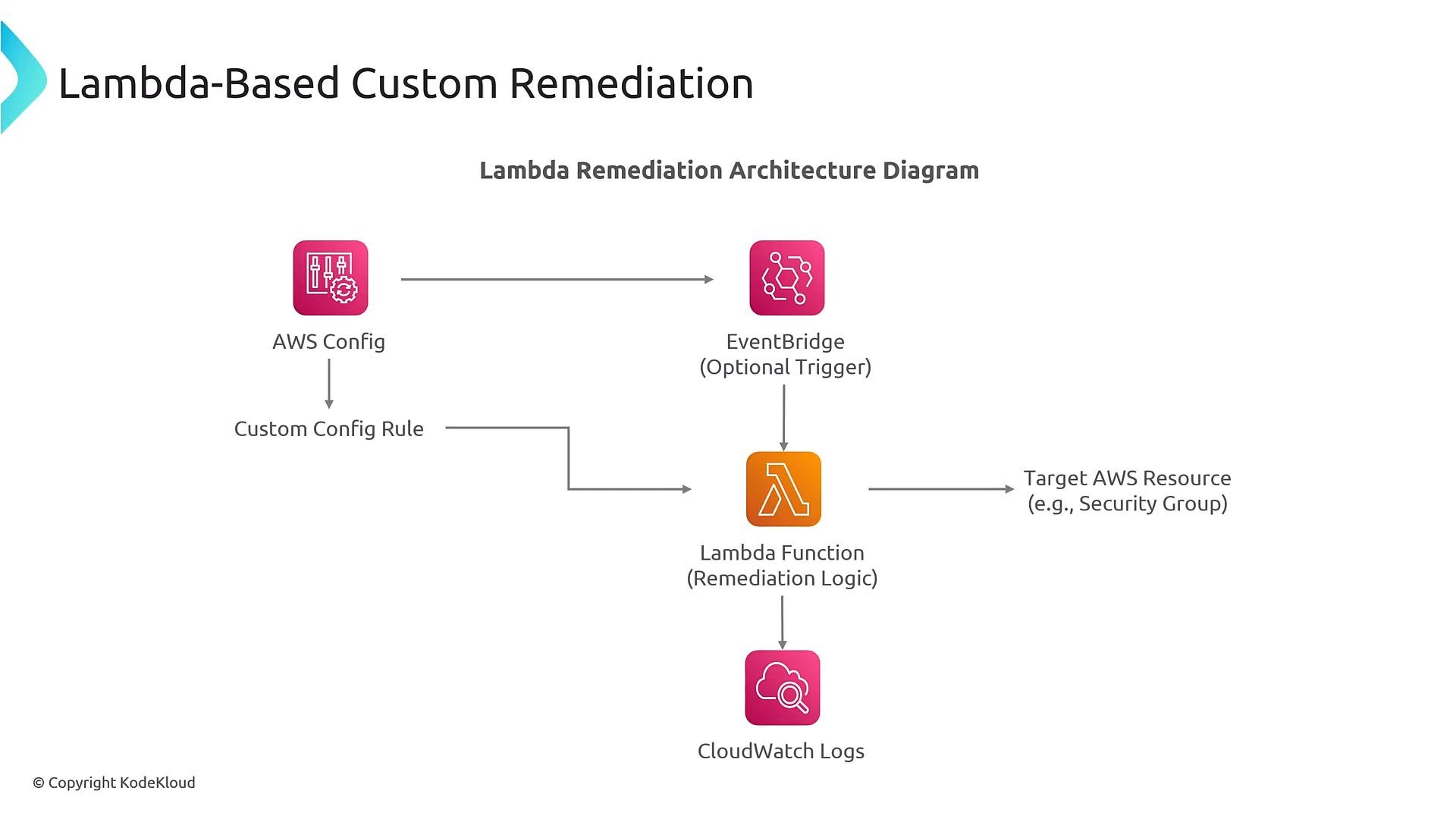
Writing custom Config rule logic (Lambda example)
Custom rules are commonly implemented with a Lambda function that receives the configuration item and rule parameters, evaluates compliance, and returns an annotation and compliance type. Example Python Lambda function that enforces a required tag on EC2 instances:Remediation framework and parameter mapping
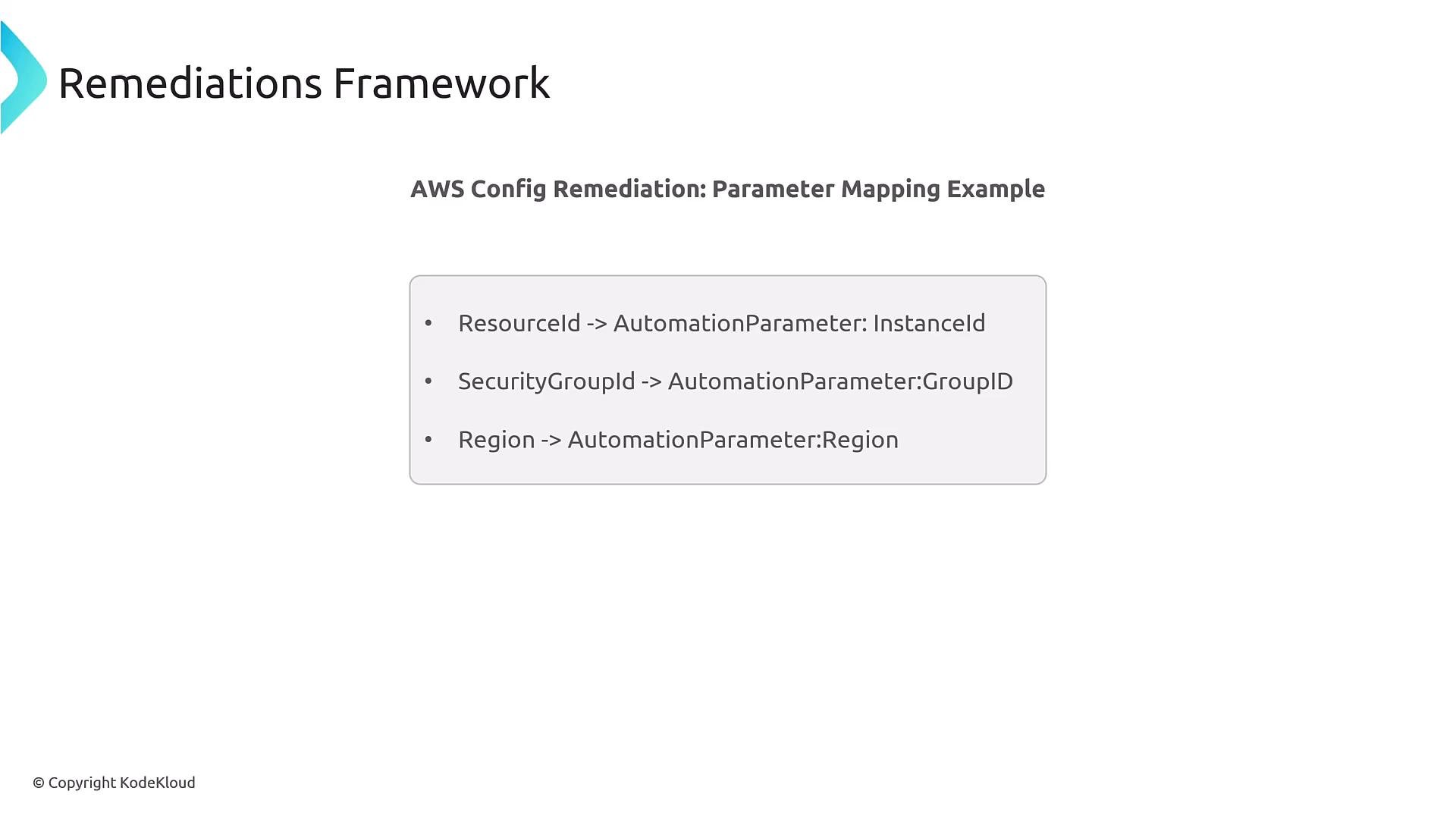
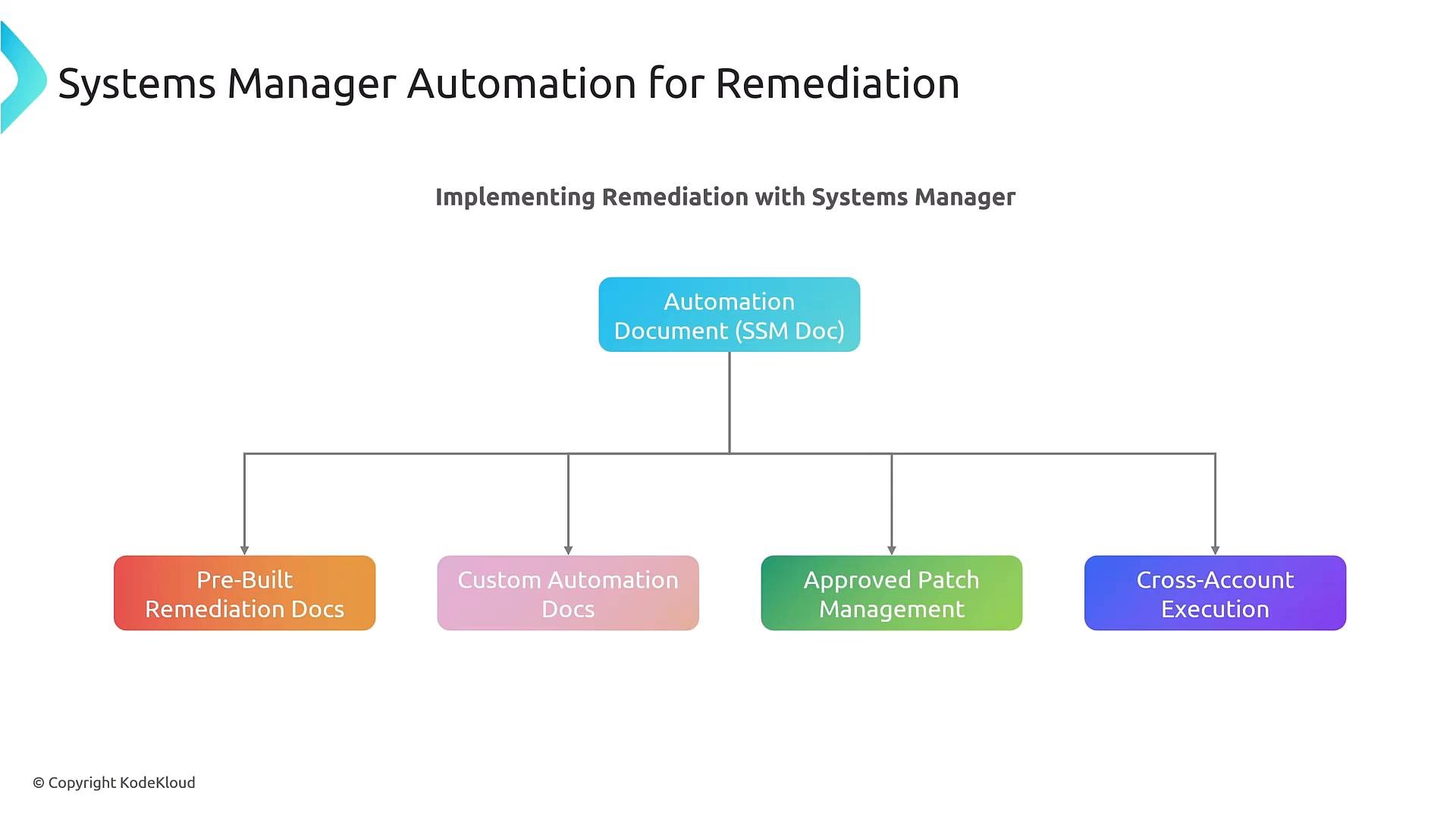
When a rule is non-compliant, the remediation framework maps resource attributes (e.g., ResourceId, SecurityGroupId, Region) into parameters for automation documents or Lambda code so the action operates on the correct resource.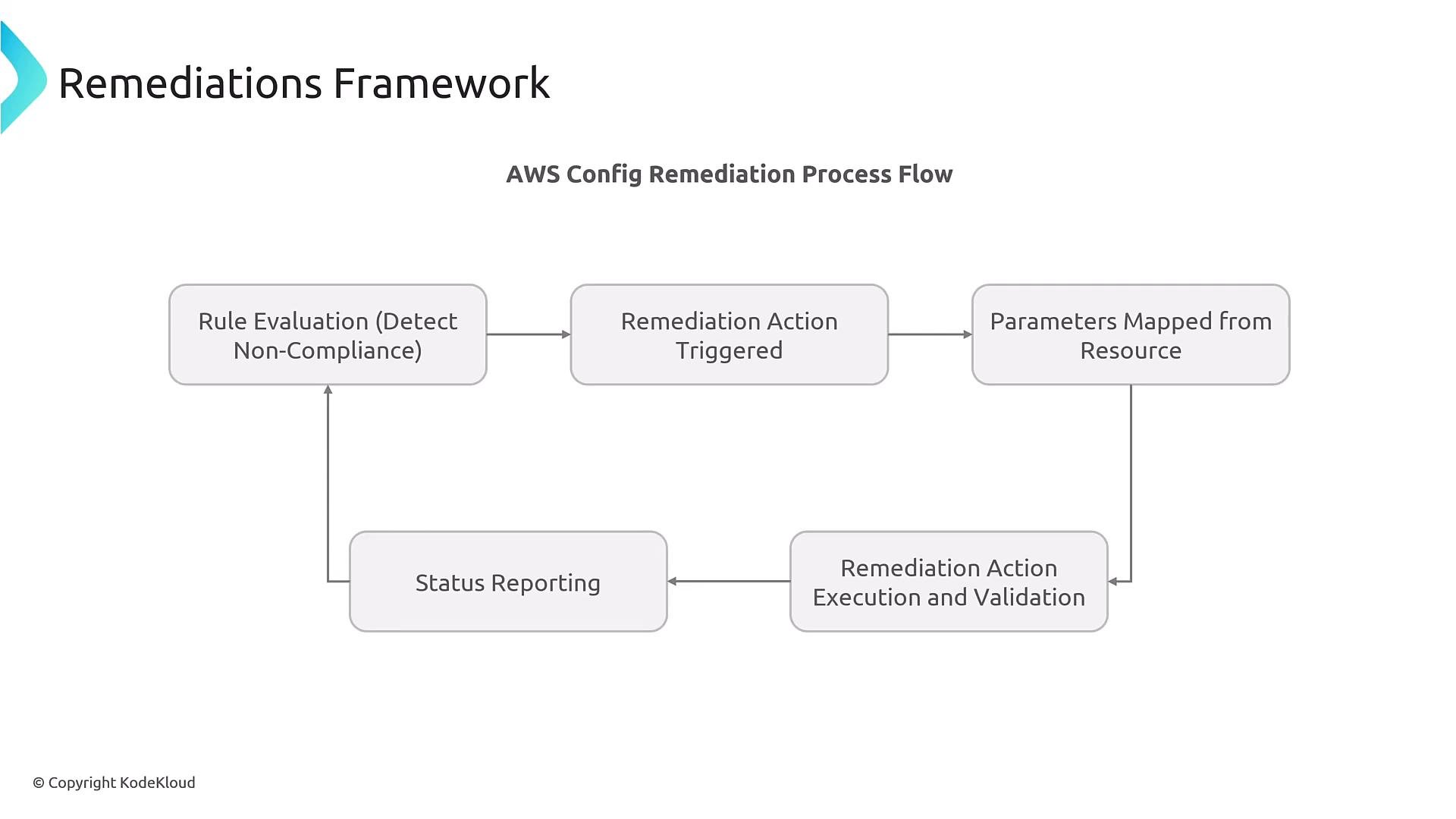
Multi-account governance and deployment
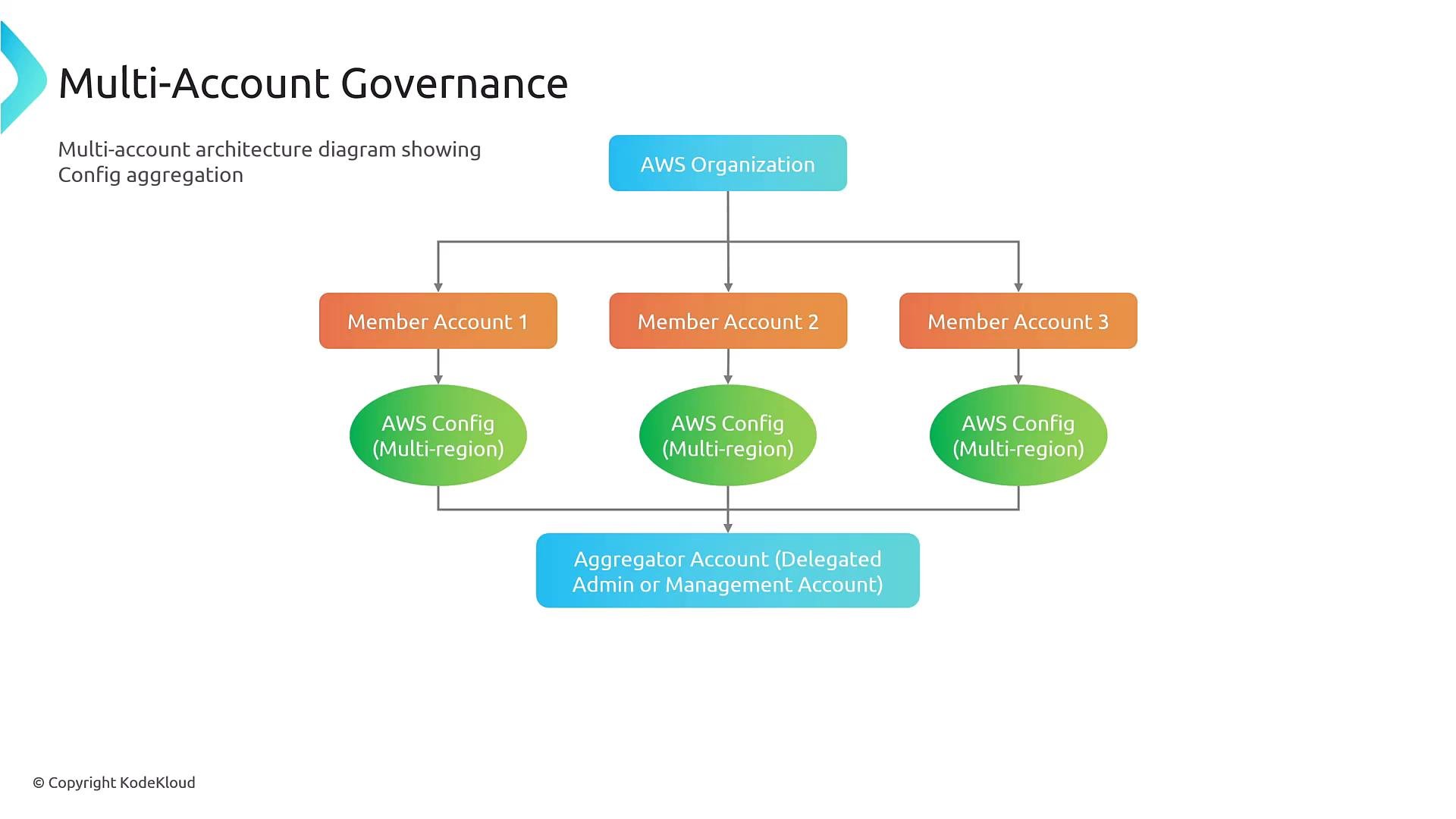
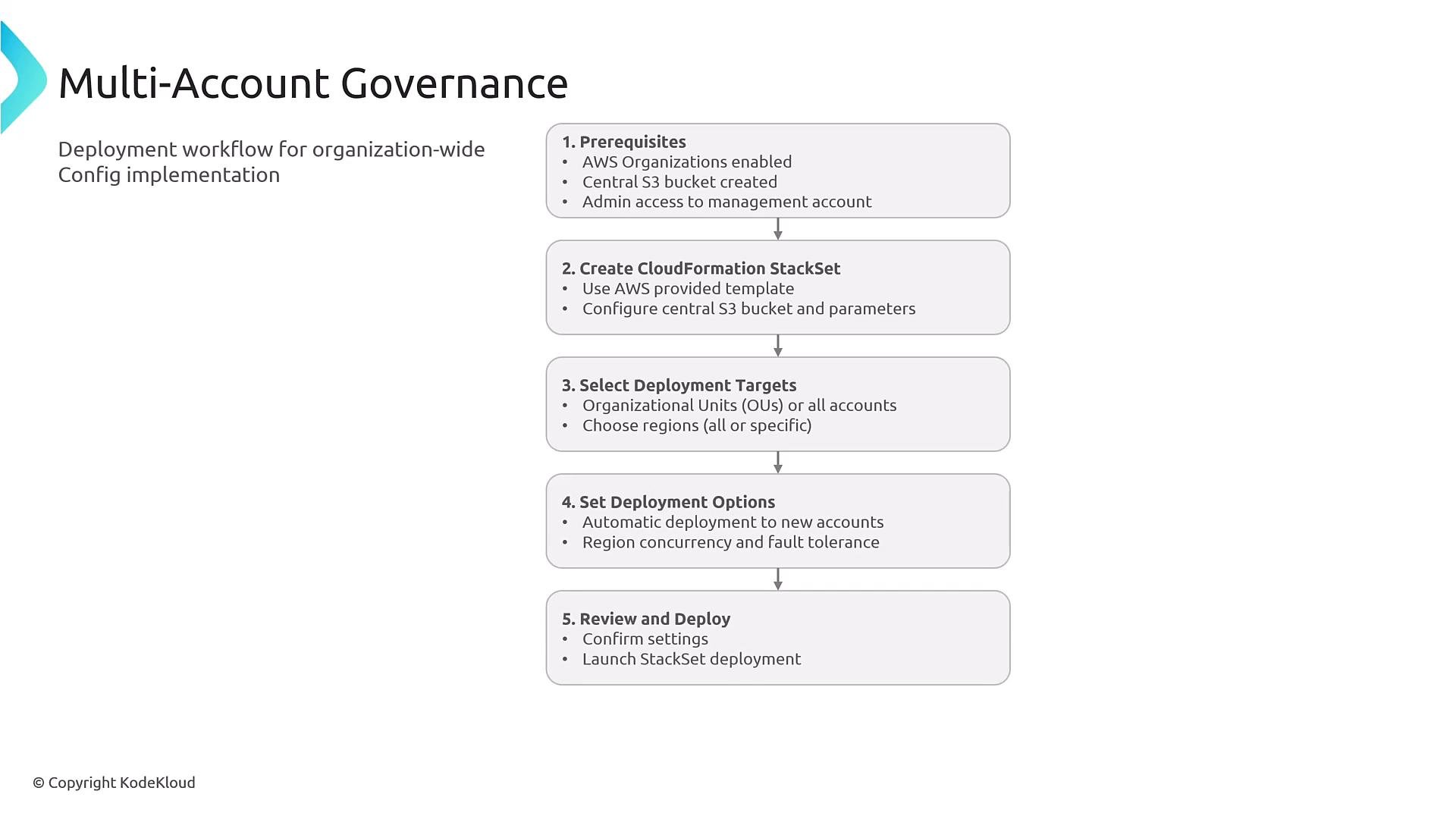
Multi-account governance usually uses AWS Organizations plus a Config Aggregator in a delegated admin account to consolidate configuration and compliance data from member accounts and regions. You must:- Enable AWS Organizations,
- Designate a delegated admin aggregator account,
- Configure a central S3 bucket with appropriate access for the aggregator,
- Deploy recorders, delivery channels, and roles across accounts and regions (StackSets are commonly used).
Events, EventBridge rules and automation
When Config detects compliance state changes it can publish events (SNS or EventBridge). Use EventBridge rules to route non-compliance events to remediation targets (Lambda, SSM, SNS, SQS, Step Functions). Example simplified Config event that can be a source to EventBridge:Security Hub integration
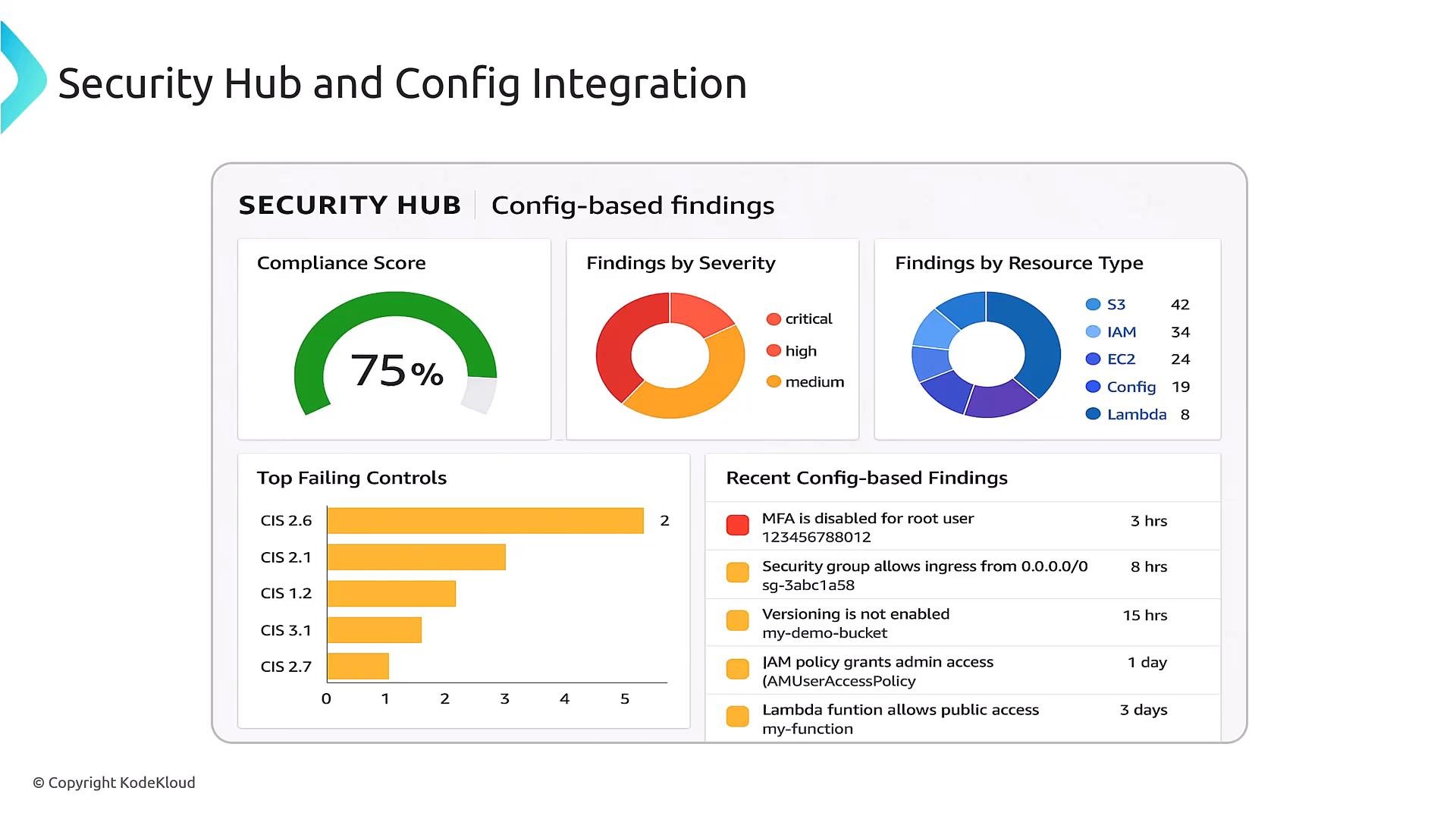
AWS Security Hub aggregates findings from GuardDuty, Inspector, Macie, Config, and other sources. It centralizes triage and enables automation via custom actions and EventBridge workflows.- Config can push findings into Security Hub.
- Security Hub findings can be evaluated by Config rules or used to trigger remediations.
- Use Security Hub to view aggregated compliance posture and prioritize remediation.
Troubleshooting checklist
Common areas to verify when remediations fail:
Example CloudWatch log showing a remediation permission error:
Ensure remediation roles have the precise permissions required for each action (for example,
ssm:StartAutomationExecution for SSM runbooks and iam:PassRole where needed). Follow least-privilege principles and test the role actions in a sandbox account first.Be cautious with remediation frequency and continuous evaluations—overly aggressive automation can cause operational churn and cost. Use periodic evaluations or approval gates for higher-risk actions.
Summary and references
This covers the core concepts and architecture patterns for AWS Config and automated remediation across single-account and multi-account environments. For deeper configuration examples and automation documents, consult the official docs and use the patterns shown here to design safe, least-privilege remediations. Links and references- AWS Config documentation: https://docs.aws.amazon.com/config/
- AWS Systems Manager Automation: https://docs.aws.amazon.com/systems-manager/latest/userguide/systems-manager-automation.html
- AWS Lambda: https://docs.aws.amazon.com/lambda/
- AWS Security Hub: https://docs.aws.amazon.com/securityhub/
- AWS Organizations and Config Aggregator: https://docs.aws.amazon.com/organizations/ and https://docs.aws.amazon.com/config/latest/developerguide/aggregate-data.html