Welcome. This lesson expands on AWS Systems Manager (SSM) and its role in configuration management, operations, and automation — topics that commonly appear on certification exams and in hands‑on demos. At a high level, Systems Manager relies on the SSM Agent running on each managed instance. Wherever that agent runs, it communicates with the Systems Manager API so SSM can manage infrastructure whether it’s on AWS, in another cloud, or on‑premises — provided the instance can reach the SSM API. The Agent supports many operating systems (Amazon Linux, Ubuntu, RHEL, Debian, Windows); macOS support is limited (primarily for EC2 Mac instances). See the SSM Agent documentation for current supported platforms.(SSM Agent - AWS Systems Manager)
The SSM Agent must be installed and running on every managed host. Without the Agent, Systems Manager cannot execute commands or manage that host.
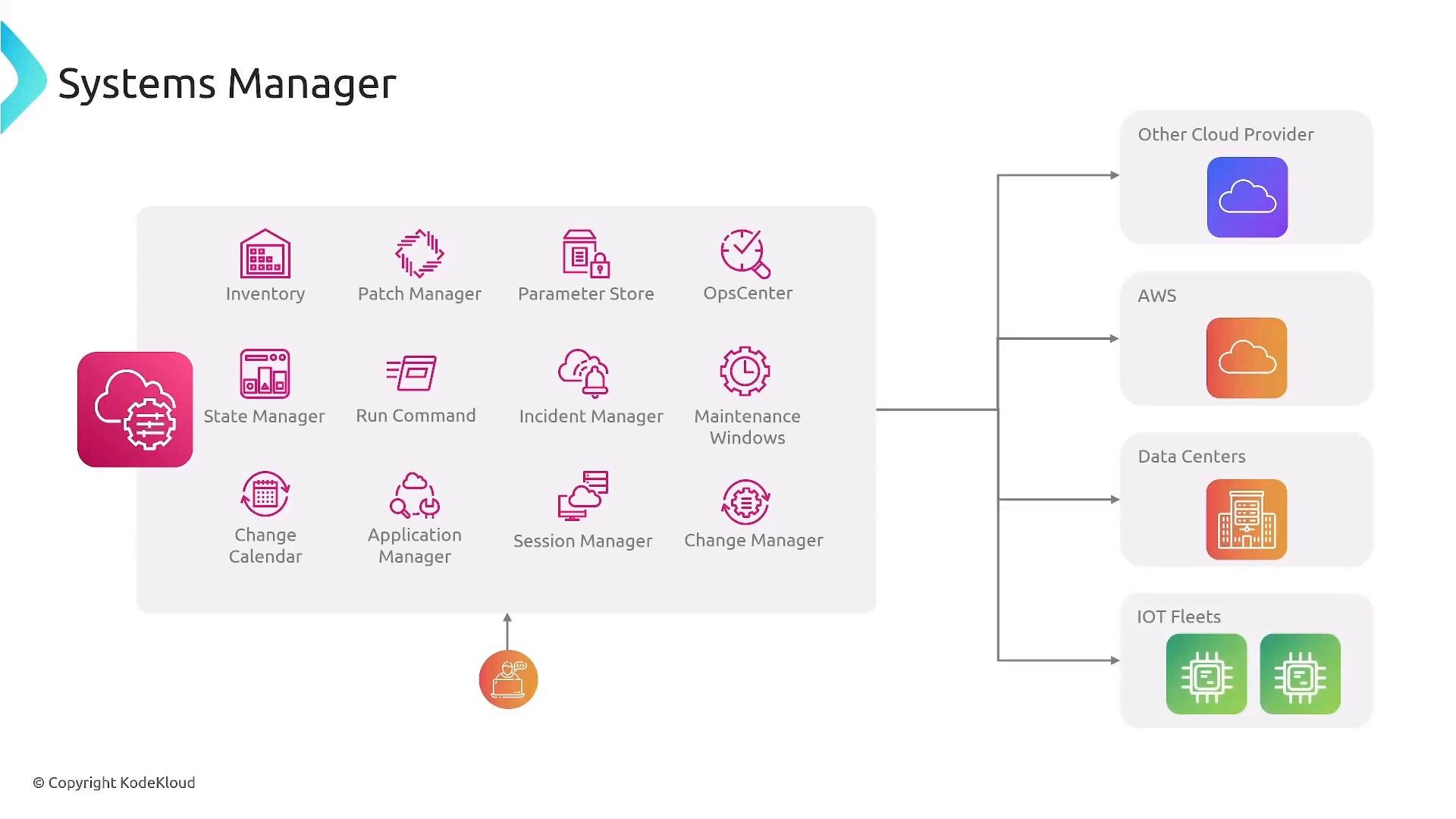
SSM covers many operational responsibilities: patching, remediation and incident management, running commands across fleets, configuration enforcement, inventory collection, secrets/configuration storage, remote sessions, maintenance windows, and more.
A diagram titled "Systems Manager" showing icons for various management features (Inventory, Patch Manager, Parameter Store, OpsCenter, State Manager, Run Command, Incident Manager, Maintenance Windows, Change Calendar, Application Manager, Session Manager, Change Manager). These components are shown connected to targets like other cloud providers, AWS, data centers, and IoT fleets.

Key capabilities (at a glance)

Centralized control, automation, grouping and reporting are core to SSM. Use the table below to map capabilities to common operational tasks.
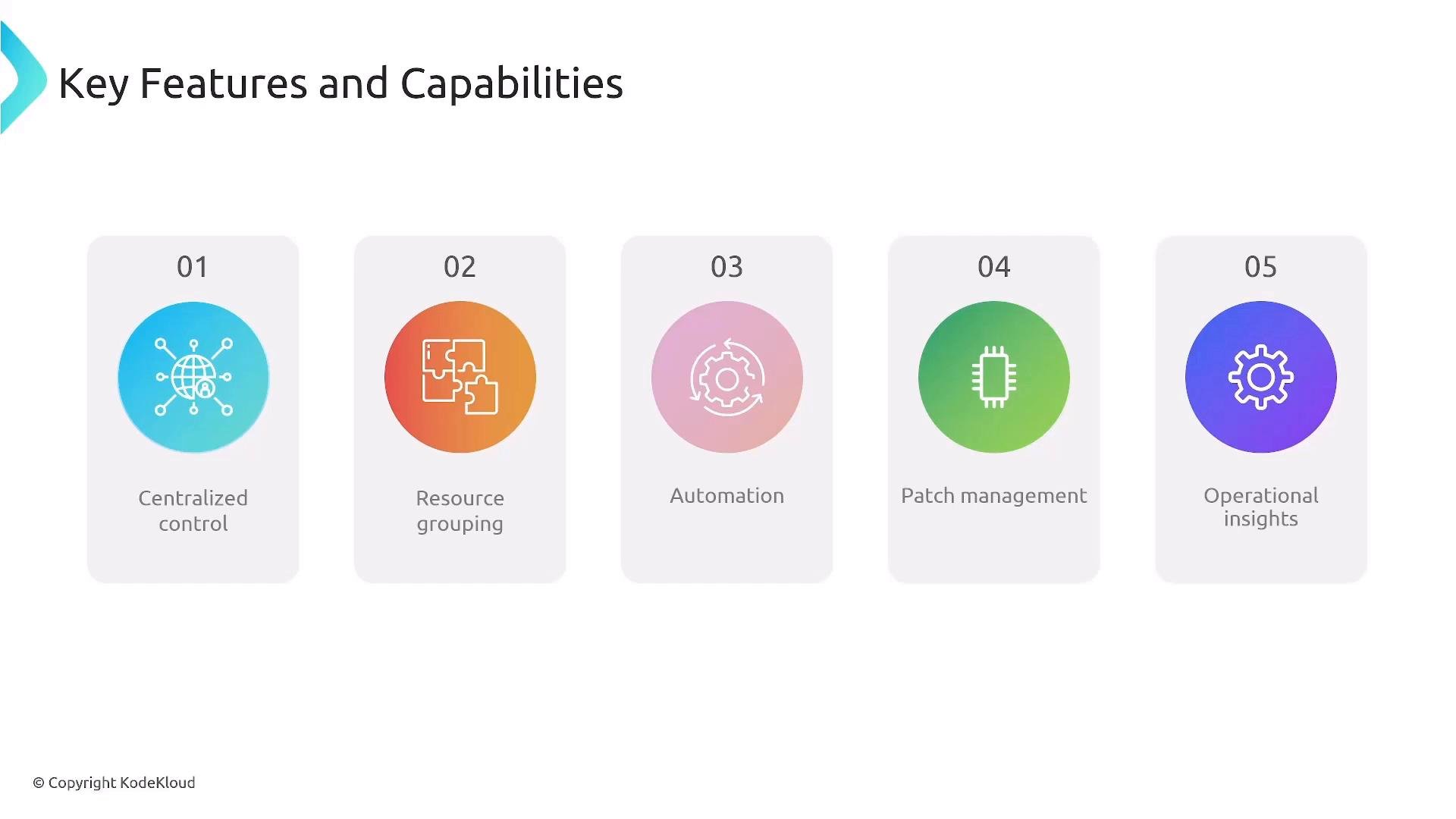
The image is a slide titled "Key Features and Capabilities" showing five numbered feature cards with icons and labels: 01 Centralized control, 02 Resource grouping, 03 Automation, 04 Patch management, and 05 Operational insights. Each feature is represented by a colored circular icon inside a rounded rectangle.
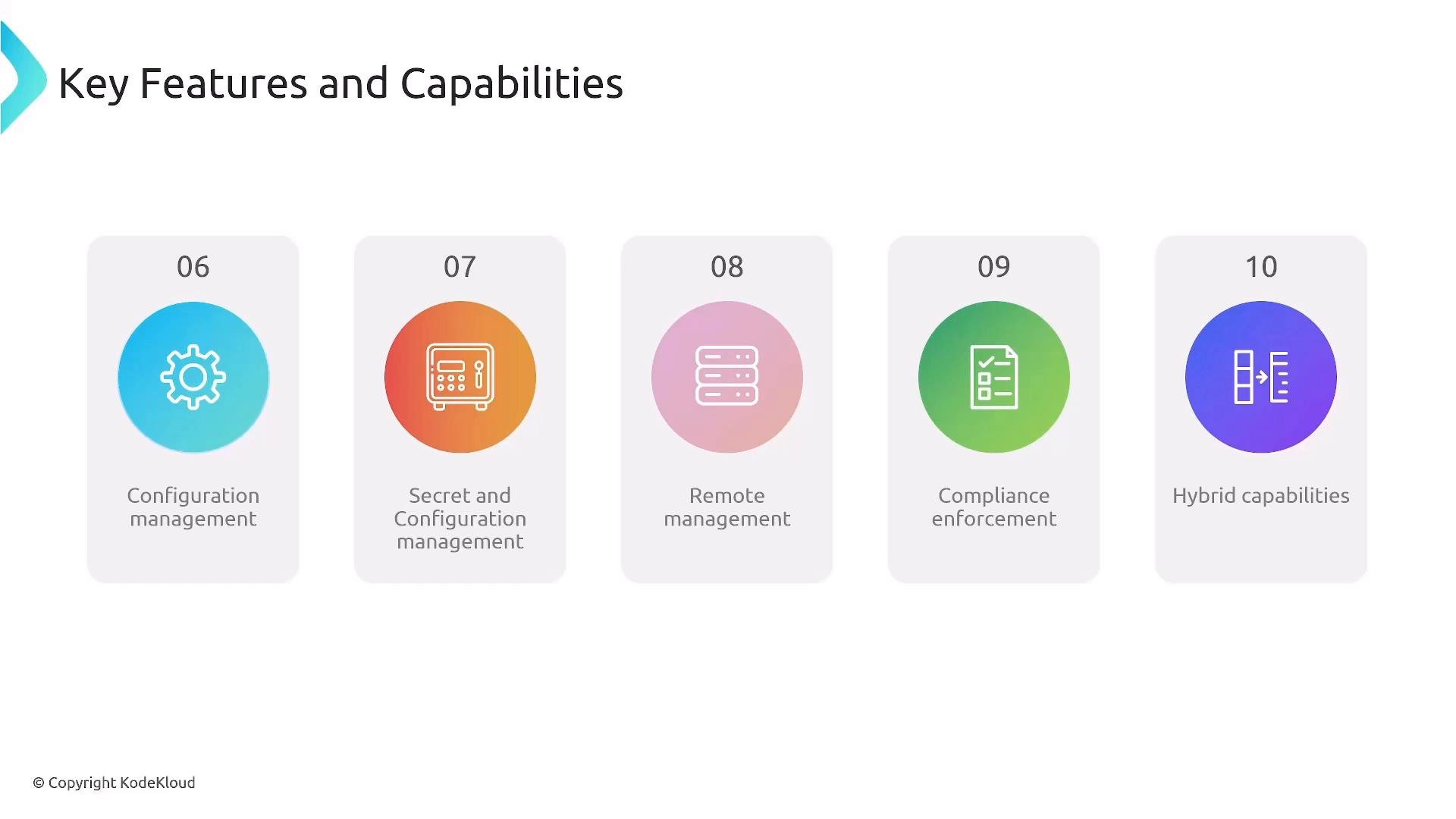
SSM emphasizes automation and applying that automation consistently: patching, enforcing desired state, storing secrets/configuration, and securely managing remote sessions.
The presentation slide titled "Key Features and Capabilities" showing five numbered cards (06–10). Each card has a colored circular icon and label: Configuration management, Secret and Configuration management, Remote management, Compliance enforcement, and Hybrid capabilities.

Instance and configuration management

SSM exposes multiple components to manage instances and enforce configuration:
  • Session Manager — secure shell‑like sessions to instances without opening inbound ports.
  • Run Command — run ad hoc commands or scripts across many instances.
  • State Manager — define desired state and enforce configuration across a fleet.
  • Inventory — collect installed applications, OS details, network settings, registry entries, and more.
  • Fleet Manager — centralized visualization and operations for managed endpoints.
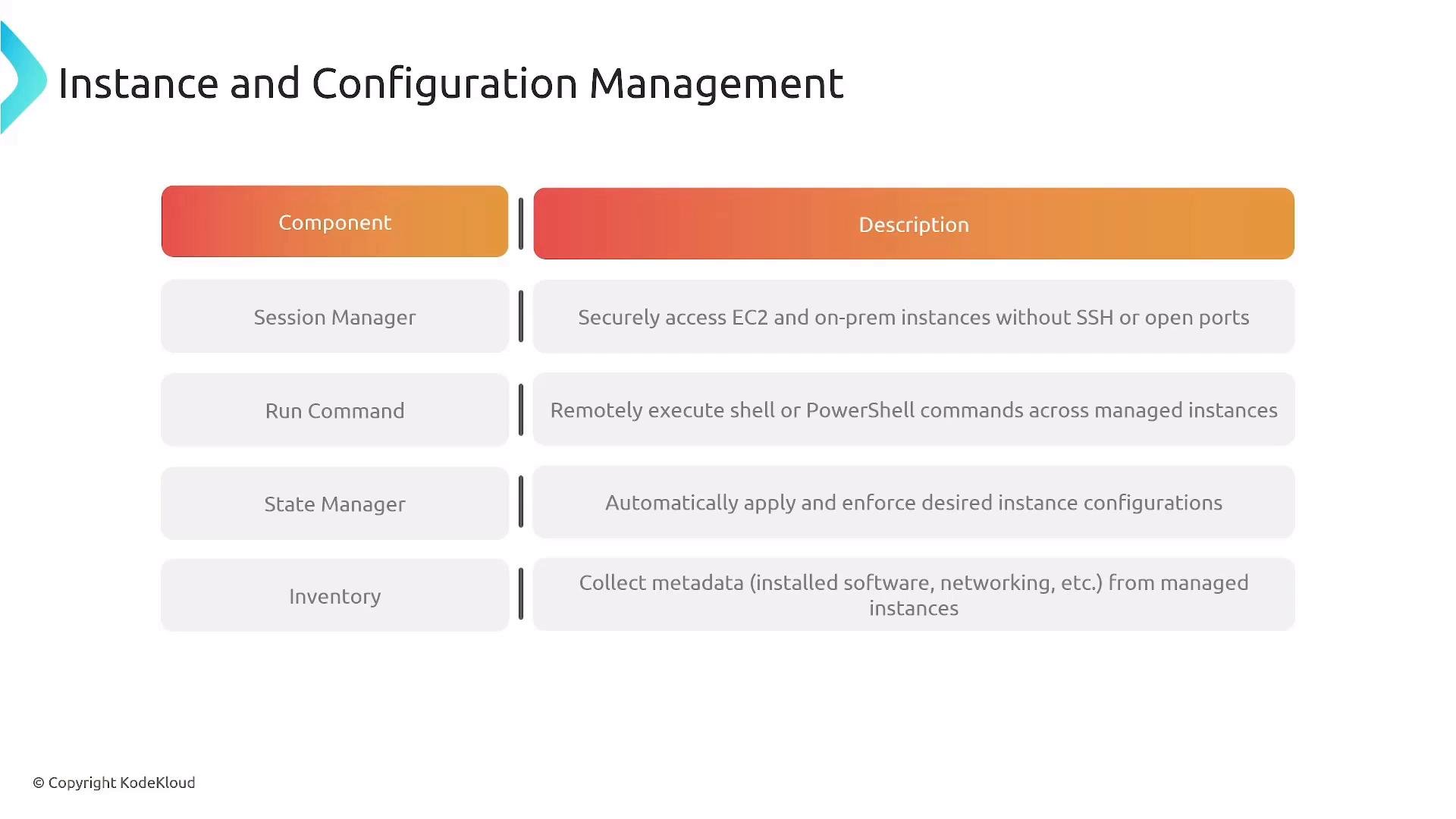
A presentation slide titled "Instance and Configuration Management" showing a two-column table of components and descriptions. It lists items like Session Manager, Run Command, State Manager and Inventory with brief explanations of each.
Access to Systems Manager is available via:
  • AWS Management Console
  • AWS CLI
  • AWS SDKs
    This lets you integrate SSM into IaC pipelines, monitoring, and custom automation scripts.

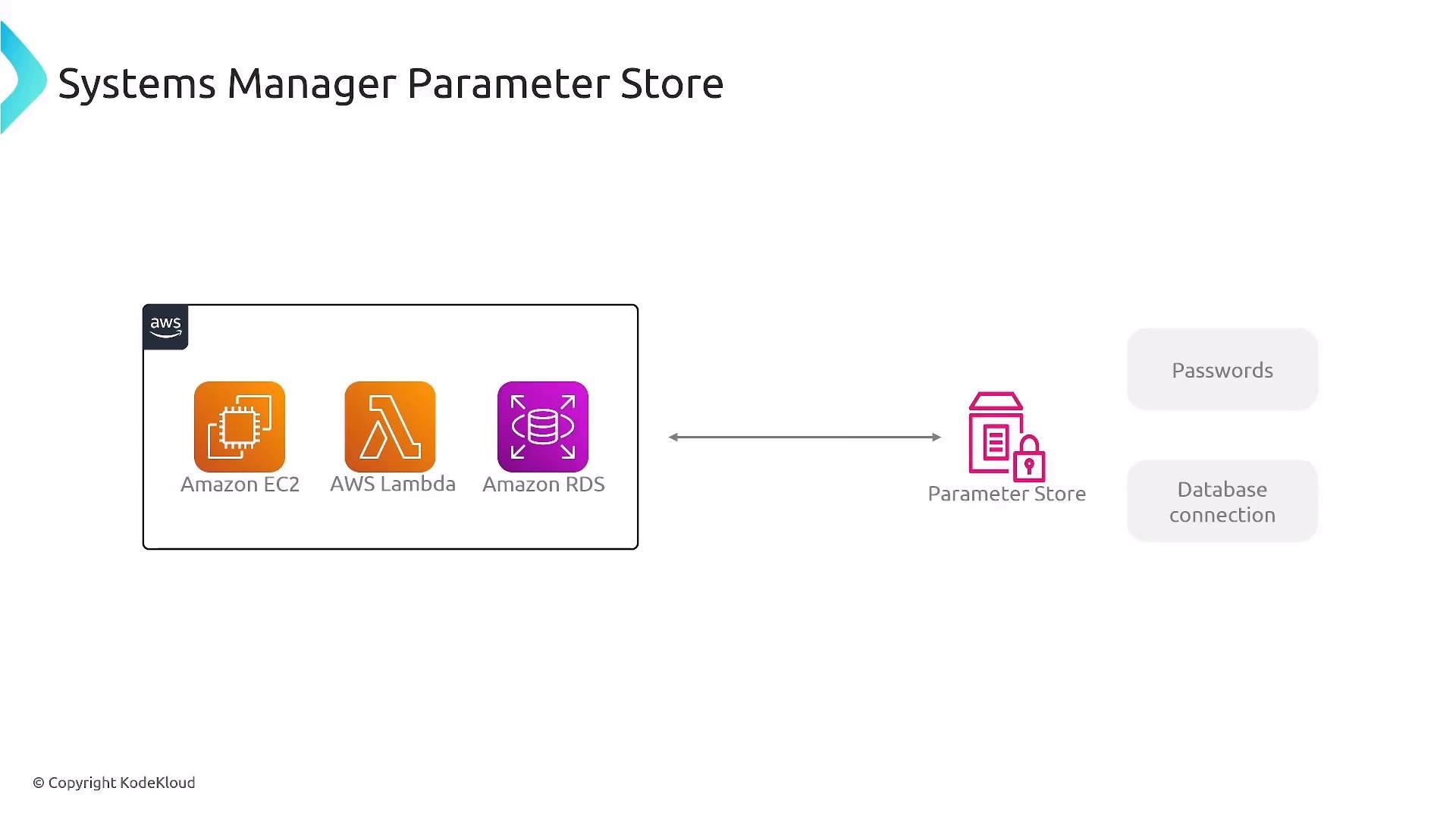
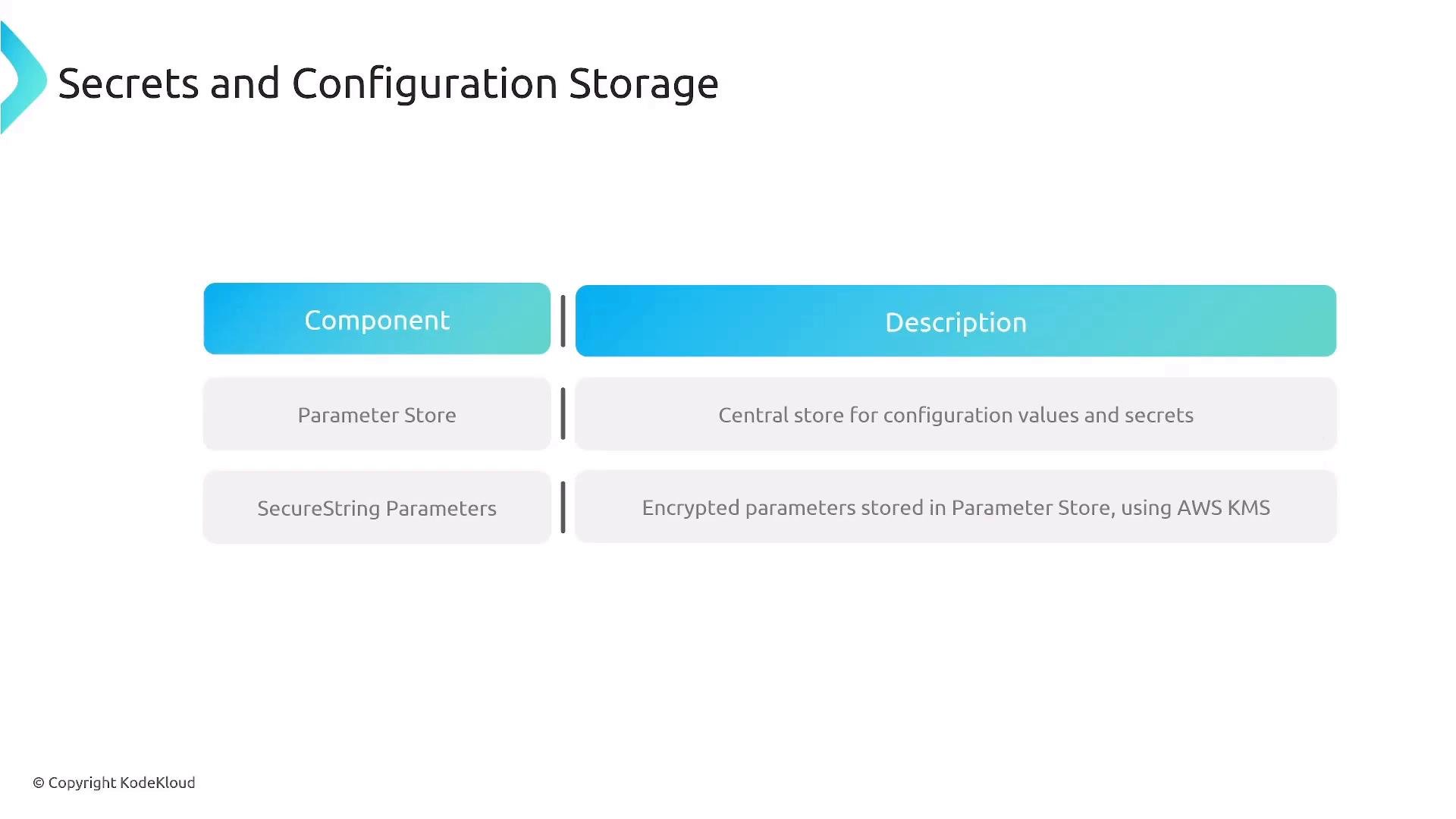
Secrets and configuration storage: Parameter Store

Parameter Store is SSM’s native configuration and secrets store. It supports:
  • Plain-text parameters (String)
  • SecureString parameters (encrypted using AWS KMS) for sensitive values such as passwords and connection strings
Use Parameter Store for application configuration values, feature flags, and secret storage when rotation is not required. If you need automatic secrets rotation, use AWS Secrets Manager instead.(AWS Secrets Manager) See AWS KMS for encryption details.(AWS Key Management Service (KMS))
A slide titled "Secrets and Configuration Storage" with a two-column table labeled "Component" and "Description." It lists "Parameter Store" as a central store for configuration values and secrets, and "SecureString Parameters" as encrypted parameters stored in Parameter Store using AWS KMS.
A diagram titled "Systems Manager Parameter Store" showing Amazon EC2, AWS Lambda, and Amazon RDS inside an AWS boundary. An arrow points to a Parameter Store icon that stores passwords and database connection details.
Example Parameter Store path:

Automation: Documents, runbooks, and orchestration

SSM Automation executes workflows defined in Documents (JSON or YAML). Documents let you:
  • Orchestrate complex remediation across accounts and regions
  • Trigger automation from events (AWS Config remediation, CloudWatch Events, or other automation triggers)
  • Integrate automation run results with CloudWatch and Amazon SNS for monitoring and notifications
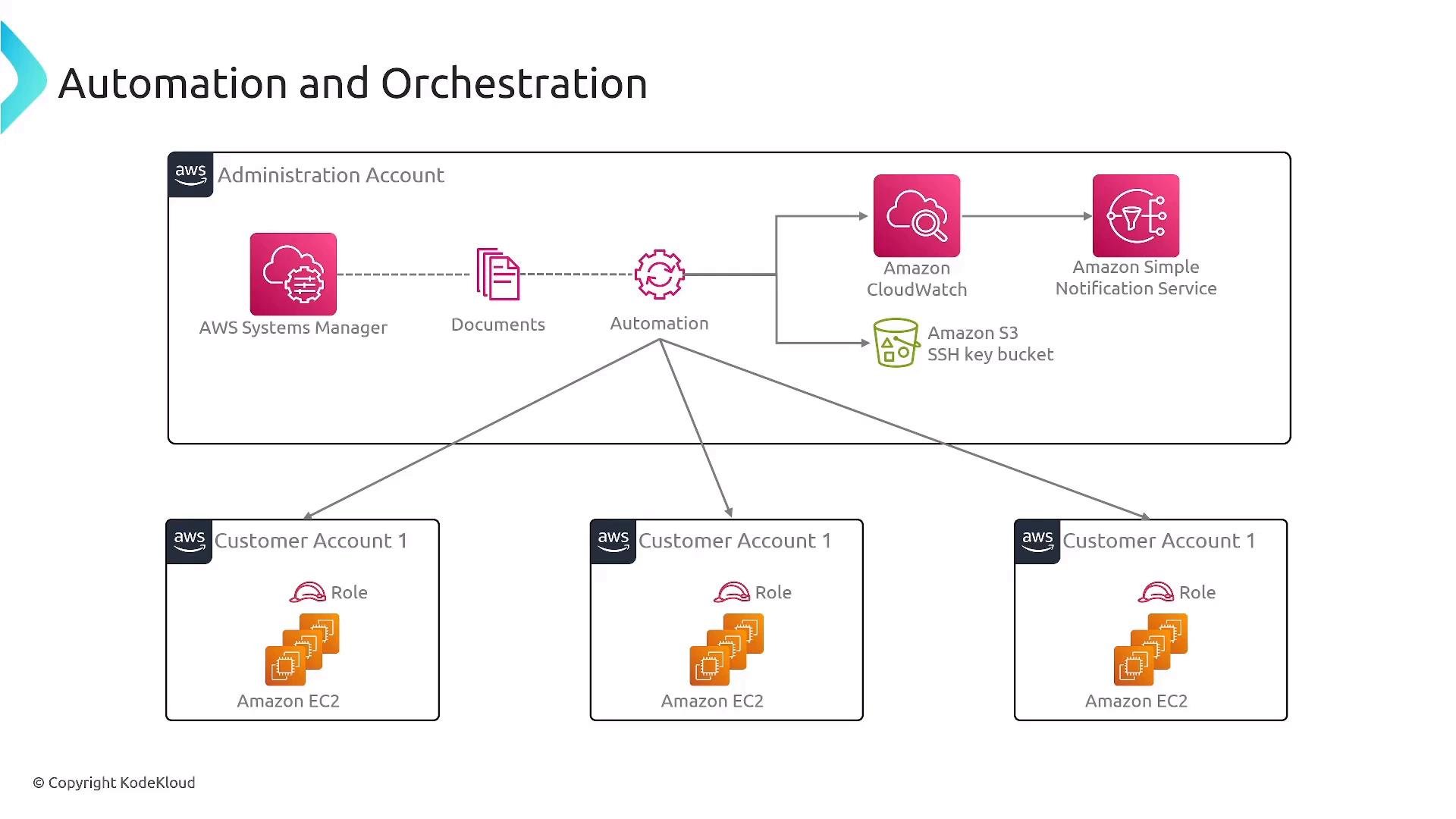
An AWS architecture diagram titled "Automation and Orchestration" showing an Administration Account using AWS Systems Manager (Documents and Automation) to run actions across multiple Customer Accounts' Amazon EC2 instances. The workflow integrates Amazon CloudWatch, an S3 SSH key bucket, and Amazon Simple Notification Service for monitoring and notifications.

Patch Manager and compliance

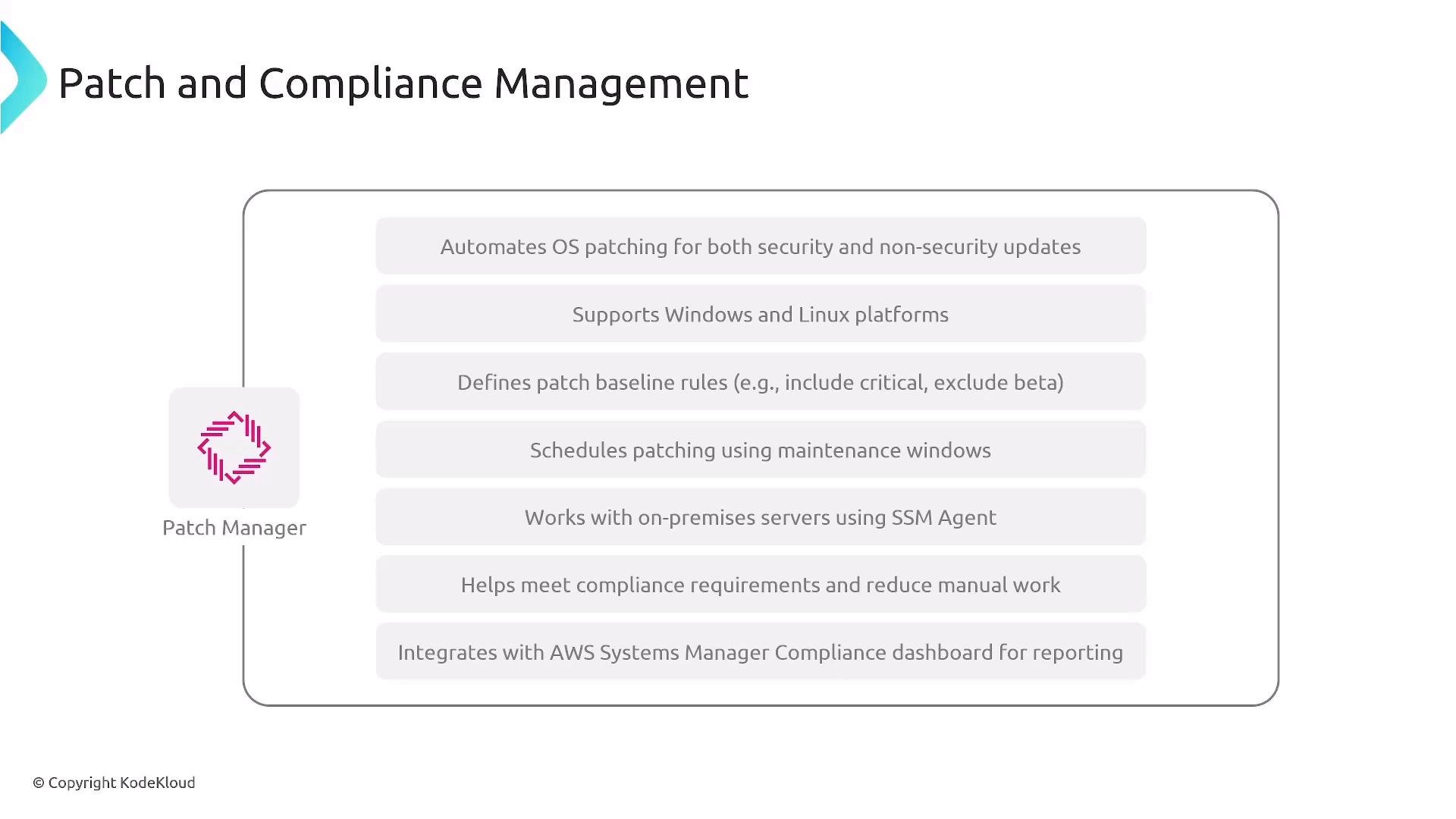
Patch Manager automates OS patching for supported Linux and Windows platforms. Key features:
  • Define patch baselines (which updates to approve or reject)
  • Create patch groups to control scope and target maintenance windows
  • Schedule maintenance windows with pre/post steps and testing on small subsets before broad rollout
  • Report patch compliance in the Systems Manager compliance dashboard
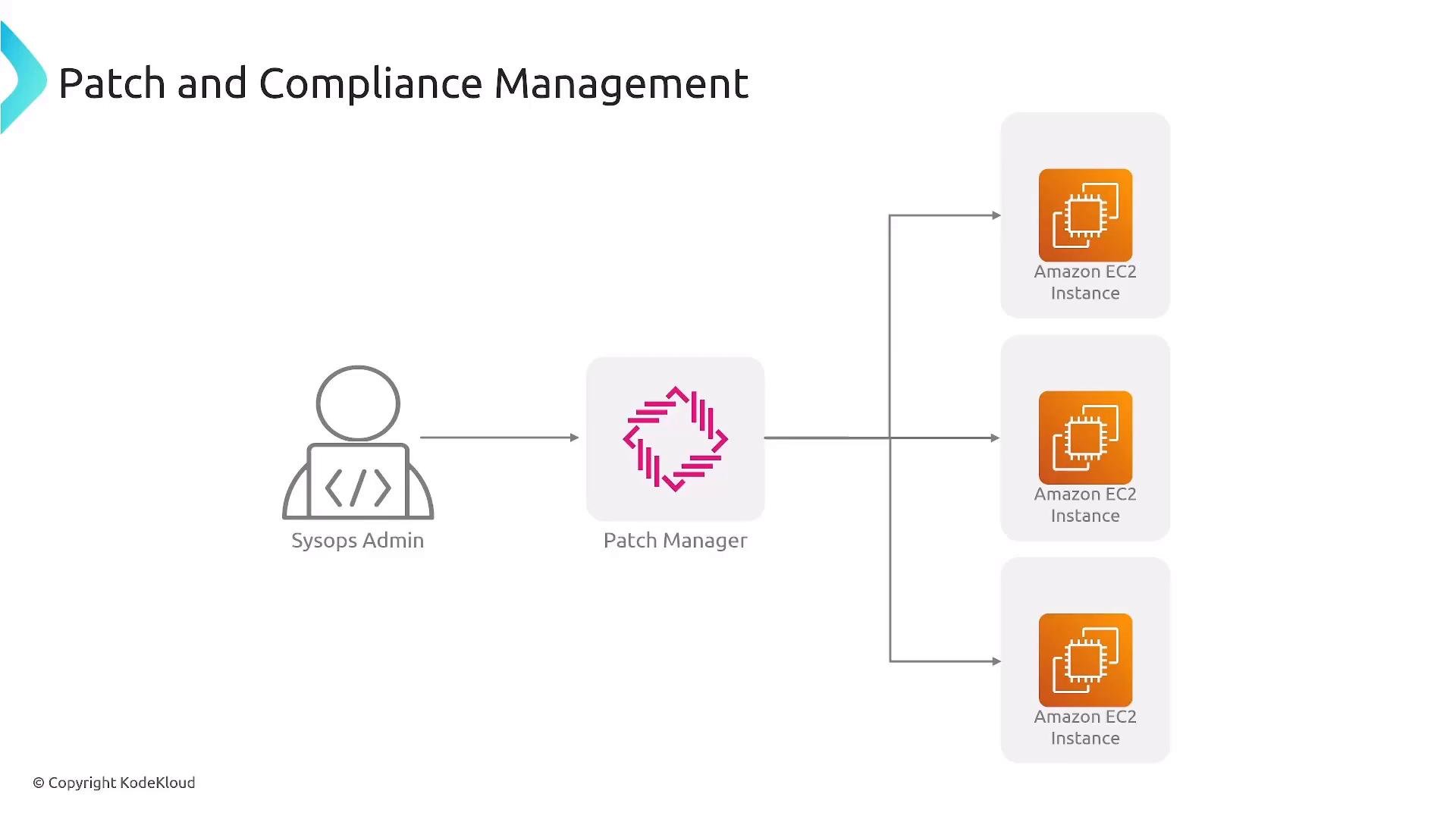
A diagram titled "Patch and Compliance Management" showing a Sysops Admin using a Patch Manager to push patches to multiple Amazon EC2 instances.
You choose included/excluded patches via patch baseline rules, run them in scheduled windows, and monitor compliance to identify noncompliant instances.
A presentation slide titled "Patch and Compliance Management" showing a Patch Manager icon. It lists features like automated OS patching for Windows and Linux, patch baseline rules, scheduled maintenance windows, support for on-prem servers via the SSM Agent, and integration with AWS Systems Manager for compliance reporting.

Monitoring, incidents, and operational insights

SSM provides operational tooling to investigate and resolve issues:
  • OpsCenter — aggregated operational items for investigation and remediation
  • Explorer — multi‑account view of operational health and trends
  • Incident Manager — coordinate incident response and runbook execution
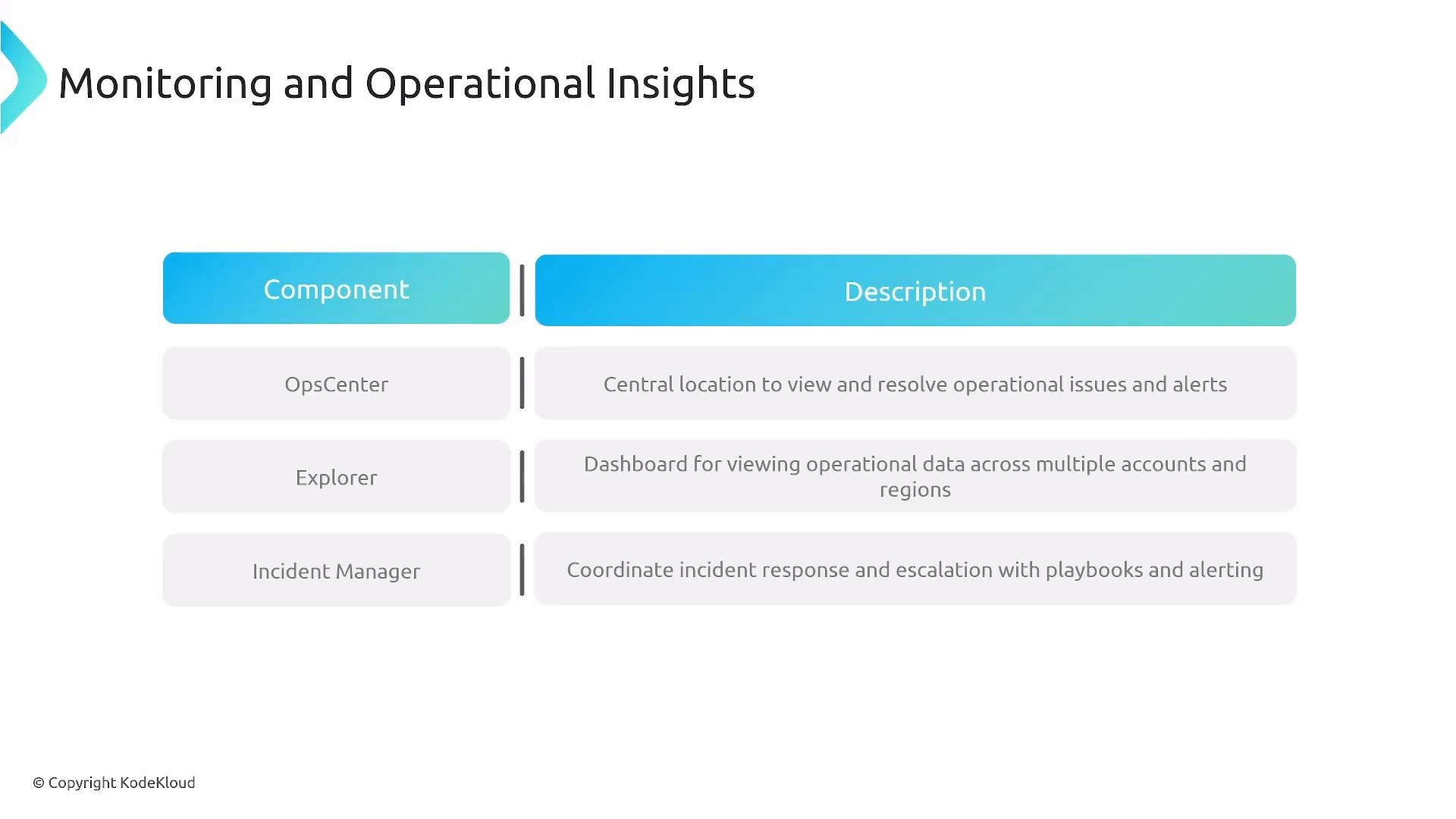
A presentation slide titled "Monitoring and Operational Insights" showing a two-column table with components (Component/Description) listing OpsCenter, Explorer, and Incident Manager with short descriptions. The slide has a blue gradient header and a small "© Copyright KodeKloud" note at the bottom left.
Some OpsCenter, Explorer, and Incident Manager features may change or be deprecated over time. These services currently appear on exams and documentation — always verify AWS announcements and the latest documentation before relying on a UI feature or specific capability.

Hybrid and multi-account management

SSM supports hybrid fleets and centralized management across accounts:
  • Activations to onboard non‑EC2 (on‑premises) hosts via the SSM Agent
  • Resource Groups to organize instances by tags, OS, or location
  • Explorer for aggregated multi‑account operational insights and trend analysis
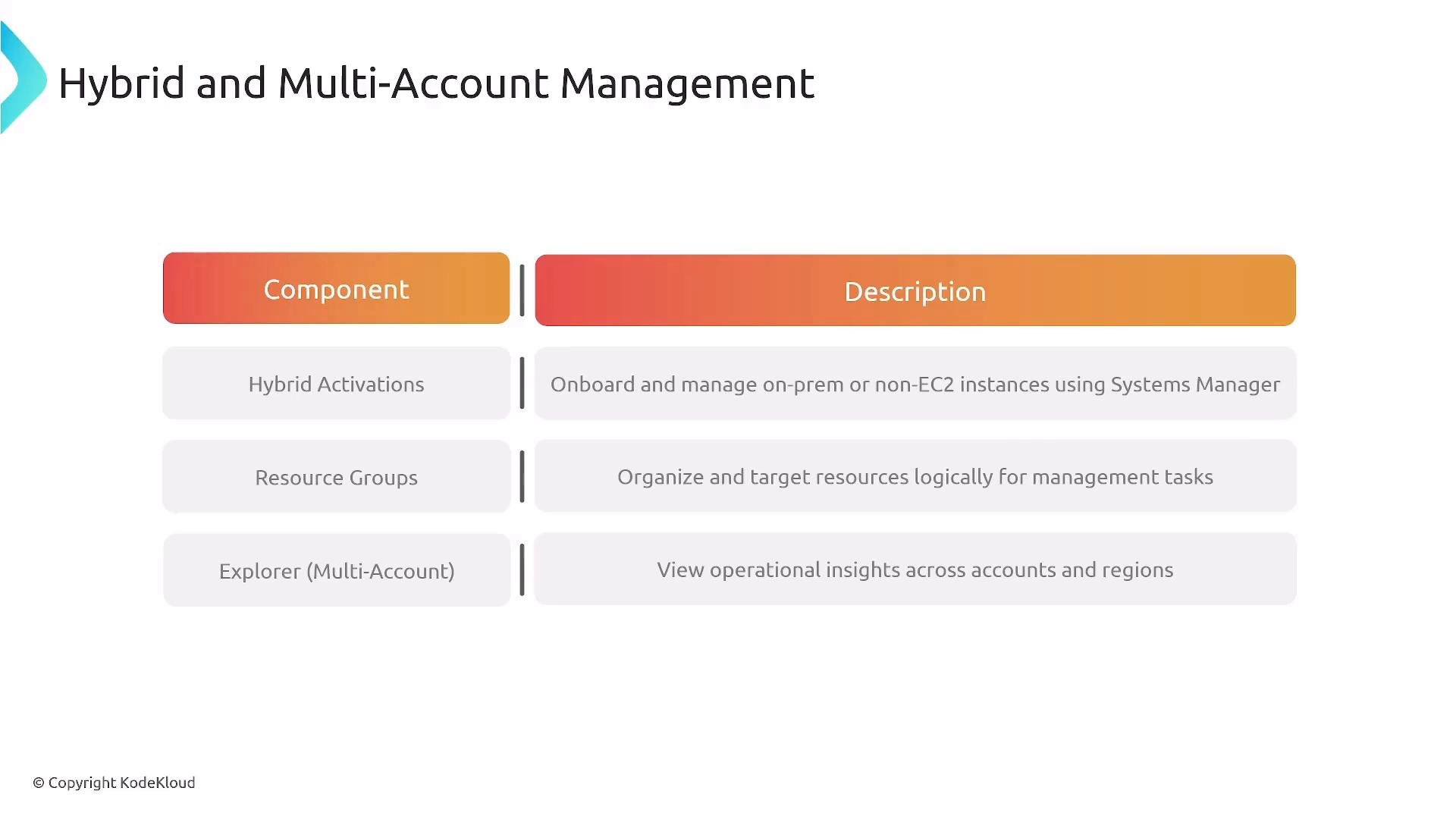
A presentation slide titled "Hybrid and Multi-Account Management" showing a two-column table of components and descriptions. It lists Hybrid Activations, Resource Groups, and Explorer (Multi-Account) with brief notes about onboarding non‑EC2 instances, organizing resources, and viewing operational insights.

Summary

This overview covered the major Systems Manager services and how they relate to managing a fleet of systems: agent requirements, parameter storage, automation documents, patching and compliance, monitoring and incident tooling, and hybrid/multi‑account operations. A hands‑on demo that walks the SSM Console and shows these capabilities in action complements this lesson — check for any AWS service retirement notices before relying on deprecated features. See you in the next lesson.

Watch Video