

Permission model summary
- Identity-based policies: IAM policies attached to users, groups, or roles.
- Resource-based policies: S3 bucket policies, CodeArtifact repository/domain policies, SQS/SNS policies.
- KMS key policies (and grants): control who can encrypt/decrypt data keys for customer-managed keys.
- Organization-level controls: Service Control Policies (SCPs) and organization-wide resource settings (for example, S3 Block Public Access) that can restrict or override individual account permissions.
Important distinction: SCPs limit what principals in an OU/account can do. Organization-level resource settings (for example, organization S3 Block Public Access) can also block resource-based permissions—so even a correct bucket policy might not take effect if an organization restriction prevents it.
Cross-account access typically requires both an identity-based policy (on the principal) and a resource-based policy (on the target resource such as S3 or CodeArtifact). If an encrypted artifact cannot be accessed, verify the KMS key policy as an additional permission layer.
S3 artifacts used by CodePipeline
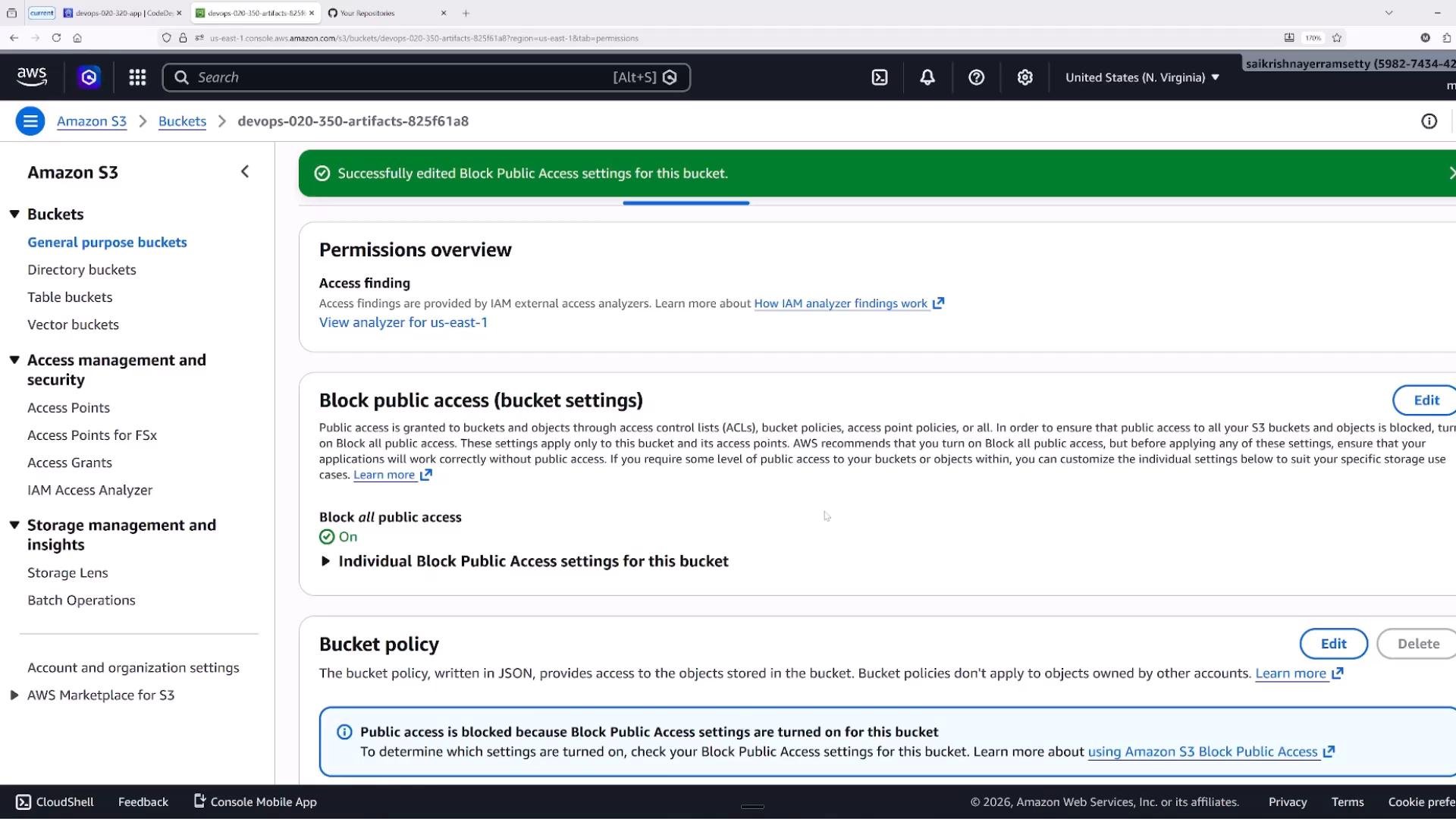
CodePipeline stores pipeline artifacts in S3 buckets during execution. For single-account pipelines, the pipeline service role plus appropriate IAM permissions often suffice. For cross-account pipelines or cross-account consumers, add an explicit S3 bucket policy to grant access to principals in other accounts. When inspecting an artifact bucket, verify:- Server-side encryption and whether a customer-managed KMS key is in use.
- The bucket policy for explicit cross-account grants.
- Block Public Access settings and any organization-wide restrictions.
CodePipeline service role and referencing it
When you create a pipeline, you select or create a service role that CodePipeline assumes to perform actions (start builds, read/write S3 artifacts, invoke CodeDeploy, etc.). Inspect the role in the IAM console to review its attached policies and trust relationship.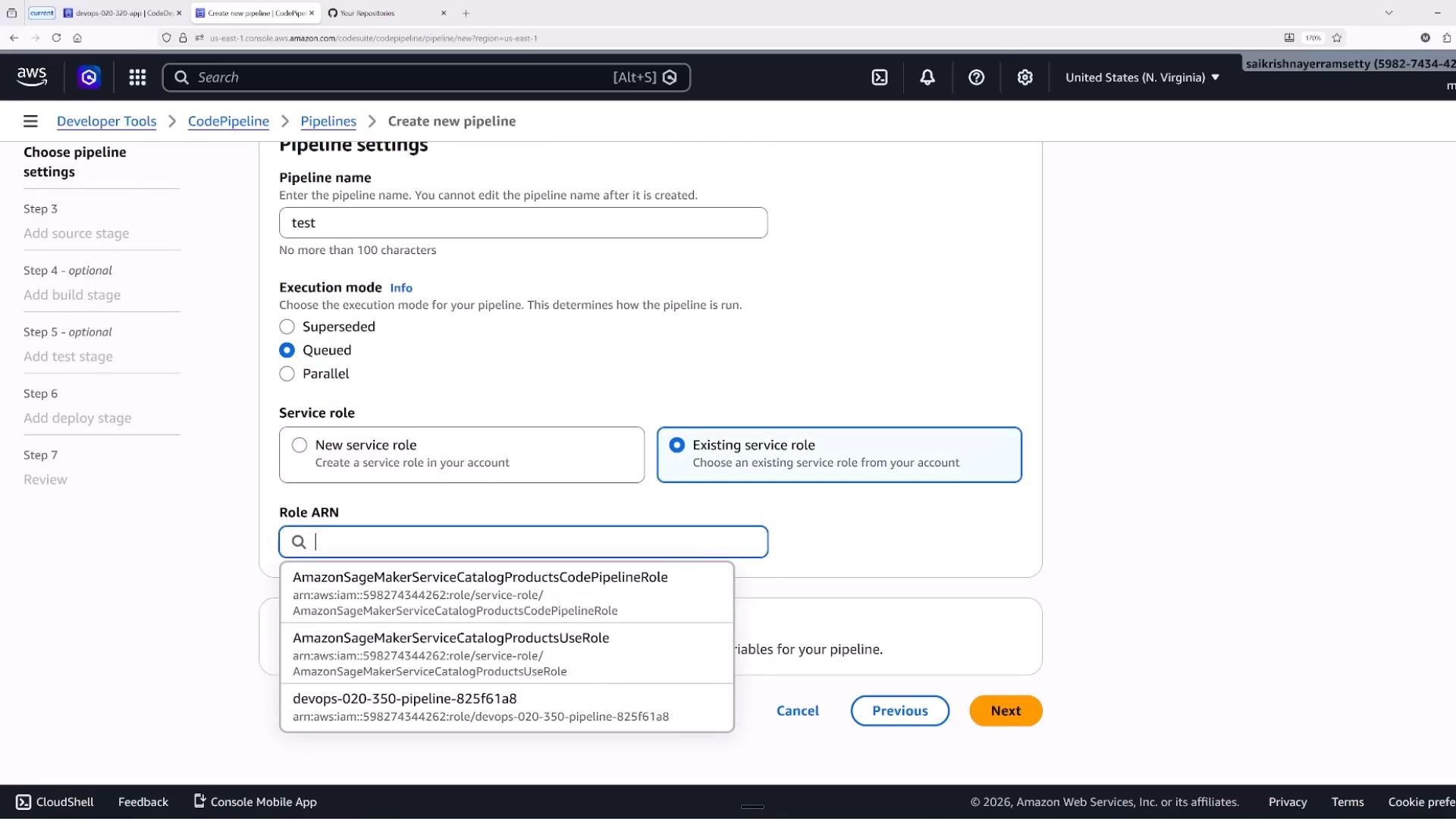
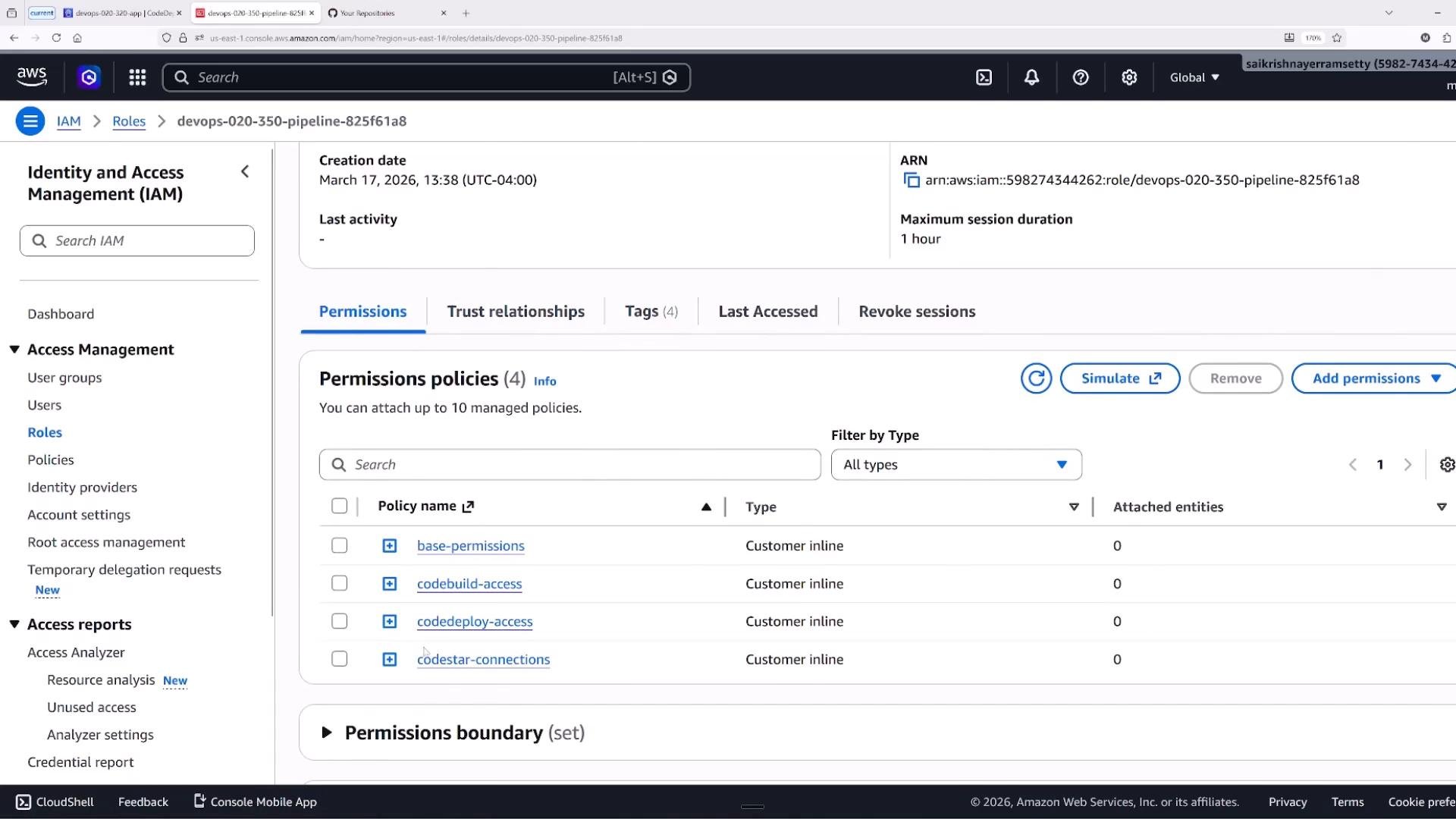
- Read/write to the S3 artifact bucket(s).
- Start CodeBuild builds and batch builds.
- Create and manage CodeDeploy deployments.
- Pass roles to downstream services using
iam:PassRoleif required.
Common role permission examples
These example policy snippets illustrate typical permissions you’ll see attached to build/deploy roles. They are for clarity, not production-ready complete policies. ECR push/pull permissions (for building or pushing container images):CodeArtifact repository and domain policies
CodeArtifact supports repository and domain policies as resource-based policies. For cross-account publishing or reading, add statements in the repository or domain policy to grant another account’s role the ability to read or publish packages. Example repository policy (conceptual placeholders for other-account roles):KMS key policy considerations
If S3 artifacts or CodeArtifact repositories use a customer-managed KMS key, the key policy (and any grants) must include the principals (roles) that need to Encrypt/Decrypt and generate data keys. A missing KMS policy entry will cause access to fail, even when IAM and resource policies appear correct. Example key policy statement granting CI/CD roles usage permissions (conceptual):Troubleshooting checklist
When you encounter permission errors for artifact access or build/deploy actions, check these layers in order:- IAM policy (identity-based) — does the role/user have the required actions?
- Resource policy (S3 bucket policy, CodeArtifact repository/domain policy) — is the resource allowing the principal?
- KMS key policy and grants — if encrypted with a customer-managed key, does the key allow the principal to decrypt/generate data keys?
- SCPs (Service Control Policies) — are organization-level denies preventing the action?
- Organization-level resource settings — are organization-wide restrictions (e.g., S3 Block Public Access) blocking changes?
- VPC endpoint policies — if using VPC endpoints, does the endpoint policy restrict access?
- Permission boundaries — is a permissions boundary limiting what the role can do?
When cross-service or cross-account artifact access fails, it’s common to miss the resource-based policy or KMS key policy. Start with the IAM policy, then move outward through resource policies, KMS, VPC endpoints, and organization policies.
Other considerations
- Principle of least privilege: grant only the actions and resources required.
- PassRole: If one AWS service invokes another (for example, CodePipeline invokes CodeBuild), ensure the invoking service has
iam:PassRolepermission to pass the downstream execution role. - Managed vs. custom policies: AWS managed policies are convenient, but for production CI/CD pipelines scoped custom policies improve security and clarity.
- Auditing: Use CloudTrail and service-specific logs (CodeBuild logs, CodePipeline execution history) to identify which principal and API call failed.
Summary
Multiple permission layers affect artifact retrieval and deployments: identity policies, resource policies, KMS key policies, and organization controls (SCPs and organization-level resource settings). When diagnosing permission issues, inspect pipeline and build/deploy roles, trust relationships, attached IAM policies, resource policies (S3/CodeArtifact), KMS key policies, and organization settings in that order.Links and references
- AWS Identity and Access Management (IAM)
- Amazon S3 bucket policies and ACLs
- AWS CodePipeline user guide
- AWS CodeArtifact documentation
- AWS KMS key policies and grants
- AWS Organizations: Service Control Policies