

sts:AssumeRole. This pattern is commonly used for cross-account access, least-privilege delegation, and temporary credential issuance.
Key concepts: cross-account role, trust policy (Principal + sts:AssumeRole), permission policy (what the role can do), and the caller policy that permits sts:AssumeRole.
Environment (accounts & principals)
Overview / Flow
- In Account A, create an IAM role with a trust policy that explicitly allows the user
arnold2in Account B to assume it. - Attach an S3 read-only permission policy to the role (e.g.,
AmazonS3ReadOnlyAccess). - In Account B, attach an inline or managed policy to
arnold2allowingsts:AssumeRoleon the role ARN in Account A. - The user
arnold2can then assume the role via Console (Switch Role), CLI, or SDK and perform actions permitted by the role (read-only S3 in this demo).
When creating cross-account trust, lock the trust policy to the smallest set of principals necessary. Using explicit ARNs (like
arn:aws:iam::466456867028:user/arnold2) is safer than wildcards.Step 1 — Create the cross-account role in Account A
- Sign in to Account A (
635573991785). - Open the IAM console → Roles → Create role.
- Choose to create a role with a custom trust policy (replace the default). The trust policy must allow the specific principal (the user
arnold2in Account B) to callsts:AssumeRole.
arnold2 in Account B permission to assume the role.
Step 2 — Attach permissions to the role
- After creating the role and configuring the trust policy, attach a permission policy granting S3 read access. For this demo we attach the AWS managed policy
AmazonS3ReadOnlyAccess. - Give the role a descriptive name such as
CrossAccountS3ReadRoleand finish role creation.
Step 3 — Give the user in Account B permission to assume the role
In Account B (466456867028) attach an inline policy (or a managed policy) to the IAM user arnold2 that allows sts:AssumeRole on the role ARN in Account A. Example policy:
arnold2 the ability to call AssumeRole on CrossAccountS3ReadRole.
Optional: If you prefer CLI verification, the user can call aws sts assume-role once they have this permission:
Example (run as arnold2 with regular credentials configured):
AccessKeyId, SecretAccessKey, SessionToken) that can be exported as environment variables to make API/CLI calls as the assumed role. For example:
Step 4 — Switch role in the Console and verify access
- Sign in as the user
arnold2in Account B. - Use the Console “Switch Role” feature. Enter the Account ID of Account A (
635573991785) and the role nameCrossAccountS3ReadRole. Optionally set a display name and color for the session.
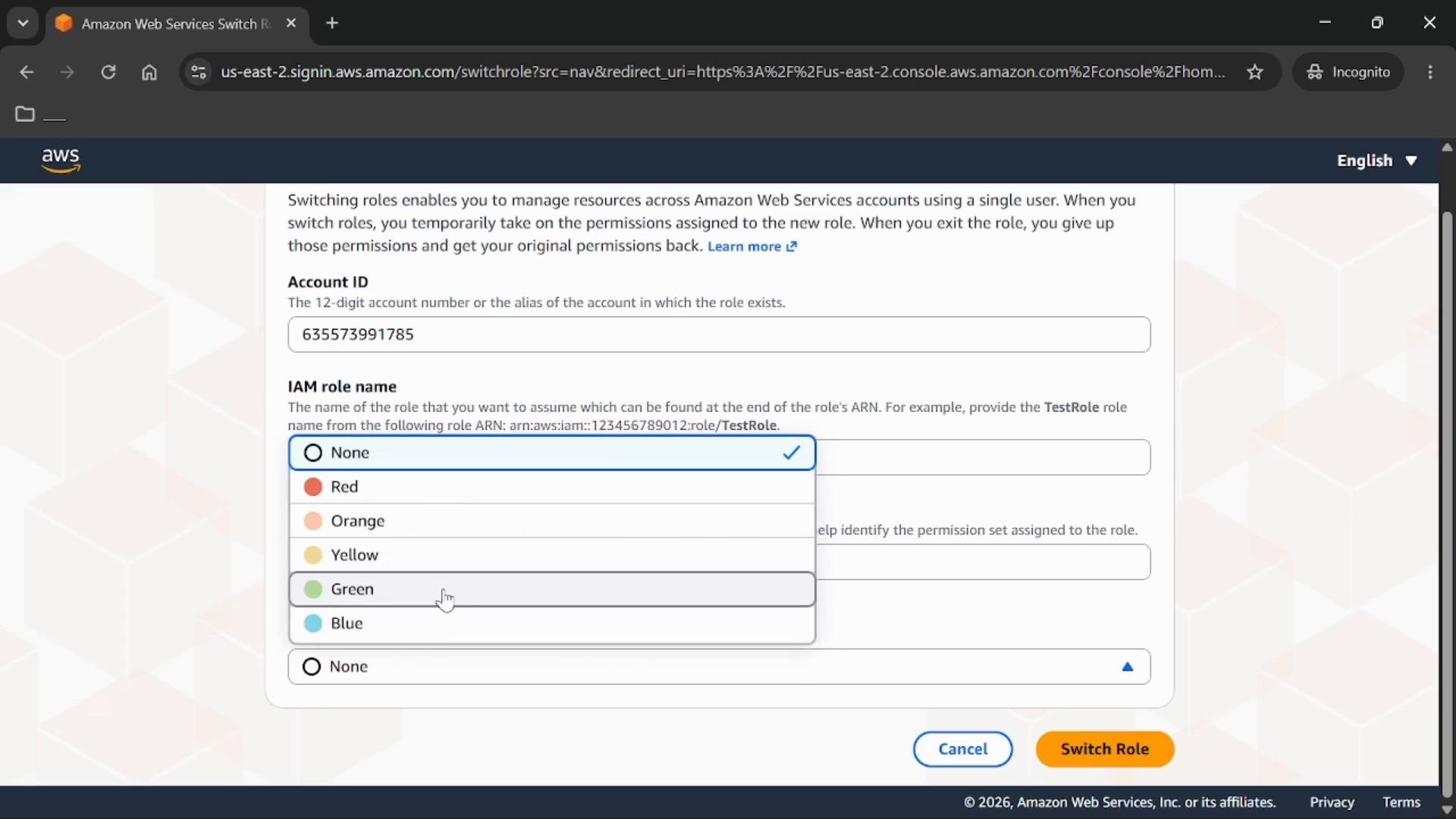
- After switching, the Console session runs with the role’s permissions. Navigate to S3 to view the buckets in Account A and read objects as allowed by the role.
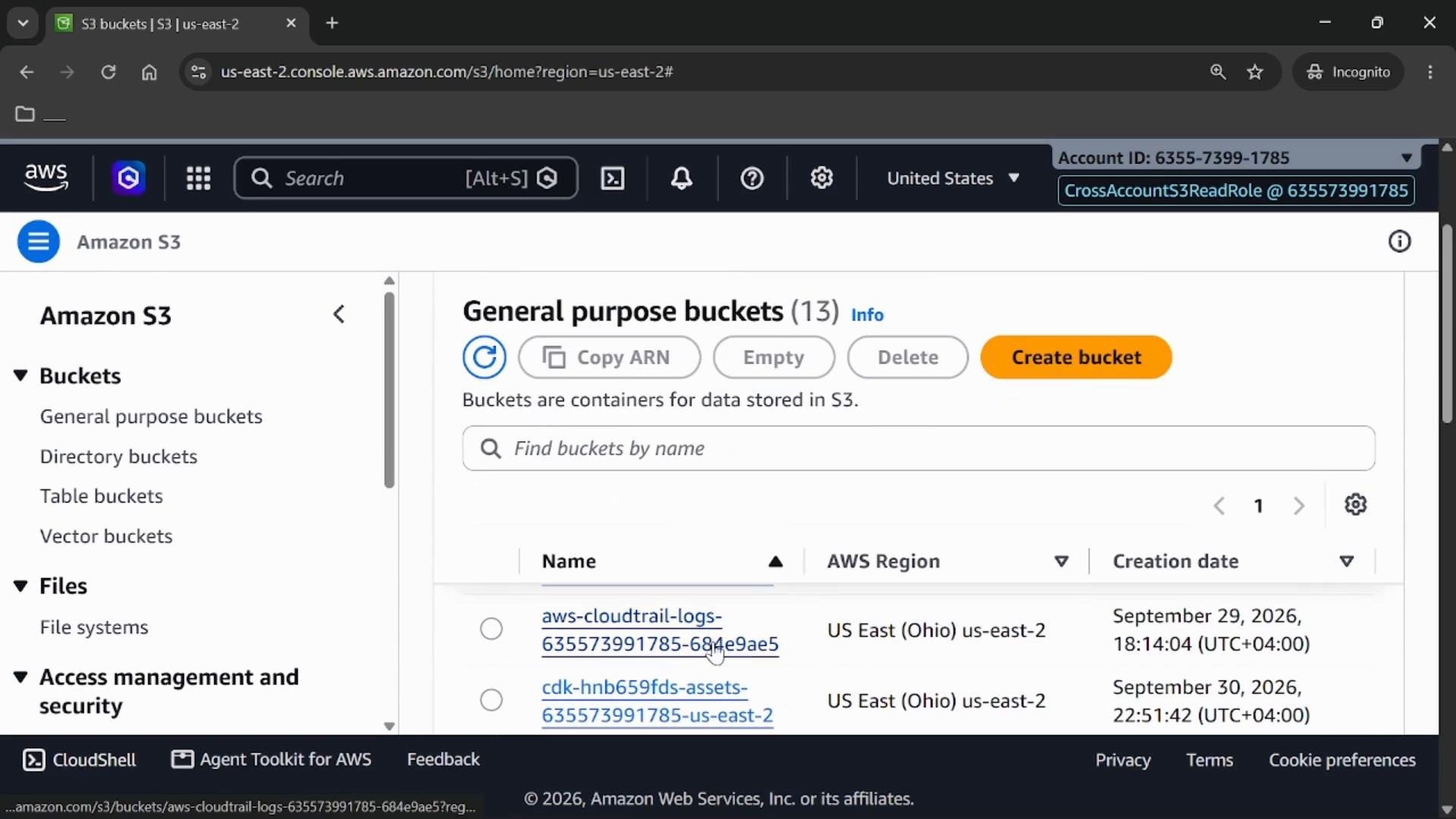
AmazonS3ReadOnlyAccess, you can open buckets and view objects, but write/create actions are not permitted.
Step 5 — Verify permissions (attempt an action outside allowed permissions)
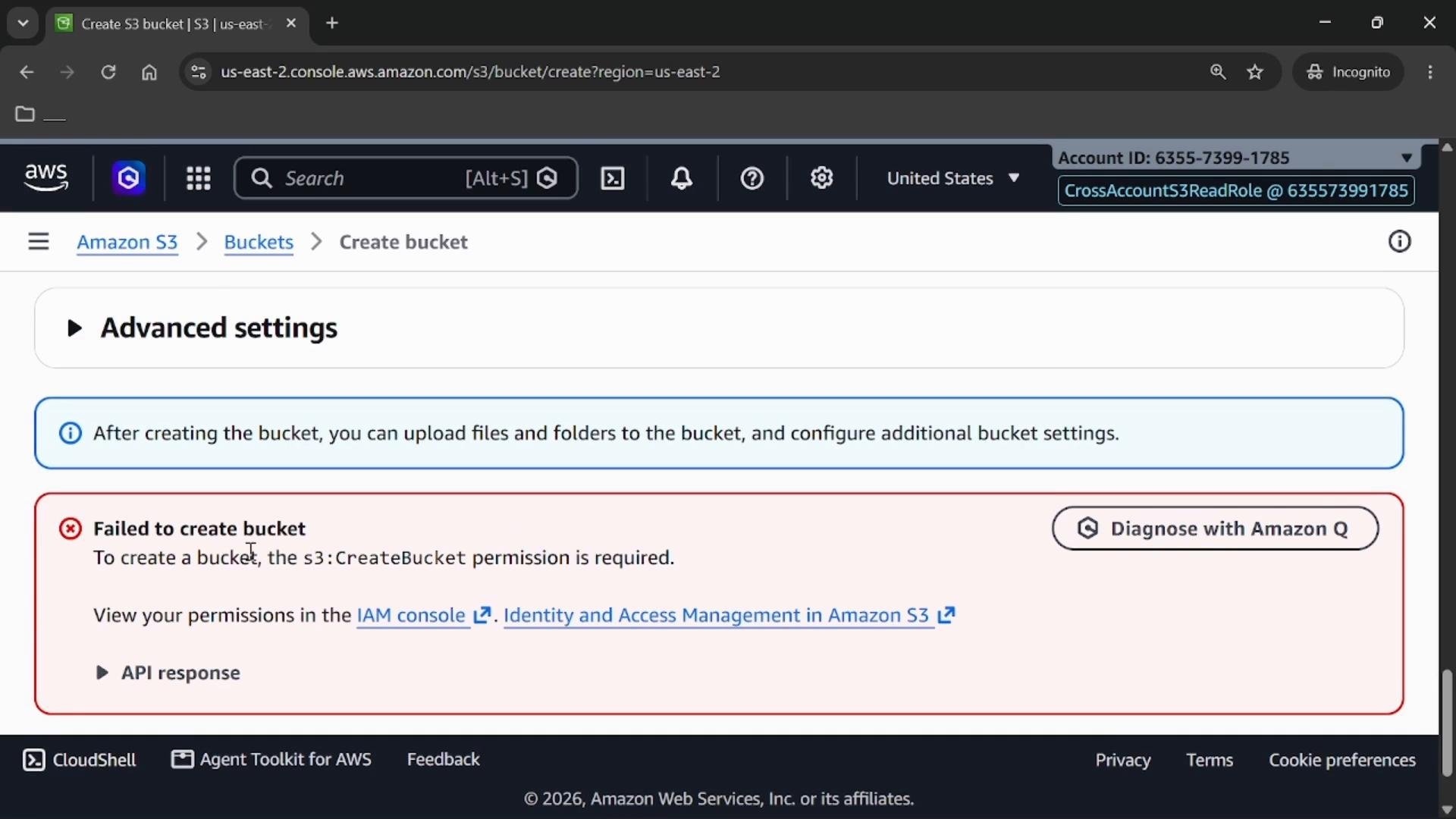
- While using the assumed role, try to create a bucket. Since the role is read-only,
s3:CreateBucketis not permitted and the action will fail with an access error.
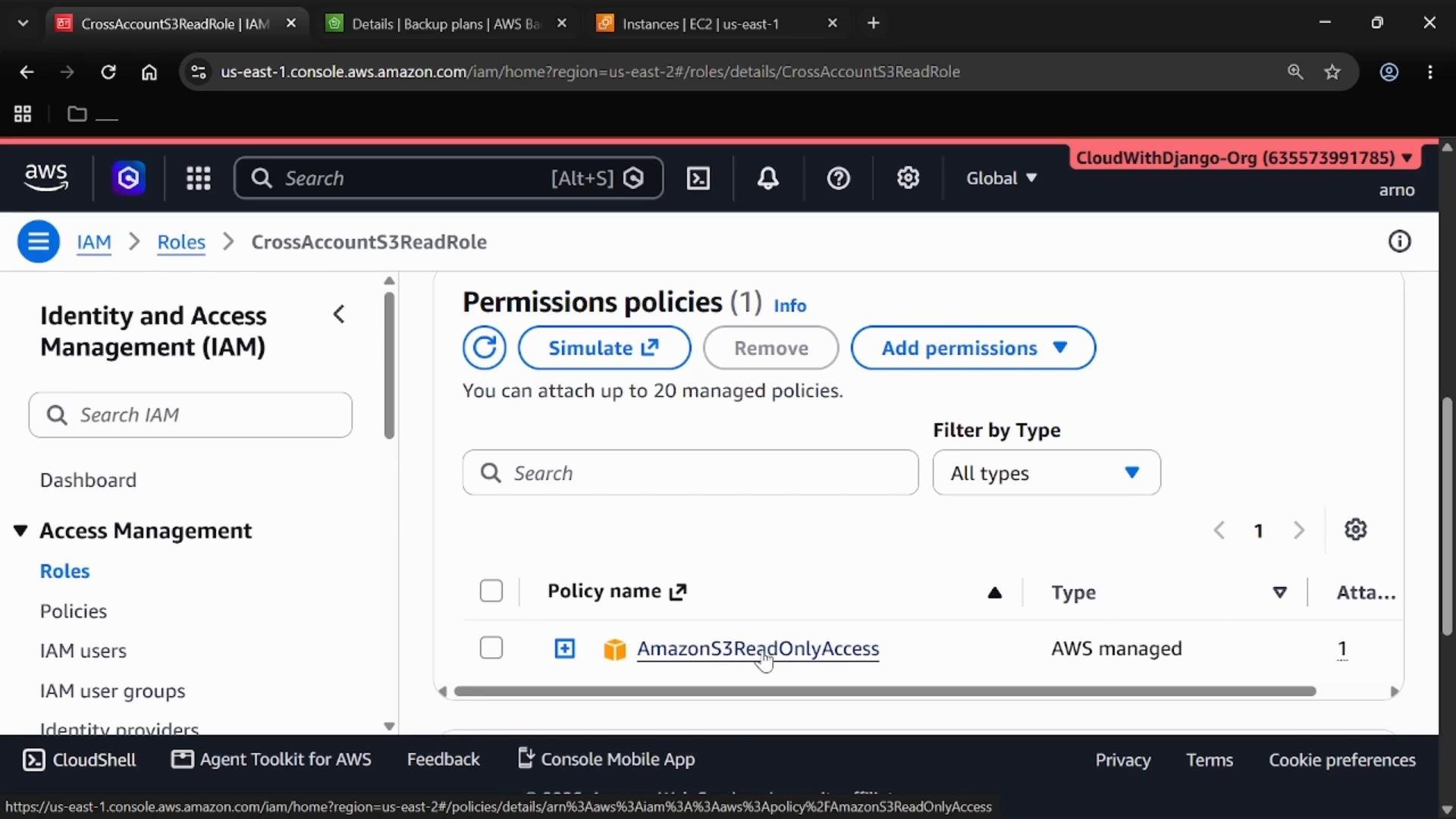
- To confirm role permissions, inspect the role in the IAM console of Account A. You should see
AmazonS3ReadOnlyAccess(or whichever policies you attached).
Summary (quick reference)
Best practice: Apply least privilege. Restrict trust to specific principals and limit role permissions to only the required actions and resources (e.g., specific S3 bucket ARNs and prefixes).
Links and references
- IAM roles and trusting third-party or cross-account principals: https://docs.aws.amazon.com/IAM/latest/UserGuide/id_roles.html
- sts:AssumeRole API: https://docs.aws.amazon.com/STS/latest/APIReference/API_AssumeRole.html
- Console Switch Role documentation: https://docs.aws.amazon.com/IAM/latest/UserGuide/id_roles_use_switch-role-console.html
- Amazon S3 documentation: https://docs.aws.amazon.com/s3/index.html