

IAM Access Analyzer
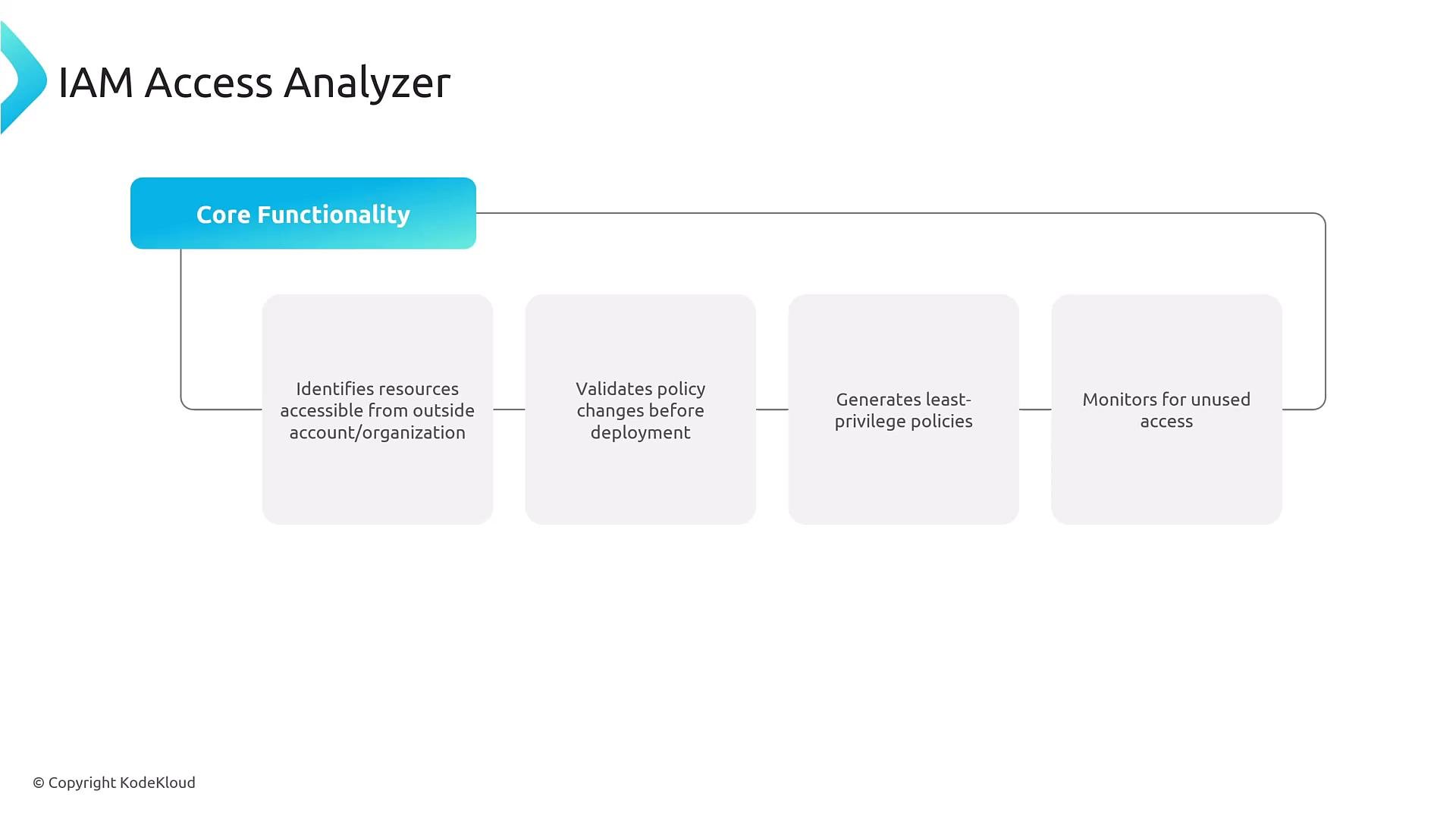
IAM Access Analyzer helps you automatically validate, audit, and tighten permissions—especially in multi-account environments. It’s useful for:- Identifying externally accessible resources (public or cross‑account access).
- Validating policy changes before deployment.
- Generating least‑privilege policies from usage data.
- Detecting unused access by leveraging CloudTrail last‑used events and other telemetry.
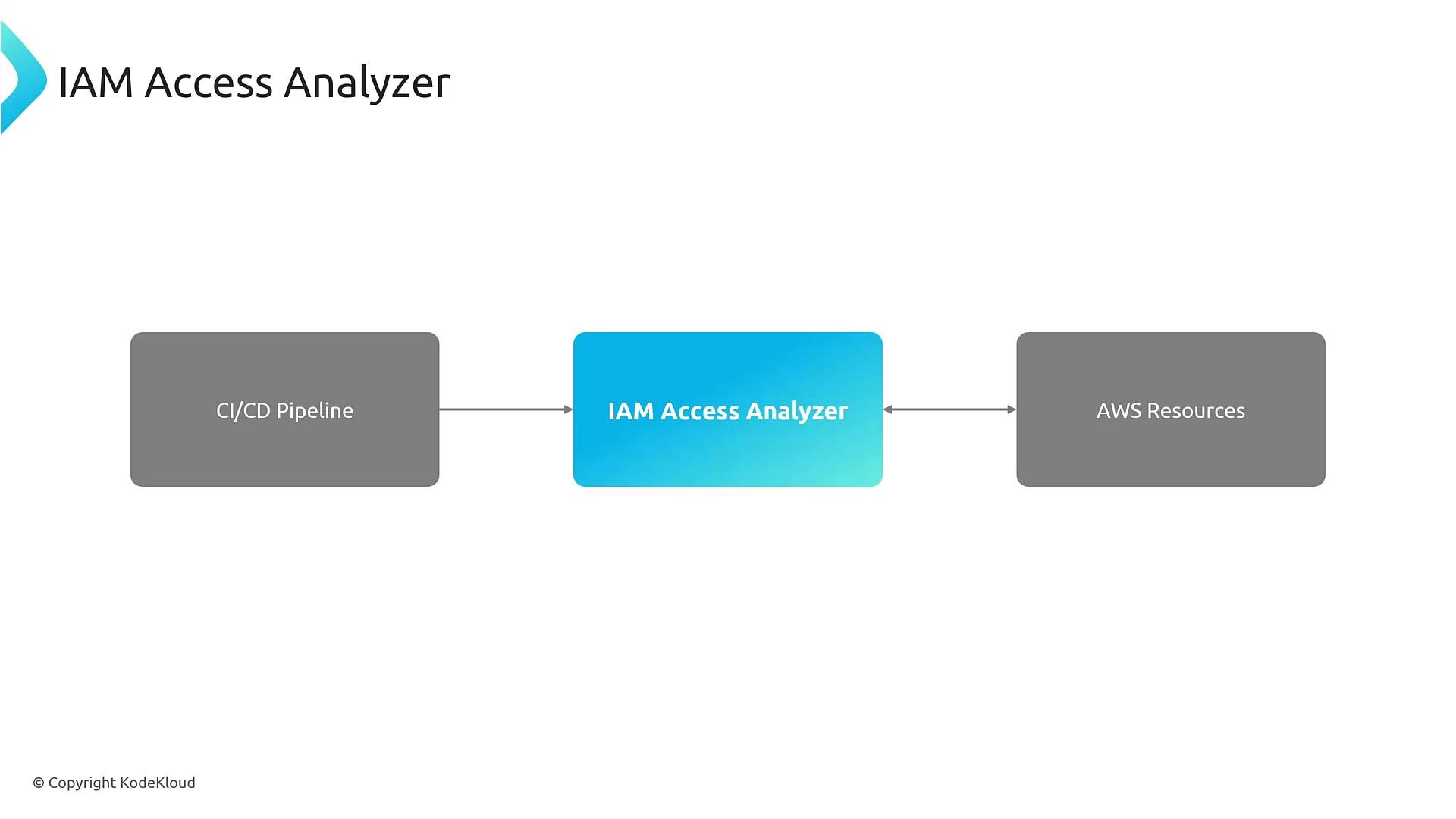
- Create analyzers at the account level or across an AWS Organization to surface cross‑account findings.
- Add custom archive rules to suppress known, accepted findings.
- Connect findings to incident workflows using Amazon EventBridge to trigger alerts or automated remediation.
- Integrate analyzer checks into CI/CD pipelines to validate policy changes before they reach production and to continuously monitor permissions.
Use Access Analyzer as part of your CI/CD validation stage: run policy analysis and least‑privilege generation based on CloudTrail data to catch regressions early and keep policies tight.
Policy management at scale
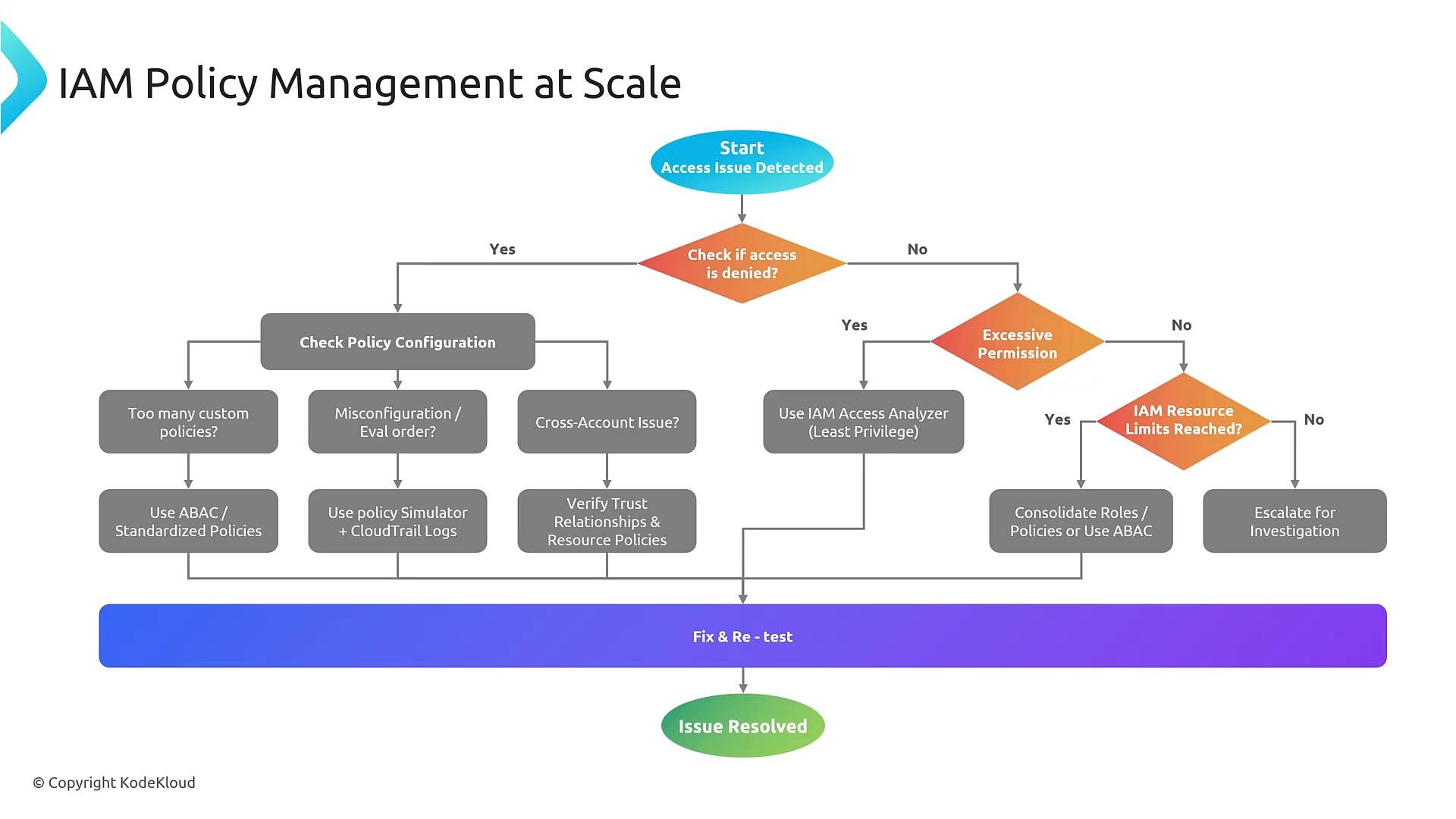
When an access problem occurs in production, follow a repeatable troubleshooting workflow:- Confirm whether the access is explicitly denied (explicit Deny statements, SCPs, or permission boundaries).
- Inspect identity policies, resource policies, permission boundaries, and evaluation order.
- Check for excessive permissions or omitted actions in policies.
- Verify cross‑account trust policies and resource policy trust configuration.
- Review IAM service limits (too many roles, policies, or policy size issues).
S3 and least privilege (CloudFormation example)
S3 has both bucket-level and object-level permissions. For least privilege, include boths3:ListBucket (bucket-level) and s3:GetObject (object-level) where appropriate. Example managed policy in CloudFormation:
CDK (TypeScript) equivalent
You may encounter CDK examples in real projects; reading them helps with exam scenarios and real‑world debugging:RBAC vs ABAC
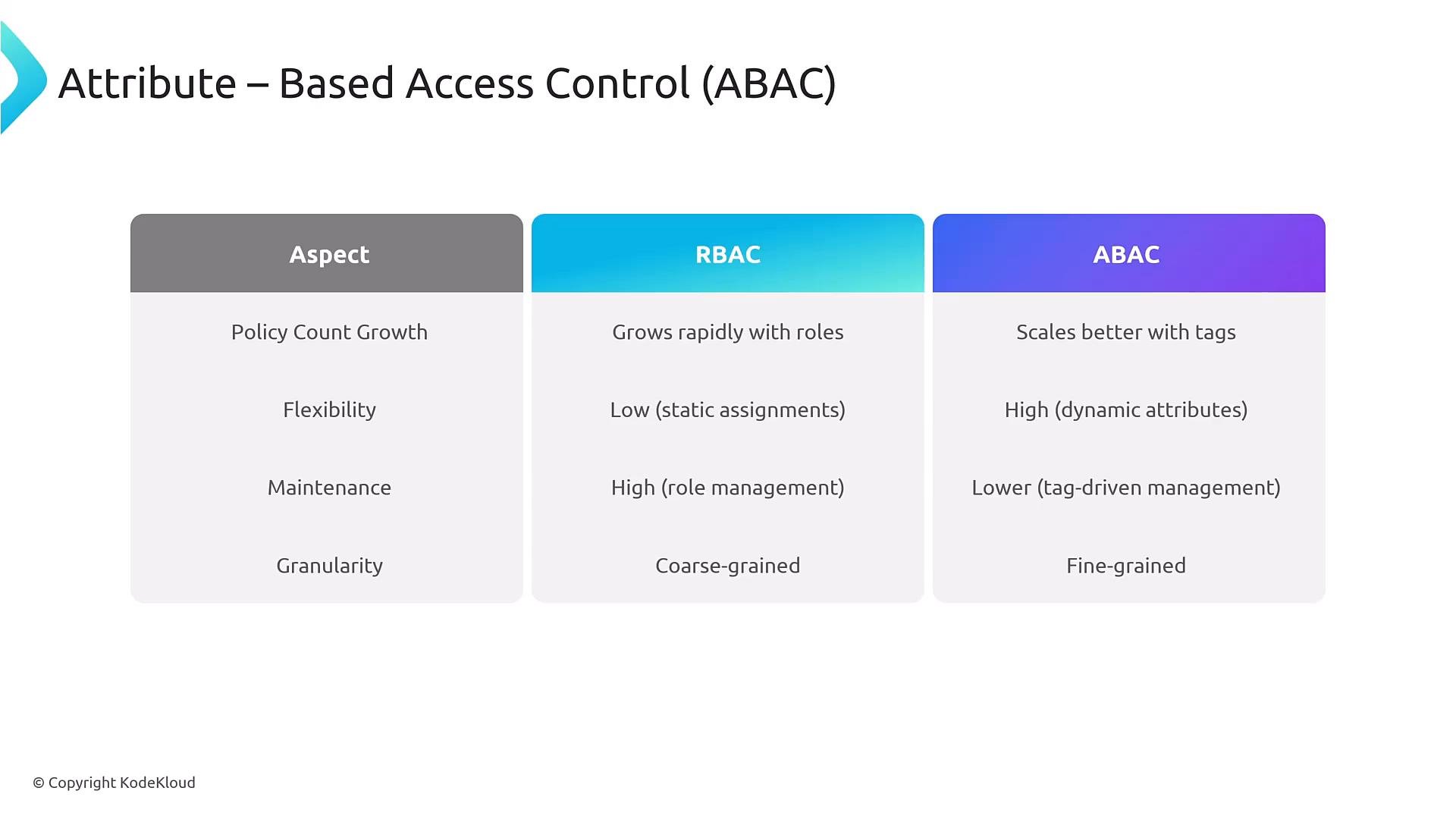
- Role-based access control (RBAC): Assigns users to roles or groups. Simple to reason about, but role count can explode and become rigid as requirements diversify.
- Attribute-based access control (ABAC): Uses tags/attributes on principals and resources to create dynamic, scalable policies. ABAC reduces role proliferation by expressing policy logic in conditions keyed to attributes (e.g.,
project,environment,costCenter).
ABAC example (policy fragment)
A common ABAC pattern requires that principal tags match resource tags, for exampleProject and Environment:
Common IAM challenges and troubleshooting
Key principles and tools when diagnosing access failures:- Default deny: everything is implicitly denied unless an Allow permits it.
- Explicit Deny always overrides Allow.
- Policy evaluation order must consider identity policies, resource policies, permission boundaries, session policies, and service control policies (SCPs).
- Use the IAM Policy Simulator and CloudTrail to trace decision paths and reproduce failures.
- For excessive privileges, run IAM Access Analyzer’s policy generation to extract least‑privilege recommendations.
- For cross‑account issues, validate trust relationships, resource policies, and organization-wide policies.
Service control policies (SCPs) and permission boundaries can block actions even if an identity policy allows them. If an SCP denies an action or a permission boundary is overly restrictive, access cannot be granted until those policies are adjusted.Practical reminders
- Standardize and reuse policies to reduce drift; avoid many near‑duplicate custom policies.
- Automate validations (Access Analyzer, Policy Simulator checks) in CI/CD to catch regressions before deployment.
- Prefer ABAC conditions where tag governance is achievable to prevent role explosion and enable fine‑grained access.
- Iterate: test changes, fix issues, re‑test. Permission management is continuous.
- IAM Access Analyzer: https://docs.aws.amazon.com/IAM/latest/UserGuide/access-analyzer.html
- IAM Policy Simulator: https://docs.aws.amazon.com/IAM/latest/UserGuide/access_policies_testing-policies.html
- AWS CloudTrail: https://docs.aws.amazon.com/awscloudtrail/latest/userguide/cloudtrail-user-guide.html
- AWS Organizations SCPs: https://docs.aws.amazon.com/organizations/latest/userguide/orgs_manage_policies_scps.html
- IAM permission boundaries: https://docs.aws.amazon.com/IAM/latest/UserGuide/access_policies_boundaries.html
- AWS S3 documentation: https://docs.aws.amazon.com/AmazonS3/latest/userguide/Welcome.html
- AWS CloudFormation: https://docs.aws.amazon.com/AWSCloudFormation/latest/UserGuide/Welcome.html
- AWS CDK: https://docs.aws.amazon.com/cdk/v2/guide/home.html