

Prepare AWS Config to record changes
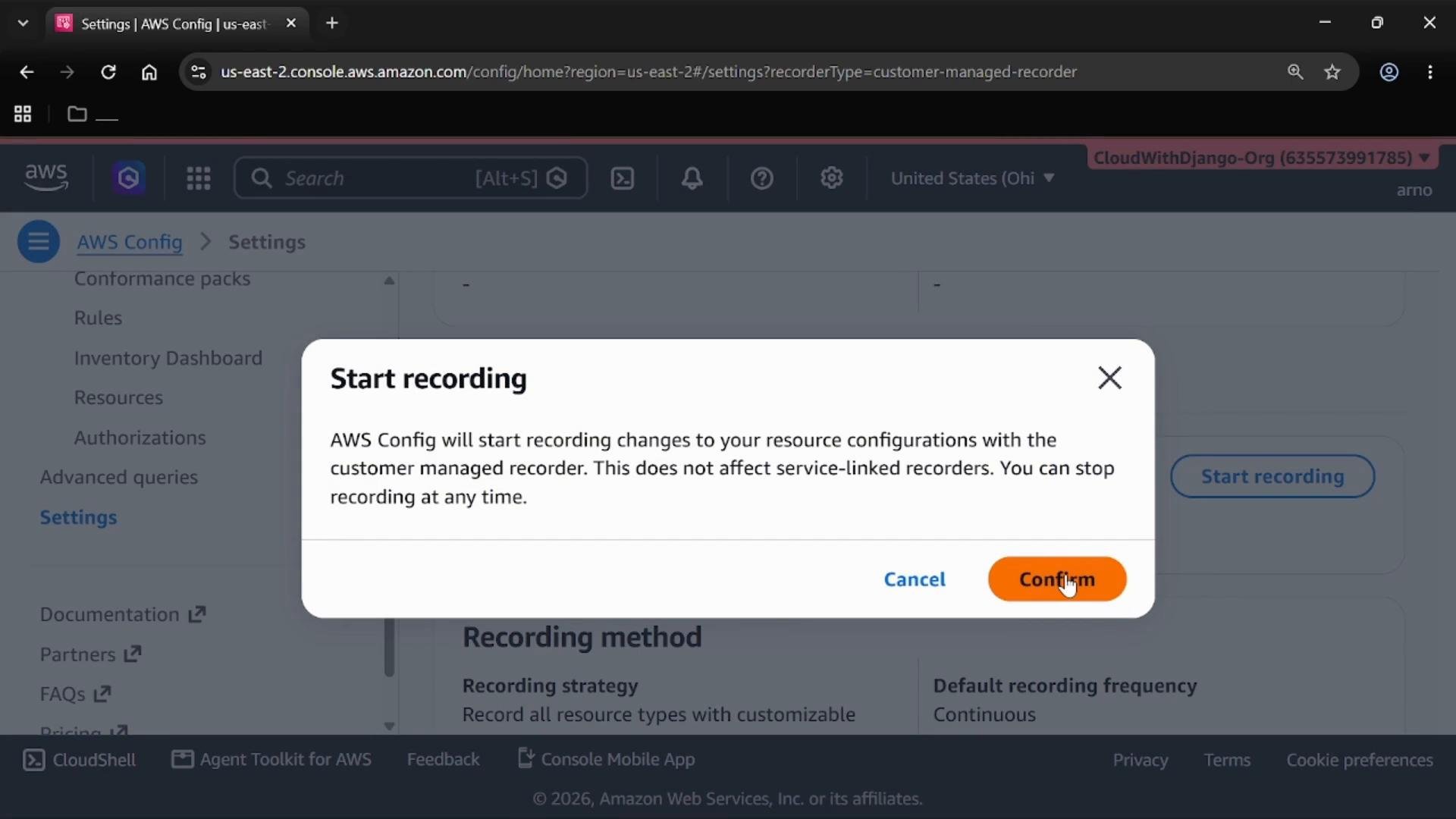
Before creating rules, ensure AWS Config can capture configuration changes and deliver snapshots.- Enable the Config recorder so Config records configuration changes across supported resource types.
- Configure a delivery channel (an S3 bucket, and optionally an SNS topic) so Config can store configuration snapshots and history.
- Attach the required IAM role that grants AWS Config permission to write to the delivery channel and to read resource metadata.
Make sure the recorder is running and the delivery channel (S3 bucket) plus the Config service IAM role are configured; without these, Config cannot capture resource state and will not evaluate rules correctly.
View your resource inventory
After recording is enabled, the Config dashboard shows the Resource inventory for the selected region. This inventory lists the resources Config is tracking — for example, the S3 buckets in the account and region. Before you add rules, resource entries will not yet have compliance results.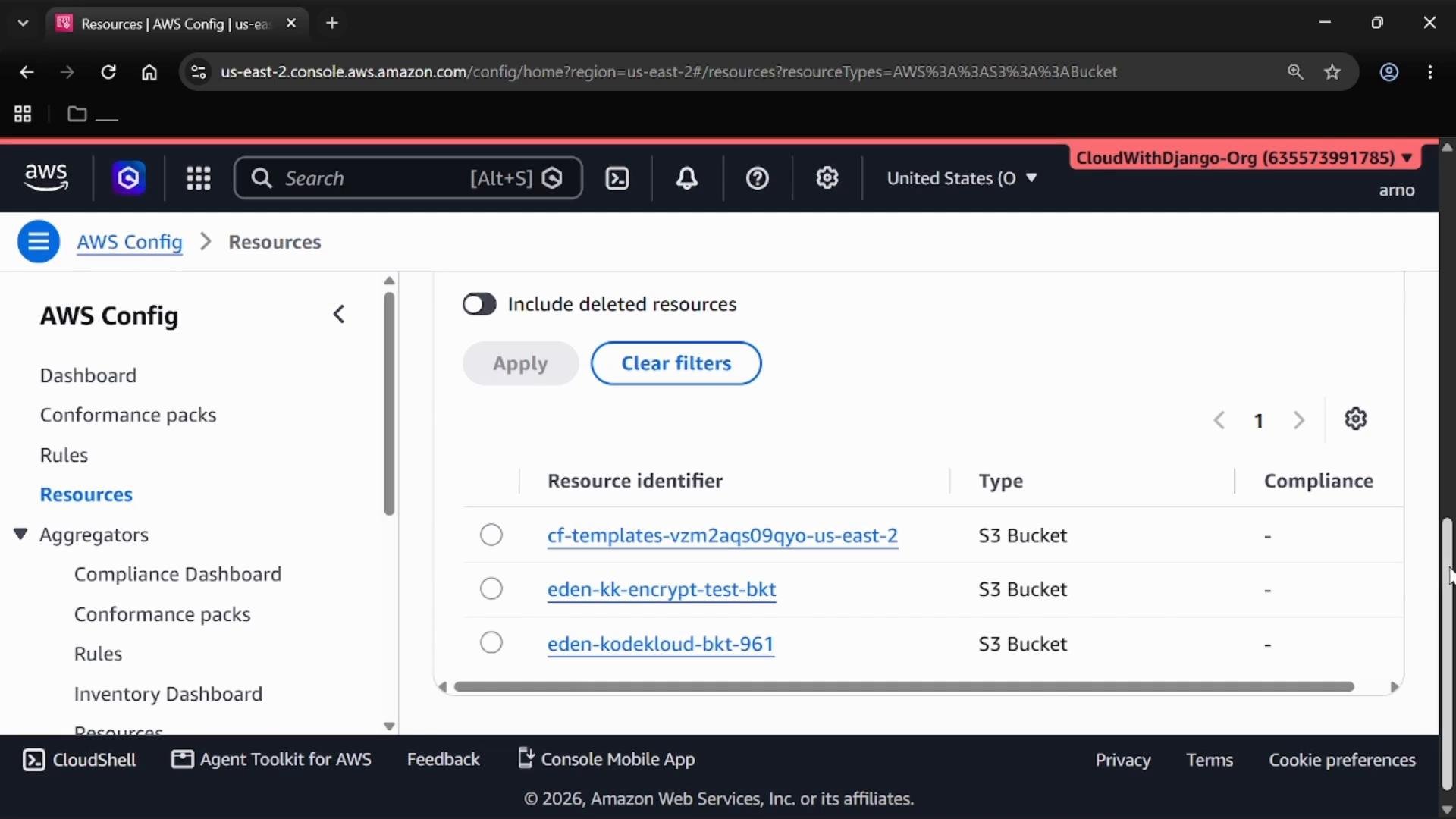
Create managed rules for S3
Managed rules are the fastest way to start checking common security controls. Below are the steps to add two common S3 checks. Steps common to both rules:- In the AWS Config console, open Rules → Add rule.
- Choose AWS managed rule and search using the rule name (examples below).
- Select the rule, click Next, accept the default parameters (or scope by tag, resource ID, or resource type if needed), and Save.
Creating the “S3 bucket versioning enabled” rule
- Rules → Add rule.
- Search for and select
s3-bucket-versioning-enabled. - Click Next, accept default parameters (or scope to specific buckets/tags), then Save.
- Rules → Add rule → AWS managed rule.
- Search for and select
s3-bucket-public-read-prohibited. - Click Next, accept the defaults, and Save.
Rule evaluations can take several minutes depending on the number of resources and when they were last recorded. Refresh the Rules or Resources view after a short wait to see updated compliance results.
Check compliance status
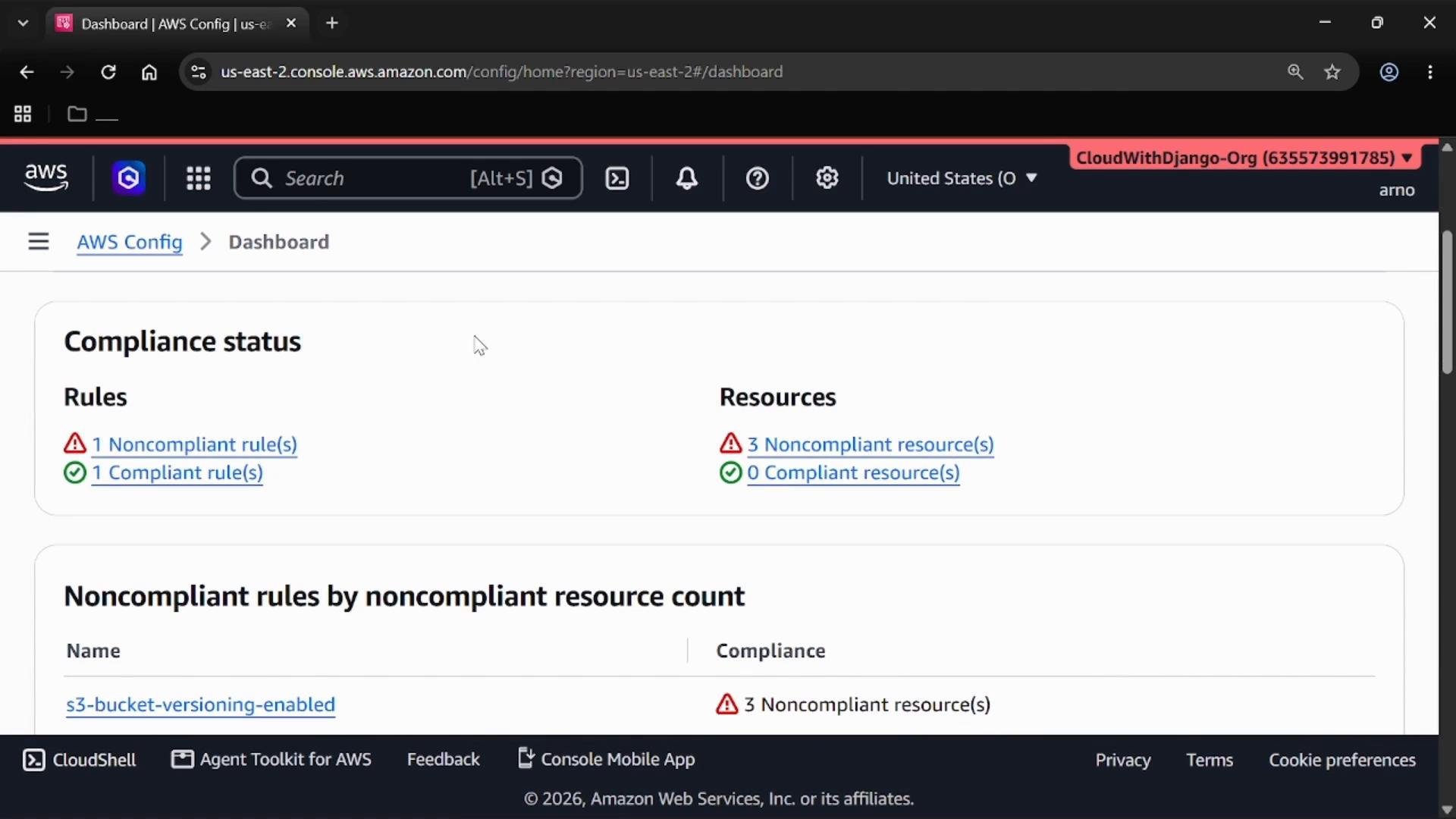
Use these console areas to inspect results and drill down into noncompliant resources:- Dashboard: Provides a high-level summary of compliant and noncompliant rules and resources. In this demo, the dashboard shows one noncompliant rule and one compliant rule, and three noncompliant resources.
- Resources view: Filter by resource type (for example, S3 Bucket) and compliance status to see which specific buckets are COMPLIANT or NON_COMPLIANT for each rule.
- Rules view: Inspect individual rules for evaluation history and the lists of compliant / noncompliant resources.
Important observations
- A rule can show a successful evaluation while individual resources remain NON_COMPLIANT. Successful evaluation means the rule ran; noncompliance indicates the resource configuration does not meet the rule’s requirement.
- Example: the
s3-bucket-public-read-prohibitedrule may evaluate successfully if bucket-level block public access prevents public access, whiles3-bucket-versioning-enabledreports NON_COMPLIANT for buckets that still lack versioning. - Remediation requires changing the resource configuration (for example, enabling versioning on an S3 bucket) and then allowing AWS Config to re-evaluate or initiating a reevaluation where supported.
Wrap-up and best practices
- Use AWS Managed Rules to rapidly validate common security and compliance controls across your account and regions.
- Always enable the recorder and configure the delivery channel (S3) and IAM role before adding rules so Config can capture the required state data.
- Scope rules where appropriate (by resource type, tags, or resource IDs) to reduce noise and focus on critical resources.
- Triage noncompliant resources using the Rules and Resources views, remediate the configuration drift (for example, enable bucket versioning), and allow AWS Config to re-evaluate.
- Enable AWS Config recorder
- Configure delivery channel (S3) and IAM role
- Add managed rules such as
s3-bucket-versioning-enabledands3-bucket-public-read-prohibited - Review noncompliant resources and remediate configurations
- Re-evaluate and verify compliance