

This guide focuses on practical patterns for build-time secret injection into CodeBuild. Use Secrets Manager for credentials needing rotation and Parameter Store for many configuration values where cost or simple typing (String, StringList) matters. See AWS docs for deeper reference: Secrets Manager and Parameter Store.
Decision framework: Secrets Manager vs Parameter Store
Key guidance:
- Use Secrets Manager when you require built‑in rotation or secret lifecycle management.
- Use Parameter Store for many simpler configuration values,
StringListneeds, or when minimizing costs. - For cross-account retrieval of encrypted values, plan a customer-managed KMS key and include explicit key policies allowing the consuming role/account.
Secrets Manager — creating a secret
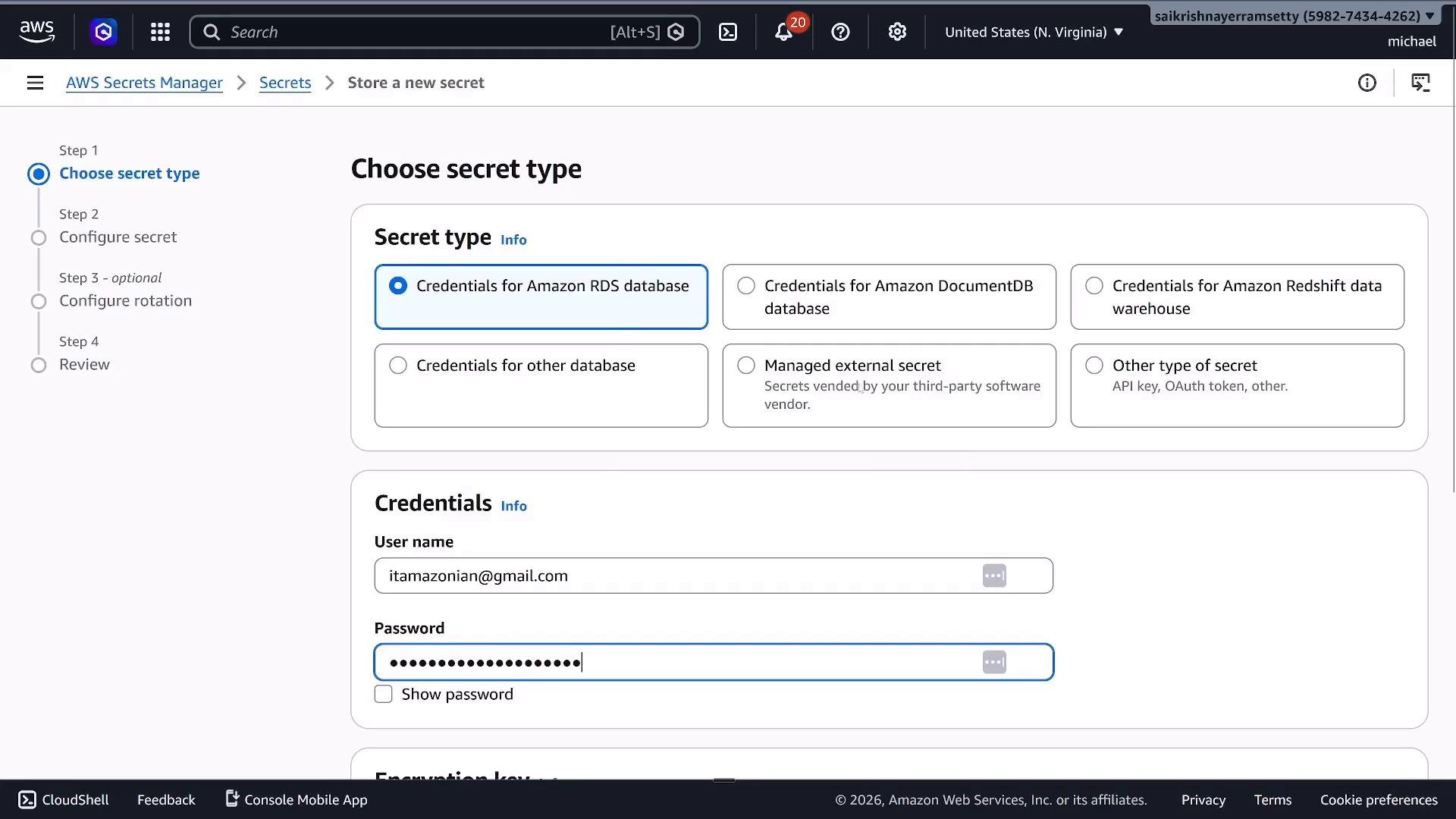
- Choose the secret type (RDS, Redshift, DocumentDB, other, or a custom key/value secret).
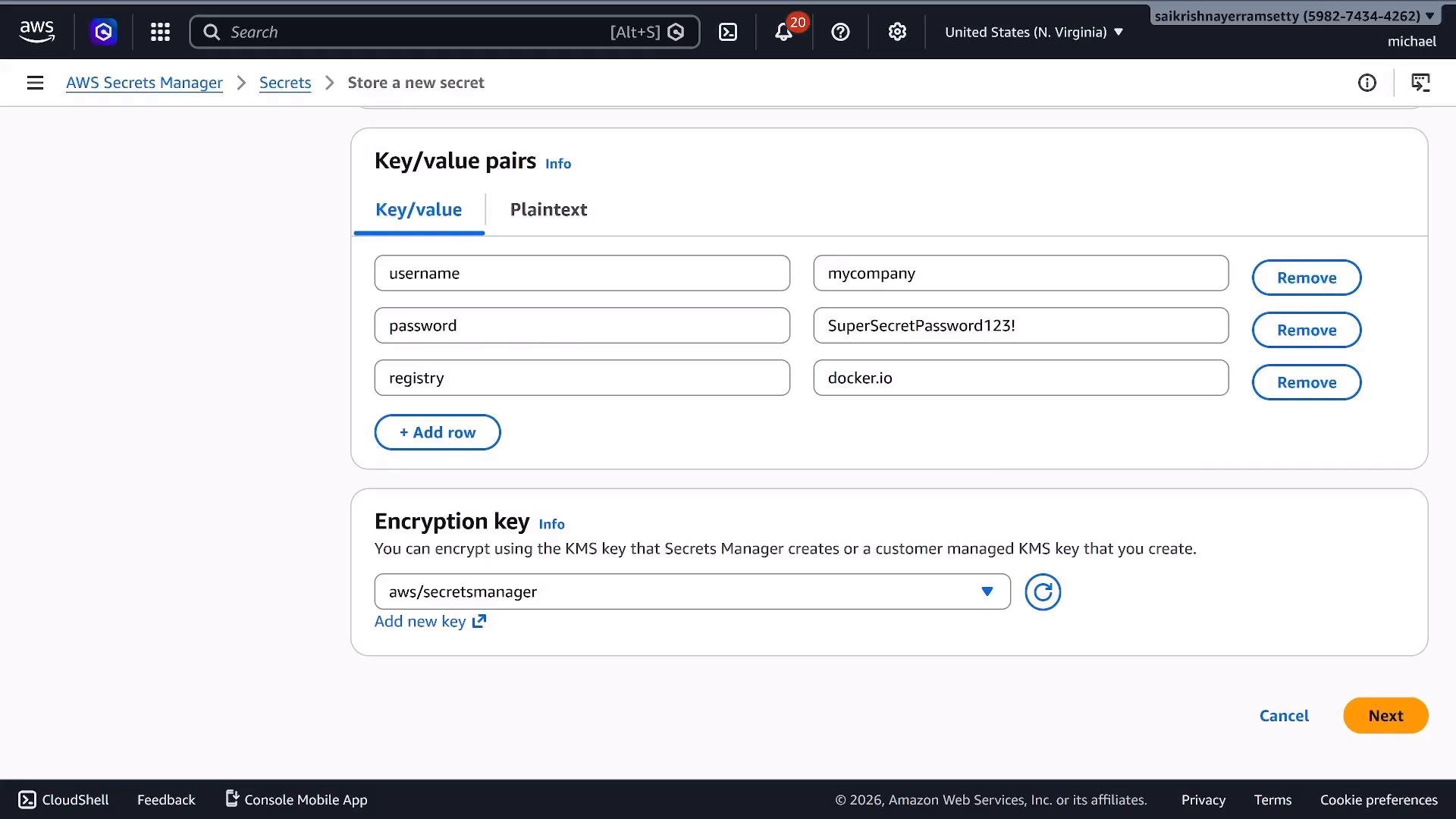
- For API/OAuth tokens or container registry credentials, pick “Other type of secret” and store JSON key/value pairs such as
username,password,registry. - Secrets Manager stores secrets encrypted with KMS by default. For cross-account access, use a customer-managed KMS key and grant access via the key policy.
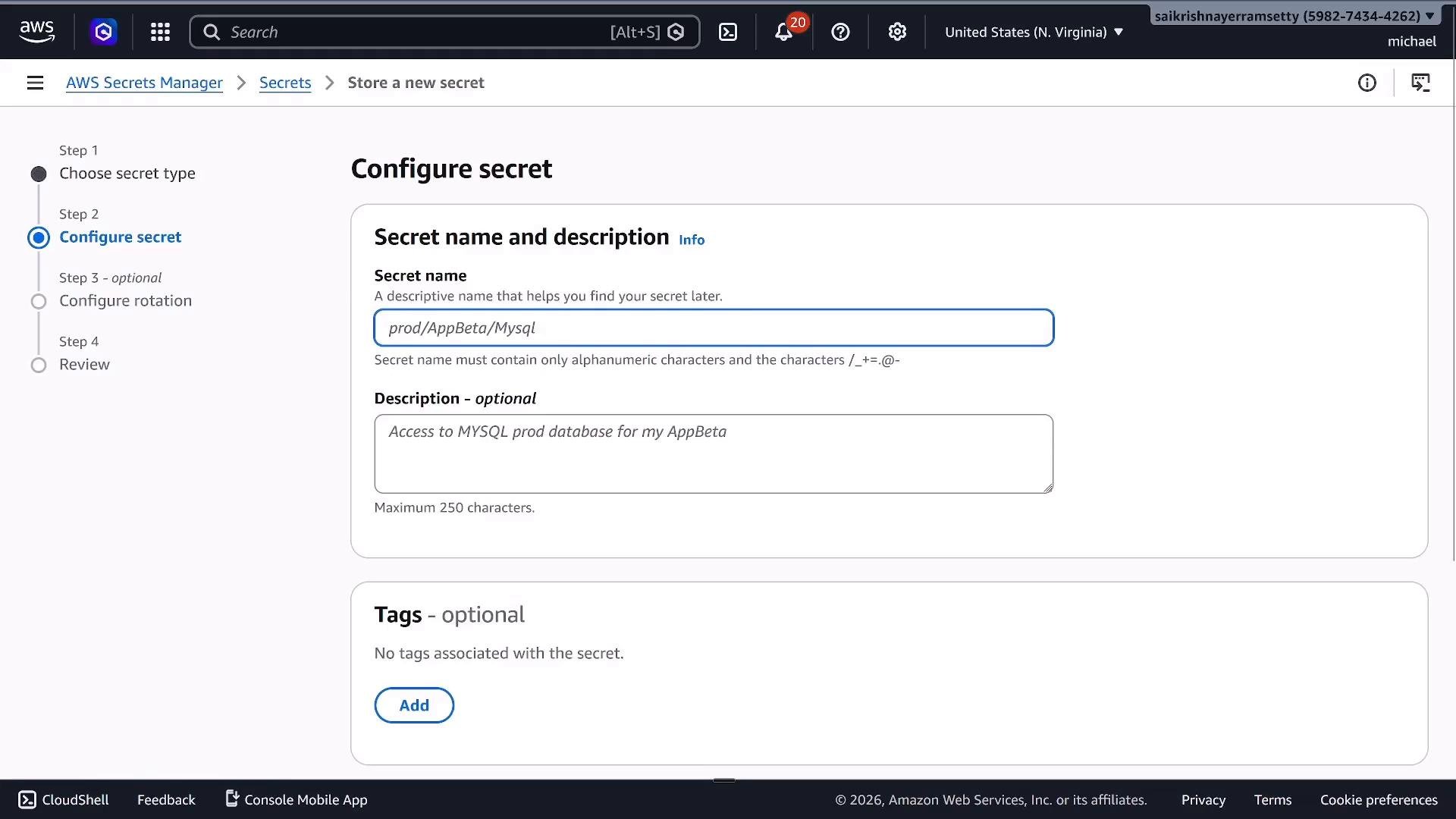
prod/AppBeta/Mysql or devops-020-130/docker-credentials.
Rotation (Secrets Manager)
Secrets Manager supports scheduled automatic rotation (configurable interval, up to 365 days) and can execute a Lambda rotation function for custom secrets (e.g., Docker Hub tokens). For built-in services (RDS), rotation often uses prebuilt methods.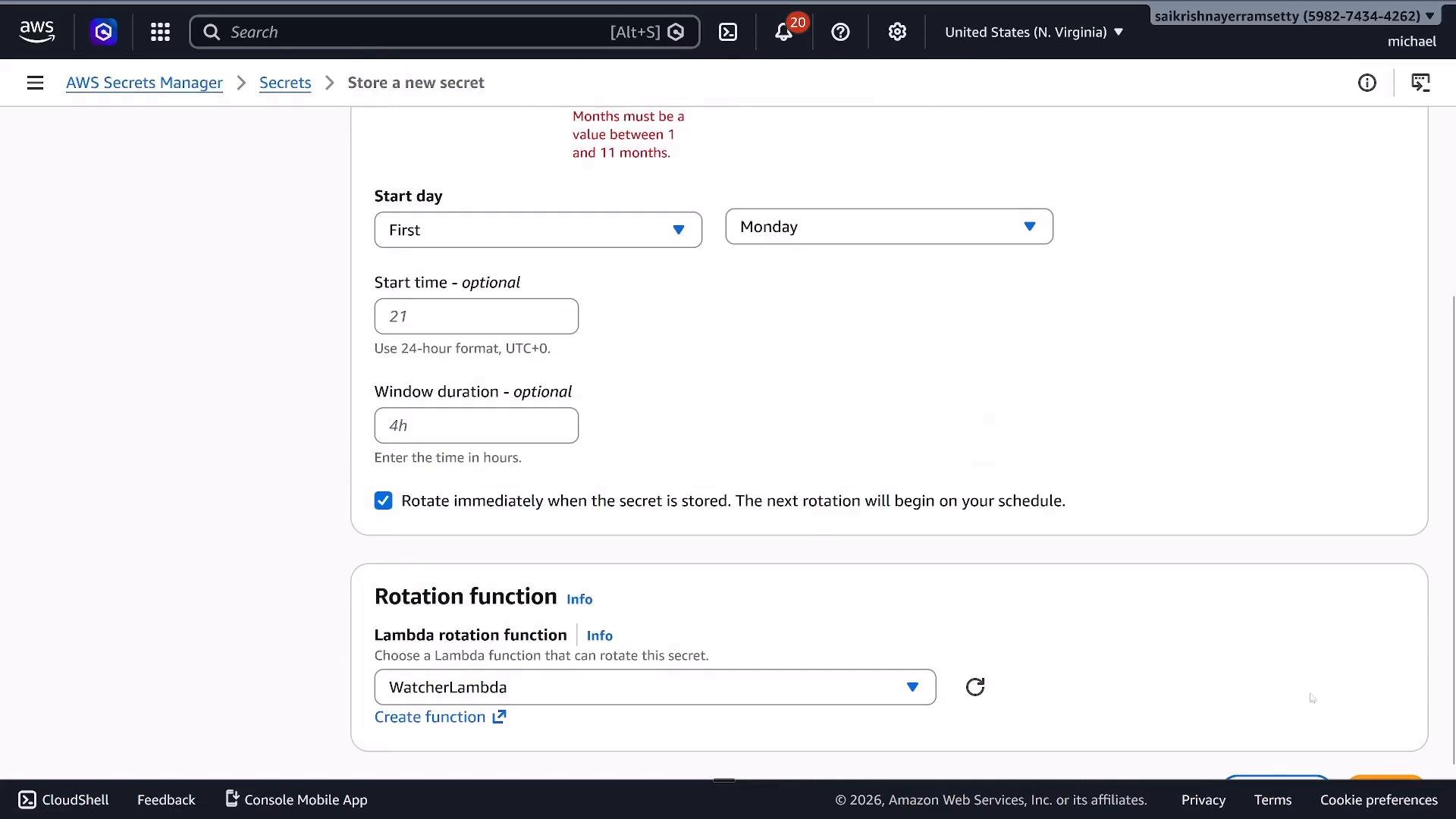
Example: retrieving a secret with Python (Boto3)
This snippet returns the JSON secret string stored in Secrets Manager.Parameter Store — creating parameters
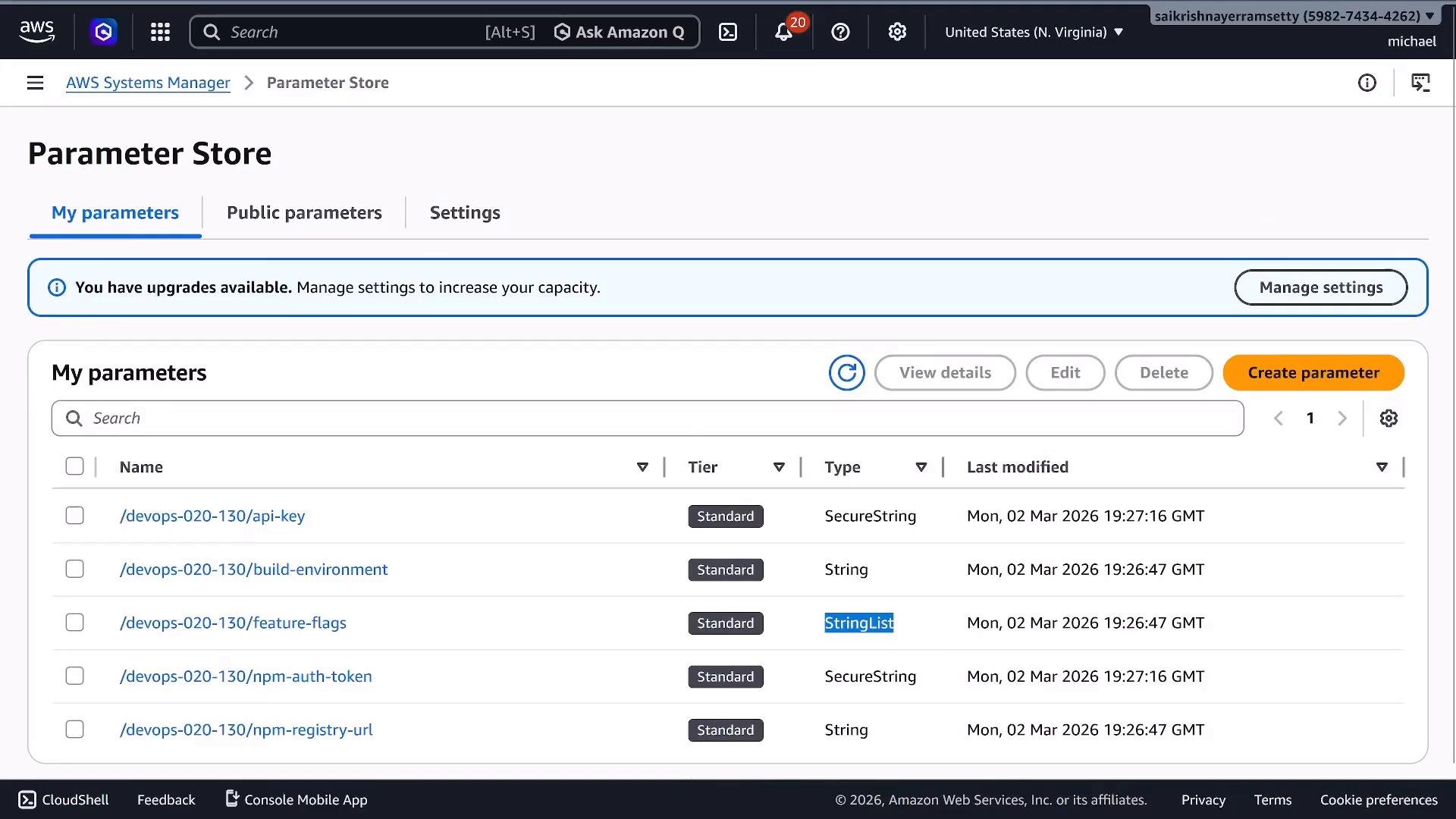
String— plain text values,StringList— comma-separated lists,SecureString— encrypted values (KMS-backed).
SecureString values in a multi-account environment, use a customer-managed KMS key and set the key policy to allow the consuming IAM role(s) to decrypt.
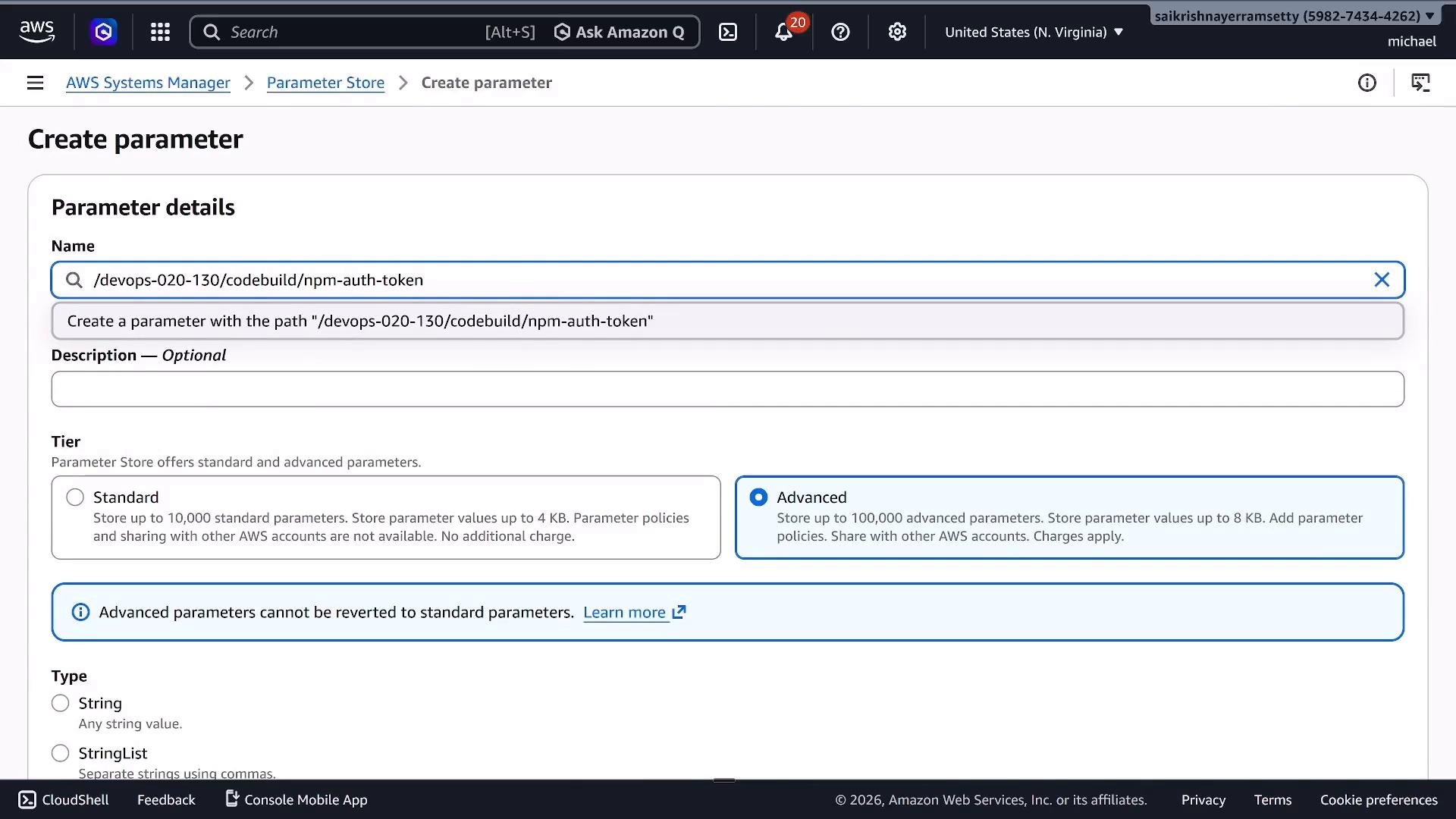
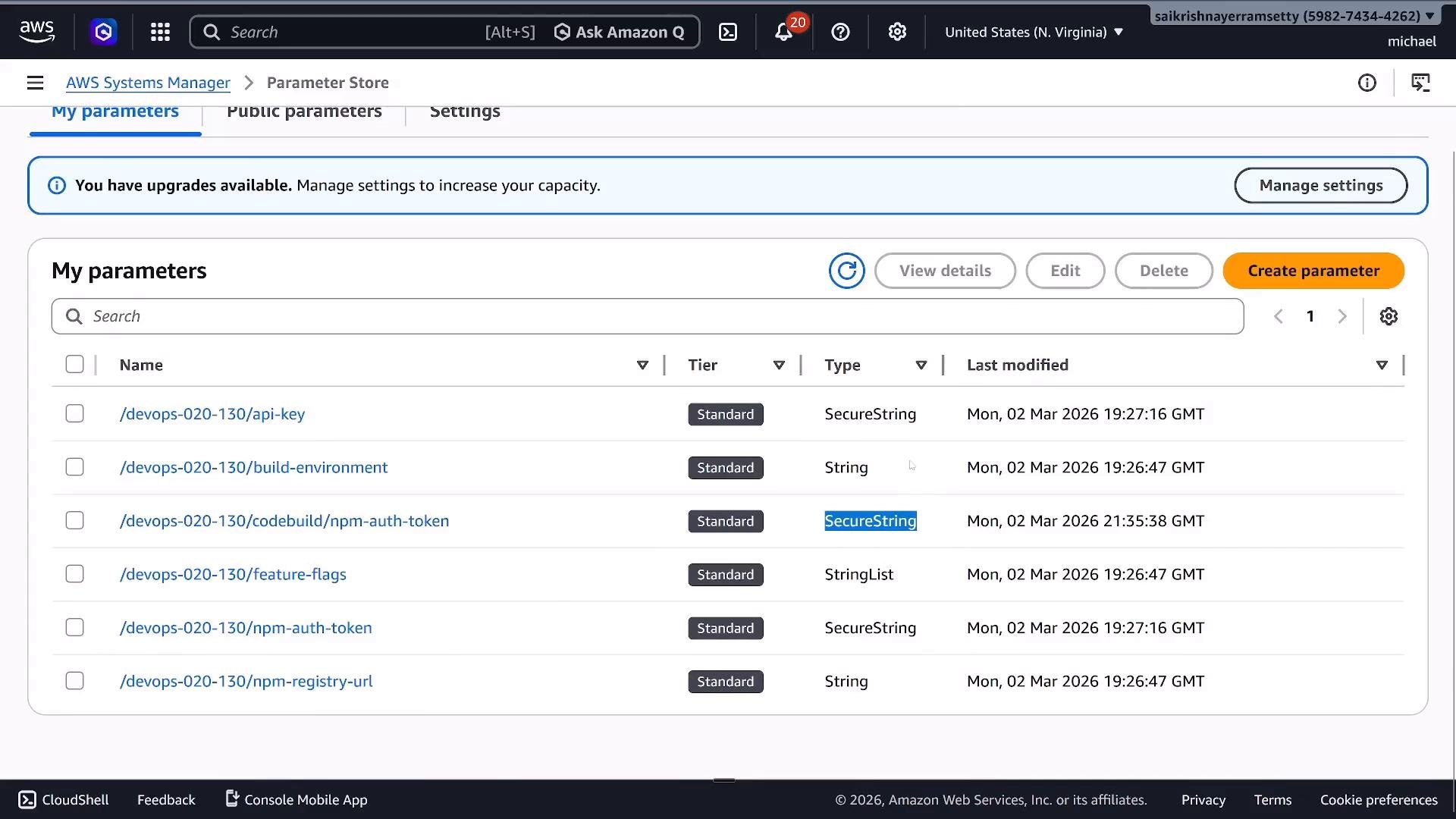
To keep parameter paths organized, adopt a prefix pattern like /devops-020-130/codebuild/npm-auth-token.
BuildSpec: injecting Secrets Manager and Parameter Store values into CodeBuild
CodeBuild natively supports referencing both SSM Parameter Store and Secrets Manager secrets as environment variables in yourbuildspec.yml. Use the secret/parameter identifiers as string keys in the secrets-manager and parameter-store sections — CodeBuild handles retrieval and injection at build runtime.
buildspec.yml above:
- For Secrets Manager JSON secrets, reference fields using
secret-name:jsonKey. Example:devops-020-100/docker-hub:username. - For Parameter Store, provide the parameter path (for example,
/devops-course/devops-020-100/build-environment). - Exported variables are available to later phases in the same build. To pass values to downstream pipeline stages, configure the pipeline to capture and forward them.
Parameter types and sample usage
String— single value configuration (e.g., API endpoint).StringList— comma-separated lists useful for feature flags or lists of services.
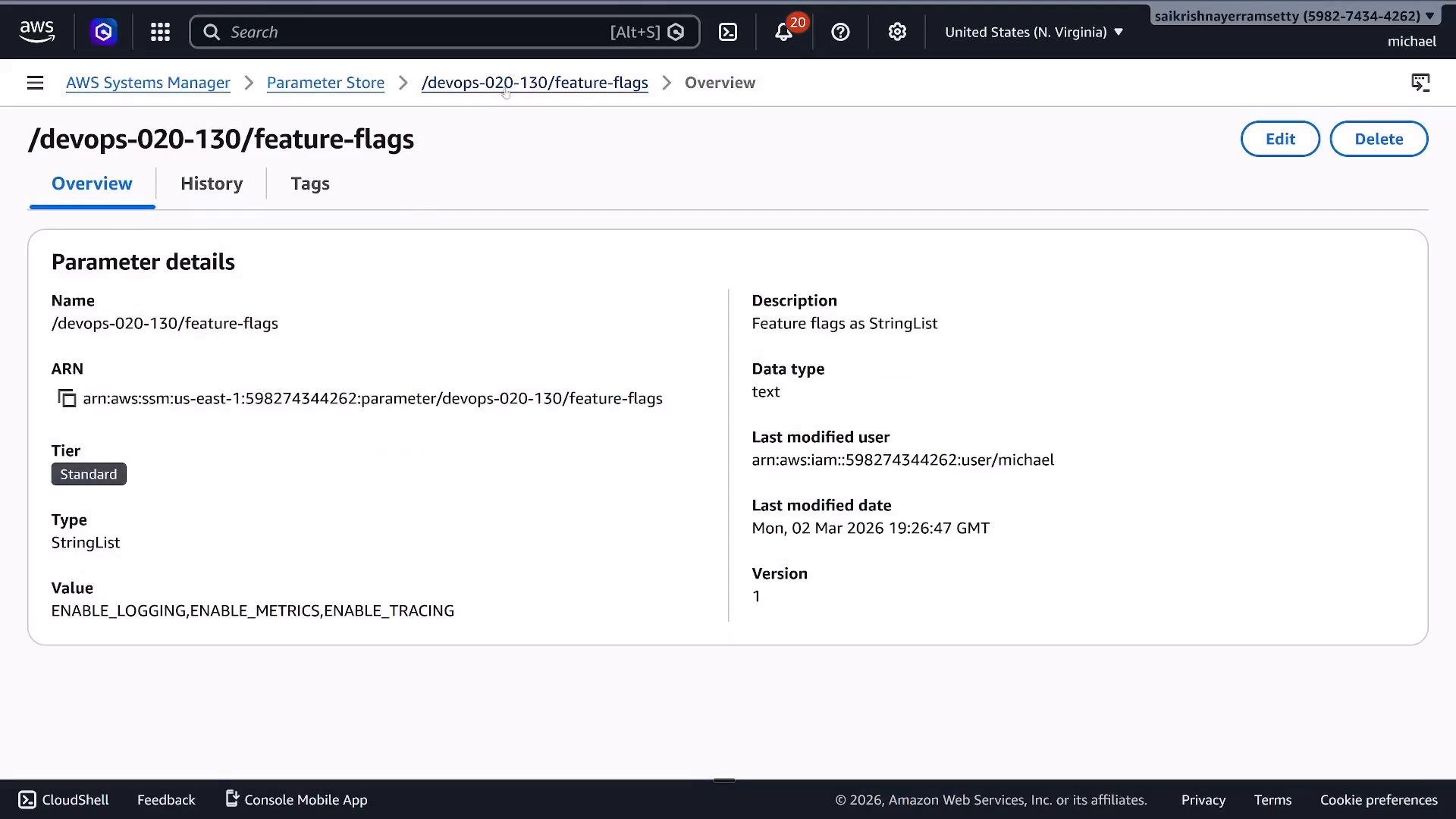
StringList parameter /devops-020-130/feature-flags with the value ENABLE_LOGGING,ENABLE_METRICS,ENABLE_TRACING.
Permissions — CodeBuild service role
CodeBuild must have IAM permissions to get Parameter Store parameters and Secrets Manager secrets. For values encrypted with a customer-managed KMS key, the CodeBuild role also needs KMS permissions. Below is a representative minimal IAM policy demonstrating the required actions.- If using a customer-managed KMS key, the key policy must explicitly allow the CodeBuild role (or the AWS account role that calls decrypt) to perform
kms:Decryptandkms:DescribeKey. - If you rely on AWS-managed KMS keys within the same account, extra KMS permissions may not be required. For cross-account decrypts, you must use customer-managed keys and update key policies accordingly.
- If a build fails with
AccessDeniedExceptionwhile readingSecureStringor Secrets Manager secrets, verify both the IAM role policy and the KMS key policy.
For cross-account secret/parameter retrieval, do not rely on AWS-managed KMS keys. Plan a customer-managed KMS key with a key policy granting explicit decrypt permissions to the consuming principals in other accounts.
Quick reference: when to choose which service
Links and further reading
- AWS Secrets Manager User Guide
- AWS Systems Manager Parameter Store
- AWS CodeBuild Environment Variables and Secrets