

- Create an OU (Development)
- Author an SCP to Deny S3 bucket deletion
- Attach the SCP to the OU so it applies to all member accounts
Navigate to AWS Organizations
- Sign in to the AWS Management Console and open AWS Organizations.
- If this is your first time, select the AWS Accounts panel. Otherwise, you’ll land on the Accounts view.
- At the top of the hierarchy is the Root. You can create Organizational Units directly under Root and move accounts into them.
Development (common OU names: Development, Production, Security).
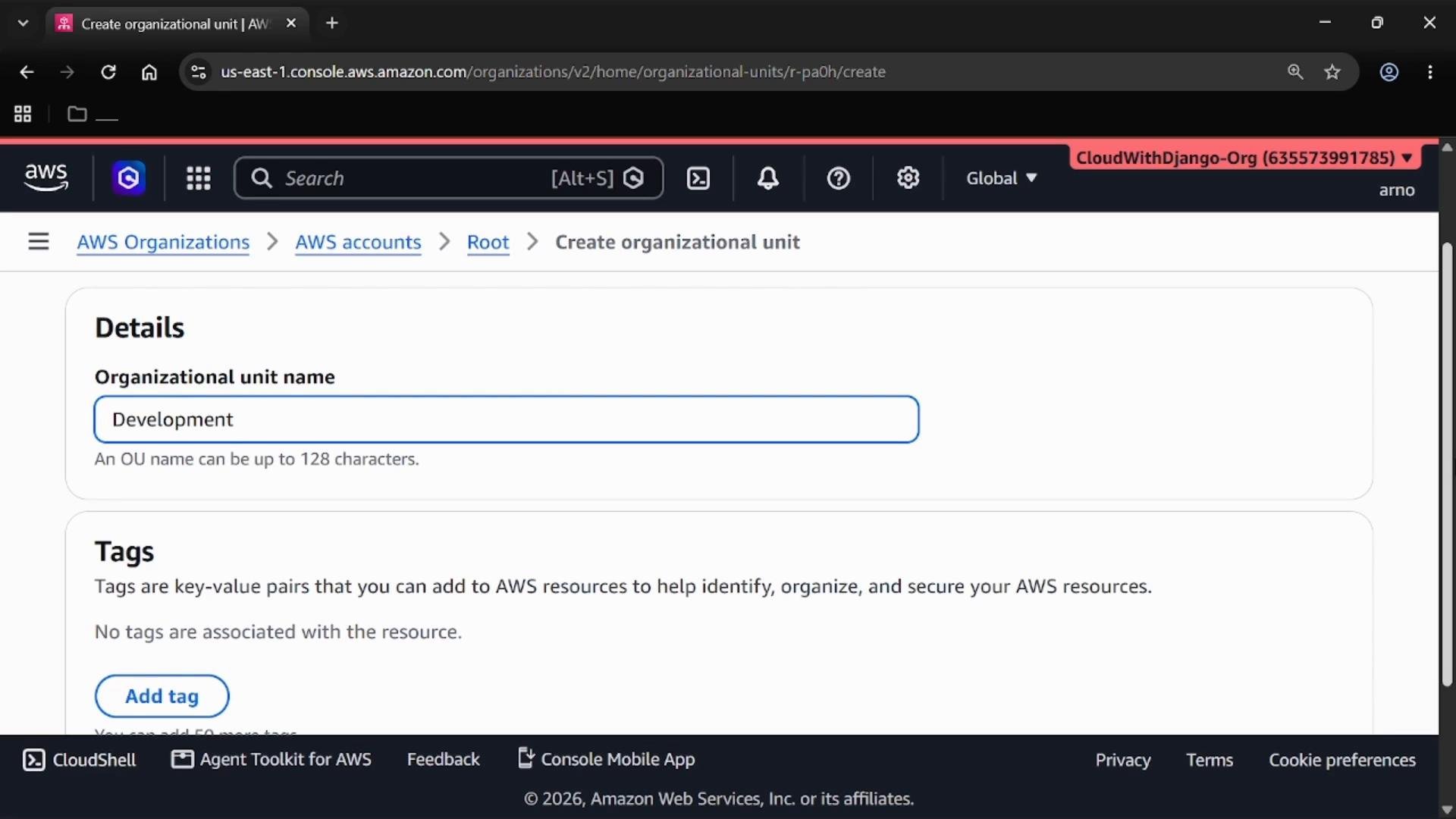
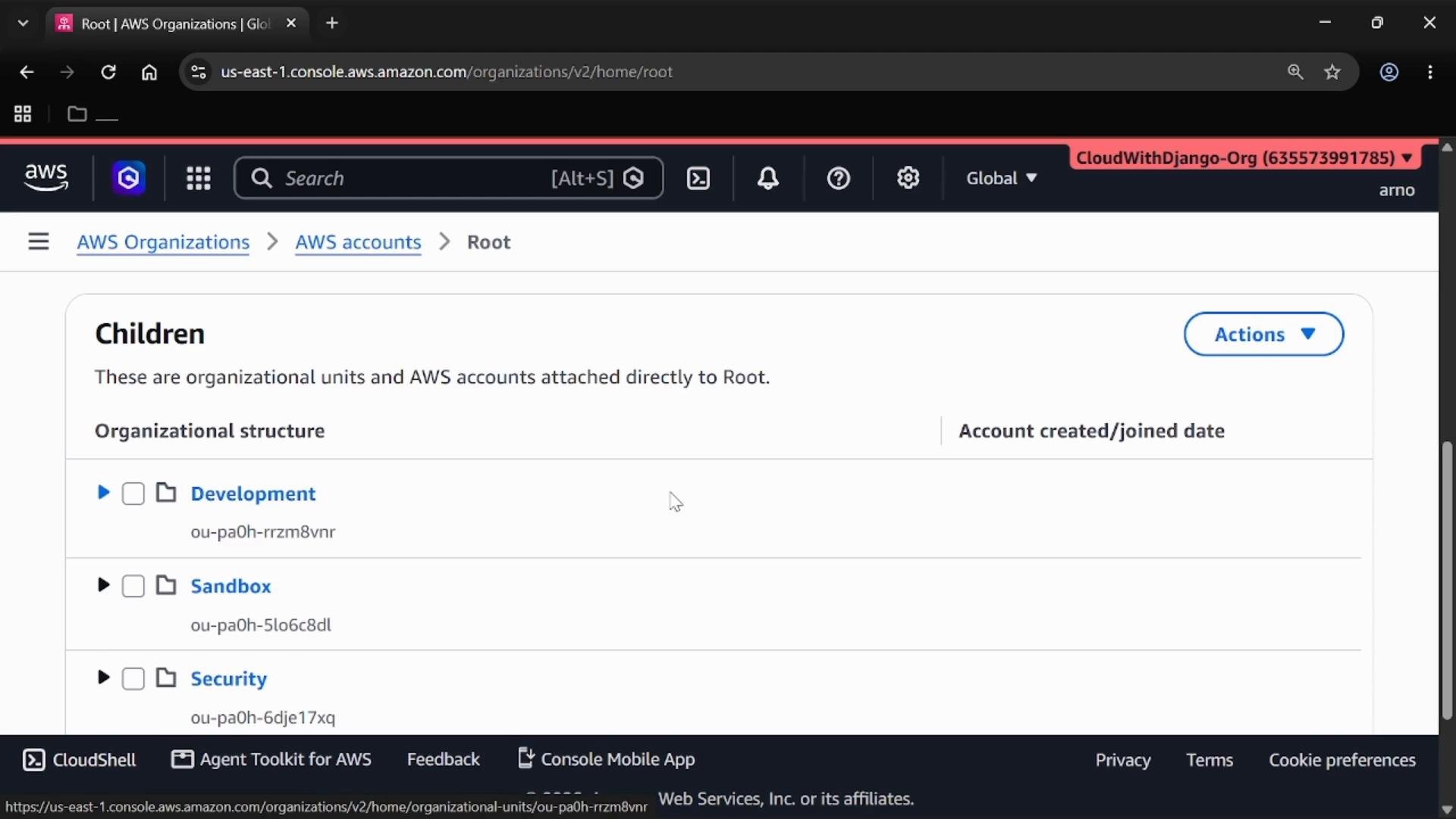
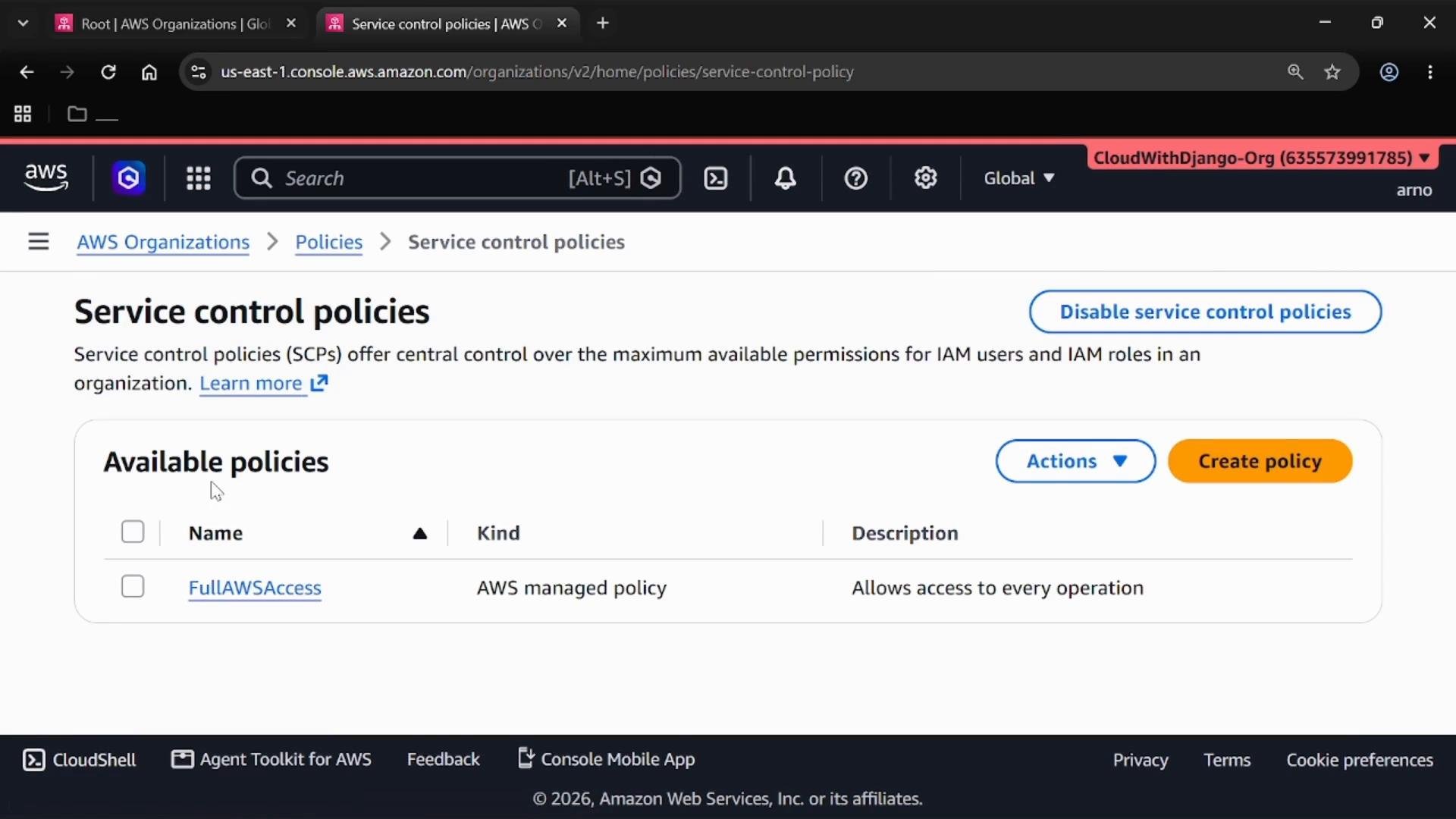
Create a Service Control Policy (SCP)
SCPs are JSON documents that set the maximum available permissions for accounts in the organization or OU. They do not grant permissions — they only restrict them. To create an SCP:- In the left navigation panel, expand Policies and open the Policies tab.
- Ensure Service control policies are enabled for your organization.
- Choose Create policy.
DenyS3Delete (or Deny S3 delete) that explicitly denies the S3 DeleteBucket action across all resources. In the policy editor, paste the following JSON:
Effect: "Deny"— any request that attempts to delete an S3 bucket will be blocked.Action: "s3:DeleteBucket"— targets the S3 DeleteBucket API operation.Resource: "*"— the denial applies to all buckets in the affected accounts.
SCPs are powerful: an explicit Deny overrides allow permissions even if an IAM policy grants them. Test SCPs on a limited set of accounts before applying them broadly.
Attach the SCP to the OU
After creating the SCP, attach it to the OU to enforce the restriction across member accounts. Steps to attach:- Open the
DevelopmentOU in the Organizations console. - Scroll to the Policies section and choose Attach.
- Select the
DenyS3Deletepolicy and attach it.
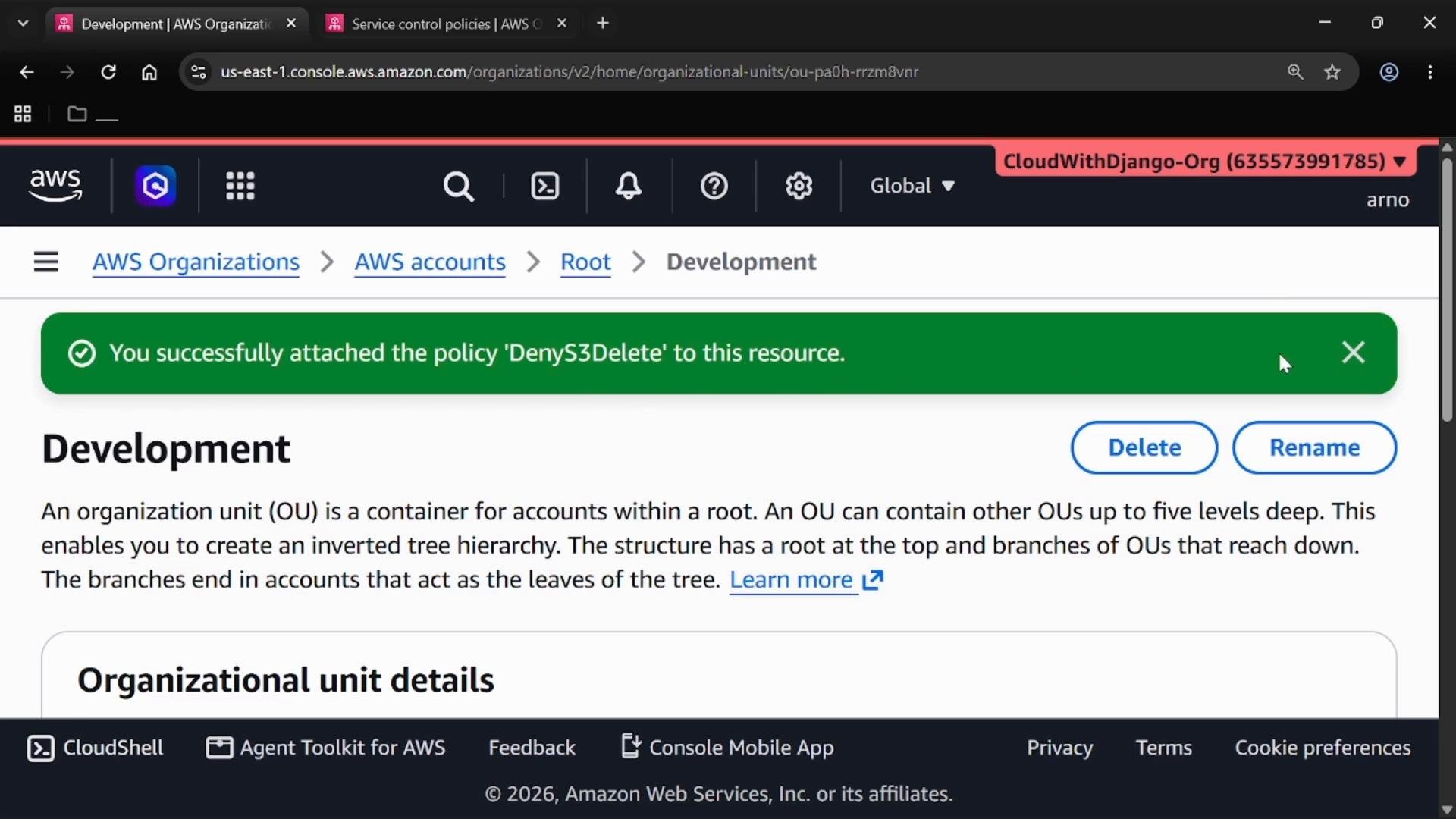
SCPs do not grant permissions. They act as a permissions boundary: IAM policies still grant access, but SCPs further restrict which permissions can be used. SCPs apply to all IAM principals (users and roles) in the accounts to which the SCP is attached; attaching at the Root affects all organization accounts, including the management account.
Quick Reference
Links and further reading
- AWS Organizations overview: https://docs.aws.amazon.com/organizations/latest/userguide/orgs_introduction.html
- Service control policies (SCPs): https://docs.aws.amazon.com/organizations/latest/userguide/orgs_manage_policies_scps.html
- IAM policies and permissions: https://docs.aws.amazon.com/IAM/latest/UserGuide/access_policies.html
Key takeaways
- AWS Organizations enables centralized management of multiple AWS accounts.
- Use Organizational Units (OUs) to group accounts and apply consistent governance.
- Service Control Policies (SCPs) set organization-level guardrails; they restrict permissions but do not grant them.
- Always test SCPs carefully, since explicit denies are enforced across all IAM principals in affected accounts.