

Secure database credential handling
Secrets management solves the challenge of providing applications with credentials (for example, database passwords) without exposing them in source control or to developers. Instead of hard-coding or embedding credentials, applications retrieve secrets at runtime from a secrets store — here, AWS Secrets Manager — and use those secrets to connect to RDS. Secrets Manager securely stores, encrypts (via AWS KMS), and rotates credentials, and it can trigger rotation workflows and notifications as configured.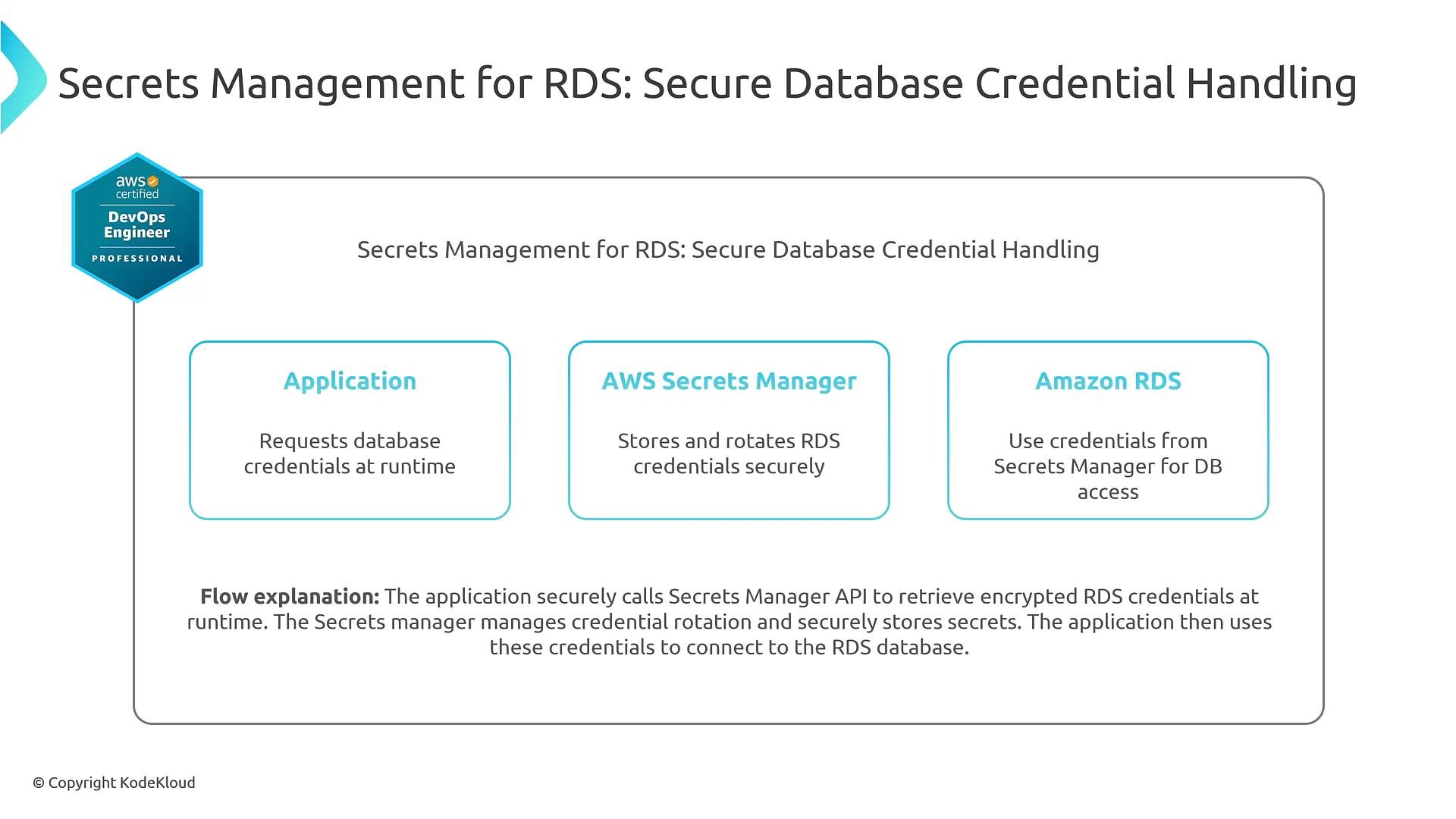
The problem with hard-coded credentials
Hard-coding production credentials in code or configuration is a major security risk and makes rotation and incident response difficult. The recommended approach is to let the application request credentials at startup (or on demand) from Secrets Manager. This keeps passwords out of source code and grants runtime entities (roles, services) access via IAM rather than disclosing credentials to developers.Never embed production passwords or keys in source code or public repositories. Use a secrets service like AWS Secrets Manager and grant runtime roles least-privilege access instead.
Secrets Manager fundamentals
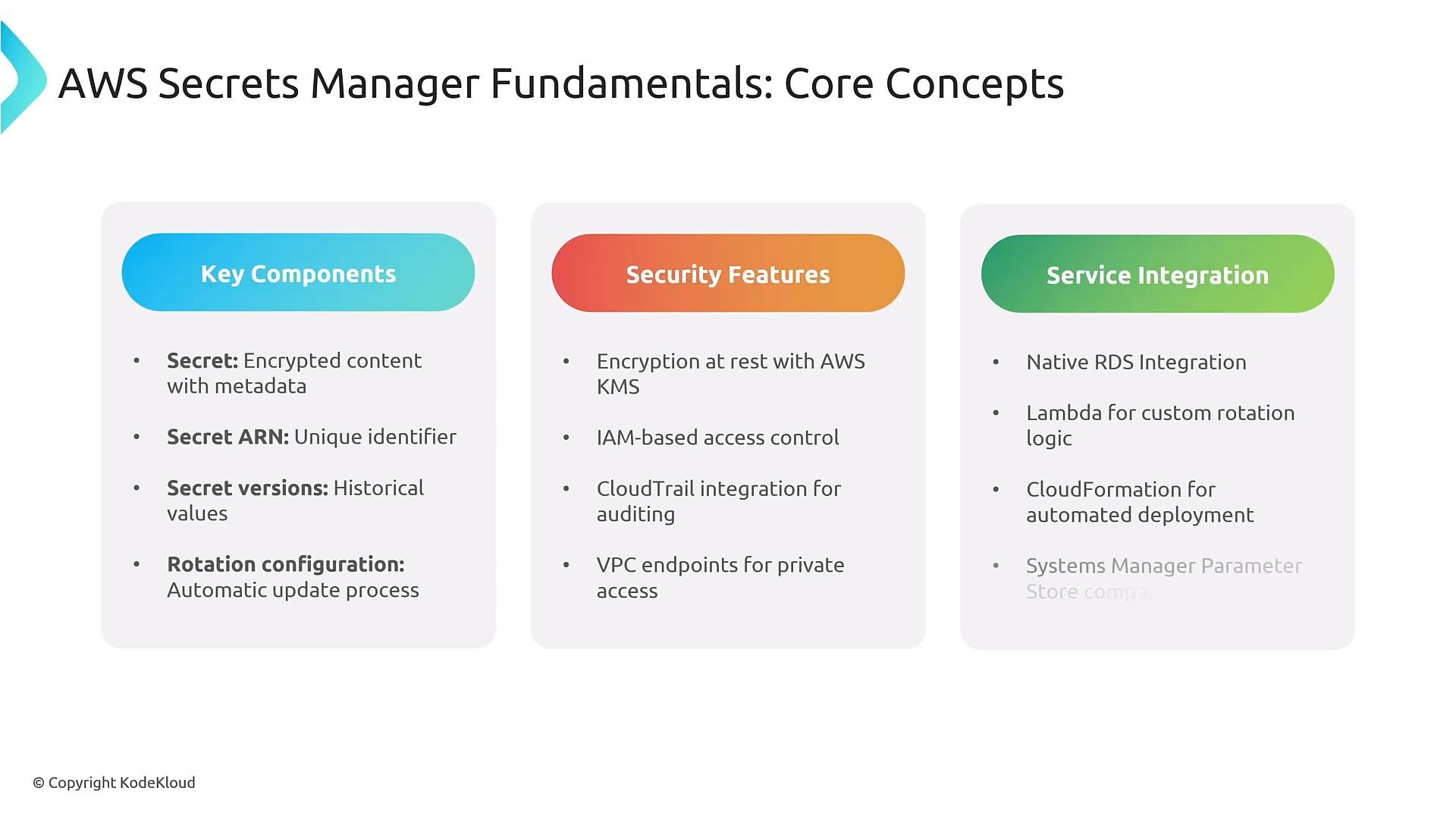
AWS Secrets Manager key concepts:- Secret entity: name/ARN, tags, and metadata.
- Secret versions and staging labels such as
AWSCURRENTandAWSPREVIOUS. - Rotation configuration: use built-in rotation or an AWS Lambda rotation function.
- Encryption: use a customer-managed AWS KMS key for tighter control.
- Access control: IAM policies and resource-based secrets policies.
- Auditing: API call logging via AWS CloudTrail and metrics via CloudWatch.
- Integrations: Amazon RDS/Aurora, Lambda, CloudFormation and native SDK support.
Some parameter stores are cheaper, but they do not support automatic rotation. Choose Secrets Manager when you need rotation, cross-account access or replication, and advanced lifecycle features.
Secret structure example
A typical RDS secret is stored as a JSONSecretString with keys such as username, password, engine, host, port, and dbname. Applications parse this JSON after retrieving the secret.
RDS integration and automatic rotation
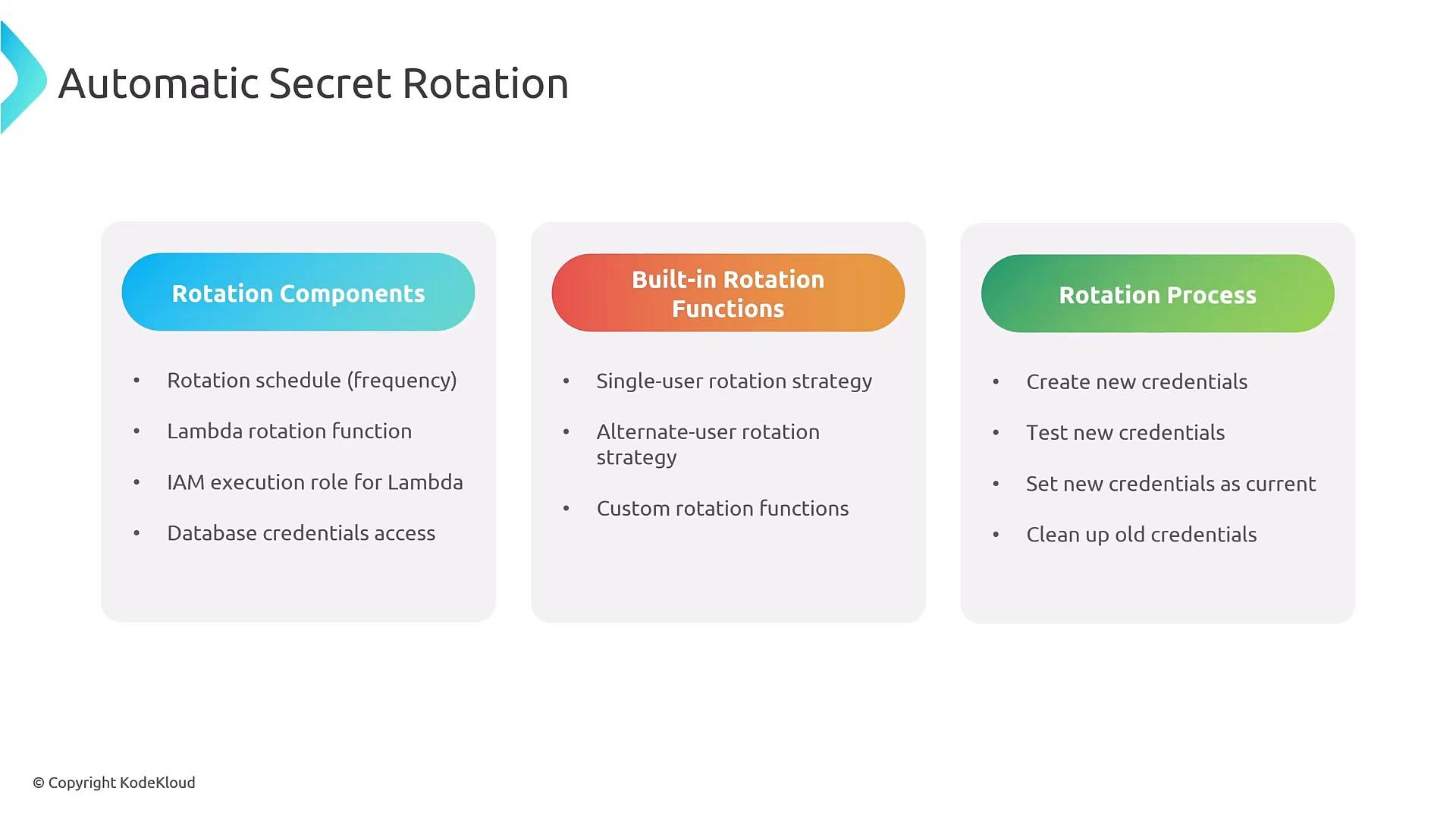
When you enable Amazon RDS or Aurora integration, AWS Secrets Manager can automatically manage credentials for your database instances. Rotation is typically implemented using a Lambda rotation function (Secrets Manager can generate a template Lambda) and a rotation schedule. Typical rotation steps:- Rotation trigger begins.
- Create or provision new credentials.
- Test the new credentials against the database.
- Mark the new credentials as current (swap).
- Remove or retire old credentials.
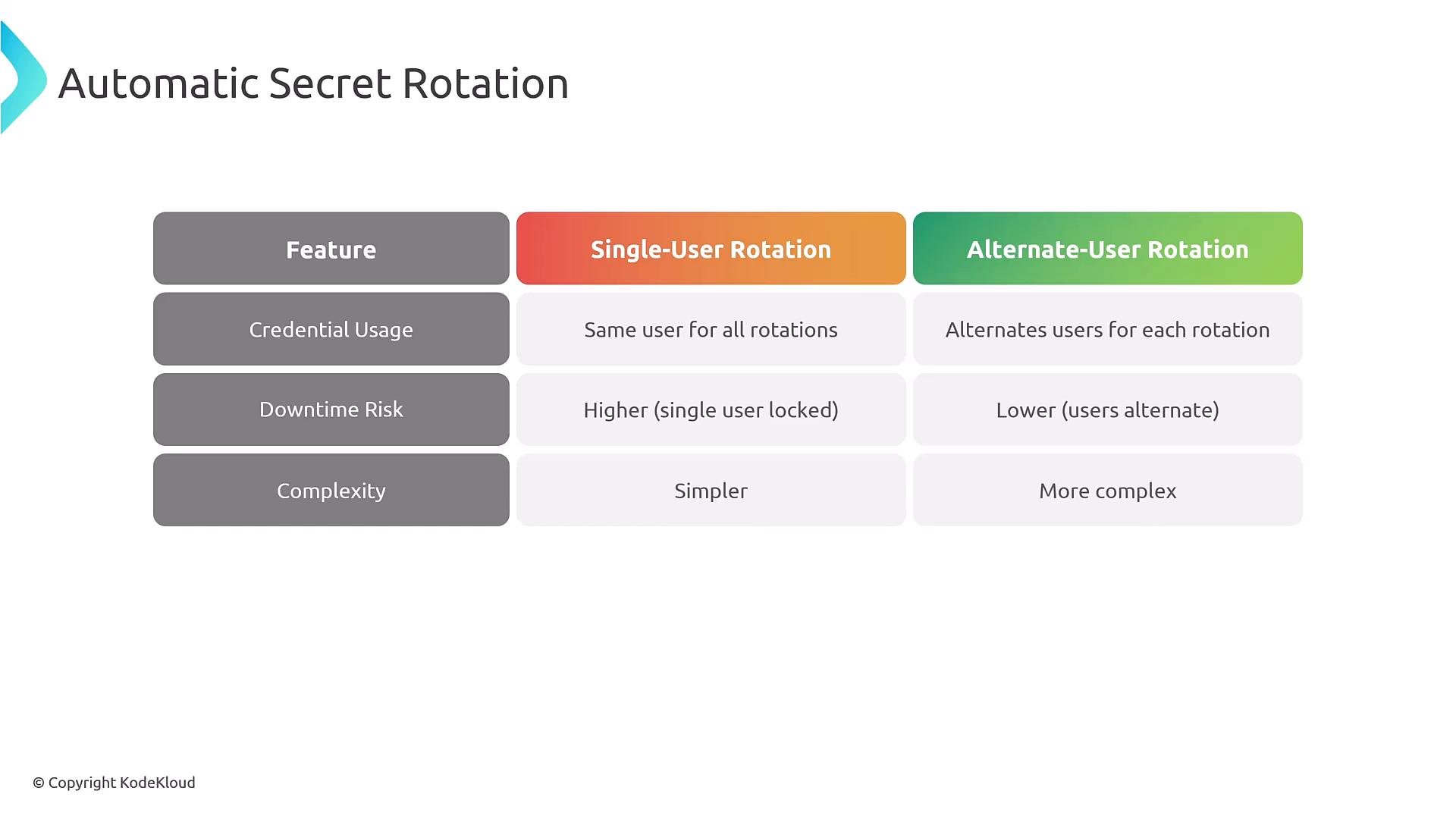
Rotation strategies — single-user vs alternate-user
Two common rotation strategies:
Choose the strategy based on your tolerance for downtime, application connection pooling behavior, and operational complexity.
Application integration patterns
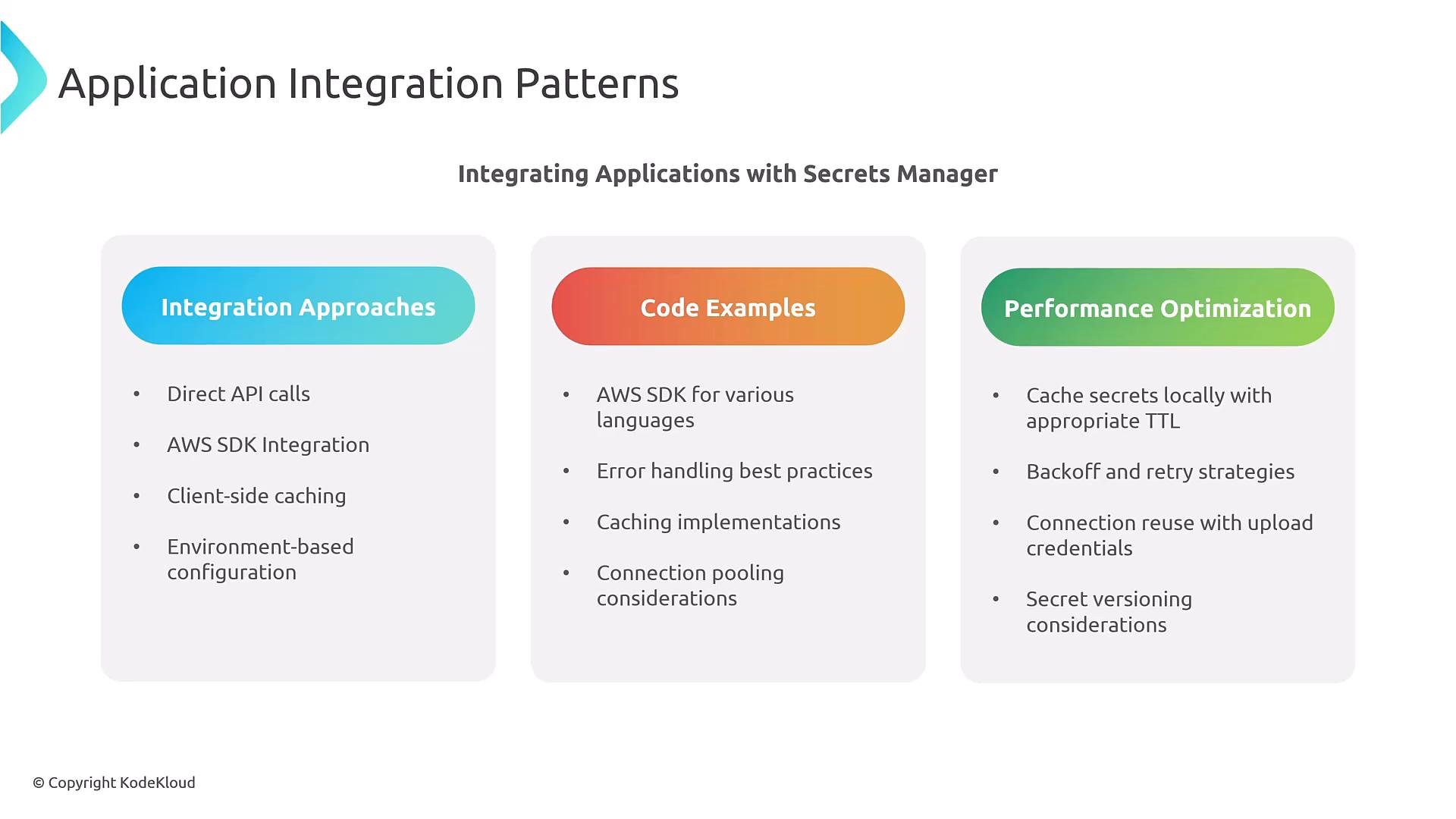
Common application patterns when integrating with Secrets Manager:- Direct SDK calls to Secrets Manager with client-side caching to avoid excessive API calls.
- Use exponential backoff and retries for transient API errors.
- Reuse and pool database connections to reduce the need to re-fetch secrets.
- Respect staging labels and secret versions to ensure you don’t use an in-progress rotation credential.
- Plan for credential refresh: detect rotation events and re-establish connections when the secret changes.
Node.js example for retrieving a secret
This concise Node.js example uses AWS SDK v3 to retrieve a secret and parseSecretString. It also handles the SecretBinary case.
Access control and least privilege
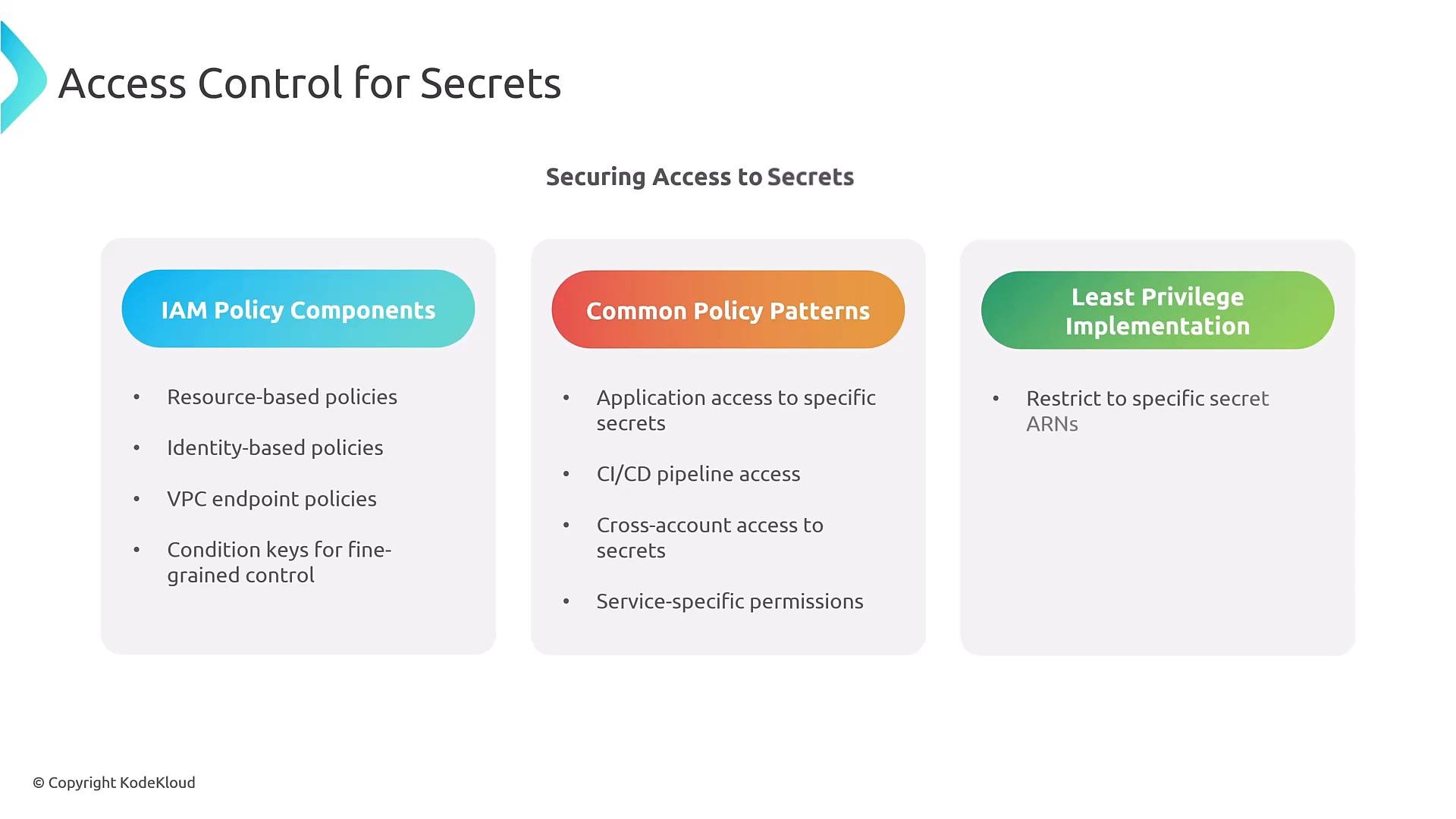
Control access to secrets with AWS IAM policies and, when appropriate, resource-based secrets policies. Applications should assume an IAM role (for EC2, ECS, EKS, or Lambda) that has explicit permissions to call only the required Secrets Manager APIs for specific secret ARNs. Use tag-based conditions andaws:PrincipalTag where possible to scope access by team, environment, or application.
Monitoring and auditing
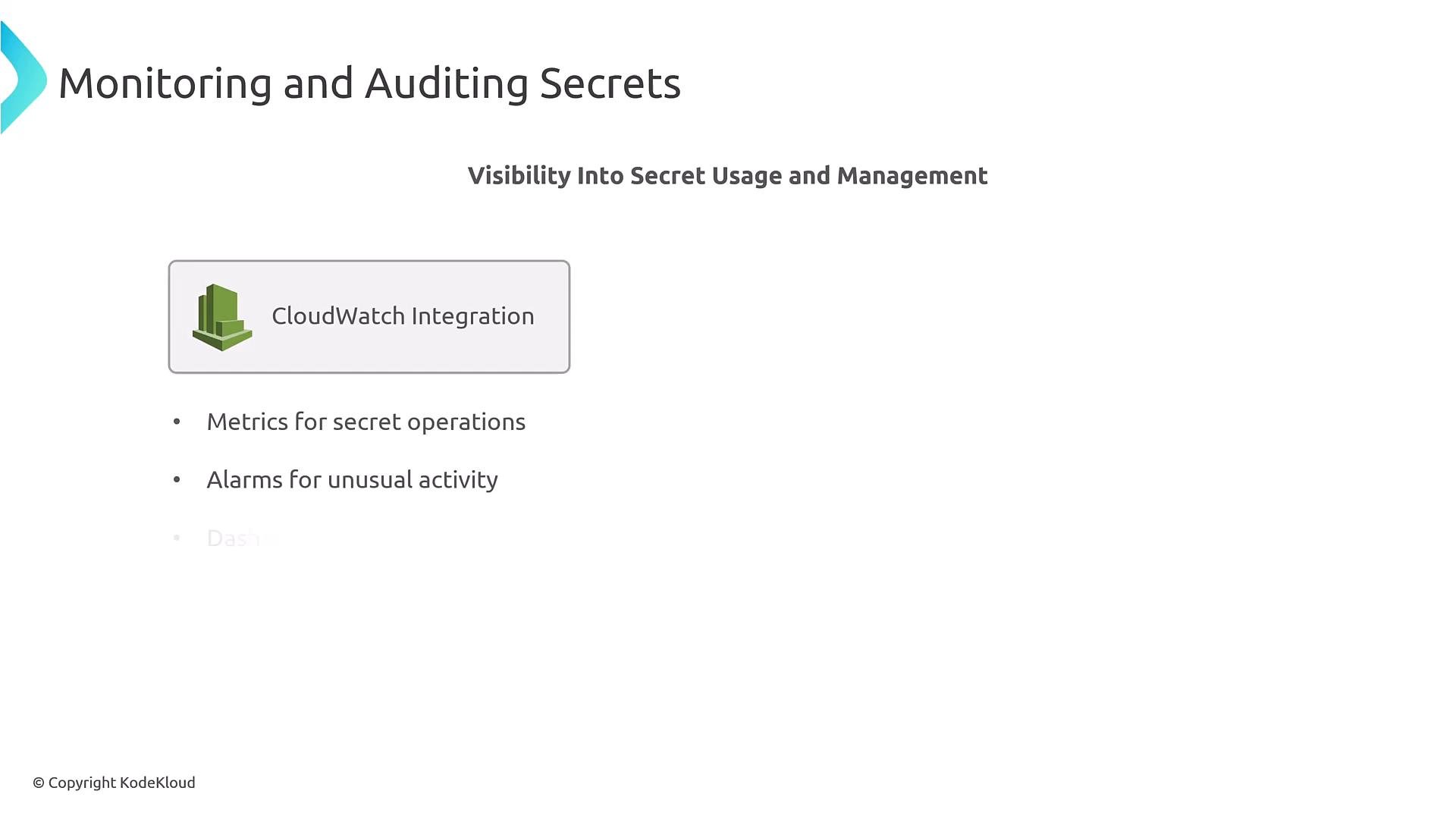
Enable CloudTrail for Secrets Manager API logging and use CloudWatch metrics and alarms to detect anomalous activity. Consider metric filters on audit logs to count specific API calls (e.g.,GetSecretValue) or AccessDenied events. Monitor rotation success/failure, Lambda rotation function logs, rotation latency, and error rates. Create dashboards and alerts for unusual access patterns or repeated failures.
Example CloudWatch dashboard representation (illustrative YAML):
Cross-account secrets management
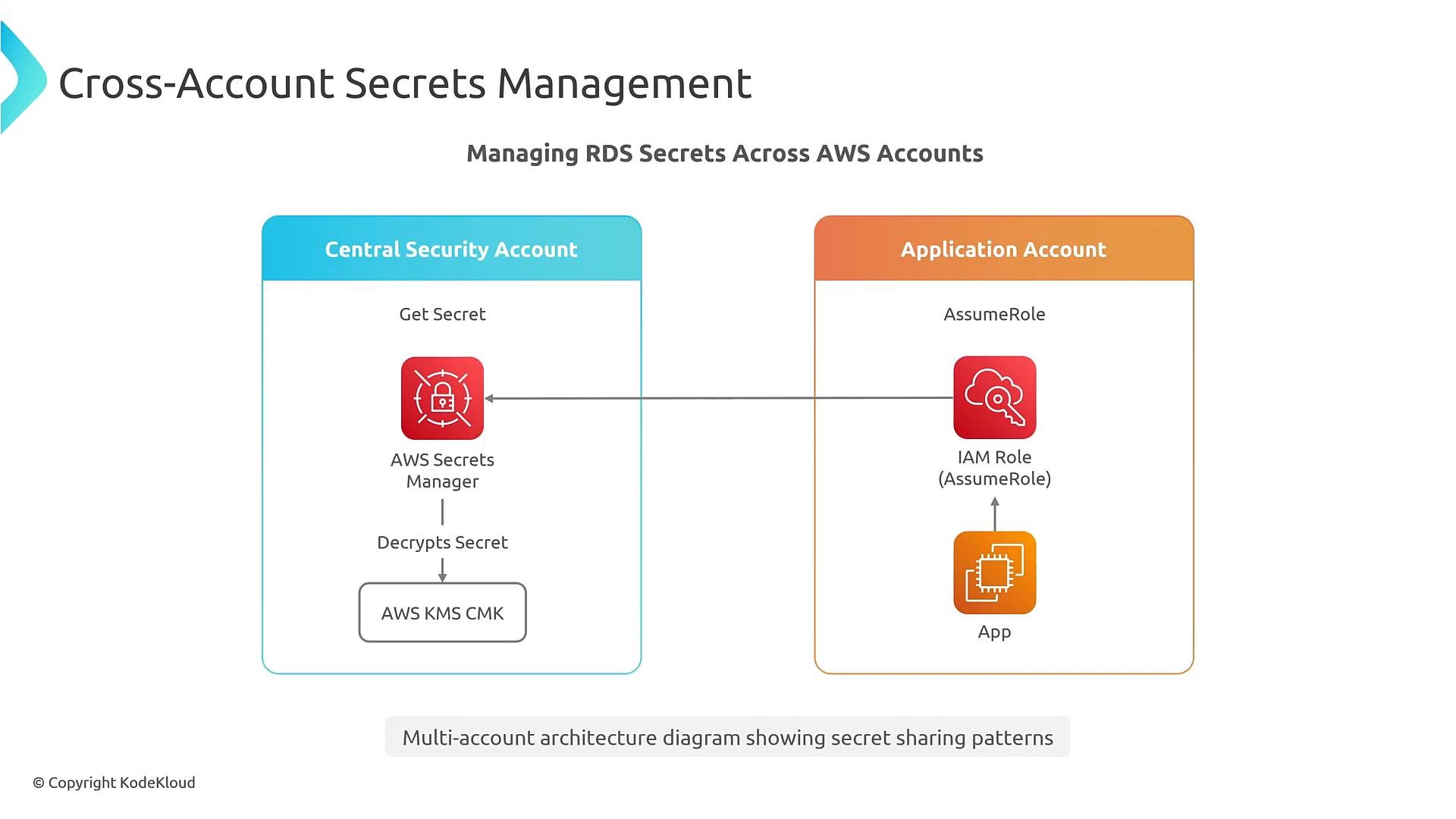
Centralizing secrets in a security account and granting access to application accounts is a common pattern. Cross-account access requires:- A resource-based policy on the secret allowing a principal from another account to call Secrets Manager APIs.
- Decrypt grants in the KMS key policy so the application account can decrypt the secret.
Environment=Prod:
Resource to specific ARNs in production instead of "*". Ensure the KMS key policy permits the cross-account decrypt operation.
Multi-environment secrets strategy
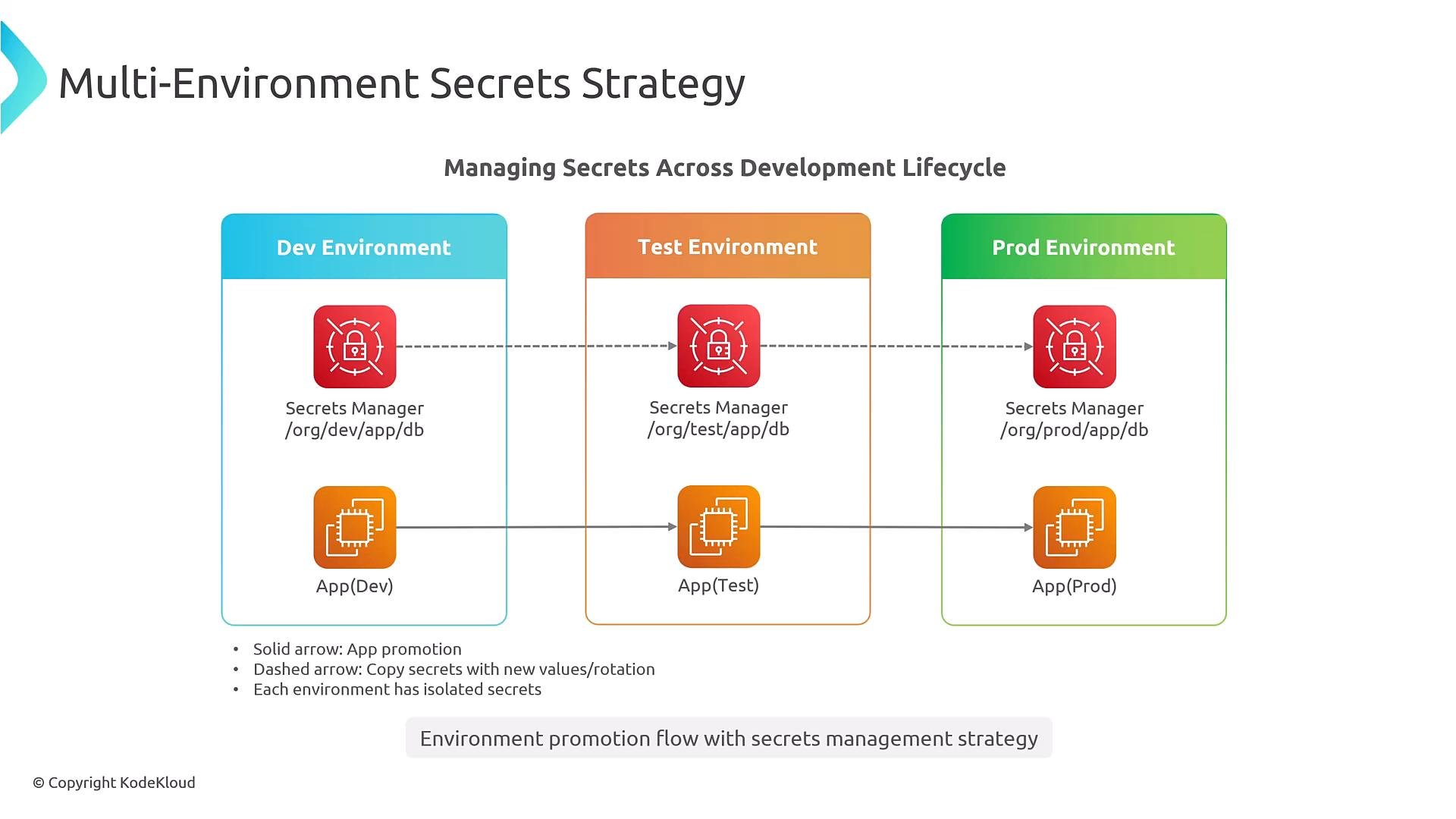
Keep dev/test/prod secrets separated, and adopt a consistent naming convention so secrets are discoverable and isolated by environment and application. Choose a pattern likeorg/env/app/resource or org/app/env/resource and apply it consistently.
Secrets Manager vs Parameter Store
Choose the right AWS service for your needs: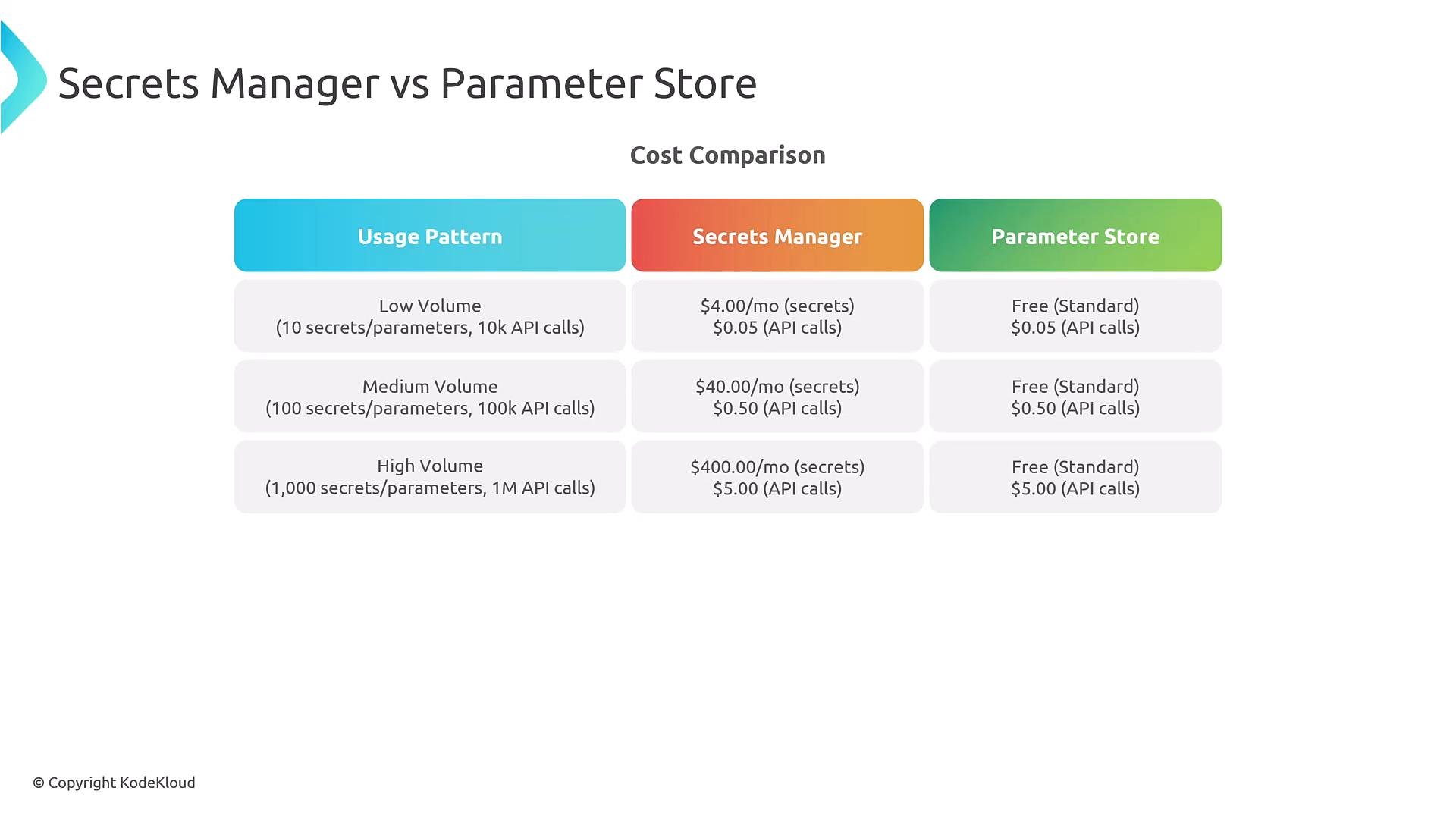
Automation, CI/CD, CloudFormation and DR
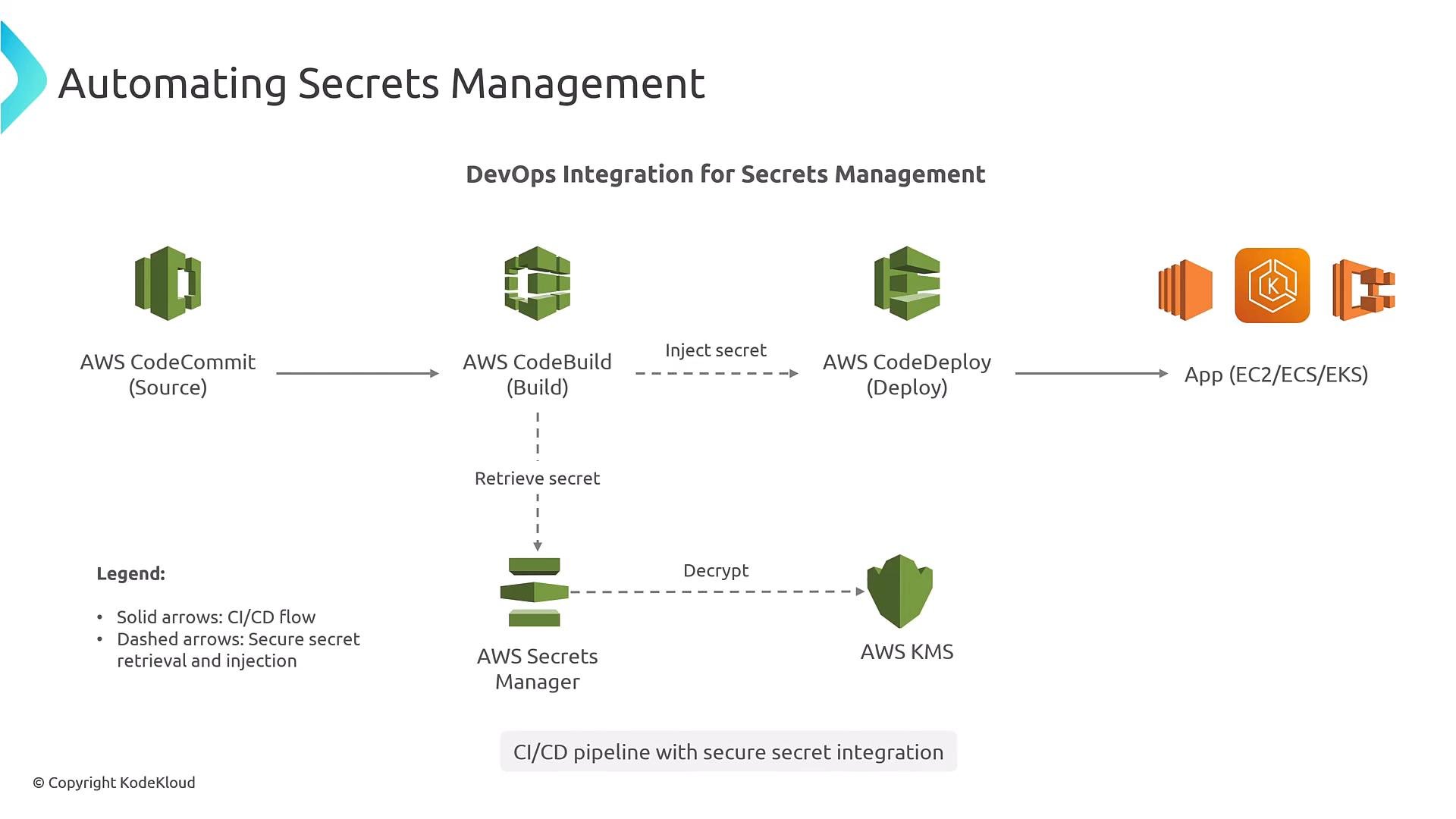
Inject secrets into CI/CD pipelines or reference them during build/deploy steps. CloudFormation supports Secrets Manager resources (AWS::SecretsManager::Secret and AWS::SecretsManager::RotationSchedule). For disaster recovery (DR), replicate secrets cross-region and ensure corresponding KMS keys are present or replicated in the DR region. On failover, point applications to the replicated secret and the associated KMS key.
Common failure modes and troubleshooting
Frequent issues and how to investigate them:- AccessDenied errors — usually IAM policy or KMS key policy misconfiguration. Verify role permissions and key grants.
- Rotation failures — often caused by Lambda networking issues (VPC/subnet/security groups), missing Lambda permissions, or invalid rotation logic. Inspect rotation function logs.
- Encryption key problems — missing grants, retired keys, or wrong key policy. Confirm KMS key state and policies.
- Configuration errors — incorrect secret ARNs, wrong staging labels, or misrouted network traffic.
- Inspect AWS CloudTrail logs to see API calls and the exact error messages.
- Review CloudWatch Logs for the rotation Lambda function and look for stack traces.
- Validate KMS key policies and grants for cross-account or cross-region use.
- Confirm network connectivity from the Lambda function (or the service performing rotation) to the RDS instance (VPC configuration, subnets, security groups).
Closing and best practices
Summary recommendations:- Use AWS Secrets Manager for RDS credential rotation and lifecycle management.
- Enforce IAM least privilege and use tag-based or ARN-scoped policies.
- Use customer-managed KMS keys for tighter control and cross-account KMS grants for centralized secrets.
- Implement application-side caching with sensible TTLs and reconnection logic to handle rotation.
- Monitor rotation success and secret access patterns with CloudWatch/CloudTrail and create alerts for failures or anomalous access.
- Separate secrets by environment and follow consistent naming conventions.
- Automate secrets handling in CI/CD and plan cross-region replication for DR.
Links and references
- AWS Secrets Manager documentation
- Amazon RDS documentation
- AWS KMS documentation
- AWS IAM documentation
- AWS CloudWatch documentation