In this lesson we cover designing multi-account Identity and Access Management (IAM) at enterprise scale using AWS Organizations. You’ll learn the multi-account challenge, organizational and governance constructs, Service Control Policies (SCPs) and access patterns, and practical approaches to monitoring and automation. This article focuses on architecture- and policy-level guidance you need to prepare; the demo reinforces these concepts.
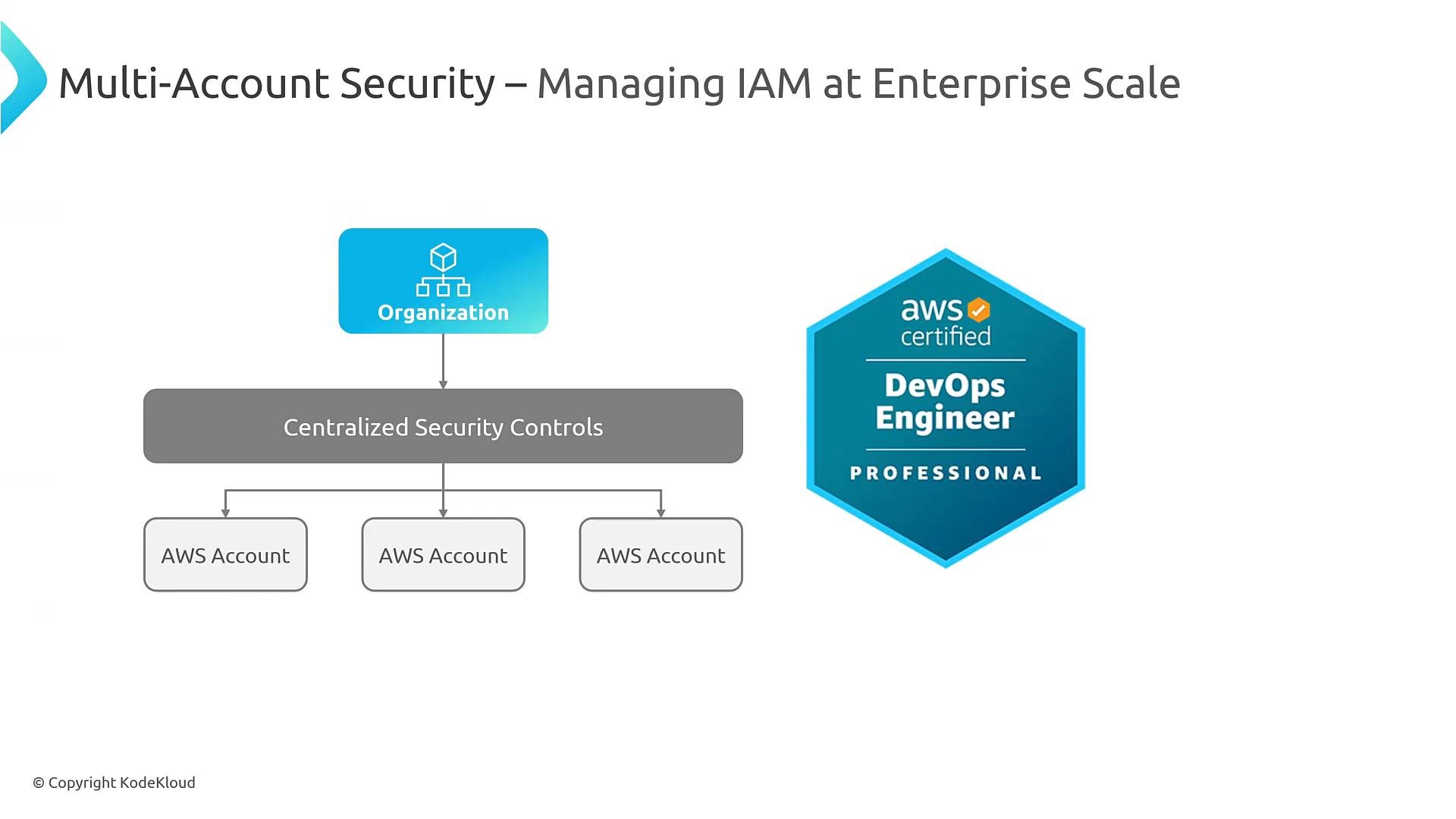
A slide titled "Multi-Account Security – Managing IAM at Enterprise Scale" showing an AWS organization feeding into a centralized security controls layer that branches to multiple AWS accounts. An "AWS certified DevOps Engineer – Professional" badge is shown on the right.
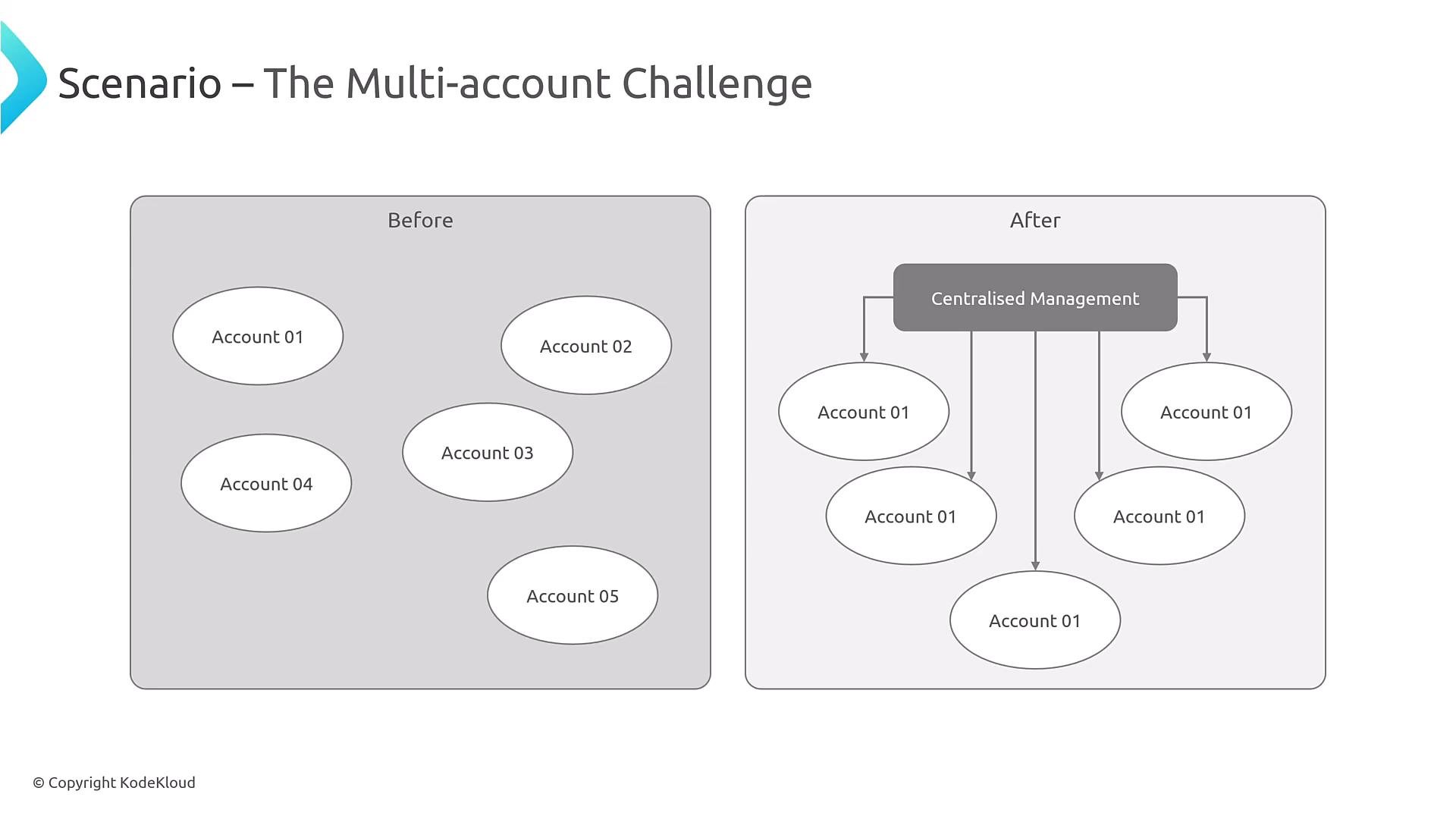
Why centralize IAM and governance? Without centralized management you lose consistent enforcement, telemetry, and observability across accounts. In large environments — hundreds of accounts — inconsistent policies create gaps in security posture, auditing blind spots, and operational friction. AWS Organizations helps by providing a management account and a hierarchical OU model to apply guardrails consistently.
A slide titled "The Multi-account Challenge" showing a before/after diagram. The left panel has separate ovals for Account 01–05, while the right panel shows a "Centralised Management" box with arrows linking down to multiple account ovals.
Core concepts: Accounts, OUs, and guardrails AWS Organizations supports a management account plus Organizational Units (OUs) to group accounts. Design your OU structure driven by business drivers — for example:
  • Function (prod/dev/test)
  • Business unit or project
  • Compliance regimes (PCI, HIPAA)
  • Hybrid designs combining the above
Choose an OU design aligned with your operating model and compliance requirements, and ensure it stays within AWS Organizations limits (e.g., max OU depth). For more, see the AWS Organizations documentation: https://docs.aws.amazon.com/organizations/latest/userguide/orgs_introduction.html
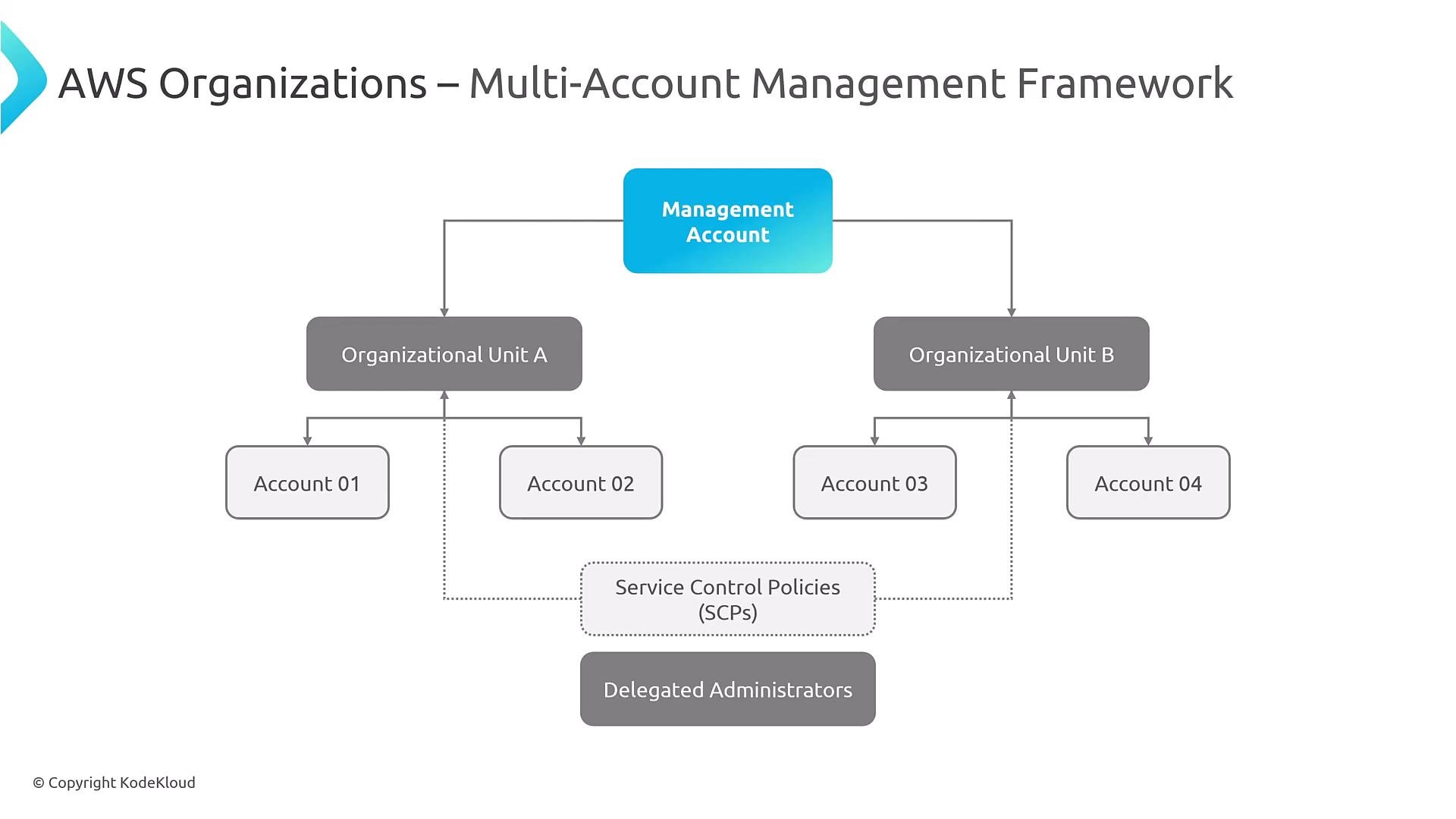
A diagram titled "AWS Organizations – Multi-Account Management Framework" showing a central Management Account branching to two Organizational Units (A and B), each containing individual accounts (Account 01–04). Service Control Policies (SCPs) and Delegated Administrators are shown beneath governing the accounts.
Design patterns for OUs
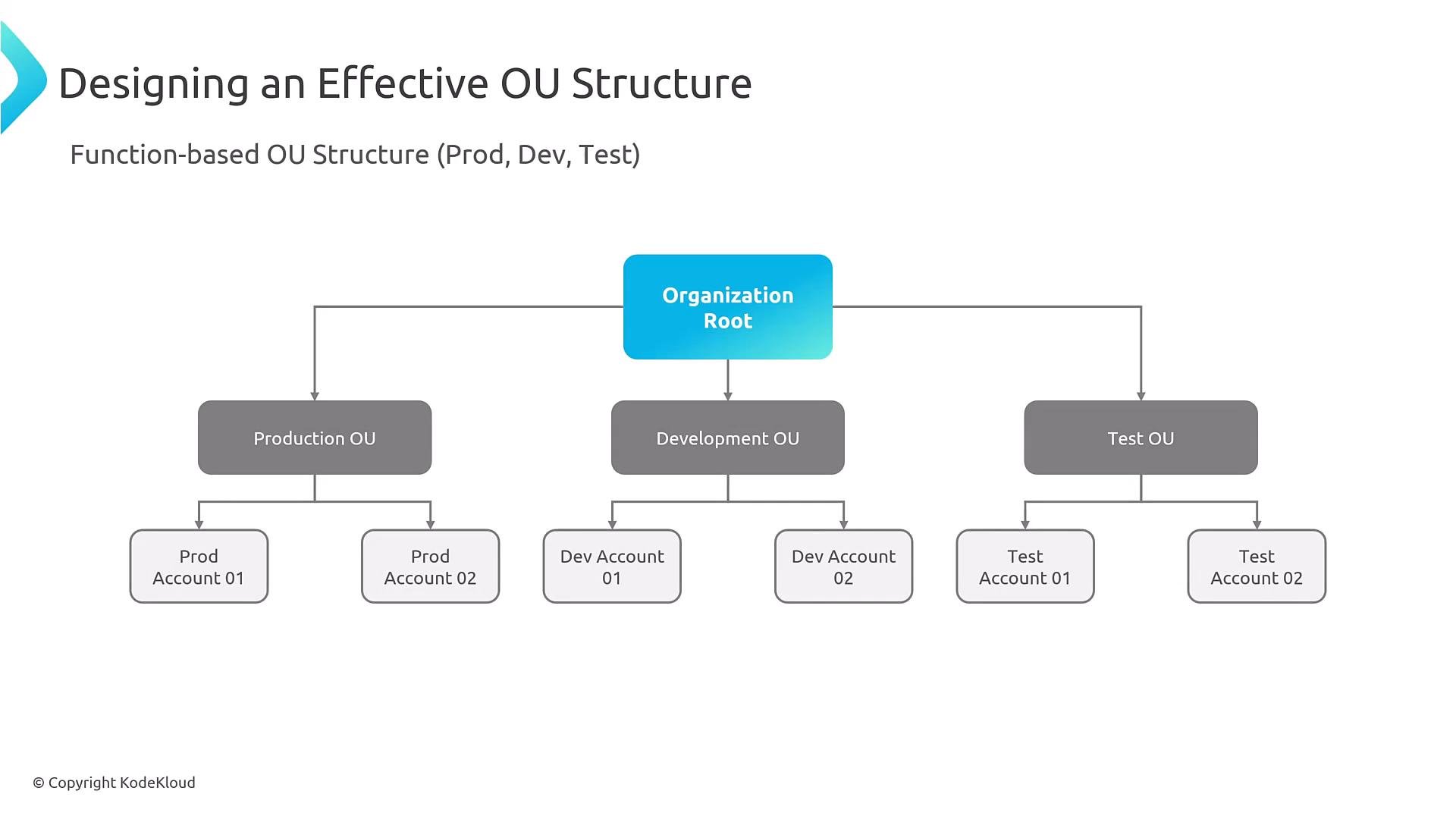
A slide showing a function-based organizational unit (OU) structure: an "Organization Root" at the top branches into Production OU, Development OU, and Test OU. Each OU further branches to individual accounts (e.g., Prod Account 01/02, Dev Account 01/02, Test Account 01/02).
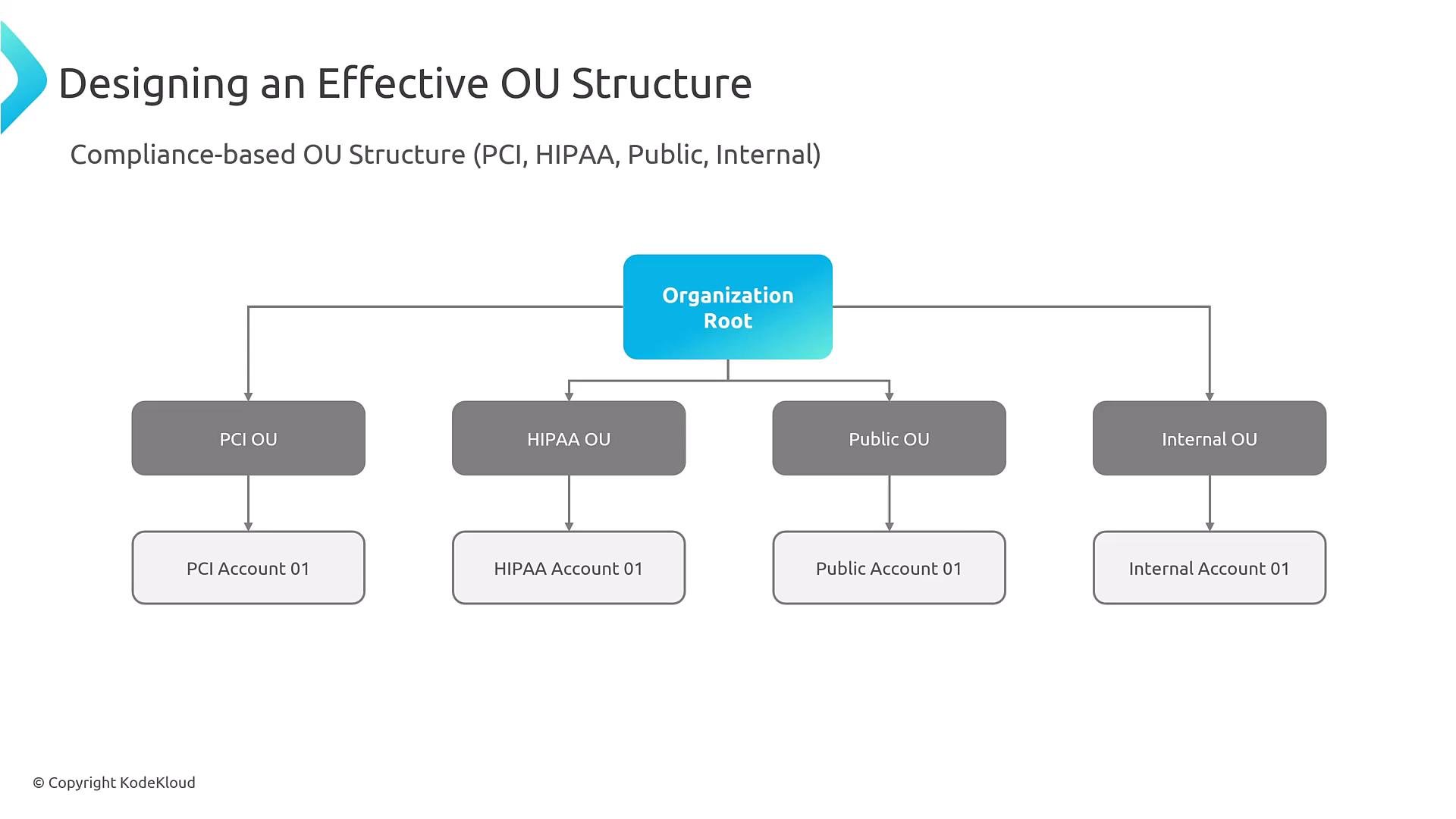
You can also group OUs by compliance requirements:
A slide with a hierarchical diagram titled "Designing an Effective OU Structure" showing an Organization Root branching to four compliance-based OUs — PCI, HIPAA, Public, and Internal — each with a corresponding account beneath.
Table — OU design tradeoffs Service Control Policies (SCPs): guardrails not grants SCPs are JSON documents attached to roots, OUs, or accounts to set the maximum available permissions inside those accounts. Important SCP behavior:
  • SCPs are evaluated before IAM identity policies. SCPs can only restrict — they do not grant permissions.
  • An explicit Deny in an SCP overrides any Allow.
  • SCPs affect service-linked roles and the root user.
  • SCPs are inherited by child OUs and accounts in the OU hierarchy.
  • Effective permissions are the intersection of SCPs, identity-based policies, resource-based policies, and permission boundaries.
Helpful reference: https://docs.aws.amazon.com/organizations/latest/userguide/orgs_manage_policies_scps.html Table — Quick SCP summary SCP example Below is an illustrative SCP implementing region restrictions, service restrictions, resource protection, privilege escalation prevention, and instance-type restrictions. Use it as a starting point and test thoroughly in non-production.
Test SCPs thoroughly in a non-production environment. A misconfigured SCP can unintentionally block necessary actions and be difficult to remediate.
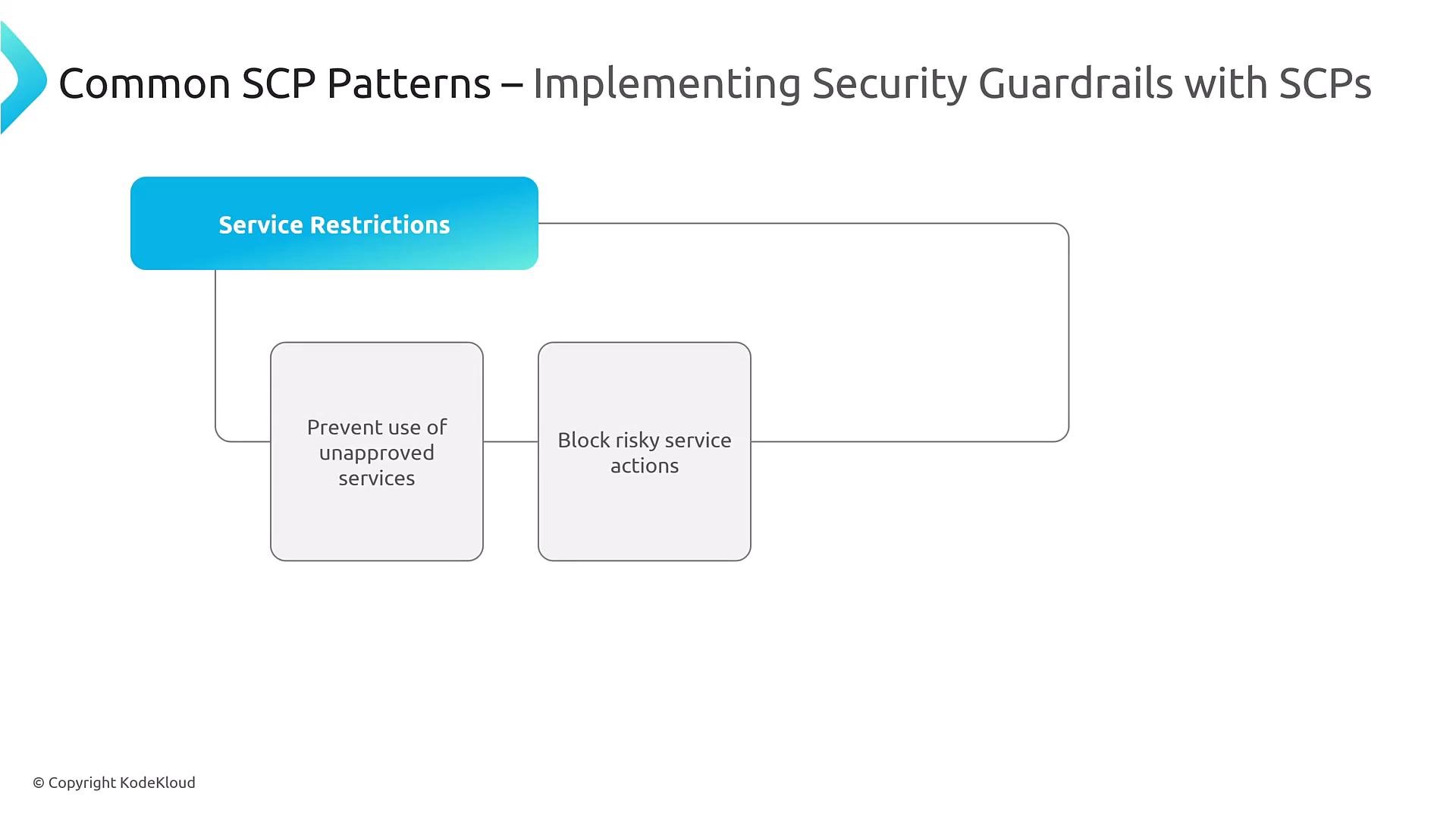
Common SCP patterns (visual)
A presentation slide titled "Common SCP Patterns – Implementing Security Guardrails with SCPs" showing a "Service Restrictions" box and two example restrictions: "Prevent use of unapproved services" and "Block risky service actions."
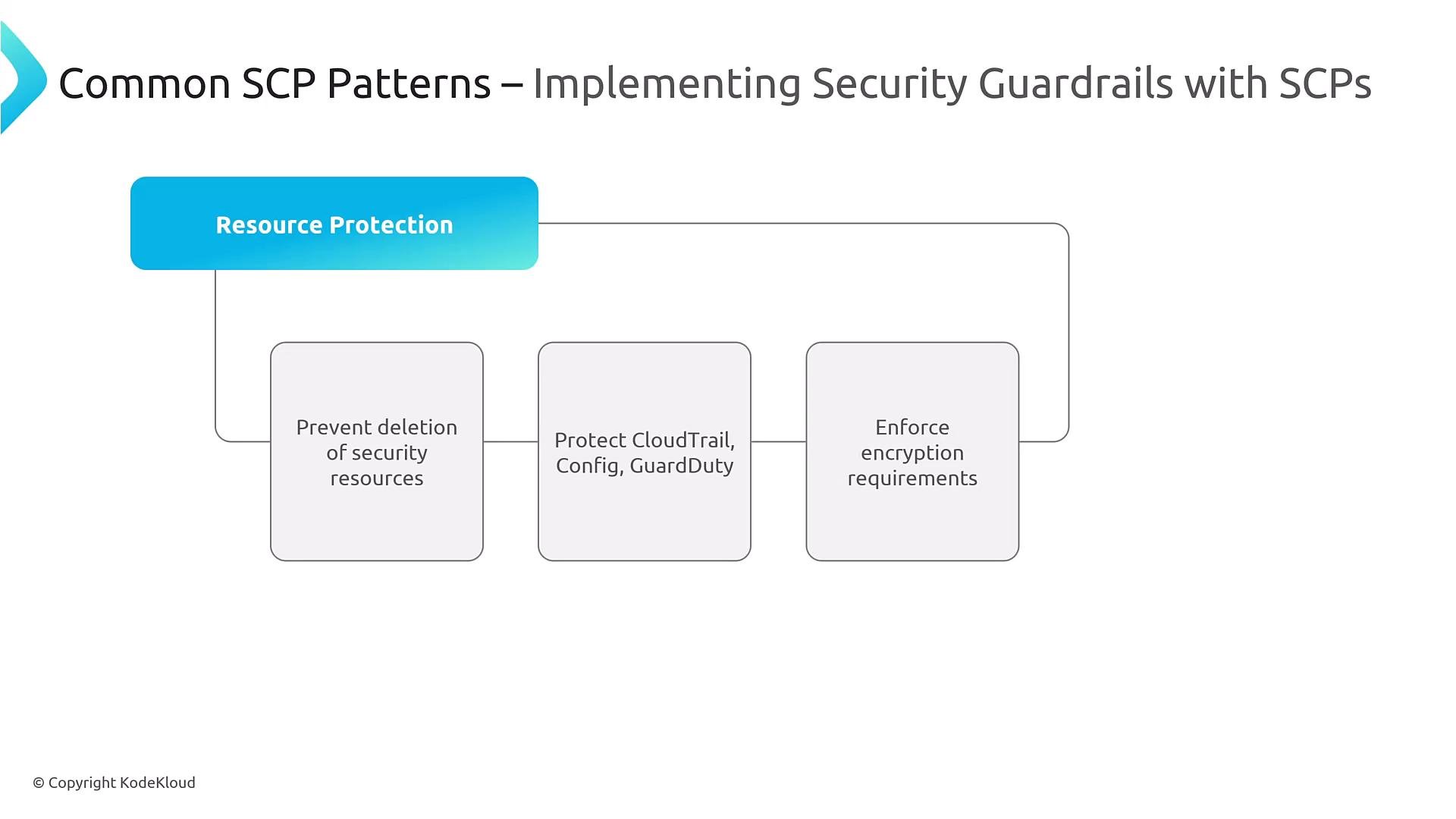
A presentation slide titled "Common SCP Patterns — Implementing Security Guardrails with SCPs" highlighting a "Resource Protection" header. Below are three boxes listing guardrails: prevent deletion of security resources; protect CloudTrail, Config, GuardDuty; and enforce encryption requirements.
Cross-account access patterns Best practice is to avoid per-account long-lived credentials by letting identities assume roles in target accounts. Typical flow:
  • Principal (user, service, CI/CD) calls sts:AssumeRole with the target role ARN (and optional ExternalId).
  • Target role has a trust policy allowing the principal to assume it.
  • Temporary security credentials are issued for the assumed role.
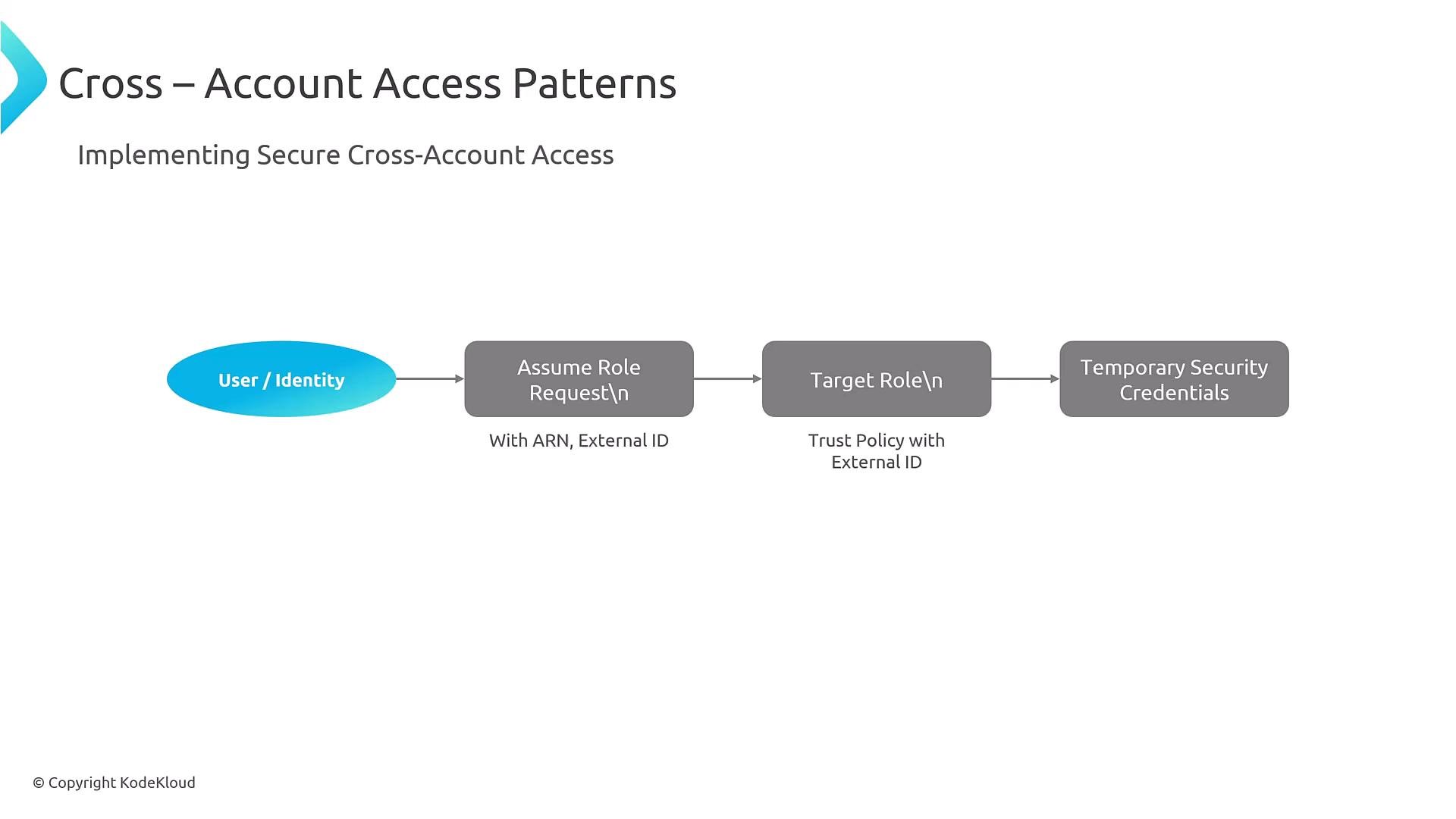
This model supports least privilege and centralized credential lifecycle management.
A slide titled "Cross – Account Access Patterns" showing a flowchart: User/Identity → Assume Role Request (with ARN, External ID) → Target Role (Trust Policy with External ID) → Temporary Security Credentials. It illustrates how to implement secure cross-account access.
Example trust policy (with ExternalId)
Centralized identity and federation Most organizations adopt identity federation to avoid managing IAM users in each account. Options include IAM Identity Center (AWS SSO), or third-party identity providers (Azure AD, Okta, PingFederate). Federation simplifies auditing, enforces central authentication policies, and supports SAML/OIDC access across AWS accounts.
Consider centralizing authentication with IAM Identity Center or a third-party IdP to simplify user lifecycle, centralize MFA, and improve auditability. See: https://aws.amazon.com/single-sign-on/
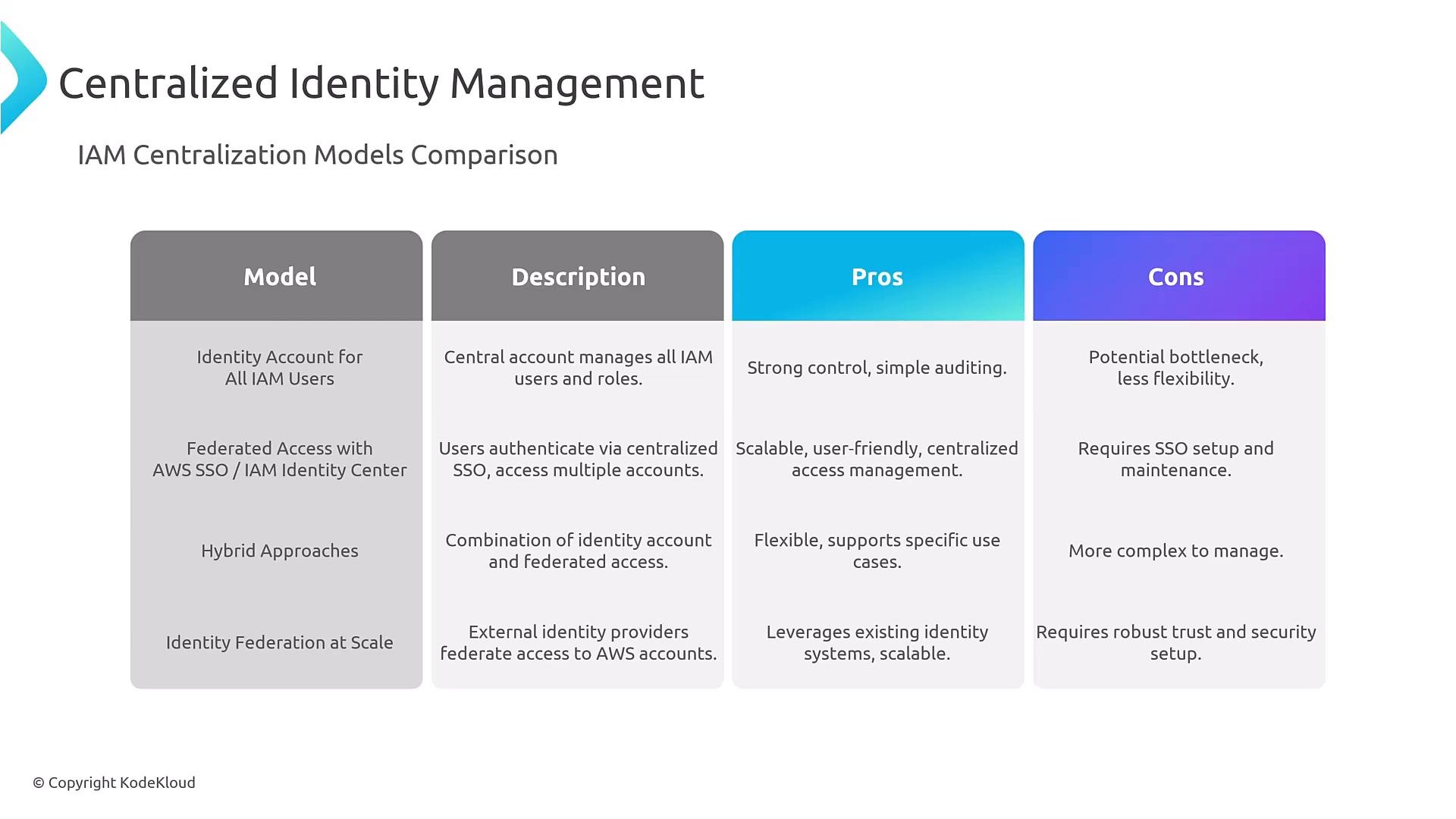
A presentation slide titled "Centralized Identity Management" showing an IAM Centralization Models Comparison table. The table has columns for Model, Description, Pros, and Cons and lists approaches like identity account for all users, federated access (AWS SSO/IAM Identity Center), hybrid approaches, and identity federation.
AWS Control Tower: landing zone and guardrails Control Tower provides an opinionated landing zone integrated with AWS Organizations. It offers Account Factory for provisioning, enforces preventive and detective guardrails, centralizes logging, and integrates with single sign-on. It’s a quick way to bootstrap a multi-account baseline but evaluate its scaling and customization limits against your requirements.
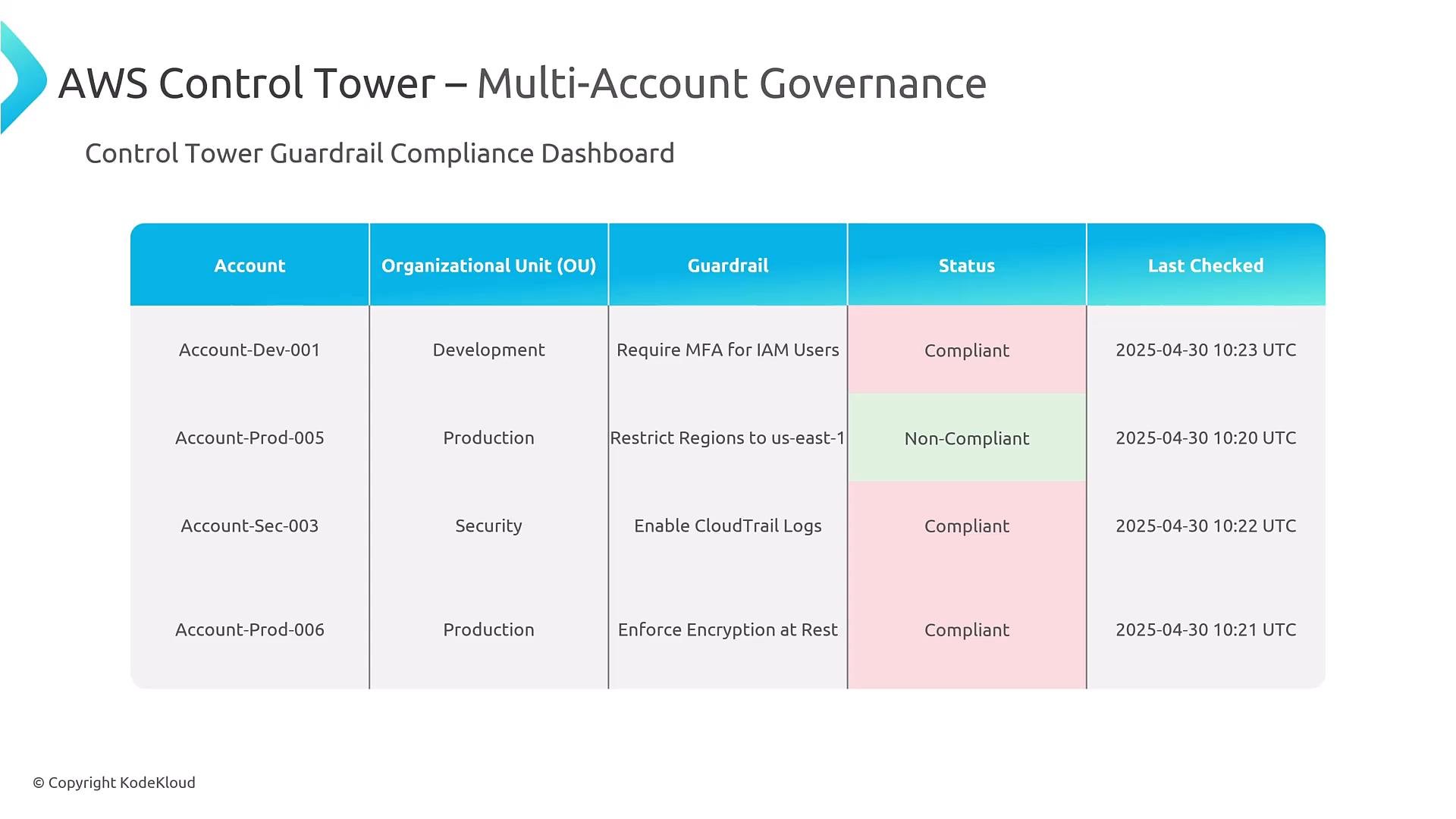
A screenshot of an AWS Control Tower Multi-Account Governance "Control Tower Guardrail Compliance Dashboard" showing a table of accounts, organizational units, guardrails, compliance status (color-coded) and last-checked timestamps. The rows list example accounts like Account-Dev-001, Account-Prod-005 and their guardrail compliance (Compliant or Non-Compliant).
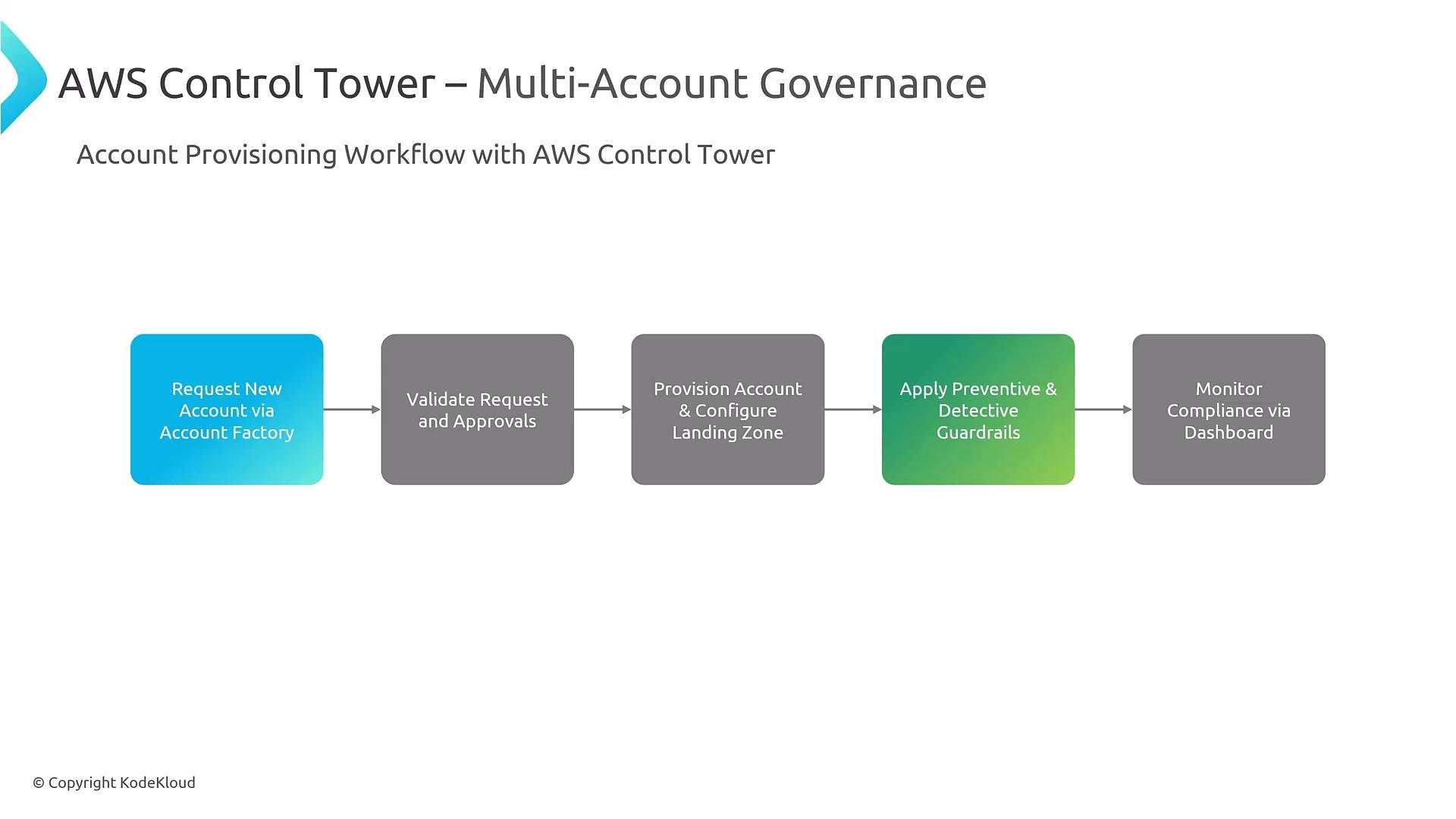
A slide titled "AWS Control Tower – Multi-Account Governance" showing a horizontal workflow of five colored boxes. The boxes list the account provisioning steps: Request New Account via Account Factory → Validate Request and Approvals → Provision Account & Configure Landing Zone → Apply Preventive & Detective Guardrails → Monitor Compliance via Dashboard.
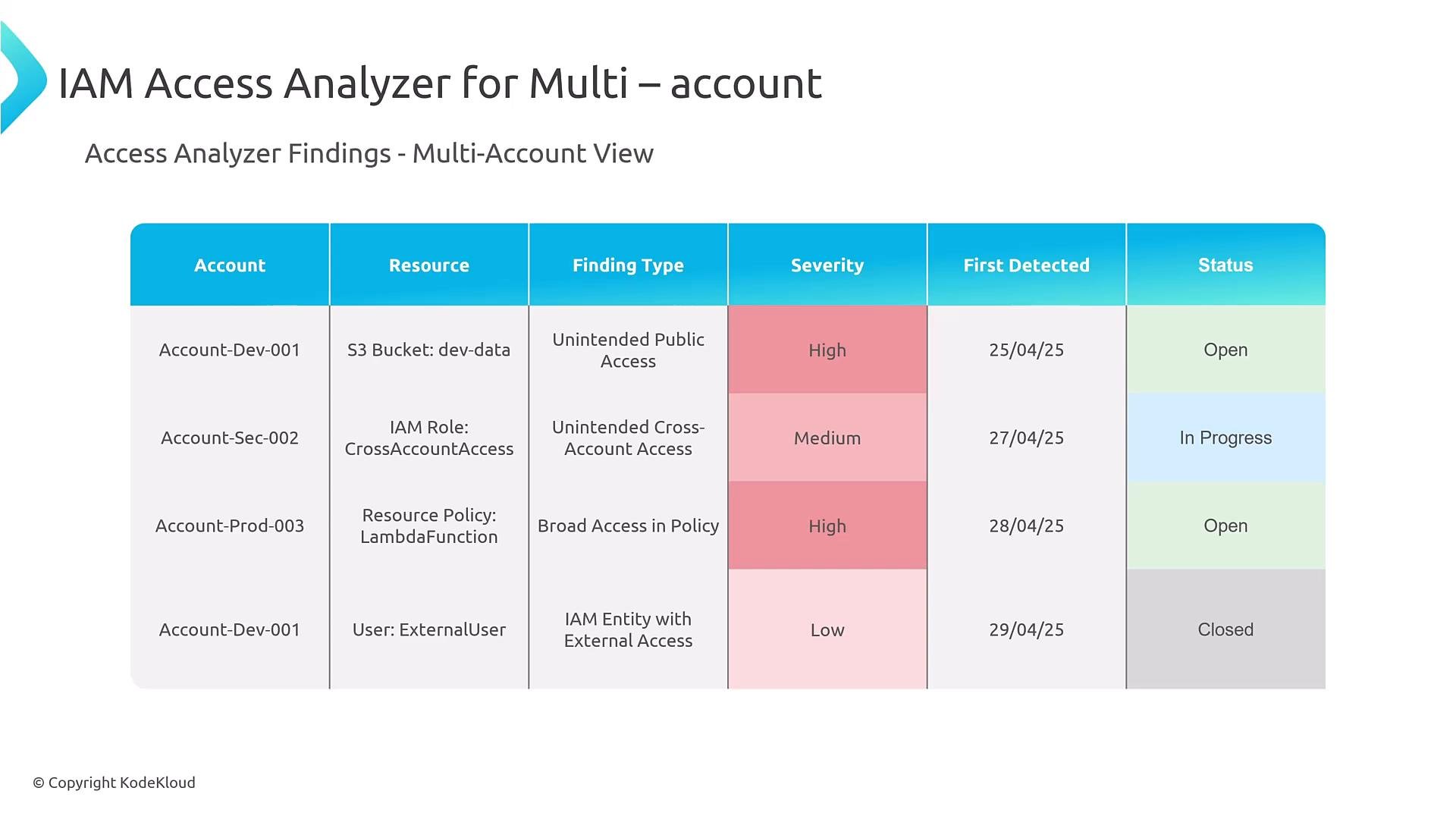
IAM Access Analyzer and automated governance IAM Access Analyzer identifies cross-account and public access risks and generates findings that can be routed via EventBridge for automated triage and remediation. Integrate findings with StackSets, AWS Config, Systems Manager runbooks, and Security Hub to build an automated governance pipeline.
A slide titled "IAM Access Analyzer for Multi-account" showing a table of access findings by account. The table lists resources, finding types, severity (High/Medium/Low), first detected dates, and statuses (Open/In Progress/Closed).
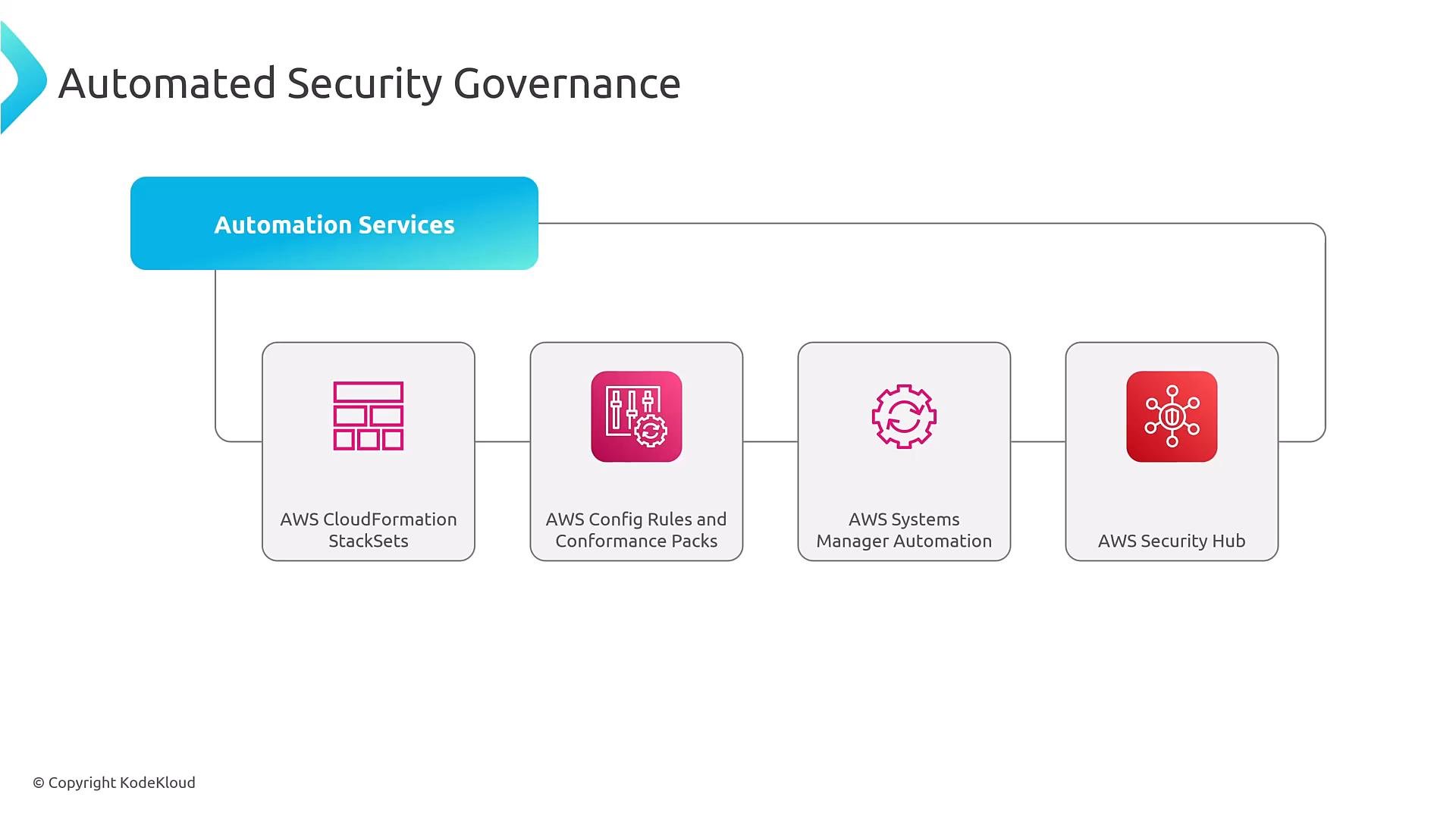
Automation building blocks
A diagram titled "Automated Security Governance" showing a blue "Automation Services" banner linked to four service boxes: AWS CloudFormation StackSets, AWS Config Rules and Conformance Packs, AWS Systems Manager Automation, and AWS Security Hub. The graphic illustrates these AWS automation tools working together for security governance.
Typical automation pattern
  • Preventive controls: SCPs (Organizations), permission boundaries (accounts)
  • Detective controls: AWS Config rules, IAM Access Analyzer, Security Hub, CloudTrail
  • Remediation workflows: EventBridge → Lambda / Systems Manager → CloudFormation StackSets / Config remediation
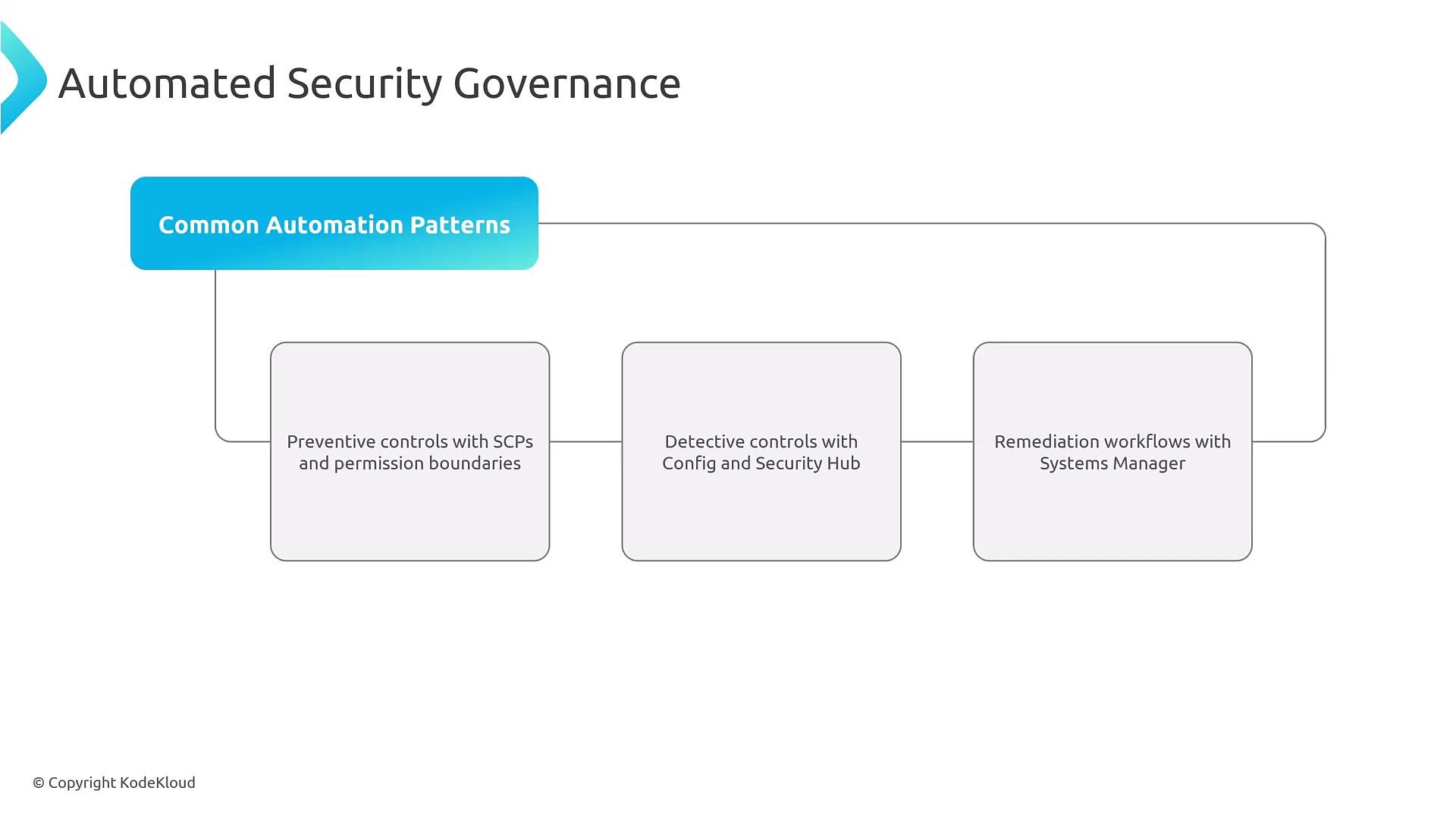
A presentation slide titled "Automated Security Governance" showing a flow diagram of "Common Automation Patterns" that branches into three boxes: preventive controls (SCPs and permission boundaries), detective controls (Config and Security Hub), and remediation workflows (Systems Manager). The layout visually links these automation patterns under a single governance header.
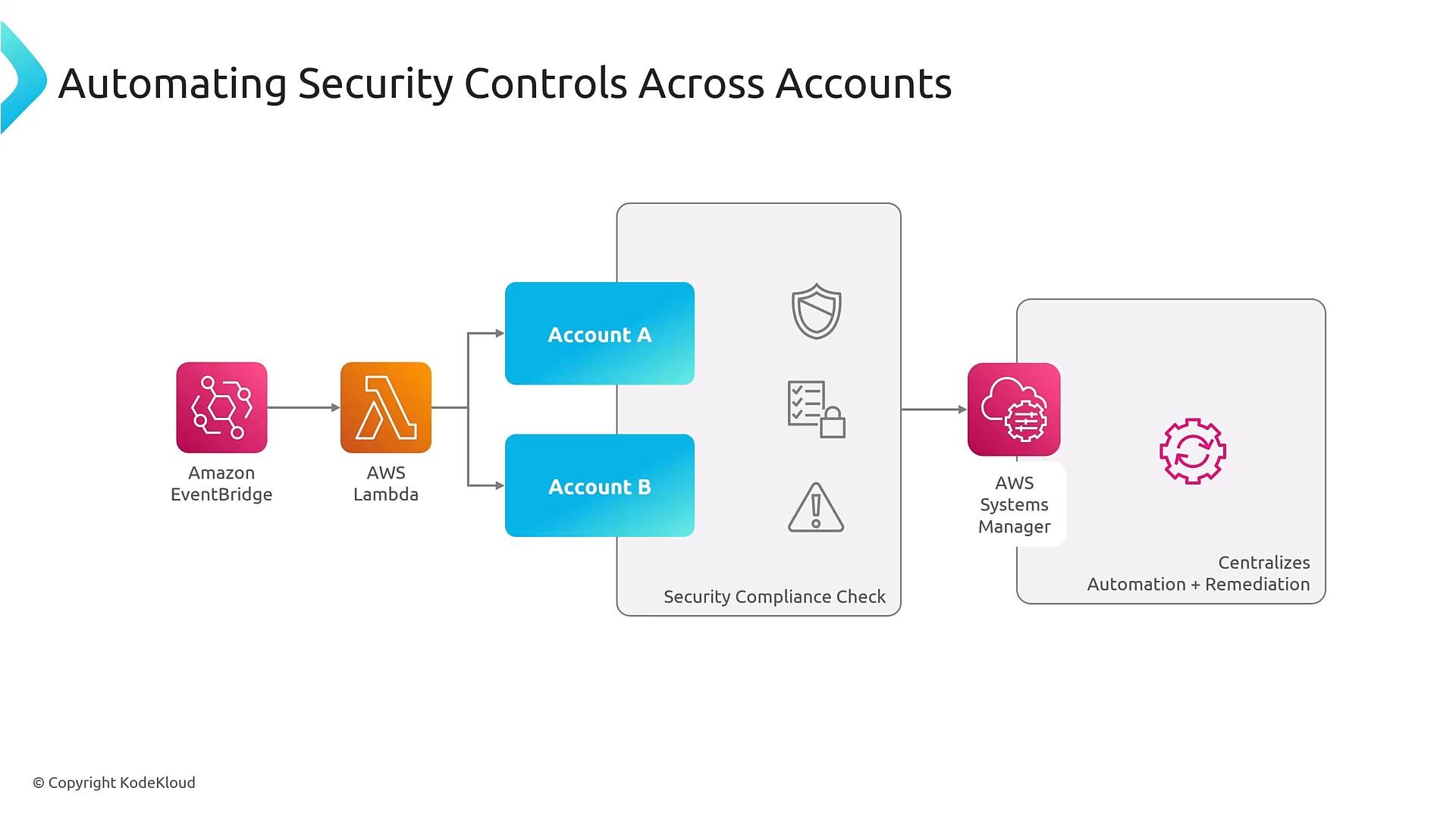
EventBridge is commonly used as the central event bus to orchestrate detection and remediation across accounts. It can route findings to other EventBridge buses, SNS, Lambda, Step Functions, StackSets, etc.
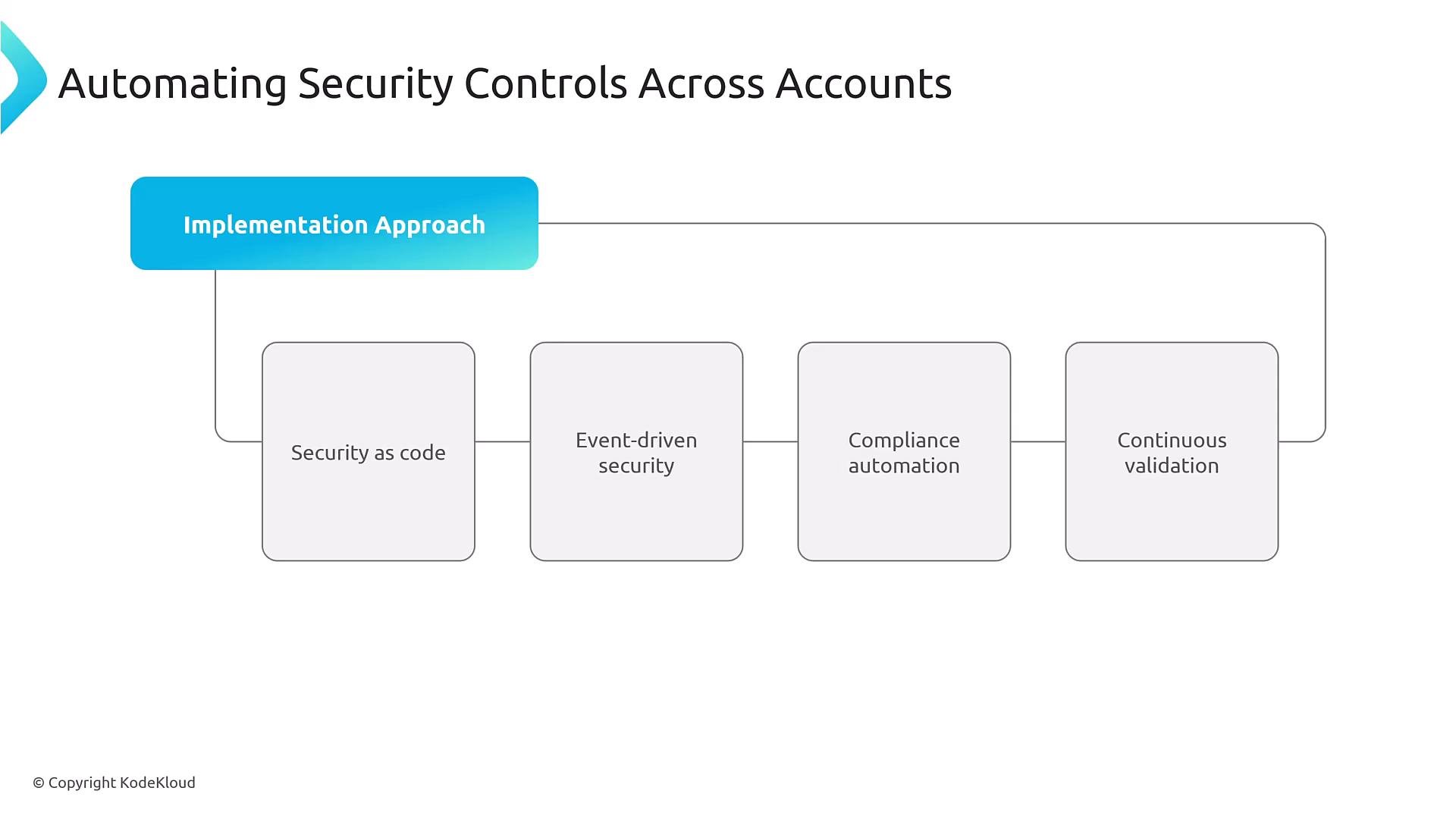
A presentation slide titled "Automating Security Controls Across Accounts" showing an "Implementation Approach" that branches to four boxes: Security as code, Event-driven security, Compliance automation, and Continuous validation.
A diagram titled "Automating Security Controls Across Accounts" showing Amazon EventBridge triggering an AWS Lambda that runs checks across Account A and Account B. Results feed into a security compliance check and AWS Systems Manager for centralized automation and remediation.
Monitoring and auditing at scale Centralize logs and findings to improve detection and incident response:
  • CloudTrail aggregation for API activity and audit trails
  • AWS Config Aggregators for cross-account configuration checks
  • Security Hub for consolidated findings and security posture
  • CloudWatch and EventBridge for alerting and automation
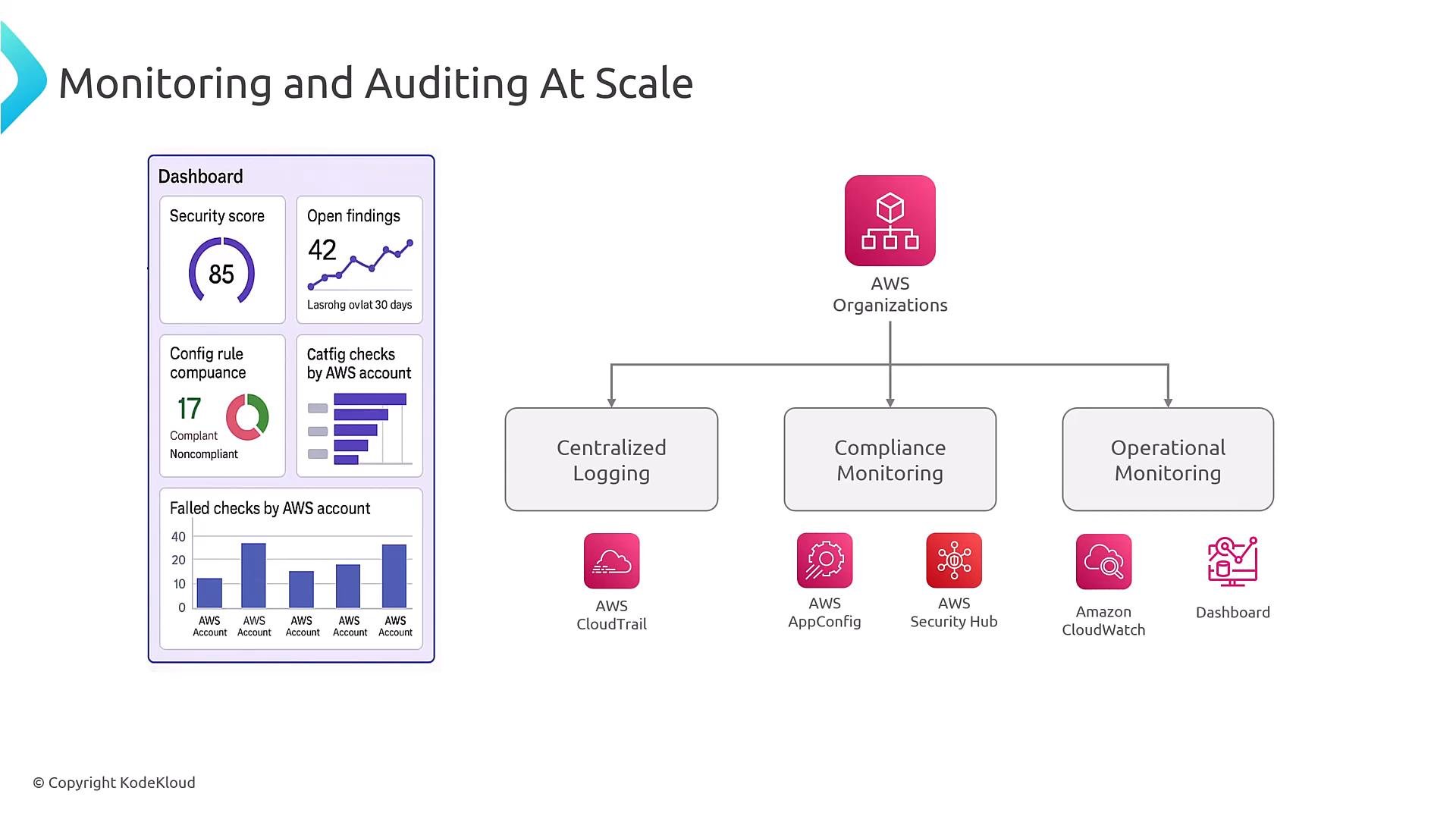
Note: ensure references to service names are correct in documentation and diagrams. For configuration auditing use AWS Config (not AppConfig).
A slide titled "Monitoring and Auditing At Scale" showing a dashboard mockup with security score, open findings, compliance metrics and failed-checks charts on the left. On the right is an AWS Organizations diagram feeding Centralized Logging, Compliance Monitoring and Operational Monitoring with AWS service icons (CloudTrail, AppConfig, Security Hub, CloudWatch).
Putting it all together: practical checklist
  1. Define account and OU structure based on business and compliance drivers.
  2. Choose baseline security controls: preventive (SCPs, permission boundaries) and detective (AWS Config, CloudTrail, Access Analyzer).
  3. Define identity model: centralized federation (IAM Identity Center or third-party IdP) or a hybrid; enforce least privilege and centralized auditing.
  4. Implement automation: use EventBridge, Security Hub, Config, StackSets, Systems Manager to validate and remediate continuously.
  5. Iterate: monitor logs, tune policies, and improve automation to reduce manual processes.
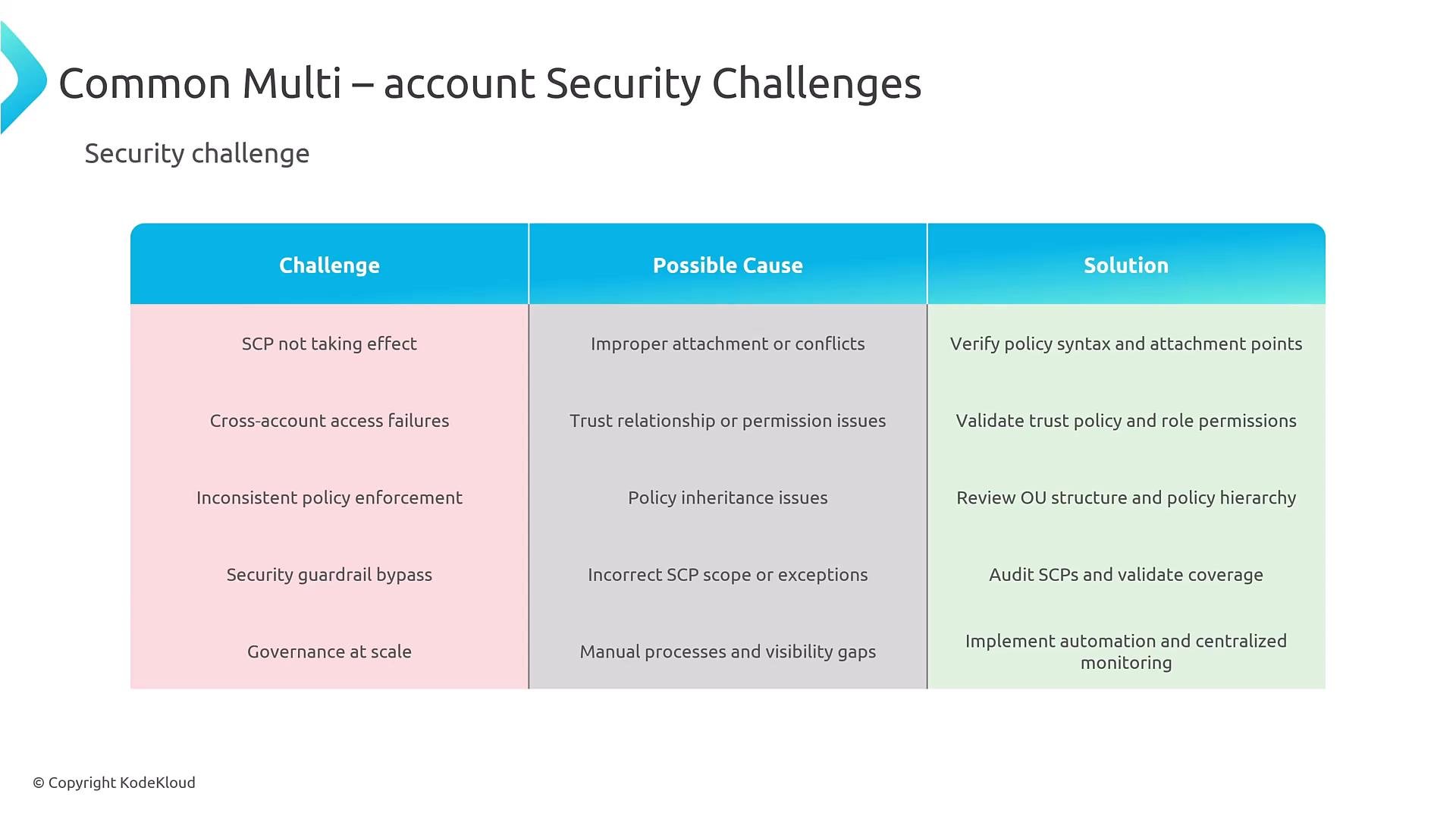
Core building blocks: Organizations + SCPs + centralized logging (CloudTrail, AWS Config) + Security Hub + automation. Common pitfalls and troubleshooting
A presentation slide titled "Common Multi-account Security Challenges" showing a three-column table of challenges, possible causes, and solutions (e.g., SCP not taking effect, cross-account access failures, governance at scale). The slide is branded © KodeKloud.
Further reading and links That concludes this lesson on multi-account security with AWS Organizations. Further materials will cover the remaining domain topics and hands-on automation examples.

Watch Video