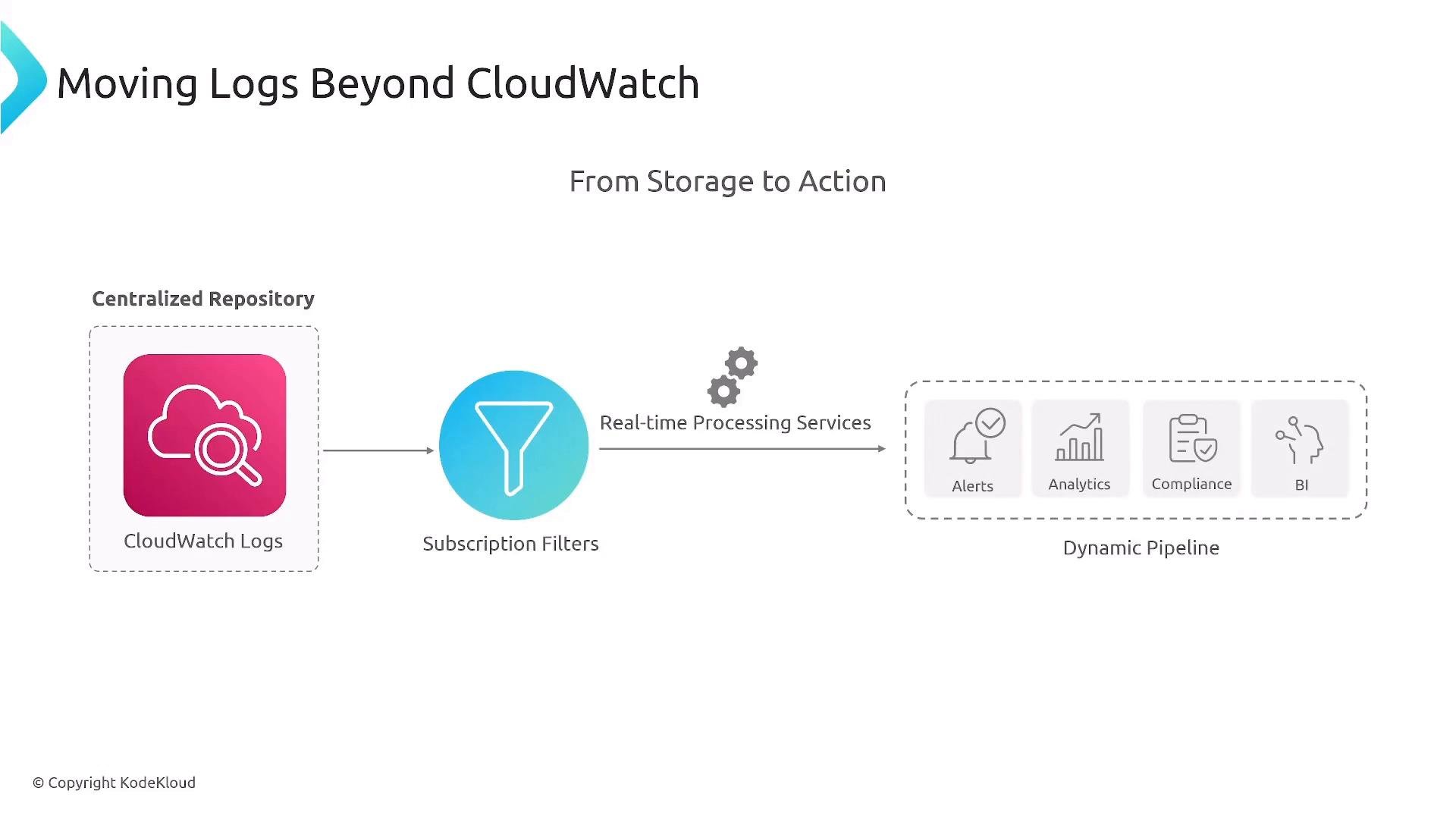
Welcome. This lesson expands on CloudWatch Logs subscription filters and log streams, showing how to move logs beyond CloudWatch for centralized, real‑time processing and analytics. Centralizing logs enables stronger cross‑service, cross‑account, and cross‑region correlation. A common architecture uses CloudWatch Logs subscription filters to forward events in real time to destinations such as Amazon Kinesis Data Streams, Amazon Kinesis Data Firehose, AWS Lambda, or Amazon OpenSearch Service (managed). Those destinations enable use cases like business intelligence, analytics, compliance, and alerting.
A diagram titled "Moving Logs Beyond CloudWatch" showing CloudWatch Logs feeding through subscription filters (a funnel) into real-time processing services and a dynamic pipeline that delivers alerts, analytics, compliance, and BI.
The goal: build a dynamic pipeline that ingests, filters, routes, processes, and analyzes logs so you can derive insights and act quickly.
Important: CloudWatch Logs supports only one subscription filter per log group. You cannot attach multiple subscription filters to the same log group. Plan your fan‑out using a destination that supports multiple consumers (for example, Kinesis Data Streams) or implement a bridging Lambda.
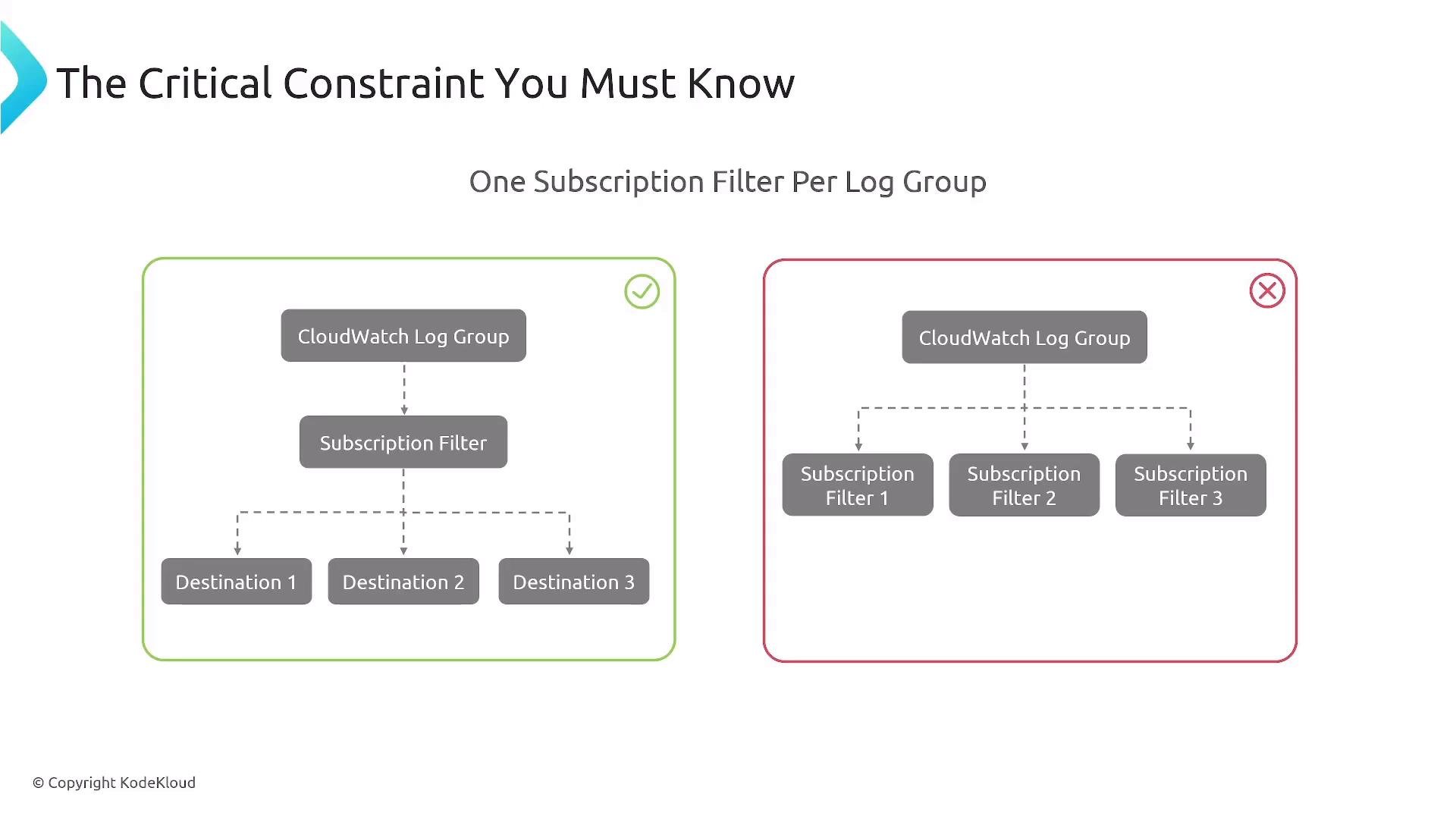
A common mistake is attempting to create multiple subscription filters for one log group. Instead, choose a destination that can fan out or supports the downstream use cases you need.
A slide diagram explaining that a CloudWatch Log Group can have only one subscription filter: the left (green) shows a single subscription filter forwarding to multiple destinations, and the right (red) shows the incorrect setup with multiple subscription filters.
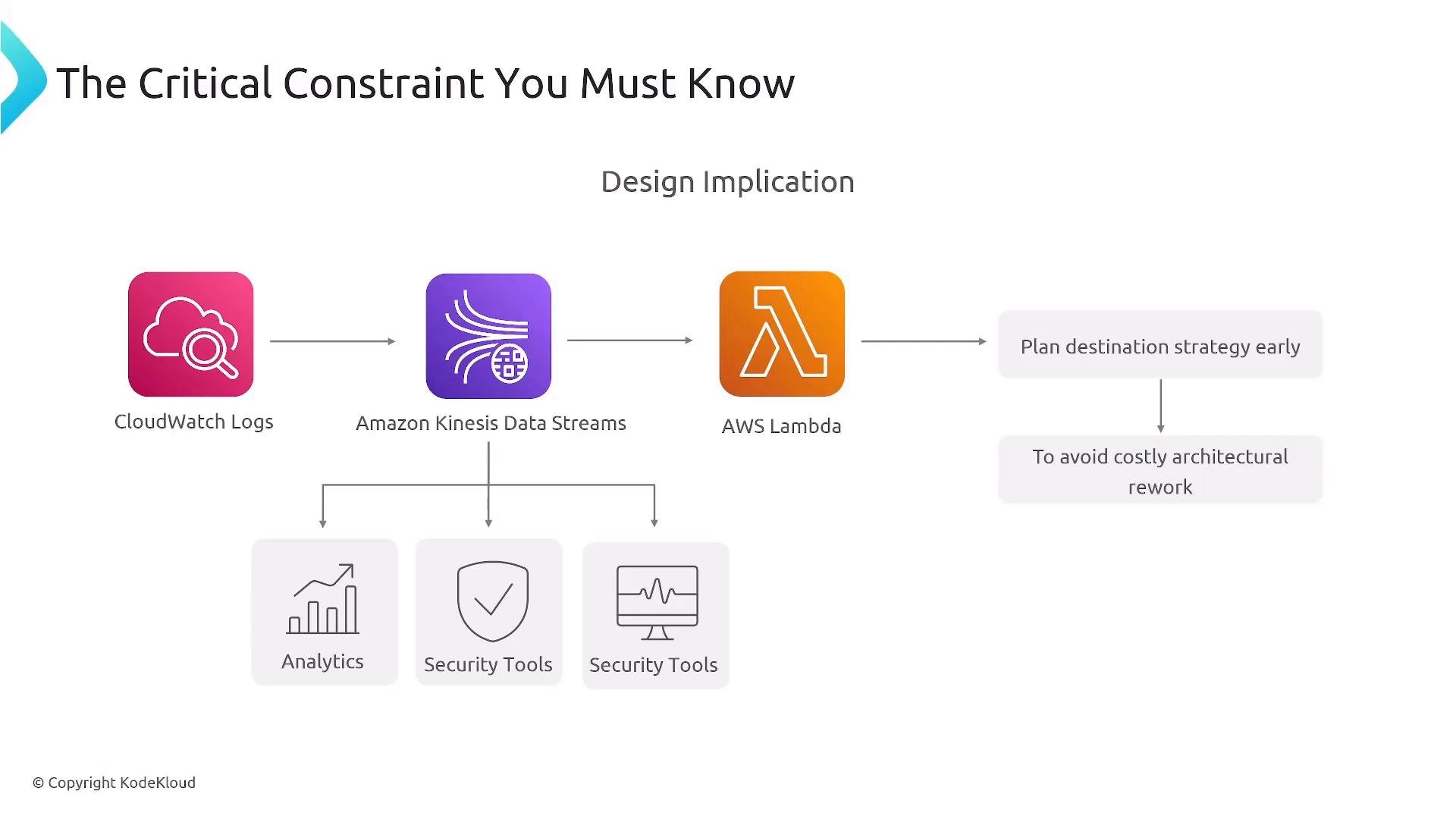
Plan your destination strategy early to avoid costly rework. Common CloudWatch Logs subscription destinations:
  • Amazon Kinesis Data Streams — high throughput, ordered delivery, and multiple independent consumers.
  • AWS Lambda — serverless transformation, enrichment, routing, or API‑based ingestion (e.g., calling OpenSearch Serverless).
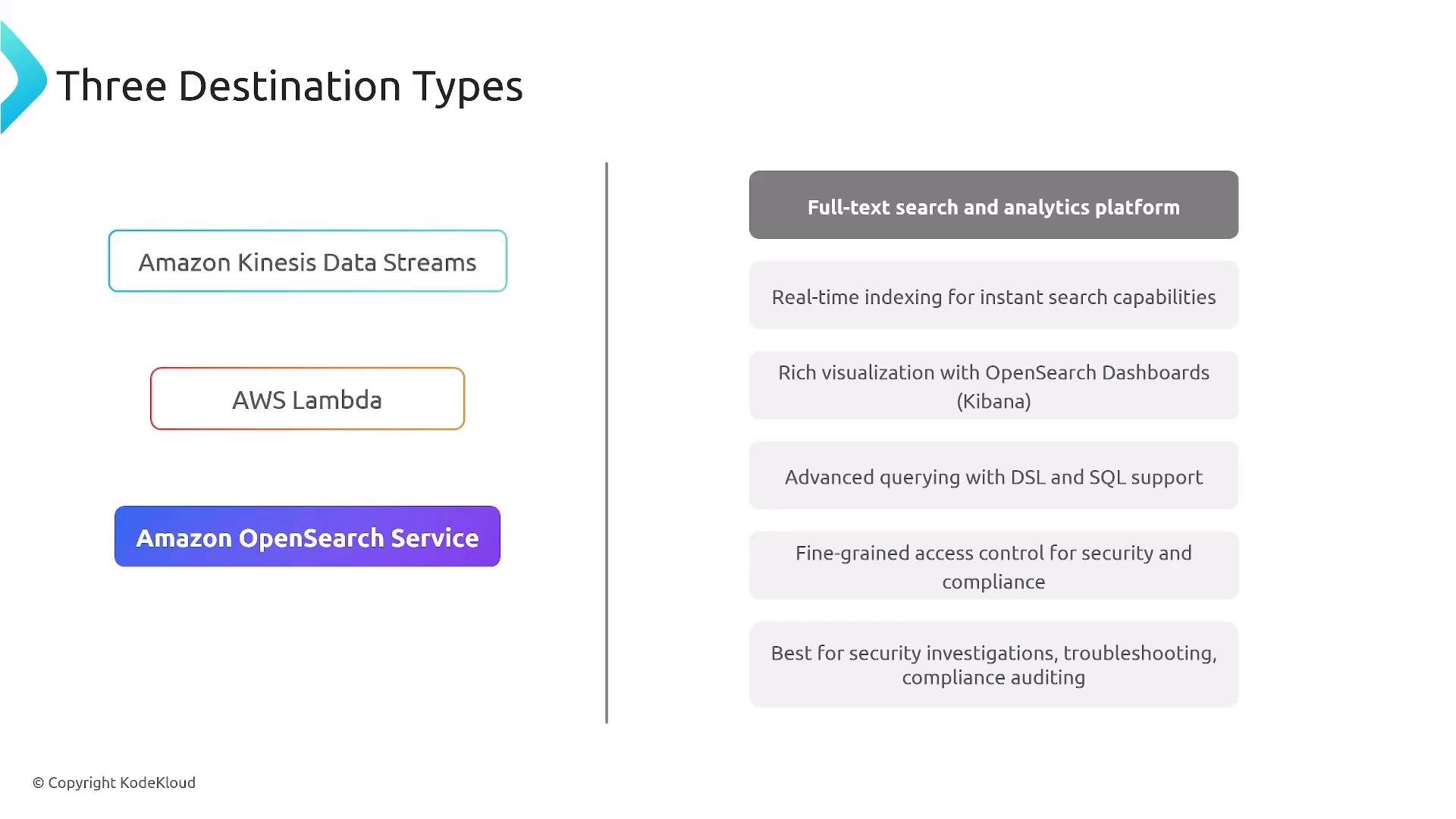
  • Amazon OpenSearch Service (managed) — indexing, search, and visualization (OpenSearch Dashboards).
  • Amazon Kinesis Data Firehose — continuous delivery to S3, Redshift, or third‑party endpoints without building consumer logic.
Note that some targets (for example, OpenSearch Serverless) often require a Lambda bridge because CloudWatch subscription destinations do not always support direct delivery to Serverless endpoints.
A cloud architecture diagram showing data flow from CloudWatch Logs to Amazon Kinesis Data Streams and then to AWS Lambda. It also shows Kinesis branching to analytics and security tools and a note to "plan destination strategy early" to avoid costly rework.
Below is a concise comparison to help choose the right destination.
A presentation slide titled "Three Destination Types" lists three AWS services—Amazon Kinesis Data Streams, AWS Lambda, and Amazon OpenSearch Service—on the left. On the right it highlights OpenSearch features such as full-text search and analytics, real-time indexing, OpenSearch Dashboards visualizations, advanced querying, and fine-grained access control.
Kinesis Data Streams is ideal when you need:
  • Very high throughput and configurable retention.
  • Ordered records and replay semantics.
  • Fan‑out to multiple independent consumers (real‑time alerting, archival, SIEM, fraud detection).
  • Dedicated consumer groups that can read the same stream independently.
Lambda fits when you need:
  • Serverless transformation, enrichment, or routing logic.
  • Integration with downstream APIs (for example, bulk indexing OpenSearch Serverless).
  • A compact, code‑centric approach to process each batch from CloudWatch Logs.
OpenSearch Service (managed) gives full‑text search, analytics, real‑time indexing, and visualization with OpenSearch Dashboards. If you choose OpenSearch Serverless, plan for a Lambda bridging pattern to call the Serverless API (bulk indexing), because direct subscription delivery may not be supported.
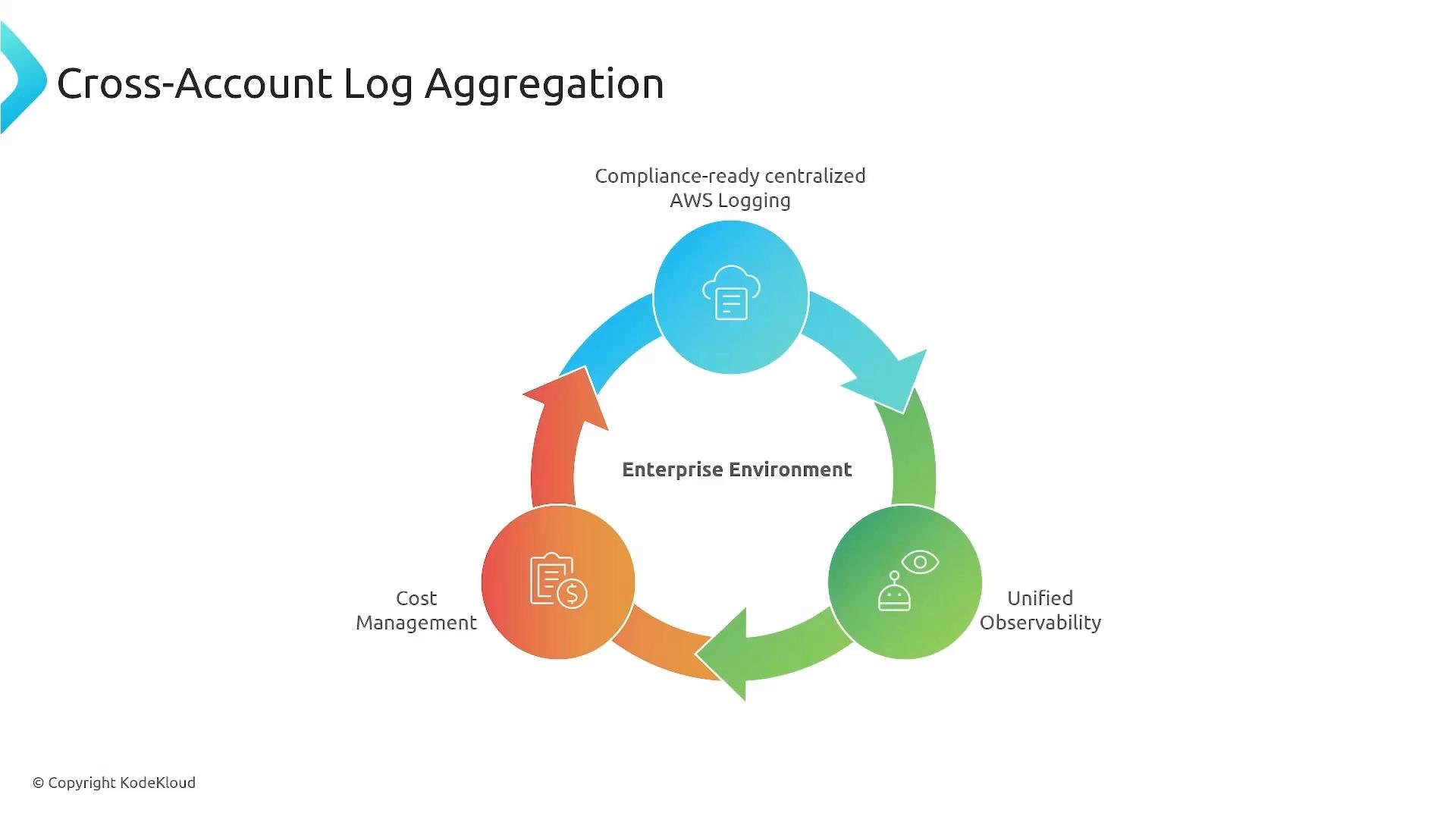
A circular infographic titled "Cross-Account Log Aggregation" showing three colored nodes—Compliance-ready centralized AWS Logging, Unified Observability, and Cost Management—connected by arrows around the central label "Enterprise Environment." Each node includes a small icon and the arrows form a continuous loop.
Cross‑account aggregation is common for enterprise observability and compliance. Typical approach:
  • A central logging account hosts the destination (Kinesis stream or Firehose).
  • Application accounts create subscription filters that forward to the central destination.
  • Cross‑account IAM roles and resource policies allow the sending account to call PutRecords (Kinesis) or deliver to Firehose.
Trust relationships and resource permissions must be configured correctly: the source account needs permission to deliver to the destination ARN, and the destination may need a resource policy to allow ingestion from the source account.
Tip: When designing cross‑account ingestion, document the required IAM actions (for example, kinesis:PutRecords, firehose:PutRecord) and attach least‑privilege roles in the source account. Also add resource policies on the destination to explicitly allow the source account(s).
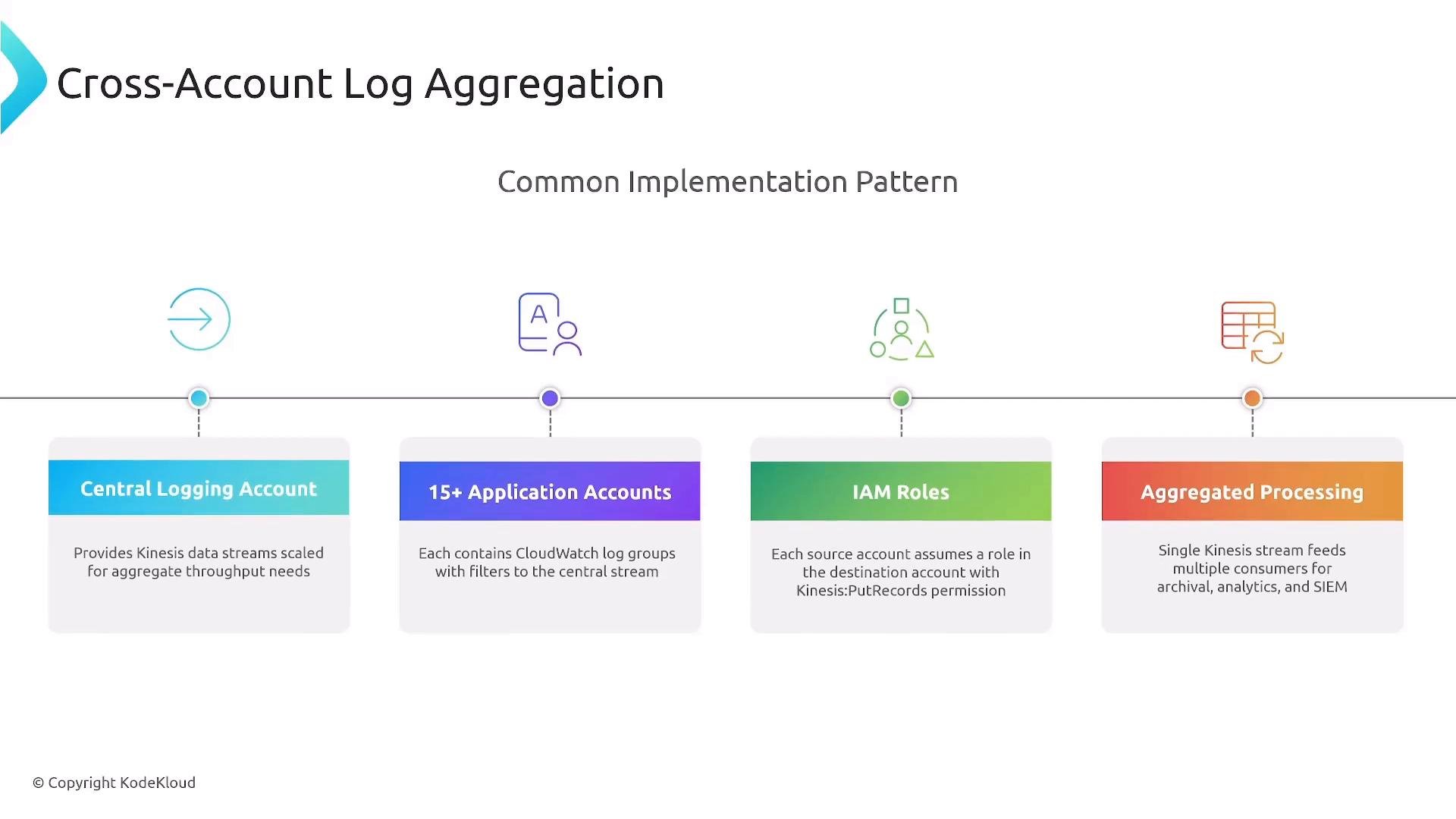
A slide diagram titled "Cross-Account Log Aggregation — Common Implementation Pattern" showing four colored boxes: Central Logging Account, 15+ Application Accounts, IAM Roles, and Aggregated Processing. Icons and a timeline illustrate logs flowing from multiple application accounts into a central Kinesis stream for archival and analytics.
Common implementation pattern:
  • Central logging account hosts a Kinesis Data Stream or Firehose delivery stream sized for aggregated throughput.
  • Each application account forwards relevant log events from its CloudWatch log groups to the central stream.
  • The role used by the subscription must be granted kinesis:PutRecords (or Firehose permissions) to write into the central stream.
  • The central stream feeds consumers for archival, analytics, SIEM ingestion, or other processing.
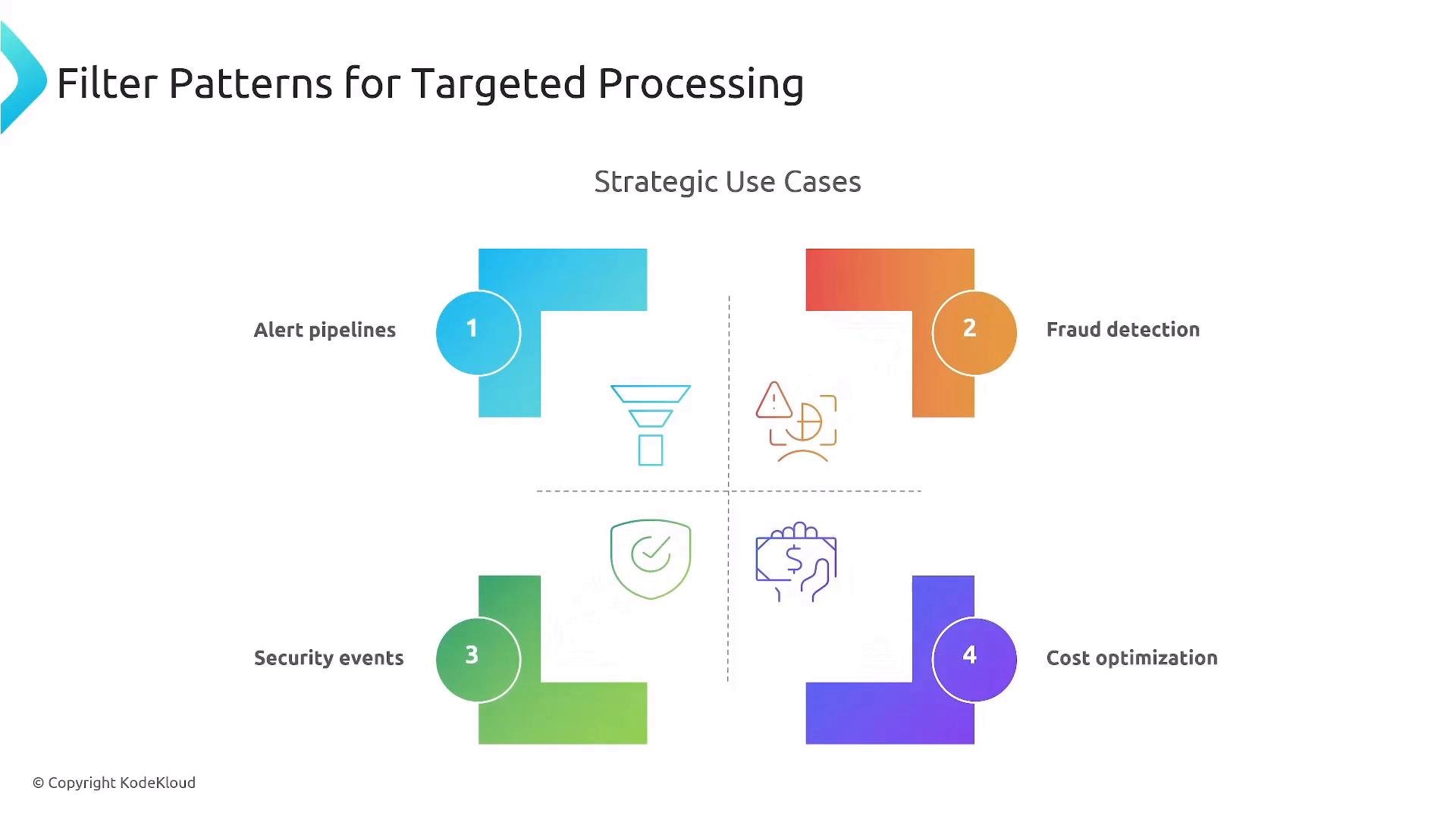
This centralization reduces per‑account overhead, enables organization‑wide analytics (S3 + Amazon Athena or OpenSearch), and simplifies compliance reporting. To control cost and reduce noise, stream only relevant events. Use CloudWatch Logs filter patterns to include or exclude events before they reach downstream systems. Typical strategies:
  • Filter to only errors or warnings (exclude info/debug).
  • Extract only the fields you need so downstream processing and indexes are smaller.
  • Combine conditions using logical OR to capture multiple critical levels.
Examples of CloudWatch Logs filter patterns (JSON and space‑delimited syntax):
Sending all log events (no filter) is supported, but it can significantly increase ingestion and storage costs downstream. Use filters to control volume and focus processing on business‑critical events.
An infographic titled "Filter Patterns for Targeted Processing" showing four strategic use cases arranged in quadrants: 1) Alert pipelines, 2) Fraud detection, 3) Security events, and 4) Cost optimization. It uses colorful numbered corner shapes and simple icons, with a © Copyright KodeKloud note.
OpenSearch integration patterns:
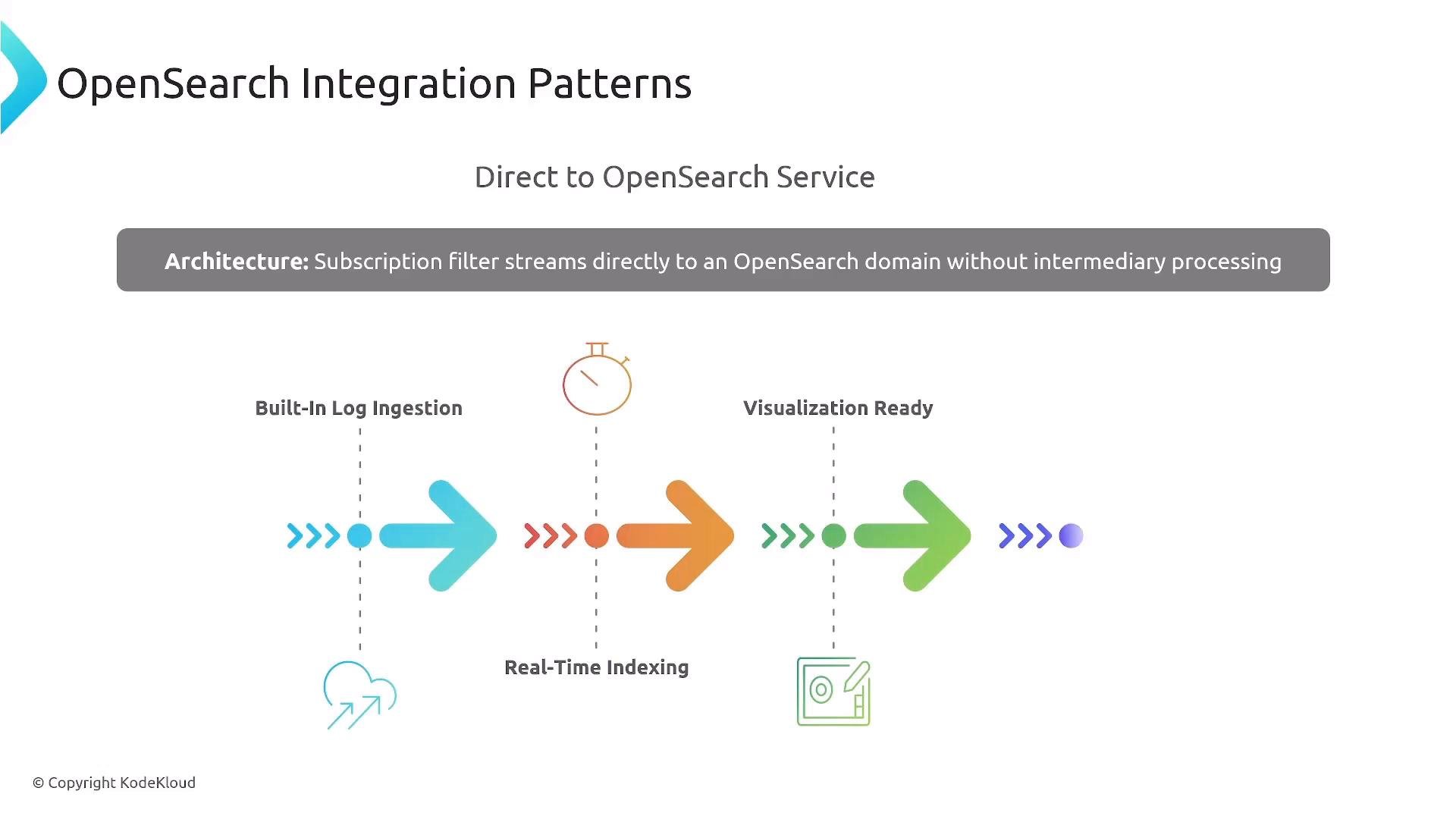
  • Direct to OpenSearch Service (managed): If OpenSearch Service is supported as a subscription destination in your account/region, send events directly for indexing and visualization.
  • Lambda bridge to OpenSearch Serverless: For Serverless, use a Lambda to transform, batch, and call the Serverless API (bulk indexing). This lets you add enrichment, batching, retries, and backoff logic.
OpenSearch supports tiered storage (hot/warm/cold), so plan retention and cost‑optimization similarly to S3‑based pipelines.
A slide titled "OpenSearch Integration Patterns — Direct to OpenSearch Service" showing a flow diagram of colored arrows and icons. It illustrates stages like built-in log ingestion, real-time indexing, and visualization-ready data.
If you adopt the Lambda bridge pattern for serverless ingestion, a typical flow is:
  • CloudWatch Logs subscription sends batches to Lambda.
  • Lambda transforms, batches, and calls the OpenSearch Serverless API to bulk index documents.
  • Lambda handles retries, error logic, and backoff; tune batch size to balance cost and latency.
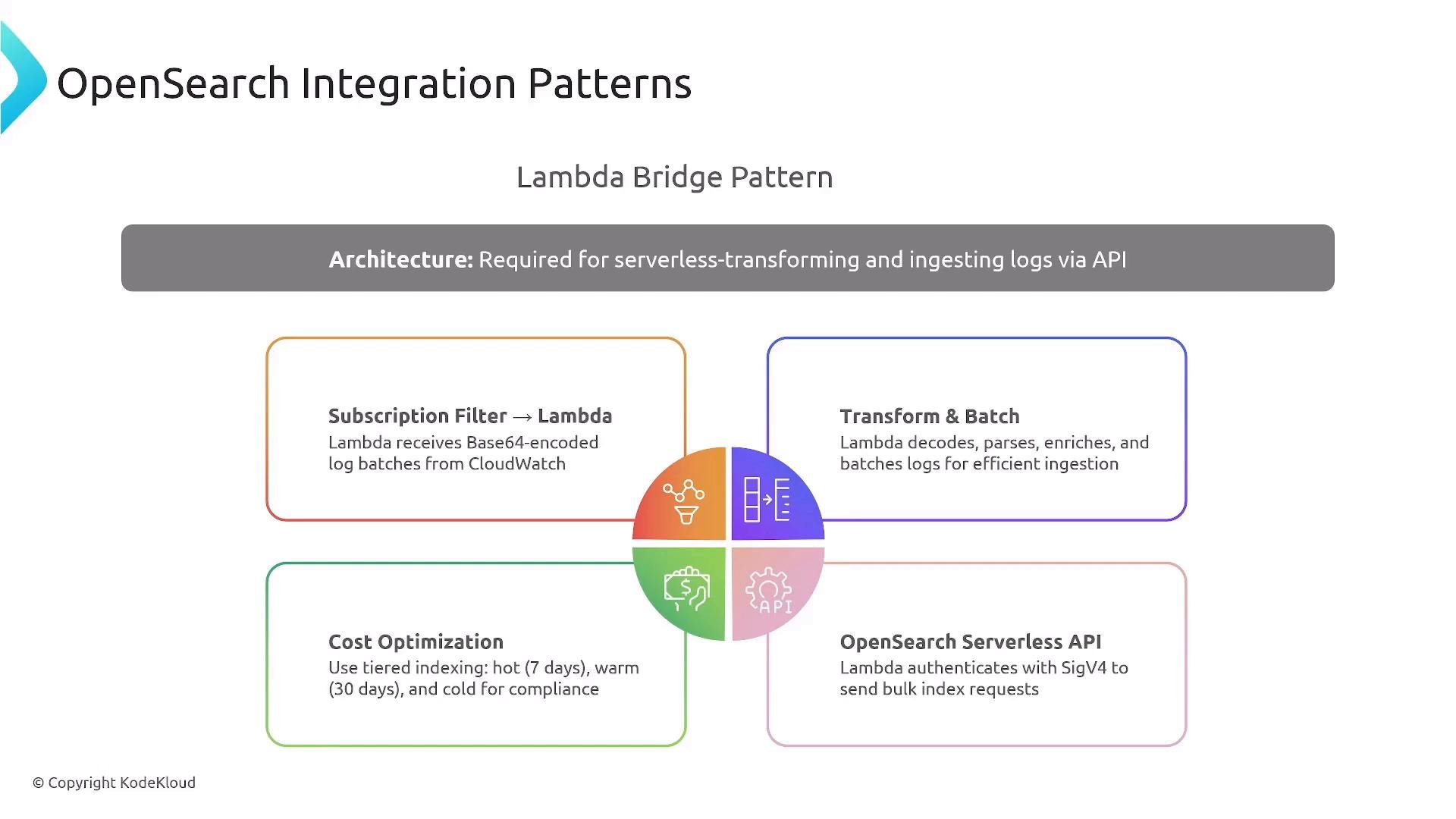
A slide titled "OpenSearch Integration Patterns" showing the "Lambda Bridge Pattern" — an architecture for serverless transforming and ingesting logs via API. The diagram highlights four areas: Subscription Filter → Lambda, Transform & Batch, Cost Optimization, and OpenSearch Serverless API.
Kinesis Data Streams deep dive:
  • Choose Kinesis when you need multiple consumers with independent processing semantics (fan‑out).
  • Typical consumers: real‑time alerting, compliance archival, fraud detection, SIEM ingestion.
  • Kinesis shard count and retention determine throughput and cost; size the stream for aggregated traffic.
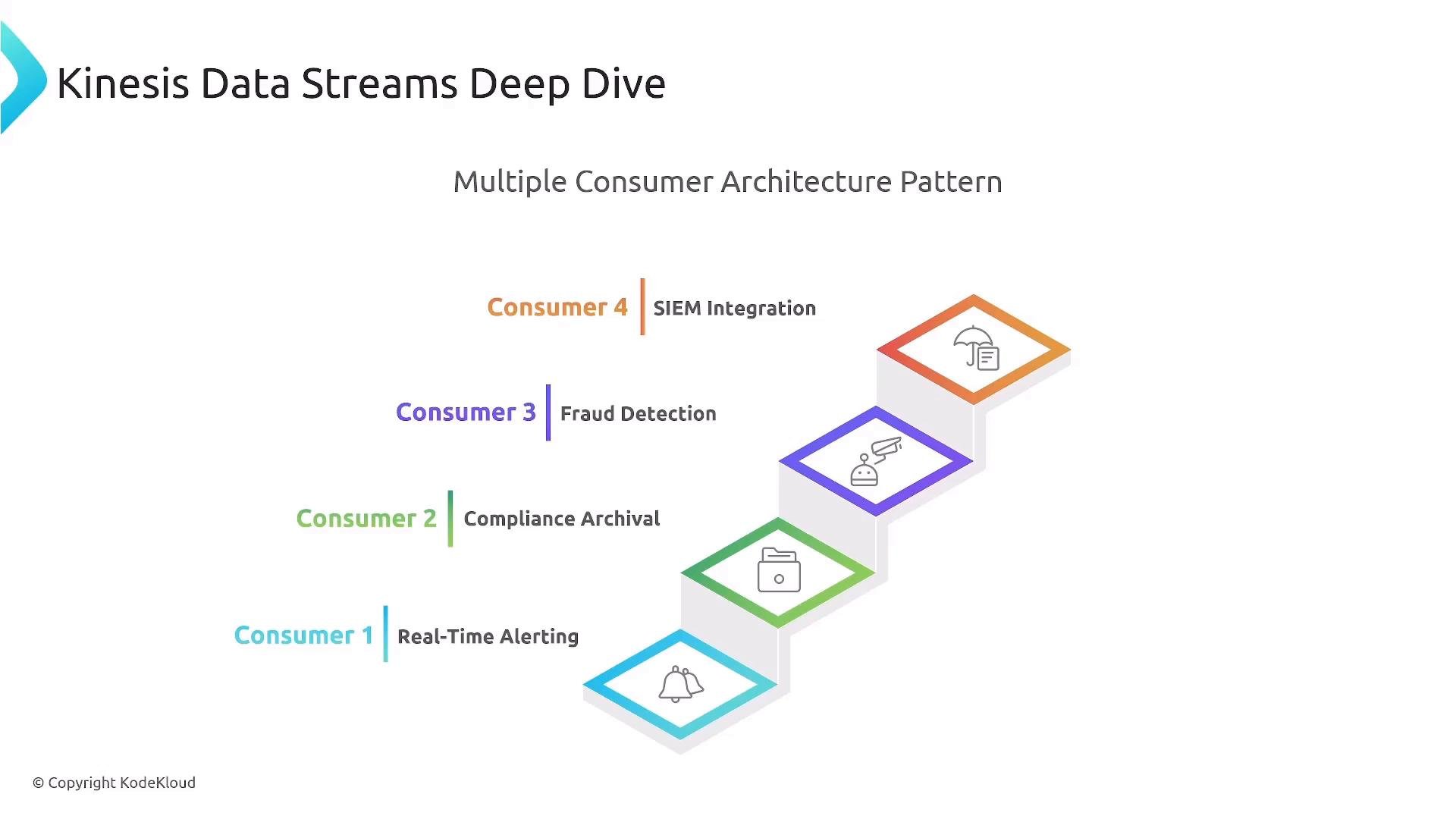
A presentation slide titled "Kinesis Data Streams Deep Dive" illustrating a "Multiple Consumer Architecture Pattern." It shows four colored stepped tiles with icons labeled Consumer 1: Real‑Time Alerting, Consumer 2: Compliance Archival, Consumer 3: Fraud Detection, and Consumer 4: SIEM Integration.
Lambda considerations in ingestion pipelines:
  • Concurrency and cost: high event rates may spawn many concurrent invocations. Monitor and provision reserved concurrency where appropriate.
  • Error handling and retries: implement dead‑letter queues (DLQs) or use durable intermediate stores (SQS, Kinesis) for failed records.
  • Execution time limits: Lambda has a 15‑minute max runtime. For longer processing or large batch work, use durable stores or break work into smaller units.
Keep these operational constraints in mind when designing pipelines. Essential takeaways:
  • One subscription filter per CloudWatch log group — design for fan‑out at the destination.
  • Cross‑account aggregation requires correct IAM roles and resource policies.
  • OpenSearch Serverless usually needs a Lambda bridge; managed OpenSearch Service may accept direct delivery where supported.
  • Use filter patterns to reduce low‑value traffic and control cost.
  • Kinesis enables fan‑out and multiple independent consumers; Lambda offers flexible transformation but has concurrency and runtime limits.
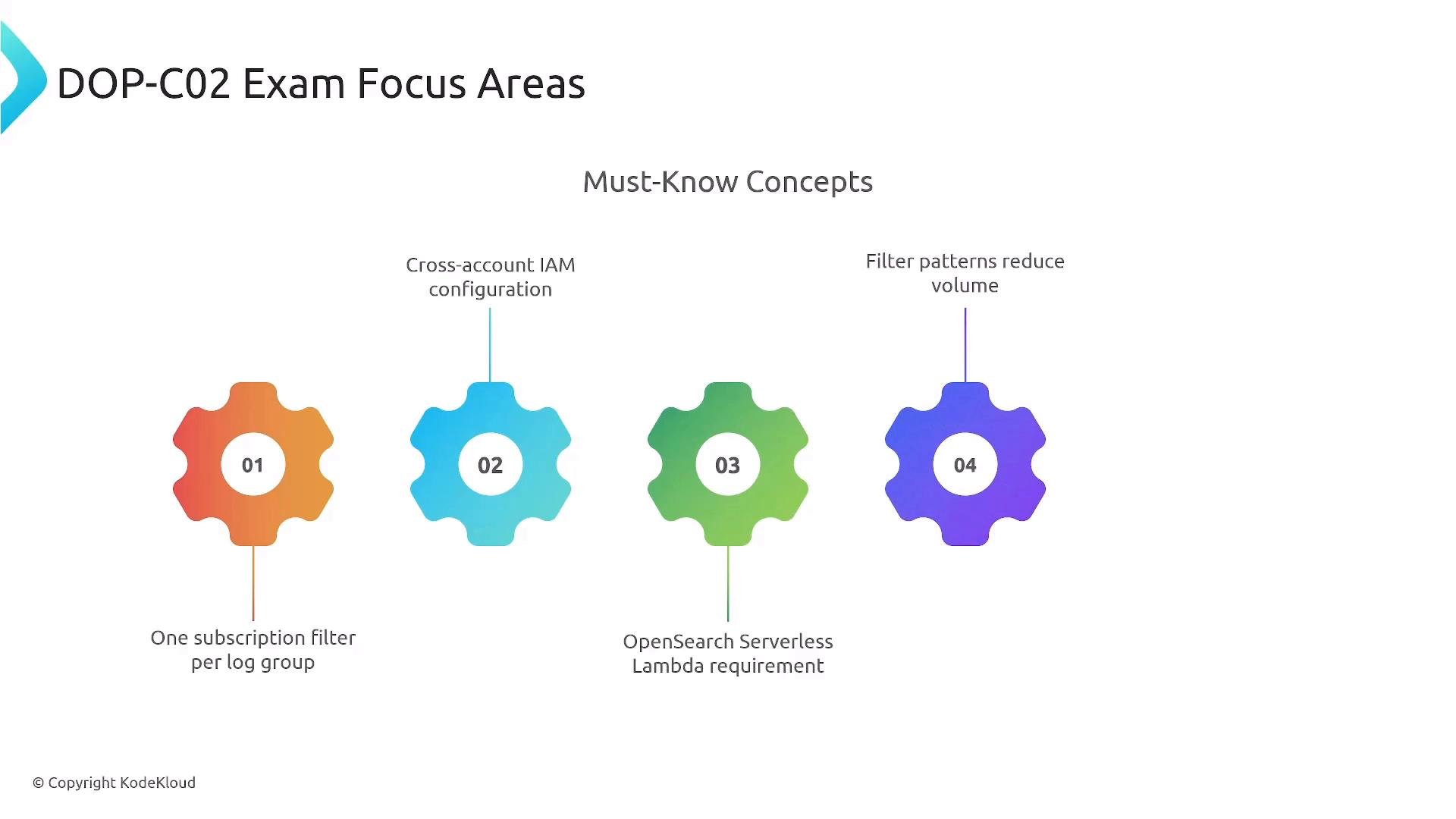
A presentation slide titled "DOP-C02 Exam Focus Areas" showing four colorful gear icons numbered 01–04 with brief must-know items beneath them (one subscription filter per log group; cross-account IAM configuration; OpenSearch Serverless Lambda requirement; filter patterns reduce volume).
A demo demonstrates these patterns and provides practical insight into configuration, roles, scaling, and cost trade‑offs. Further reading and references:

Watch Video