

Amazon ECS: Launch Types, Tasks, Services, and Resiliency
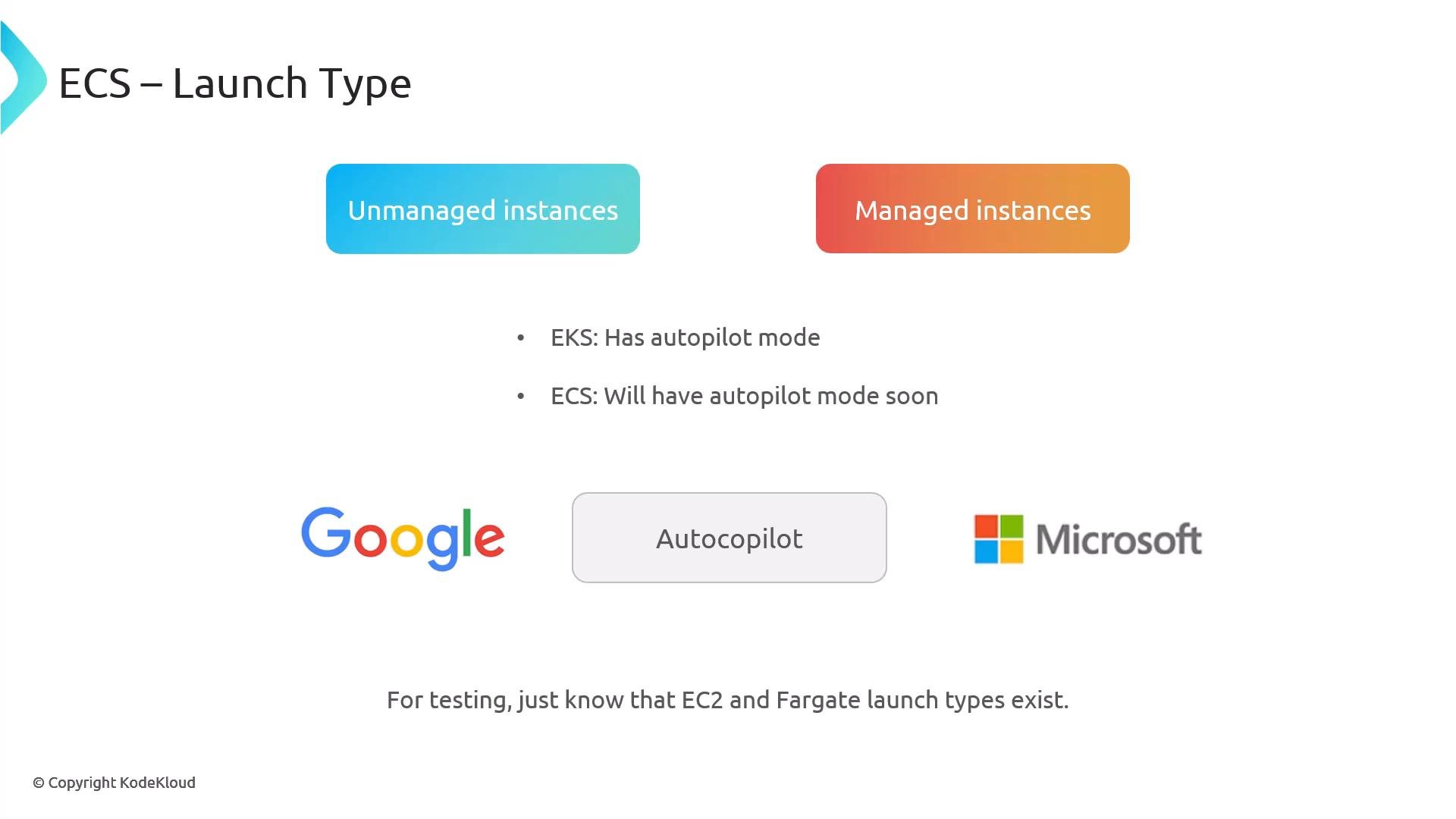
ECS supports two primary compute launch types:Fargate is serverless (you don’t manage hosts) and is great for simplifying resiliency. Use EC2 when you need more control, custom driver/kernel features, or specialized instance types.
Task Definitions and Services
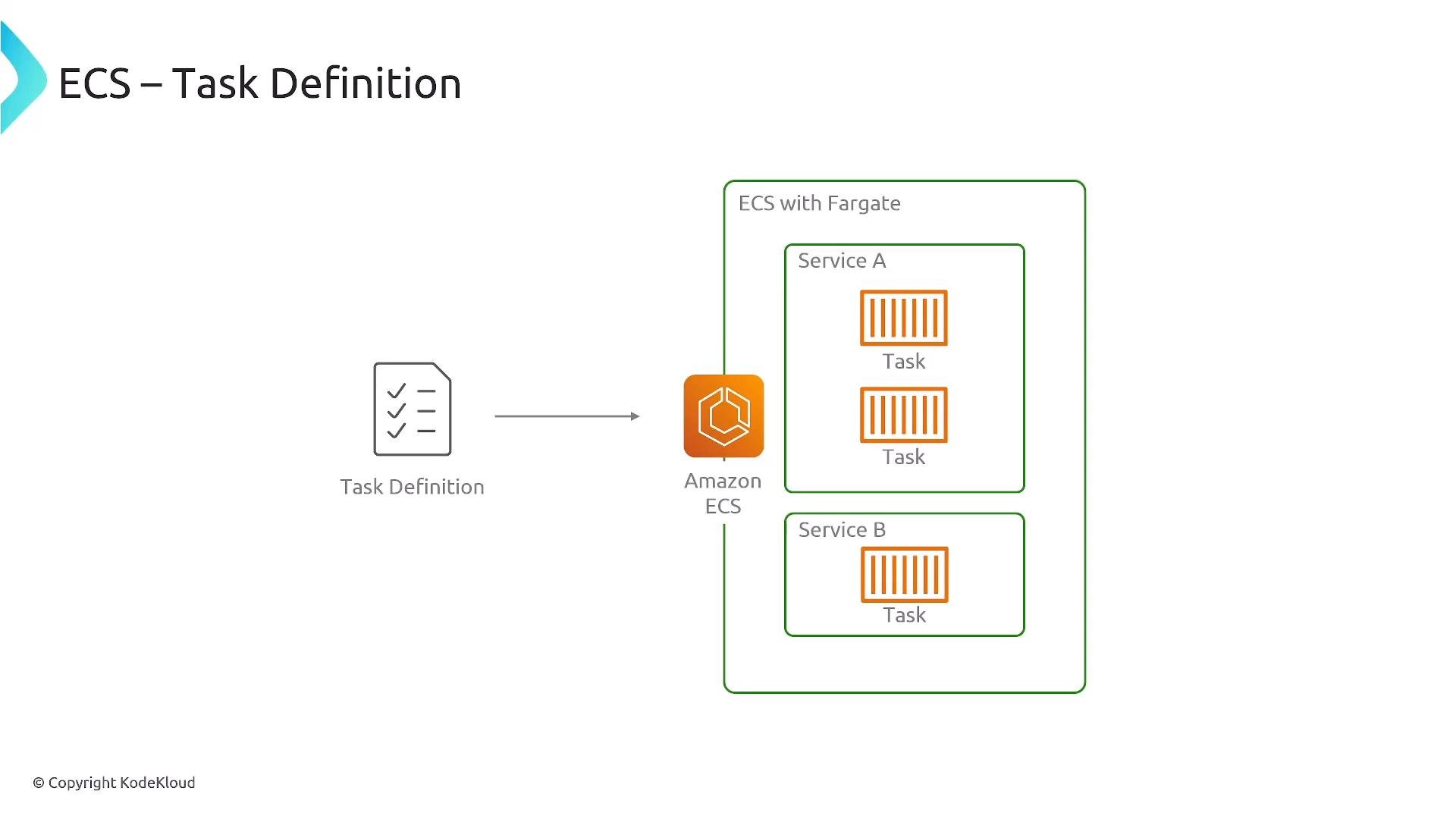
A task definition is the reusable blueprint that defines how a task (one or more containers) runs:- container images and startup commands
- CPU and memory allocations (task-level or container-level)
- port mappings, network mode
- environment variables and secrets
- IAM task role and execution role
- volumes and logging configuration
- compatibility: EC2, Fargate, or both
Integration with Load Balancing, Auto Scaling, and Monitoring
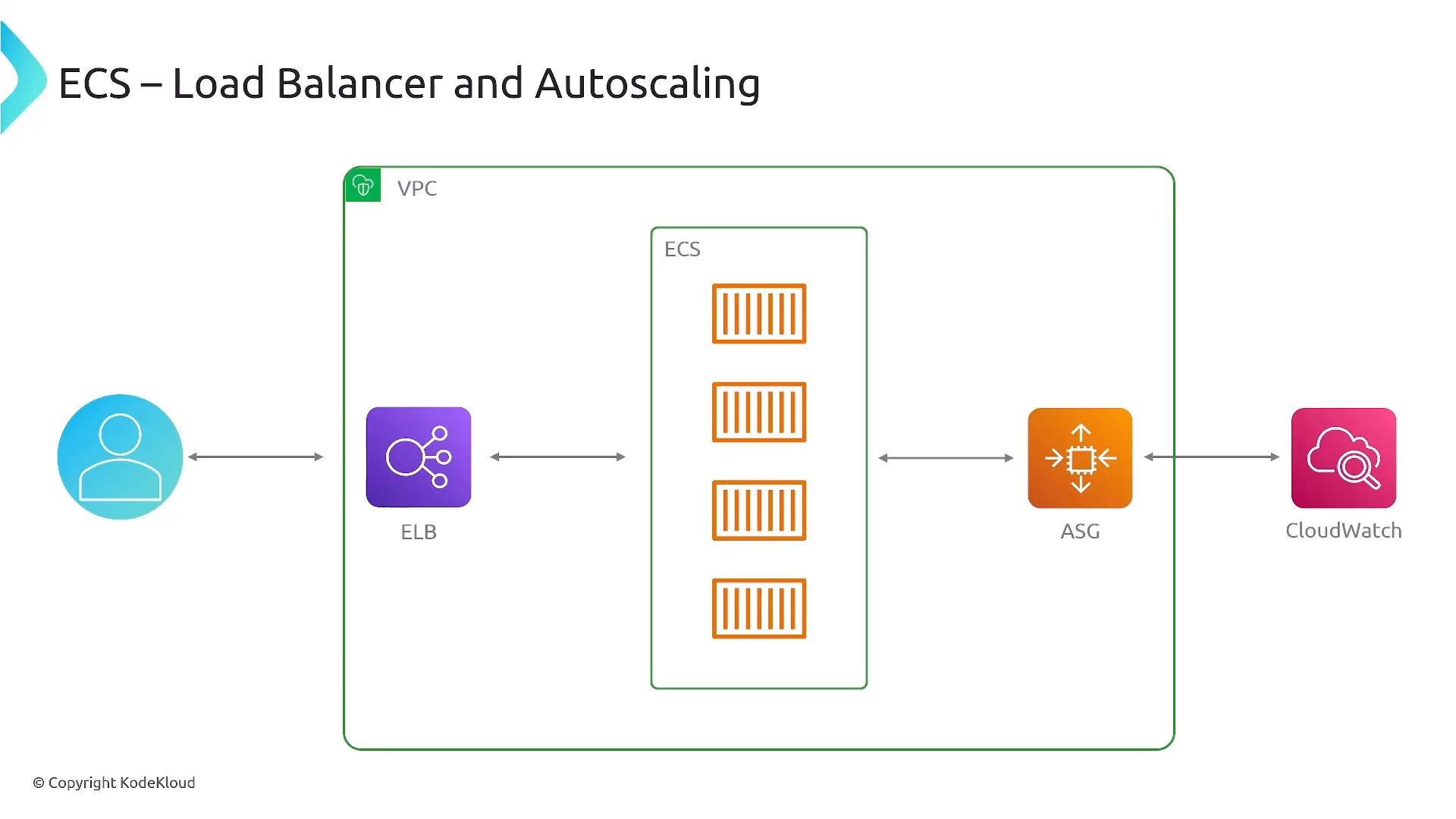
ECS integrates with common AWS resiliency primitives:- Elastic Load Balancers (ALB/NLB) for traffic distribution and health checks
- Auto Scaling Groups (ASG) for EC2 capacity scaling (EC2 launch type)
- Amazon CloudWatch for metrics, logs, and alarms to drive scaling or alerting
ECS Placement Strategies (EC2 launch type)
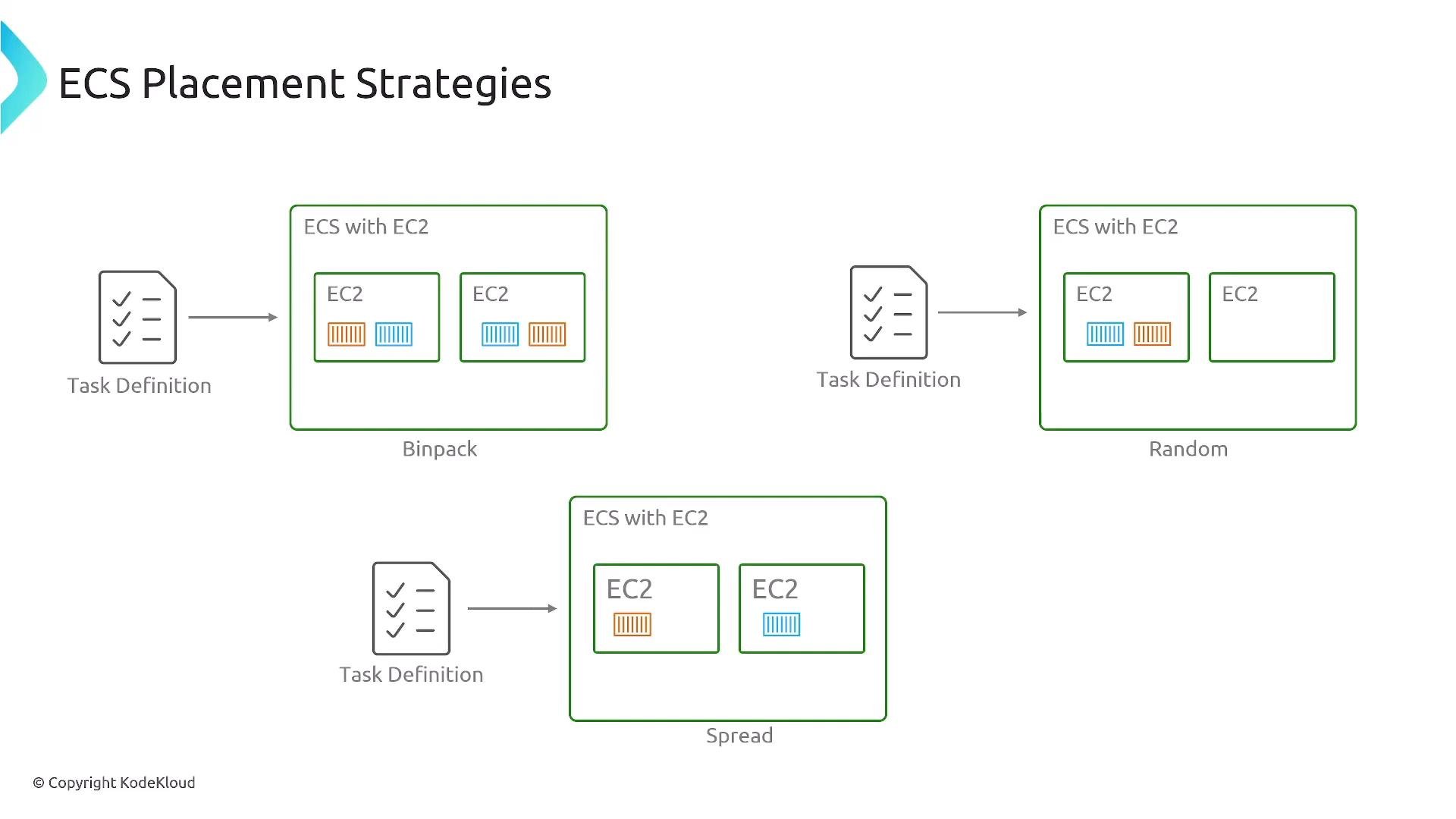
Placement strategies determine how tasks are placed onto EC2 instances. Choose based on availability, utilization, and fault isolation needs:
(See ECS task placement: https://docs.aws.amazon.com/AmazonECS/latest/developerguide/task-placement.html)
CI/CD Patterns for ECS
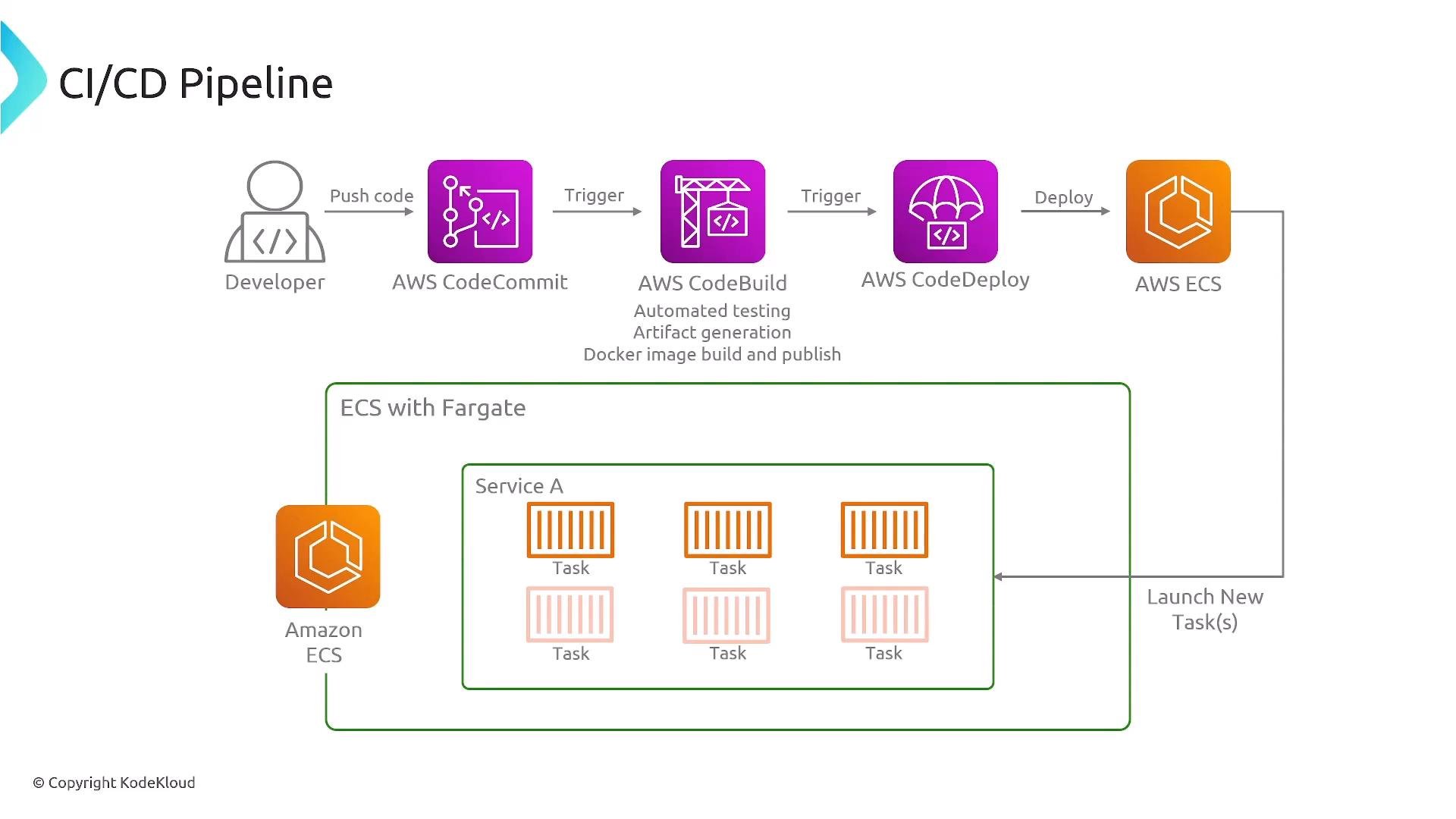
A typical CI/CD flow for ECS includes:- Source control triggers: GitHub, GitLab, AWS CodeCommit
- Build: AWS CodeBuild or external runners build artifacts and container images
- Registry: Push images to Amazon ECR or third‑party registries
- Deployment: Update ECS service to reference a new task definition or image tag using AWS CodeDeploy, CodePipeline, or other CD tools
Deployments, Circuit Breakers, and Rollbacks
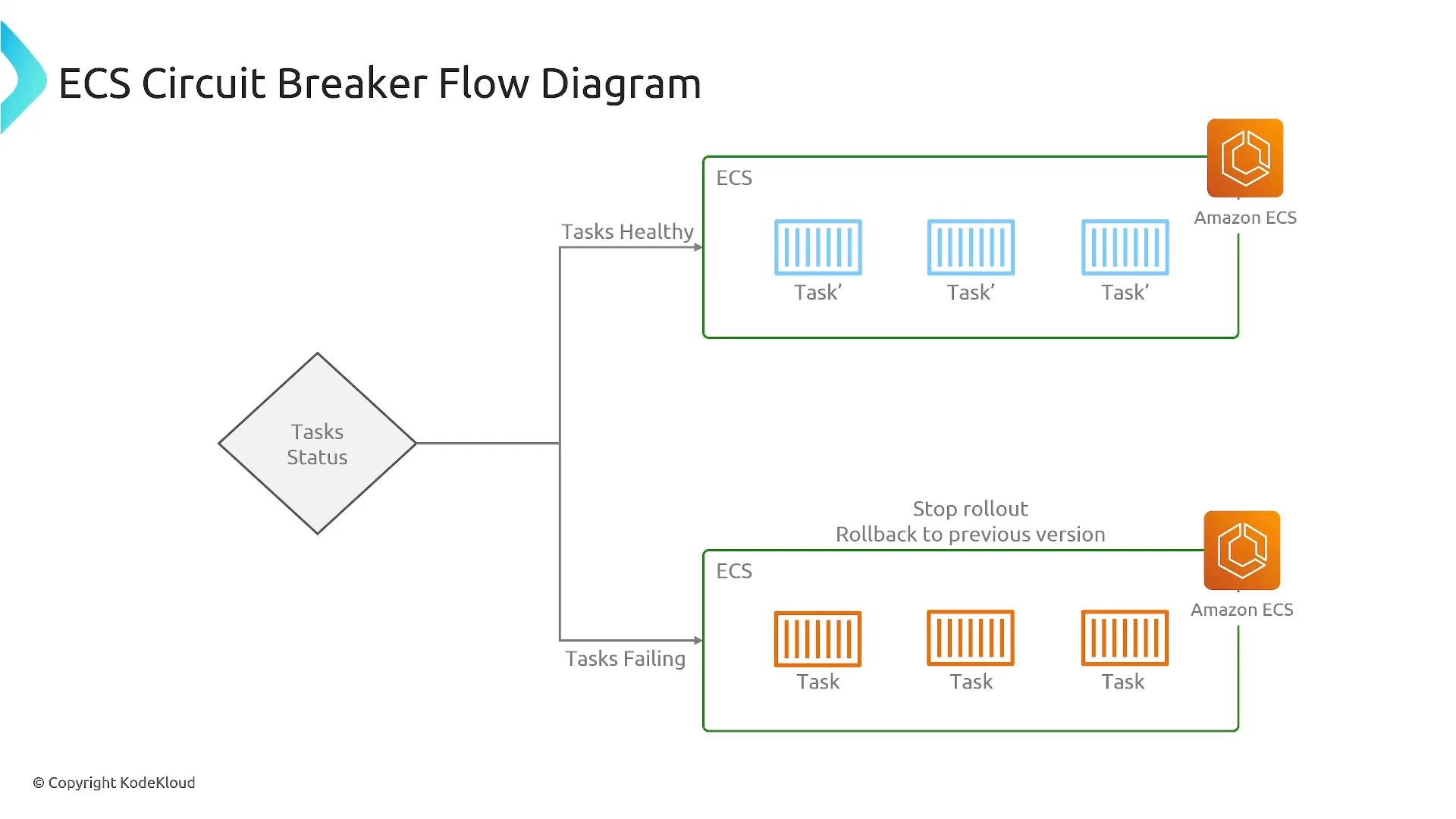
ECS supports deployment circuit breakers and traffic-shifting deployments (via CodeDeploy). When enabled, ECS monitors health checks and application metrics during a rollout and can:- stop the rollout if failures exceed a threshold
- roll back to the previous stable revision automatically
- minimize downtime by preventing unhealthy revisions from becoming active
Amazon EKS: Kubernetes Resiliency Patterns
Kubernetes primitives and how they relate to resiliency:
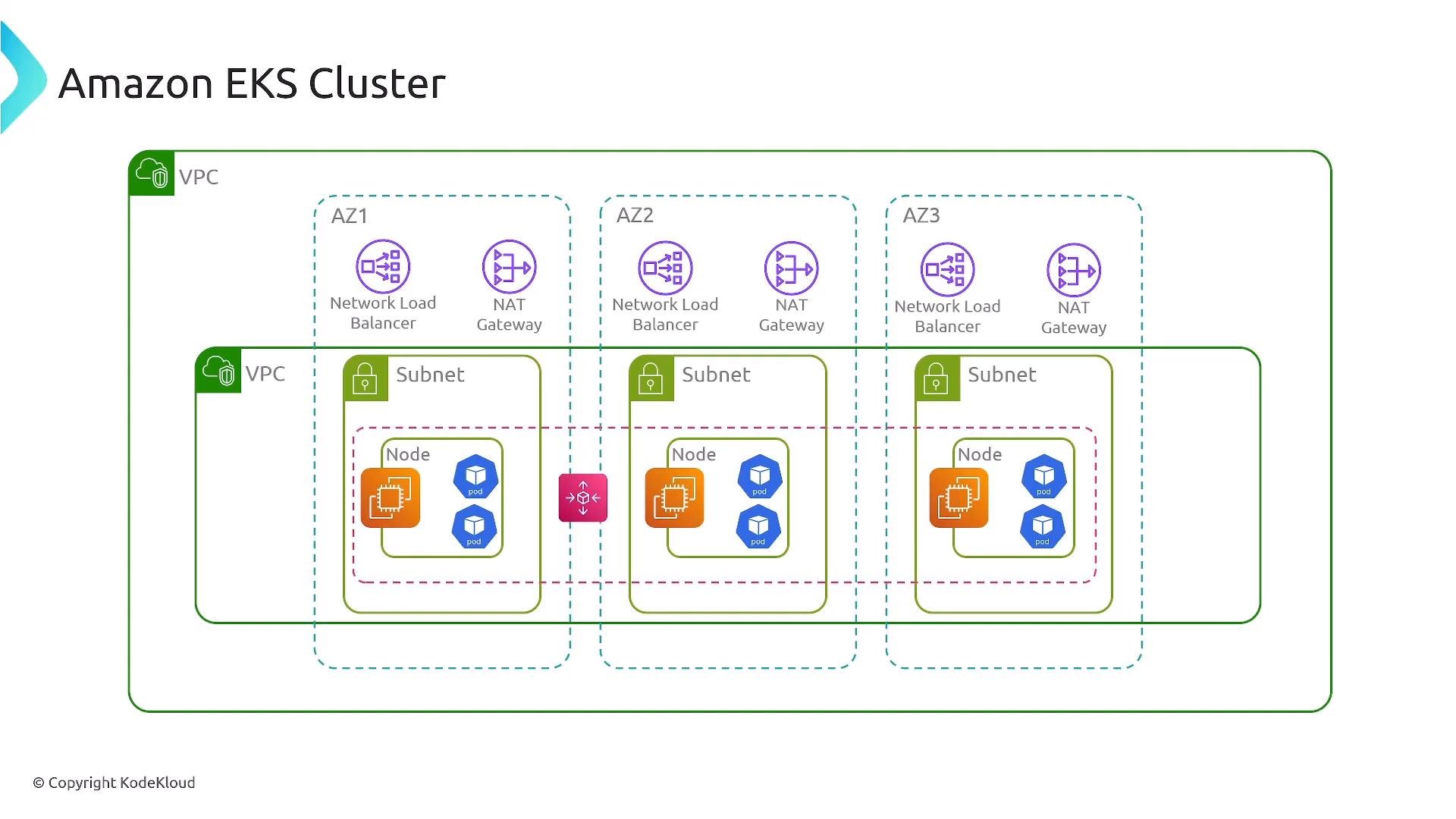
When using EKS, you can run pods on Fargate (each pod gets a Fargate-managed compute environment) or on EC2 worker nodes (pods share instance capacity).
Availability Zone Considerations
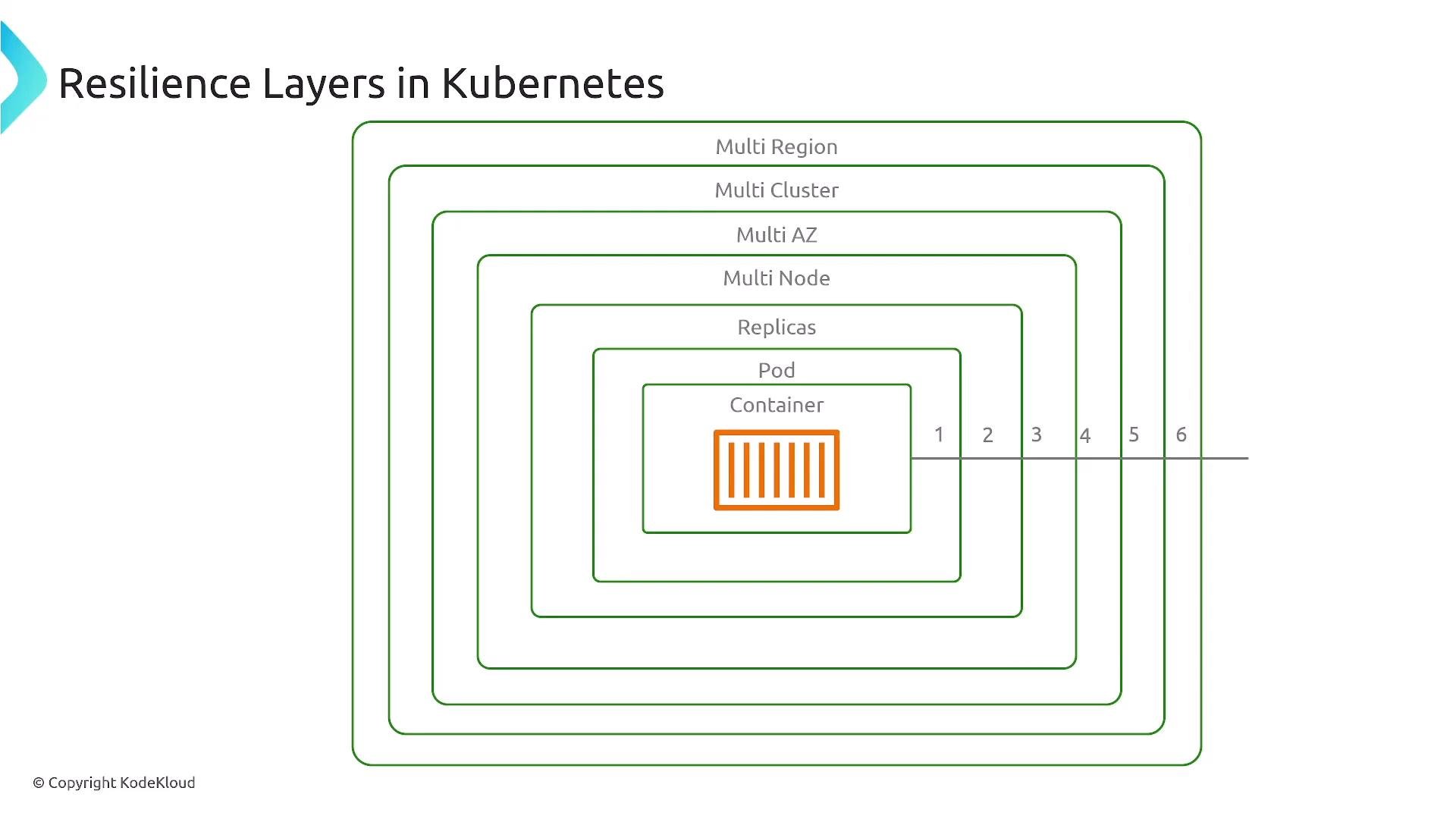
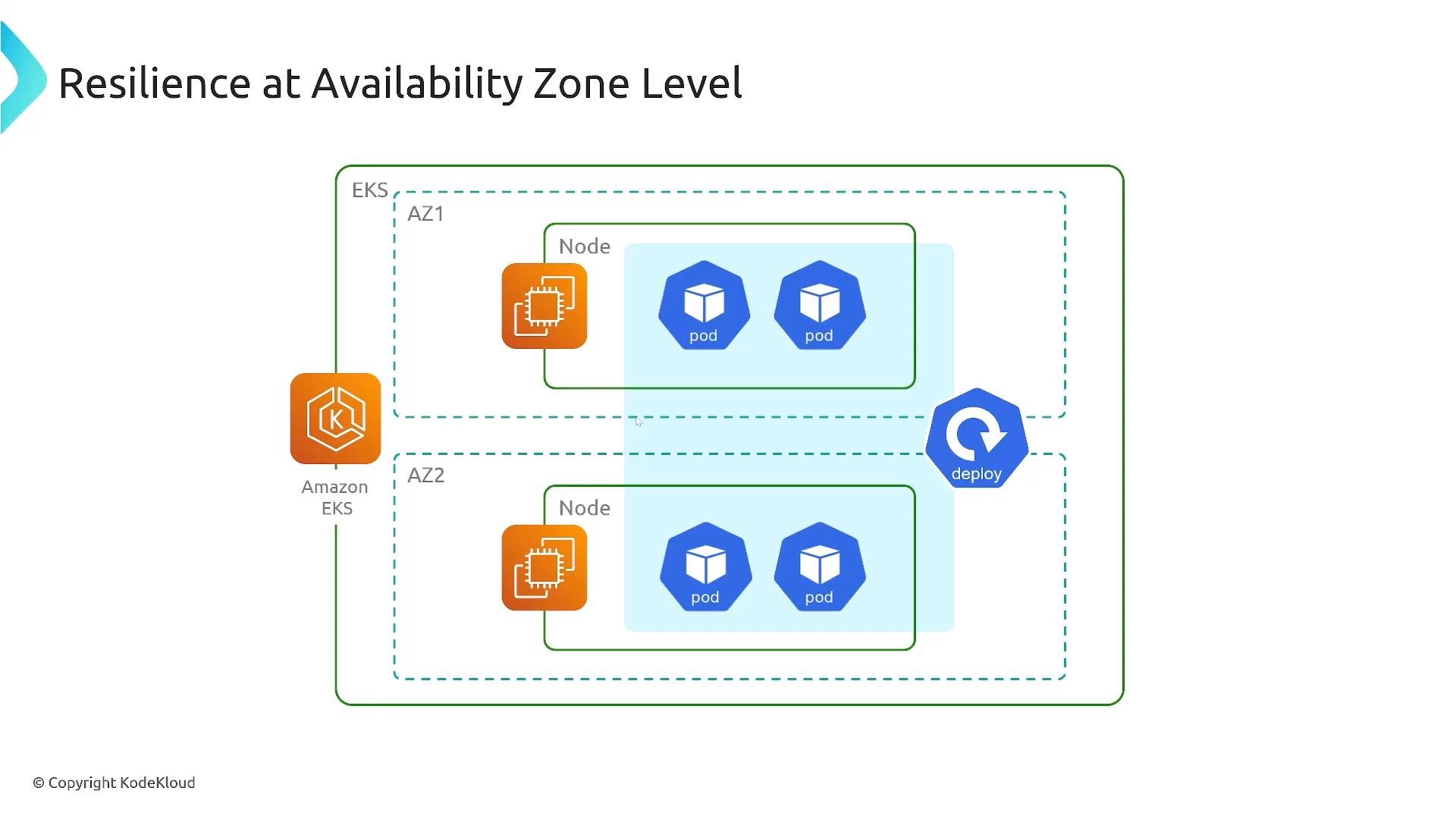
Avoid the anti-pattern of running all pods on a single node or single Availability Zone. If that node or AZ fails, the entire workload may become unavailable. To improve resiliency:- Run multiple nodes across multiple AZs.
- Use scheduling constraints to distribute pods:
- topologySpreadConstraints
- node affinity
- podAntiAffinity
- Consider separate node groups for different availability or hardware needs.
Multi-cluster and Multi-region Strategies
For control-plane redundancy beyond a single cluster, run multiple clusters and route traffic across them (for example, an ALB/NLB per cluster plus Route 53 or AWS Global Accelerator). This pattern improves resilience against cluster- or region-level failures but increases operational complexity (deployments, state management, cross-cluster networking).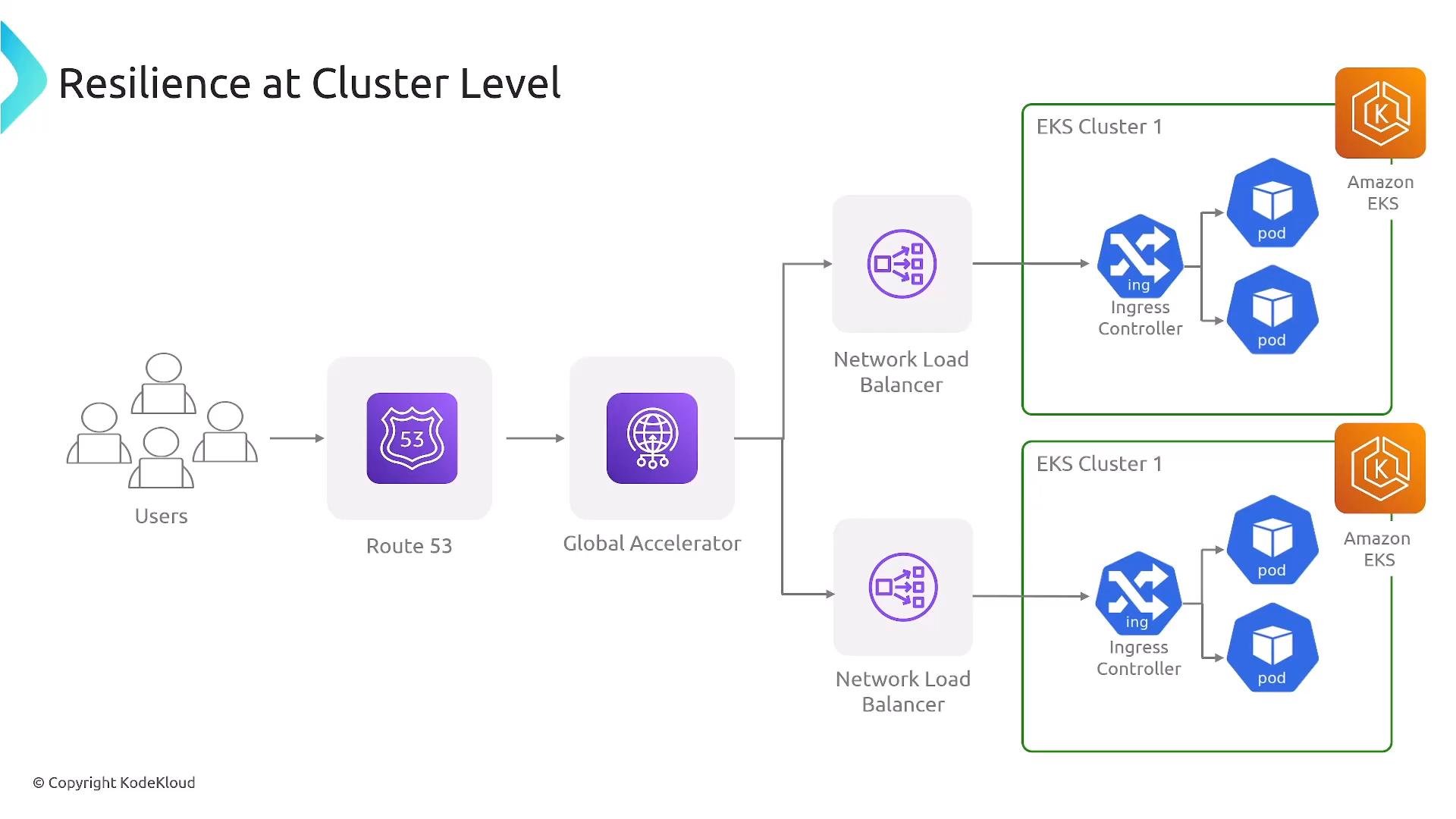
If you require regional or global failover, multi-cluster or multi-region architectures (with Route 53 or Global Accelerator) provide the strongest protection — but they add operational cost and complexity. Choose the approach that matches your business continuity requirements.
Cluster Autoscaling: Cluster Autoscaler vs Karpenter
Two prominent autoscaling approaches for EKS:-
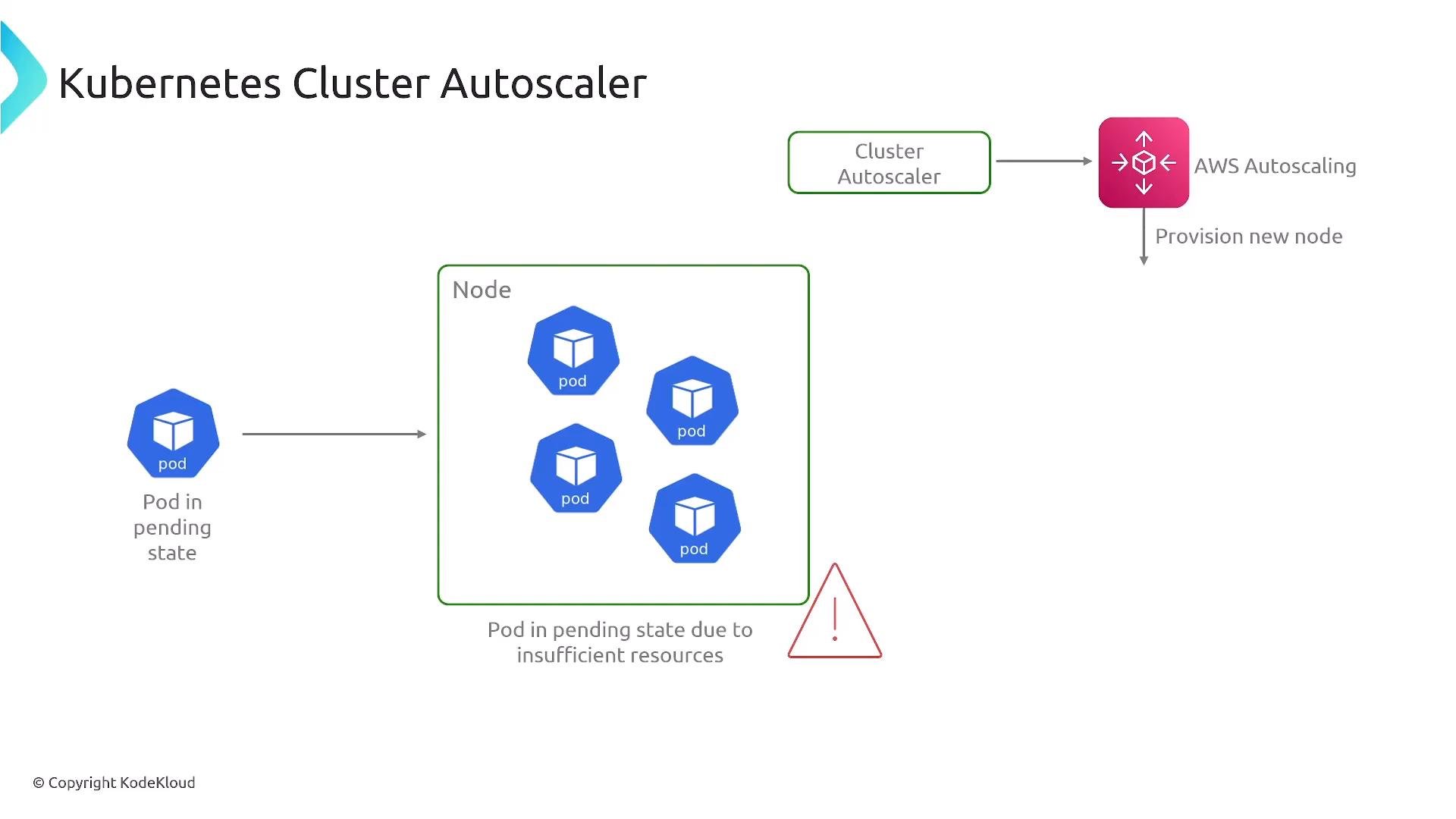
Cluster Autoscaler
- Watches for unschedulable pods and scales node groups (ASGs) to provide capacity.
- Works well with managed node groups and existing ASG patterns.
-
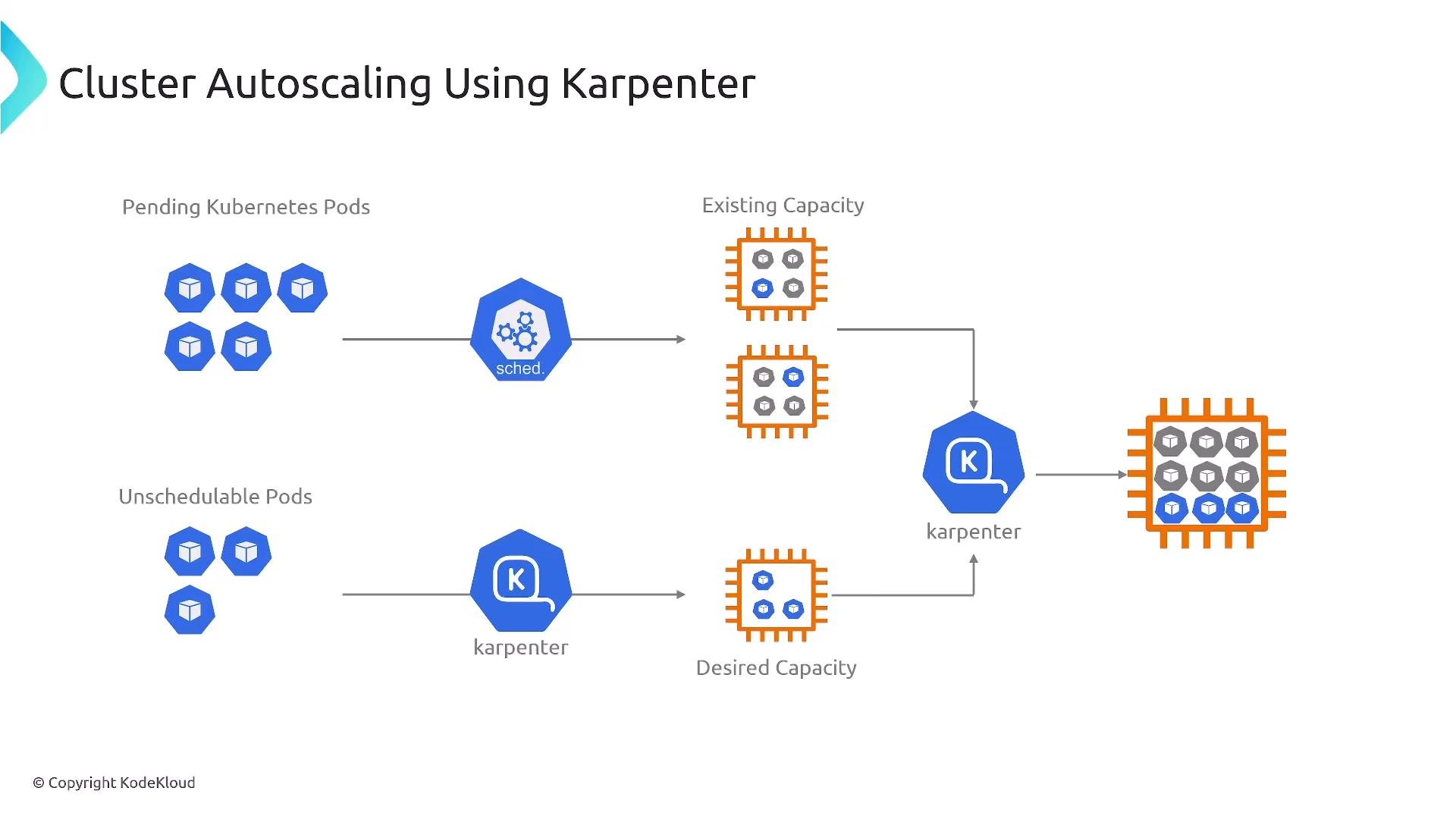
Karpenter
- Open-source autoscaler designed for AWS that provisions right-sized instances rapidly.
- Selects instance types that best fit pending pods, supports mixed instance types and Spot, and often provides faster provisioning and cost optimization.
Summary and Design Guidance
Key resiliency concepts to apply when designing container platforms on AWS:- Choose the right compute model:
- Use Fargate for operational simplicity and managed isolation.
- Use EC2 when you need host-level control, specialized hardware, or drivers.
- Define task definitions (ECS) or pod specs (EKS) carefully to include resource requests/limits, health checks, and IAM roles.
- Use placement strategies or scheduling constraints to prevent single-node or single-AZ failures from taking down workloads.
- Integrate health checks, ALB/NLB, CloudWatch metrics, and automated scaling to detect and recover from failures quickly.
- Protect deployments with circuit breakers and automated rollback mechanisms.
- For cluster-level scaling, evaluate Cluster Autoscaler and Karpenter and pick the tool that matches your provisioning, cost, and speed requirements.
- Consider multi-cluster or multi-region strategies only when required by your RTO/RPO and business continuity goals.
Links and References
- ECS Developer Guide: https://docs.aws.amazon.com/ecs/latest/developerguide/
- EKS User Guide: https://docs.aws.amazon.com/eks/latest/userguide/
- ECS Task Placement: https://docs.aws.amazon.com/AmazonECS/latest/developerguide/task-placement.html
- ECS Deployment Circuit Breaker: https://docs.aws.amazon.com/AmazonECS/latest/developerguide/deployment-circuit-breaker.html
- Elastic Load Balancing: https://docs.aws.amazon.com/elasticloadbalancing/latest/userguide/what-is-load-balancing.html
- AWS Auto Scaling (EC2 Auto Scaling): https://docs.aws.amazon.com/autoscaling/ec2/userguide/what-is-amazon-ec2-auto-scaling.html
- Kubernetes docs (Pods, Deployments, ReplicaSets, kubelet): https://kubernetes.io/docs/
- EKS Fargate: https://docs.aws.amazon.com/eks/latest/userguide/fargate.html
- Cluster Autoscaler (Kubernetes Autoscaler): https://github.com/kubernetes/autoscaler/tree/master/cluster-autoscaler
- Karpenter: https://karpenter.sh/