

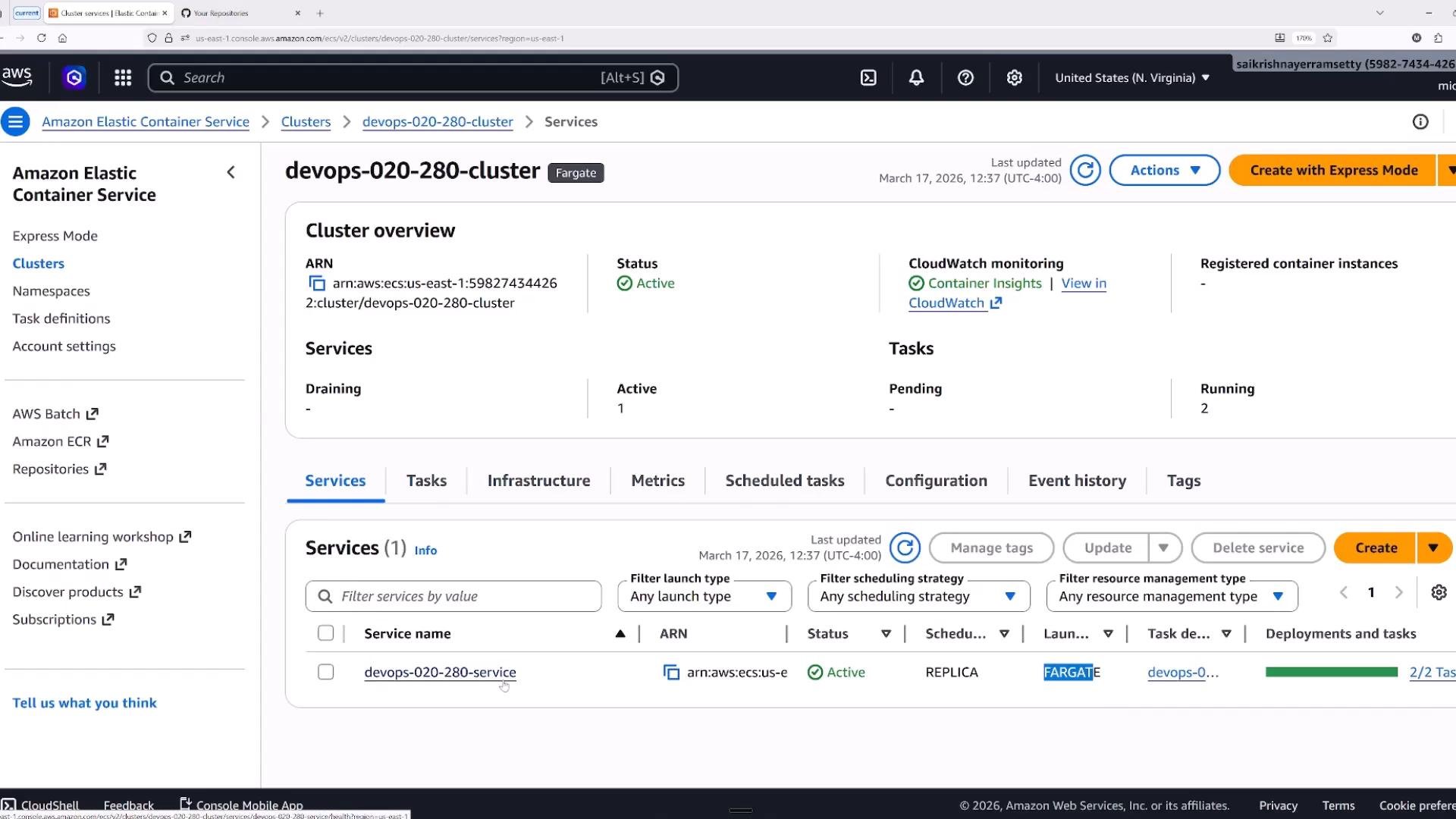
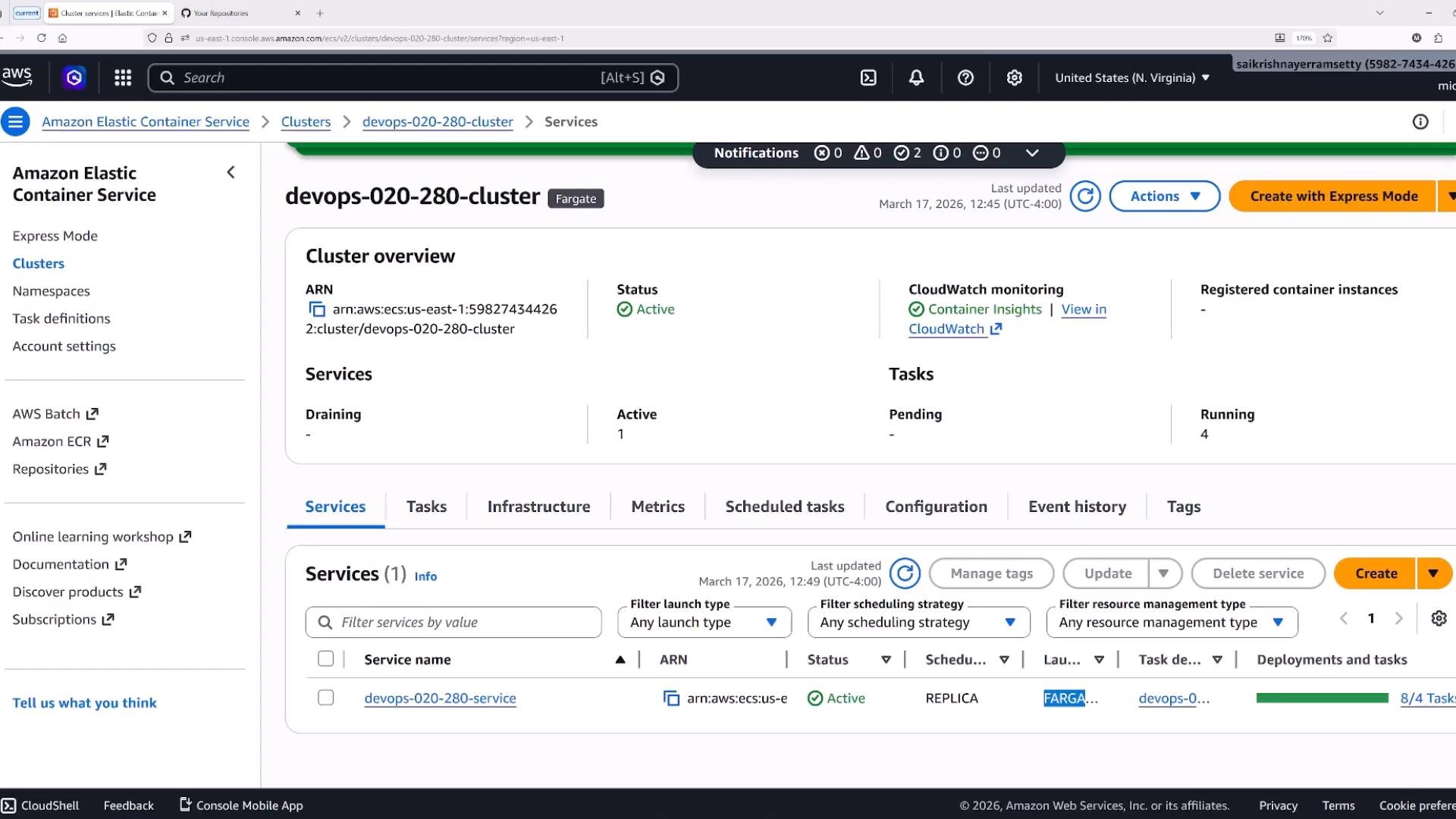
- Launch type: Fargate (serverless compute for containers).
- Current state: one active service and two running tasks.
- Before changing deployments, review desired task count, health checks, load balancer configuration, and deployment options (min/max percentages and circuit breaker).
Fundamental difference
- Rolling update: replaces tasks in-place using the same task set; concurrency controlled by min/max percentages.
- Blue/green: creates an isolated new task set (green) alongside the active one (blue) and shifts traffic when ready.
- Task definition revision to deploy.
- Desired task count.
- Health check settings and load balancer target group mapping.
- Deployment options: minimum healthy percent and maximum percent — these control concurrency and the speed/cost tradeoff for rolling updates.
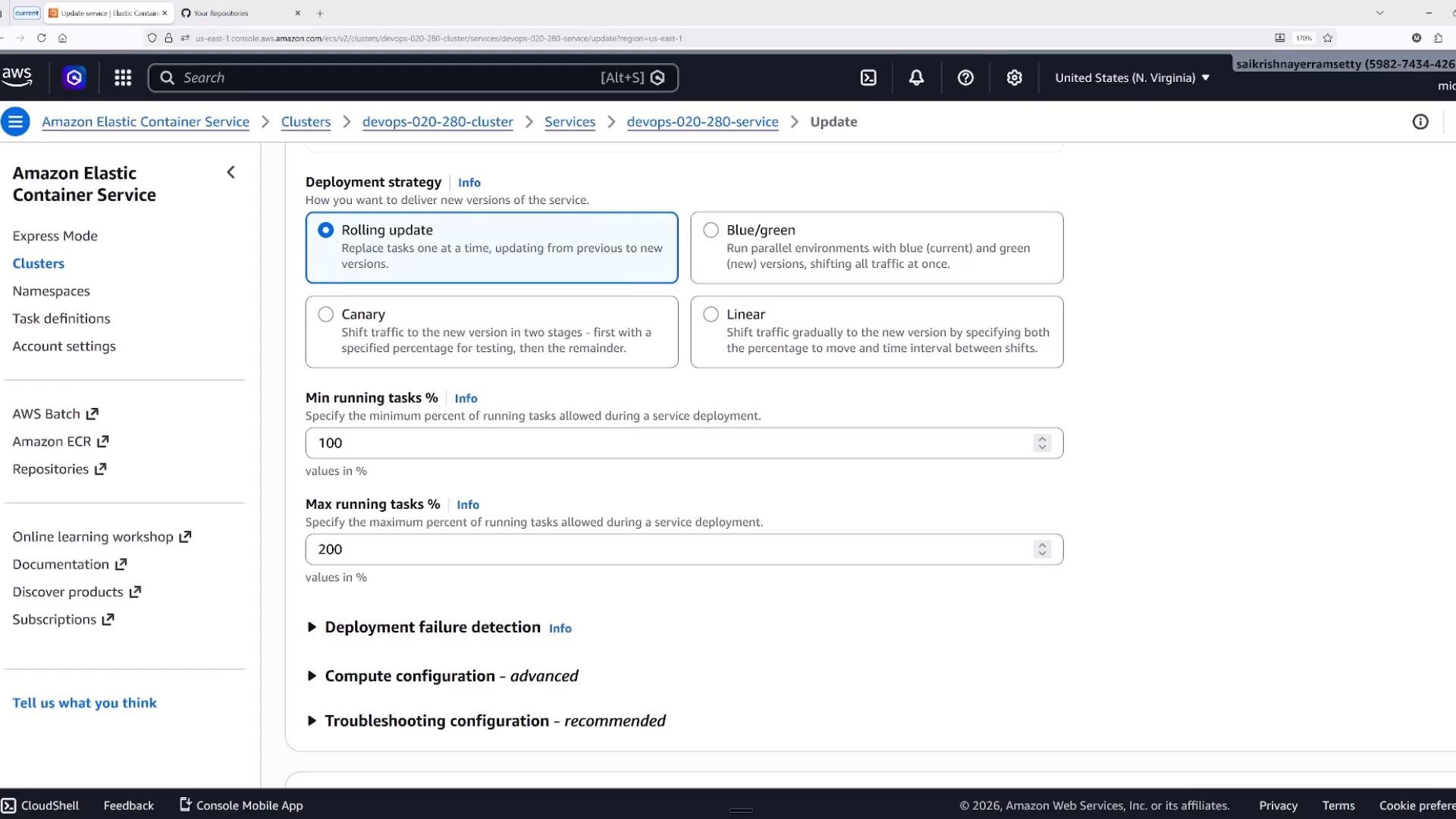
- Initial desired tasks: 2. Updated desired count to 4 and applied the update.
- After Update: ECS launched tasks that moved through PENDING → RUNNING while honoring
minHealthyPercentandmaxPercent. During the rollout you’ll commonly observe a mixture of RUNNING and PENDING tasks.
minHealthyPercentandmaxPercent: primary knobs for controlling how many tasks remain healthy and how many can be added temporarily during a rolling update.- Deployment circuit breaker: when enabled, ECS will automatically roll back unstable deployments. Integrate CloudWatch alarms or CodeDeploy for automated rollback triggers.
- VPC, subnets, and security groups.
- Whether tasks get public IP addresses.
- ECS Exec (interactive troubleshooting) to run commands inside running containers for diagnostics.
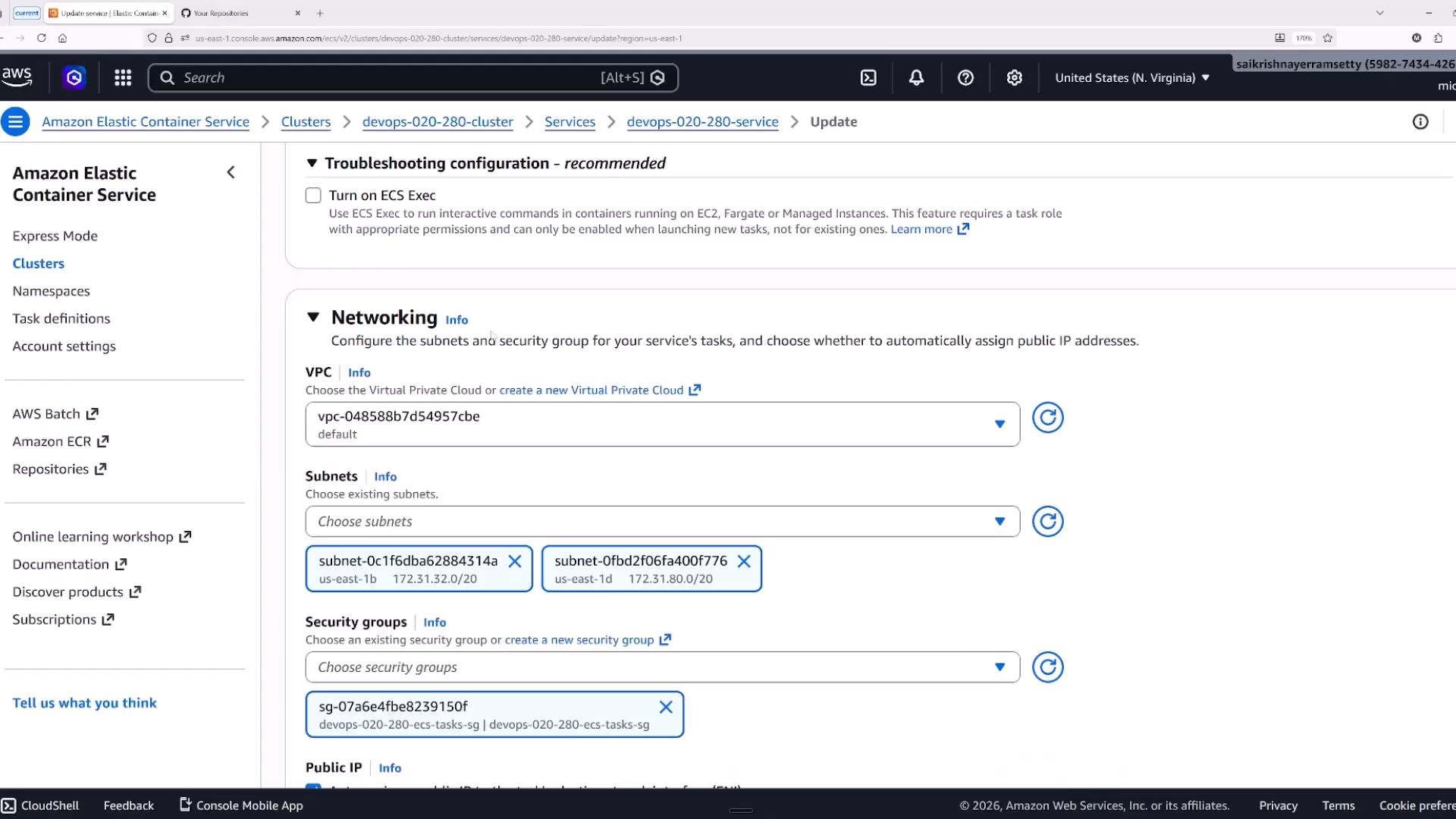
- Container:port mapping is registered to a target group and associated with a listener (e.g., HTTP:80 → container port 80).
- When new tasks become healthy they register in the target group and ALB routes traffic to them after passing health checks.
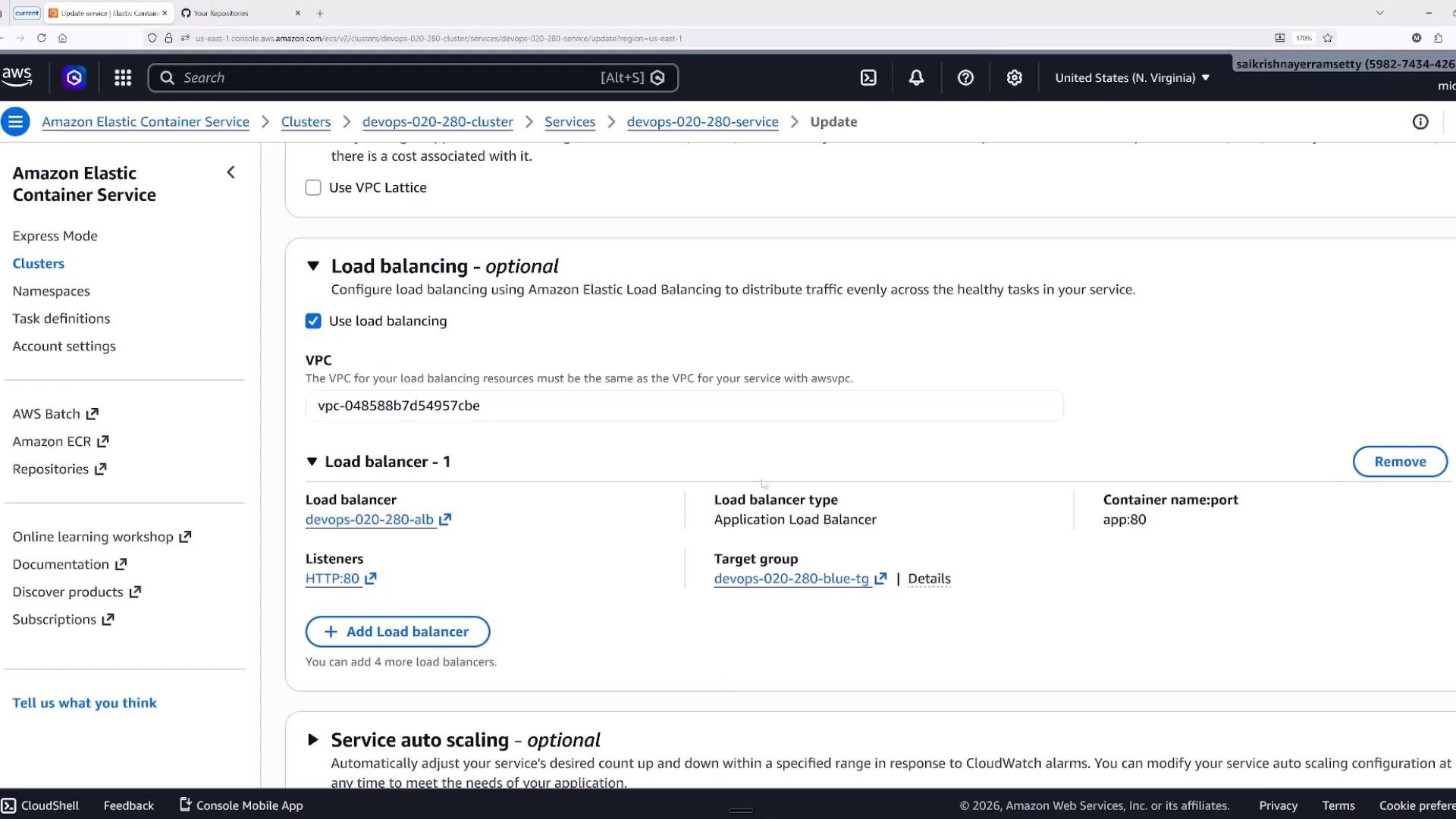
- On the Update Service page you can select the blue/green deployment type (CodeDeploy-managed).
- Configure production and test listeners and alternate target groups so traffic can be shifted between old and new task sets.
- Blue/green supports lifecycle hooks (pre-traffic, post-traffic, validation hooks) so you can run validations or invoke Lambda functions during phases of the deployment.
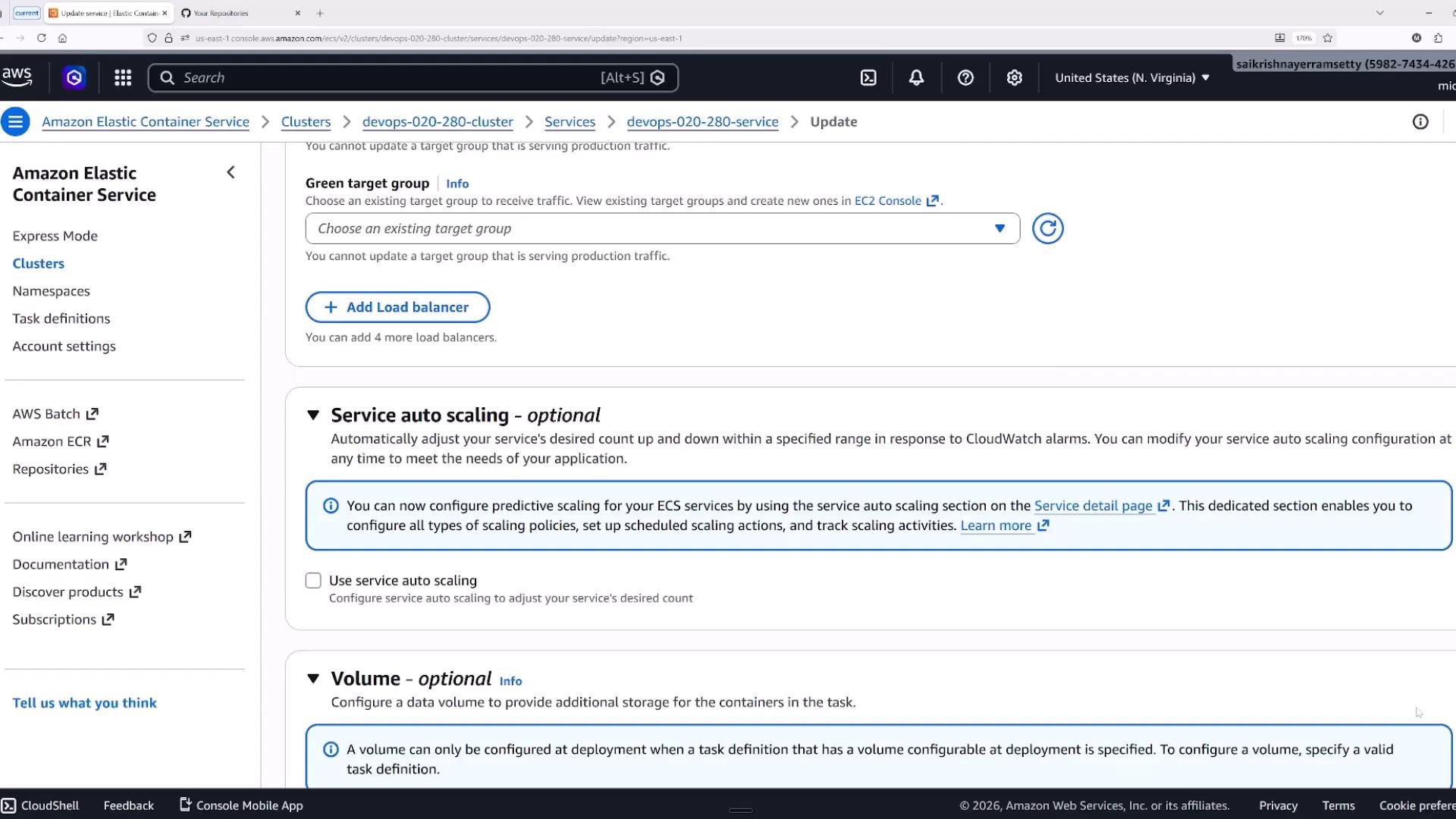
- Pre-traffic / post-traffic steps for validation.
- Canary or linear traffic shifting to gradually direct traffic to the green task set.
- Hooks and lifecycle events let you run tests, warm caches, or call external validation before fully switching production traffic.
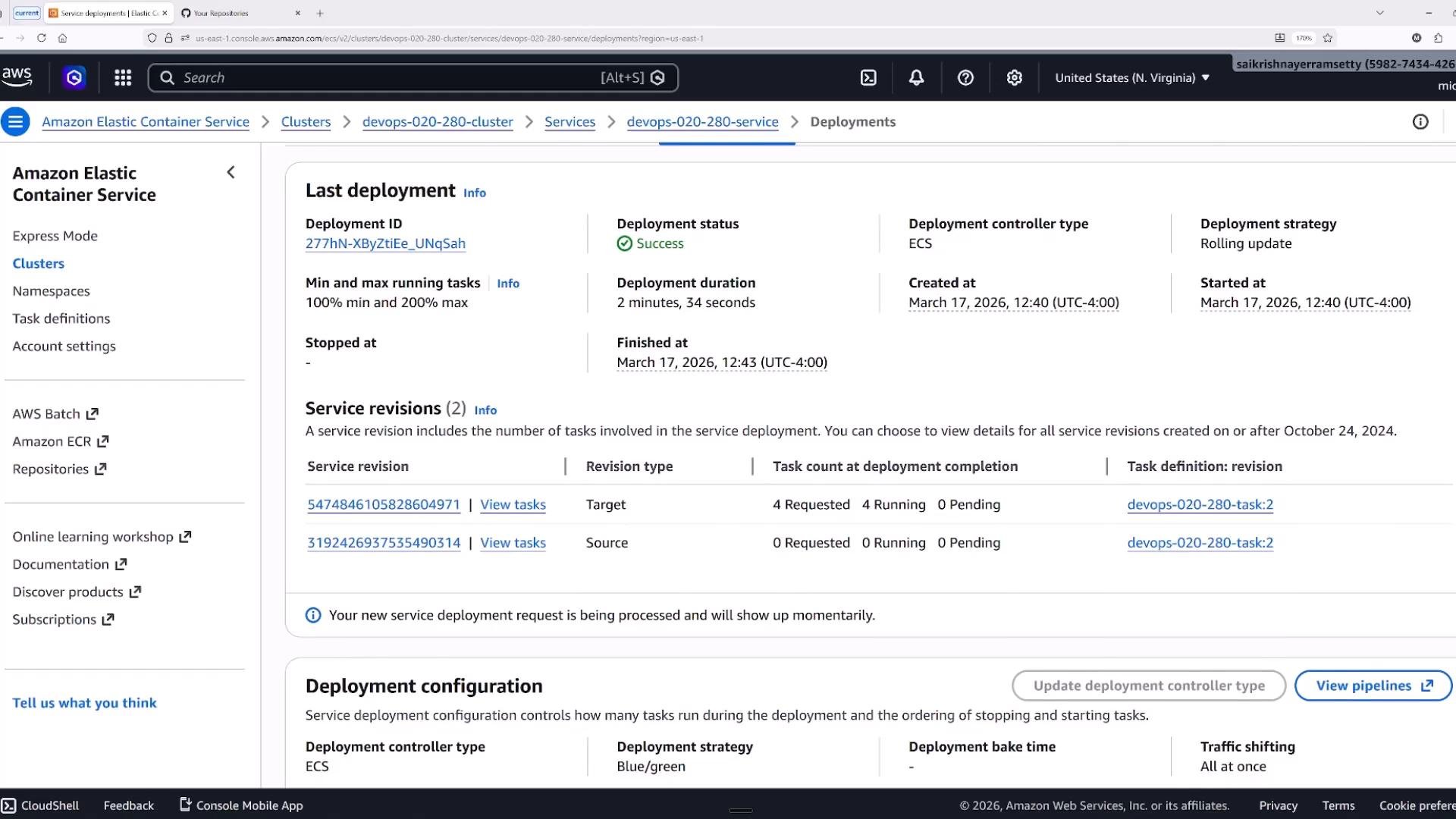
- Monitor the Last deployment status to see deployment ID, status (Success/Failed), start/finish times, and task counts for each revision.
- Successful blue/green rollouts will show the shift from the source task set to the target task set in the console.
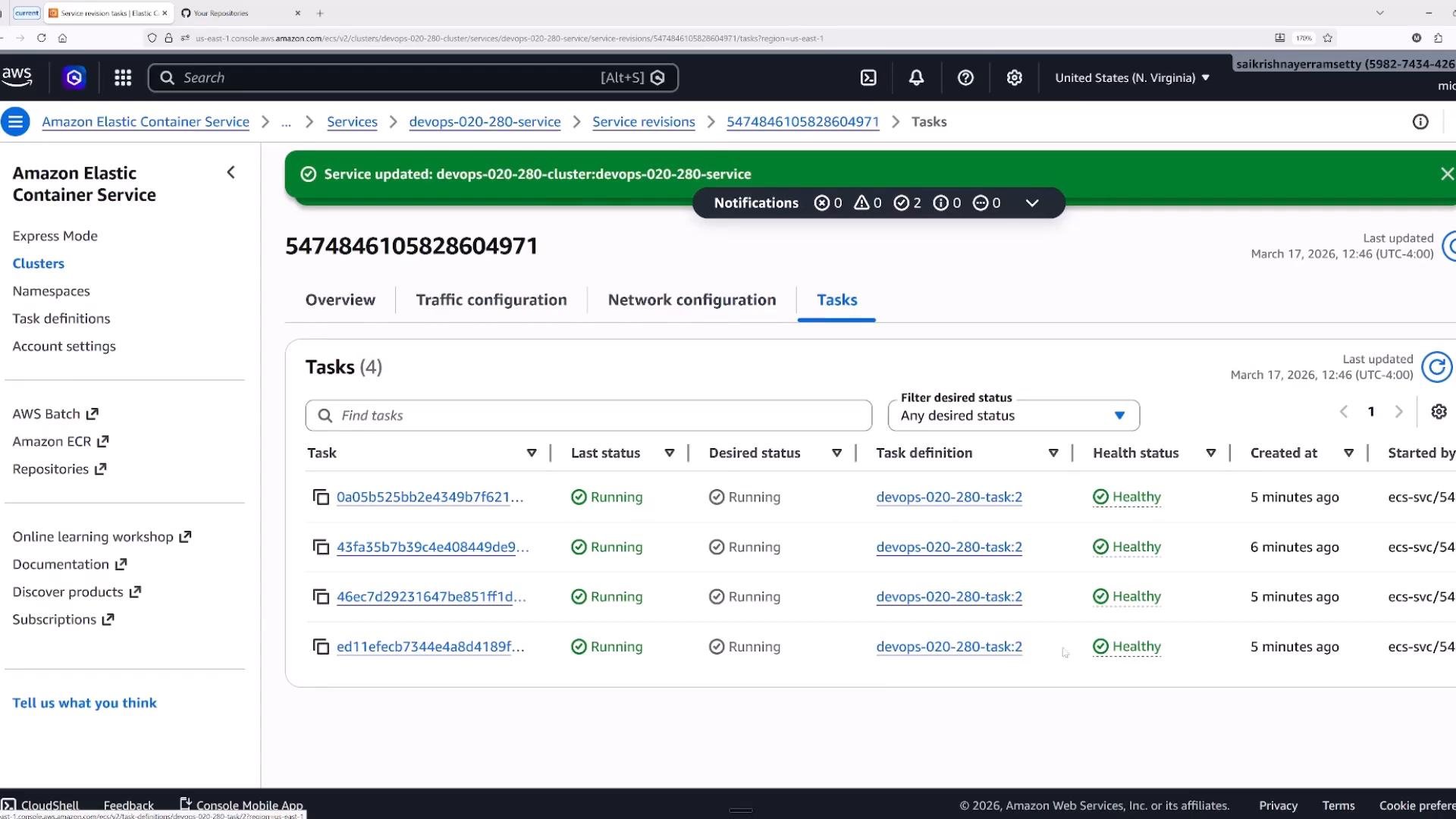
- After deployment completes, verify the Tasks tab and confirm new tasks are in RUNNING state and report Healthy in their target group health checks.
Practical tips:
- Use Fargate to reduce infra management and accelerate launches.
- Use EC2 when you need custom instance configuration or to optimize for cost at scale.
- Always verify service quotas and limits (e.g., Fargate task quotas per region) before production deployments.
Choosing the right deployment strategy:
- Rolling update (ECS): choose for simple, cost-optimized rollouts when brief replacement periods are acceptable and health checks are fast.
- Blue/green (CodeDeploy): choose for near-zero-downtime cutovers, instant rollback, and advanced traffic shifting (canary/linear) with lifecycle hooks.
- External controllers (Spinnaker, Harness): choose when your organization relies on third-party CD workflows that orchestrate deployments and traffic.
Before scaling with Fargate, verify regional quotas and limits. Configure robust health checks, set appropriate
minHealthyPercent / maxPercent, and enable rollback/circuit-breaker settings to reduce blast radius during faulty deployments.- Deployment controllers:
- ECS (rolling update) — default, uses
minHealthyPercentandmaxPercent. - CODE_DEPLOY (blue/green) — integrates with AWS CodeDeploy for traffic shifting and lifecycle hooks.
- EXTERNAL — third-party controllers manage rollout logic.
- ECS (rolling update) — default, uses
minHealthyPercentandmaxPercentcontrol rolling update concurrency and cost.- Blue/green gives an isolated task set for safer cutovers and easier rollback.
- Canary and linear traffic-shifting patterns let you bake changes gradually.
- Use CloudWatch alarms and the deployment circuit breaker to automate rollbacks on failures.
- AWS ECS: https://learn.kodekloud.com/user/courses/amazon-elastic-container-service-aws-ecs
- AWS CodeDeploy: https://aws.amazon.com/codedeploy/
- AWS Fargate: https://aws.amazon.com/fargate/
- Application Load Balancer docs: https://docs.aws.amazon.com/elasticloadbalancing/latest/application/introduction.html
- ECS Exec troubleshooting: https://docs.aws.amazon.com/AmazonECS/latest/developerguide/ecs-exec.html
- AWS CloudWatch: https://learn.kodekloud.com/user/courses/aws-cloudwatch