

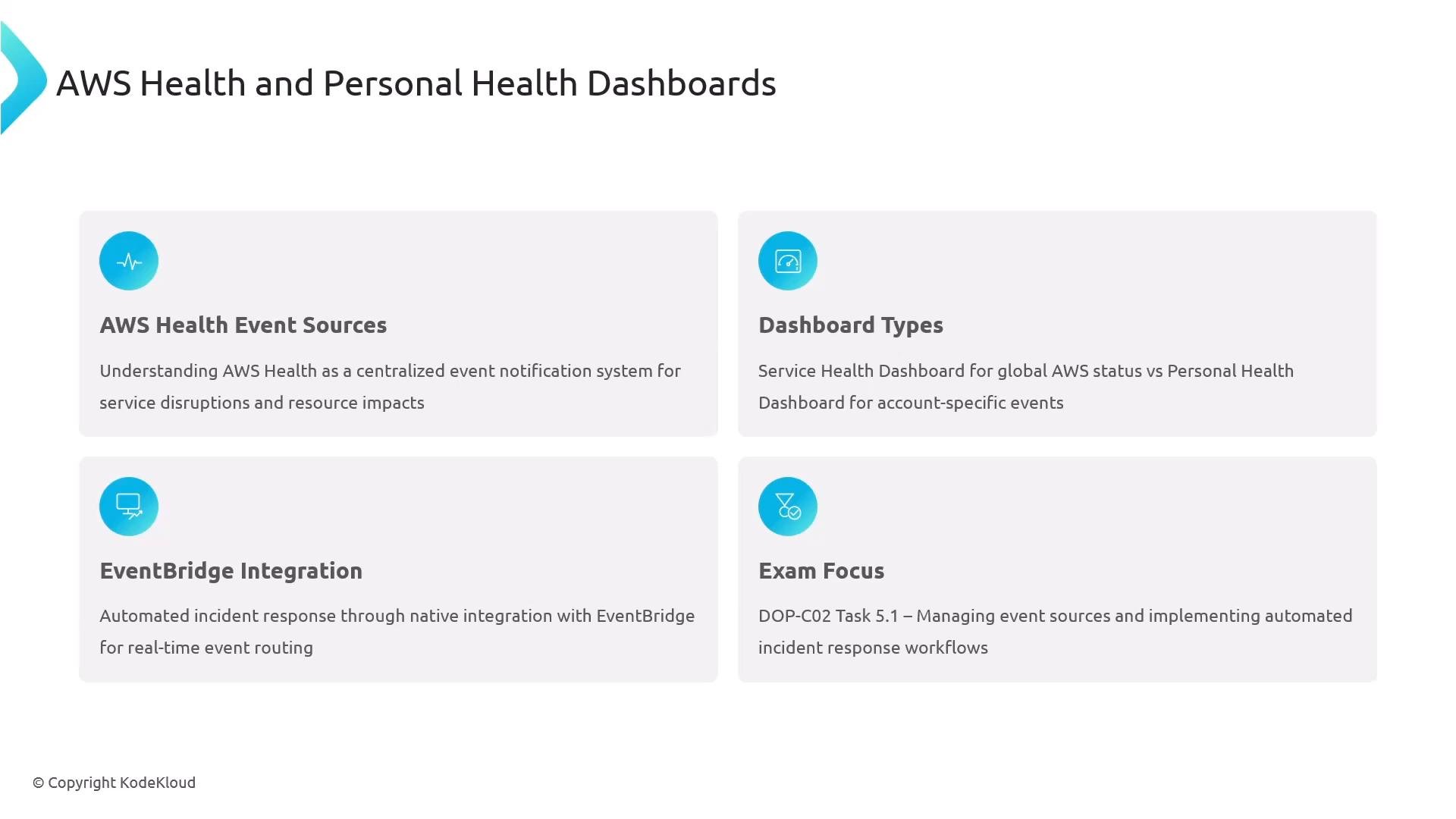
What is AWS Health?
AWS Health surfaces AWS-initiated events that can impact AWS services and your resources. It provides:- Visibility into service incidents, scheduled changes, and account-level notifications.
- Timelines and affected-resource context to help prioritize response.
- Integration with Amazon EventBridge for automated routing to remediation pipelines (for example: Lambda, Step Functions, SNS).
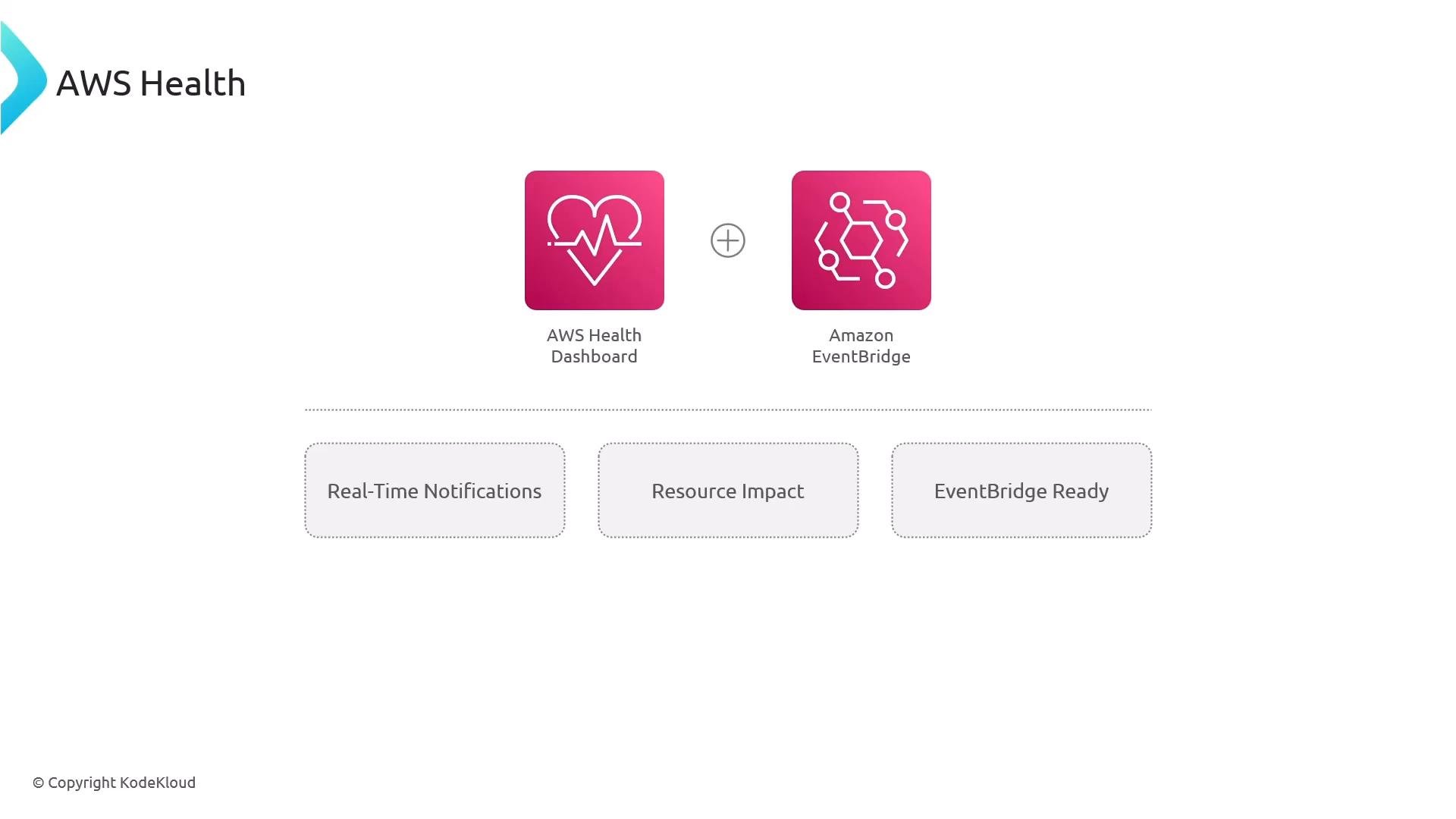
Service Health Dashboard vs Personal Health Dashboard
- Service Health Dashboard (public):
https://status.aws.amazon.com— global, service-level status visible to anyone. - Personal Health Dashboard (account-specific): requires AWS sign-in; surfaces issues and scheduled changes that affect your account and resources.
Event types and retention
Common event categories surfaced by AWS Health:- Service events (incidents, outages)
- Scheduled changes (e.g., instance retirement, maintenance windows)
- Account notifications (quotas, limits, billing-impacting events)
- Announcements (product updates, feature rollouts)
Example event structure
Events share a consistent JSON schema with fields likeeventTypeCode, eventTypeCategory, service, region, startTime, endTime, and affectedEntities. Example (simplified):
EventBridge integration (real-time routing)
Amazon EventBridge automatically receives AWS Health events; you do not need to enable a separate forwarding setting. Events typically arrive within seconds and can be routed to many AWS targets for notification or remediation. A typical EventBridge rule pattern that matches AWS Health events:Notification targets and routing
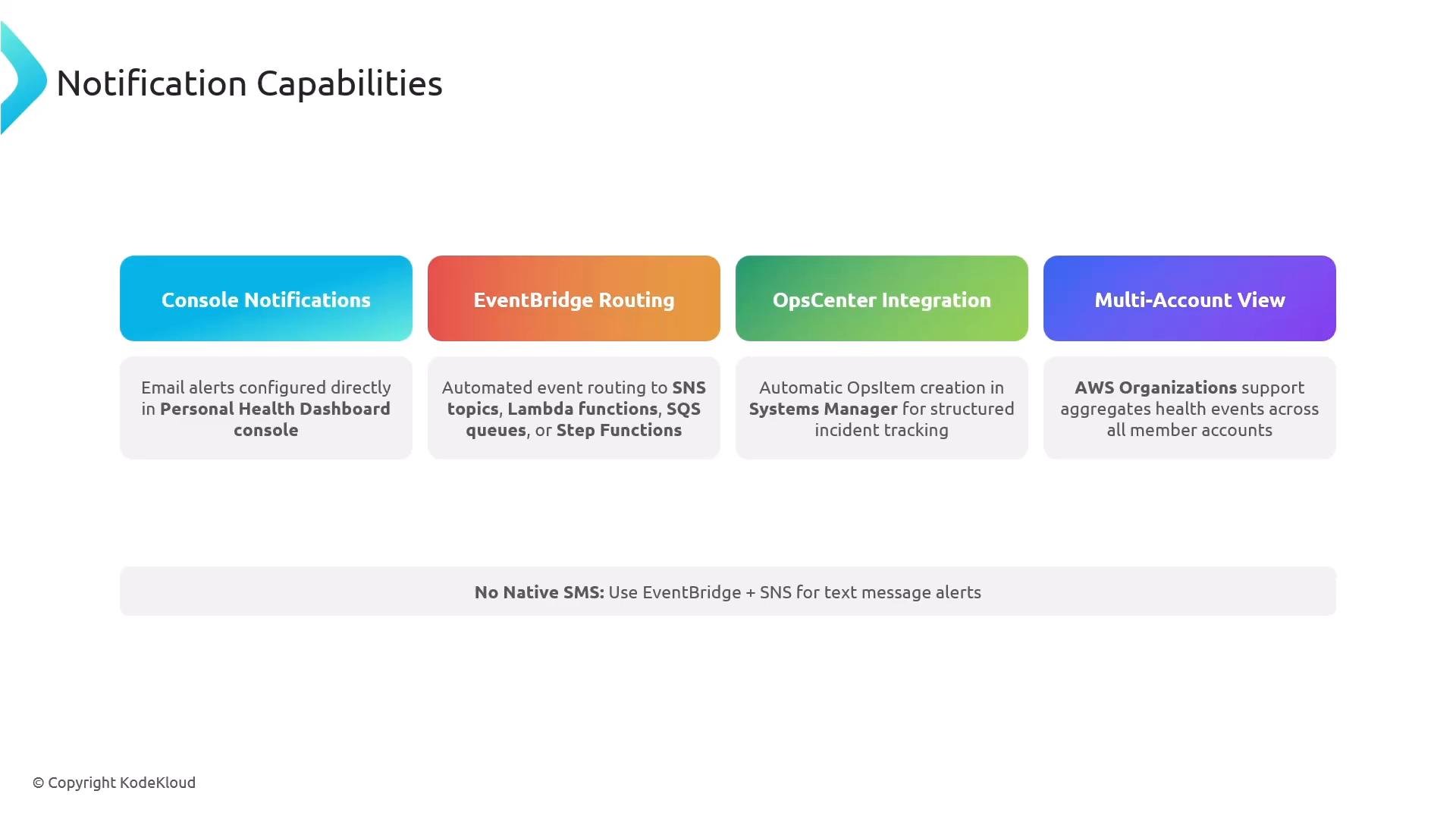
EventBridge can route health events to many AWS services for notifications and automation:- Lambda (custom remediation code)
- Amazon SNS (fan-out notifications, SMS via SNS)
- Amazon SQS (buffering, durable processing)
- Step Functions (coordinated multi-step runbooks)
- Systems Manager (OpsCenter, automation documents)
- S3 (archival of events for audit)
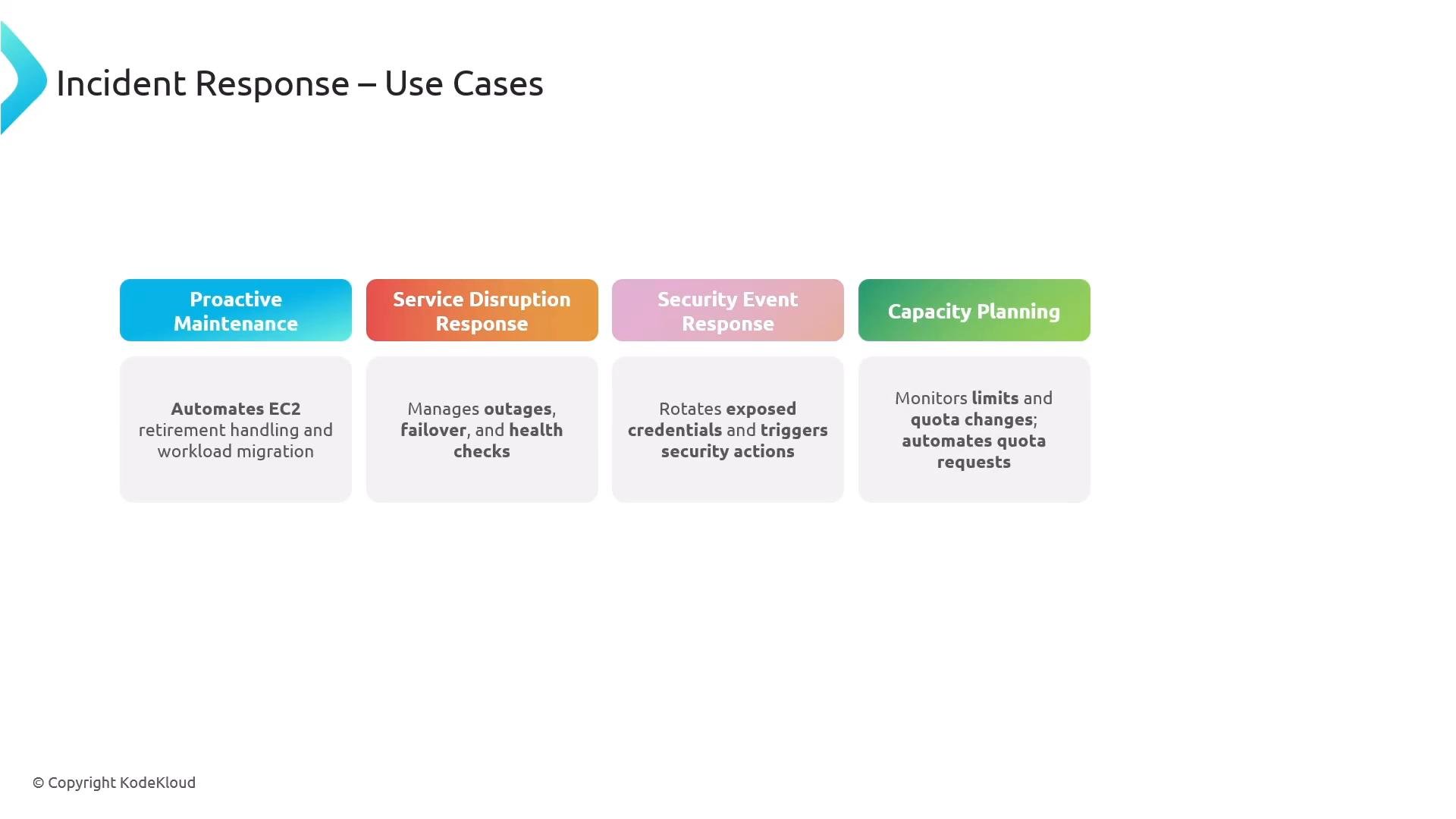
Common incident response use cases
- Proactive maintenance: handle instance retirement or scheduled host maintenance.
- Service disruption response: trigger failover, scale-out, or alternative routing.
- Security event response: rotate exposed credentials or quarantine resources.
- Capacity and quota planning: automate actions when limits change.
- Audit and compliance: archive events, correlate with CloudTrail and Config.
API access and Support Plan requirements
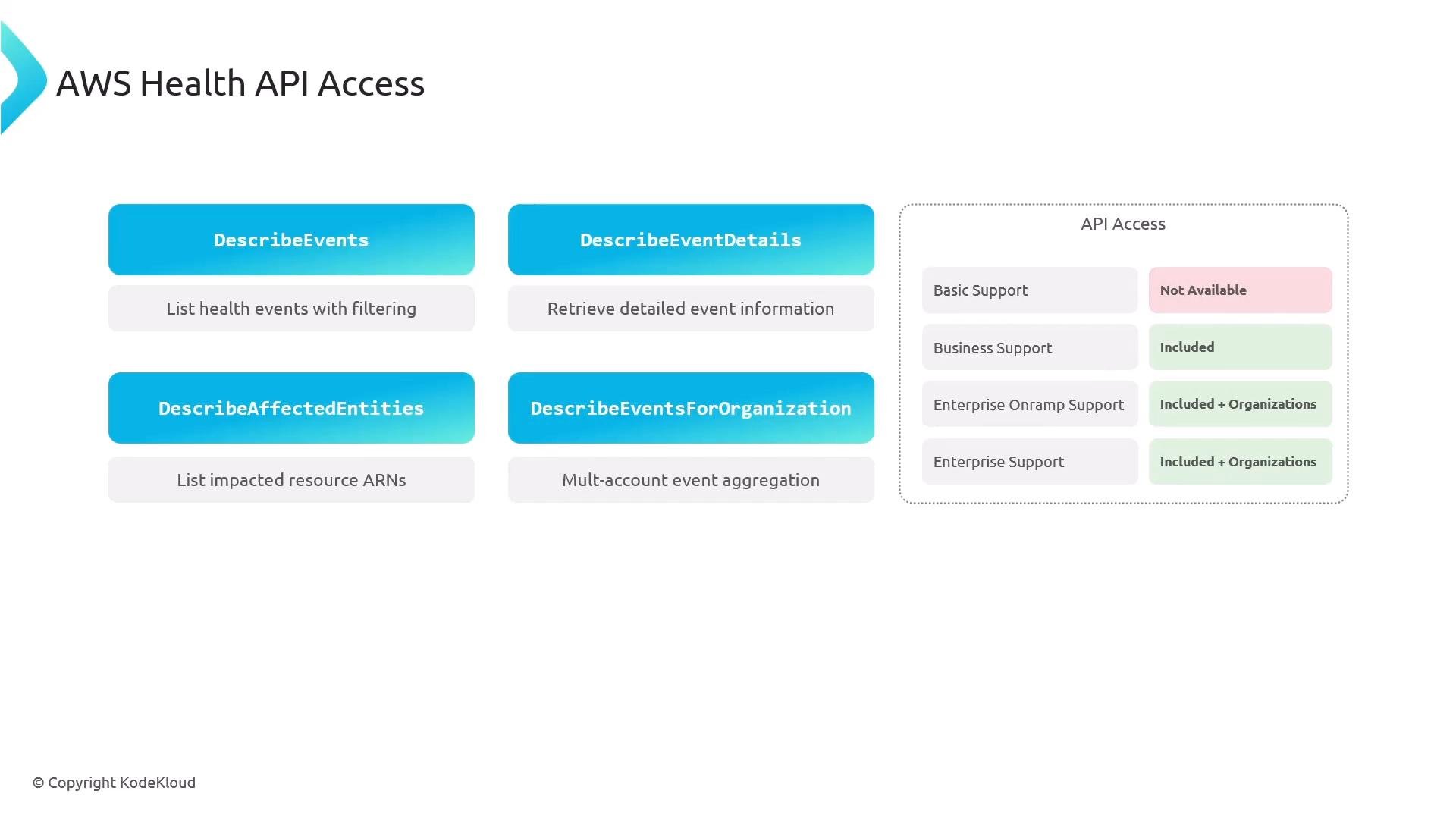
Programmatic access to the AWS Health APIs (the APIs behind the Personal Health Dashboard) is gated by support plan:- Basic: no AWS Health API access.
- Business: access to account-level Health APIs.
- Enterprise / Enterprise On-Ramp: access to account-level and organization-level Health APIs (aggregate across member accounts).
Organizations integration and IAM permissions
To aggregate health events across multiple AWS accounts, enable AWS Organizations and grant the necessary IAM permissions to the roles or users used by your tooling. Key actions you may need:EventBridge rule examples
Use targeted event patterns to reduce noise and only trigger workflows for relevant events. Match any AWS Health event: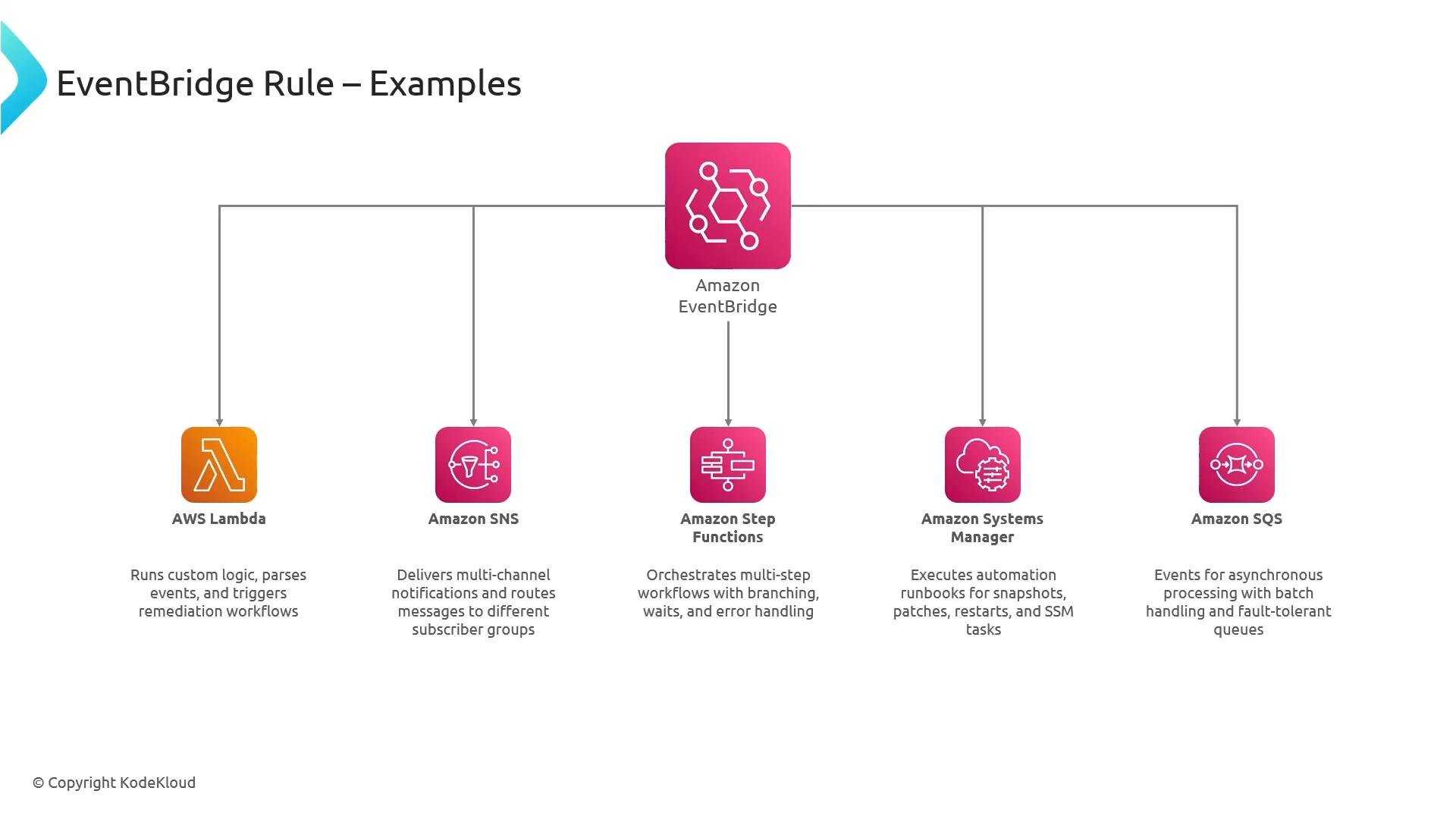
Permissions for multi-account aggregation
If building organization-level workflows, ensure the role or user includes the Health API actions necessary for aggregation and querying. Example actions to include in IAM policies:Monitoring, troubleshooting, and observability
- Monitor EventBridge rule metrics (invocations, successes, failures).
- Use CloudWatch Logs for Lambda and Step Functions to inspect processing.
- Archive raw events to S3 for long-term audit and offline analysis.
- Correlate Health events with CloudWatch metrics, CloudTrail, and AWS X-Ray traces where applicable.
- Use the Personal Health Dashboard’s 90-day history to provide operational context during incident reviews.
Best practices and recommended architecture
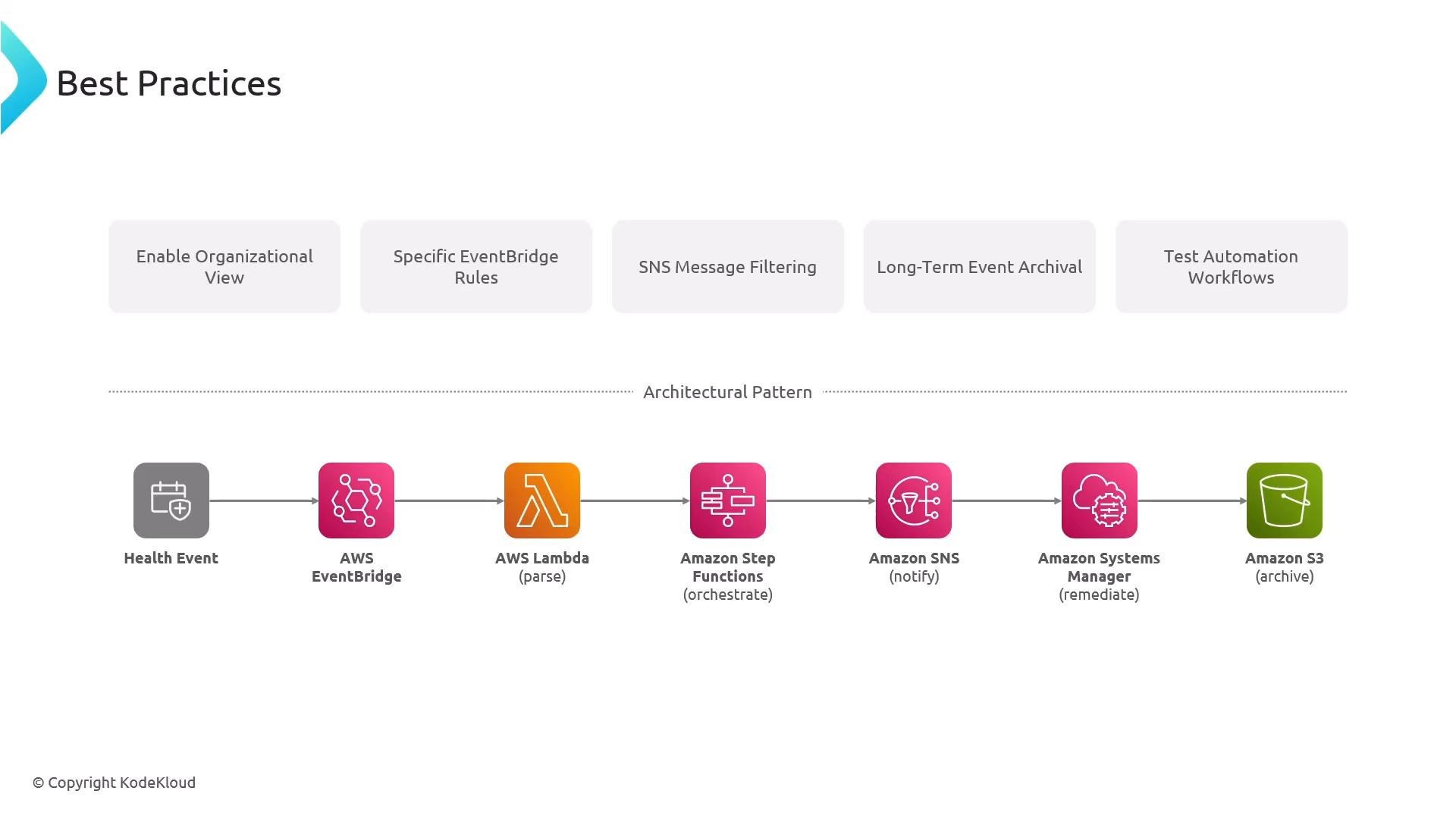
- Enable the organizational view in the Personal Health Dashboard when managing multiple accounts.
- Create narrow EventBridge rules to reduce alert noise and downstream costs.
- Filter SNS topics and use subscription filters to control who receives alerts.
- Archive events to S3 and/or push to a data lake for compliance and post-incident analysis.
- Test automation workflows (Lambda, Step Functions, Systems Manager documents) regularly in non-production before enabling production triggers.
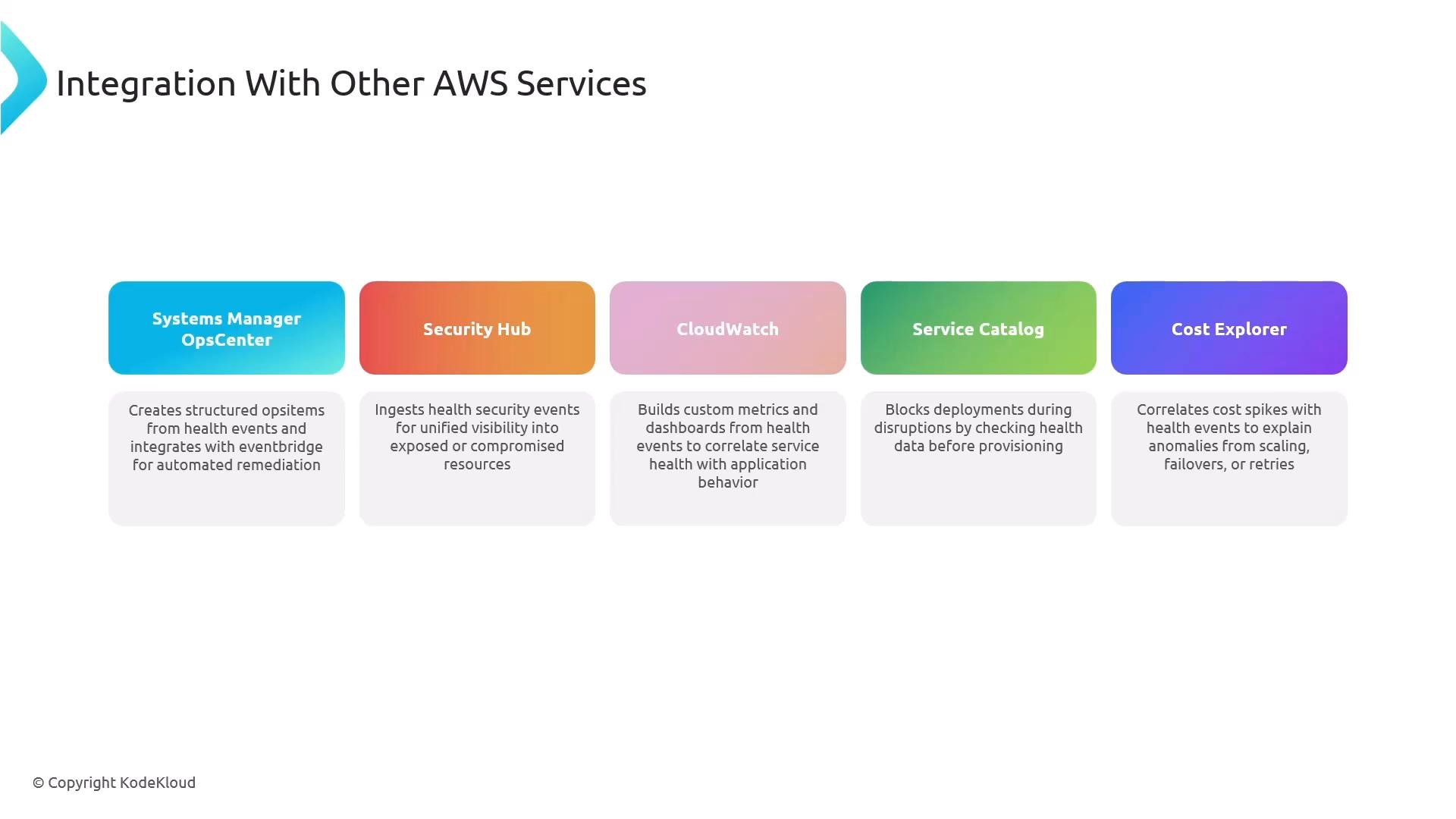
Integrations with other AWS services
AWS Health events are frequently ingested or correlated with:- Systems Manager OpsCenter (create tickets, attach runbooks)
- Security Hub (correlate security findings)
- CloudWatch (generate custom metrics and alarms)
- Service Catalog (block or gate deployments based on health signals)
- Cost Explorer (assess cost impact during incidents)
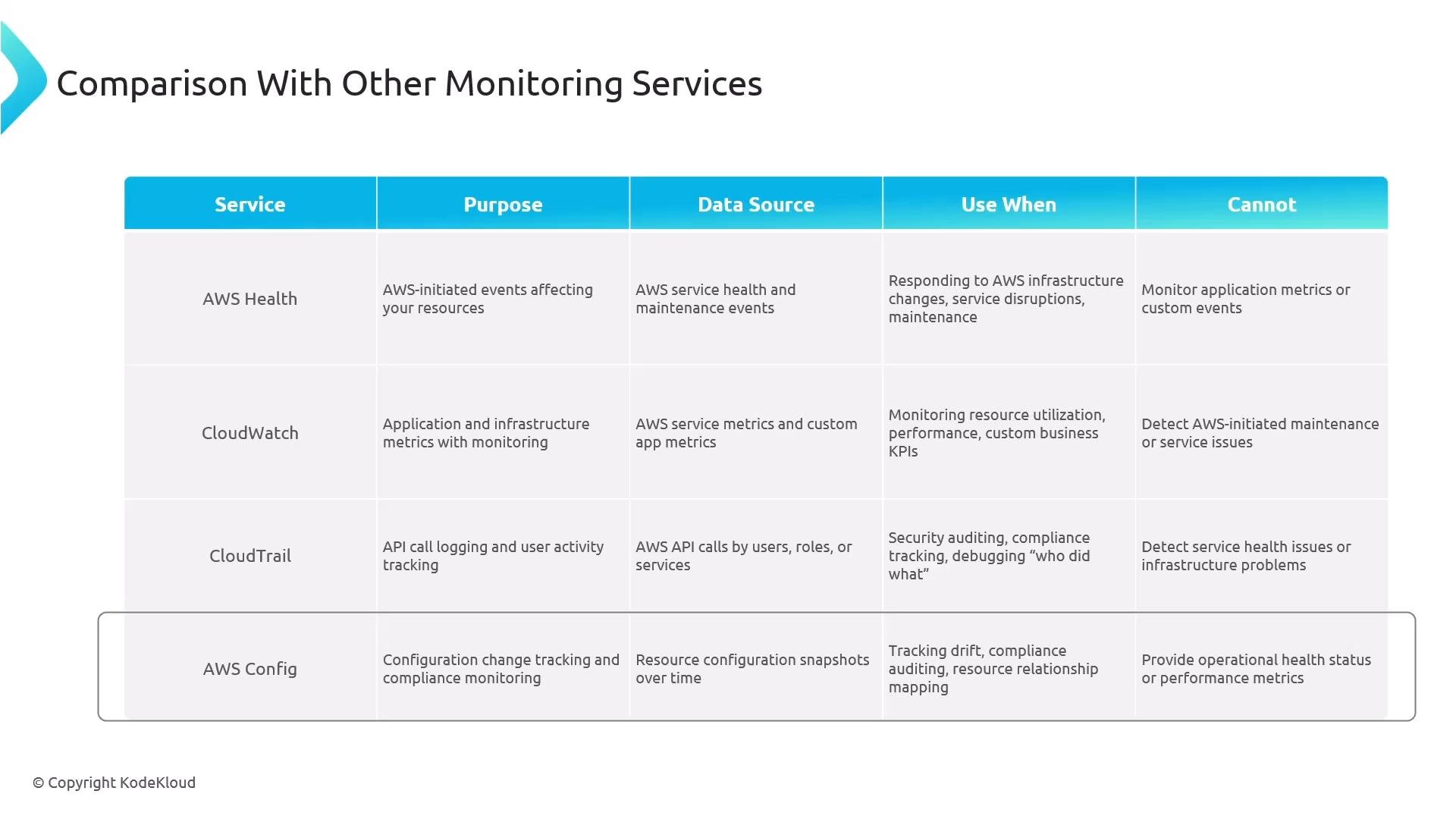
How AWS Health fits in the monitoring ecosystem
- AWS Health: AWS-initiated events and account-specific resource impacts.
- Amazon CloudWatch: Metrics, logs, alarms, operational monitoring for workloads.
- AWS CloudTrail: API call history for auditing and forensics.
- AWS Config: Configuration drift and compliance checks.
For both the exam and production designs: remember that AWS Health provides AWS-initiated events, integrates with EventBridge automatically, and that API access requires Business or Enterprise support (organization-level APIs typically require Enterprise). Be ready to design focused EventBridge rules and end-to-end automation (Lambda, Step Functions, Systems Manager) that respond to these events.