

What you’ll learn
- How to connect GitHub to AWS CodePipeline using CodeStar Connections (GitHub App).
- How to create a custom CodePipeline with Source and Build stages.
- How CodeBuild uses
buildspec.ymlin your repository to run builds. - Where pipeline artifacts are stored and how to verify executions.
Preparation
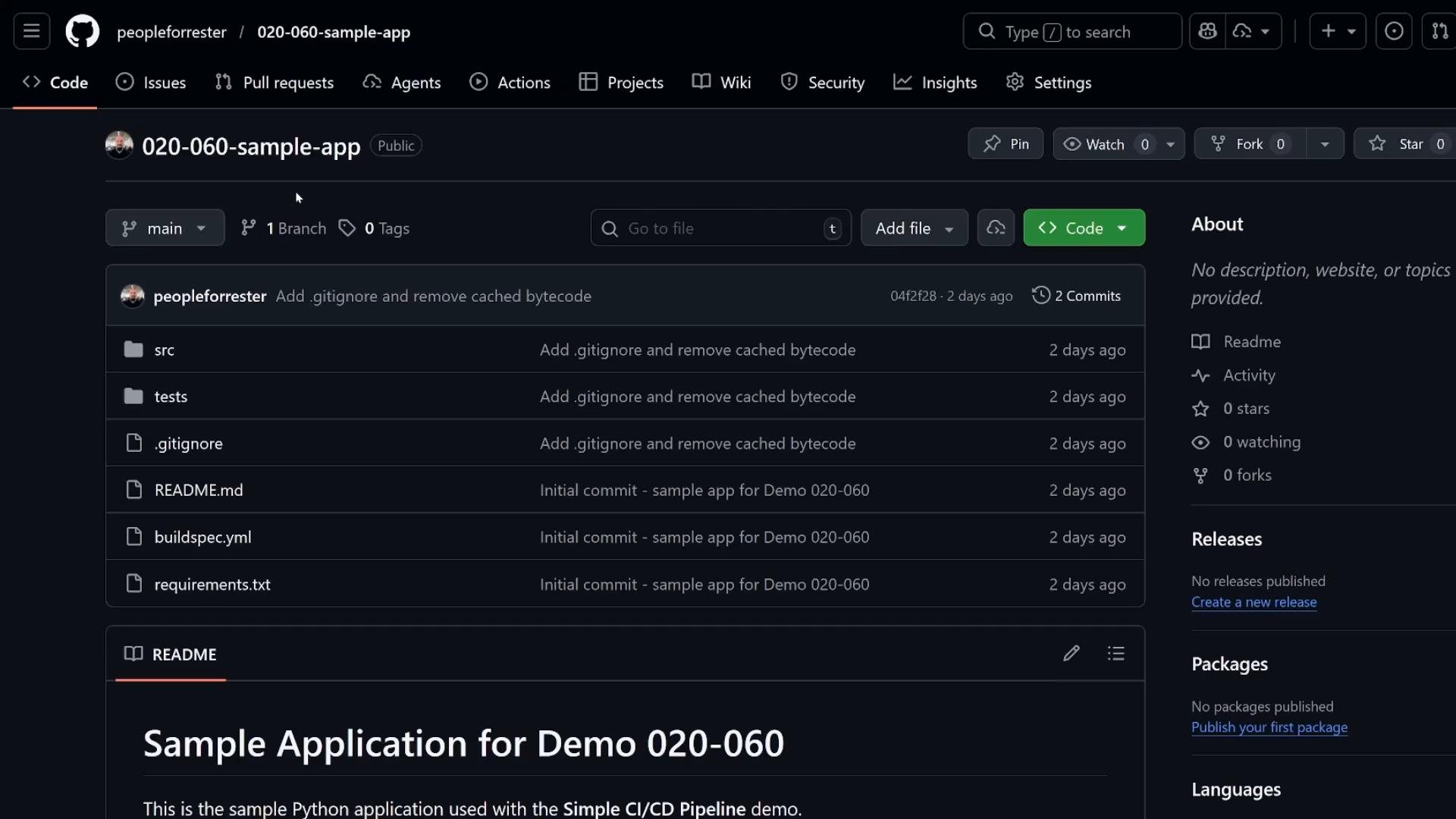
For this demo we use a sample GitHub repository containing a small Python app and abuildspec.yml file. The buildspec.yml defines build phases and commands used by CodeBuild.
1. Connect CodePipeline to GitHub (CodeStar Connections)
Use CodeStar Connections (GitHub App) to grant CodePipeline access to your GitHub repository. This method is preferred over OAuth tokens for improved manageability and security. Steps:- In the AWS Console navigate to CodePipeline -> Settings -> Connections.
- Create a new connection and select GitHub (via GitHub App / CodeStar Connections). During the GitHub App authorization you will be prompted to allow repository access and permissions required by AWS.
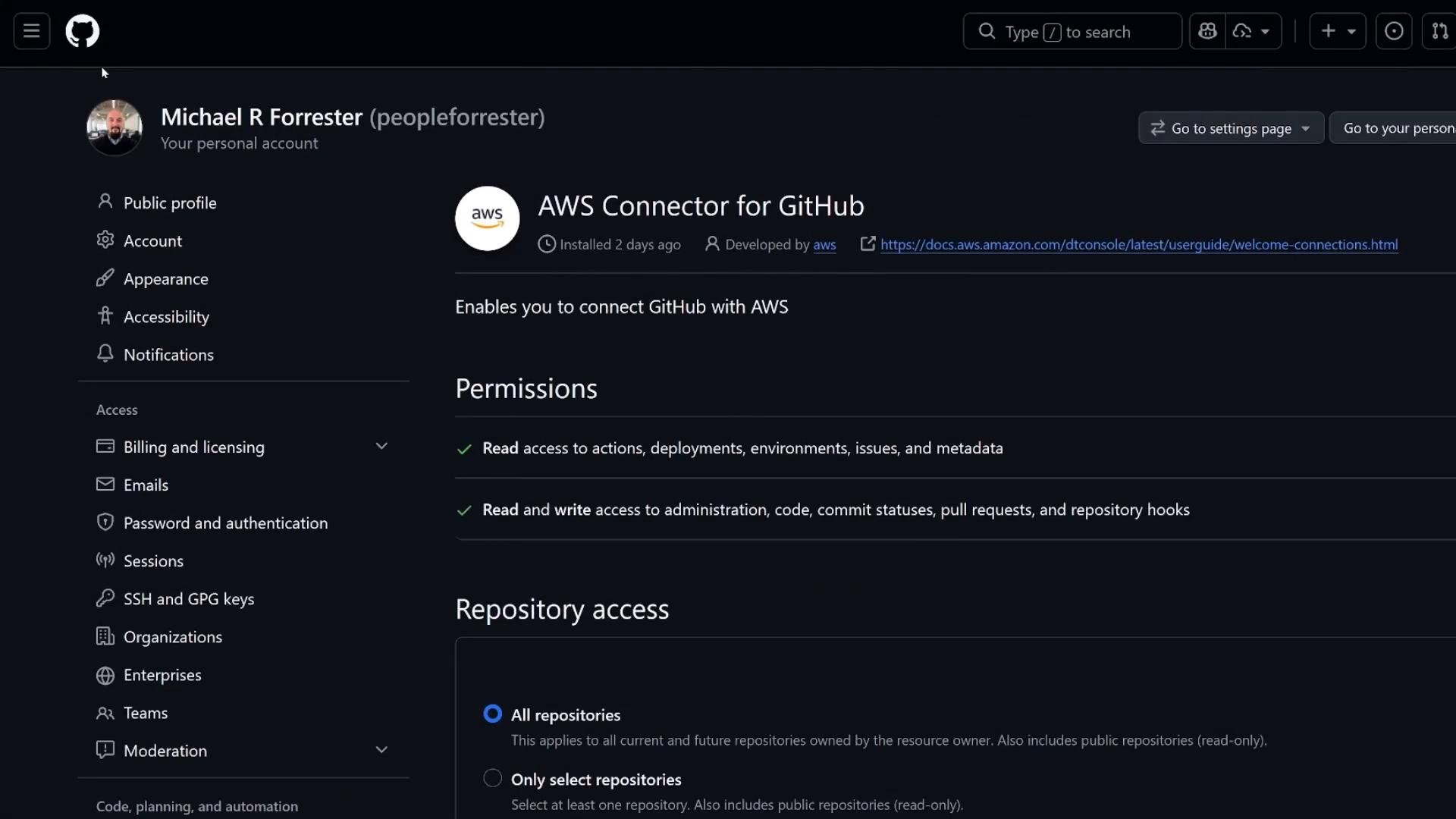
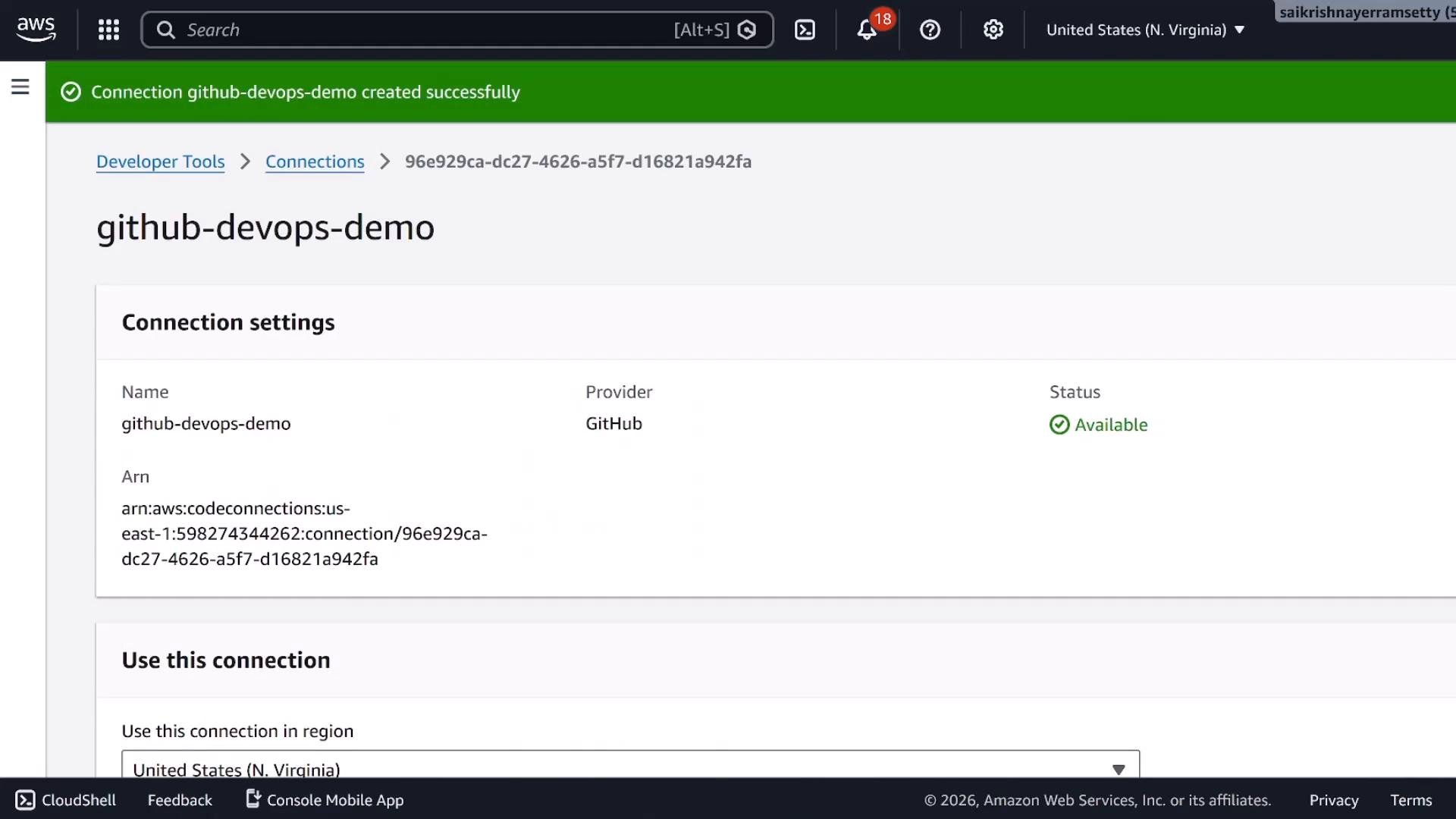
- After authorization the connection will appear in CodePipeline Connections with status “Available”. You may scope the connection to all repositories or limit it to selected repositories during installation.
2. Create a custom CodePipeline
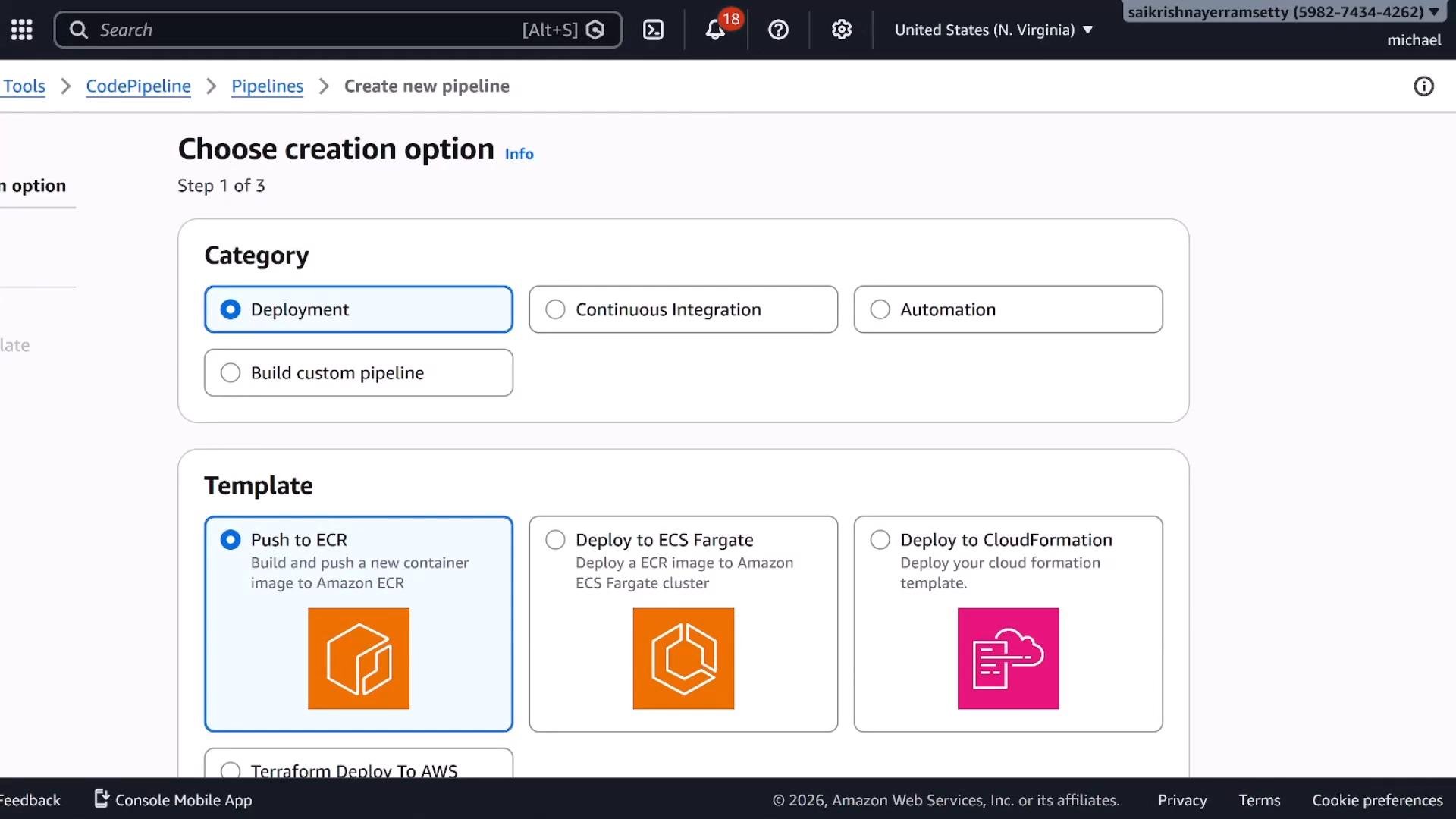
Create a pipeline manually (not from a template) so you can explicitly control Source and Build stages.- Go to CodePipeline -> Pipelines -> Create a pipeline.
- Choose the custom pipeline option to add stages manually.
- Pipeline name: eg.
github-demo-pipeline - Execution mode:
queued— preserve execution order (recommended default for most pipelines).superseded— abort previous in-progress executions when a new run starts.parallel— allow concurrent executions (useful for independent branches). In this demo we usequeuedto preserve order and avoid resource conflicts.
- Service role: choose an existing IAM role or allow creation of a new one. The role requires permissions for CodePipeline, CodeBuild, and S3 artifact access.
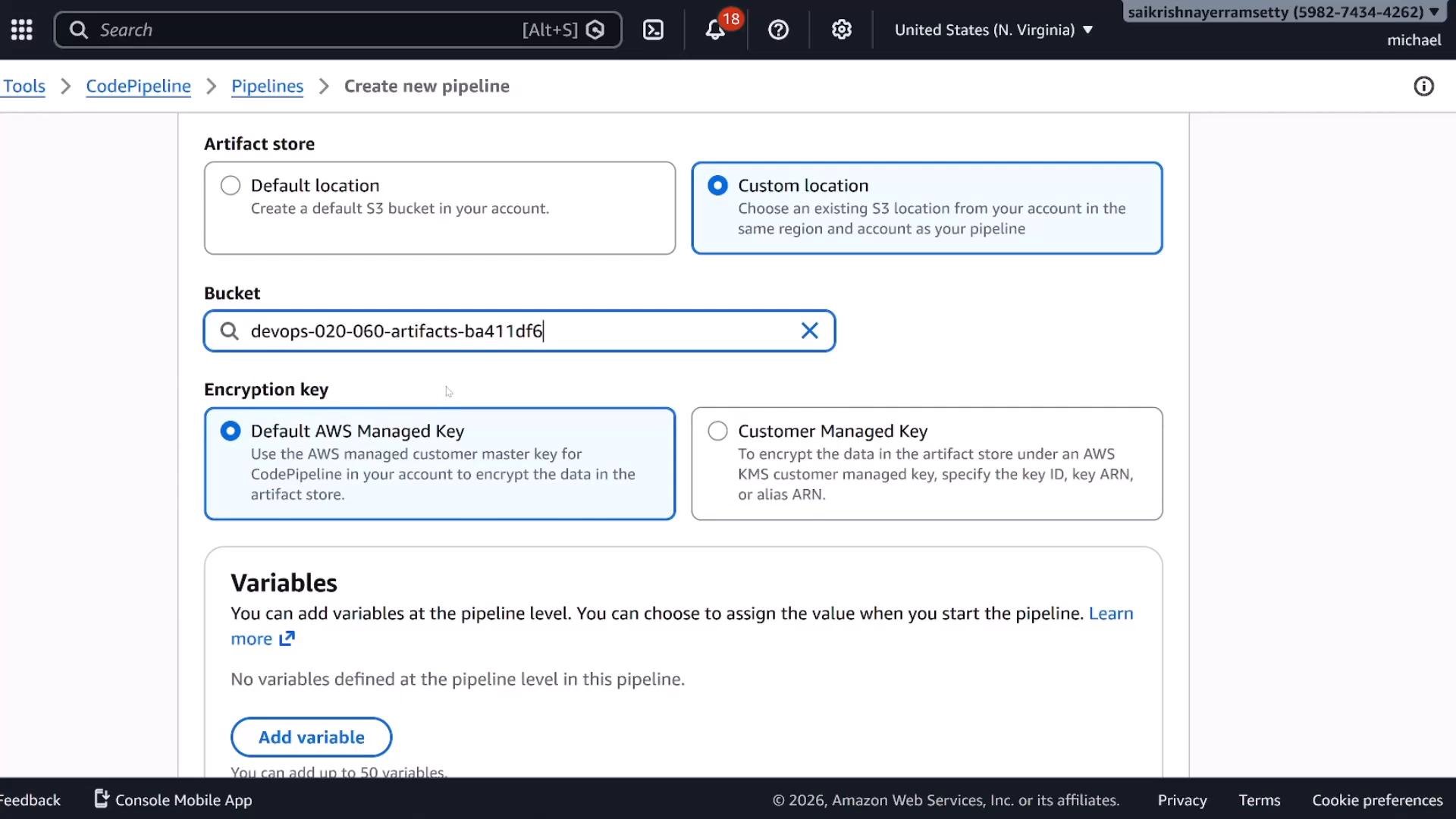
- Artifact store: choose a custom S3 bucket (or let CodePipeline create one). You can choose AWS-managed or customer-managed encryption keys.
3. Configure the Source stage (GitHub)
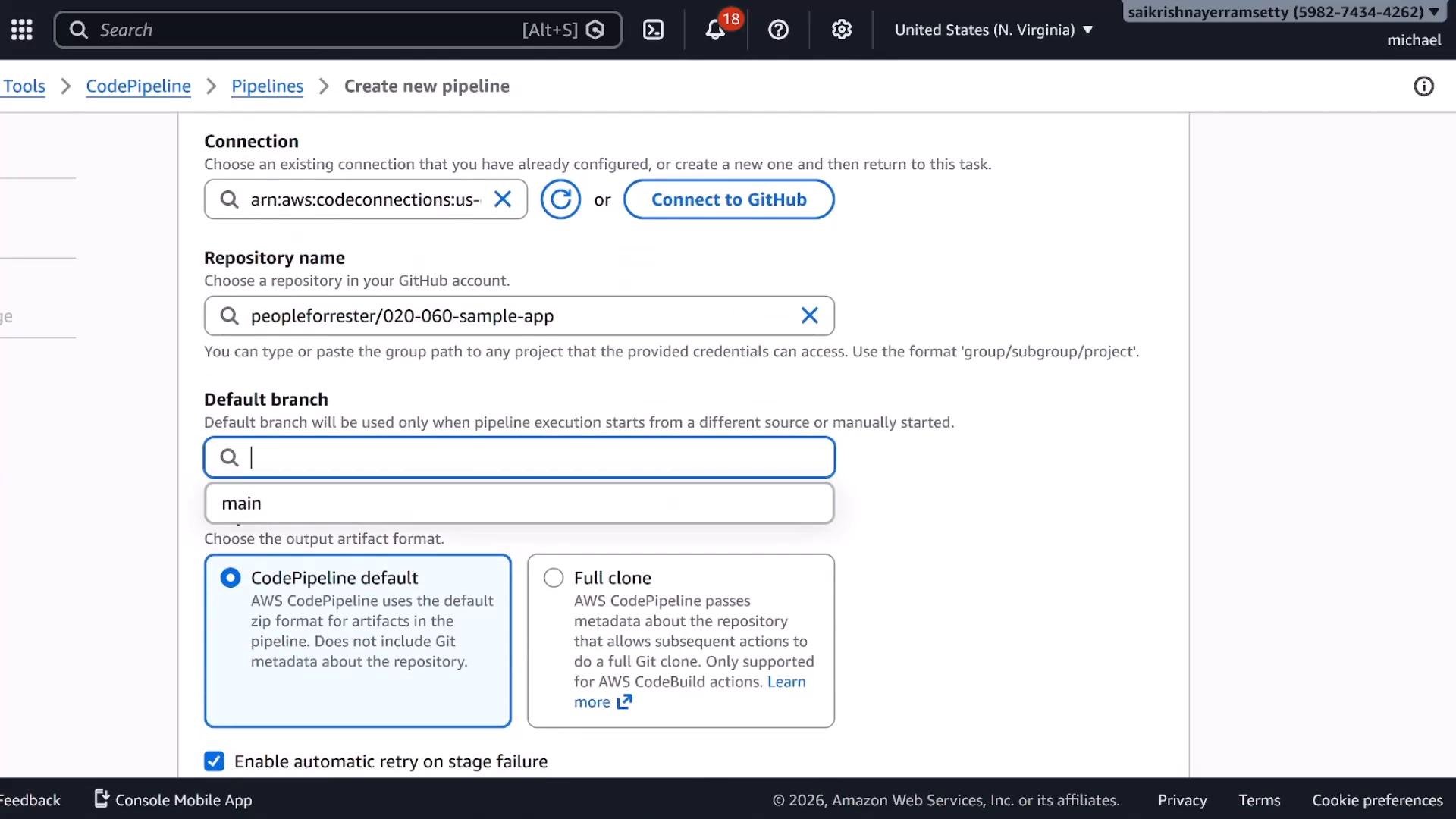
Set up the repository and branch that will trigger pipeline runs. Steps:- For Source provider select GitHub and choose the CodeStar Connection you created.
- Select the repository (for example:
peopleforrester/020-060-sample-app) and the default branch (for example:main). - Artifact format:
- CodePipeline default (ZIP) — fastest; does not include
.gitmetadata. - Full clone — runs
git cloneand preserves git metadata (useful if you needgitcommands or history during build).
- CodePipeline default (ZIP) — fastest; does not include
- Enable webhook events to trigger the pipeline on pushes and pull requests. This enables near real-time builds via GitHub webhooks.
4. Add a Build stage
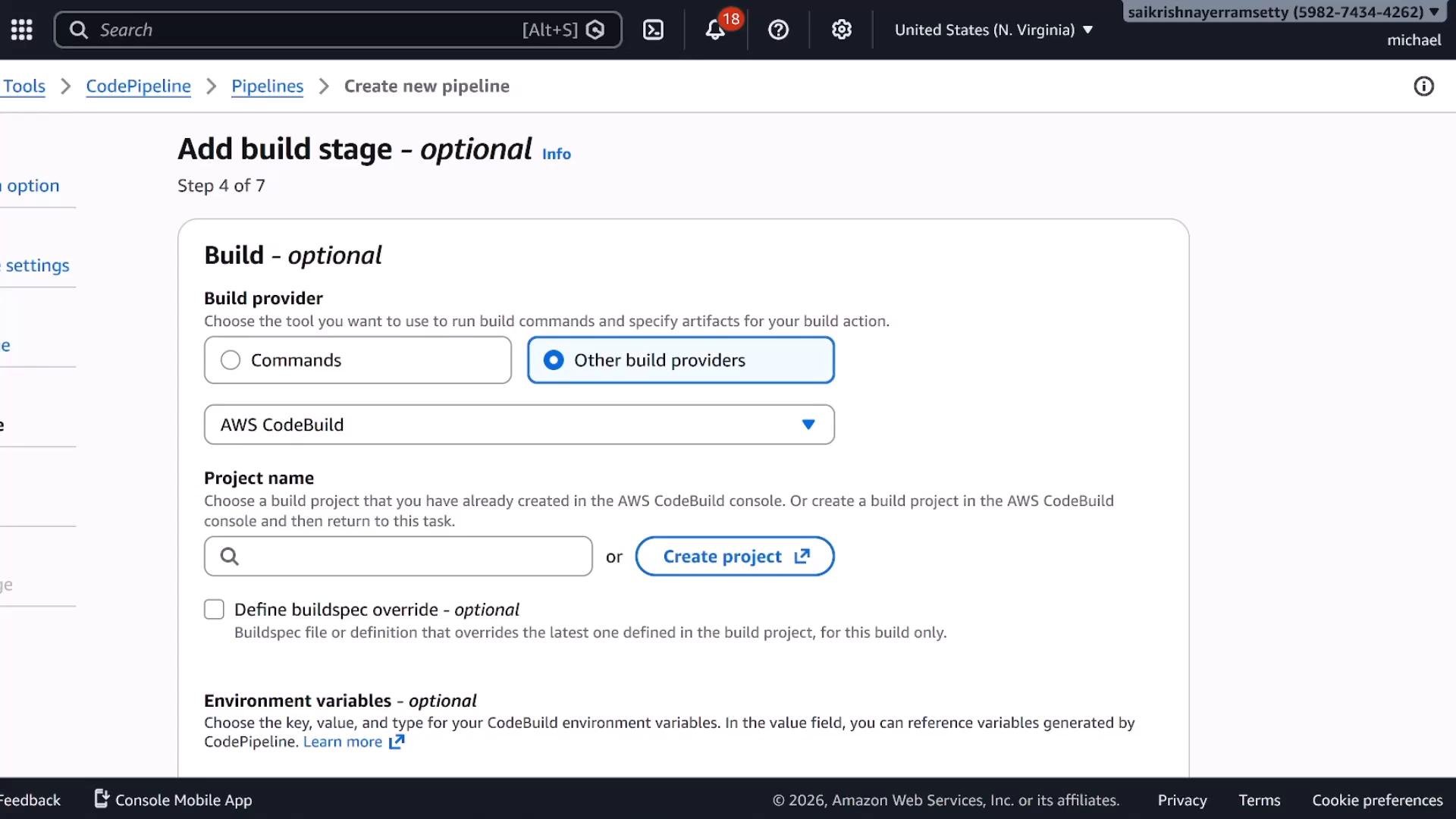
A typical CI pipeline includes a Build stage to run tests, linters, or package artifacts. You can choose between simple inline commands or a full CodeBuild project.- If your needs are minimal, CodePipeline supports inline “Commands” for quick tasks:
- For full CI, select AWS CodeBuild to run your repository’s
buildspec.yml. Usingbuildspec.ymlin the repo is recommended because it keeps build logic versioned with your code.
buildspec.yml exists).
Create a CodeBuild project
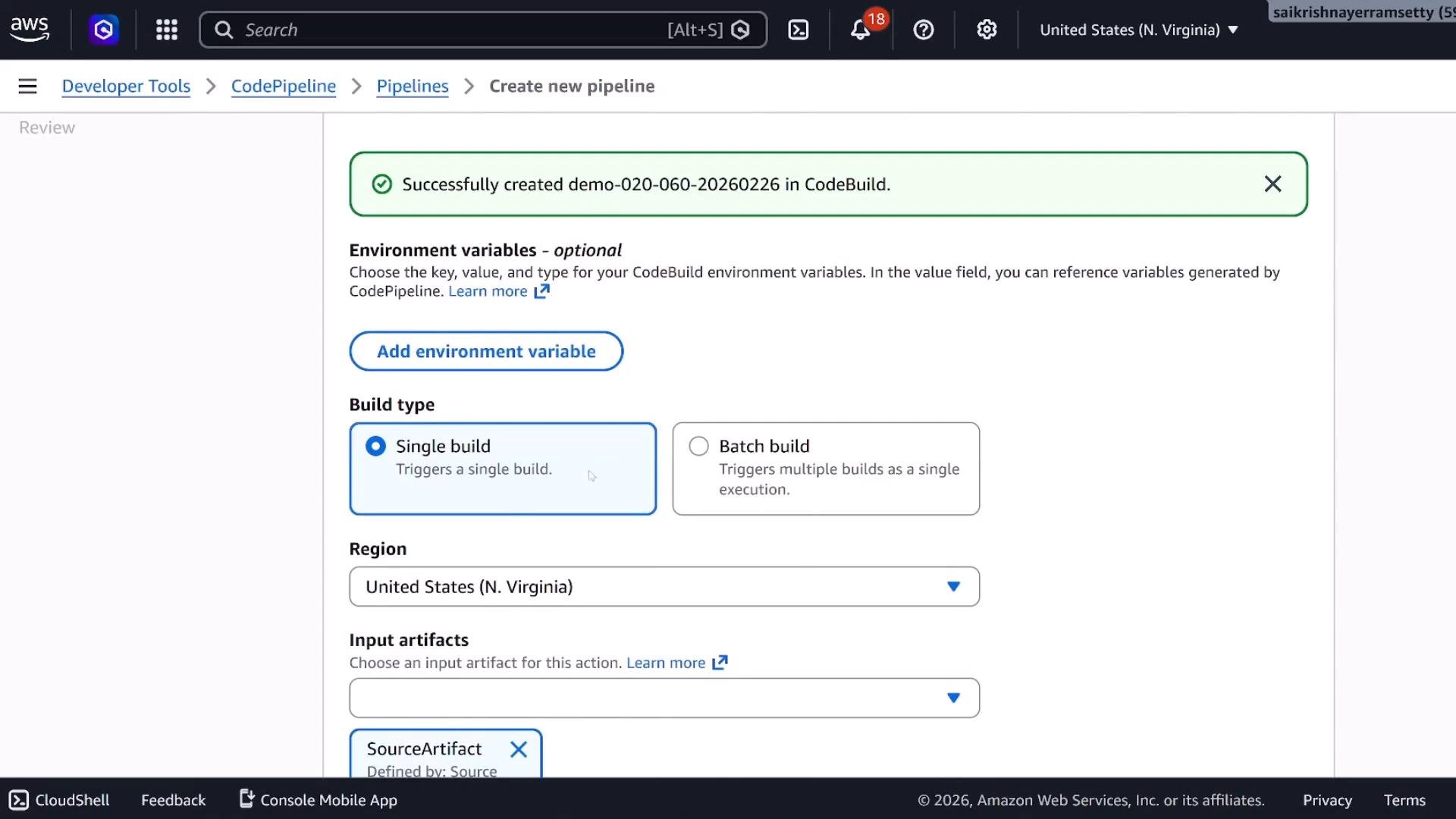
When creating a CodeBuild project, configure these essential values:- Project name: e.g.,
demo-020060 - Environment image: e.g.,
aws/codebuild/ami/amazonlinux-x86_64-base:latest - Service role: select or create a role allowing read access to source artifacts and write access to build artifacts in S3
- Compute size:
smallis usually enough for lightweight demos - Buildspec: use the
buildspec.ymlin the repository (default if present)
5. Create and run the pipeline
- You can omit Test/Deploy stages if you only want Source -> Build for CI.
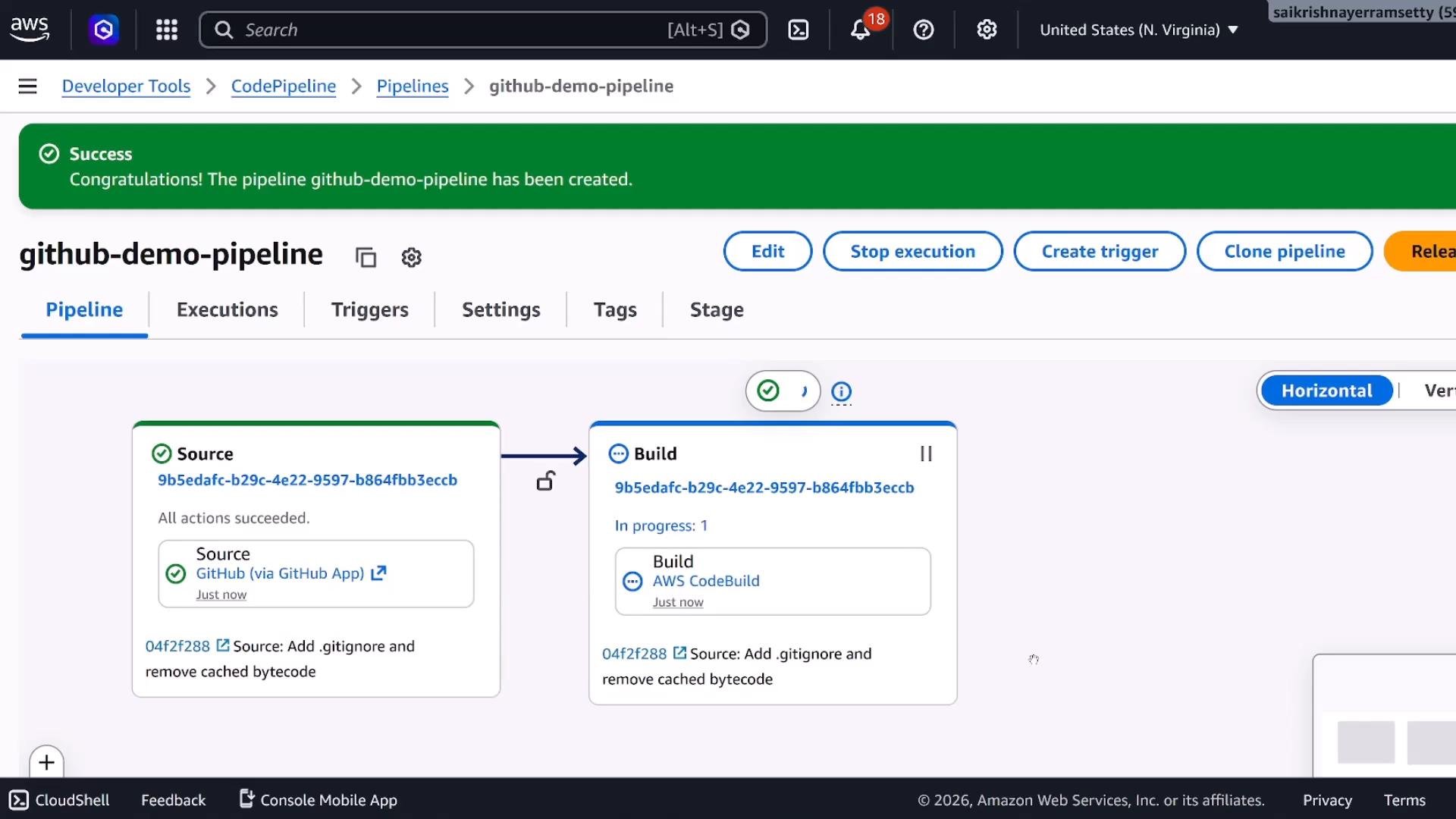
- Create the pipeline and watch execution. The Source stage will fetch the repository artifact (ZIP or full clone) and place it into the pipeline S3 artifact bucket. The Build stage picks up that artifact and executes the
buildspec.ymlin CodeBuild.
Where artifacts are stored
- Source artifacts produced by the Source action are placed in the pipeline S3 bucket you configured.
- Build output artifacts (inputs for any subsequent Deploy stage) are also stored in S3 under the pipeline bucket/prefix.
- Verify artifacts in the S3 console under the bucket/prefix created for your pipeline.
Viewing a successful pipeline run
After the build completes you should see green success markers for the Source and Build stages in the CodePipeline console. The S3 artifact becomes the input for any later deploy stage you add.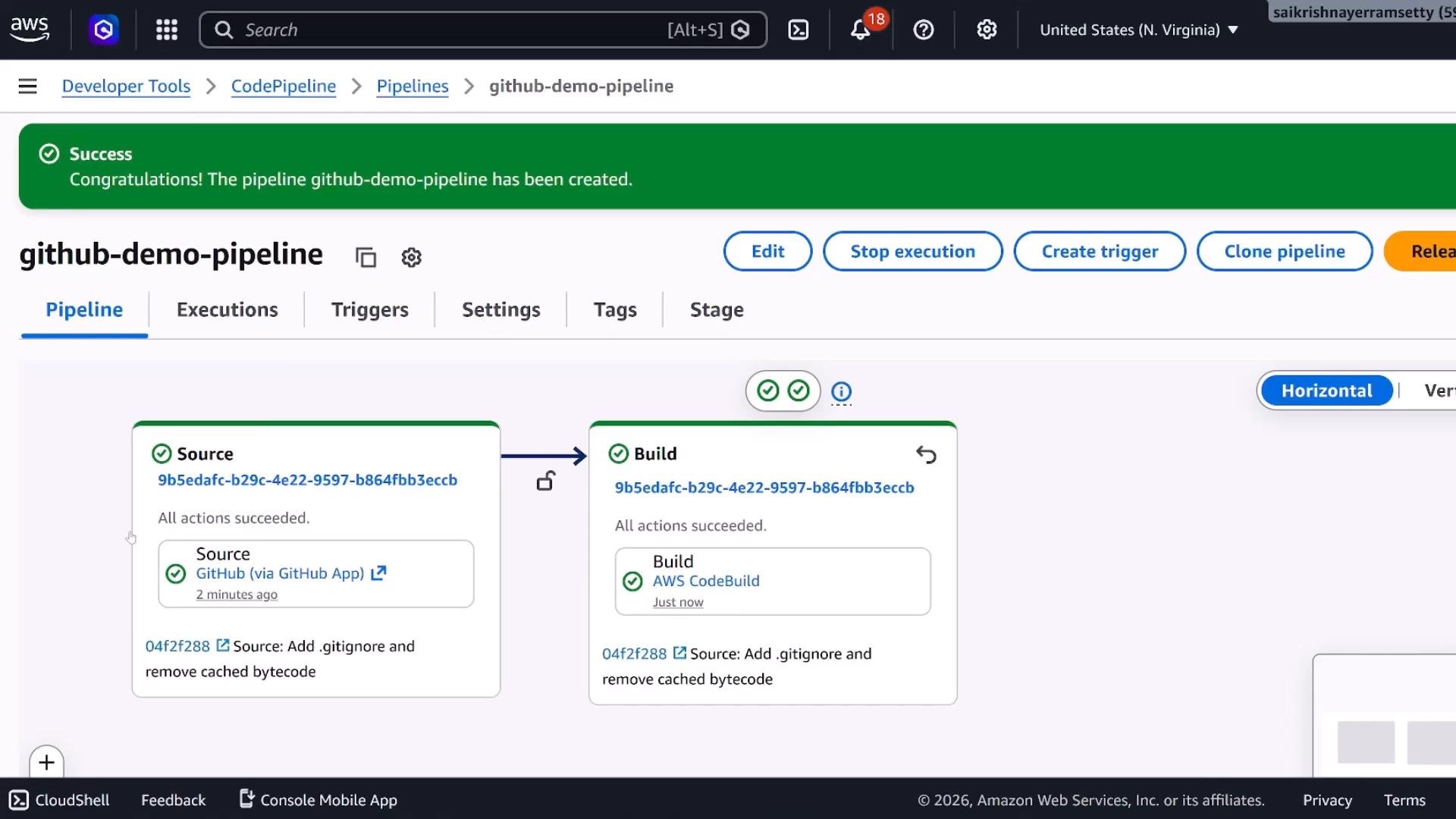
Quick reference: Pipeline components and purpose
Key takeaways
- Use CodeStar Connections (GitHub App) to securely integrate GitHub with CodePipeline; it offers repository-scoped access versus legacy OAuth tokens.
- Choose the correct pipeline execution mode (
queued,superseded,parallel) to match your workflow and concurrency requirements. - Source actions produce artifacts (ZIP or full clone) saved in the pipeline S3 bucket; the Build stage consumes those artifacts.
- Keep build logic in the repository with
buildspec.ymlto ensure build configuration is versioned alongside your code. InlineCommandsare fine for quick, simple tasks.
Ensure IAM roles for CodePipeline and CodeBuild have the necessary permissions: S3 read/write for artifacts, CloudWatch Logs permissions, and any resource-specific permissions your build or deploy steps require. Insufficient permissions are a common root cause of pipeline failures.
Links and references
- AWS CodePipeline: https://aws.amazon.com/codepipeline/
- AWS CodeBuild: https://aws.amazon.com/codebuild/
- CodeStar Connections (GitHub App): https://aws.amazon.com/codestar/connections/
- GitHub Apps: https://docs.github.com/en/apps
- GitHub Webhooks: https://docs.github.com/en/developers/webhooks-and-events/about-webhooks
- CodeBuild buildspec reference: https://docs.aws.amazon.com/codebuild/latest/userguide/build-spec-ref.html