

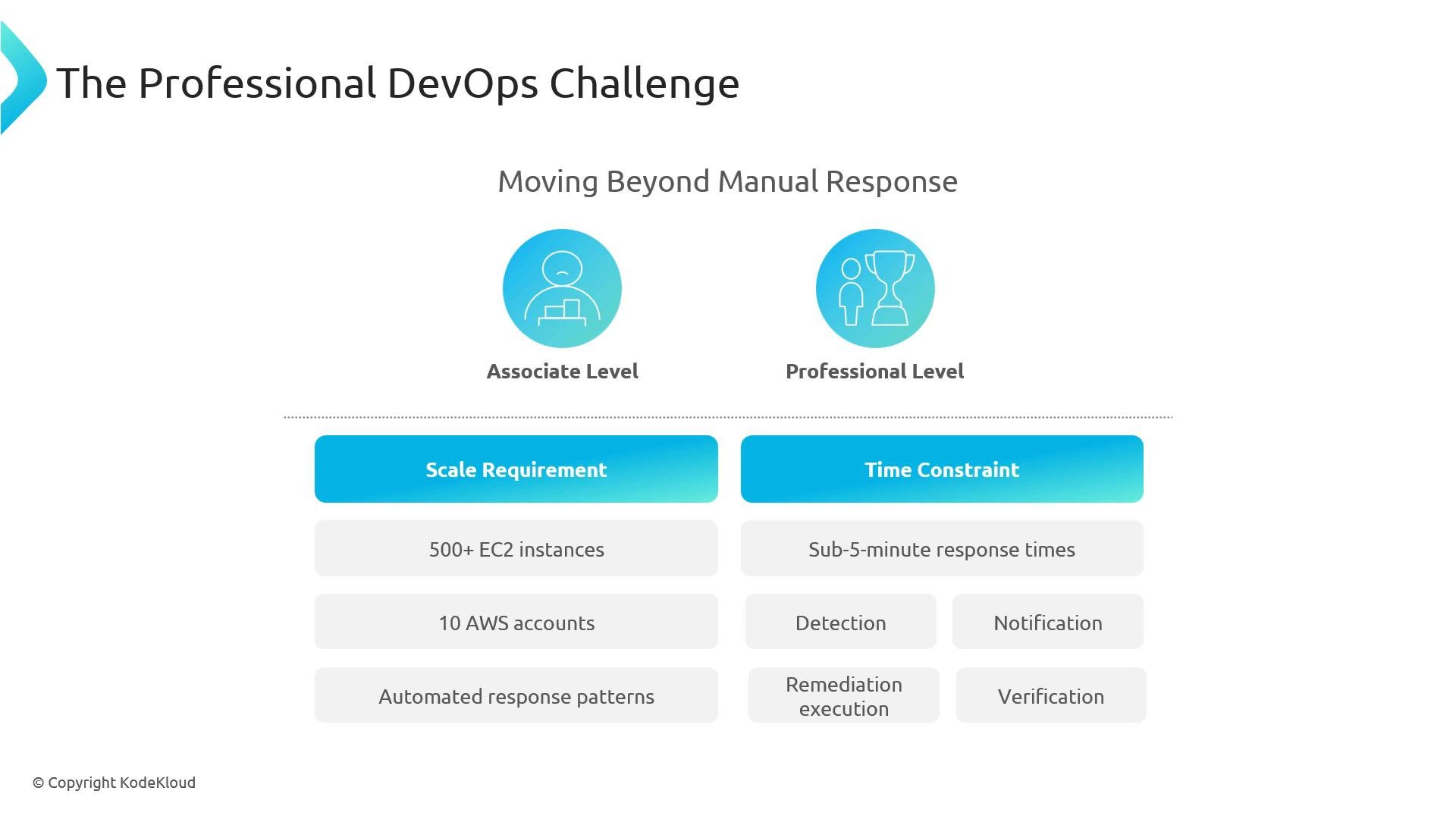
Events vs. Incidents — Know the Difference
Understanding the distinction between an event and an incident drives correct detection, routing, and remediation choices.- Event: an observable state change (examples: EC2 instance stopped, S3 object created, AWS Health notification). Events are the raw signals you collect.
- Incident: a condition that degrades availability, integrity, or performance and requires action (examples: autoscaling failures, 500 errors, DB connection pool exhaustion, expired certificates causing downtime).
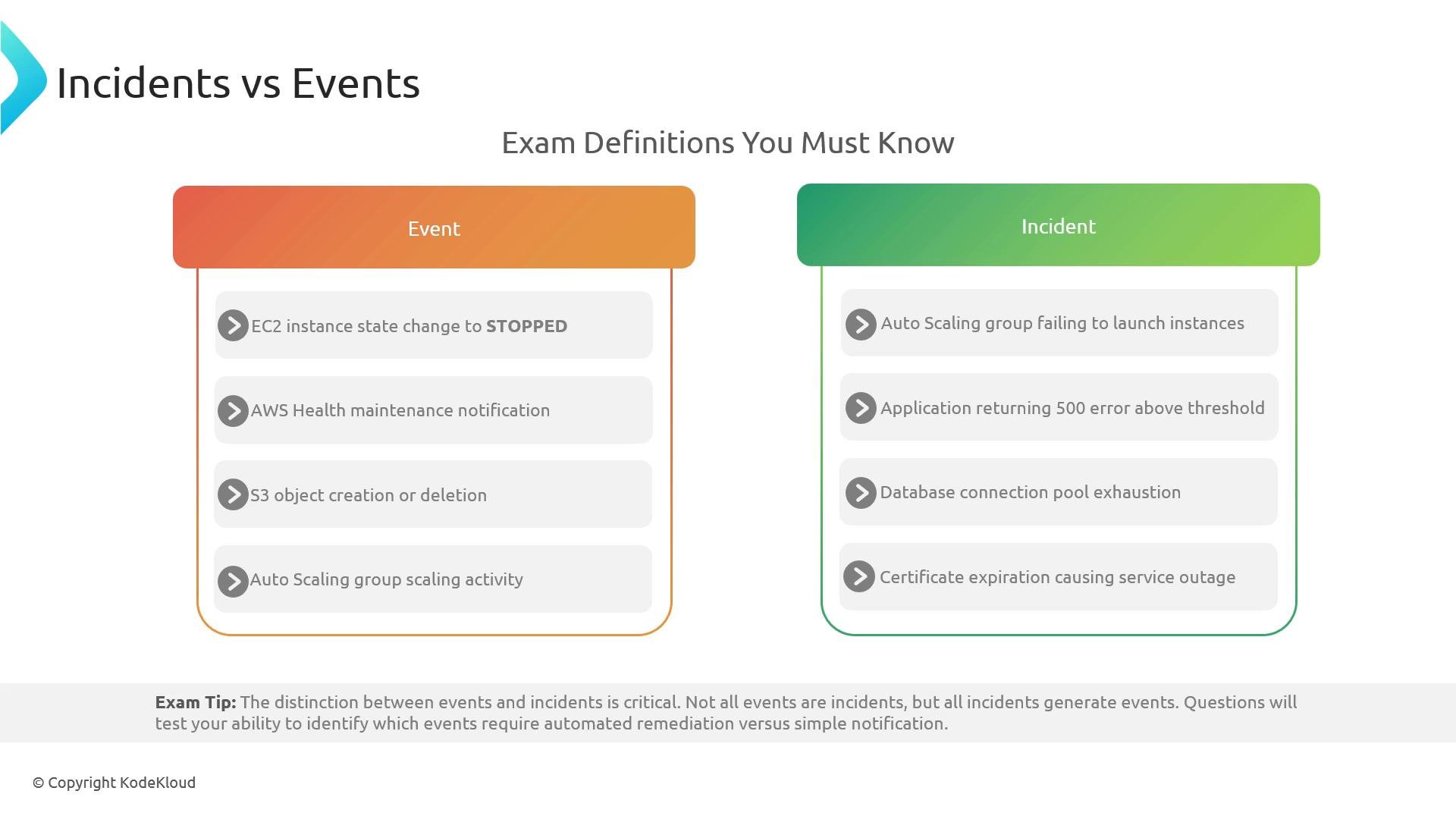
Three Pillars of Incident Response
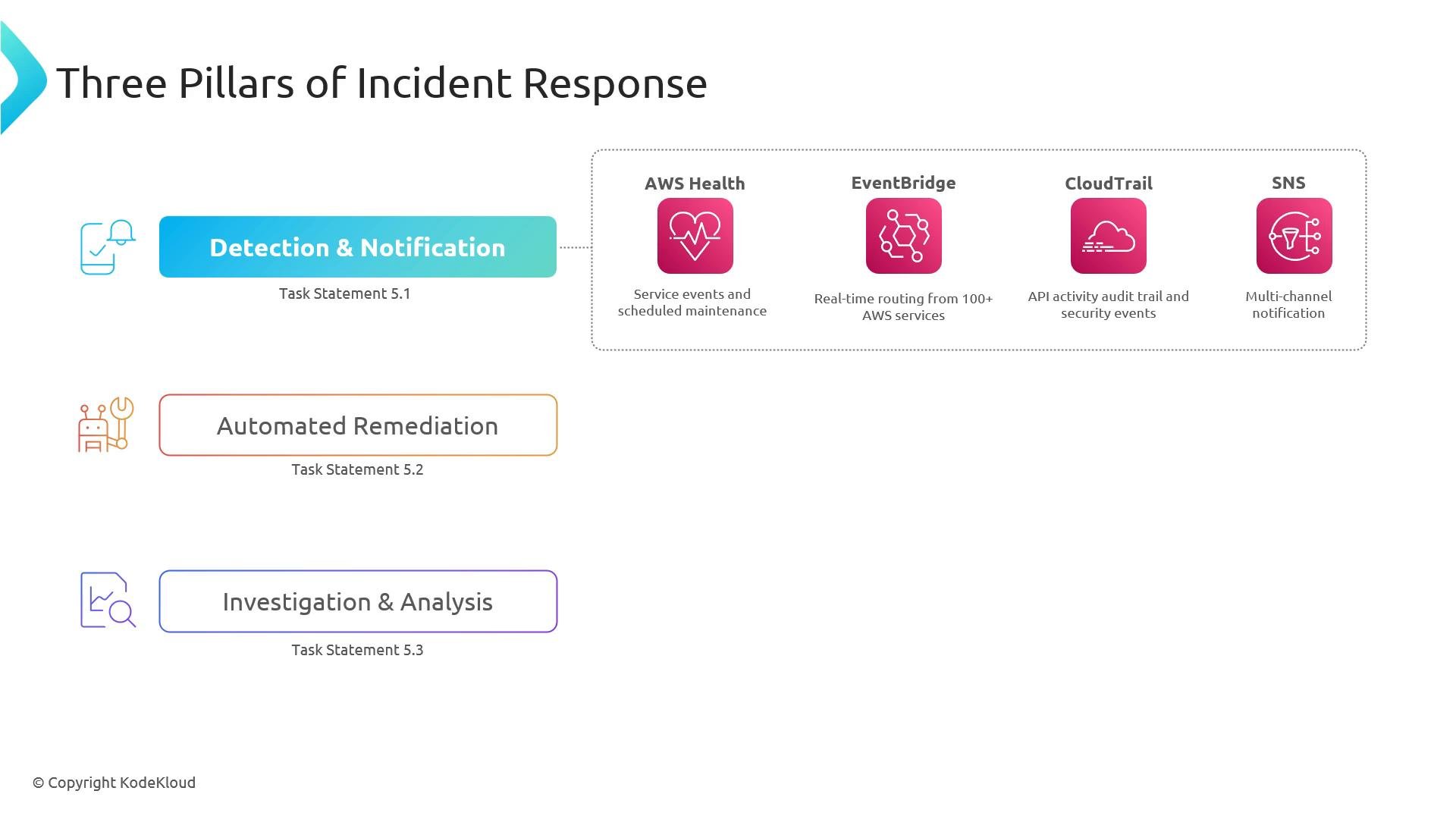
A practical incident-response architecture rests on three complementary pillars:- Detection & Notification — capture events and notify the right channels.
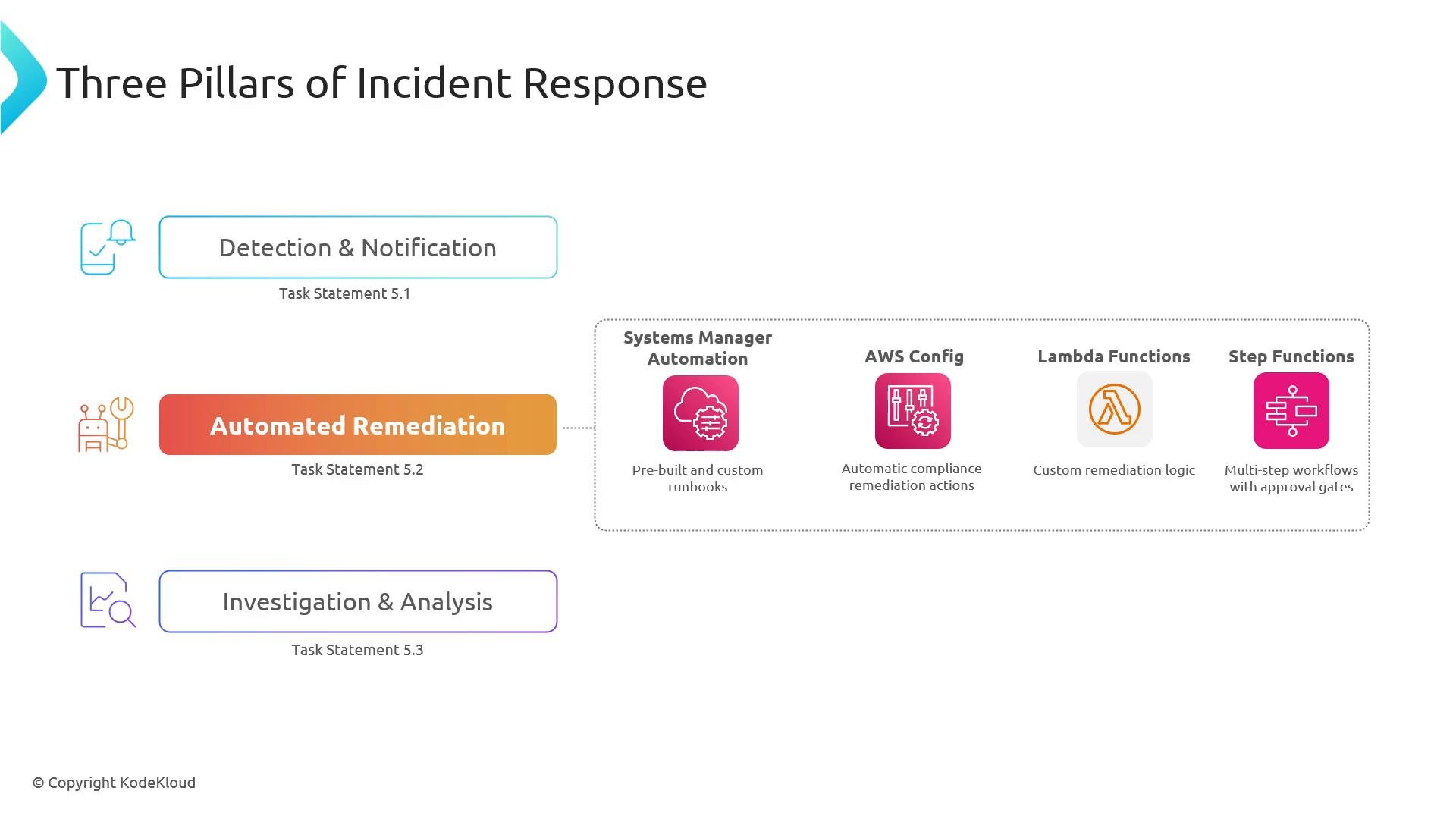
- Automated Remediation — act quickly and predictably, often without human intervention.
- Investigation & Analysis — collect telemetry and perform root-cause analysis to prevent recurrence.
Common Serverless Patterns for Scalable Response
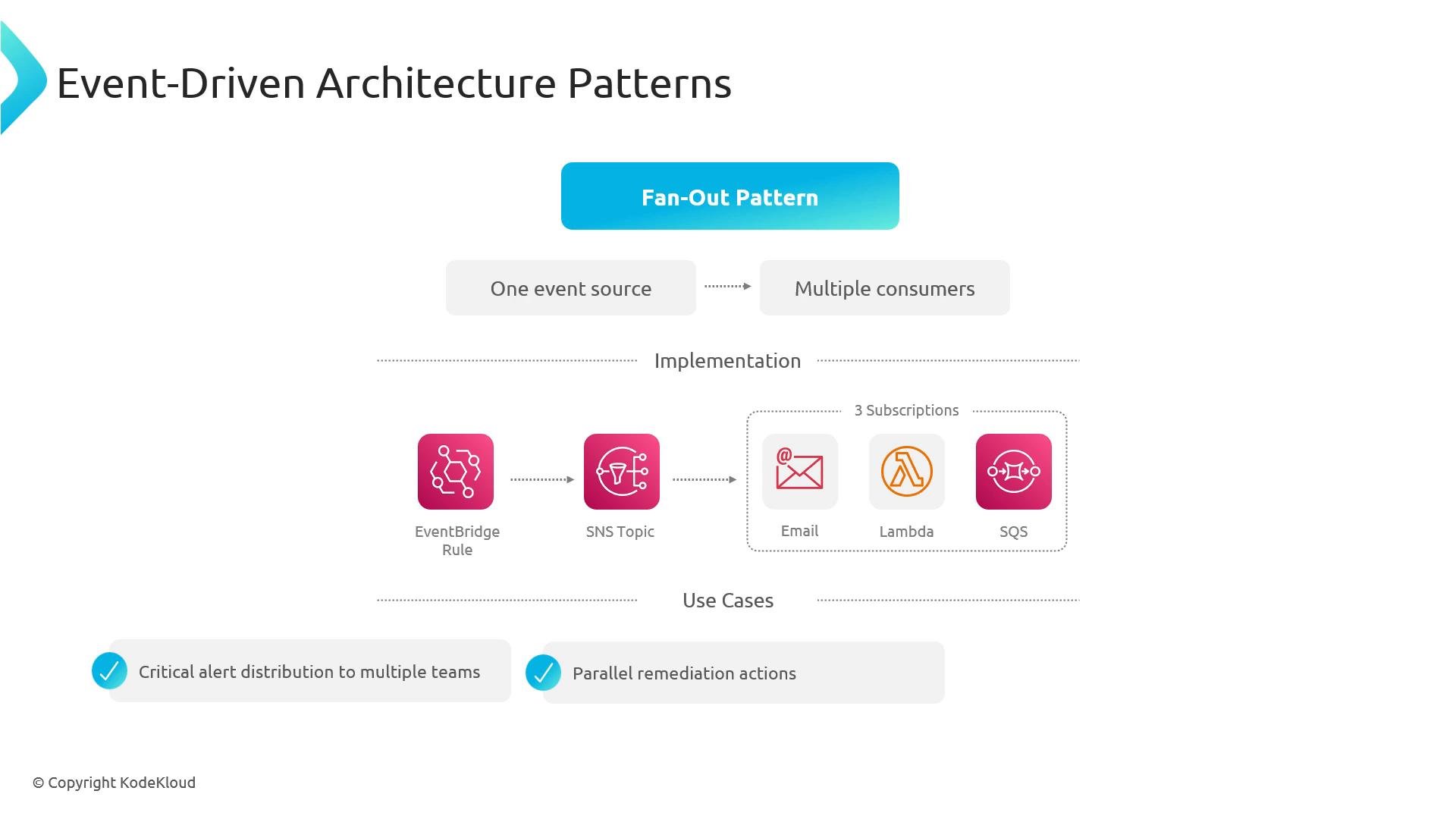
Event-driven architectures enable scalable, low-cost incident response. Choose patterns based on throughput, latency, ordering, and reliability needs.- Fan-out: one event → many independent consumers (use for multi-team notifications, parallel remediation, and analytics). Typically implemented with EventBridge rules → SNS topic → email/Lambda/SQS subscribers.
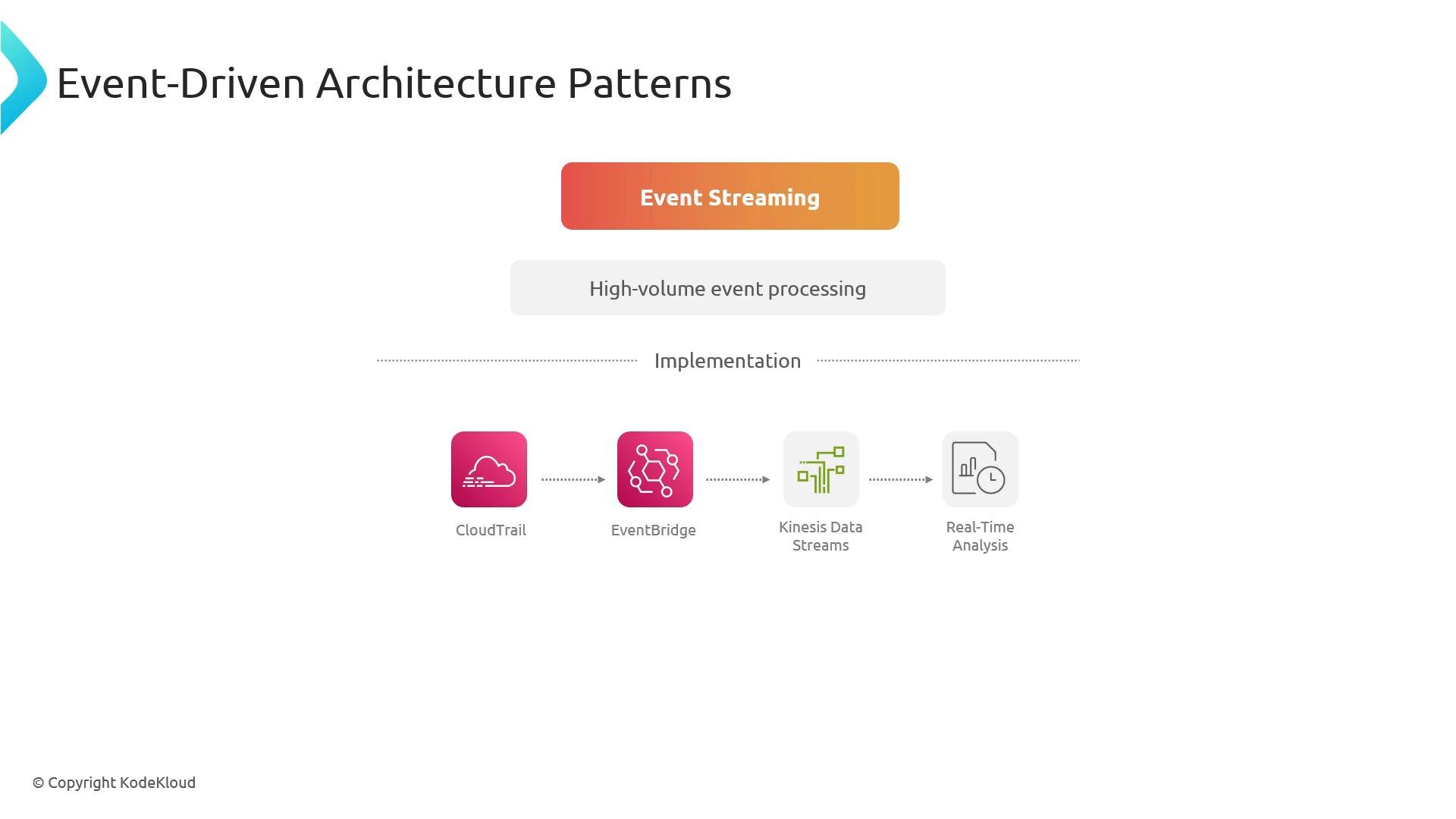
- Event streaming: ingest high-volume telemetry into Kinesis (or Firehose) for real-time analytics, anomaly detection, or long-term aggregation (good for security telemetry and behavior analytics).
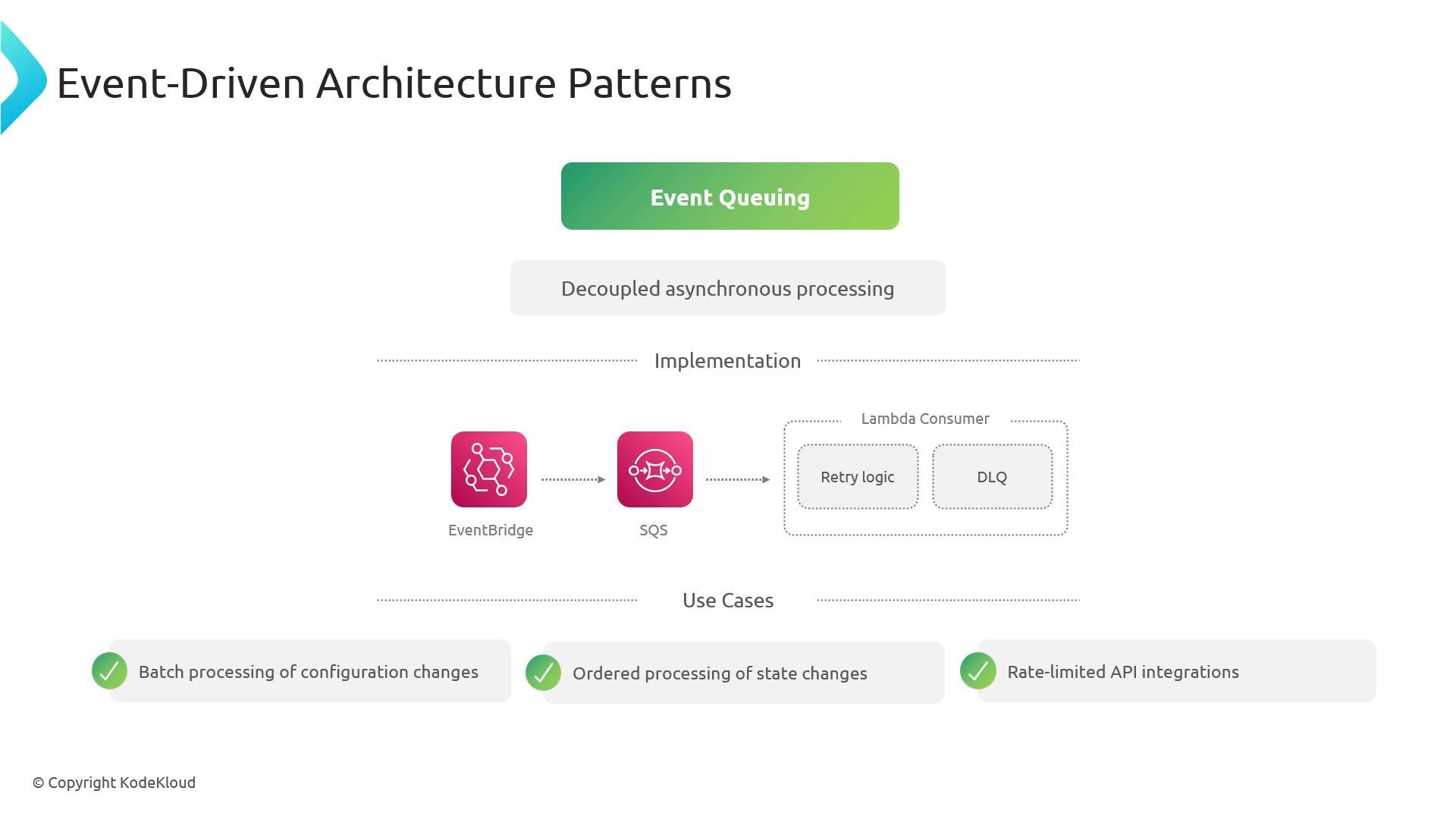
- Queuing: buffer events via SQS for reliable, rate-limited, or ordered processing (use FIFO for strict ordering; include DLQs for poison messages).
Key AWS Services Mapped to Responsibilities
Design Considerations & Best Practices
- Automate first: manual remediation is slow and error-prone at scale. Use EventBridge or Config to automatically trigger remediation (Systems Manager, Lambda).
- Use Step Functions to orchestrate multi-step fixes, include approval steps when needed.
- Instrument everything: emit structured logs, metrics, and traces to speed up investigation and support automated mitigations.
- Use DLQs and idempotent consumers for safe retries and failure isolation.
- Integrate OpsCenter with ITSM (ServiceNow, Jira) so automated actions produce traceable incidents.
- Build RBAC and least-privilege IAM policies for automation agents to reduce blast radius.
When to Use Each Pattern — Quick Guide
Study Focus for the Exam
- Know which AWS services belong to detection, routing, remediation, and investigation categories.
- Be prepared to design high-level, event-driven remediation workflows for multi-account and large-scale environments.
- Recognize trade-offs between fan-out vs. streaming vs. queuing patterns and choose the best fit given throughput, latency, and ordering constraints.
- Understand how Step Functions, Systems Manager, and AWS Config can be used to orchestrate and automate remediation.
Exam tip: Practice designing event-driven remediation workflows using EventBridge, SNS, SQS, Lambda, Step Functions, and Systems Manager. Be ready to justify pattern choices (fan-out vs. streaming vs. queuing) and map services to detection, remediation, and investigation responsibilities.
References and Further Reading
- AWS EventBridge Developer Guide
- Amazon SNS Developer Guide
- Amazon SQS Developer Guide
- AWS Systems Manager Automation
- AWS Config Remediation
- Amazon Kinesis Data Streams