

OpsCenter is part of AWS Systems Manager. OpsItems can be created manually or generated automatically via integrations such as CloudWatch alarms using Amazon EventBridge rules.
Onboarding to OpsCenter
To enable OpsCenter:- Open the AWS Systems Manager console.
- In the left navigation, expand Operational Tools → OpsCenter.
- Follow the onboarding flow to review and confirm the resources OpsCenter will provision (for example, IAM roles and optional EventBridge rules).
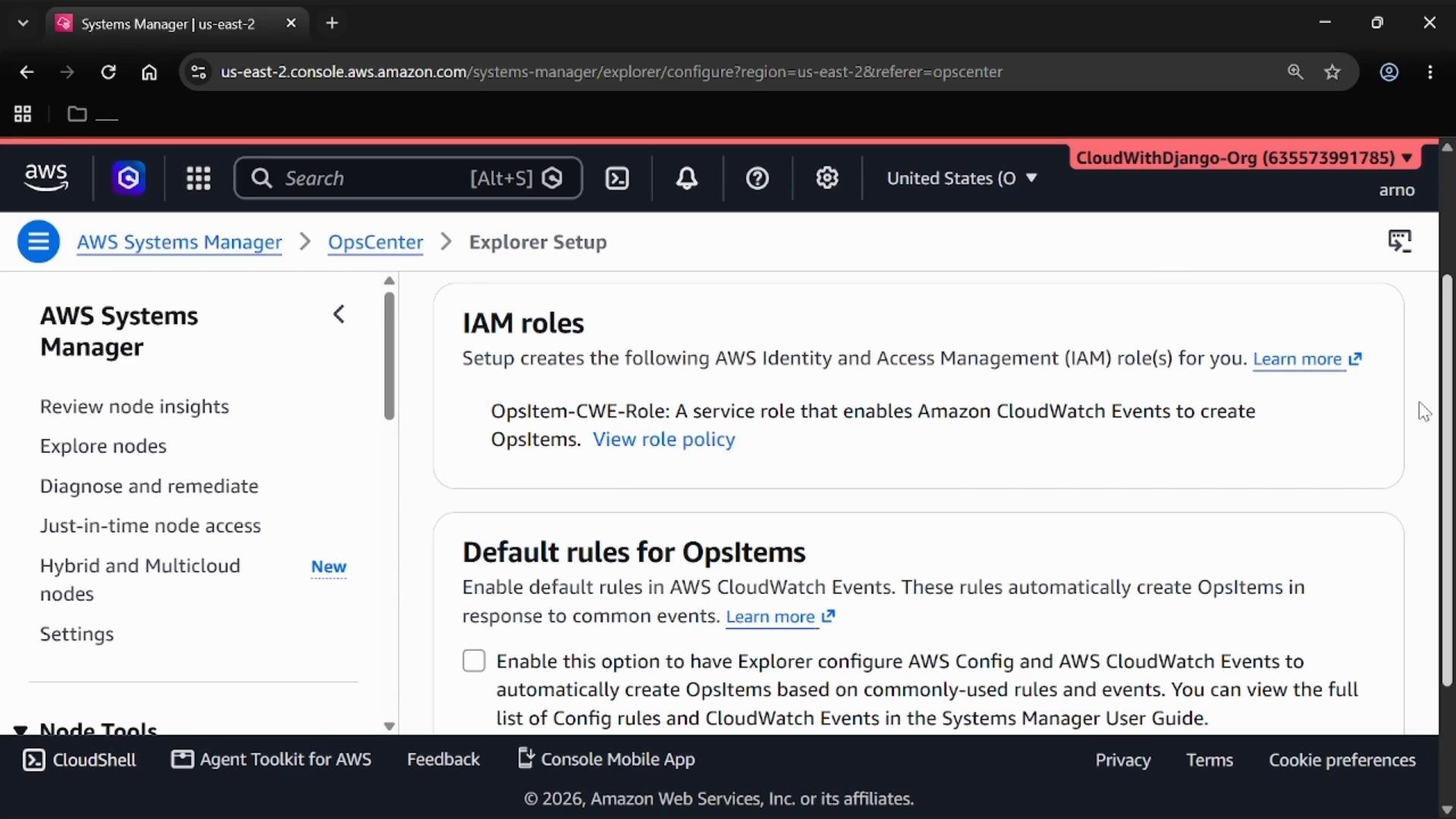
OpsCenter console and OpsItems
From the OpsCenter console you can list and filter open, in-progress, or resolved OpsItems. If you don’t yet have OpsItems, create one manually to understand the payload and fields OpsCenter stores.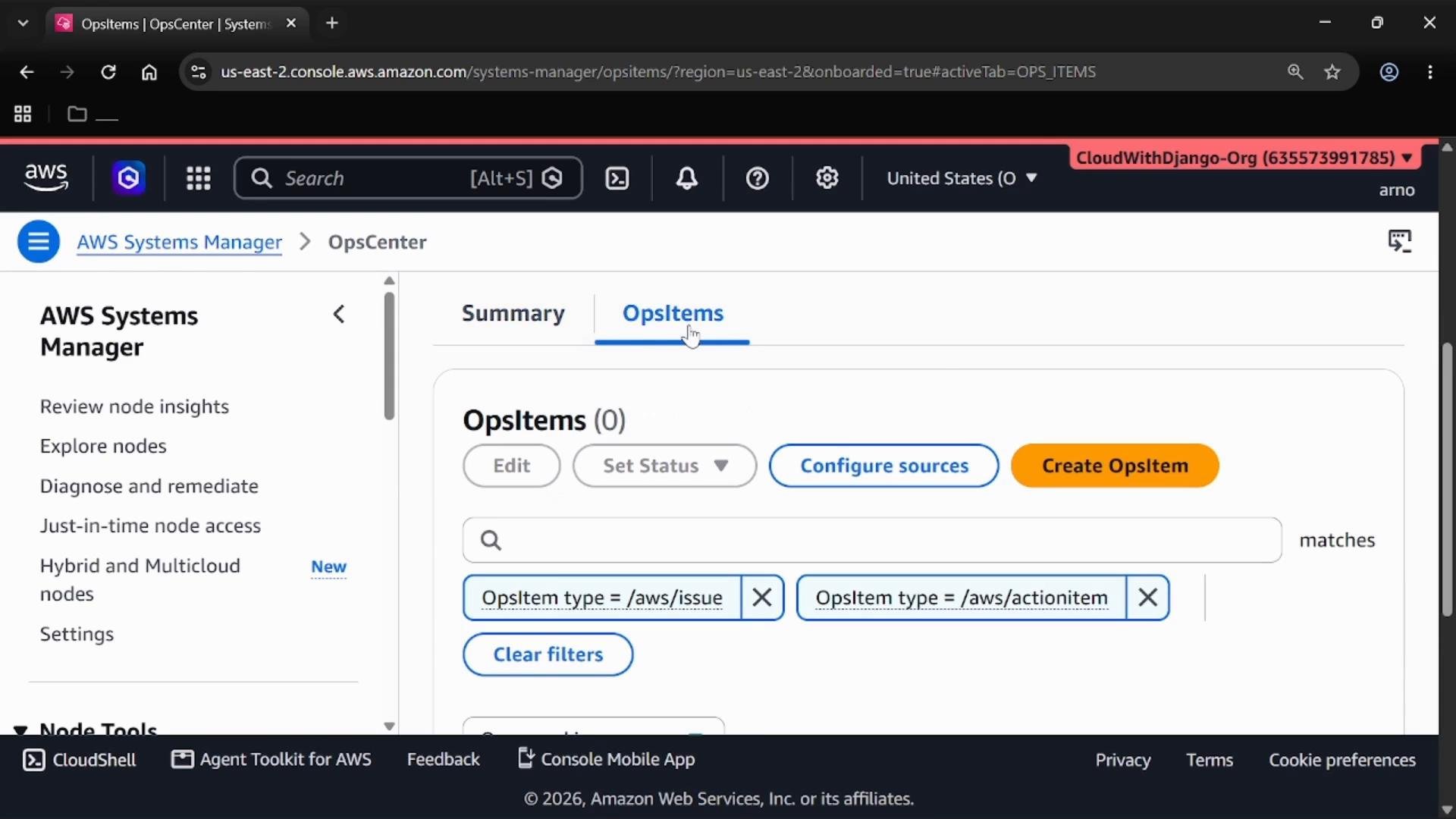
Creating an OpsItem manually
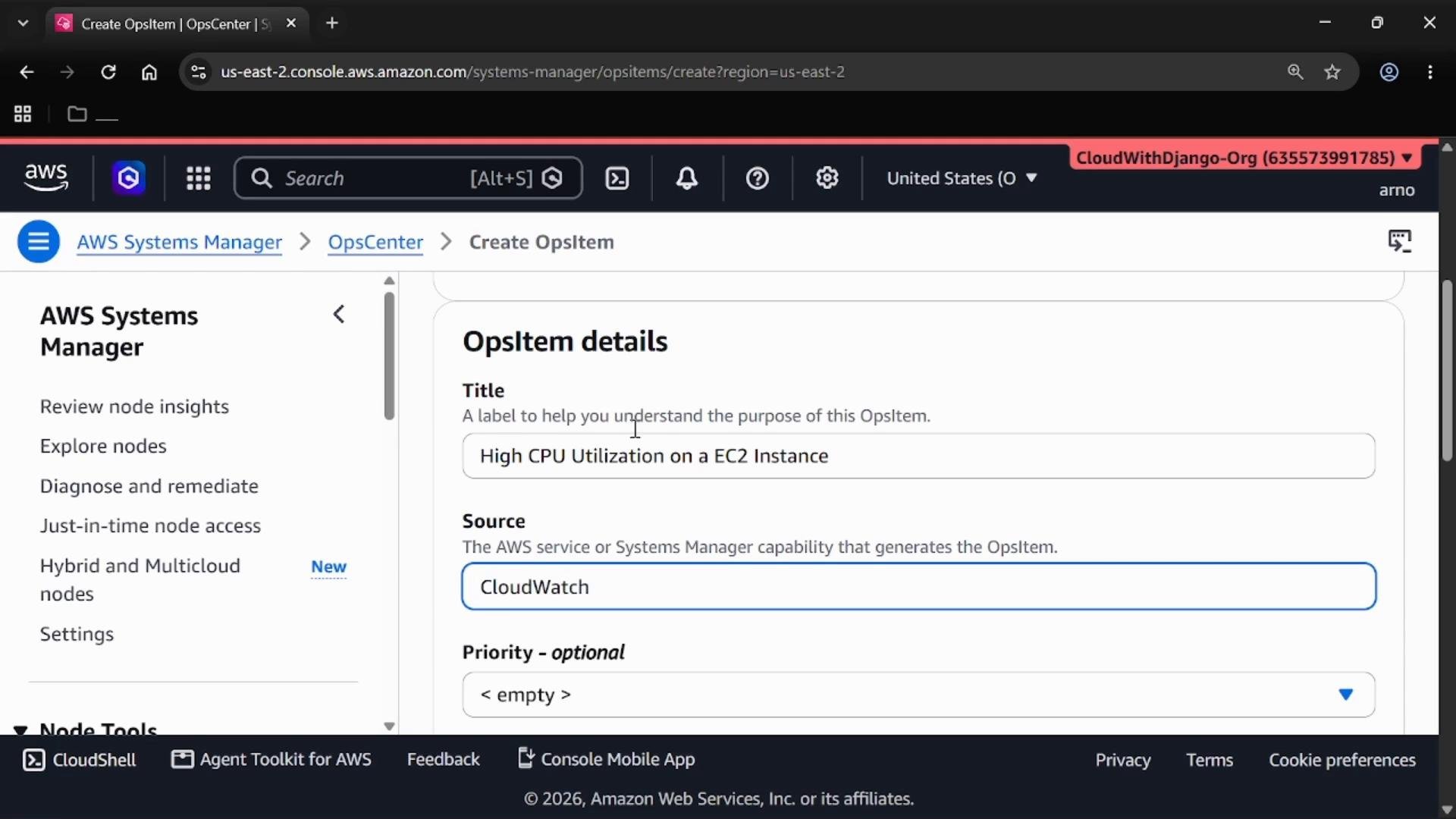
When you create an OpsItem you can choose the target account (your current account or another account in your AWS Organization). Provide values for Title, Source, Priority, Severity, Category, and Description. These fields guide triage and escalation workflows. Use the following table as a quick reference for common OpsItem fields and suggested values:
Example guidance for a high-CPU OpsItem:
- Title: High CPU Utilization on an EC2 Instance
- Source: CloudWatch
- Severity / Priority: Set according to your runbook (e.g., High / P1)
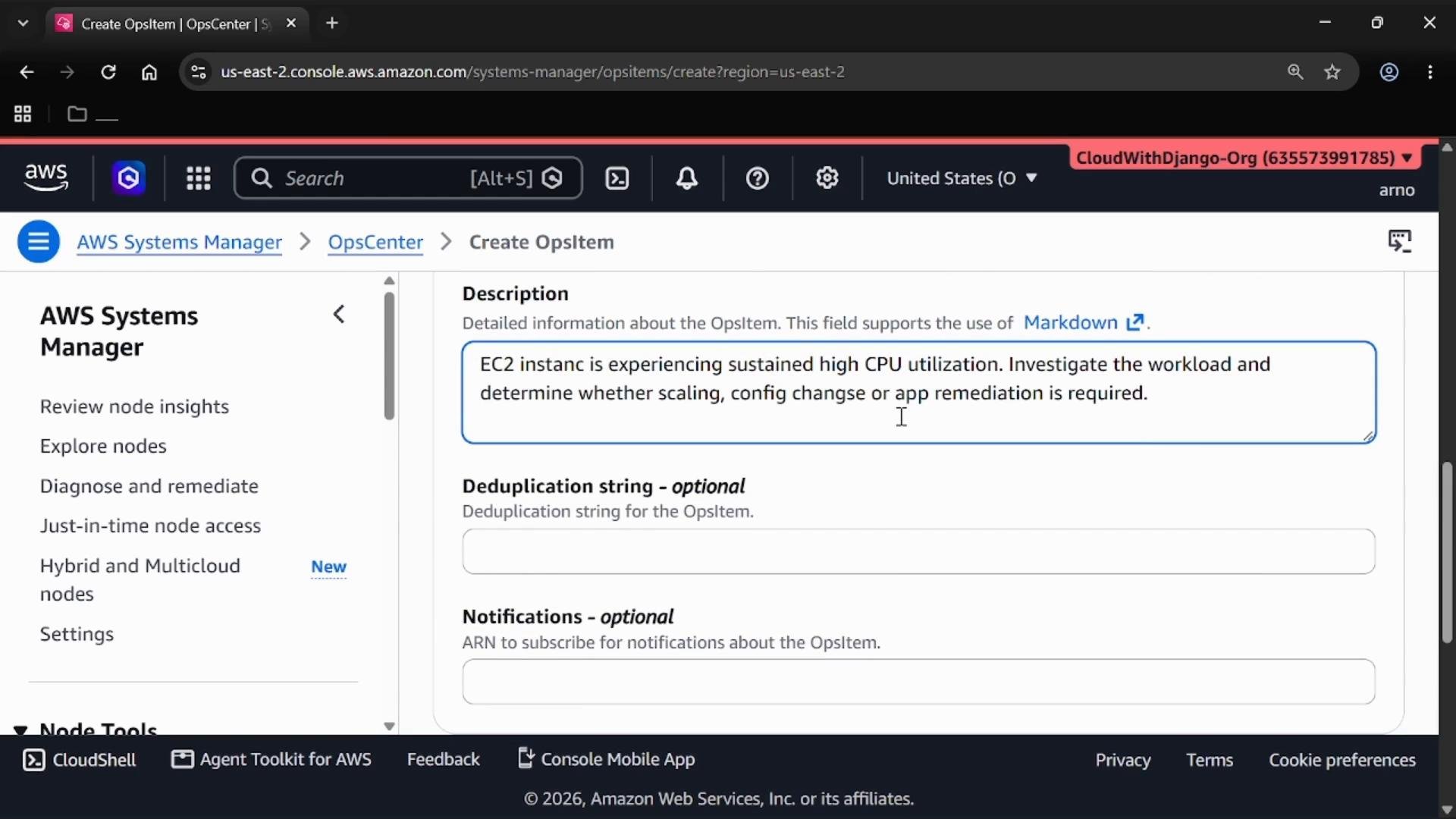
- Description: EC2 instance is experiencing sustained high CPU utilization. Investigate workload, consider scaling, configuration changes, or application remediation. Include instance ID, metric thresholds, and links to relevant dashboards or logs.
- Attach investigation notes and status updates.
- Link affected resource identifiers (for example, InstanceId).
- Attach or run Systems Manager Automation documents (runbooks) for remediation.
- Integrate with Incident Manager for on-call escalation.
- Track progress and resolution across your operations team.
Automating OpsItem creation and remediation
To build a fully automated operational workflow:- Enable EventBridge rules (CloudWatch → EventBridge → OpsCenter) to generate OpsItems from alarms.
- Use AWS Config or third-party monitoring integrations to surface compliance or configuration issues as OpsItems.
- Attach Systems Manager Automation documents to OpsItems to execute remediation steps automatically or as guided runbooks.
- Integrate with Incident Manager to create response plans, on-call rotations, and escalation policies.
Make sure the IAM roles and permissions that OpsCenter provisions (or you create) include access to the affected resources, Systems Manager Automation documents, and EventBridge rules. Missing permissions can prevent automated OpsItem creation or remediation runbooks from running.
Summary and links
OpsCenter centralizes incident records (OpsItems) to streamline triage, investigation, and remediation. Start by onboarding OpsCenter, decide whether to enable default EventBridge rules for automated OpsItem creation, and create a manual OpsItem to model your runbook and escalation processes. From there, integrate CloudWatch, EventBridge, AWS Config, and Incident Manager to automate detection and response. References:- AWS Systems Manager OpsCenter
- Amazon EventBridge
- AWS Systems Manager Incident Manager
- AWS Config
- CloudWatch alarms (learn more)