

Shared responsibility reminder: cloud providers (for example, AWS) manage the underlying infrastructure, but you are responsible for configuration, backups, encryption, and operational decisions for resources you control. If you can log in or configure it, assume it’s your responsibility to make it resilient and test your recovery processes.
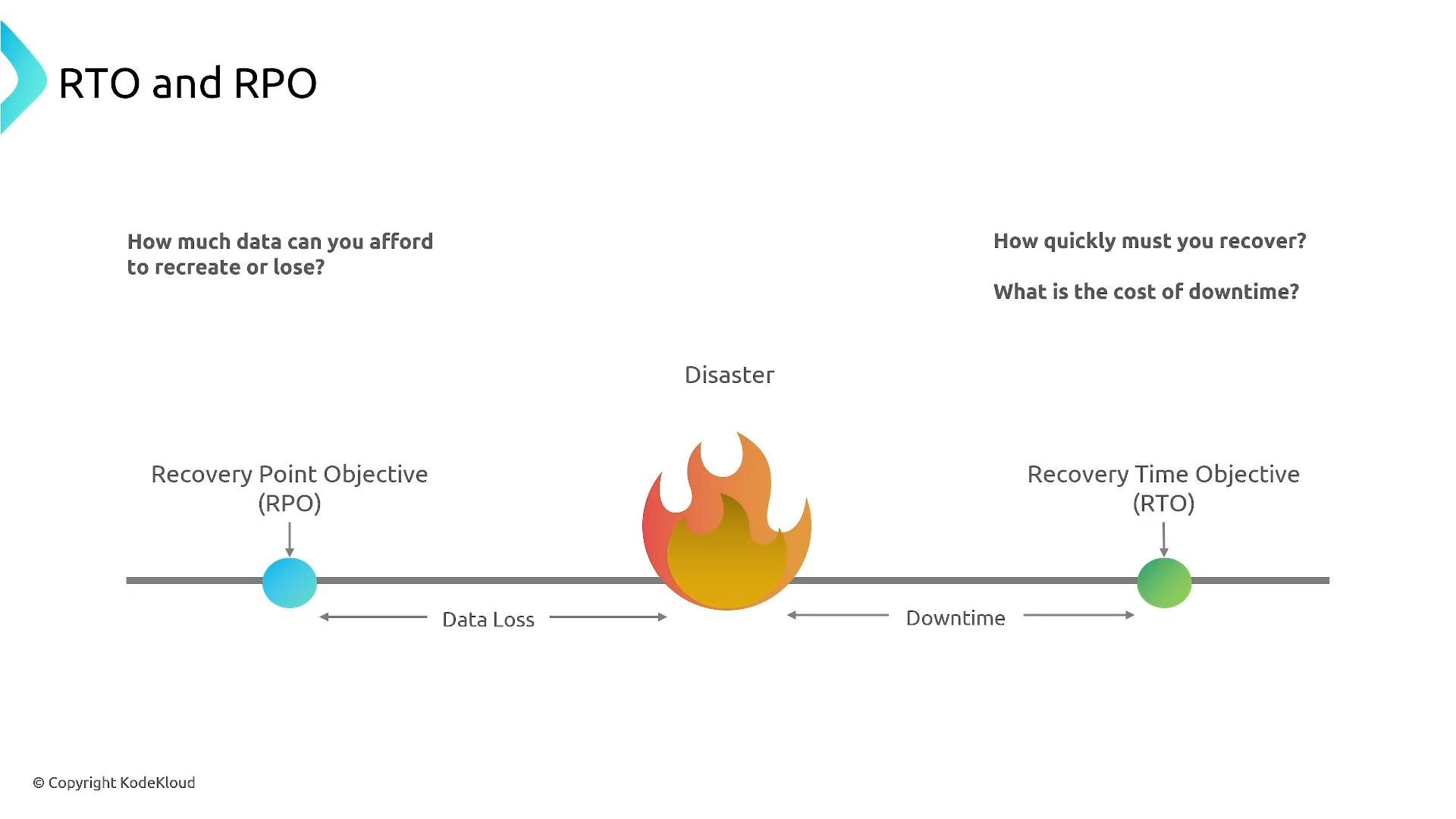
RTO and RPO — definitions and why they matter
- RTO (Recovery Time Objective): The maximum acceptable time to restore service after an outage. Example: an RTO of 4 hours means the service must be back online within 4 hours of failure.
- RPO (Recovery Point Objective): The maximum acceptable amount of data loss measured in time. Example: an RPO of 15 minutes means you must be able to recover data up to 15 minutes before the incident.
Common DR models — overview
This section describes the primary DR architectures, their characteristics, trade-offs, and typical AWS services that can simplify implementation.1) Backup & Restore (cold standby)
Backup & Restore is the simplest, lowest-cost model. Data and infrastructure state (snapshots, DB backups, IaC templates) are stored in a secondary Region. If the primary fails, you provision infrastructure in the DR Region (usually via Infrastructure as Code) and restore data from backups. Advantages:- Low ongoing cost: minimal or no running DR compute resources.
- Straightforward to implement using standard backup tools and IaC.
- Slow recovery compared with other models — you must create or scale resources during failover.
- Higher operational risk unless restore processes are routinely tested.
- Not suitable when tight RTO/RPO are required.
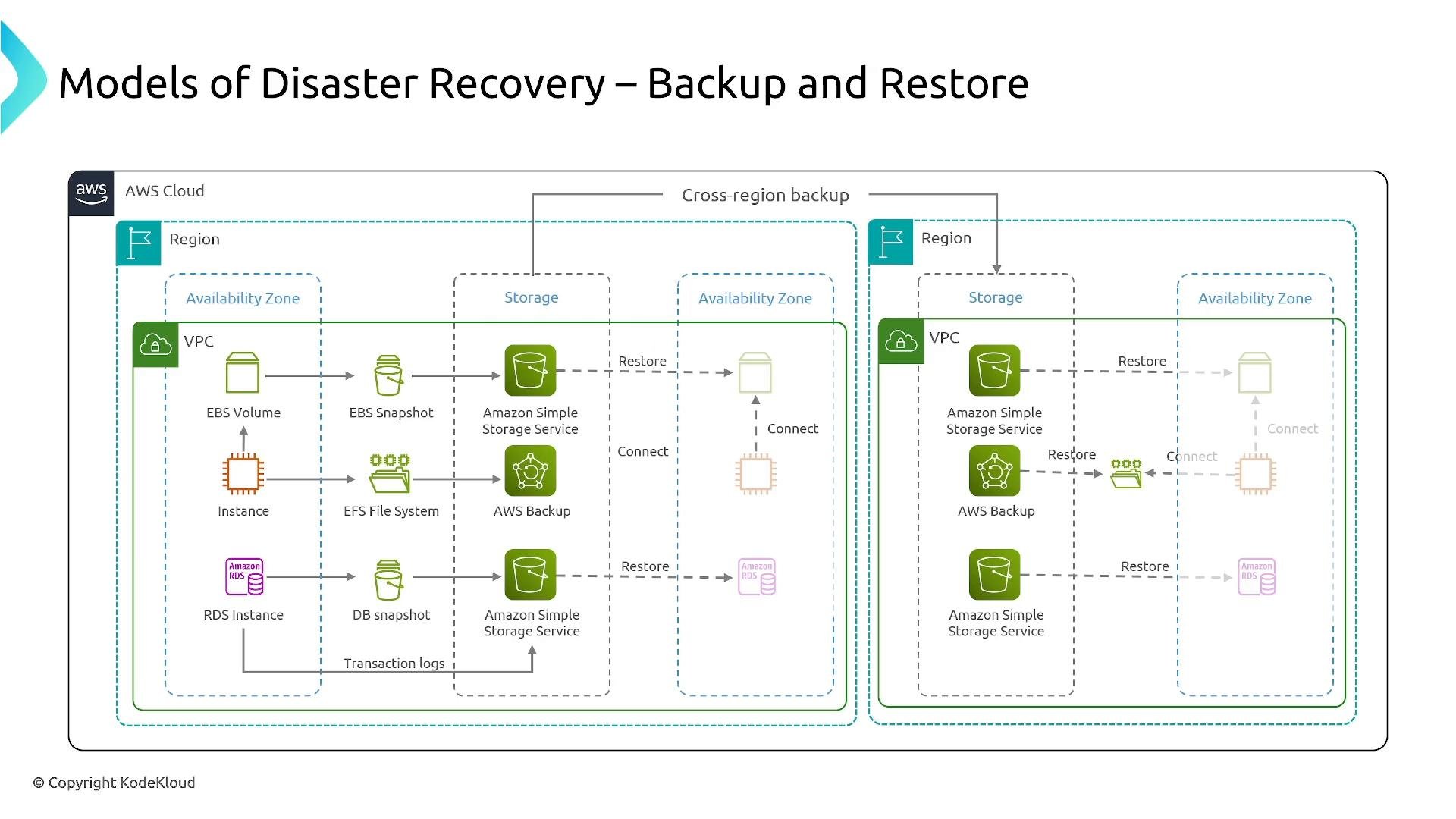
- AWS Backup for centralized backup scheduling, policies, and cross-Region copies.
- S3 Cross-Region Replication (CRR) and S3 Versioning for object-level durability and protection against accidental deletes.
- Database snapshots, read replicas, and global database options (for example, RDS snapshots, Amazon Aurora Global Database).
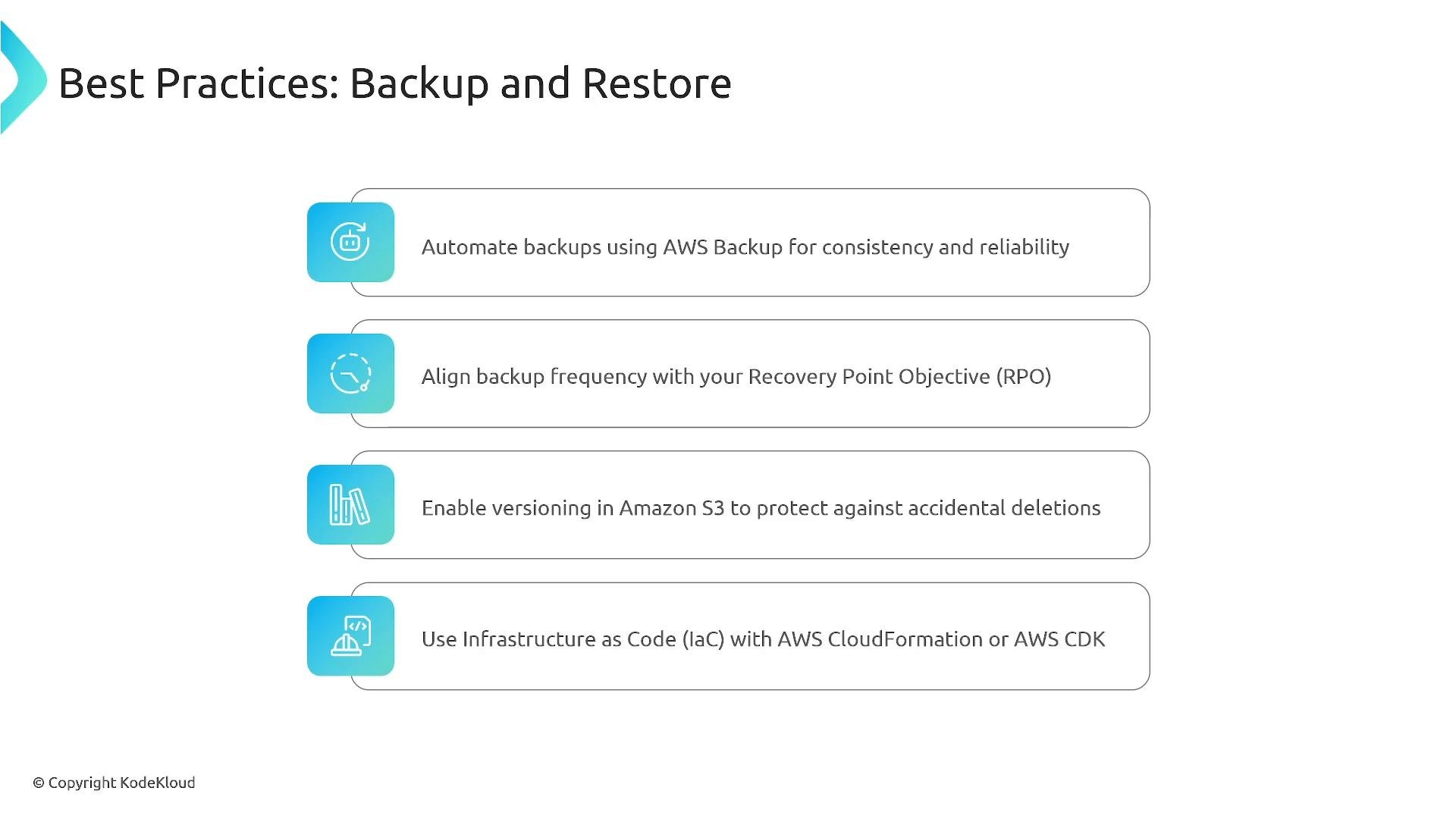
- Automate backups with AWS Backup or equivalent.
- Align backup frequency and retention with your RPO and compliance needs.
- Enable S3 versioning and lifecycle policies where appropriate.
- Use Infrastructure as Code (CloudFormation, CDK, Terraform) to recreate environments reliably.
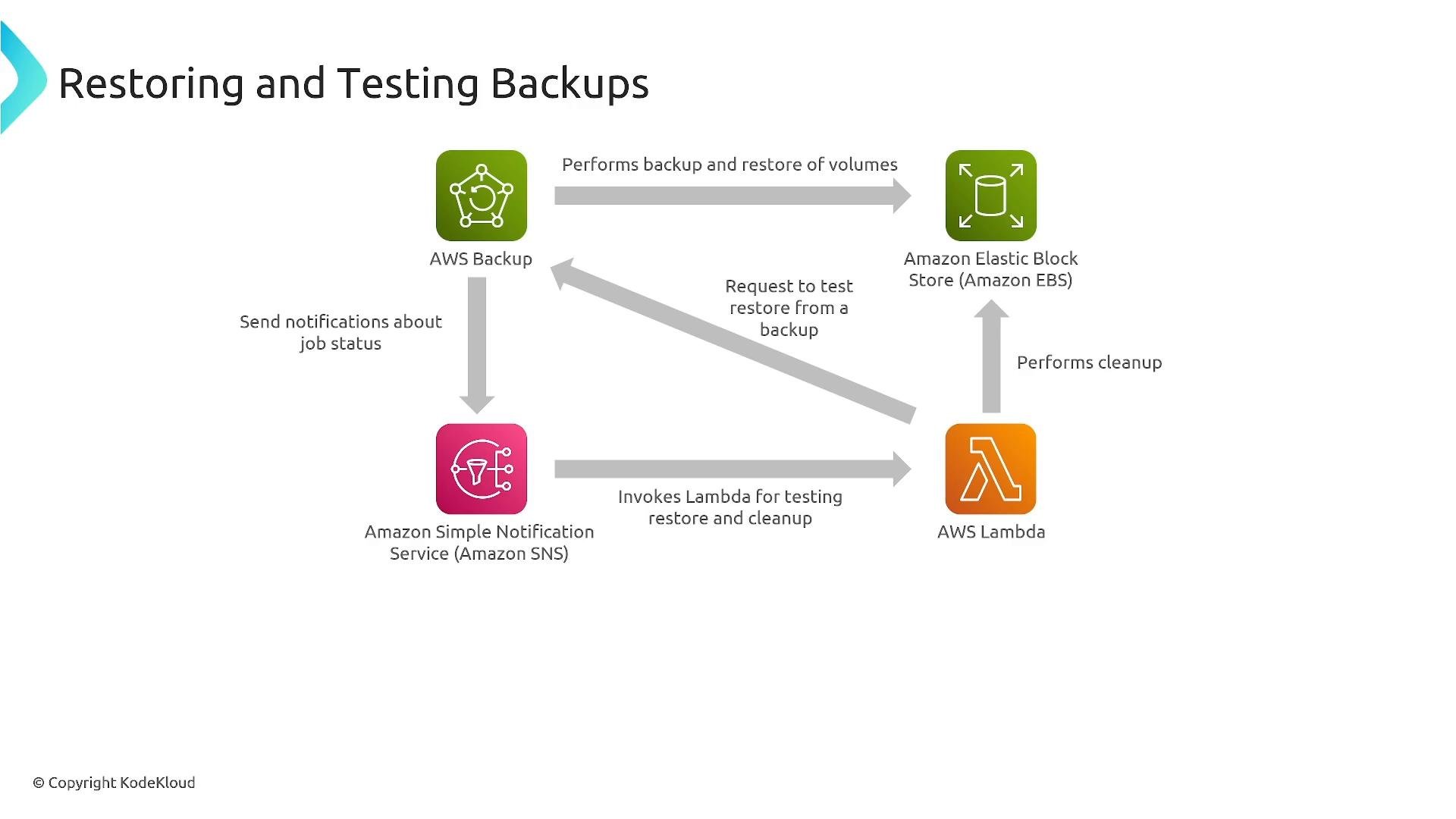
- Perform automated restore tests (both data and full environment) and maintain runbooks.
2) Pilot Light (data-active, app-passive)
Pilot Light keeps critical data infrastructure actively replicated in the DR Region while application servers are mostly stopped or minimal (pre-configured but not handling production traffic). On failover you provision or start application components and redirect traffic. Characteristics:- Continuous replication of data (databases, block-level data, object stores).
- Application tiers are pre-configured and can be launched quickly.
- Faster than cold backups but cheaper than full warm standby.
- Database replication (for example, Amazon Aurora Global Database, RDS read replicas).
- Block-level replication with tools like AWS Elastic Disaster Recovery (formerly CloudEndure), which replicates block-level data to staging EBS volumes and allows rapid launch of recovery instances.
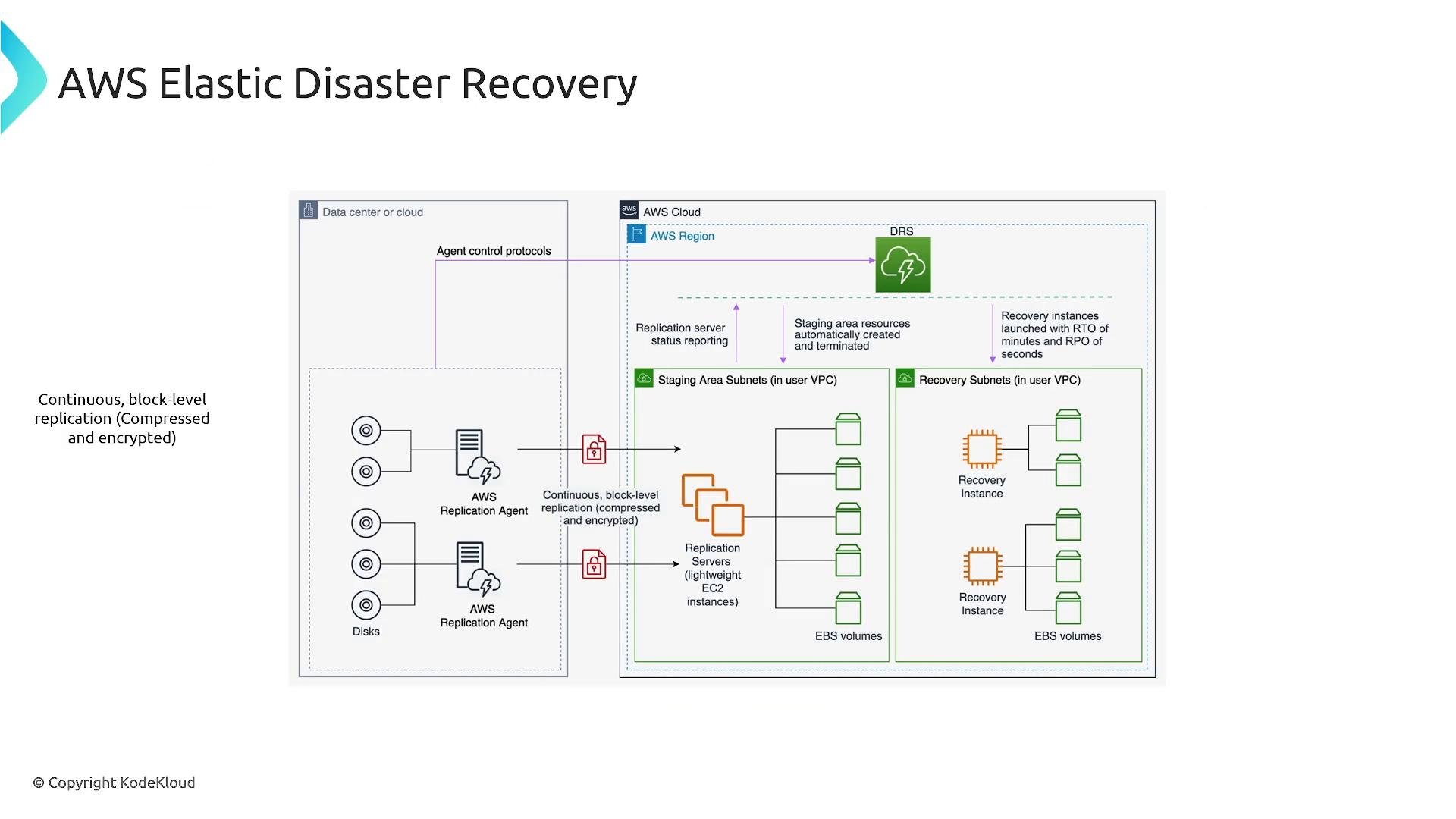
AWS services and feature names evolve. Elastic Disaster Recovery and related products (for example, formerly CloudEndure) have changed over time — confirm current capabilities and best practices in official AWS documentation before relying on a specific workflow or lifecycle claim.
3) Warm Standby (scaled-down active)
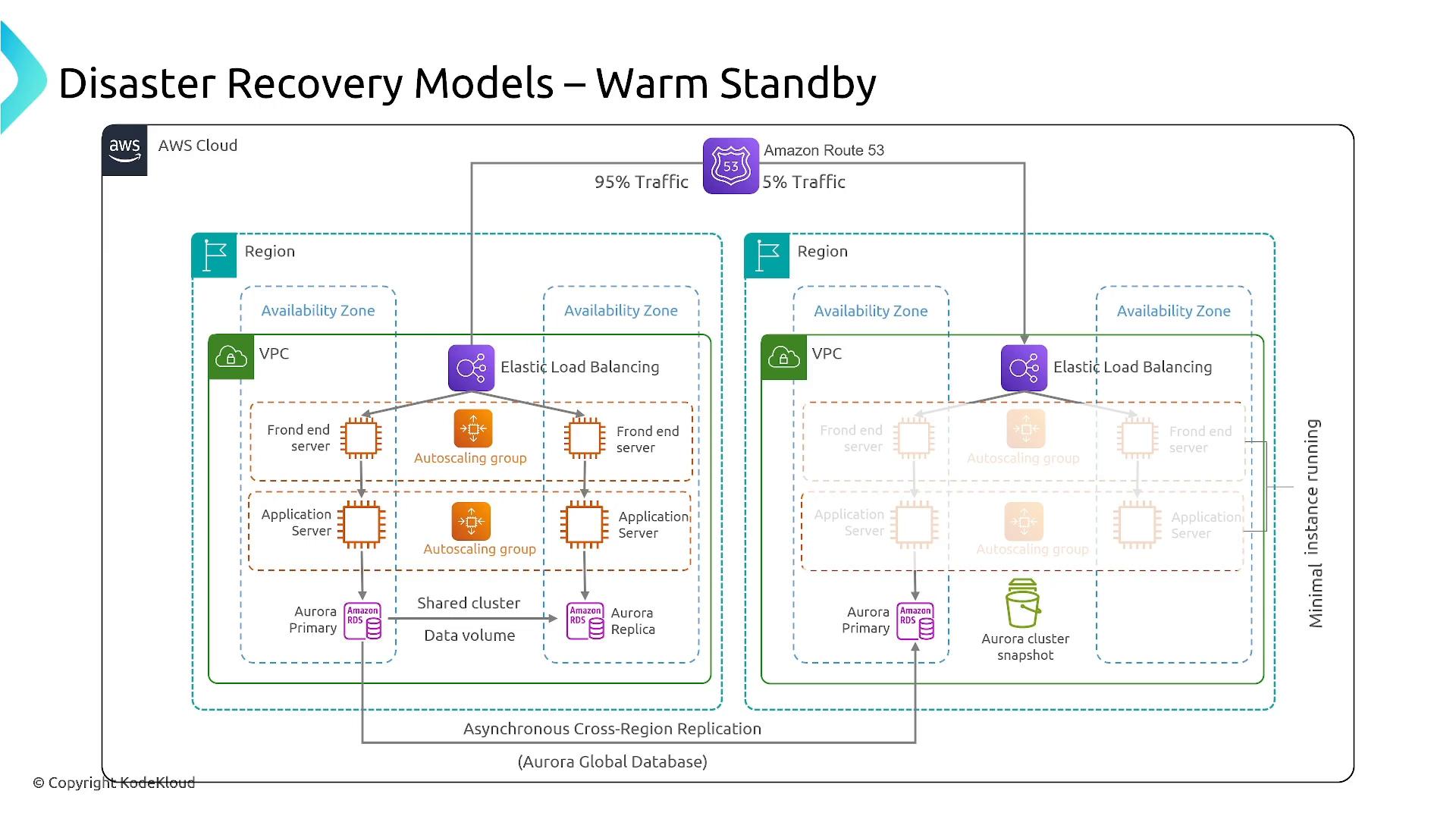
Warm Standby runs a fully functional copy of production in the DR Region, but at reduced capacity. The DR environment may process a small portion of traffic or be kept idle but running. If the primary fails, you scale up the DR environment (using autoscaling) and shift traffic. Characteristics:- DR Region runs live services, typically scaled down.
- Faster recovery (minutes) since components are already running and warmed.
- More expensive than Pilot Light but significantly reduces failover risk.
- Use autoscaling groups and load balancers to scale up quickly.
- Use DNS strategies (Route 53 weighted policies or AWS Global Accelerator) to redirect traffic.
- Keep unidirectional replication to avoid data conflicts, or use complex multi-master conflict resolution only when required.
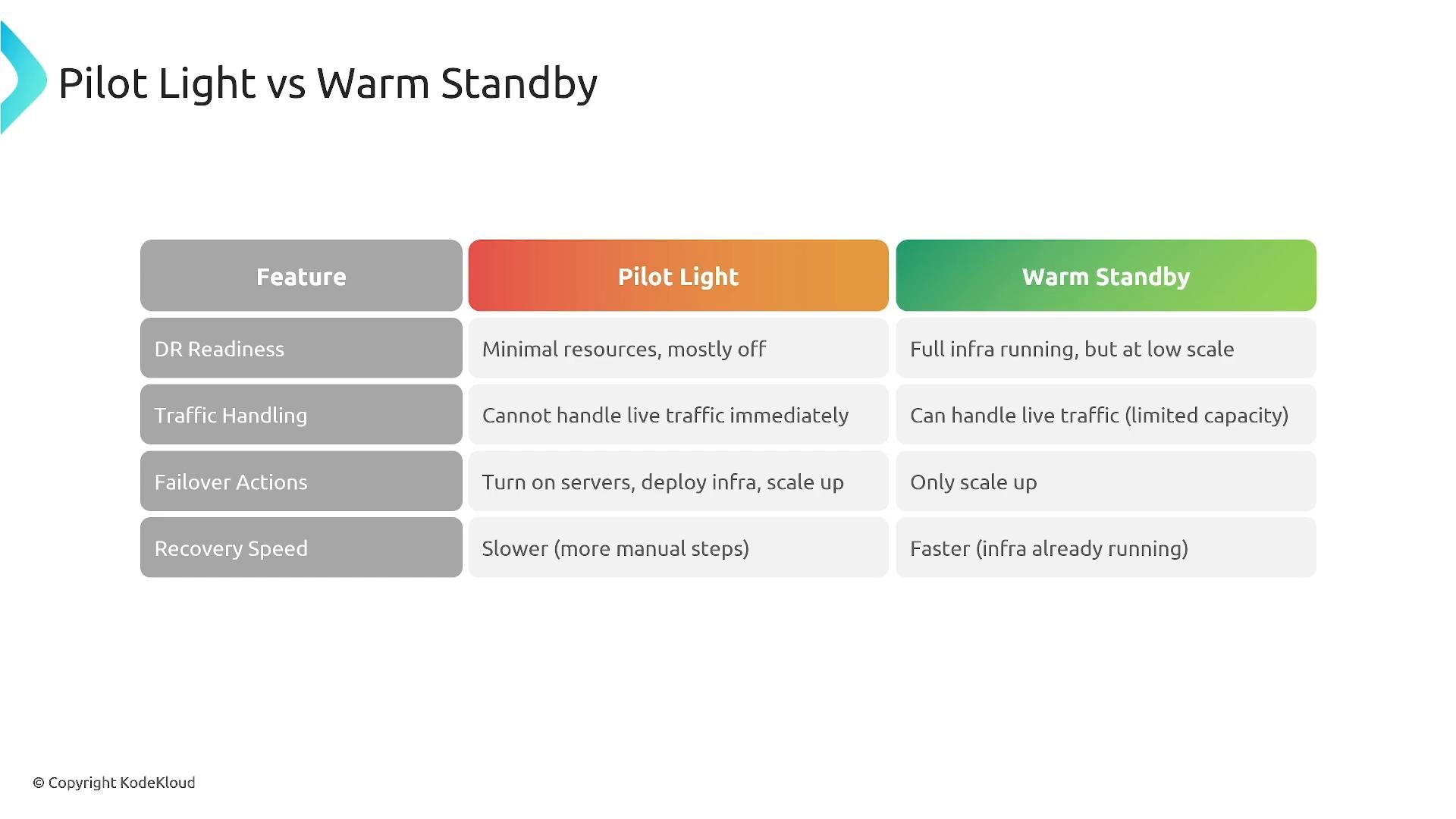
- Pilot Light: data active, apps minimal/off — lower cost, slower recovery.
- Warm Standby: apps running at reduced scale — higher cost, faster recovery.
4) Active–Active (multi-site)
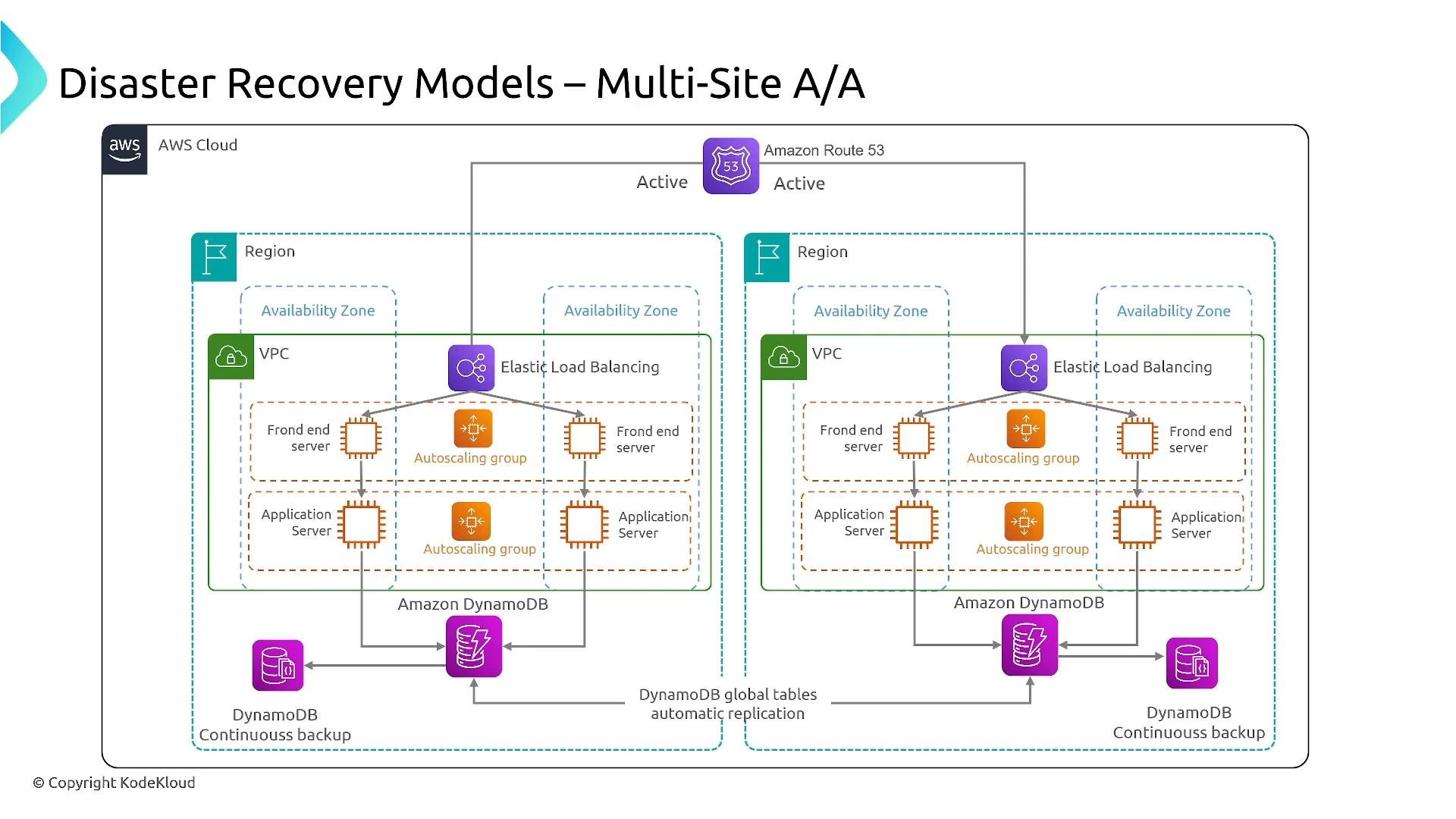
Active–Active runs full-capacity infrastructure in multiple Regions or sites simultaneously and load-balances traffic across them. Data replication is near-real-time using services and patterns suited for distributed systems. Characteristics:- Multiple sites actively handle production traffic.
- Minimal or near-zero downtime during site failures.
- Highest cost and operational complexity: requires strong replication, conflict resolution, and global networking/DNS strategies.
- Amazon DynamoDB Global Tables for multi-region table replication.
- Amazon Aurora Global Database or cross-region replication for relational workloads.
- Global load balancing with Route 53, Global Accelerator, or anycast networks.
Choosing the right model — mapping RTO/RPO to architecture
The following table summarizes typical RTO/RPO ranges, cost, and common use cases for each DR model:
Recap guidance:
- Cold (Backup & Restore): choose when hours of downtime/data loss are acceptable and cost must be minimized.
- Pilot Light: choose when RTO in tens of minutes is acceptable and you need continuous data replication.
- Warm Standby: choose when you need recovery in minutes and are willing to pay for running scaled-down capacity.
- Active–Active: choose for near-zero downtime and real-time availability across regions, accepting the highest cost and complexity.
Operational best practices (applies to all models)
- Automate infrastructure provisioning and DR procedures with IaC (CloudFormation, CDK, Terraform).
- Version and protect backups; use immutable or write-once storage when required by compliance.
- Regularly test restores and failovers using automated drills and runbooks.
- Monitor replication health, backup success, and DR-related alarms.
- Maintain clear runbooks and post-mortem processes to improve readiness.