

Example CloudFormation template
The stack in this demo uses the following CloudFormation template:Author: Arno (case-sensitive). If the actual resource differs in any tracked property, drift detection will flag it.
How to run drift detection from the CloudFormation console
- Open the CloudFormation console and select the stack to check.
- From the Stack actions menu choose View drift results.
- On the Drifts page you can:
- Review previous drift results, or
- Click Detect stack drift to start a new check.
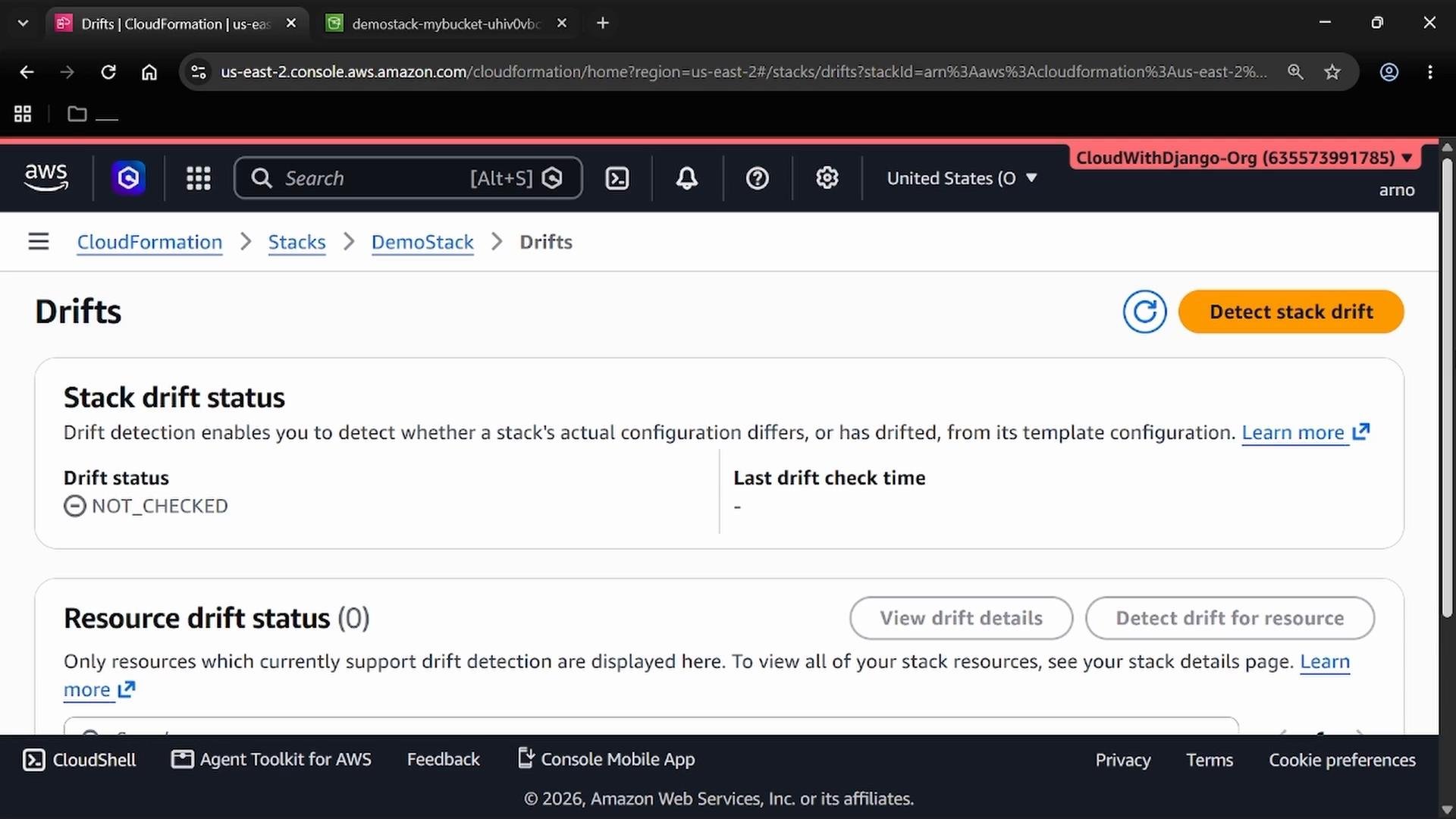
NOT_CHECKED and the “Last drift check” time will be blank. No resources appear under drift until a check has completed.
Clicking Detect stack drift initiates the check. The console returns a confirmation similar to:
IN_SYNC. You can expand the resource list to see the logical ID, physical ID, resource type, and each resource’s drift status.
Example: Create drift by editing the resource directly
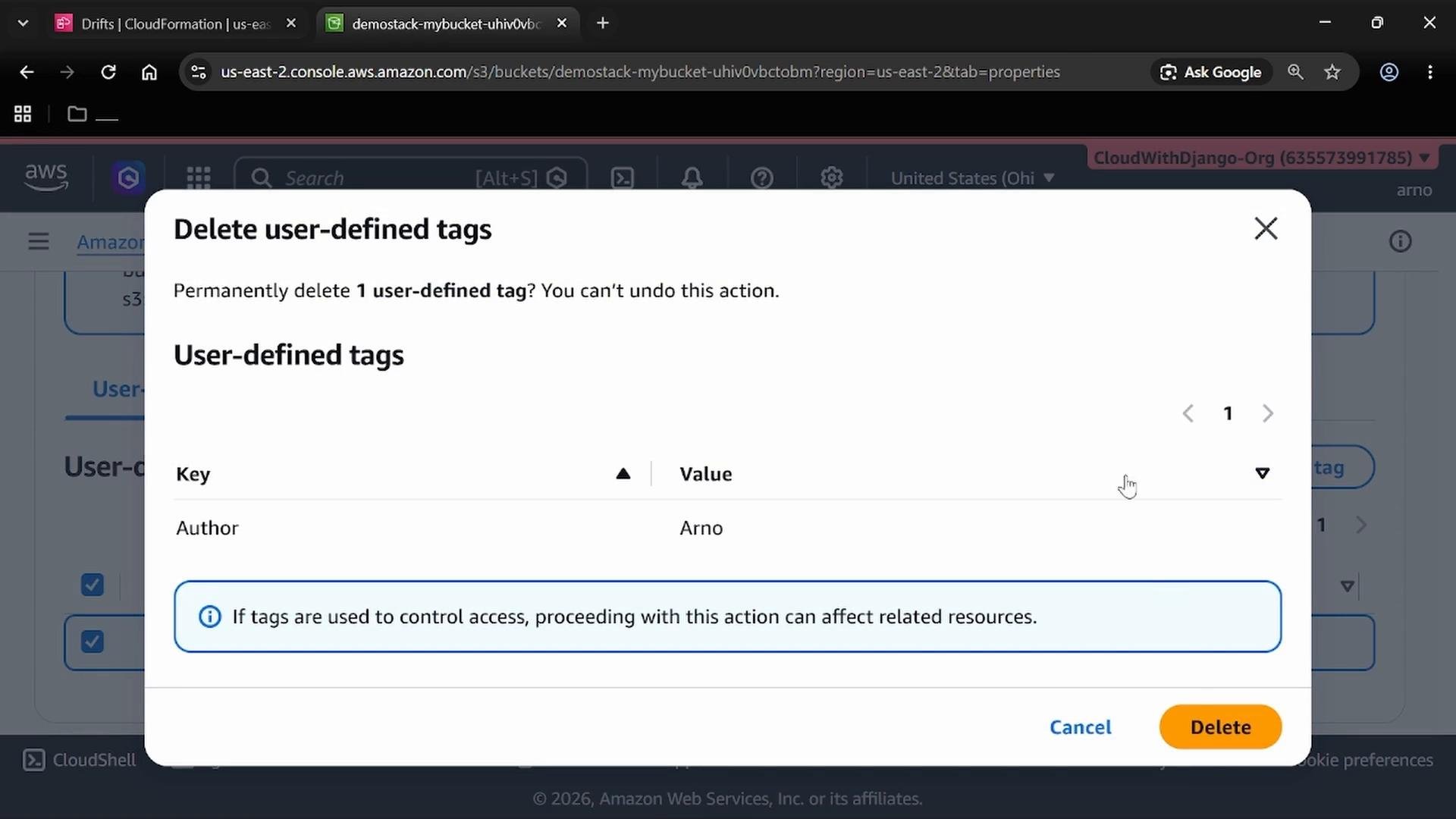
To demonstrate drift detection, modify the provisioned S3 bucket outside of CloudFormation. In this demo we remove theAuthor: Arno tag via the S3 console. The console prompts you to confirm the deletion:
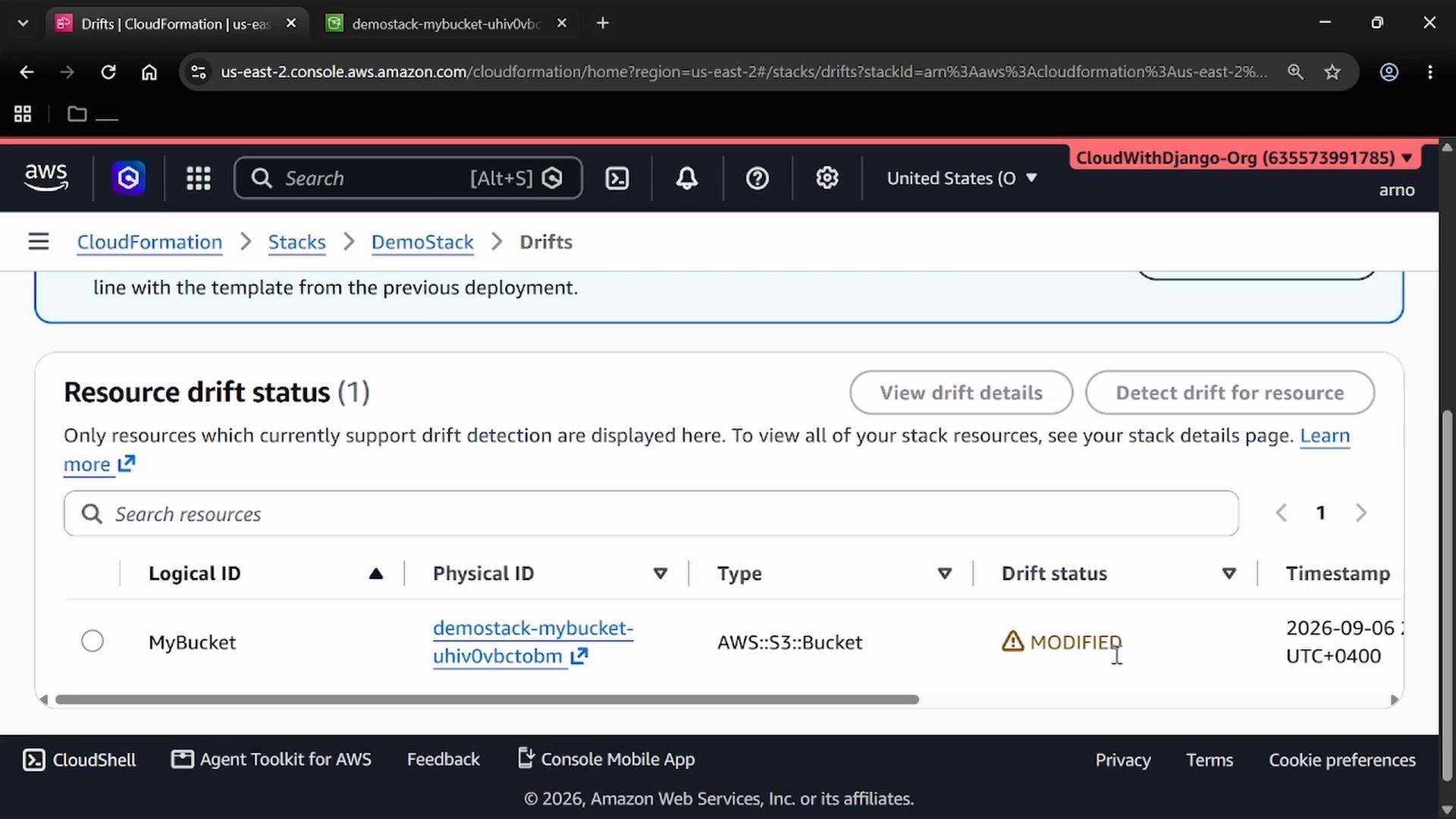
MODIFIED, indicating the live resource properties no longer match the template:
Restore the stack to IN_SYNC
To resolve the drift, update the resource so it matches the template exactly. In this example, re-add the tag with the exact key and value:Author (capital A) and Arno. After saving the change in the S3 console, run drift detection again. Once the check finishes the stack and resource should return to IN_SYNC:
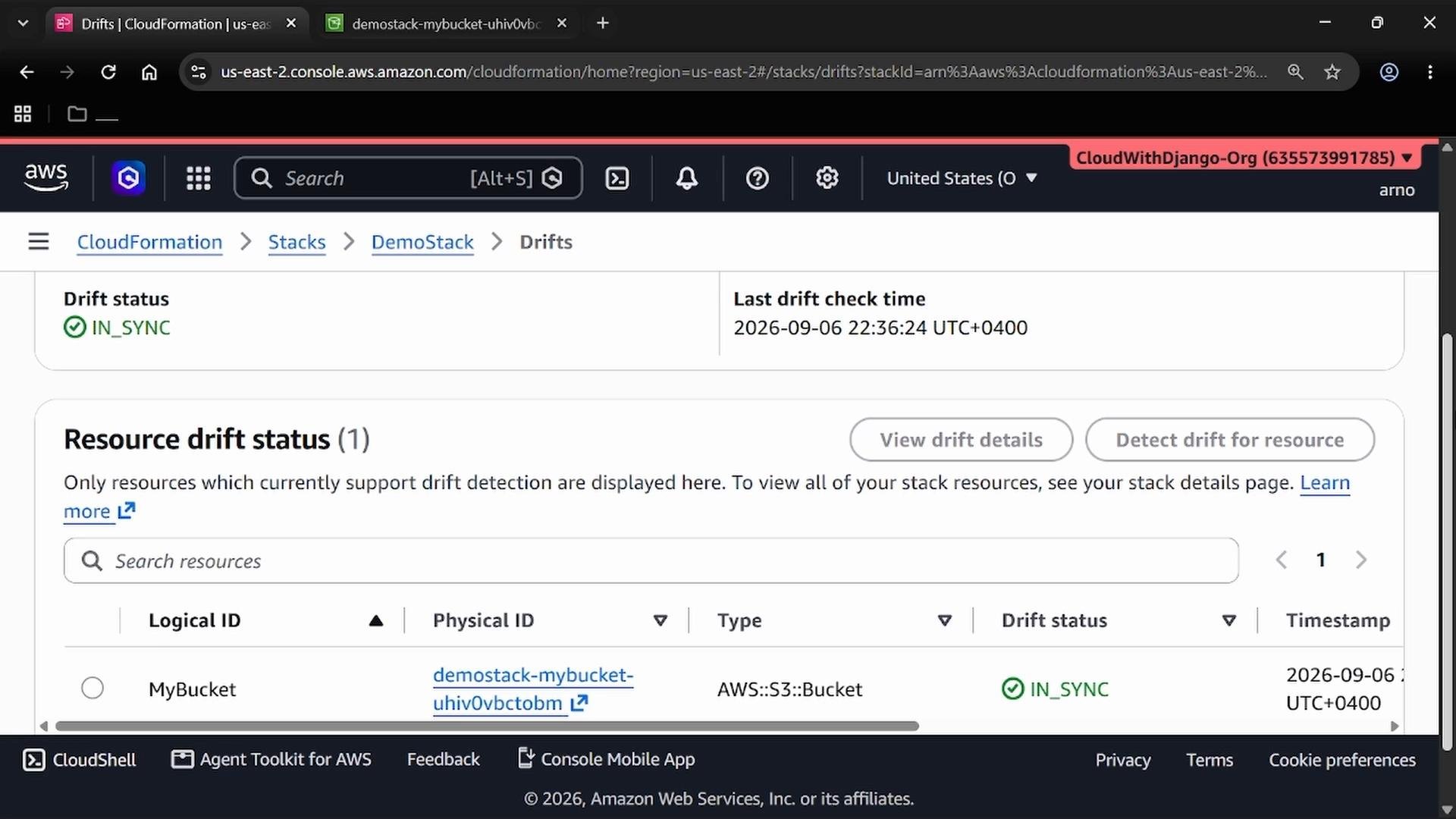
When restoring configuration, be precise: tag keys and values (including case) must match the template exactly. Also note that CloudFormation drift detection does not examine every property for every resource type—some properties are not tracked. Check the AWS documentation for limitations and the list of supported resources and properties: CloudFormation Stack Drift Detection
Quick reference: common drift statuses
Best practices
- Run drift detection regularly (e.g., after manual changes, automated deployments, or as part of audits).
- Avoid making manual changes to resources managed by CloudFormation. Prefer updates via CloudFormation stacks or change sets.
- If you must make manual edits, document them and consider updating the template to reflect desired state.
- Understand CloudFormation’s supported properties for drift detection. Not all resource attributes are tracked.