

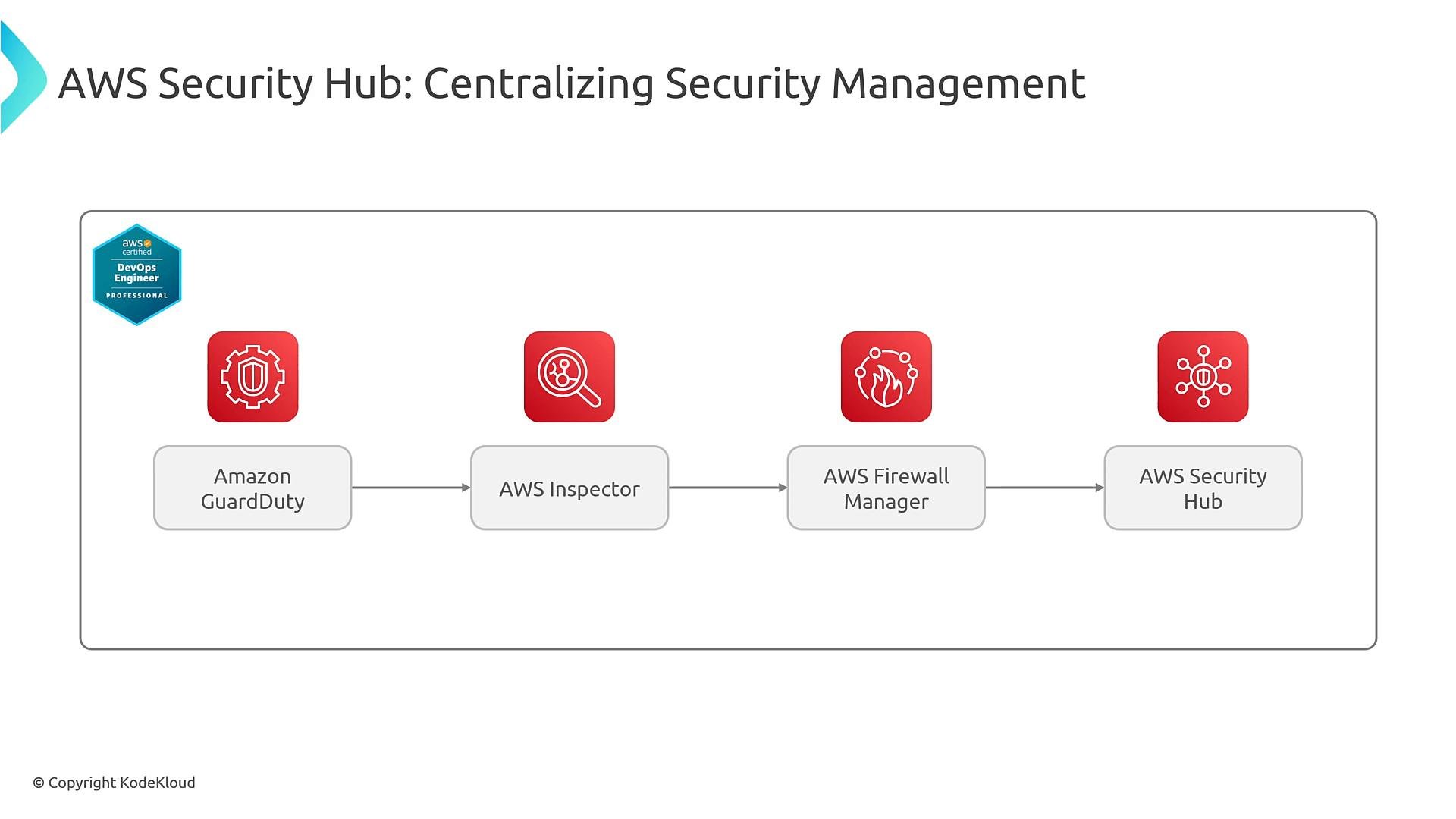
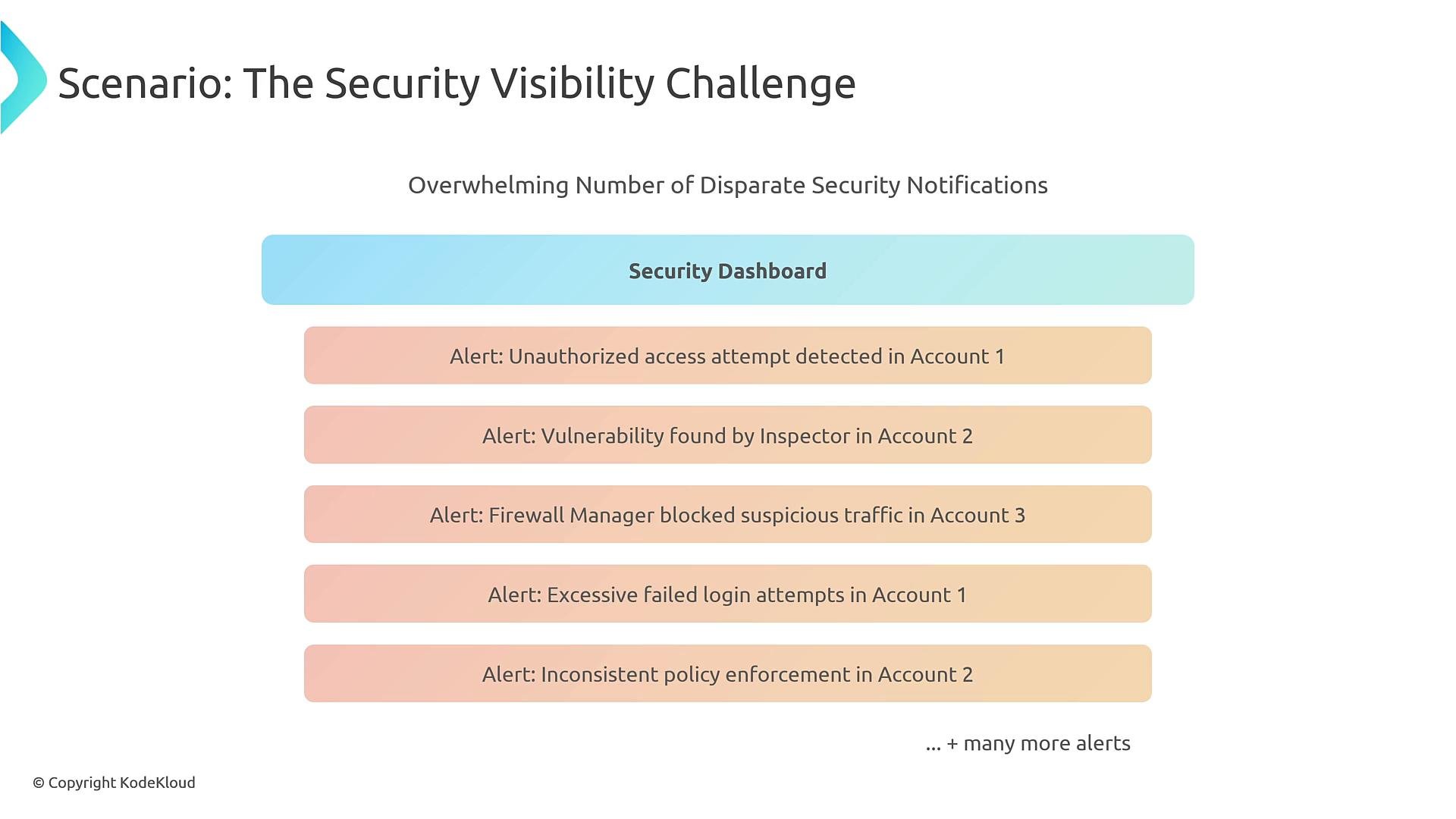
Security Hub fundamentals
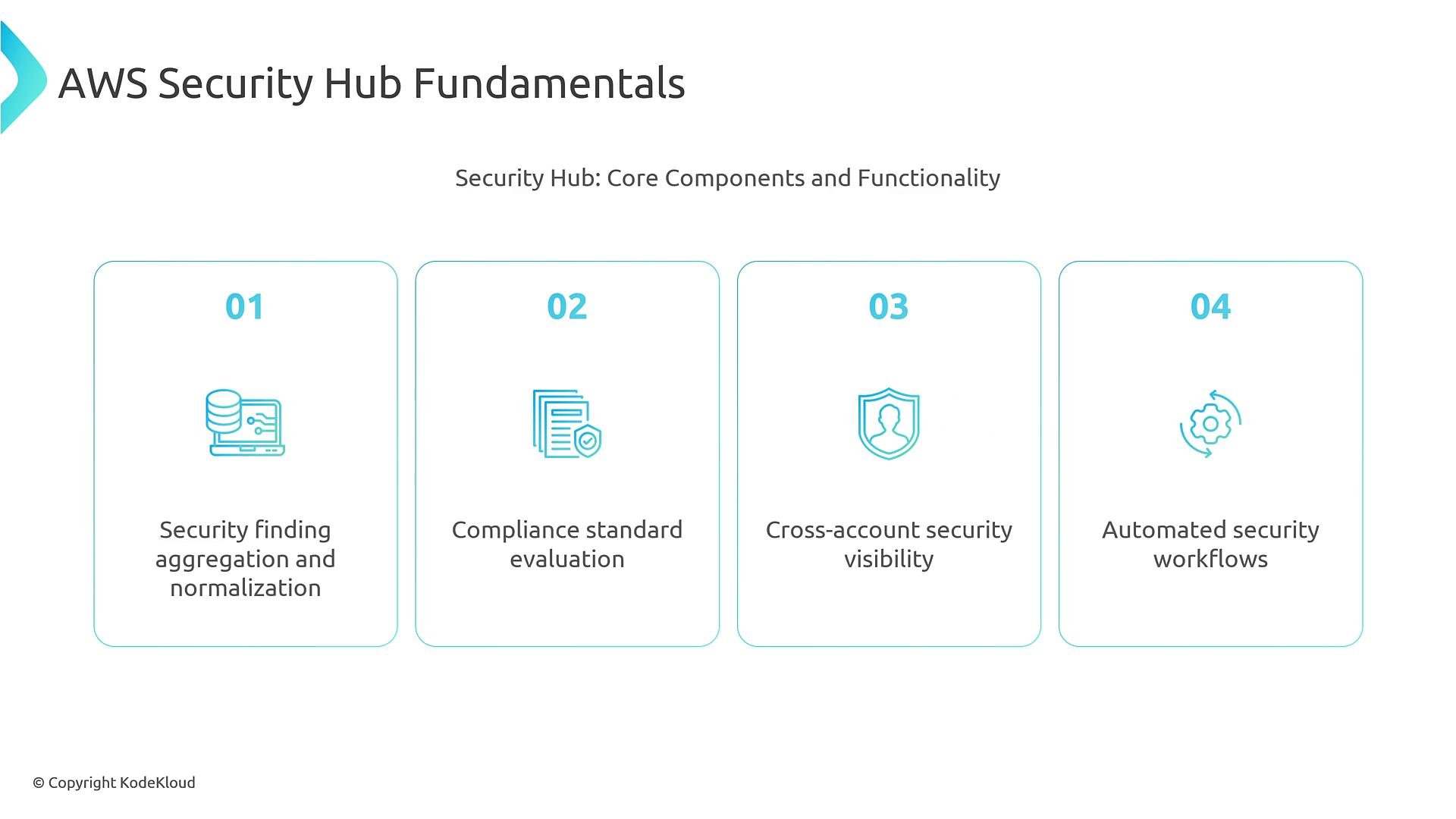
Security Hub provides:- Aggregation and normalization of findings (ASFF).
- Automated compliance checks against standards.
- Cross‑account visibility via AWS Organizations.
- Integration with EventBridge for automated workflows (Lambda, Systems Manager Automation, Step Functions).
- The ability to ingest third‑party and custom findings via the BatchImportFindings API.
ASFF (AWS Security Finding Format) is the canonical JSON structure Security Hub uses to normalize findings from diverse products. Using ASFF enables consistent querying, filtering, and automated responses across services.
Example ASFF findings (GuardDuty and Inspector)
Compliance standards and checks
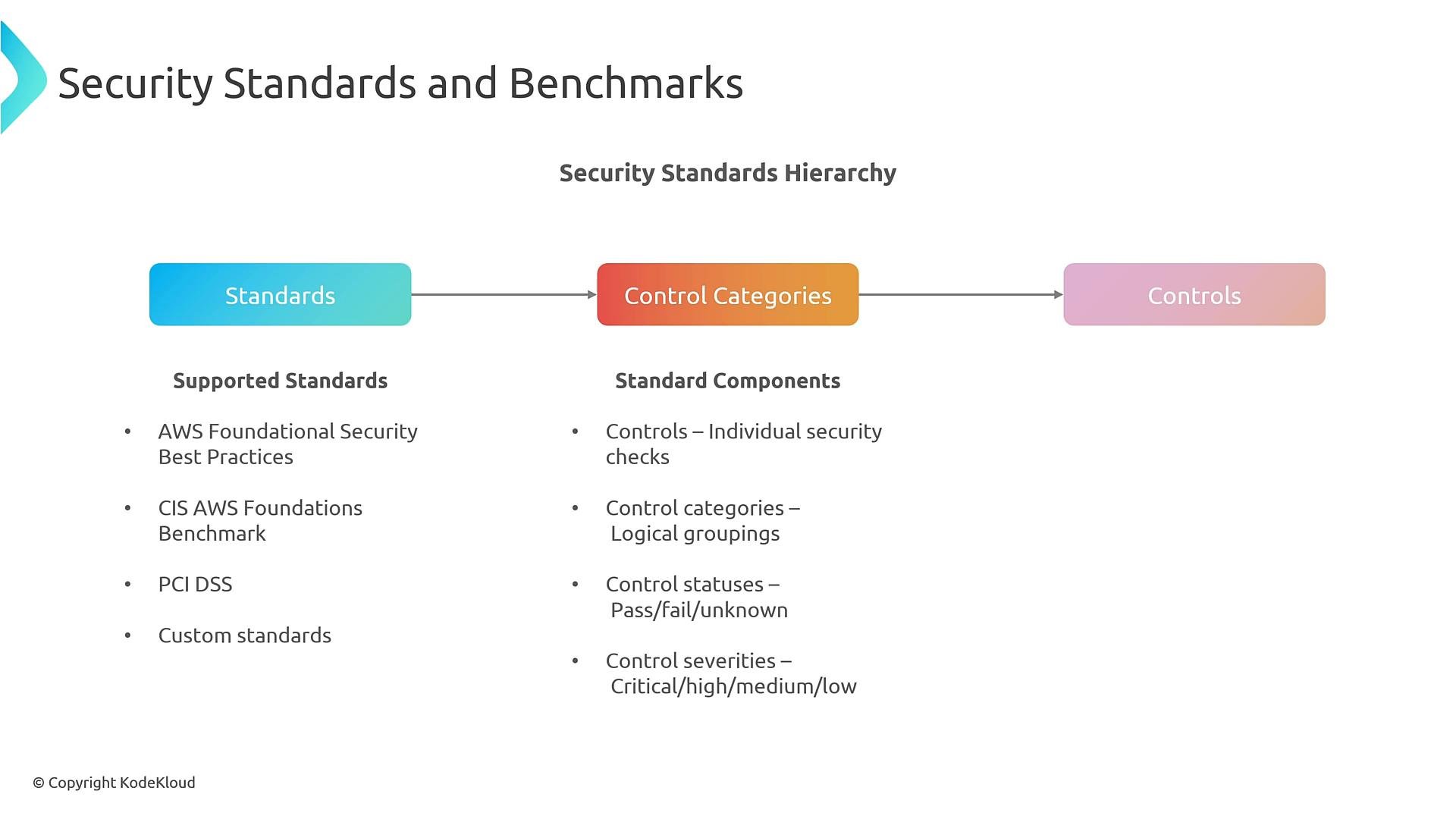
Security Hub includes built-in standards such as:- AWS Foundational Security Best Practices
- CIS AWS Foundations Benchmark
- PCI DSS
Multi-account aggregation and governance
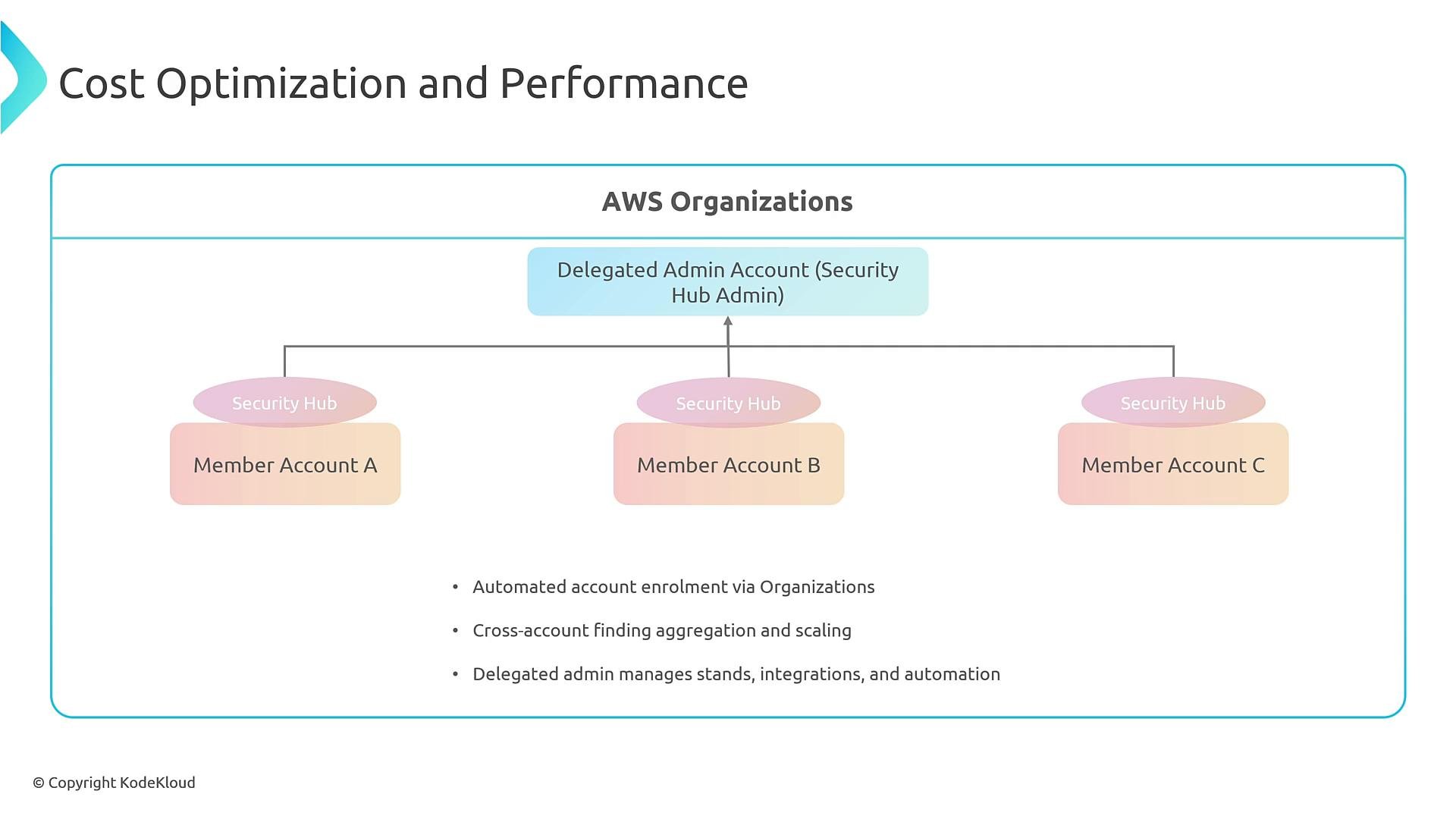
In production, a centralized security/admin account typically acts as the Security Hub administrator (or use a delegated admin). Member accounts in an AWS Organization forward findings to that admin account so you get unified cross‑account visibility and filterable dashboards.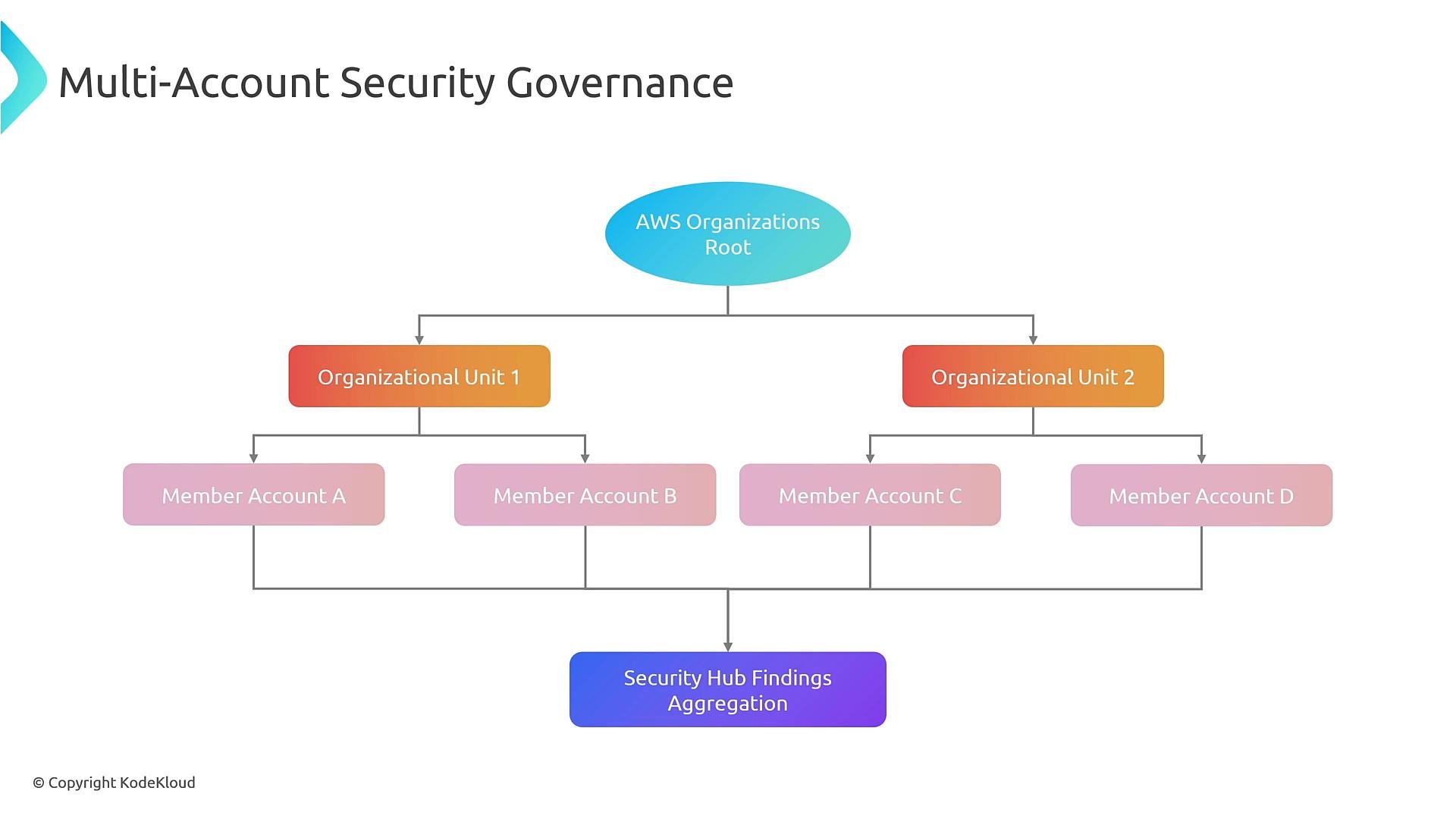
- Automate account enrollment (Landing Zone, Control Tower, or your account factory).
- Use delegated admin for scale, or centralized admin for small environments.
- Apply filters and custom insights to reduce noise and focus on high‑impact findings.
Automated remediation with EventBridge
Route Security Hub findings to EventBridge and trigger remediation with Lambda, Systems Manager Automation, Step Functions, or third‑party systems. Use event patterns to match severity, compliance status, product source, or specific resource types. Below is a CloudFormation example that creates an EventBridge rule to match Security Hub findings and route them to a Lambda function (replace the Lambda ARN with your target):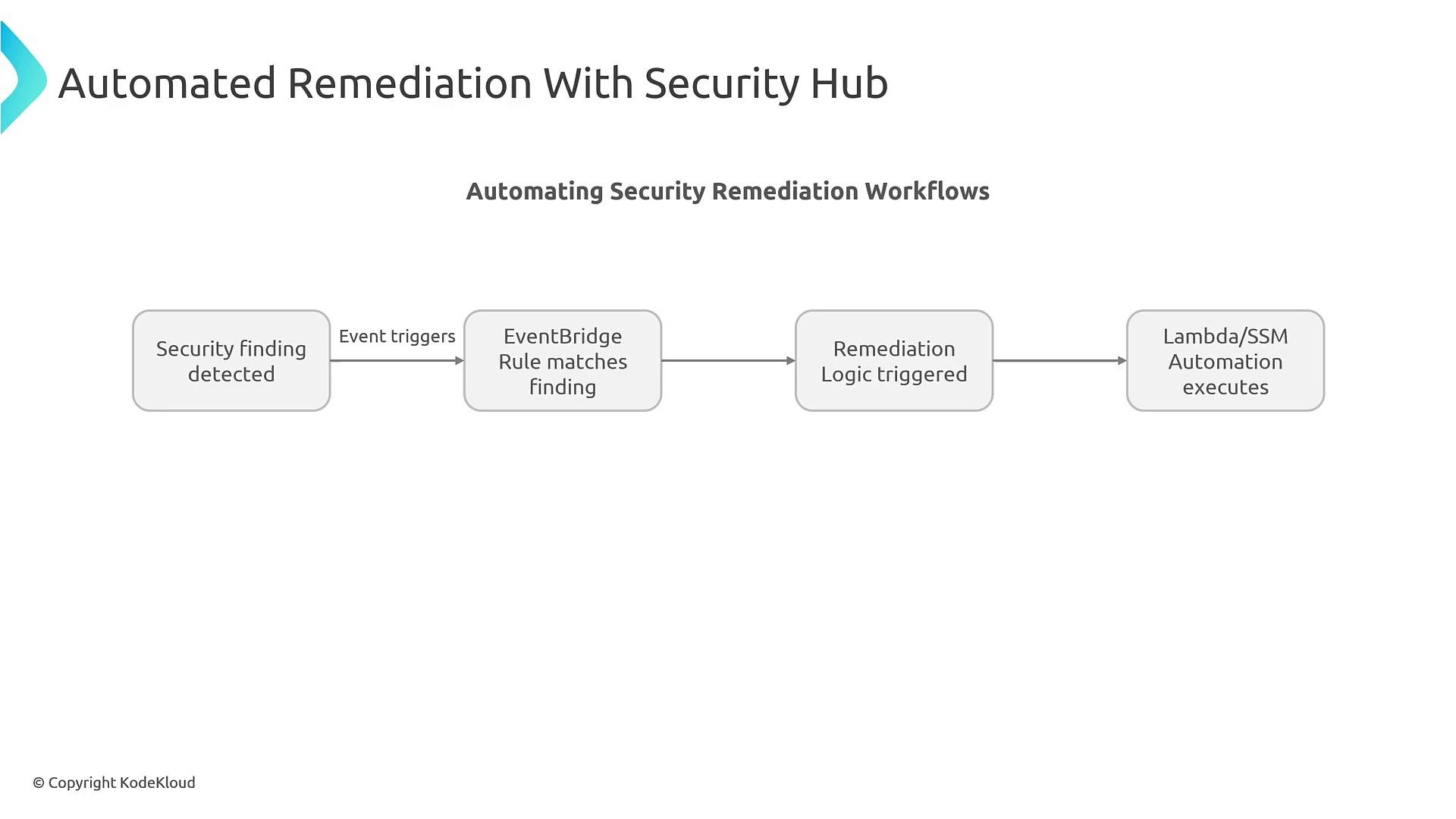
Finding triage lifecycle
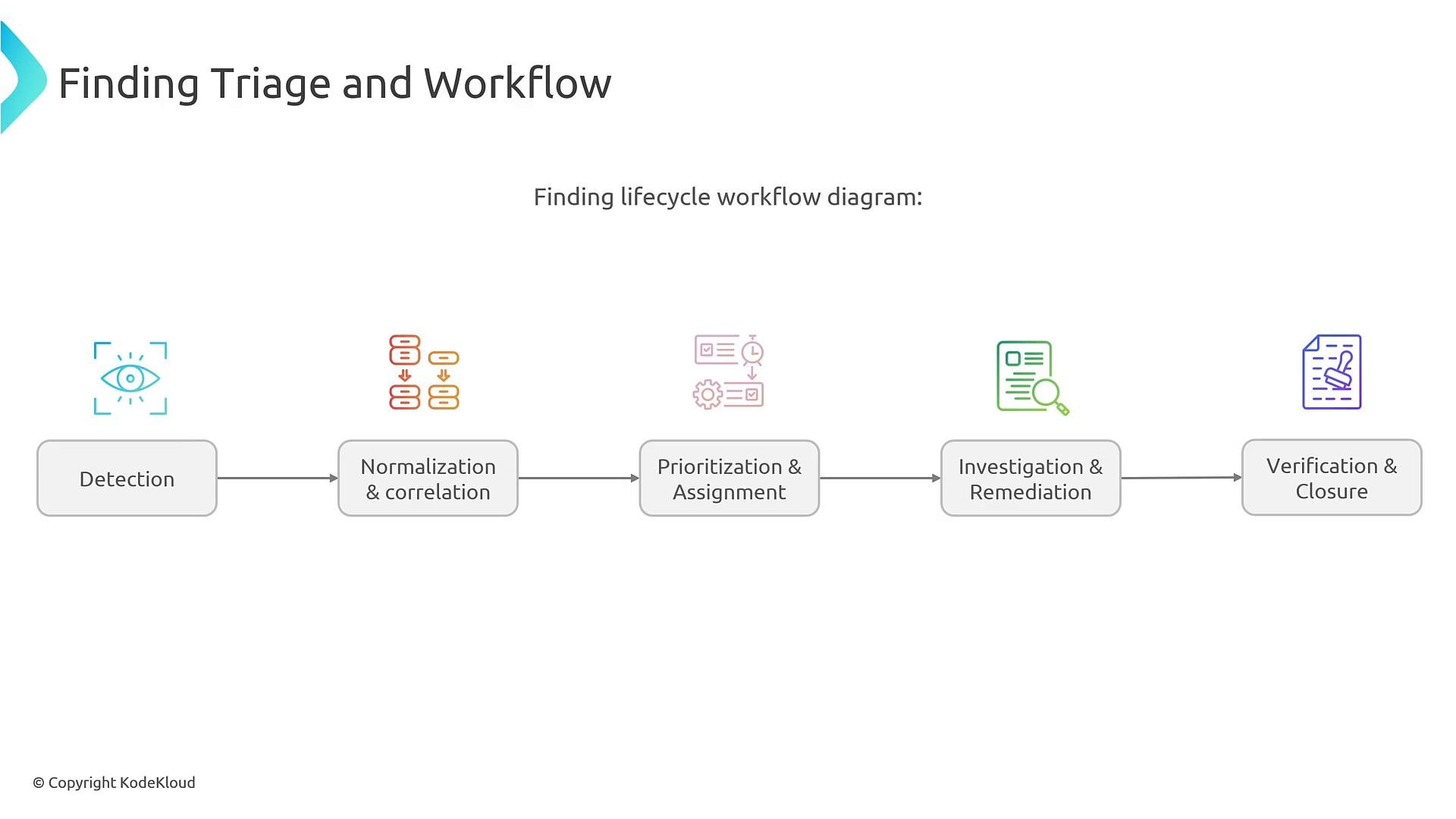
Typical lifecycle:- Detection
- Normalization & correlation
- Prioritization & assignment
- Investigation & remediation (freeze for forensics if needed)
- Verification & closure
Integration points and outputs
You can enrich findings with context (asset owner, ticket ID, risk score), send notifications to ChatOps (Slack), create JIRA/ServiceNow tickets, or email stakeholders. After remediation, update Security Hub to reflect the new workflow state.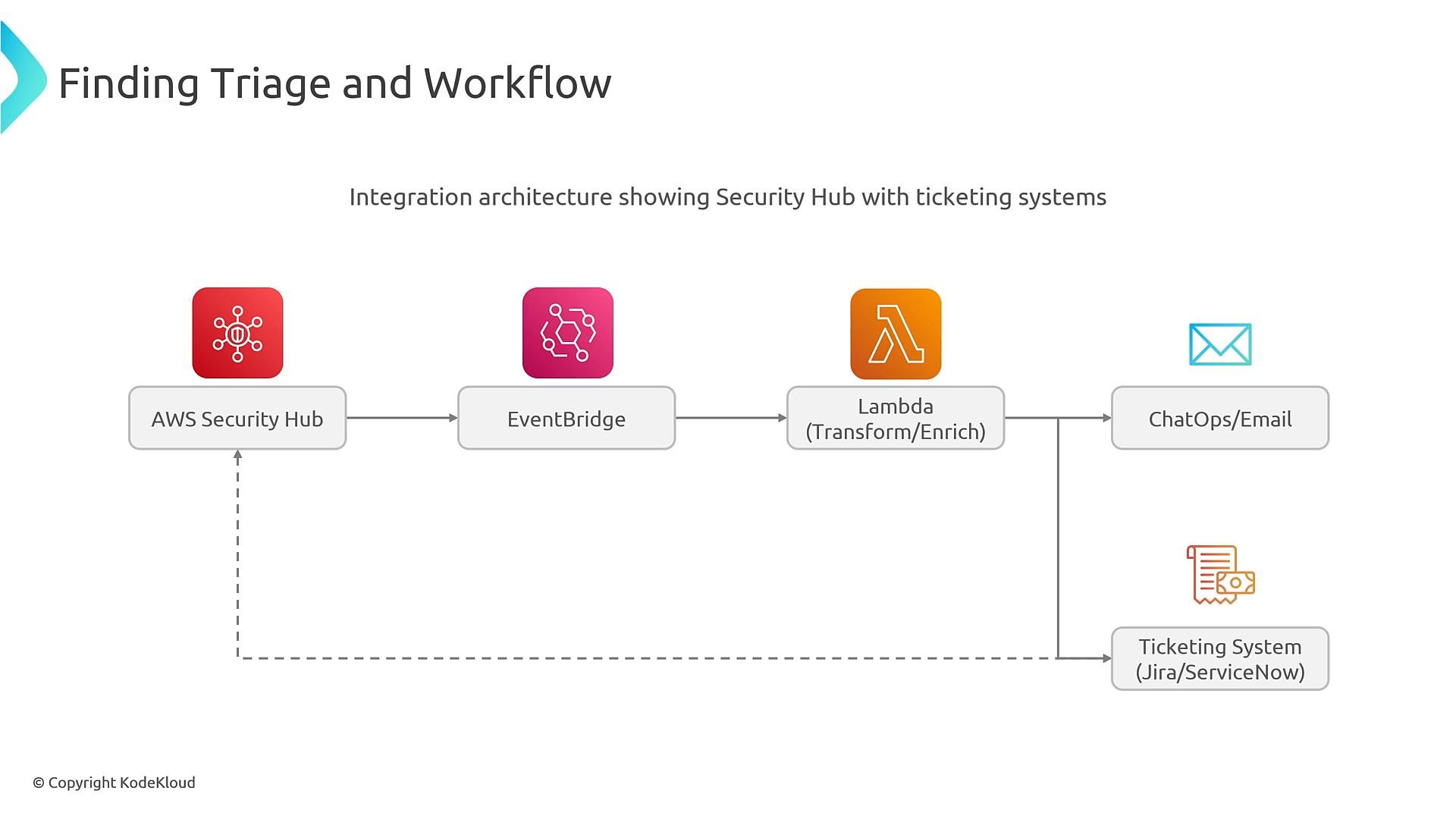
Common targets for automated responses
Custom integrations and batch import
Third‑party or custom tools can submit ASFF findings using the BatchImportFindings API. Security Hub ingests them and treats them like native findings (searchable, filterable, and actionable).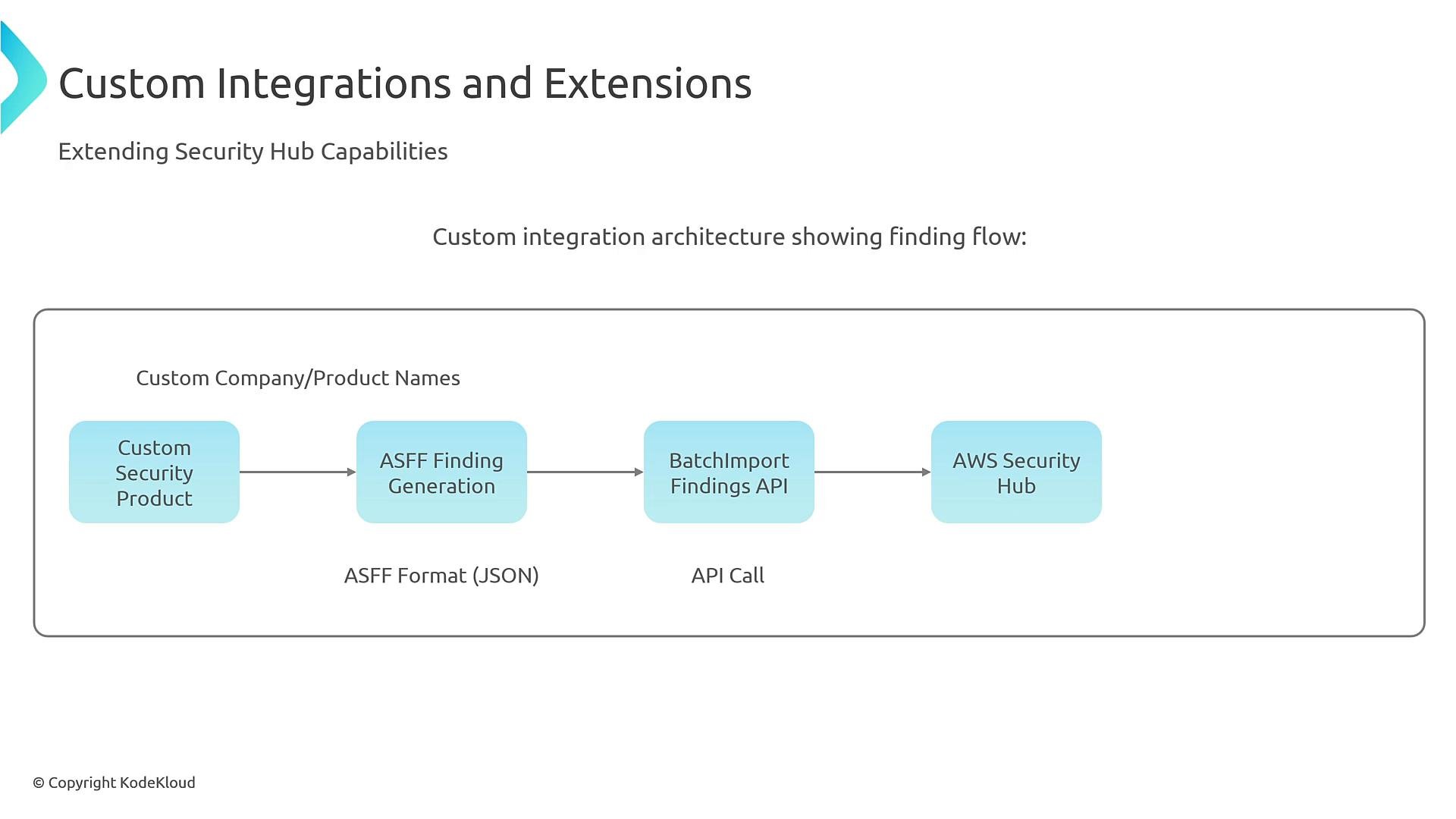
Metrics and scoring
Security Hub provides an overall security score and per‑standard scores (CIS, PCI DSS, NIST, etc.). Use score trends to measure posture improvement over time and prioritize remediation.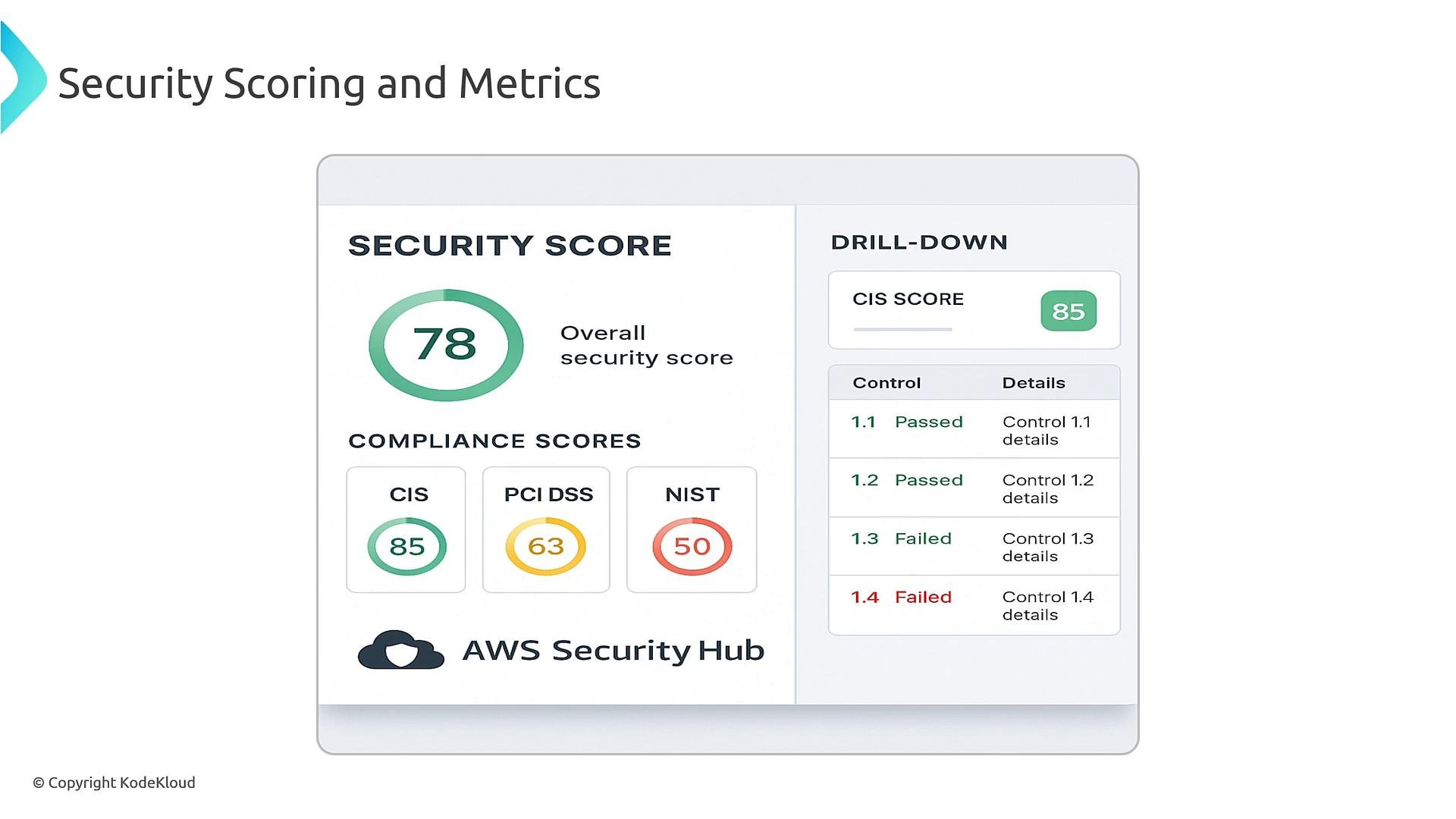
Cost and performance considerations
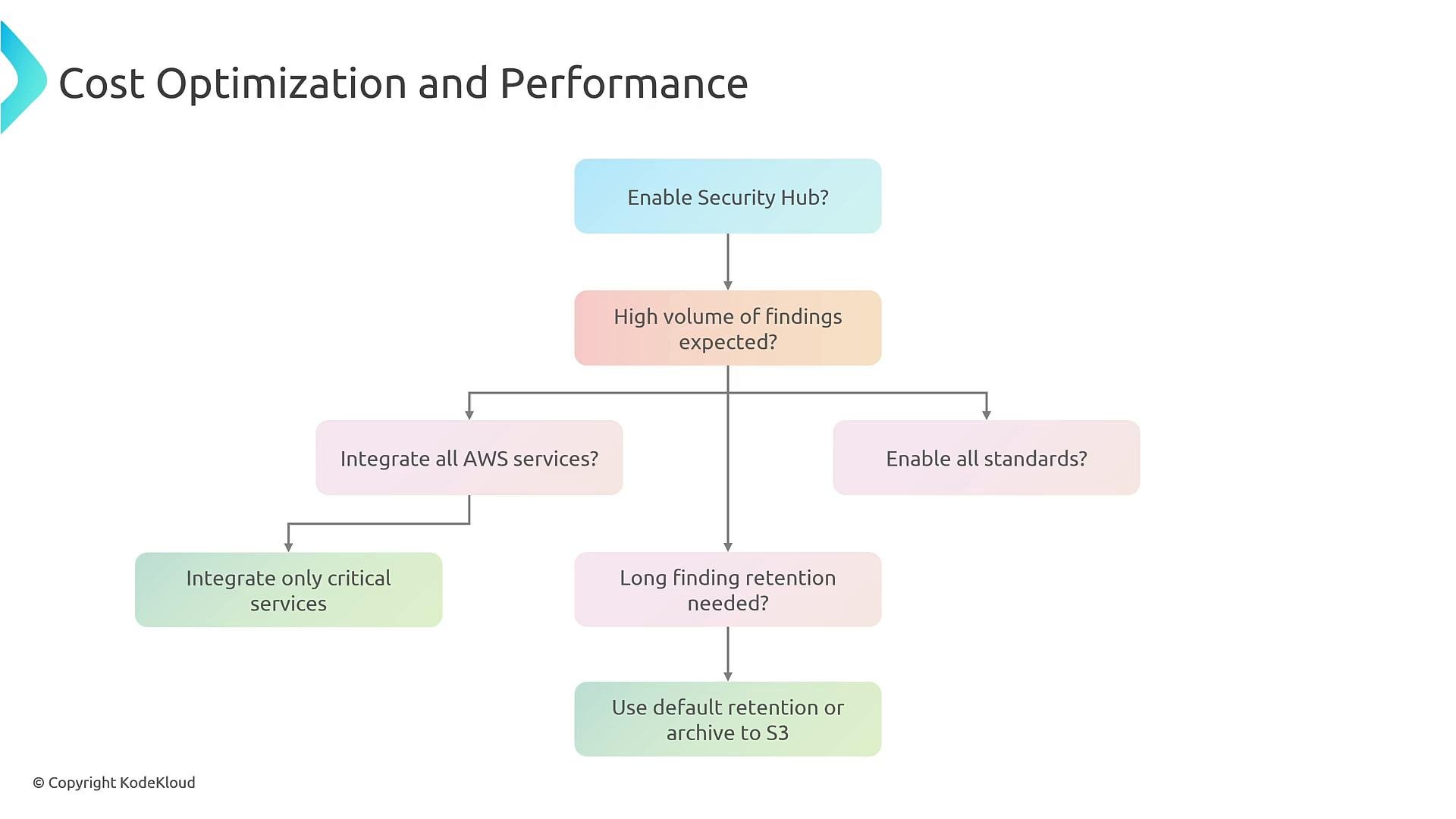
Enabling more standards and integrating more products increases finding volume and cost. Consider these controls:- Enable only the standards and services you need.
- Archive findings to S3 for long‑term retention and lower Security Hub storage costs.
- Filter or deduplicate noisy findings with insights and custom actions.
- Automate enrollment using Landing Zone, Control Tower, or an account factory.
- Choose delegated admin for larger environments.
- Tune filters, insights, and EventBridge rules to reduce noise and focus on high‑impact findings.
Common challenges and troubleshooting
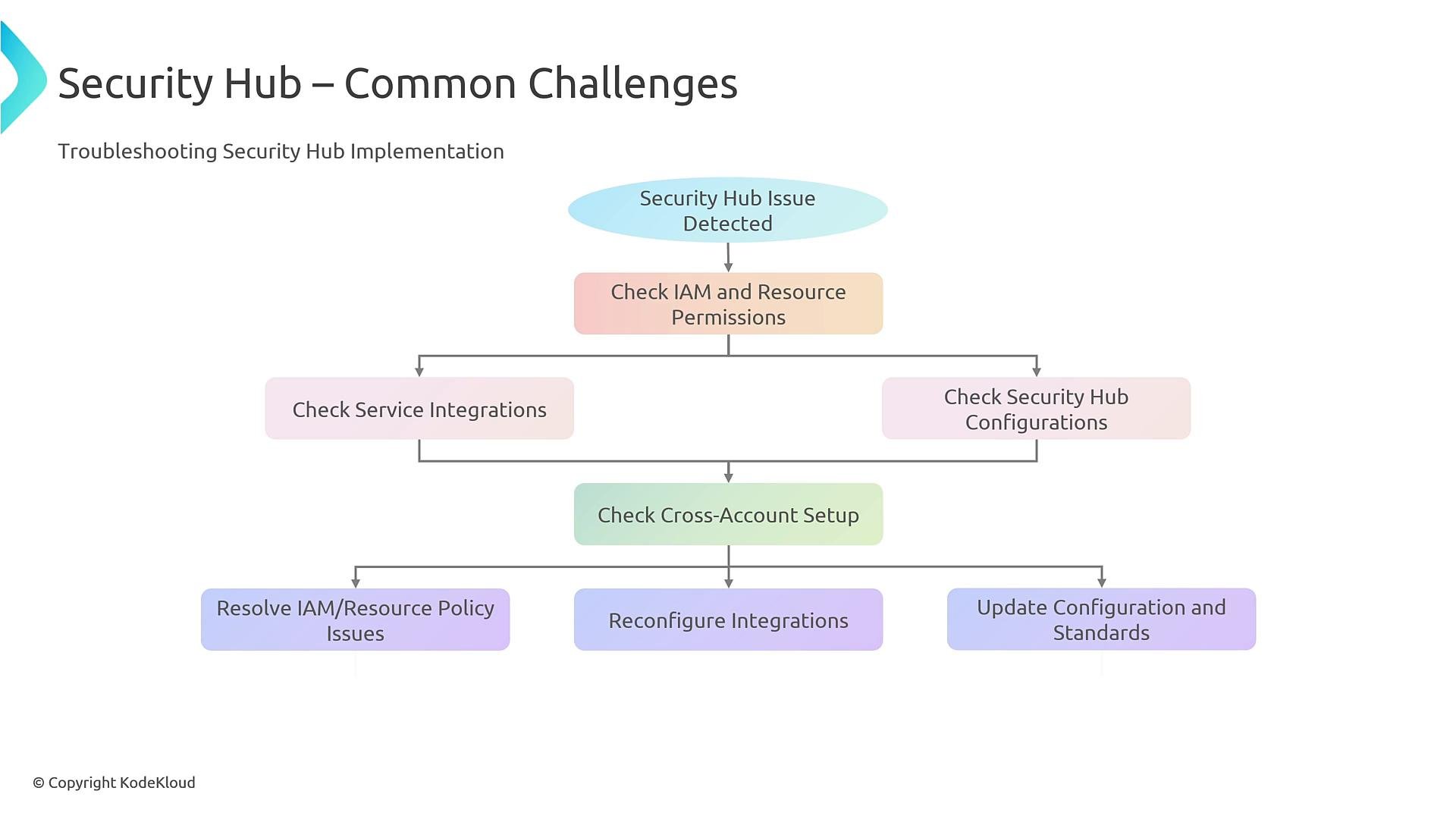
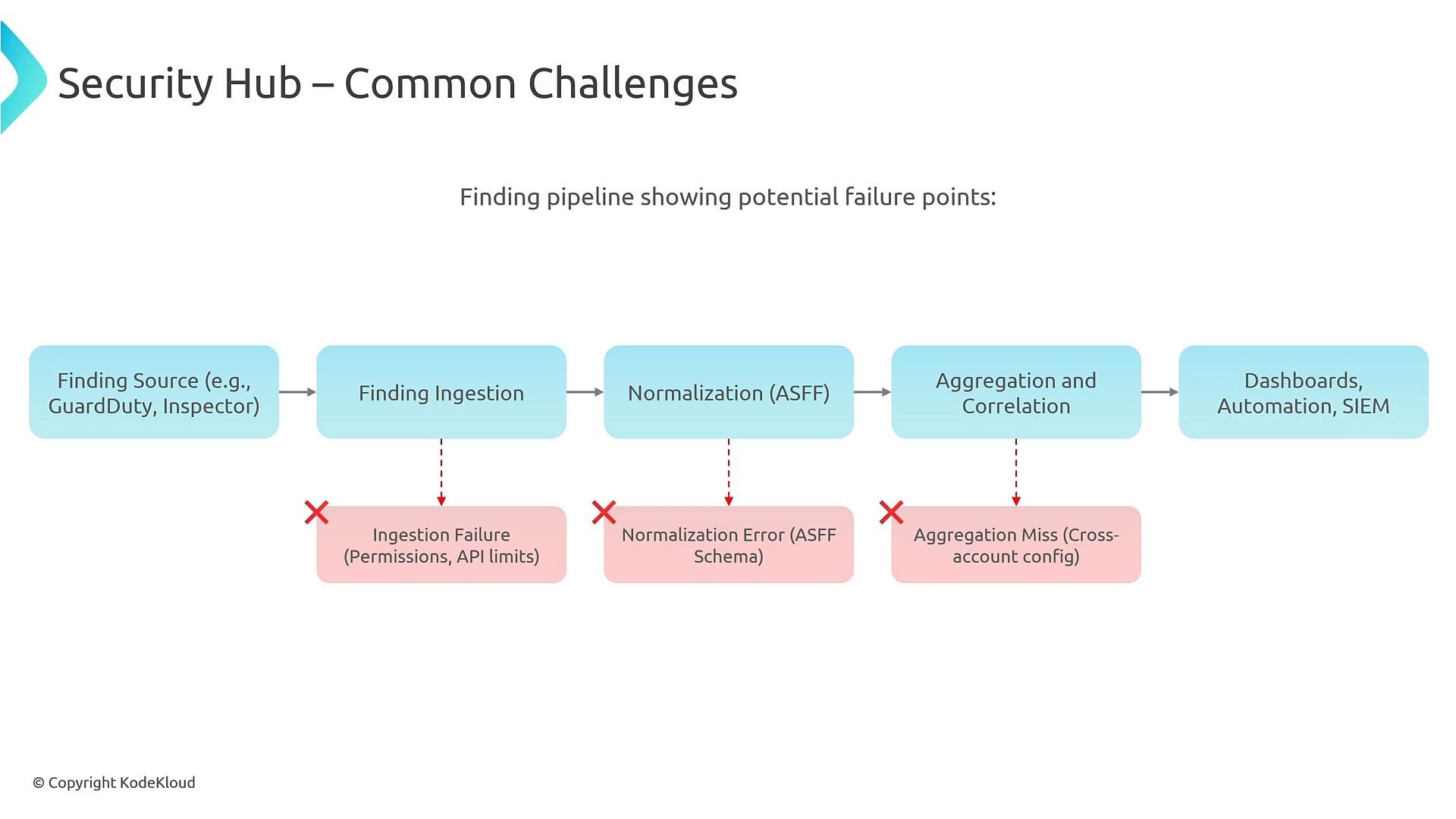
Permissions and cross‑account setup are the most frequent causes of issues. Ensure the Security Hub admin/delegated admin has required IAM permissions and that member accounts are invited and enabled. Other failure modes:- Ingestion failures: API limits, permissions, or network issues.
- ASFF schema errors: custom findings must conform to ASFF.
- Aggregation misses: cross‑account or cross‑region misconfiguration.
Before troubleshooting automation failures, verify IAM permissions and quotas. Remediation workflows commonly fail due to missing roles, insufficient permissions, or EventBridge target misconfiguration.
- The producing service is enabled and configured to send findings.
- The product ARN for the source is authorized to submit to Security Hub.
- AWS Config is enabled (required for many compliance checks).
Quick troubleshooting checklist
Summary
AWS Security Hub centralizes and normalizes security findings with ASFF, evaluates compliance standards, and enables automated remediation via EventBridge and orchestration targets such as Lambda, SSM Automation, and Step Functions. For multi‑account environments, use AWS Organizations with a centralized or delegated admin account and automate enrollment. Tune filters and insights to reduce noise, and validate permissions and ASFF formatting when troubleshooting ingestion or aggregation issues. References and further reading:- AWS Security Hub documentation: https://docs.aws.amazon.com/securityhub/latest/userguide/what-is-securityhub.html
- AWS Security Finding Format (ASFF): https://docs.aws.amazon.com/securityhub/latest/userguide/securityhub-findings-format.html
- Security Hub API (BatchImportFindings): https://docs.aws.amazon.com/securityhub/latest/APIReference/API_BatchImportFindings.html
- Amazon EventBridge: https://docs.aws.amazon.com/eventbridge/latest/userguide/what-is-amazon-eventbridge.html
- GuardDuty: https://docs.aws.amazon.com/guardduty/latest/ug/what-is-guardduty.html
- Inspector: https://docs.aws.amazon.com/inspector/latest/user/what-is-inspector.html
- AWS Config: https://docs.aws.amazon.com/config/latest/developerguide/WhatIsConfig.html