

CloudTrail captures API-level activity (management and data plane events). It does not capture OS-level logs or native database client connections unless those actions go through AWS APIs or you forward those logs to CloudWatch Logs or another logging pipeline.
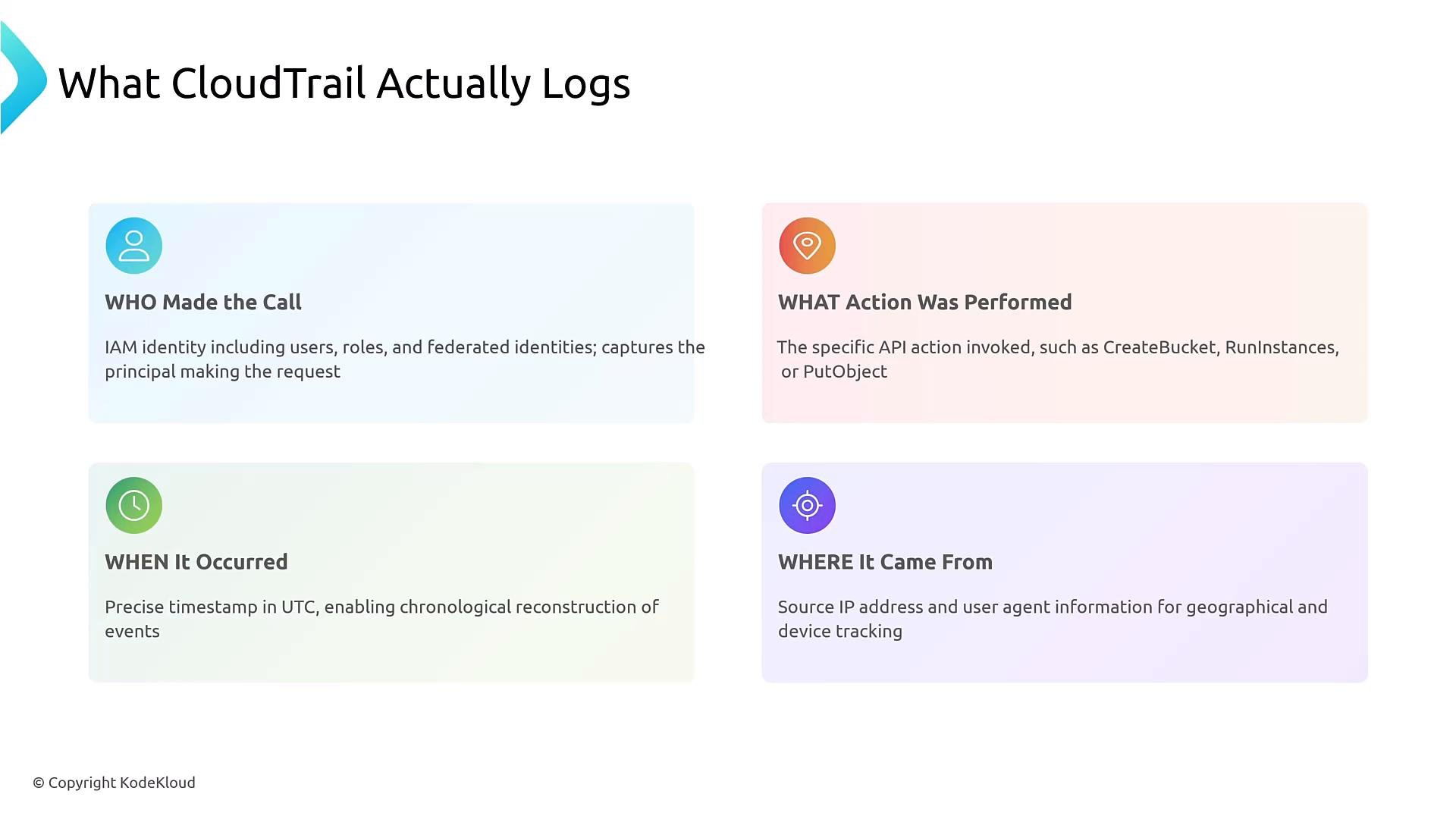
What CloudTrail provides
CloudTrail records a standardized set of metadata for each API event. Use the table below to quickly see the core fields investigators rely on:Management events vs Data events
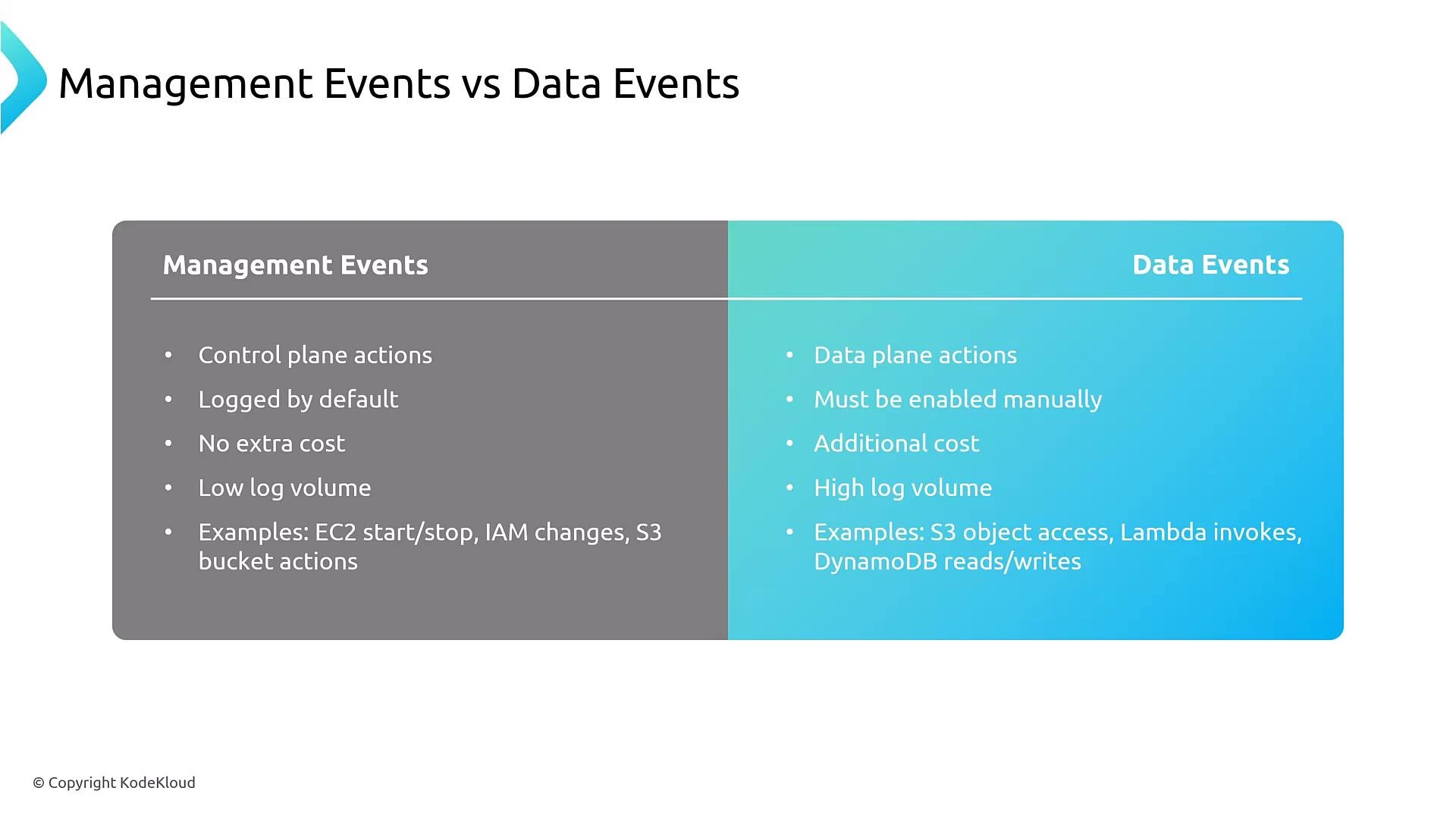
CloudTrail distinguishes control-plane (management) events from data-plane events. Understanding this difference helps you configure trails and control costs.
Note: native database connections (for example, direct MySQL client connections to RDS) do not go through AWS APIs and therefore are not recorded in CloudTrail unless you forward database logs into CloudWatch Logs or another logging pipeline.
Trails and delivery
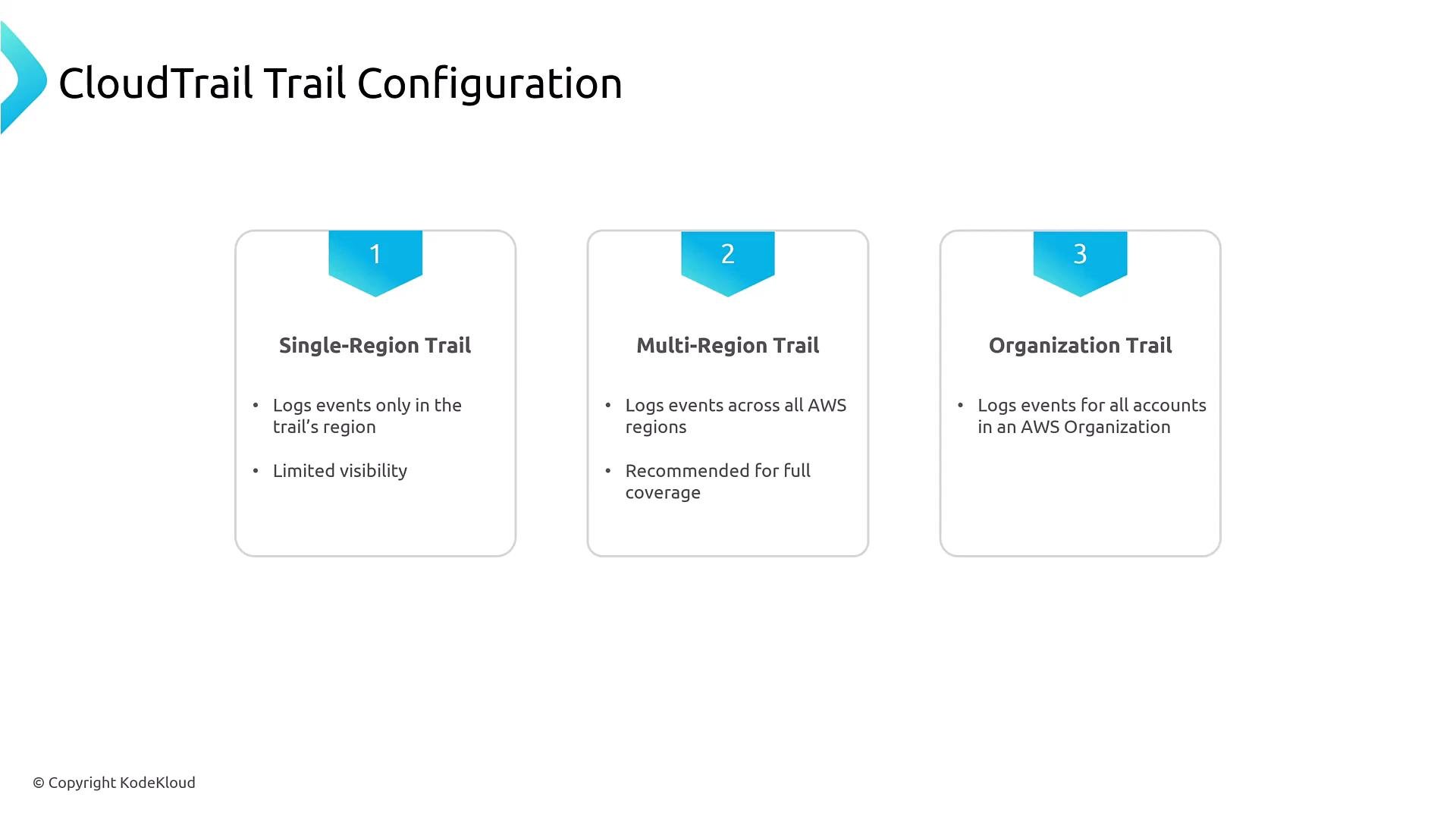
A CloudTrail “trail” defines how events are delivered and where they are stored for analysis.- Trail types:
- Single-Region trail: records events in one region.
- Multi-Region trail: records events across all regions (recommended where full visibility is required).
- Organization trail: centralizes logs for every account in an AWS Organization into a single S3 bucket (typical for centralized logging or security accounts).
- Trails deliver events to:
- An S3 bucket (for long-term storage and audit/archive workflows).
- Optionally to CloudWatch Logs (near real-time analysis).
- Optionally to EventBridge (for routing to other services).
Log validation and integrity
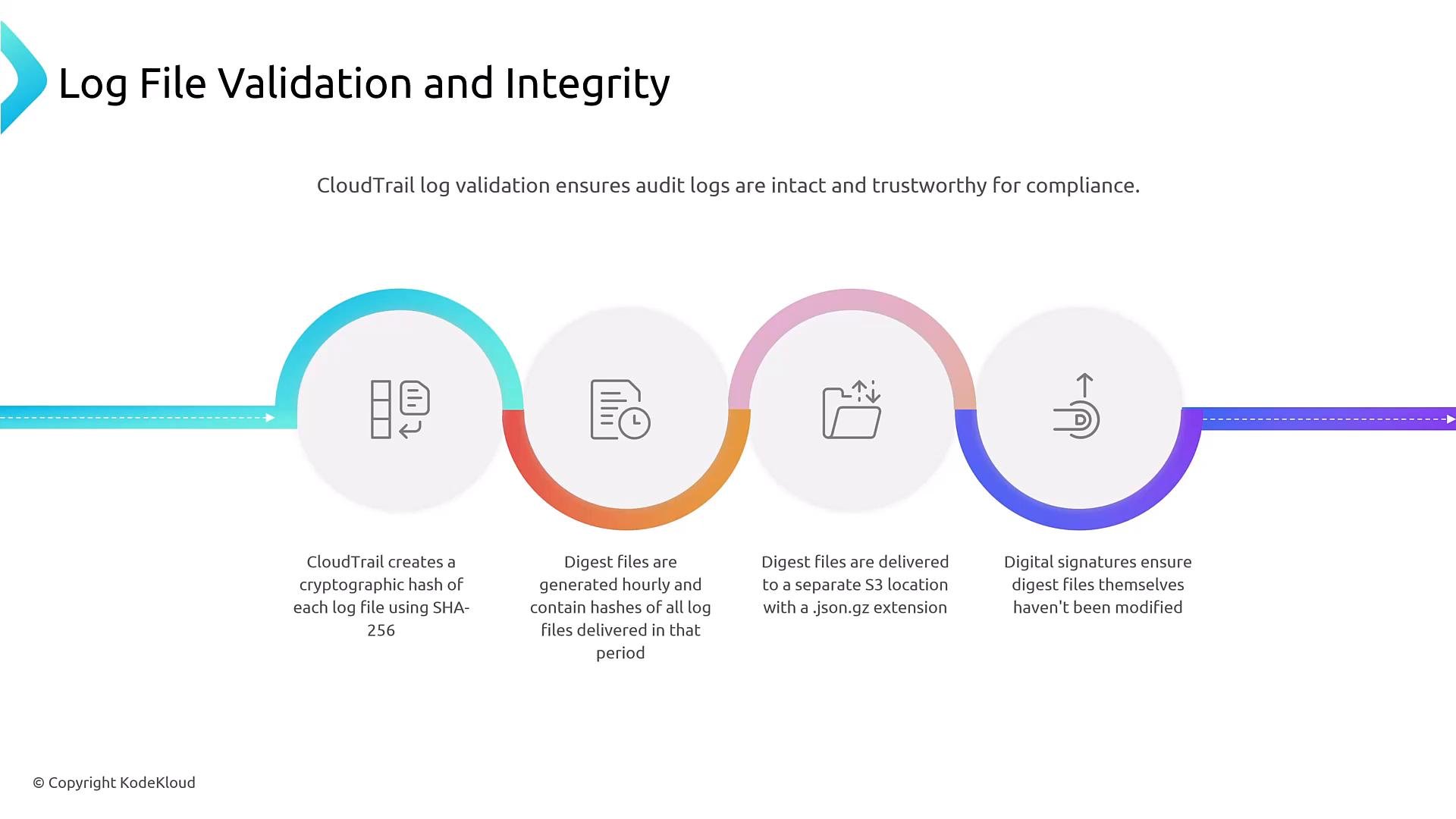
Preserving the integrity of audit logs is crucial for investigations and compliance.- Log file integrity validation: CloudTrail can compute SHA-256 hashes of delivered log files and periodically generate digest files.
- Digest files (hourly) allow you to verify that S3 objects haven’t been altered since delivery. Store digests in a separate location or account for stronger protection.
- Use digests and signatures as part of a repeatable verification workflow during audits or forensic investigation.
Integration with CloudWatch Logs and EventBridge
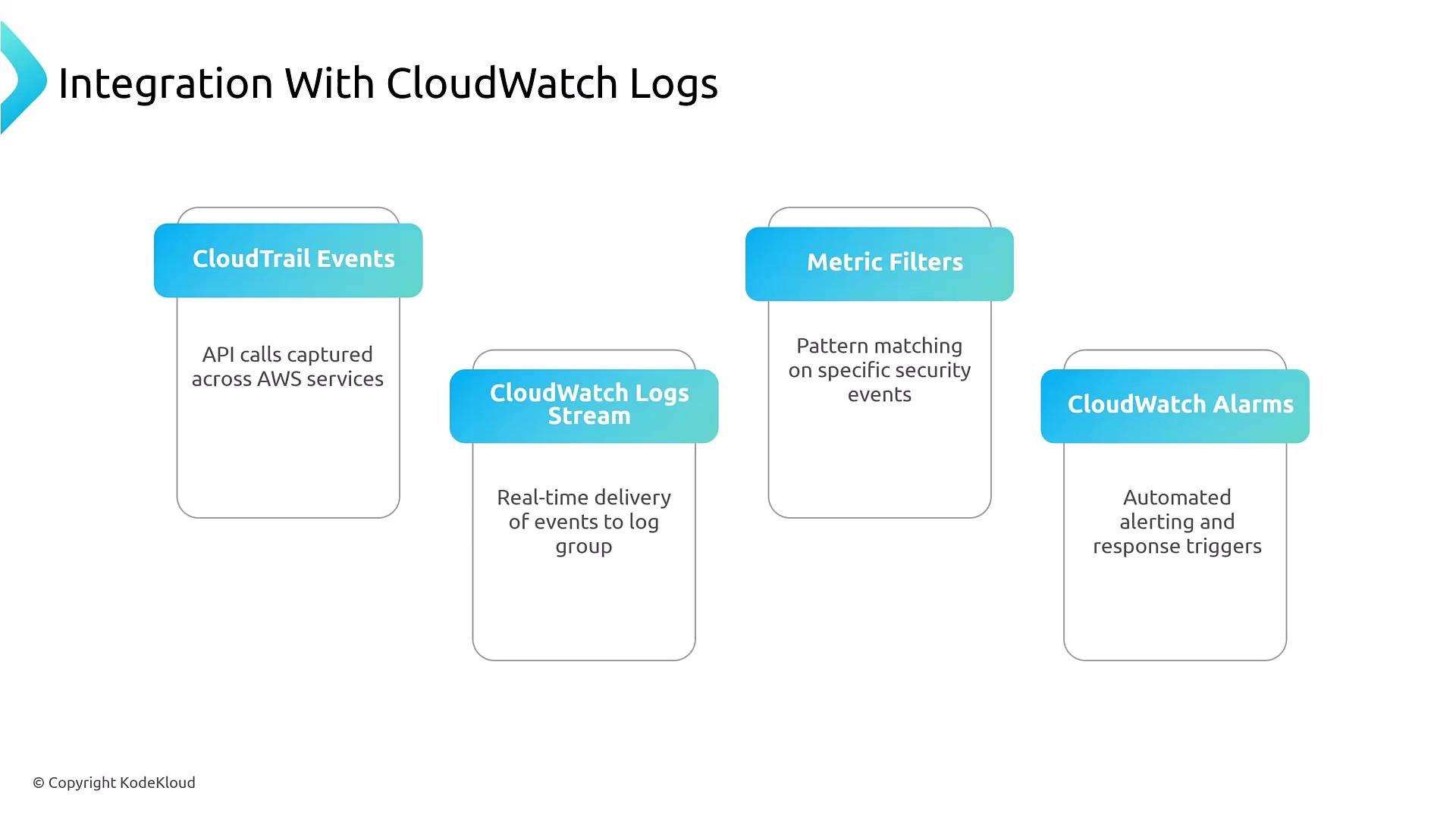
For near real-time detection and automated response, forward CloudTrail events to CloudWatch Logs and EventBridge.- Configure a trail to deliver events to a CloudWatch Logs log group.
- Use CloudWatch Logs metric filters (pattern matching) to create metrics from event patterns.
- Attach CloudWatch Alarms to metrics to trigger SNS notifications, Lambda functions, or other responders.
- Use EventBridge rules to route specific CloudTrail events to workflows, step functions, or third-party systems for incident response.
- Trail delivers events → CloudWatch Logs.
- Metric filters detect suspicious patterns → CloudWatch Metric.
- Alarm triggers → SNS / Lambda to notify or remediate.
- EventBridge rules route events to other services for enrichment or automation.
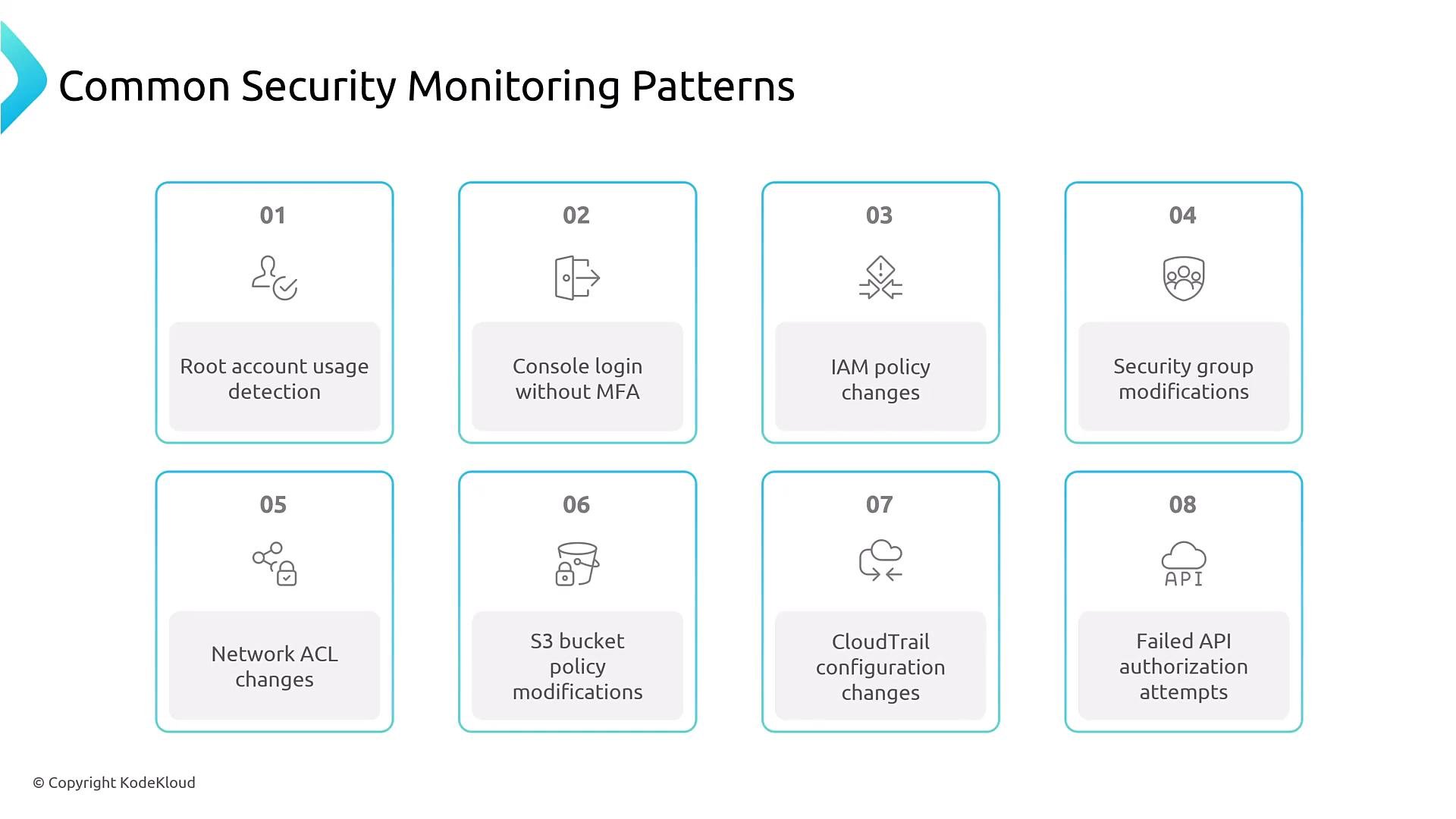
Common security monitoring patterns
Use CloudTrail to detect and alert on high-risk or suspicious activity. Examples include:- Root account usage (ConsoleLogin events tied to the root principal).
- Console login without MFA (ConsoleLogin events where MFA was not used).
- IAM policy, role, and key changes (CreatePolicy, PutRolePolicy, CreateAccessKey).
- Security group or NACL changes that widen ingress (AuthorizeSecurityGroupIngress, UpdateNetworkAclEntry).
- S3 bucket policy or ACL changes that expose data (PutBucketPolicy, PutBucketAcl, PutPublicAccessBlock).
- CloudTrail configuration changes (DeleteTrail, StopLogging).
- Repeated failed authorization attempts (AccessDenied patterns, failed AssumeRole attempts).
Global services and us-east-1 behavior
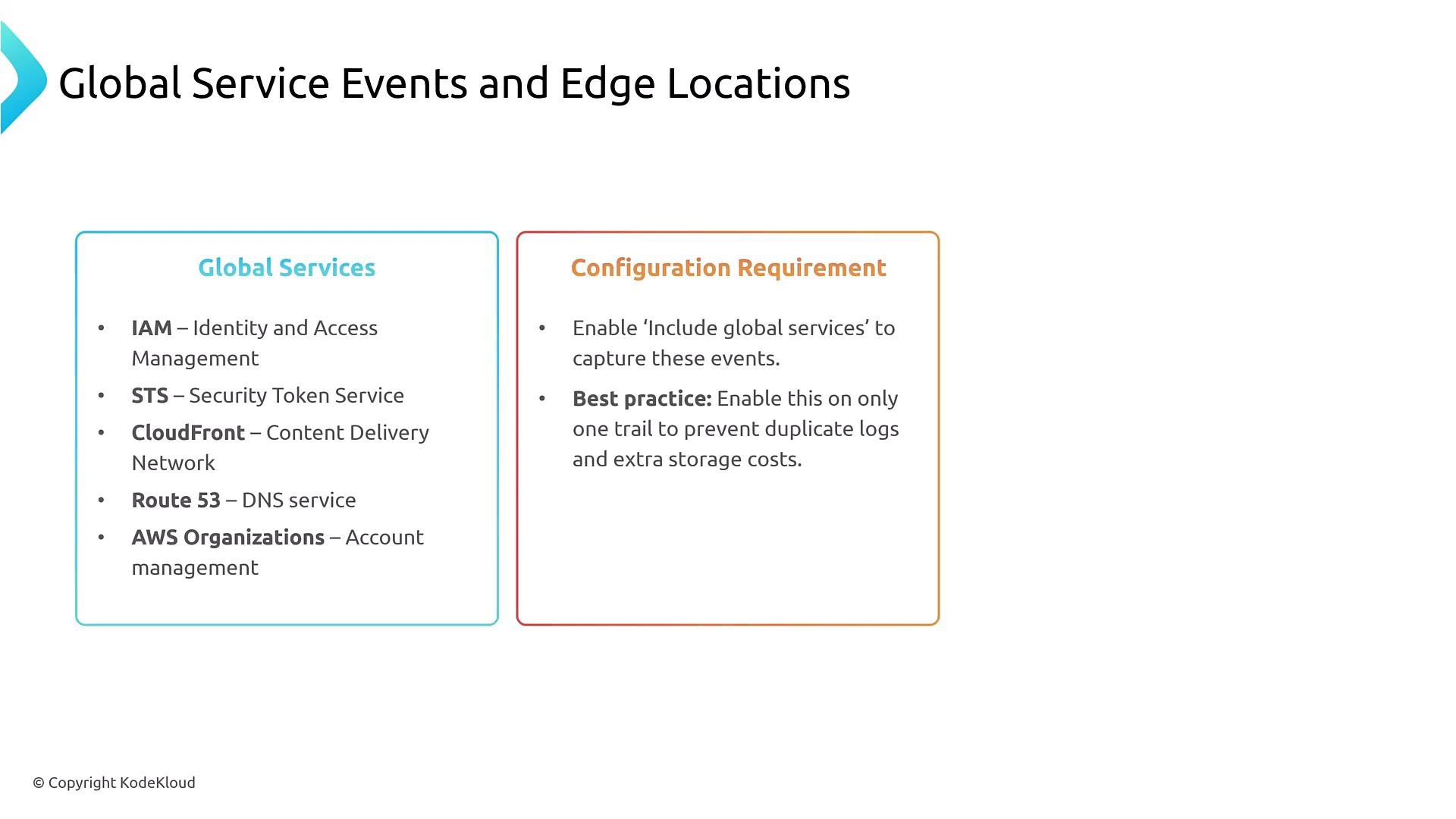
Some AWS services are global (for example, IAM, STS, AWS Organizations, Route 53, CloudFront). API activity for many global services is typically recorded in theus-east-1 region.
- When using a multi-Region trail, there is an explicit option to “Include global services” to capture these global service events in the trail.
- If you enable global service event capture on more than one trail, you will receive duplicate entries for those events.
Exam/troubleshooting trap: enabling a multi-Region trail does not automatically include global service events. You must enable the “Include global services” option on the trail you intend to use, and avoid enabling it on multiple trails to prevent duplicate logs and extra costs.
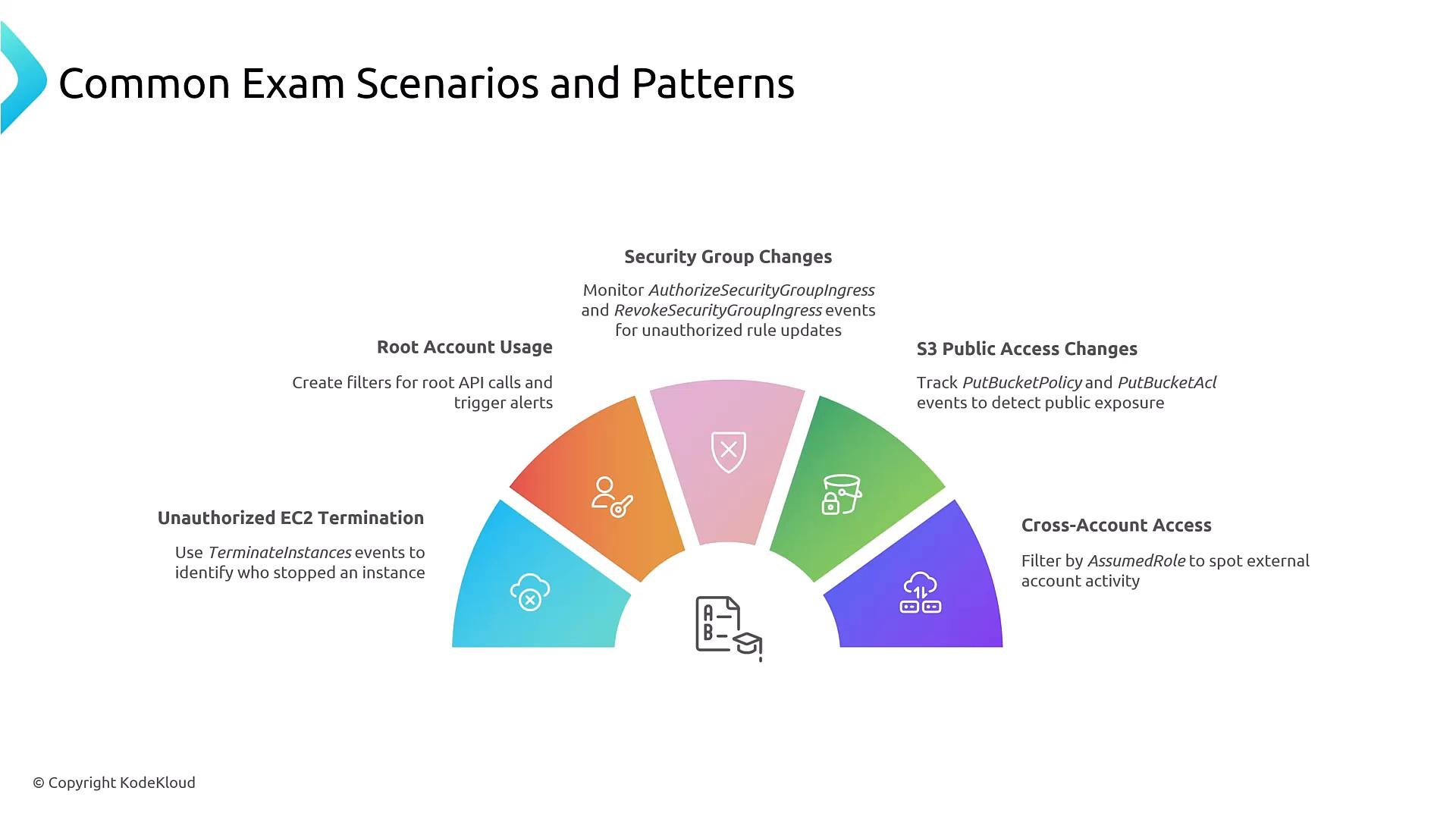
Exam-style scenarios and practical examples
When performing audits or troubleshooting, search CloudTrail for these patterns:- Unauthorized EC2 termination: filter for
TerminateInstanceswith the instance ID and inspect theuserIdentityfield. - Real-time root account usage detection: search for
ConsoleLoginevents whereuserIdentity.typeisRoot. - Security group changes opening 0.0.0.0/0: search
AuthorizeSecurityGroupIngressevents with CIDR0.0.0.0/0. - S3 public access changes: monitor
PutBucketPolicy,PutBucketAcl, orPutPublicAccessBlock. - Cross-account role assumption: detect
AssumeRoleand verify theprincipalthat performed the assume.
CloudTrail Insights (anomaly detection)
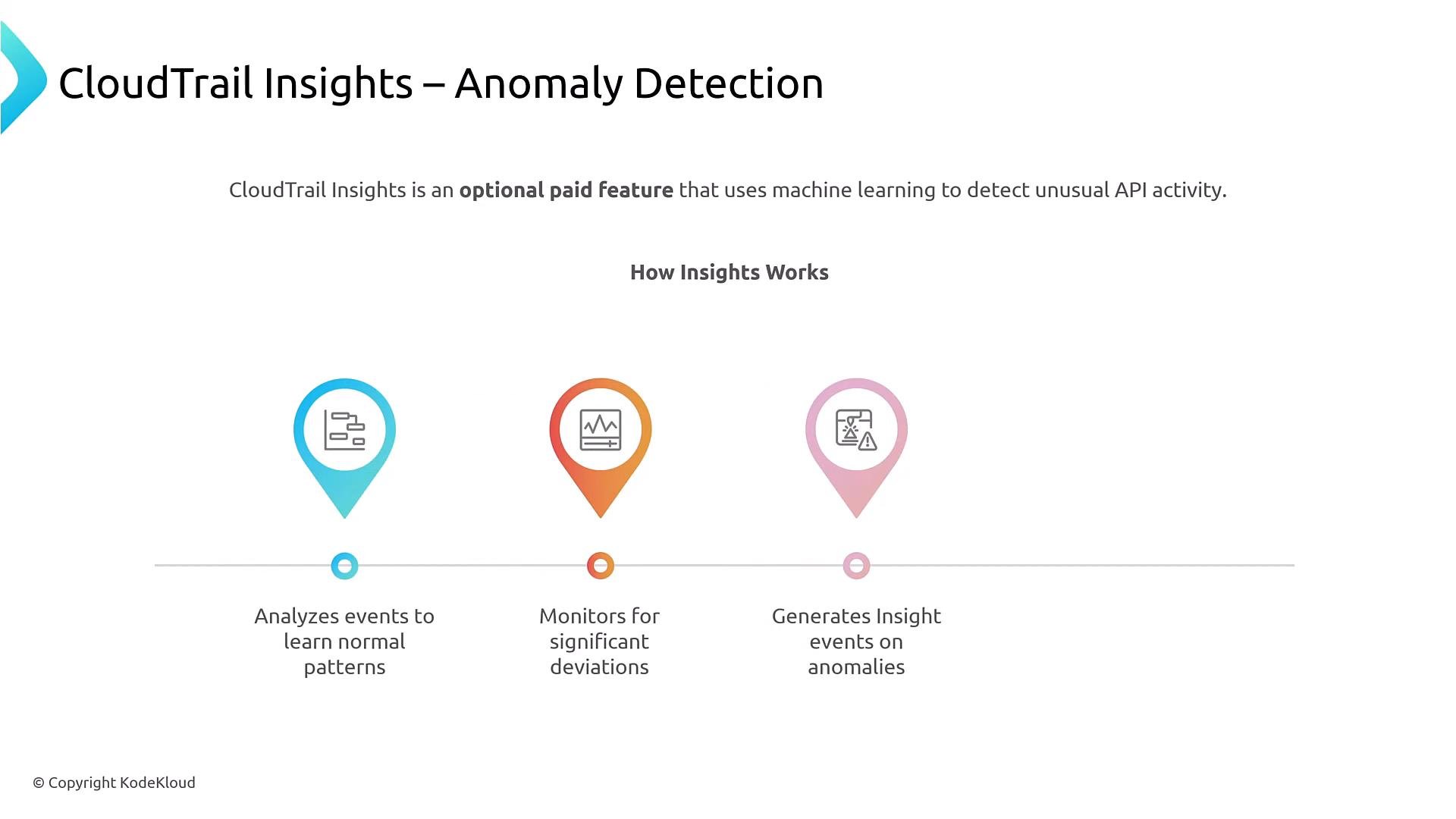
CloudTrail Insights is an optional feature that analyzes normal API activity patterns and flags unusual behavior (for example, a sudden spike inCreateBucket events). Insights generates Insight events you can route to CloudWatch or EventBridge for alerting and automation.
- Useful for detecting behavior that static rules might miss (spikes, sudden drops, or anomalous API usage).
- Insights is feature-billed—evaluate cost vs. visibility benefits.
Costs and cost-management guidance
CloudTrail pricing and features can change; always consult the AWS pricing page. Key considerations:- Enabling trails is inexpensive, but enabling data events (S3 object-level, Lambda invokes, DynamoDB operations) and Insights increases cost.
- Broadly enabling data events can produce very high volumes and storage/processing charges.
- Duplicate trails or enabling global events on multiple trails causes duplicate log delivery and higher costs.
- Use a single multi-Region trail where practical.
- Enable data events only for specific resources you need to monitor.
- Use S3 lifecycle policies to transition older logs to cheaper classes (e.g., Glacier) or use Intelligent-Tiering.
- Monitor CloudTrail-related spend in AWS Cost Explorer and set budgets/alerts.
Security best practices for CloudTrail
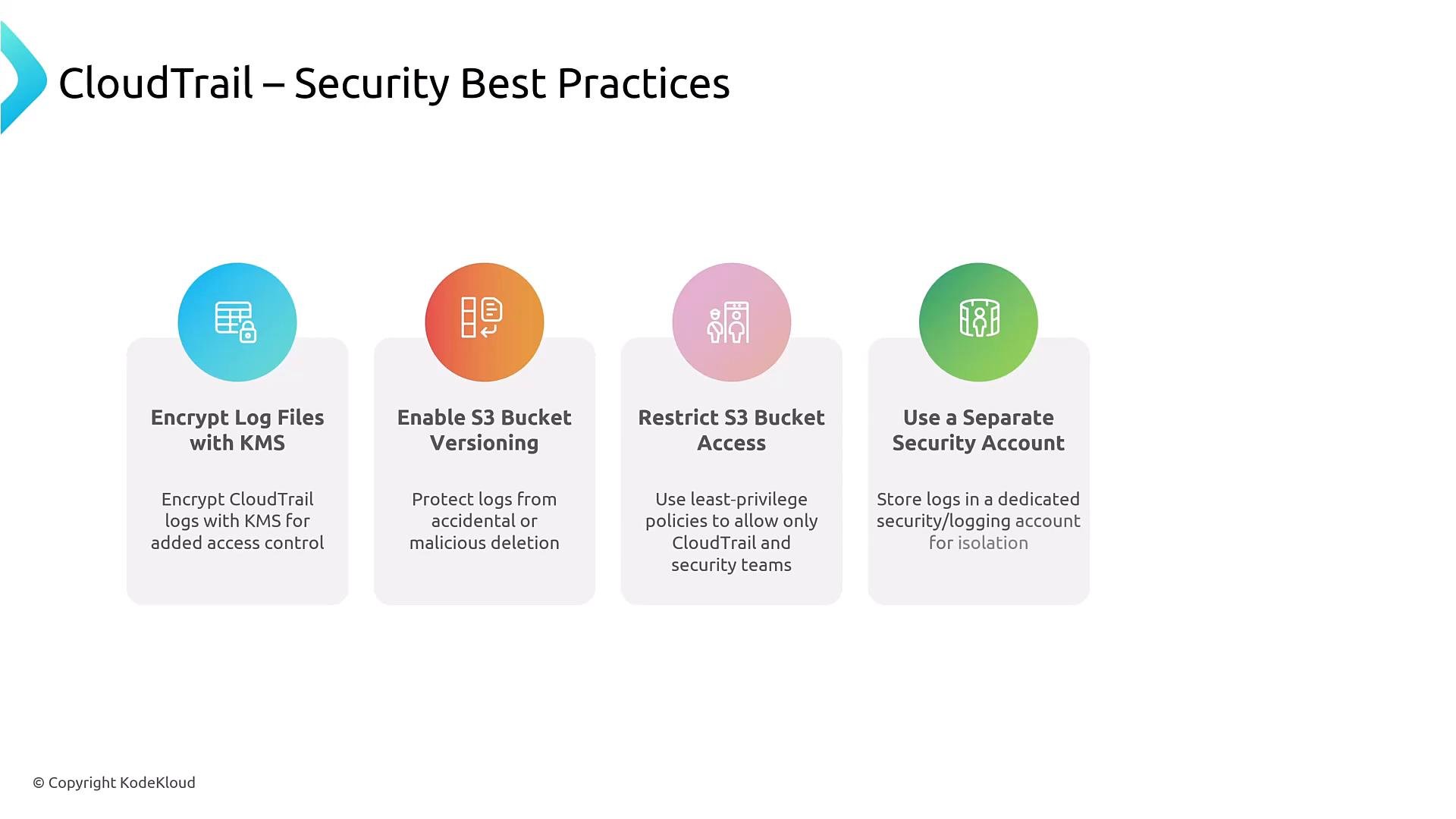
- Encrypt delivered logs with AWS KMS.
- Restrict access to the S3 bucket that stores logs—consider a dedicated security/logging account to centralize and isolate logs.
- Enable S3 bucket versioning and consider MFA Delete if stronger protection against deletion is required.
- Harden KMS key policies and separate duties for key administration.
- Enable integrity validation for critical compliance scenarios.
Key takeaways
- AWS CloudTrail is the primary source for auditing API activity; it logs who did what, when, and where.
- Distinguish management (control plane) events from data (data plane) events—data events must be enabled and can be high-volume.
- Use multi-Region and organization trails for broad coverage; explicitly enable global service capture if you need IAM/STS/CloudFront events.
- Integrate CloudTrail with CloudWatch Logs and EventBridge for near real-time detection and automated responses.
- Use log integrity validation, KMS encryption, restricted S3 access, and lifecycle policies to secure and manage logs.
- Balance visibility and cost: enable only the data events and Insights needed for your security posture.
Links and references
- AWS CloudTrail documentation: https://docs.aws.amazon.com/cloudtrail/
- CloudTrail pricing: https://aws.amazon.com/cloudtrail/pricing/
- AWS logging best practices: https://docs.aws.amazon.com/whitepapers/latest/aws-logging-best-practices/overview.html