

To perform the tasks in this demo you need appropriate AWS permissions (Service Catalog and IAM). Typical permissions include
servicecatalog:CreatePortfolio, servicecatalog:AssociateProductWithPortfolio, servicecatalog:AssociatePrincipalWithPortfolio, and servicecatalog:ProvisionProduct. Many provisioning flows also require iam:PassRole so CloudFormation can assume an execution role defined by the product. Ensure the IAM principal you grant access to has the Service Catalog permissions needed to view and launch products.Quick overview (what we’ll do)
- Create a portfolio in AWS Service Catalog.
- Associate an existing product (the Simple S3 product) with that portfolio.
- Grant an IAM principal (user, group, or role) permission to access the portfolio.
- From the principal’s perspective, launch the product and provision the approved resource.
Step-by-step console flow
Once a principal has access, they can launch the product. The console shows the provisioning workflow that prompts for a provisioned product name, provisioning artifact (version), and any runtime parameters before launching.
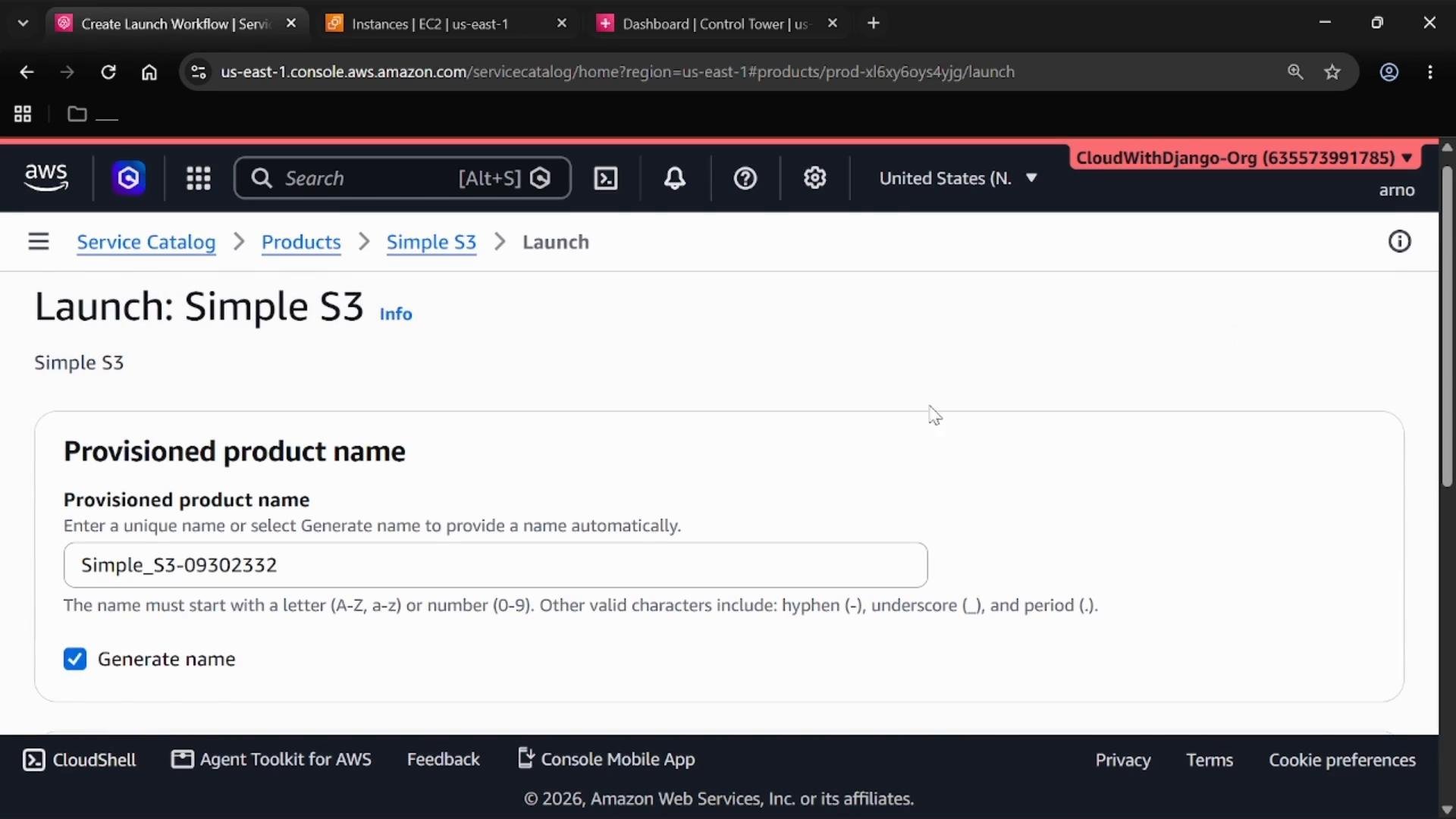
Launch view explained
-
Provisioned product name
The name identifies the deployed resource in the Service Catalog console. Service Catalog can auto-generate a name, or you can supply a custom name. -
Provisioning artifact (version)
Choose the desired provisioning artifact — typically a CloudFormation template version that defines how the product is provisioned. -
Launch action
Clicking Launch triggers Service Catalog to provision the product on behalf of the user. Under the hood most products are backed by AWS CloudFormation stacks or other supported provisioning mechanisms.
Post-launch details
After provisioning, the console shows details for the provisioned product:- Product name, ARN, who launched it (IAM principal), creation date, and current provisioning status.
- A successful provisioning typically results in a status like
CREATE_COMPLETE, indicating the underlying resources (for example, an S3 bucket) were created successfully.
What a provisioned product represents
- The provisioned product is the deployed instance created from a Service Catalog product (commonly implemented as a CloudFormation stack that creates resources such as S3 buckets).
- Portfolios and product associations let organizations share standardized, approved infrastructure without exposing raw CloudFormation templates or requiring users to write infrastructure code.
Key IAM permissions (quick reference)
If a product’s CloudFormation template requires an IAM role for execution, the principal used to provision the product may need
iam:PassRole. Be cautious and follow least-privilege principles when granting iam:PassRole, and restrict which roles can be passed.Benefits (why use Service Catalog portfolios)
- Governance and compliance: Enforce organizational standards by exposing only approved products and versions.
- Self-service provisioning: Users can deploy standardized infrastructure from the console without writing CloudFormation or other IaC.
- Centralized management: Administrators manage product versions, updates, and which principals have access.
Troubleshooting tips
- If a user cannot see a product, confirm the product is associated with a portfolio and the user (or the group/role the user belongs to) is associated with that portfolio.
- If provisioning fails, check CloudFormation stack events and the Service Catalog provisioning history for error messages.
- Verify any required
iam:PassRolepermissions are in place and the role ARN referenced by the product exists and is allowed.
References
- AWS Service Catalog documentation
- AWS CloudFormation basics
- AWS IAM
- Simple S3 course (example product)