

Amazon Macie has evolved into “Macie Classic” → “Macie (Macie2)” APIs. When implementing IaC or EventBridge rules, verify whether your account/region uses
aws.macie or aws.macie2 and consult the official AWS Macie documentation for the latest resource types and schemas.Why use Amazon Macie?
Macie addresses the challenge of detecting sensitive information in S3 so you can monitor, report, and remediate according to regulatory and security requirements. It automates discovery, classification, and generates findings that feed into security workflows and reporting.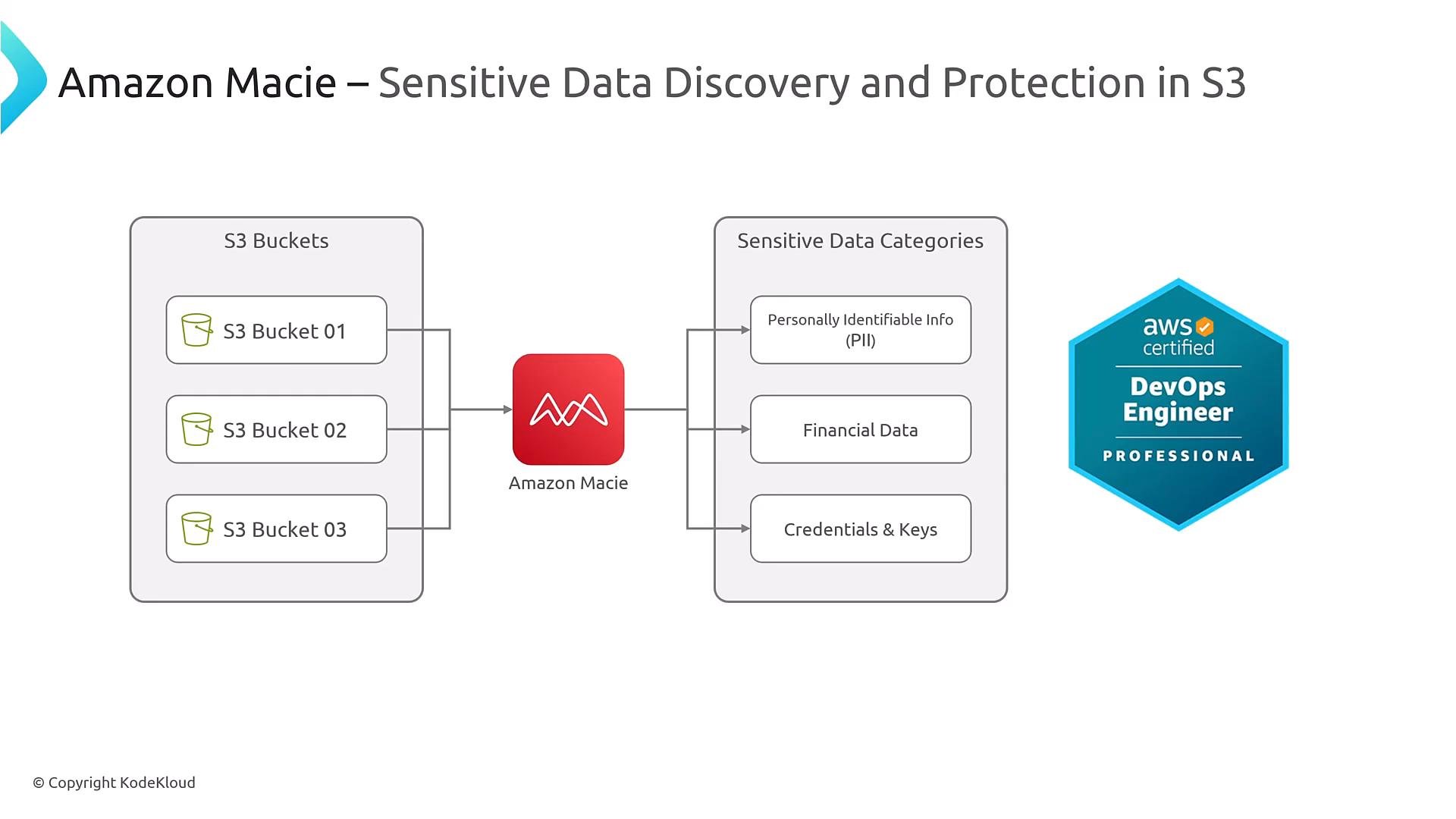
High-level capabilities
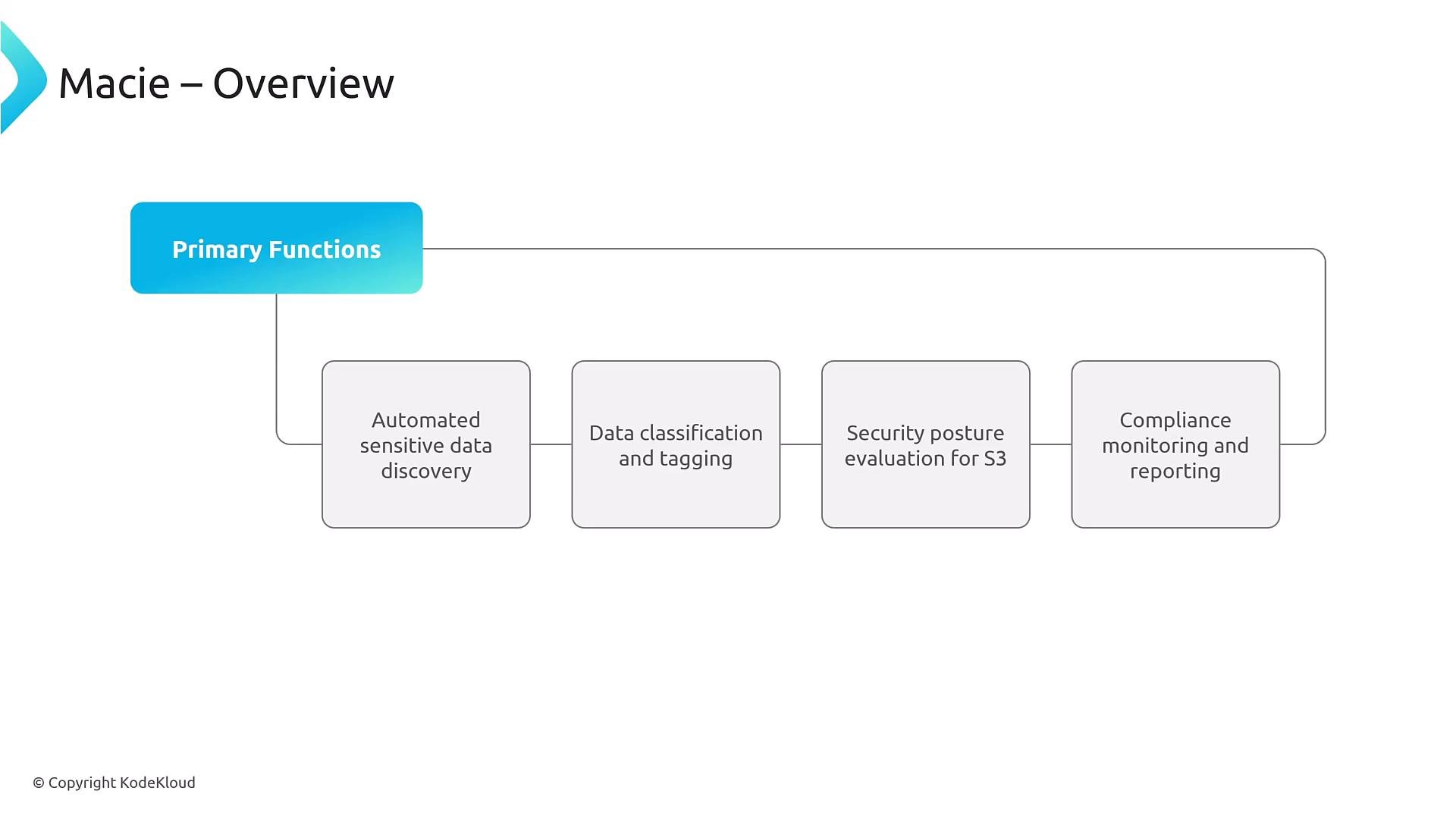
Macie’s main functions include:- Automated sensitive data discovery and classification inside S3.
- Tagging and categorization of data for policy and compliance workflows.
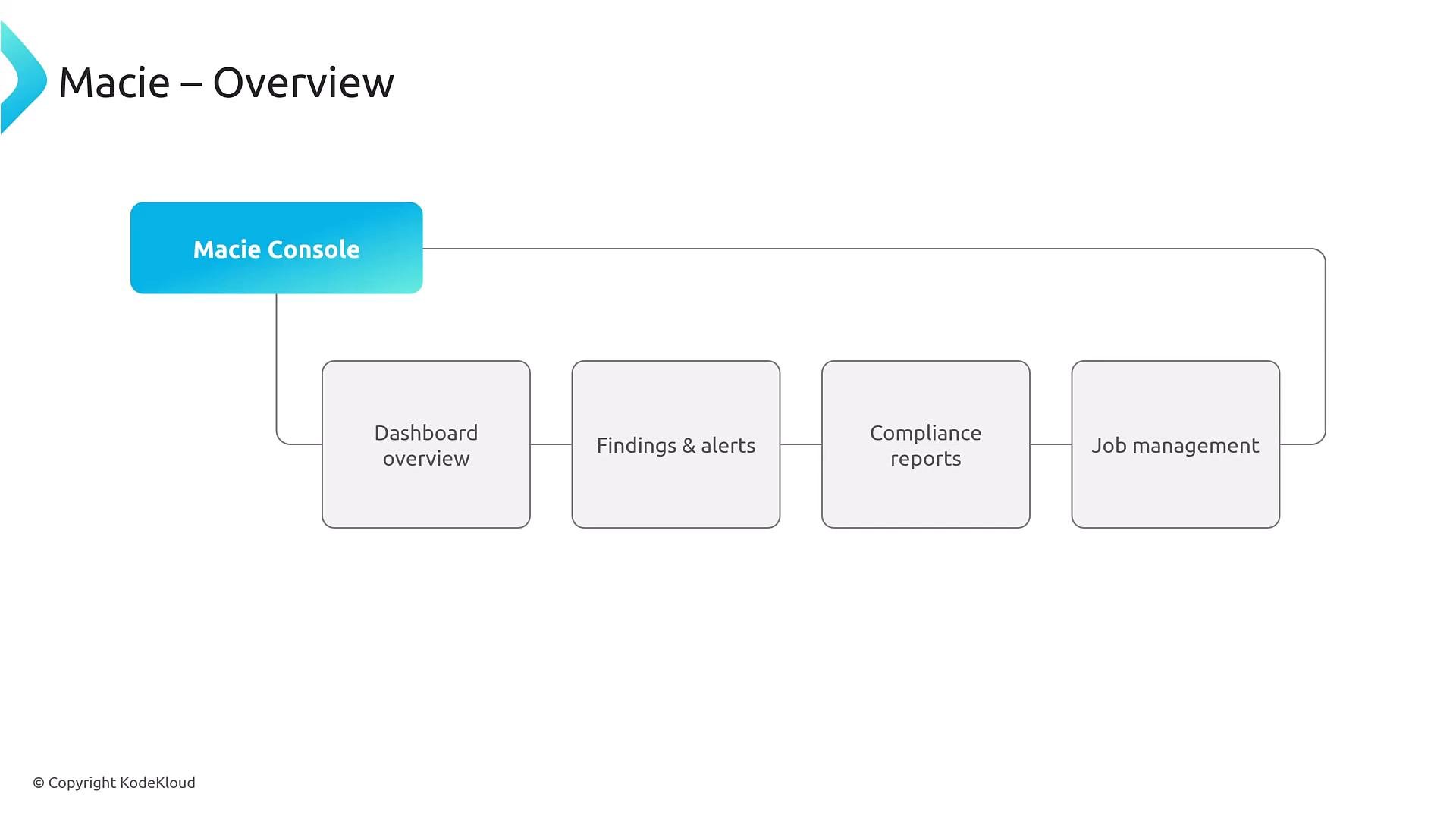
- Generating findings (data findings and configuration findings) with details such as affected resources, confidence scores, and severity.
- Integrations with Security Hub, EventBridge, CloudWatch, and other automation targets.
Core components and console
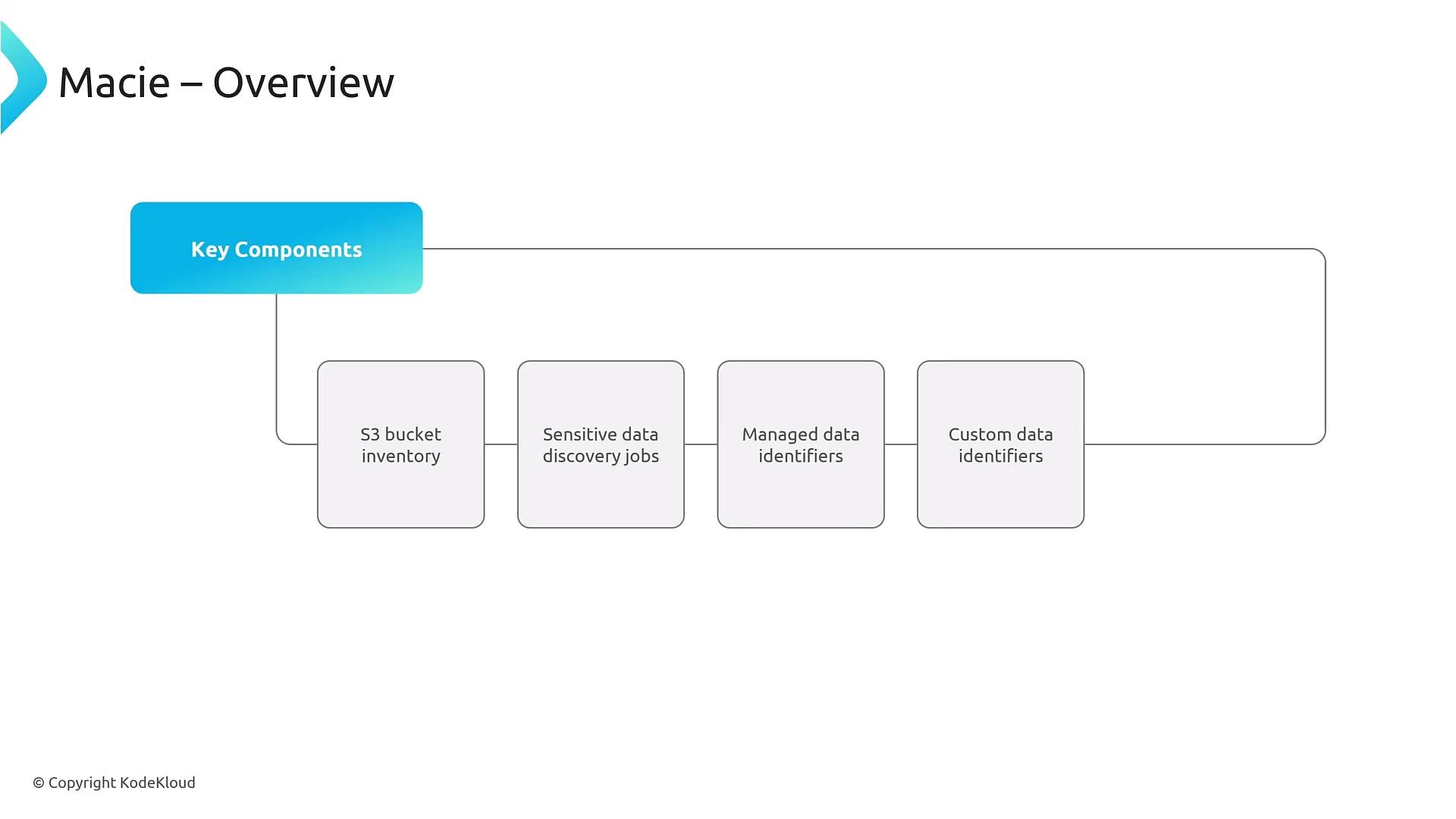
At a high level, Macie:- Enumerates S3 buckets (inventory).
- Samples and analyzes object content (sensitive-data detection).
- Produces findings (including configuration issues like public access).
How Macie works (discovery → detection → findings)
Discovery jobs sample or scan objects, Macie applies managed and custom identifiers to detect sensitive content, and findings are generated. Findings can be data findings (e.g., PII, credentials) or configuration findings (e.g., public buckets). Findings include contextual metadata used for triage and remediation.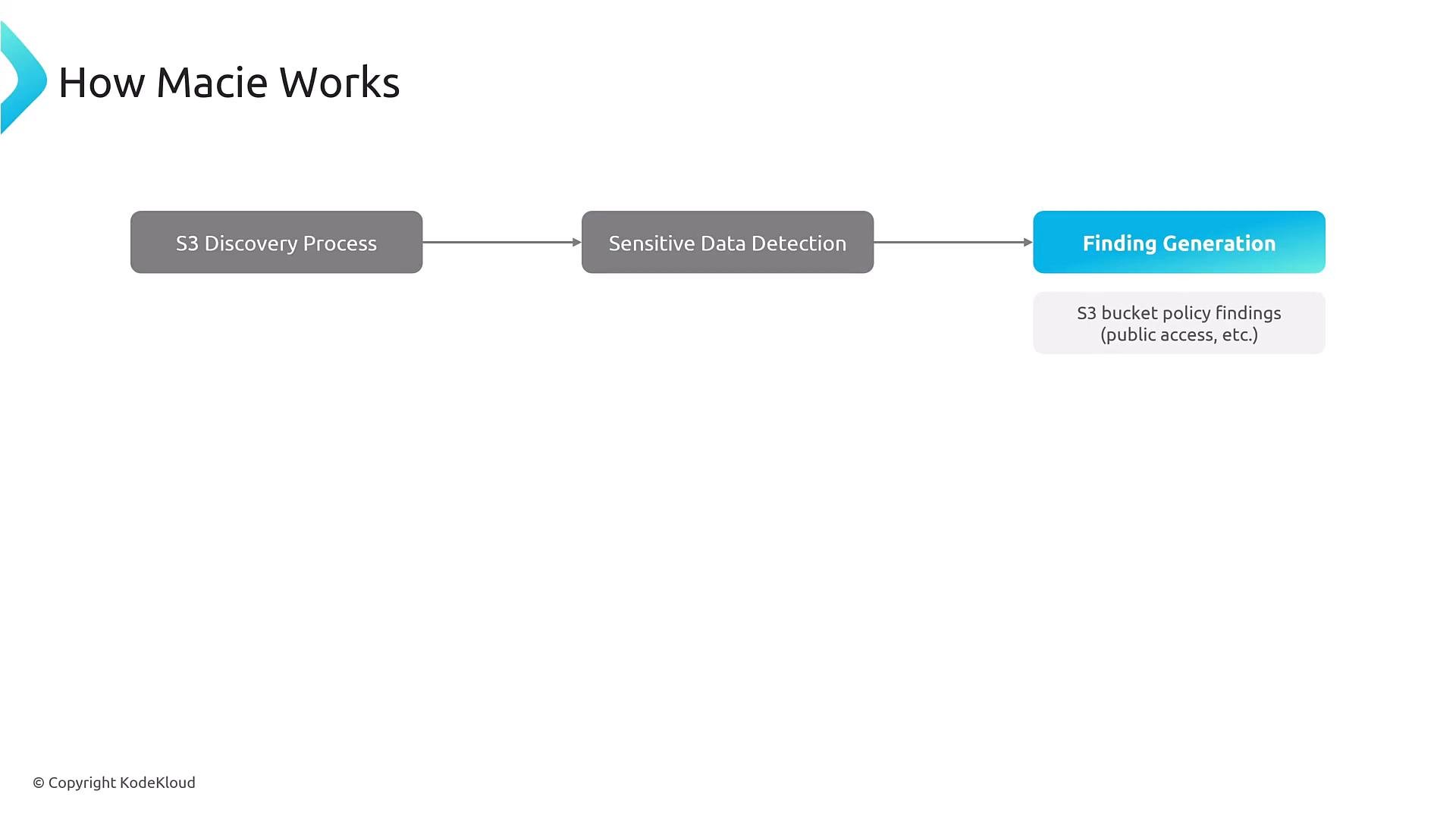
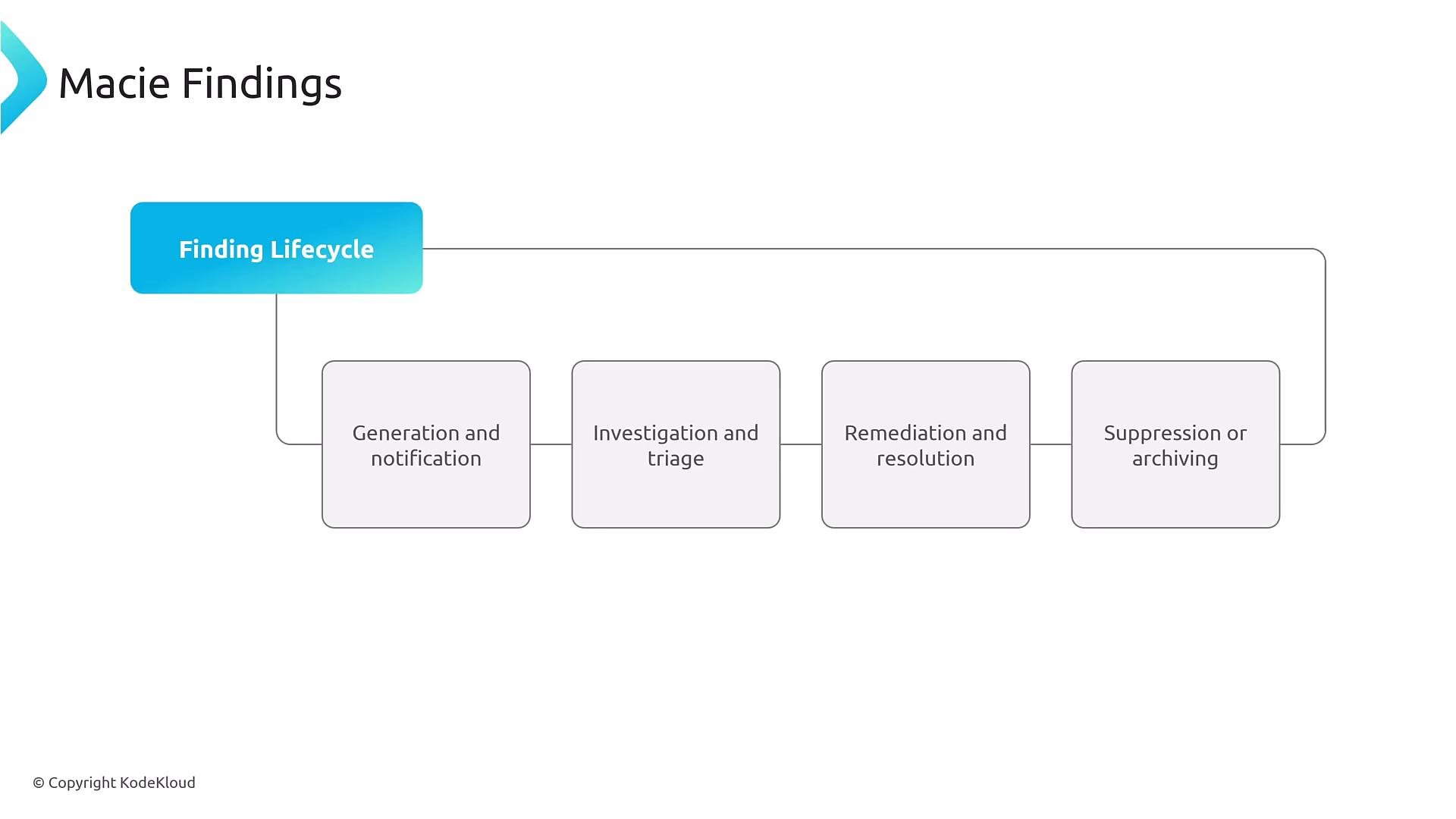
Findings and lifecycle
Findings typically follow a lifecycle:- Generation and notification (Macie creates a finding).
- Investigation and triage (security team or automation reviews the finding).
- Remediation and resolution (manual action or automated remediations are applied).
- Suppression or archiving (resolved or noise findings are suppressed/archived).
Managed vs. custom data identifiers
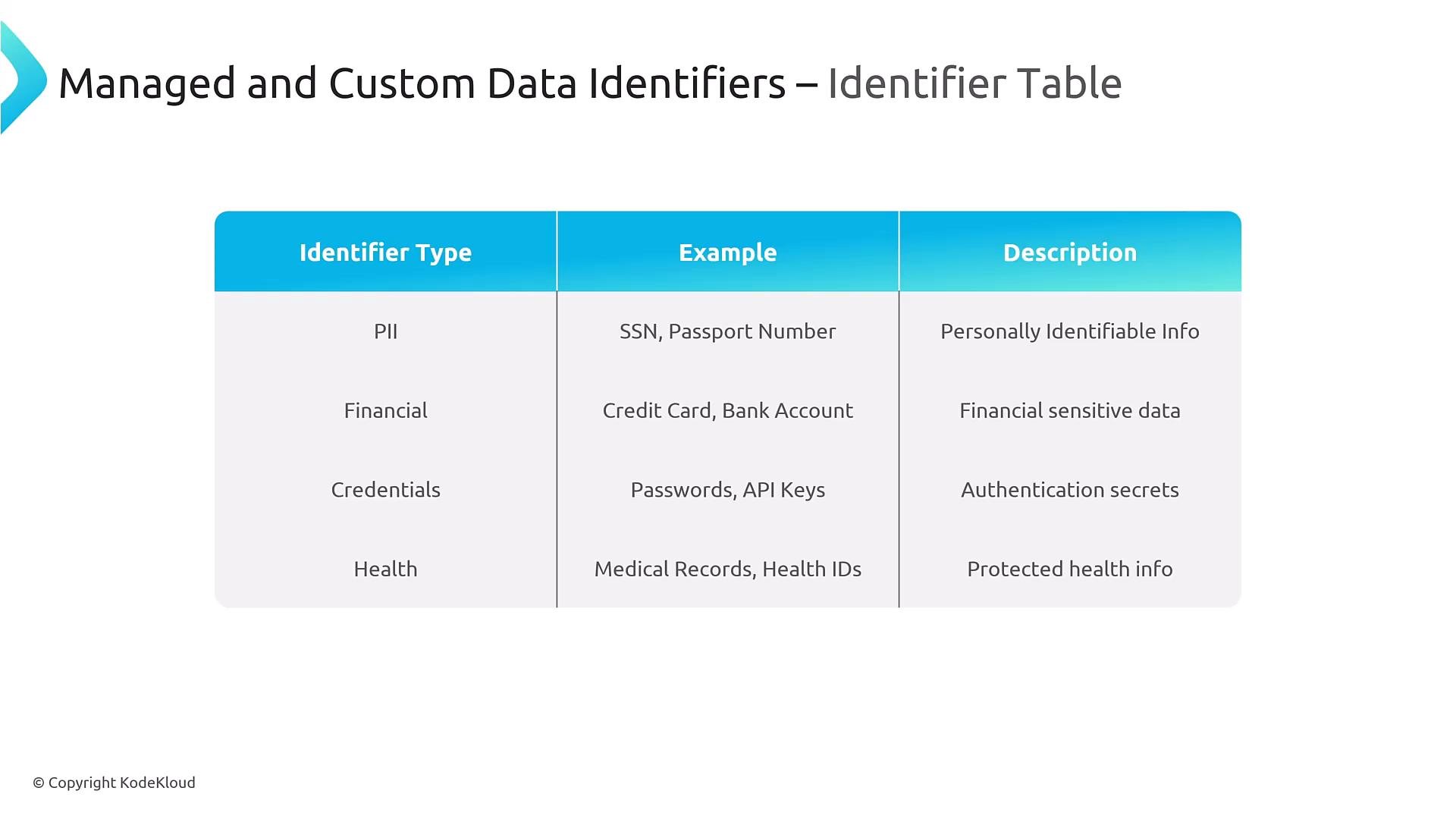
Use managed identifiers for common patterns (SSN, credit cards, passports). For organization-specific formats, create custom data identifiers using regular expressions, optional keyword proximity, and confidence thresholds to lower false positives.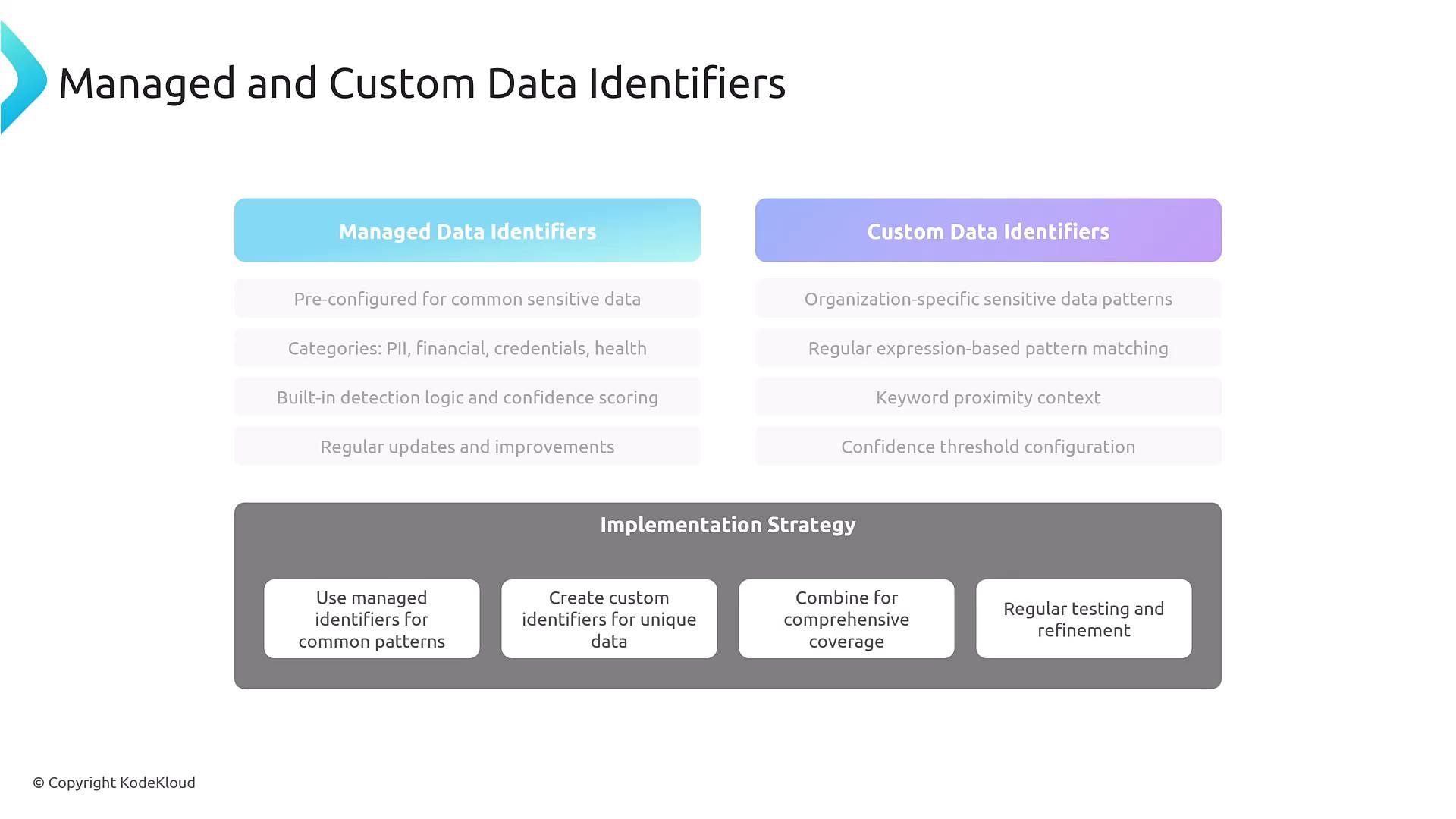
Common identifier categories
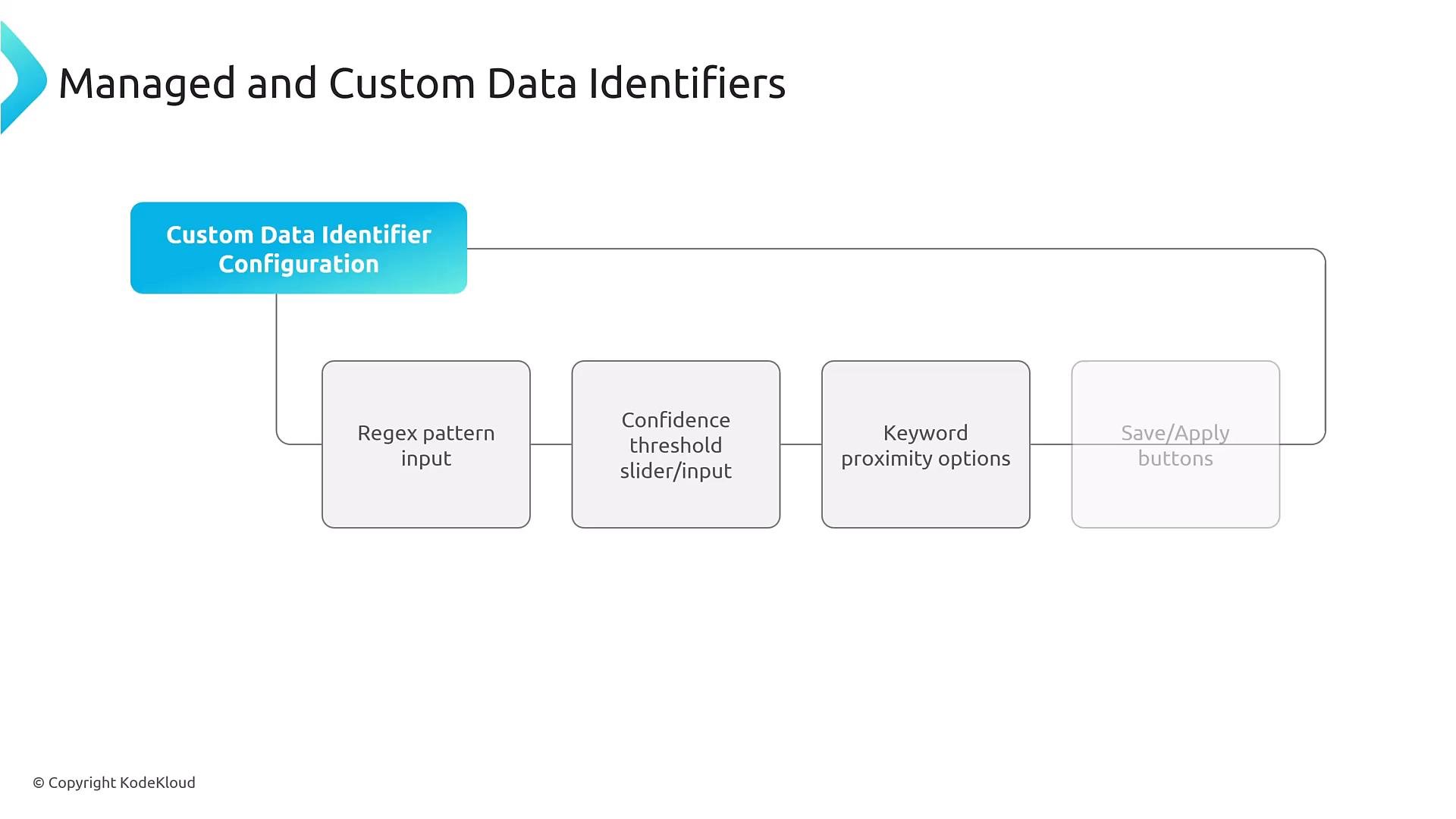
When creating custom identifiers, test regex patterns and keyword proximity on representative sample data. Overly broad regexes increase false positives; overly strict patterns miss true positives. Always validate in a staging environment before wide deployment.
Multi-account deployment (AWS Organizations)
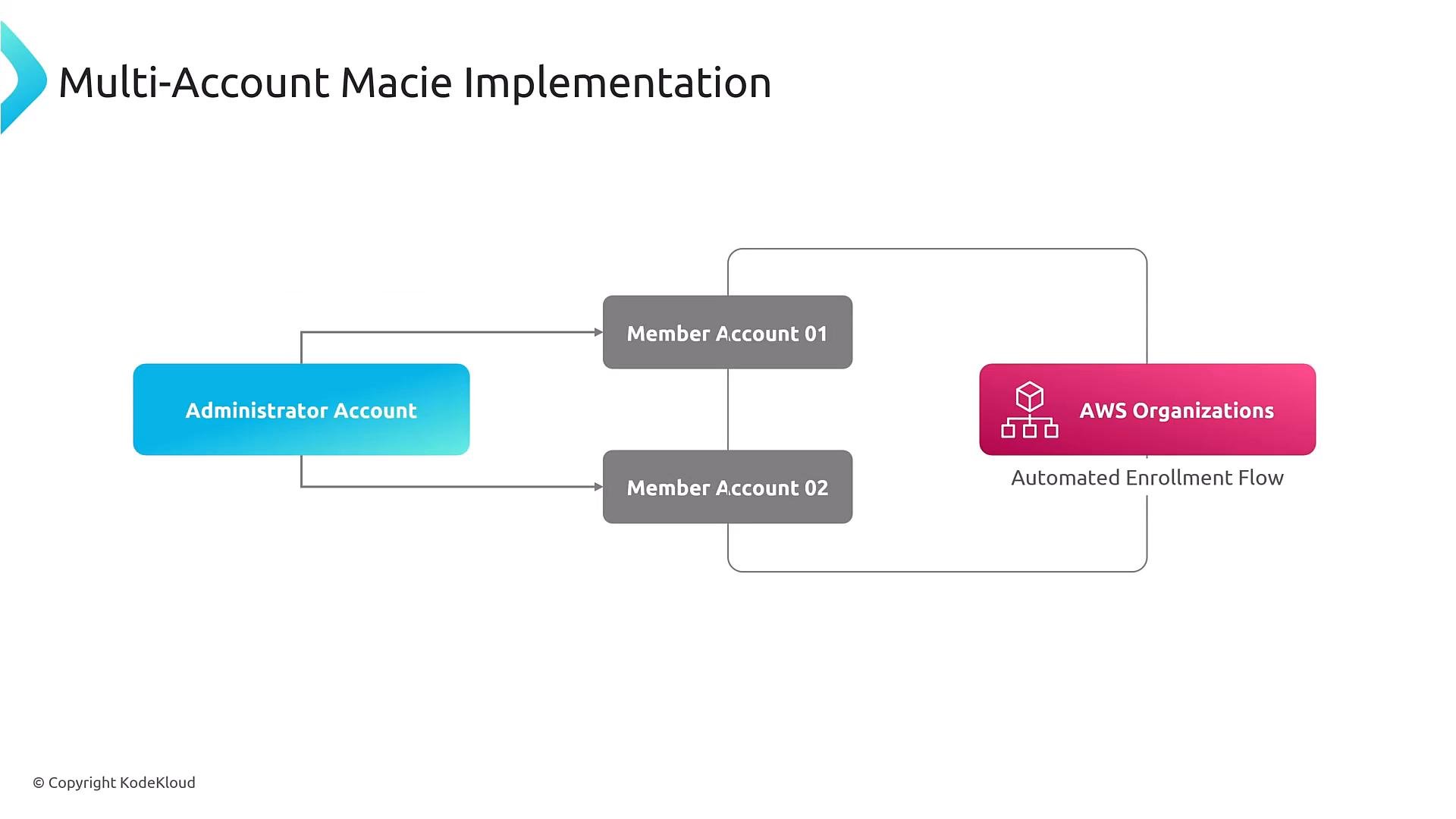
For enterprise environments, integrate Macie with AWS Organizations, designate a delegated administrator account, and enable automated enrollment for member accounts. Centralized configuration, standardized policies, and aggregated findings make scaling Macie manageable.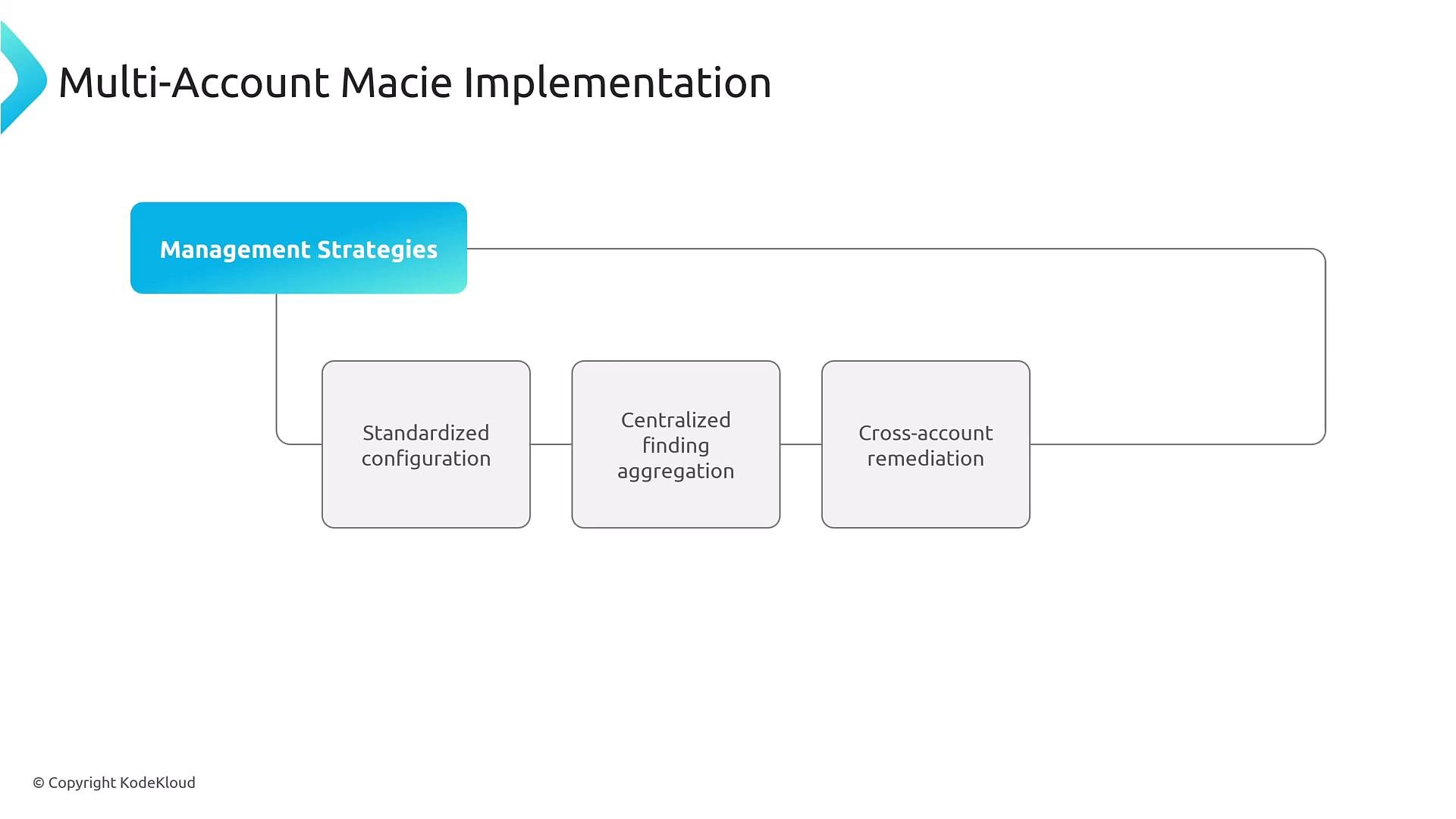
Automated response patterns
Route Macie findings to EventBridge and match attributes from the finding payload. EventBridge rules can trigger Lambda, Step Functions, or Systems Manager Automation documents to remediate, quarantine, notify, or create tickets.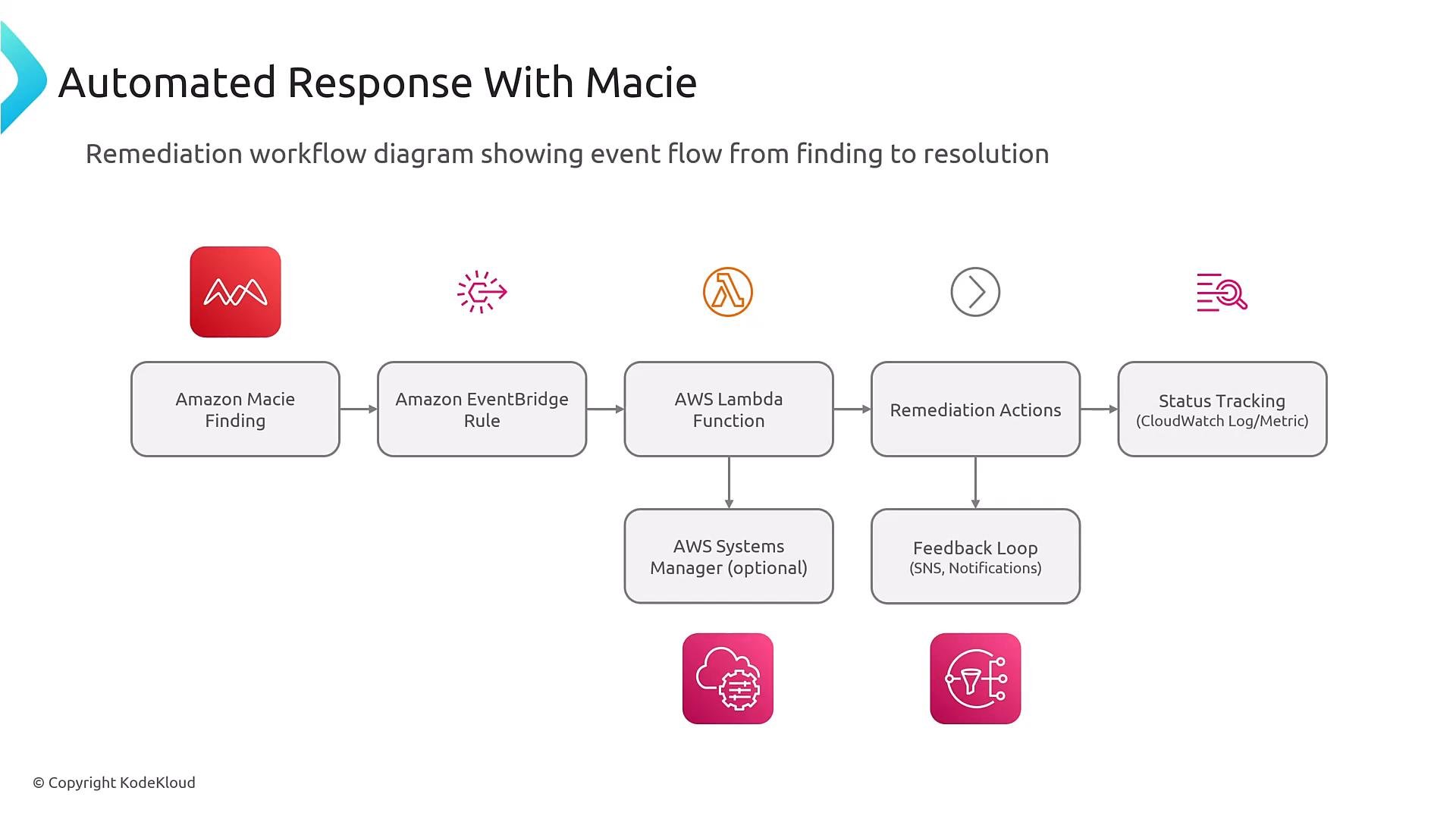
aws.macie or aws.macie2) and conditionally match attributes in the finding payload to avoid false triggers.
Sample CloudFormation fragment (IaC)
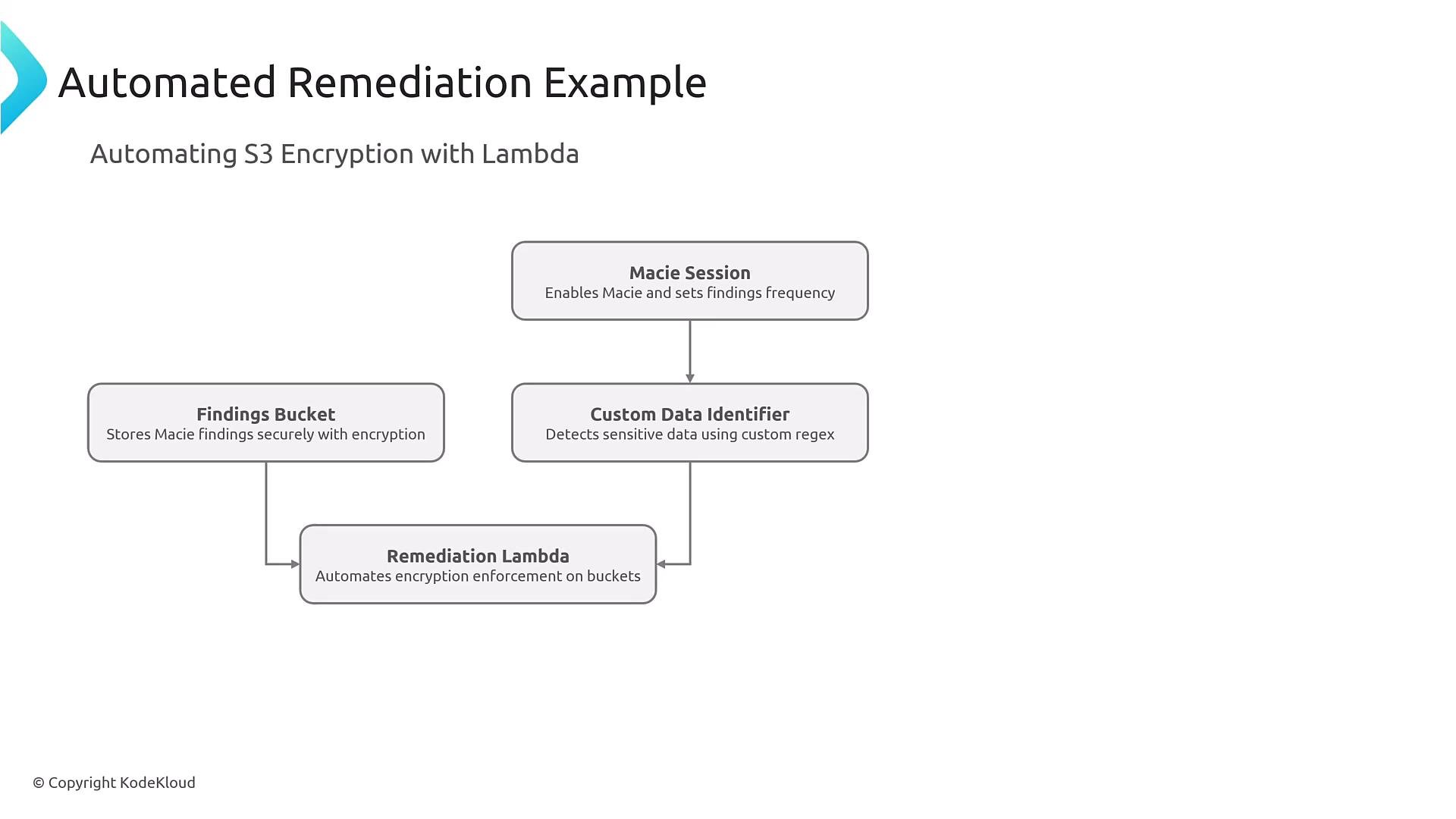
The following CloudFormation YAML fragment demonstrates enabling a Macie session, creating a custom data identifier, and adding a findings filter. Validate resource types against the current CloudFormation Macie2 schema in your account/region.Example automated remediation Lambda
A common automated remediation pattern is EventBridge → Lambda. The Lambda inspects the finding payload, determines the affected S3 bucket, and performs remediation actions such as enabling default SSE and applying a restrictive bucket policy.python3.8 or later (choose a supported runtime). Set the Lambda timeout based on expected remediation time (for example, 300 seconds). Ensure the Lambda execution role has least-privilege IAM permissions for s3:PutBucketEncryption, s3:PutBucketPolicy, and read access for the EventBridge/Macie payloads.
Configuring discovery jobs
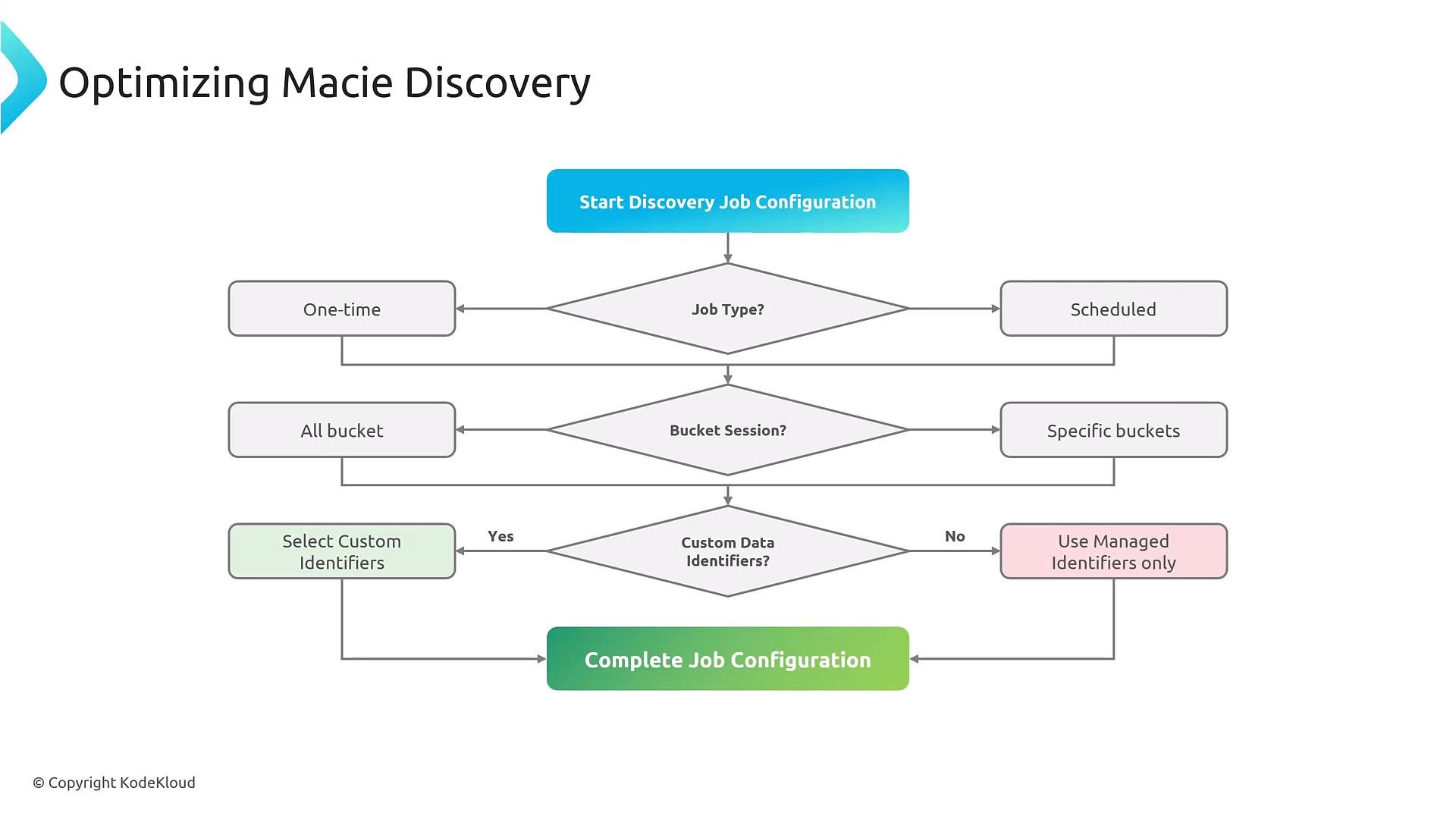
When you create discovery jobs, choose:- Job type: one-time, scheduled, or continuous.
- Bucket scope: all buckets, specific buckets, or filtered buckets.
- Data identifiers: managed identifiers, custom identifiers, or both.
Performance and cost optimization
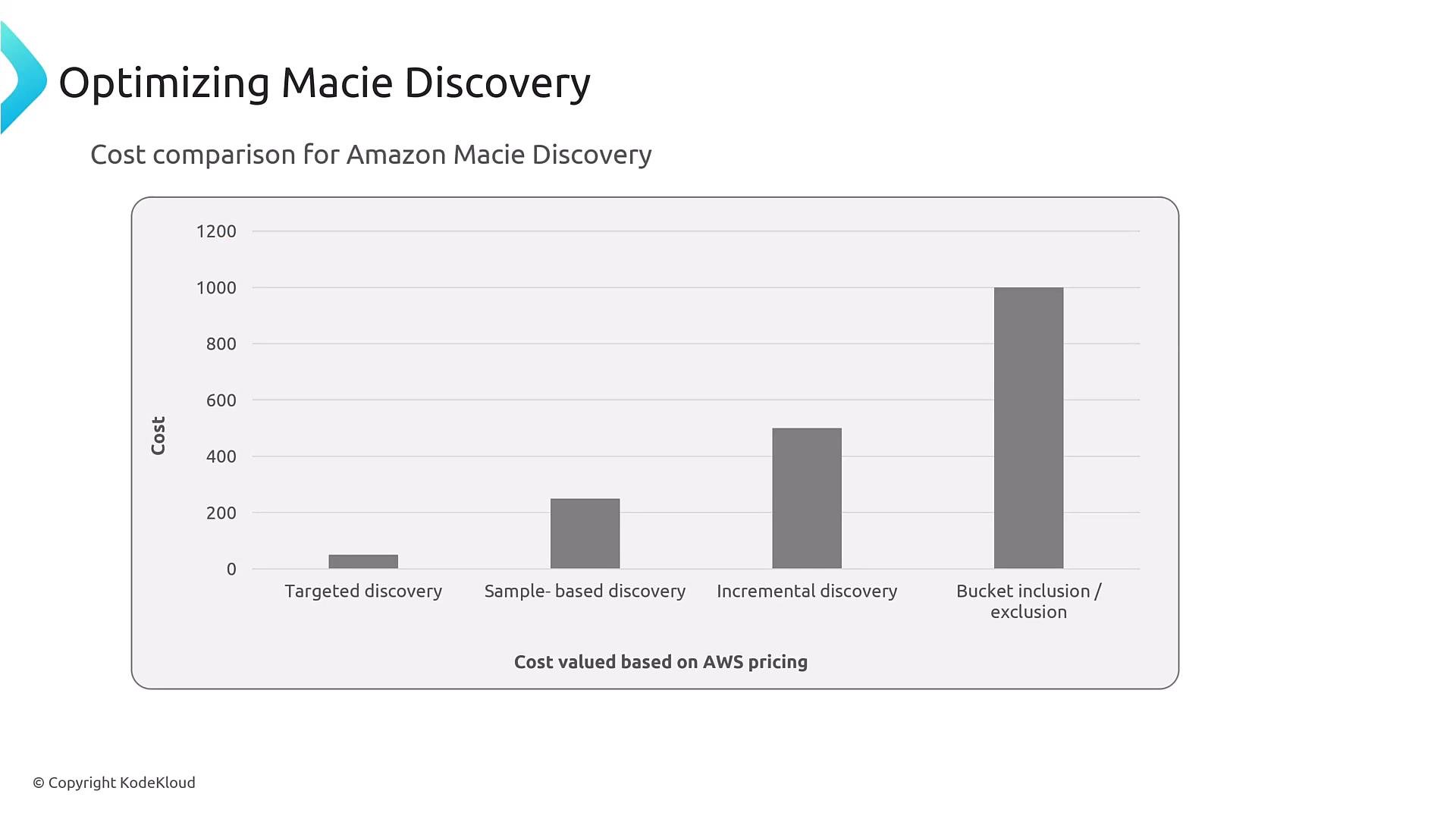
Consider these optimizations:- Use targeted or sample-based discovery for large datasets to reduce cost.
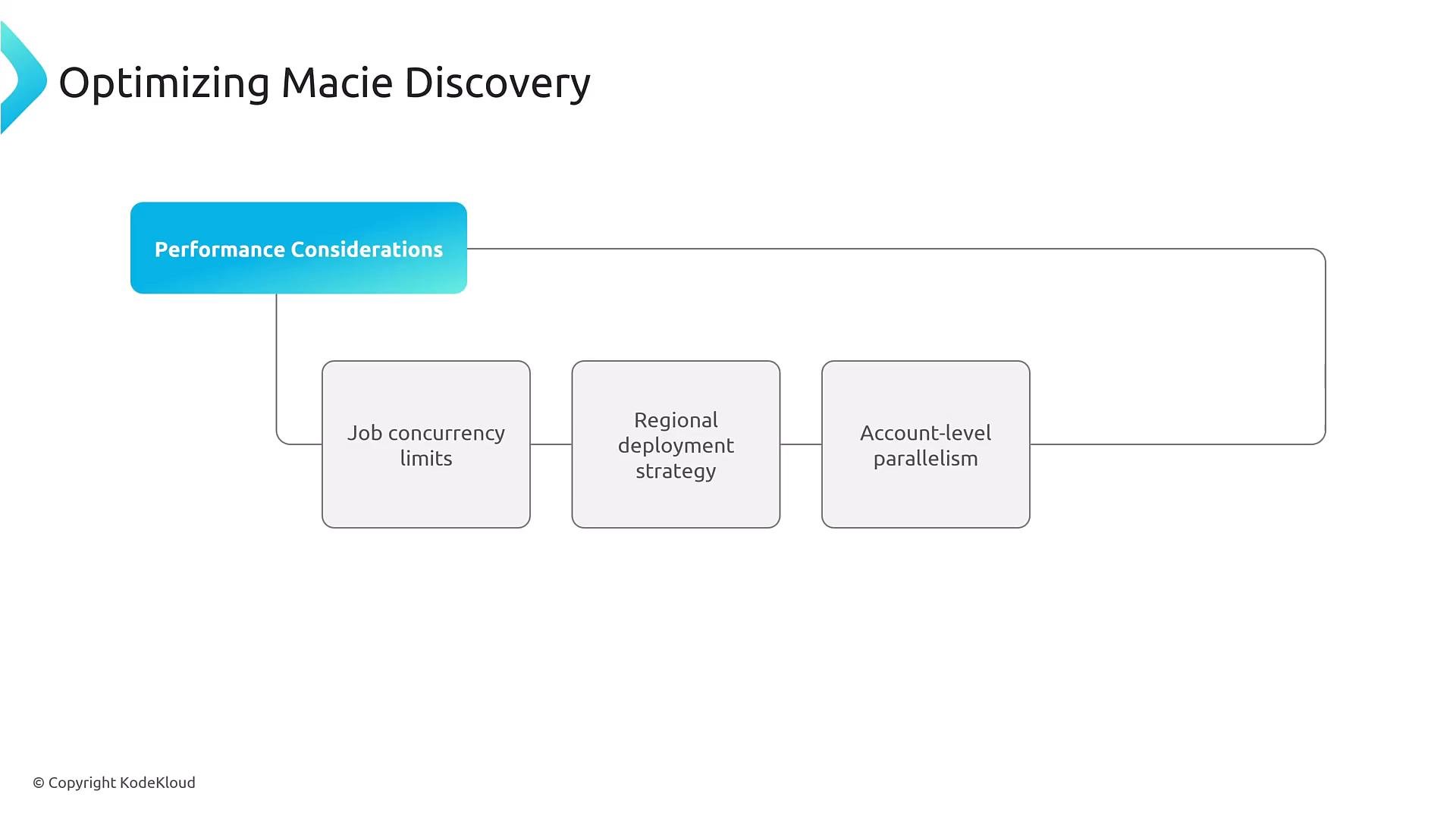
- Set job concurrency limits and leverage regional deployment strategies.
- Parallelize across accounts carefully to avoid throttling and high costs.
- Tune discovery frequency and scope to match risk appetite.
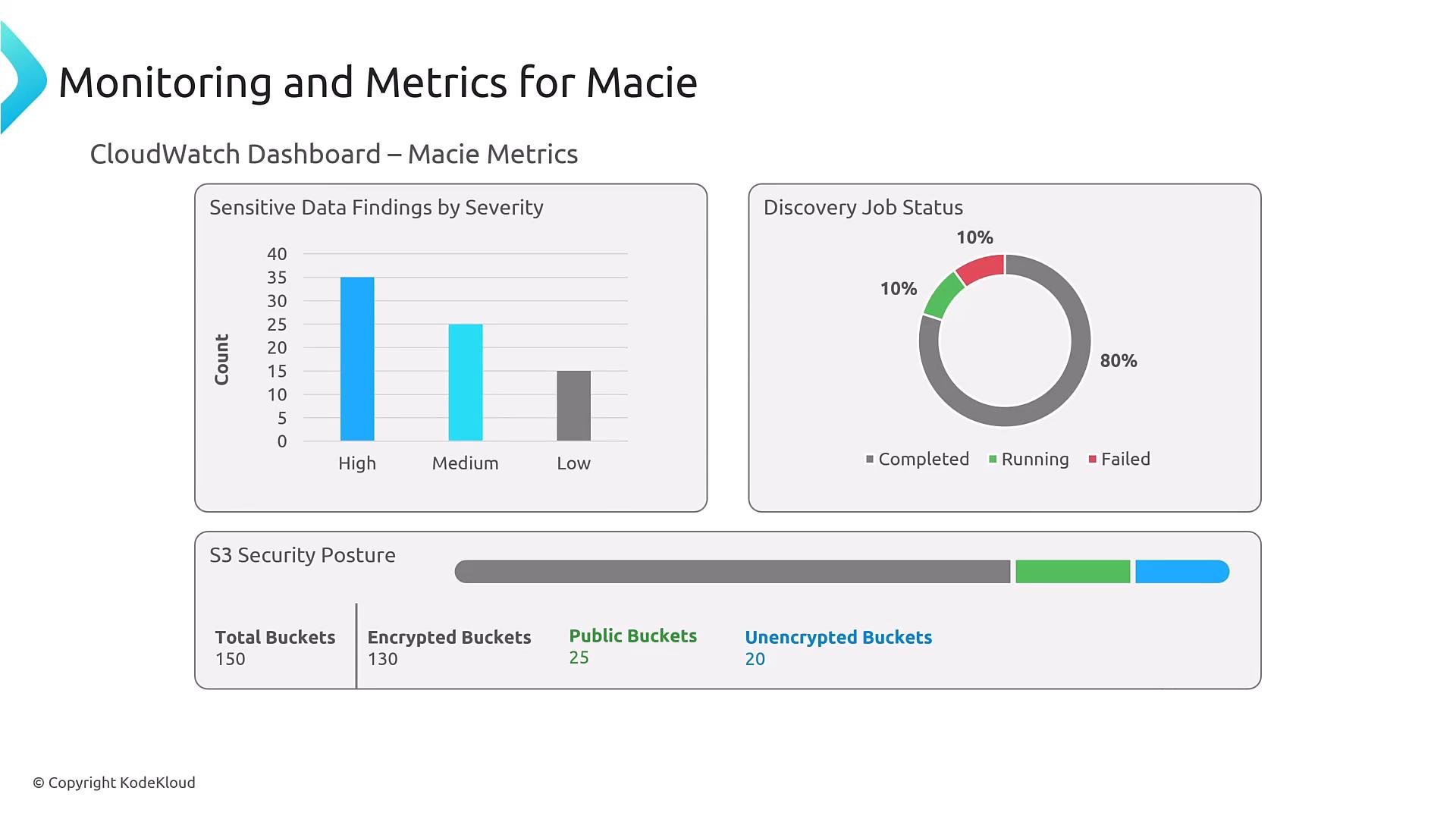
Common issues & troubleshooting
- Missing findings: often caused by insufficient Macie permissions to access S3 objects or incorrect Organizations integration.
- False positives: usually due to overly broad custom identifiers; refine regex and keyword proximity.
- High cost: frequent full scans across many buckets; reduce frequency or scope.
- Multi-account problems: frequently tied to Organizations integration or cross-account permissions.
References and further reading
- AWS Macie documentation: https://docs.aws.amazon.com/macie/latest/userguide/what-is-macie.html
- Amazon EventBridge: https://docs.aws.amazon.com/eventbridge/latest/userguide/what-is-amazon-eventbridge.html
- AWS CloudFormation documentation: https://docs.aws.amazon.com/cloudformation/index.html
- AWS Lambda best practices: https://docs.aws.amazon.com/lambda/latest/dg/best-practices.html