

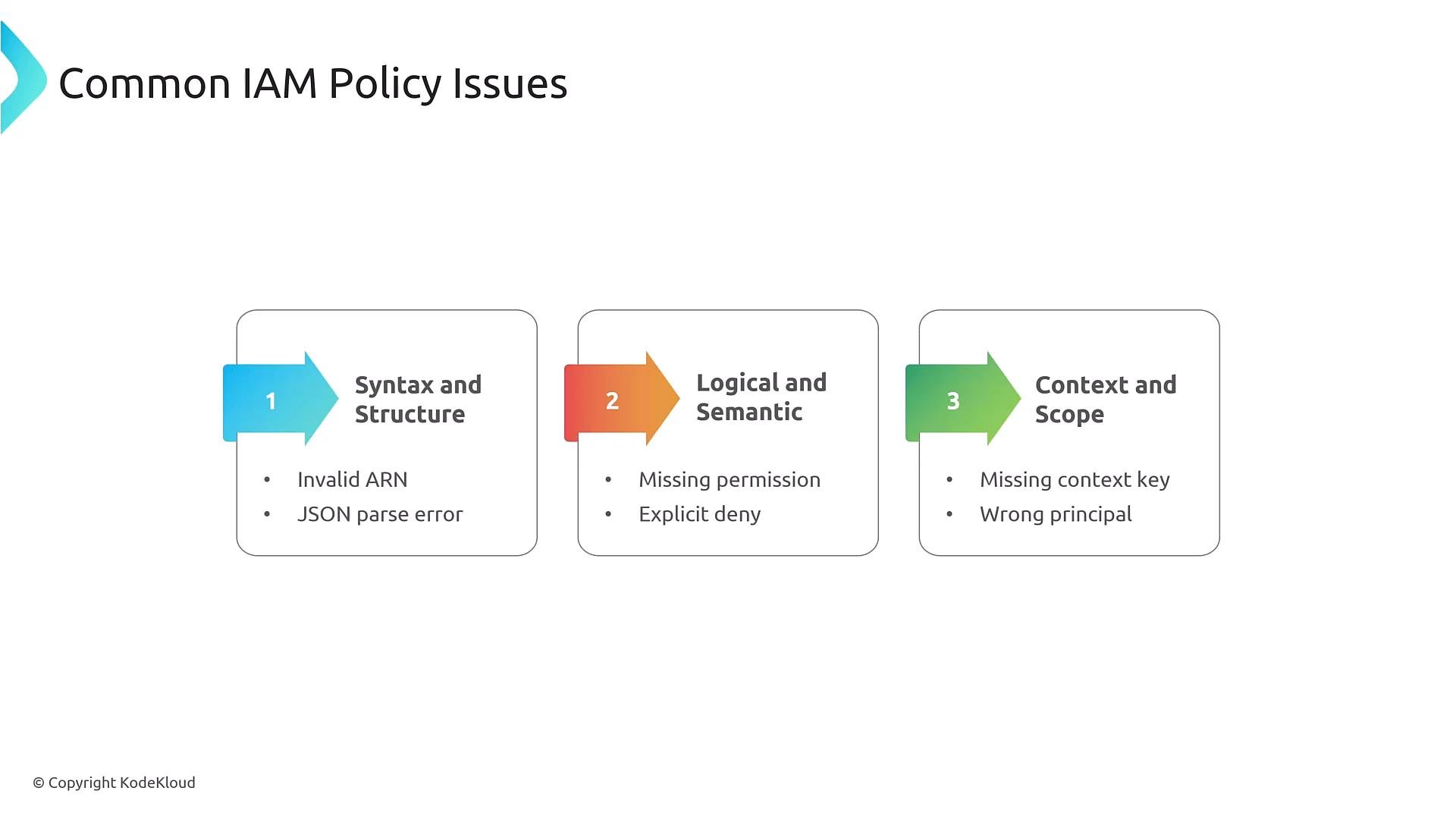
- Common IAM issues and examples
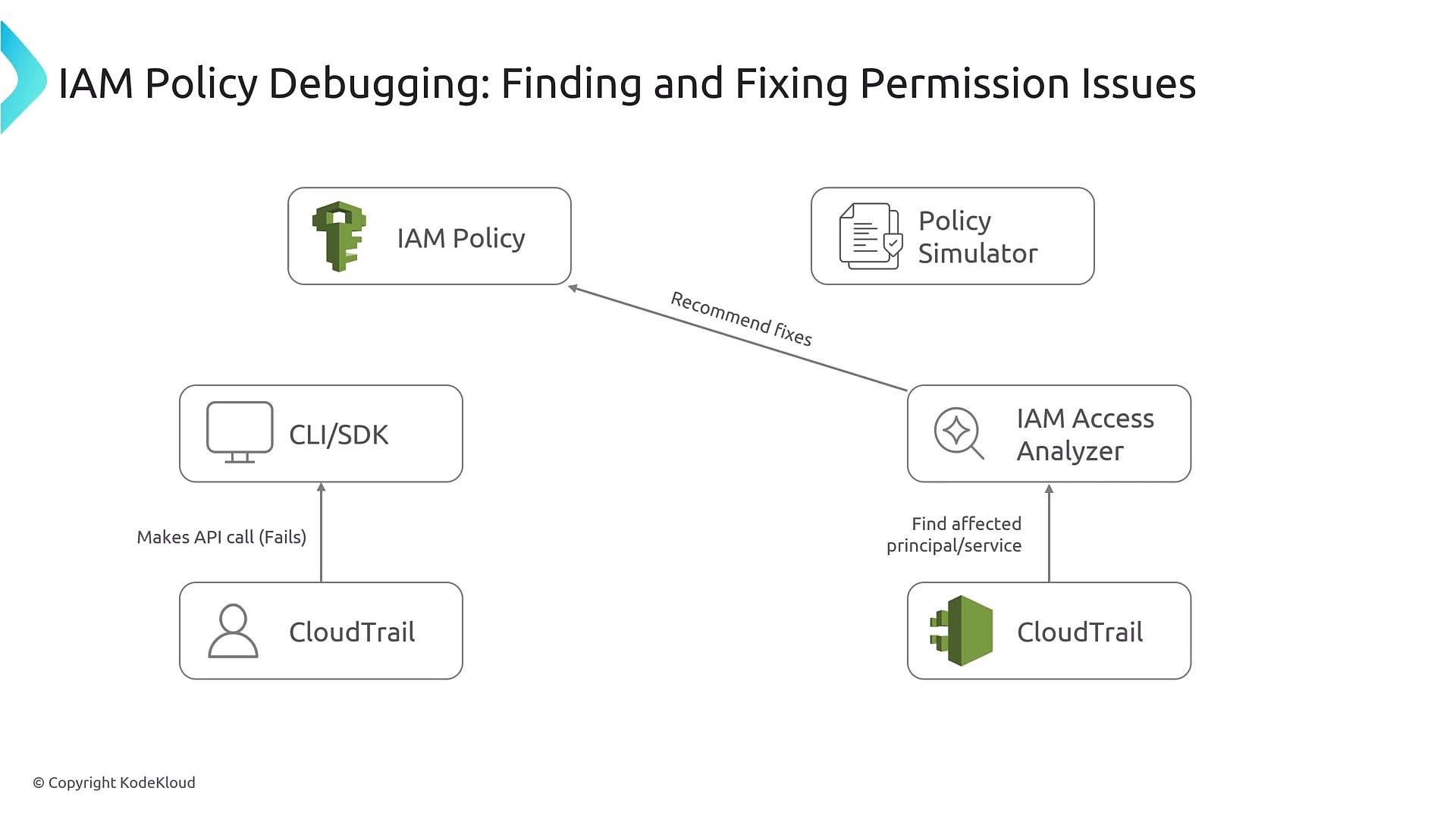
- Tools and workflows: Policy Simulator, CloudTrail, IAM Access Analyzer, Access Advisor
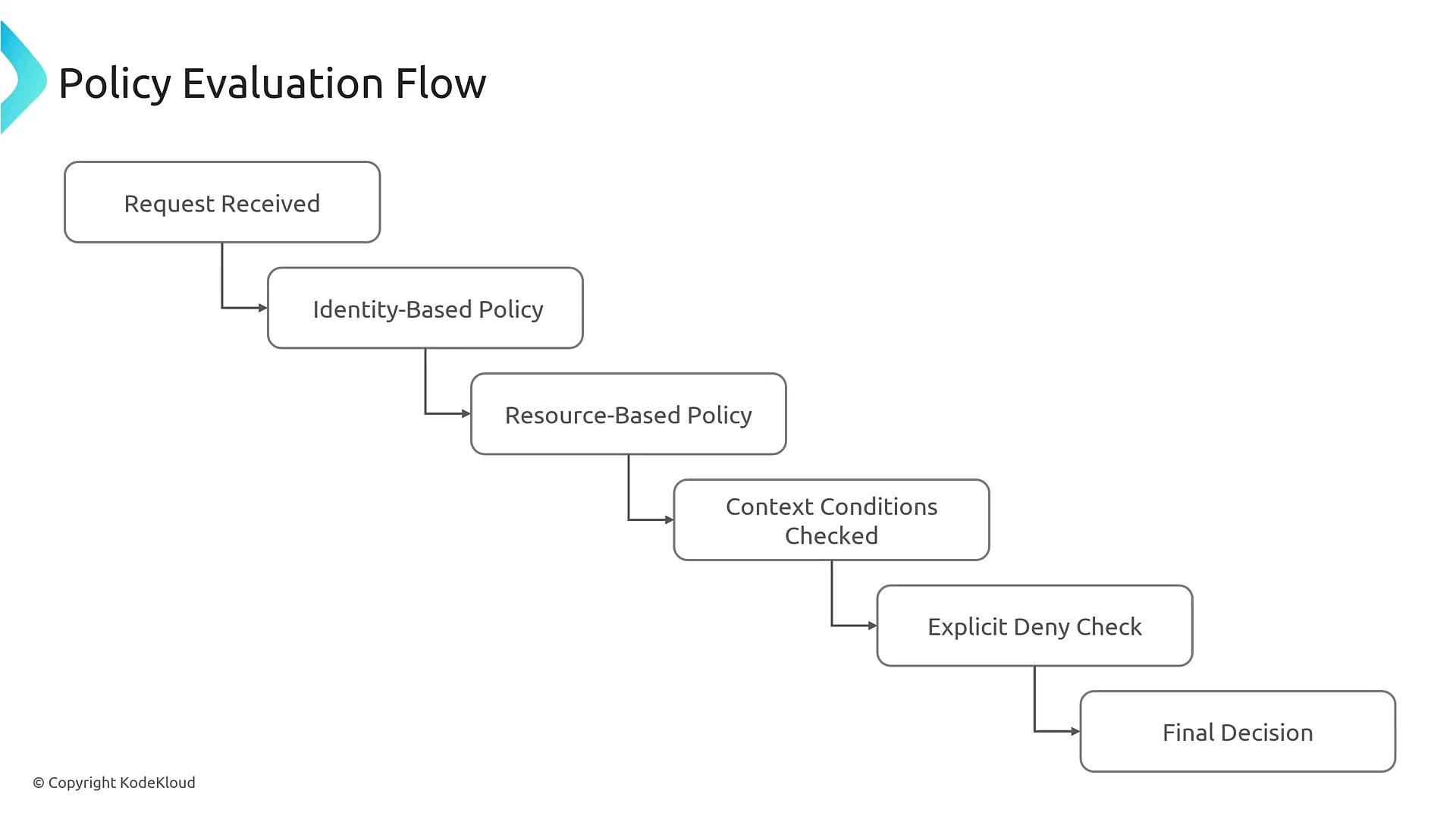
- Policy evaluation sequence: identity vs resource policies, conditions, and explicit deny
- Permission boundaries and cross-account debugging
- Automating policy validation in CI/CD
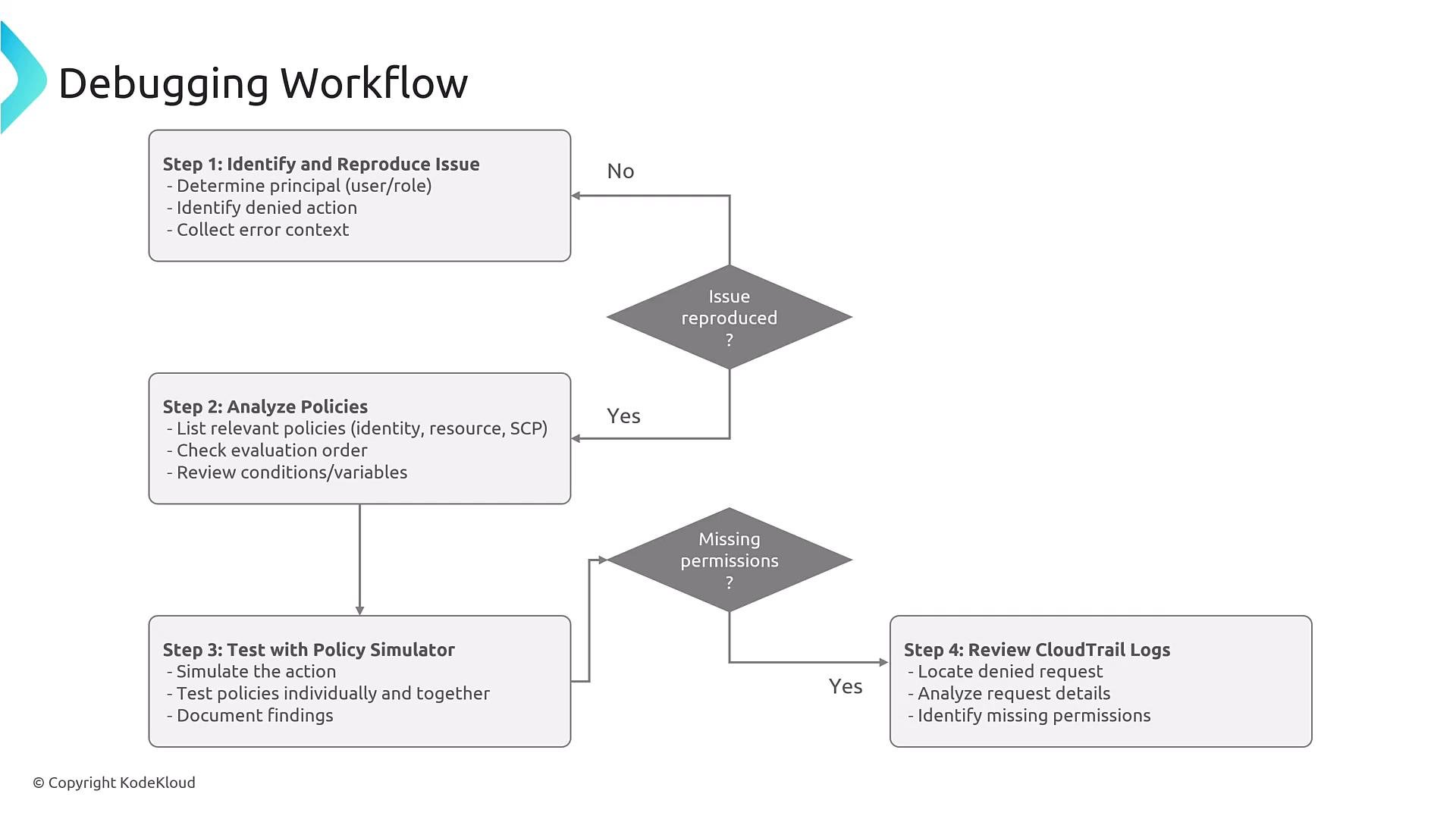
- Capture the failing API call and context (CloudTrail).
- Recreate the failing action and analyze effective permissions (Policy Simulator, Access Analyzer).
- Identify the policy or boundary that caused the denial (explicit deny, permission boundary, SCP).
- Implement a fix, retest, and document the resolution.
- This policy grants list and get permissions for a specific bucket and its objects. JSON does not support inline comments, so the example below is valid JSON that you can paste into the console or CLI.
Remember: JSON policy documents must be valid JSON (no inline comments). Use external documentation or separate comments when annotating policies.
s3:PutObject. A common troubleshooting scenario: developer pipelines (CodeCommit/CodeBuild/CodeDeploy) fail with AccessDenied. To debug: reproduce the failing API call, inspect CloudTrail for the denied event, and use Policy Simulator to determine which policy denied the action.
Common IAM issues (summary)
- Identity-based policies attached to the principal (user, group, or role).
- Resource-based policies attached to the target resource (S3 bucket policy, KMS key policy, Lambda resource policy, etc.).
- Context conditions used by either policy (IP address, MFA, VPC endpoint, tags, time-of-day, session tags).
- Explicit Deny check: any explicit Deny in any applicable policy results in an overall Deny.
- By default, actions are implicitly denied unless an explicit Allow exists.
- Service Control Policies (SCPs) and permission boundaries further restrict effective permissions:
- SCPs apply at the organization/OU level and can block actions across accounts.
- Permission boundaries limit what permissions an identity can obtain; effective permissions are the intersection of identity policy and permission boundary.
- Use the IAM Policy Simulator to predict whether a principal can perform a specific action with a given context (resource ARN, source IP, session tags).
- For controlled testing, a permissive wildcard policy can help determine whether a denied action is caused by policy or by external constraints:
Do not deploy wildcard Allow policies in production. Use them only in isolated test environments to confirm whether a denial is policy-related. The Policy Simulator does not evaluate organization-level SCPs or permission boundaries—verify those separately.
- CloudTrail records API calls with outcome, error codes, requester identity, resources, and region. Use CloudTrail before changing policies to confirm the exact failing API and request context.
- Example CloudTrail event (trimmed):
- Query CloudTrail with Athena for pattern searches.
- Feed CloudTrail events into EventBridge for automated detection and remediation.
- If you need object-level S3 data events, enable S3 data event logging explicitly.
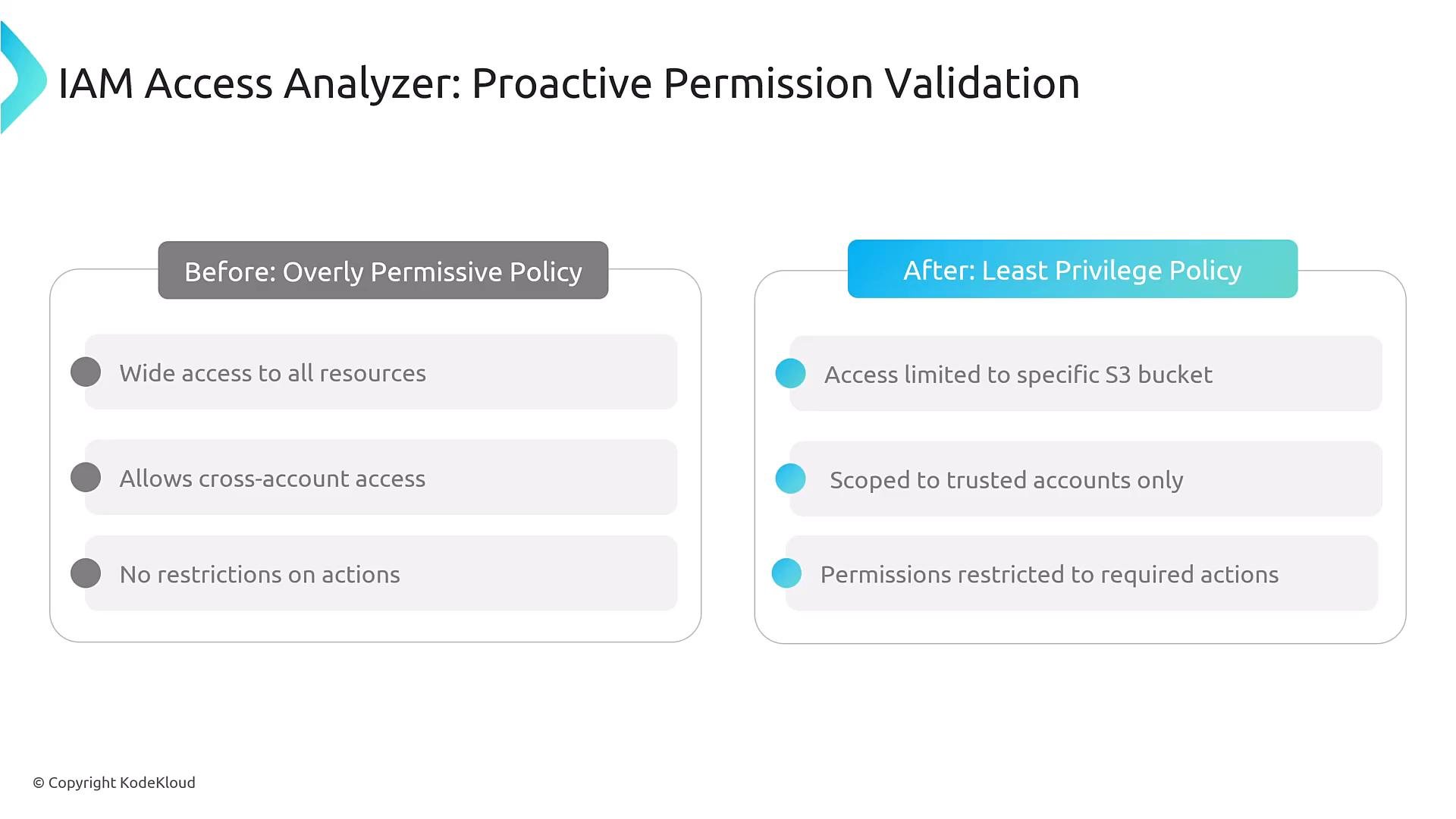
- Access Analyzer inspects policies and generates findings for overly permissive or cross-account access. It can be used interactively in the console or invoked via API to validate templates and policies in CI/CD pipelines.
- Reproduce the issue. If not reproducible, gather CloudTrail, logs, request IDs, and any environment details.
- Inspect the principal’s identity-based policies, attached groups, and permission boundaries.
- Inspect resource-based policies on the target resource (bucket policy, KMS key policy, Lambda resource policy).
- Simulate the exact action in the Policy Simulator with matching context (source IP, session tags, region).
- Review CloudTrail for AccessDenied or other error codes to confirm the failing API name and resource.
- Use IAM Access Analyzer to find mis-scoped or overly-permissive policies.
- Apply a minimal fix, retest, and then document and automate the validation.
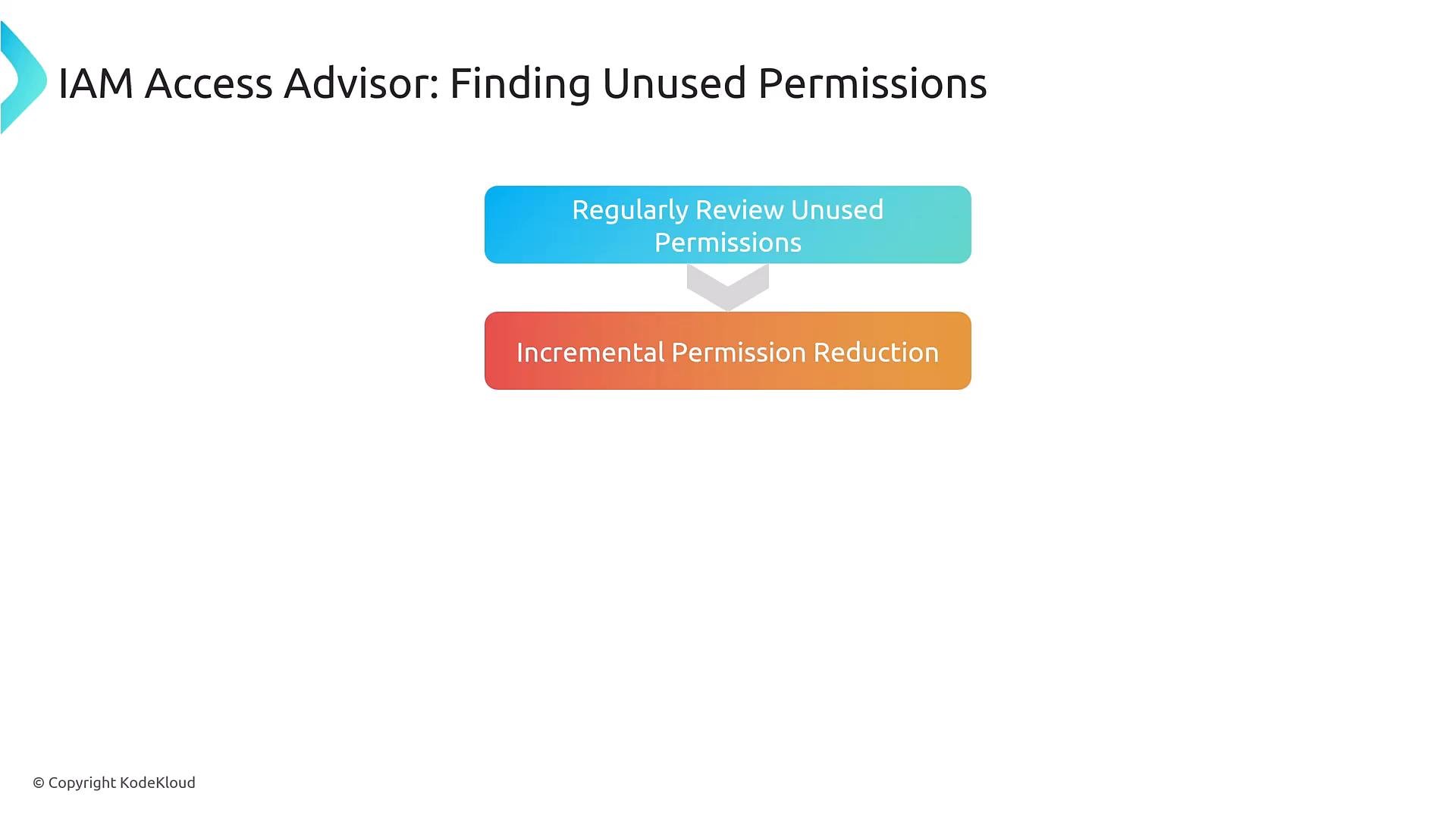
- Access Advisor reports which services a principal recently used. Use it to identify unused permissions to tighten policies and enforce least privilege.
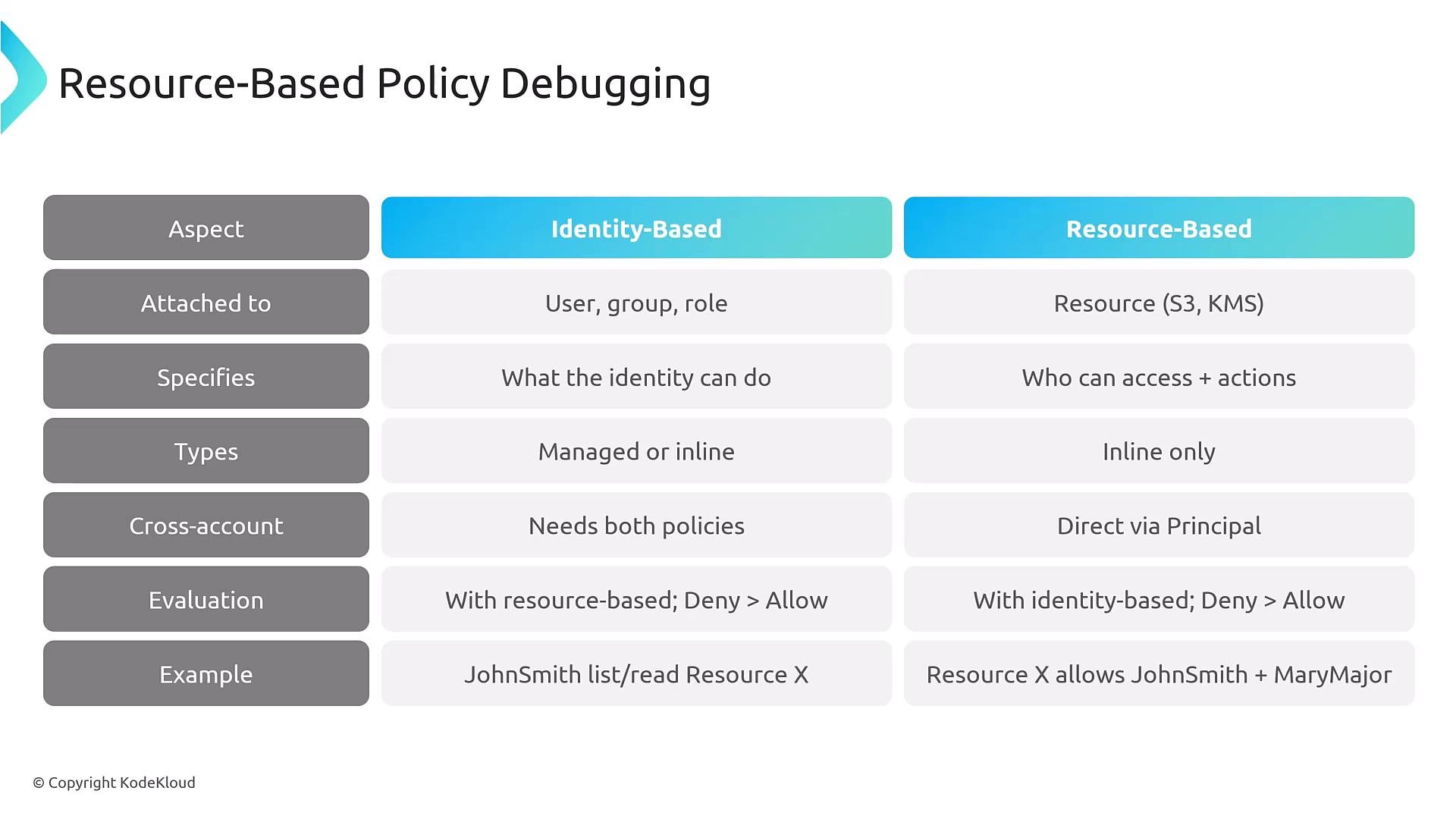
- Identity-based policies: attached to users, groups, or roles; specify what that identity can do.
- Resource-based policies: attached to resources such as S3 buckets, KMS keys, Lambda functions; specify which principals may access the resource.
- Both can contain conditions. Any explicit Deny in either applicable policy will override Allows.
- Permission boundaries: a maximum set of permissions an IAM principal can obtain. Effective permissions = identity policy ∩ permission boundary.
- Service Control Policies (SCPs): organization/OU-level policies that restrict actions across accounts; SCPs apply before identity policies when determining effective permissions at the account scope.
- Permission boundaries are account-level constructs; SCPs are managed at the organization level.
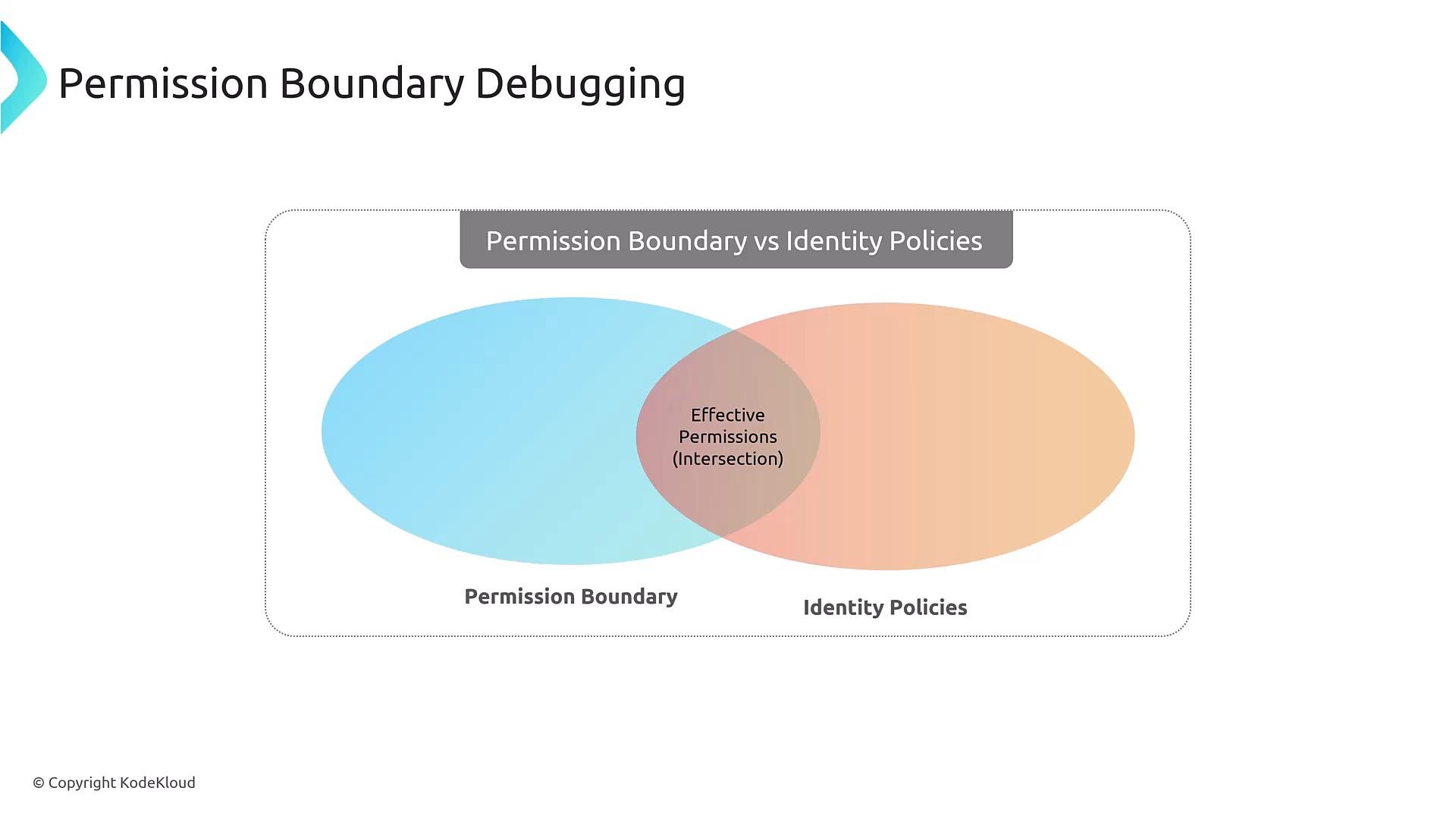
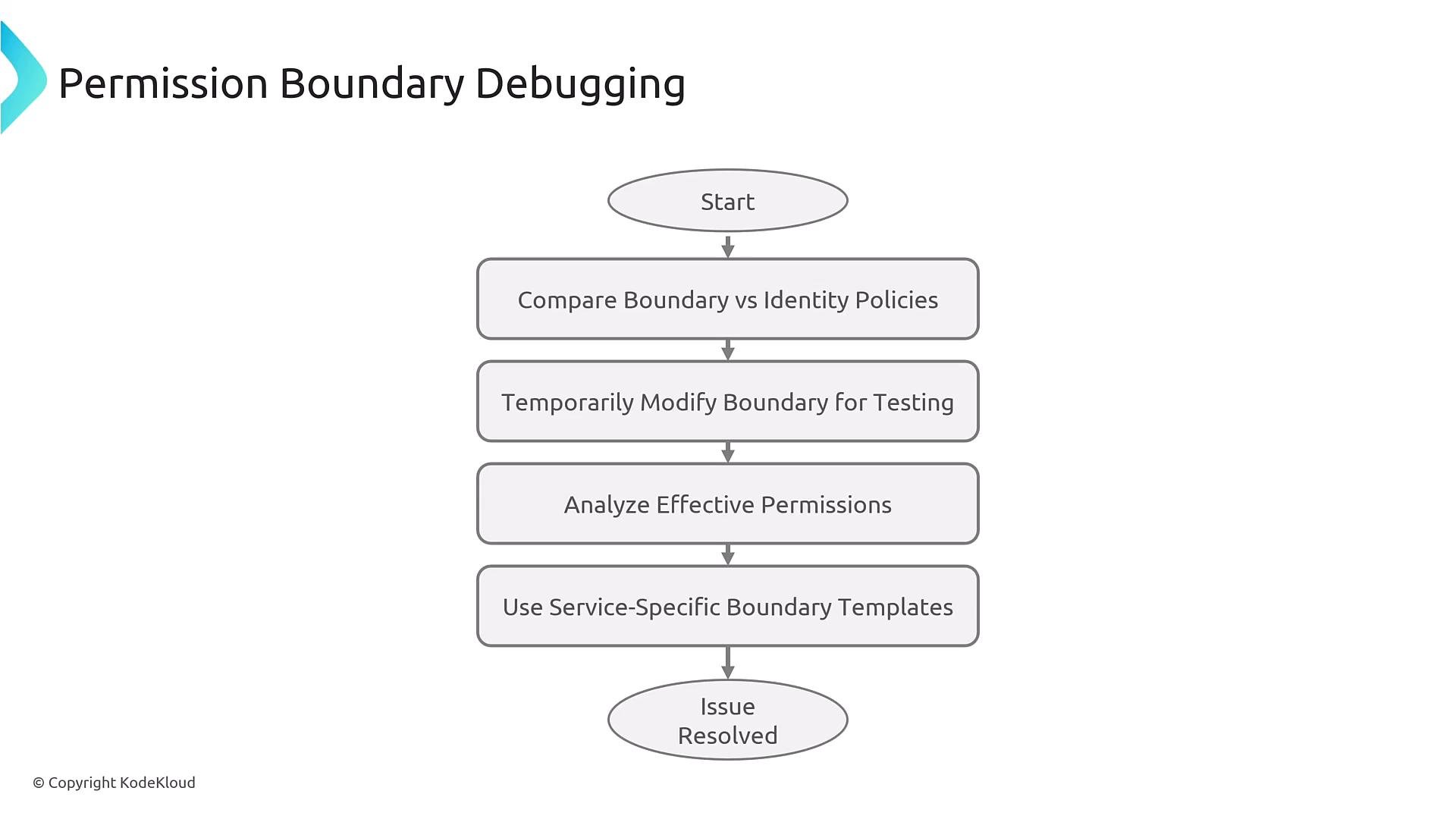
- Compare the permission boundary policy and identity-based policies to compute effective permissions.
- For testing, temporarily relax the permission boundary in a controlled (non-production) environment to confirm whether the boundary is the limiting factor.
- Prefer service-specific permission boundary templates to consistently restrict permissions for particular services.
- Integrate policy checks into your pipeline to detect permission or resource-policy issues before deployment.
- Combine IaC template validation, IAM Access Analyzer checks, and configuration snapshots during the build stage.
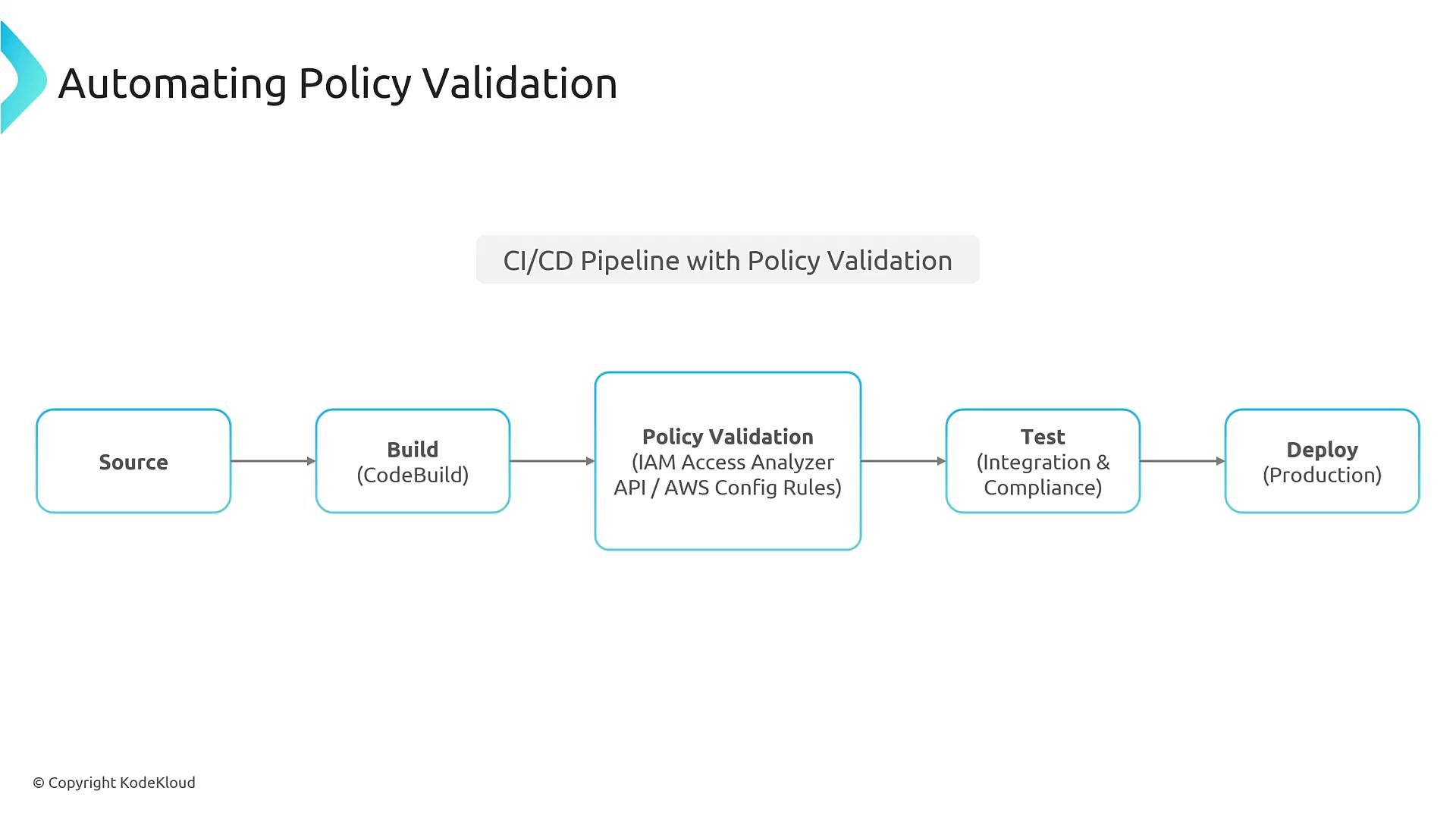
cfn-policy-validator
- Trust relationship: the role in the trusting account must include the caller account (or principal) in its trust policy.
- AssumeRole permissions: the calling principal must have
sts:AssumeRolepermission to initiate the assume-role call. - Resulting session permissions: after assume-role succeeds, the role’s identity policy and any resource policies may still block the target action.
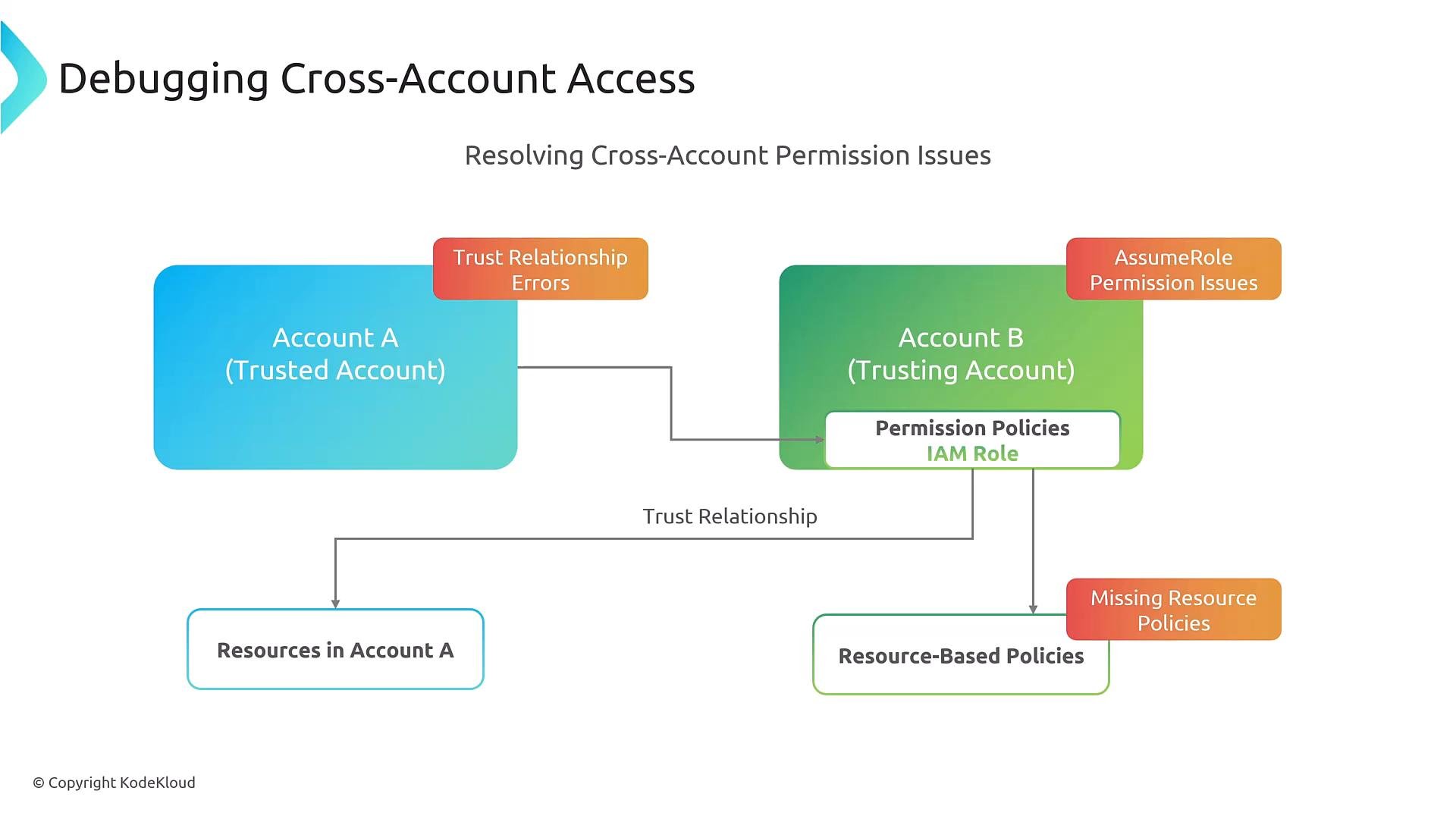
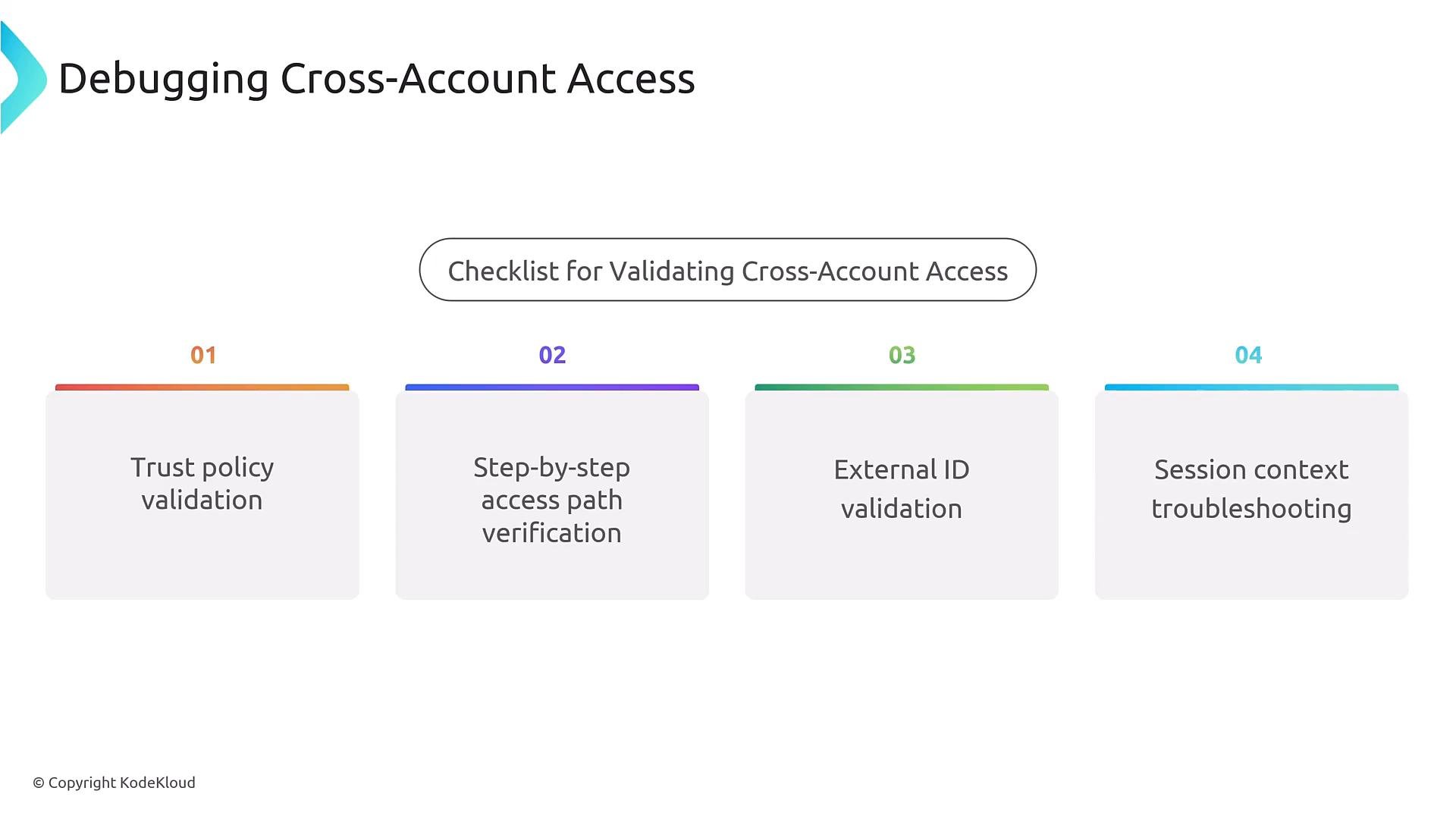
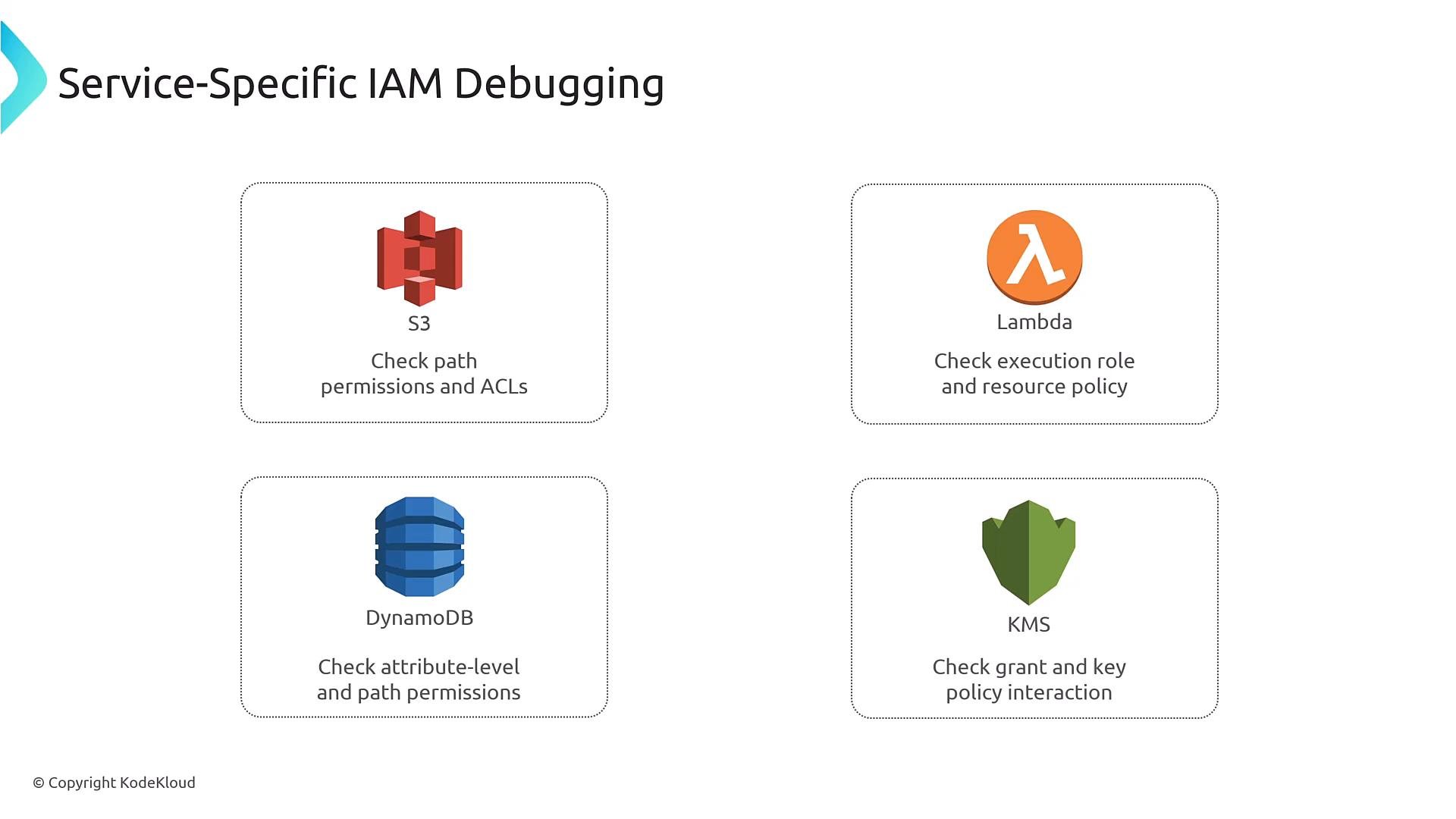
- Typical AccessDenied events you may see:
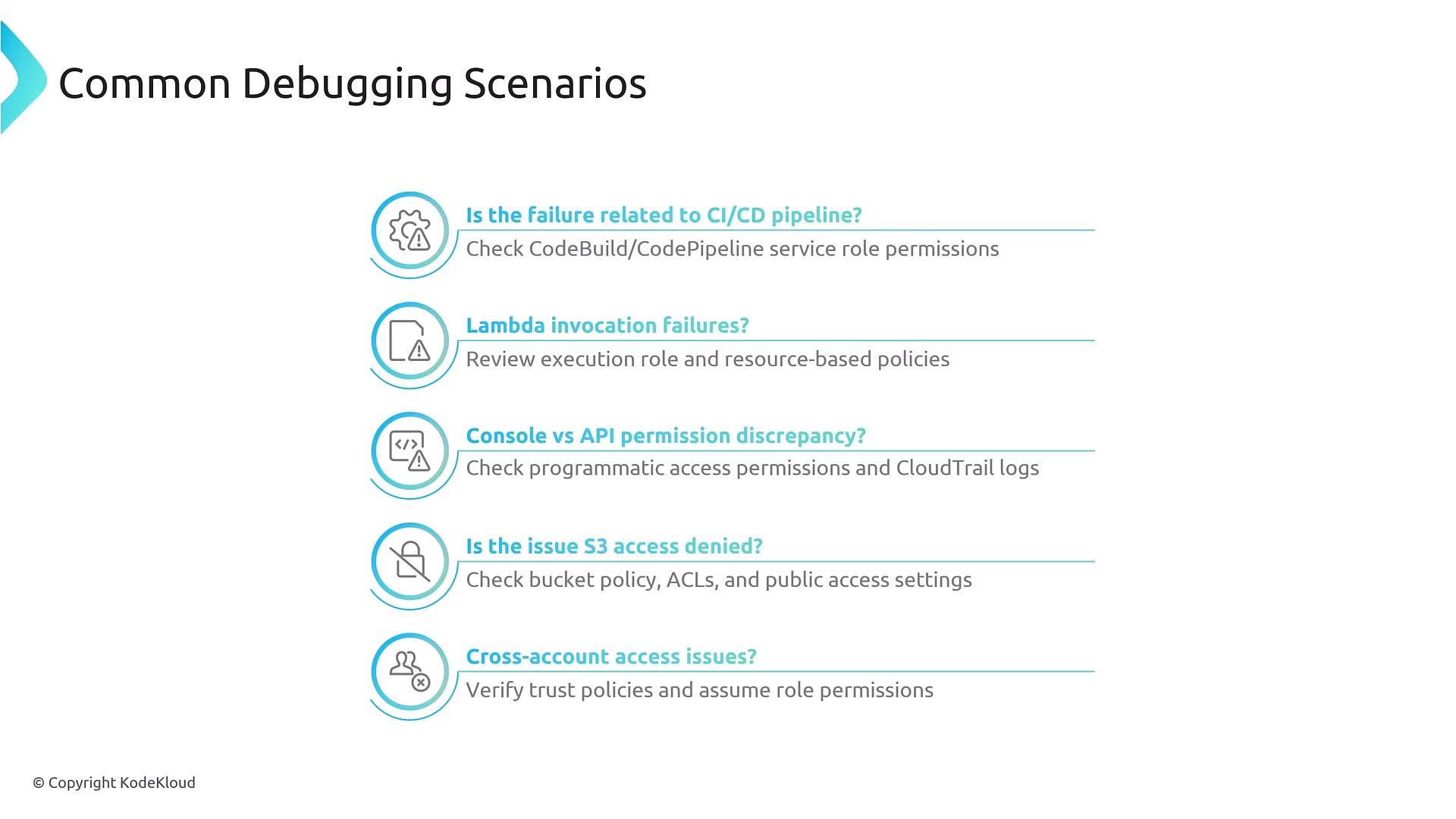
- Start from evidence (CloudTrail). Reproduce if possible.
- Simulate the exact action and context with the Policy Simulator.
- Use IAM Access Analyzer and Access Advisor to find mis-scoped and unused permissions.
- Inspect identity policies, resource policies, condition keys, permission boundaries, and SCPs.
- Automate validation in CI/CD to catch policy issues early and help enforce least privilege.
Best practice: instrument policy validation into your CI/CD pipeline and maintain a short feedback loop—policy errors found early are simpler and safer to fix.