

- CI/CD pipelines and orchestration
- Automated testing in pipelines
- Artifact management and registries
- Deployment strategies and rollout patterns
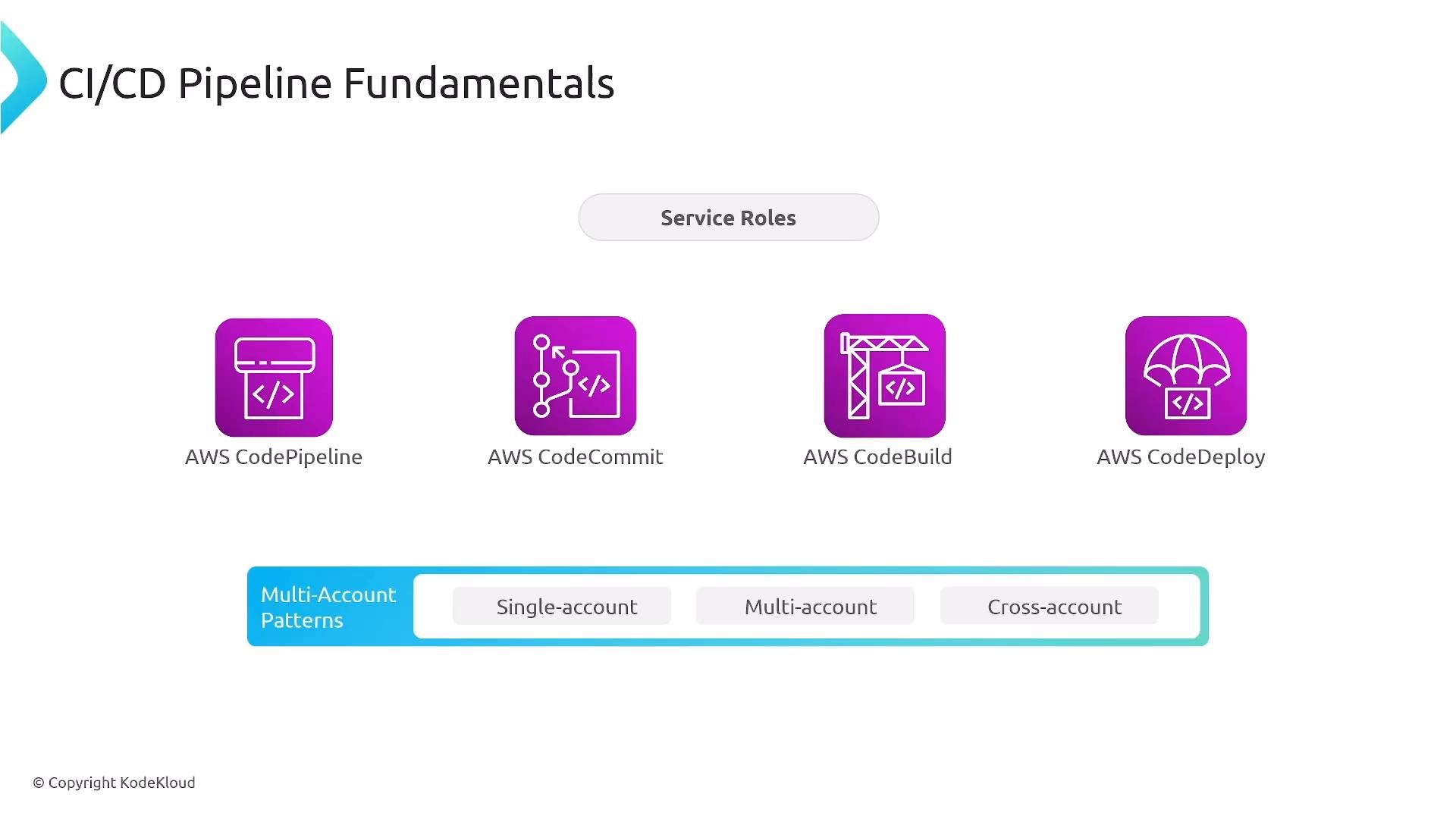
CI/CD pipeline fundamentals (AWS)
CodePipeline provides orchestration: it pulls source, invokes build/test stages, and triggers deployments. Typical AWS services used in a CI/CD pipeline include:- Source: CodeCommit (or external Git providers such as GitHub, GitLab, Bitbucket)
- Build/Test: CodeBuild
- Deployment: CodeDeploy (or other deployment steps)
- Artifact storage: S3, Amazon ECR (container images), CodeArtifact (language packages)
CodeBuild and buildspec.yml
CodeBuild executes pipeline build steps using abuildspec.yml. Key concepts:
- build phases:
install,pre_build,build,post_build - other sections:
artifacts,reports,cache, andenv(including secrets) - Ensure test runners return non-zero exit codes on failure so the build fails correctly
- Avoid plaintext credentials — inject secrets via Secrets Manager or Parameter Store
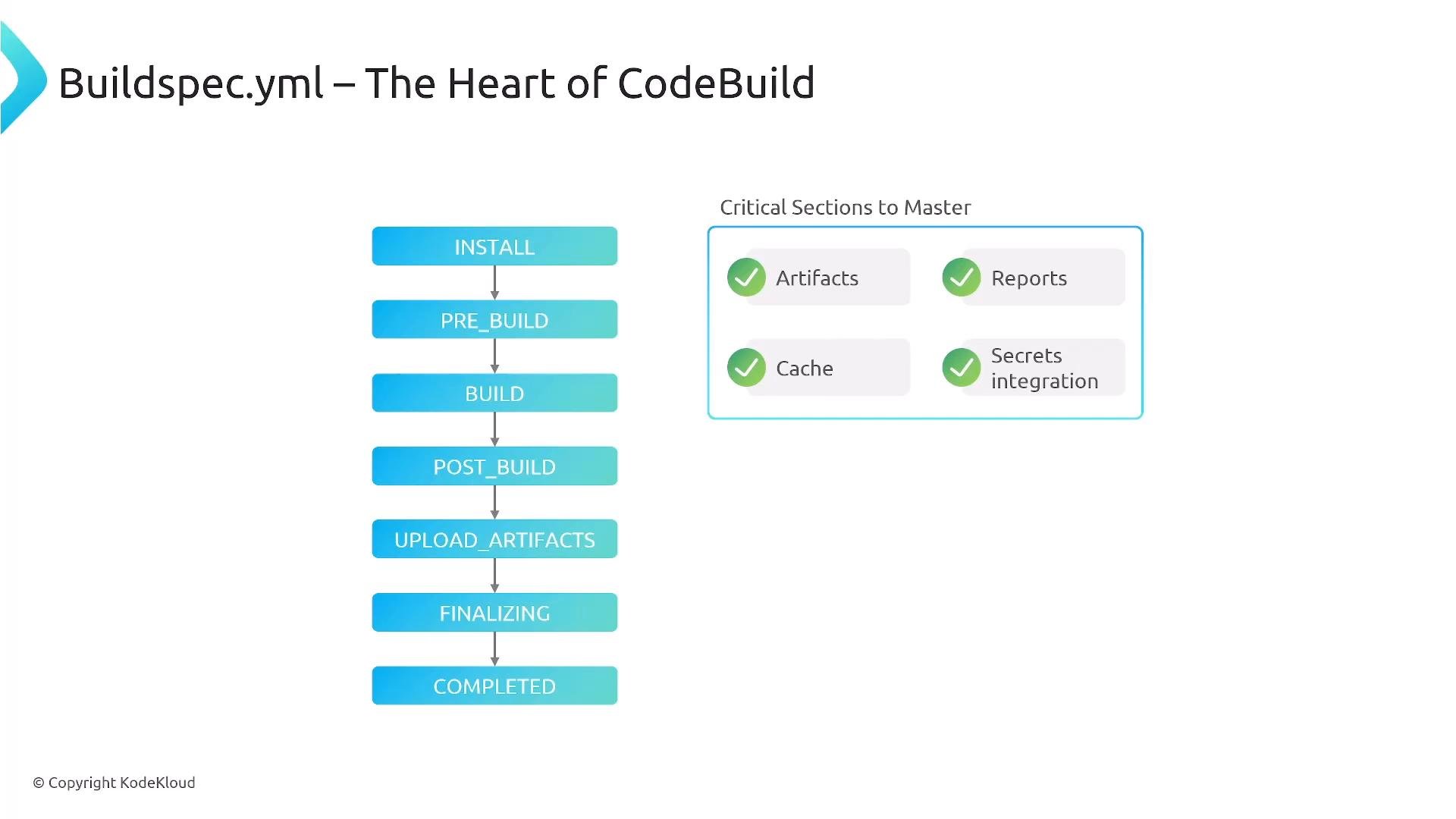
buildspec.yml demonstrating phases and secrets integration:
Secrets management: Secrets Manager vs Parameter Store
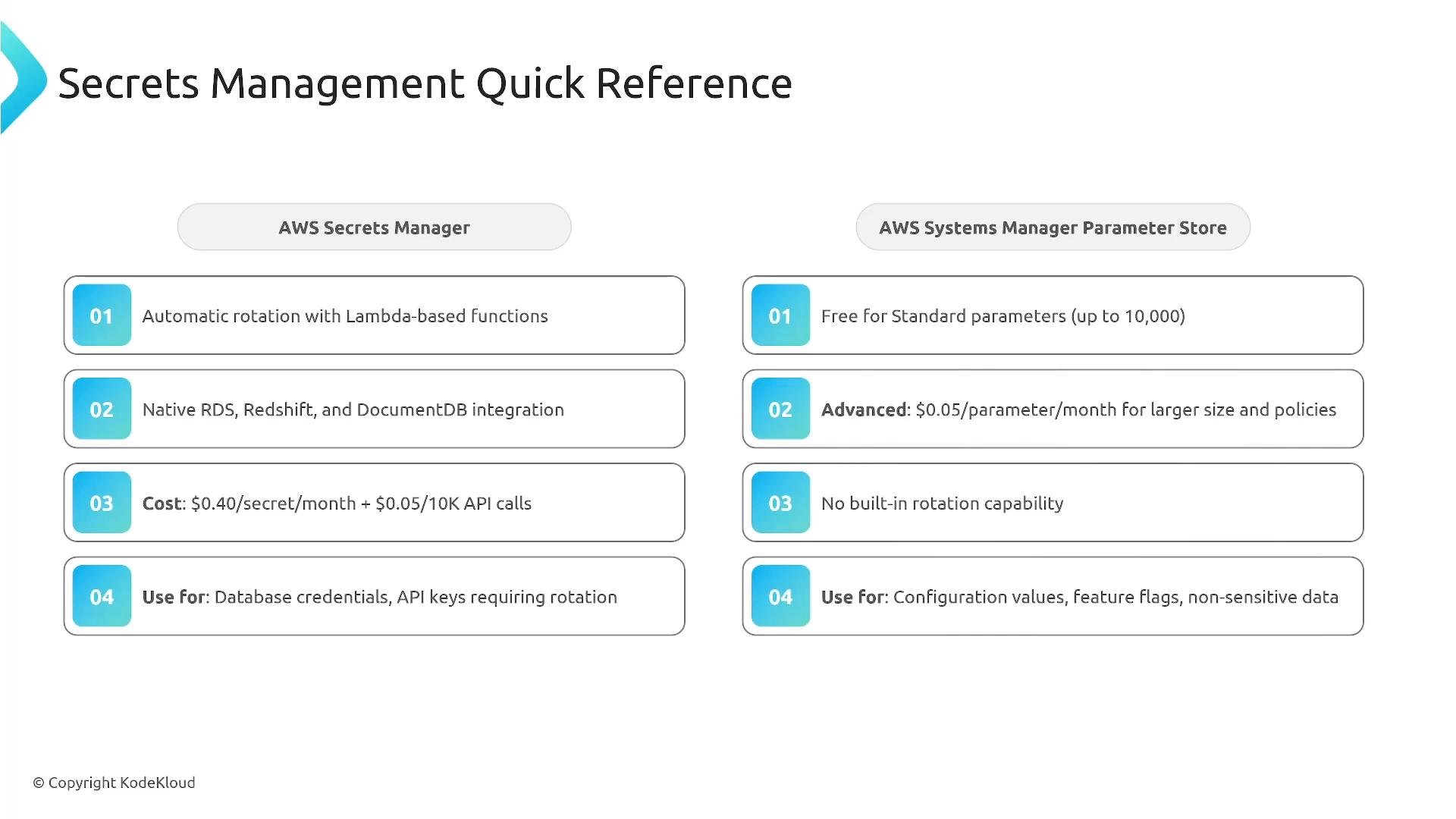
- Use AWS Secrets Manager when you require automated rotation or a managed secret lifecycle (database credentials, API keys with rotation requirements).
- Use Systems Manager Parameter Store (SecureString) when cost is a concern and automatic rotation is not required.
Use Secrets Manager for rotation and automatic secret lifecycle management. For static secrets where rotation isn’t required and cost is a concern, Parameter Store (SecureString) is often sufficient.
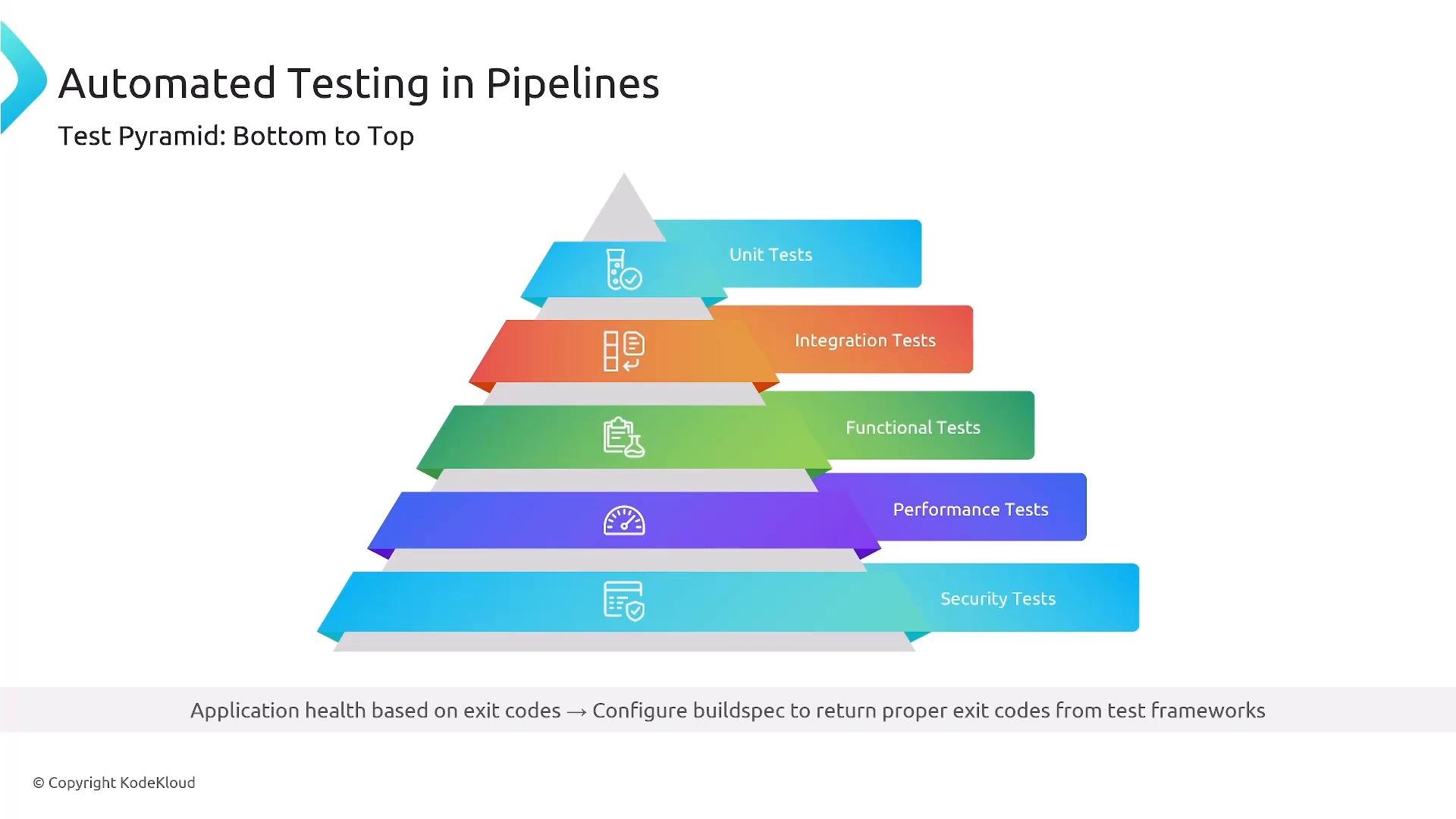
Automated testing in pipelines
Know the test levels and where they fit in the pipeline:- Unit tests — fast, run frequently in build stages
- Integration tests — validate component interactions
- Functional / end-to-end tests — verify full user flows
- Performance / load tests — run less frequently, often in dedicated stages/environments
- Security tests — integrated throughout (SCA, SAST, DAST)
Artifact management
Know where pipeline outputs should be stored for durability, security, and traceability.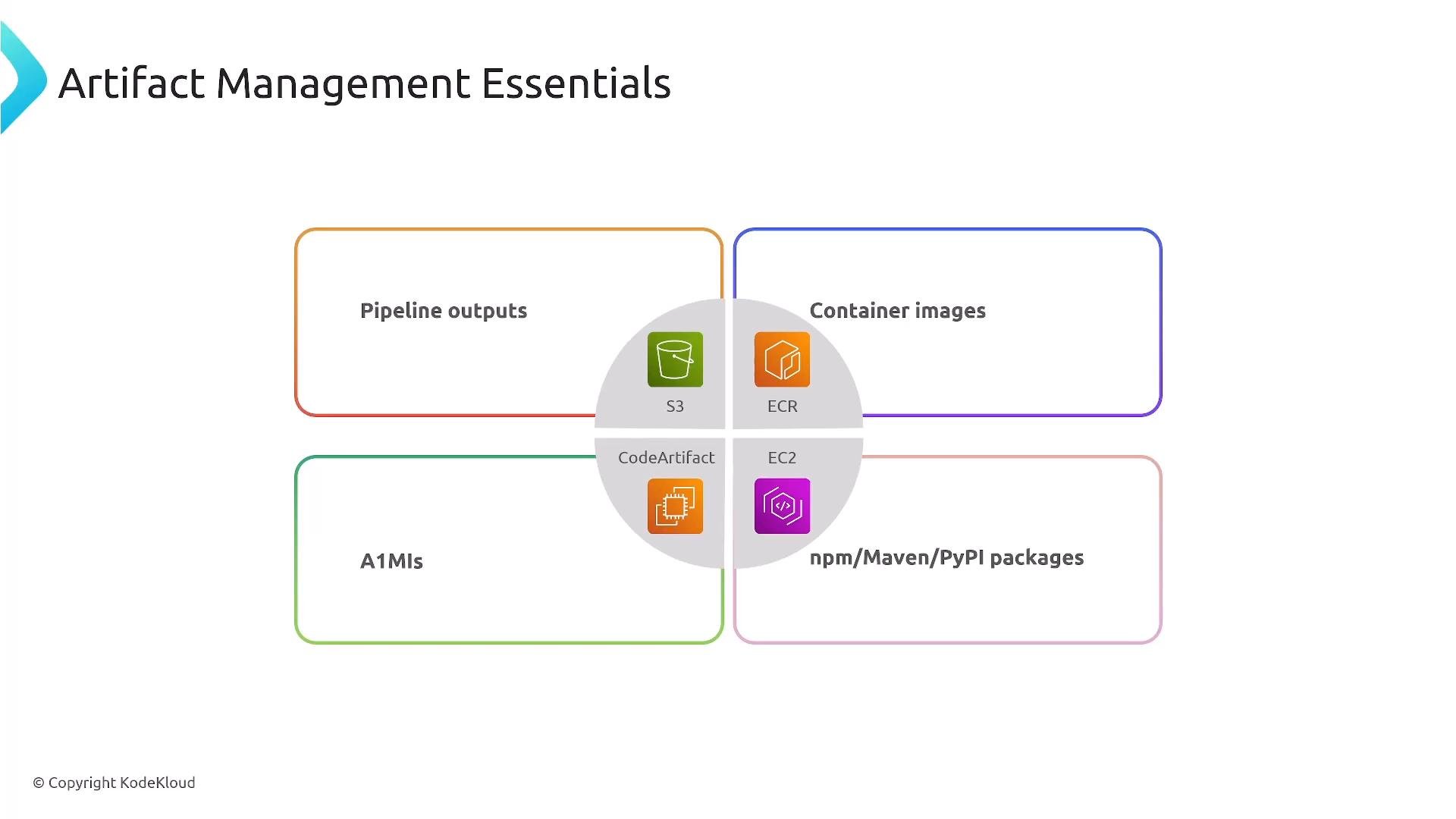
Deployment strategies and risk profiles
Choose a deployment strategy based on downtime tolerance, rollback needs, and risk: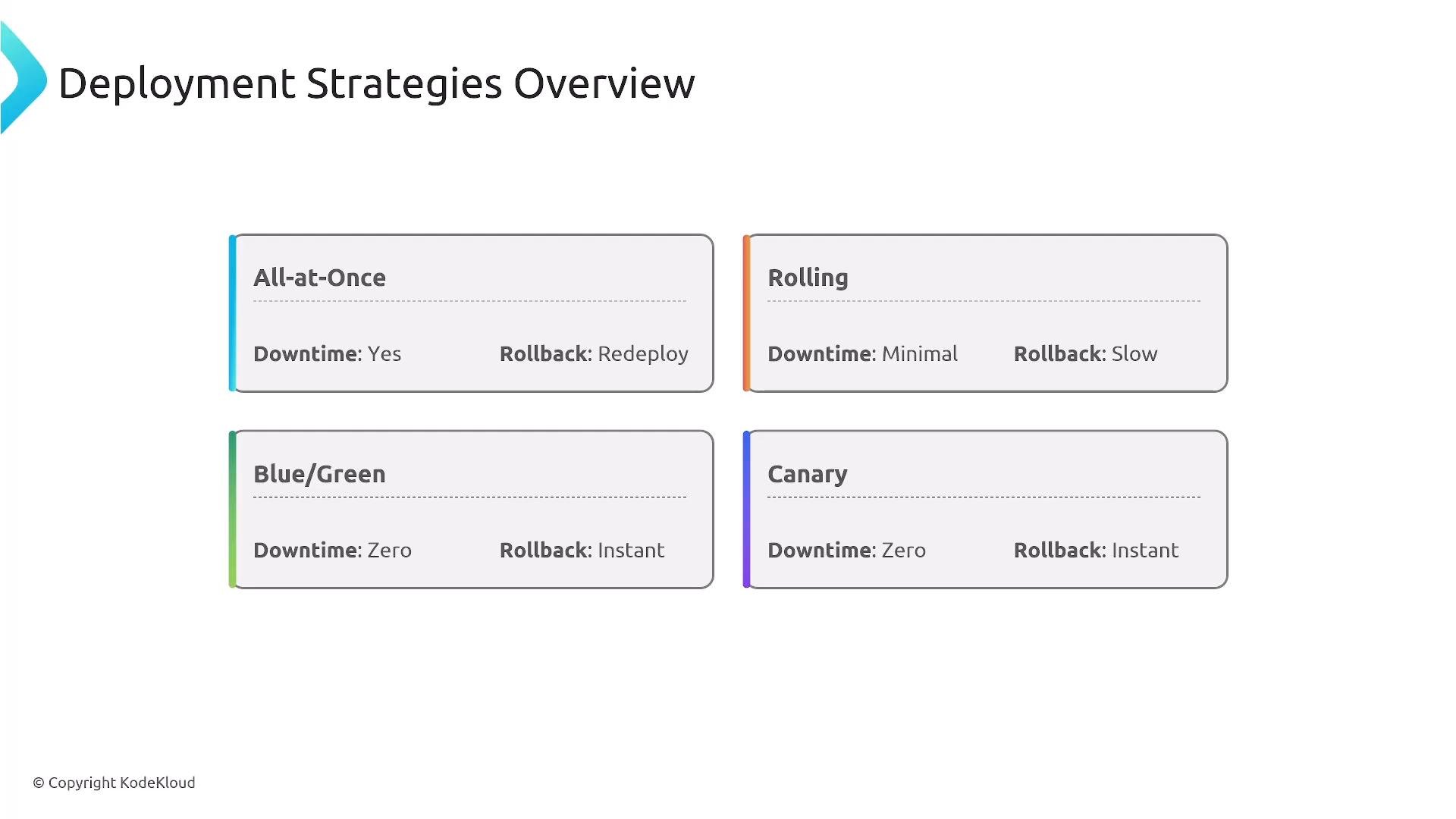
CodeDeploy and compute-specific considerations
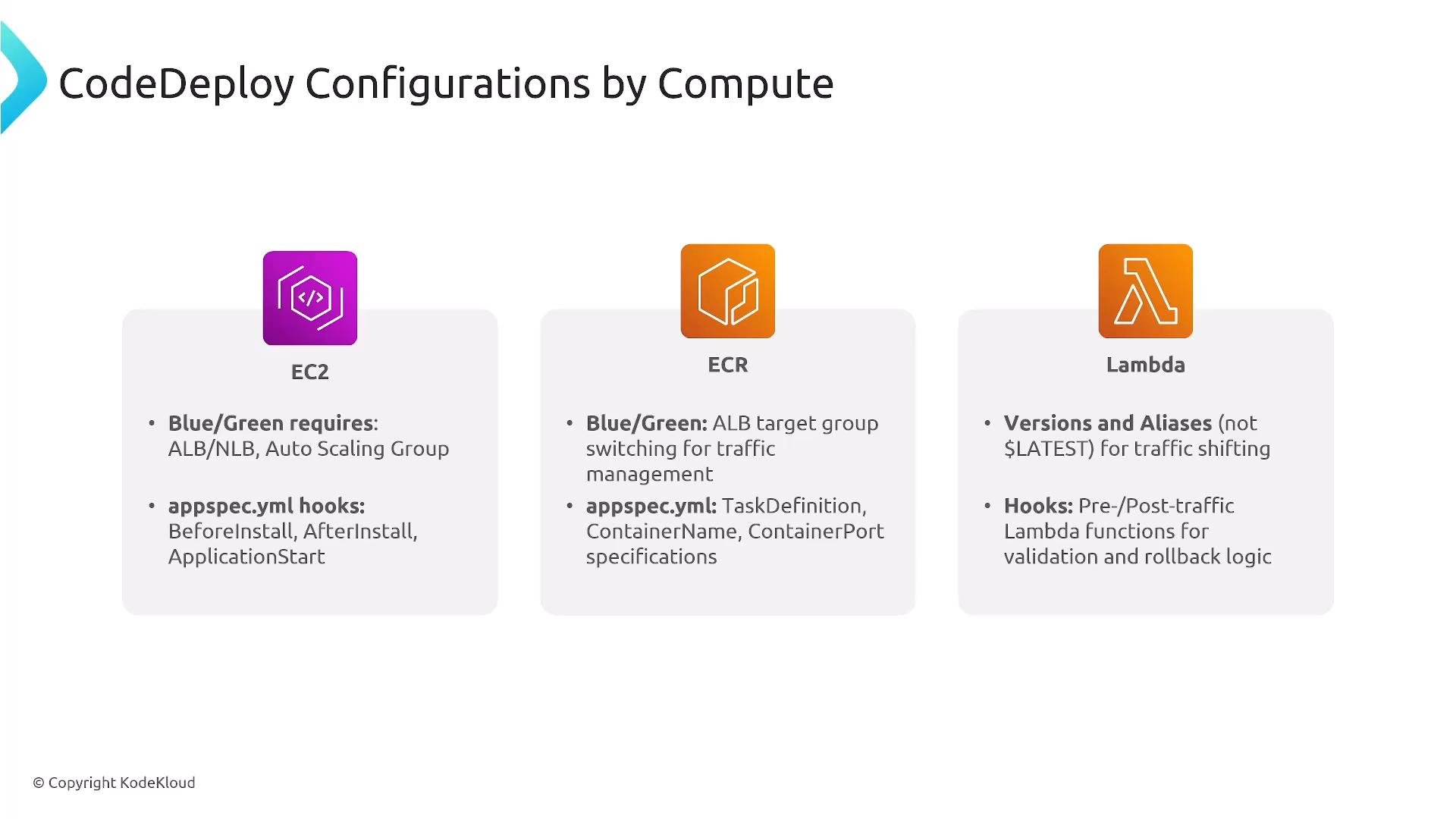
CodeDeploy supports multiple compute targets and configuration options:- EC2 / On-prem
- Replace instances one-at-a-time, half-at-a-time, or all-at-once
- Use
appspec.ymllifecycle hooks to run validations or health checks
- ECS / ECR (containers)
- Blue/Green via new task sets and ALB target group weight shifting
- Integrates with CodeDeploy for traffic shifting and automated rollbacks
- Lambda
- Use versions + aliases for traffic shifting (linear or canary) or all-at-once deployments
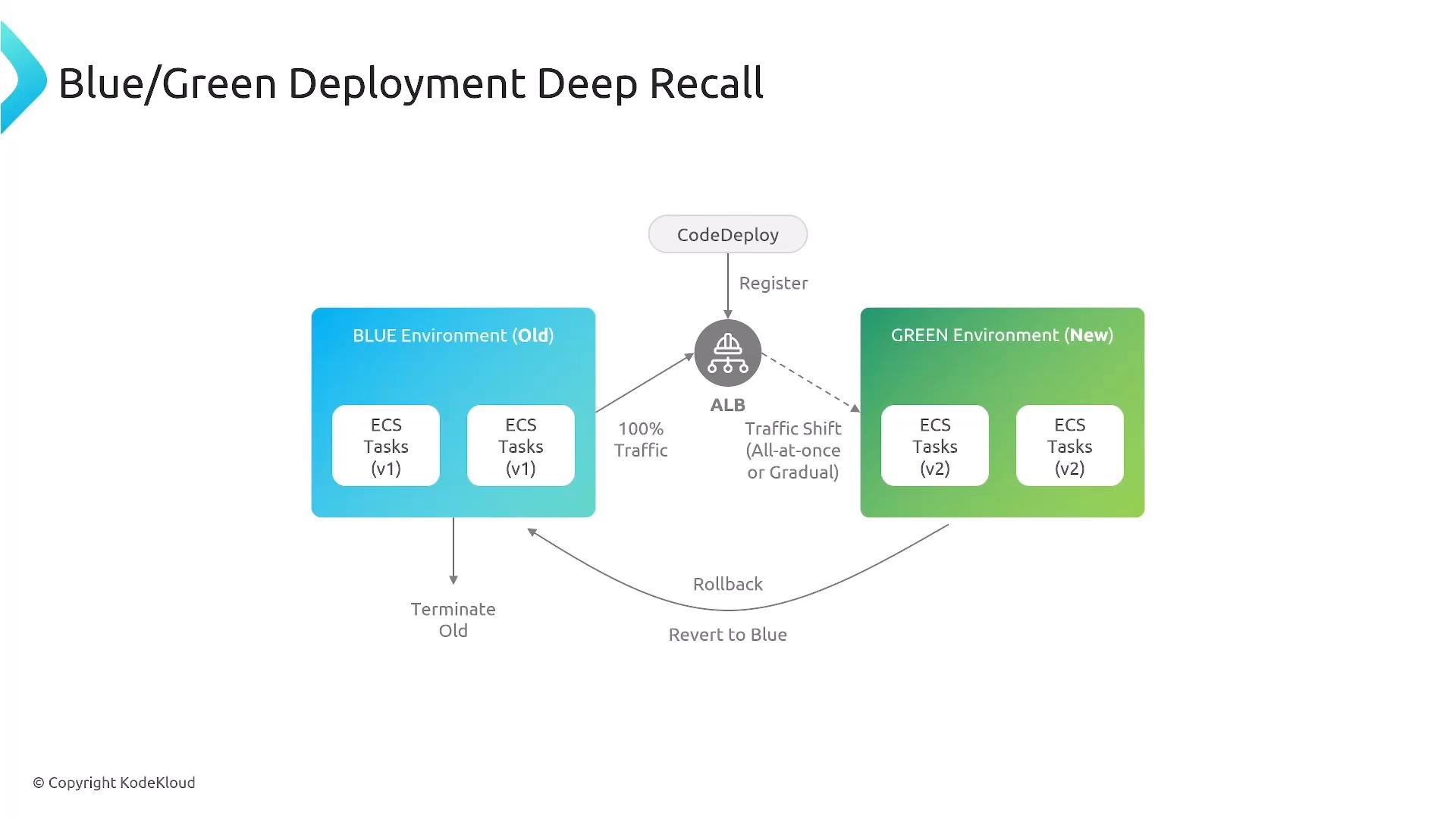
Blue/Green and traffic shifting (ECS example)
Blue/Green means deploying a new environment (GREEN) alongside the existing (BLUE) and then shifting traffic. Traffic-shifting modes:- Instant cutover — immediate full switch
- Canary — small percentage initially, then increase
- Linear — incremental increases at fixed intervals
Troubleshooting deployment failures
Start with these common checks:- IAM permissions and service roles for CodePipeline / CodeBuild / CodeDeploy
- CloudWatch Logs for build and deployment errors (build logs, agent logs)
- ALB target group health checks — incorrect health checks often cause deployments to fail or roll back
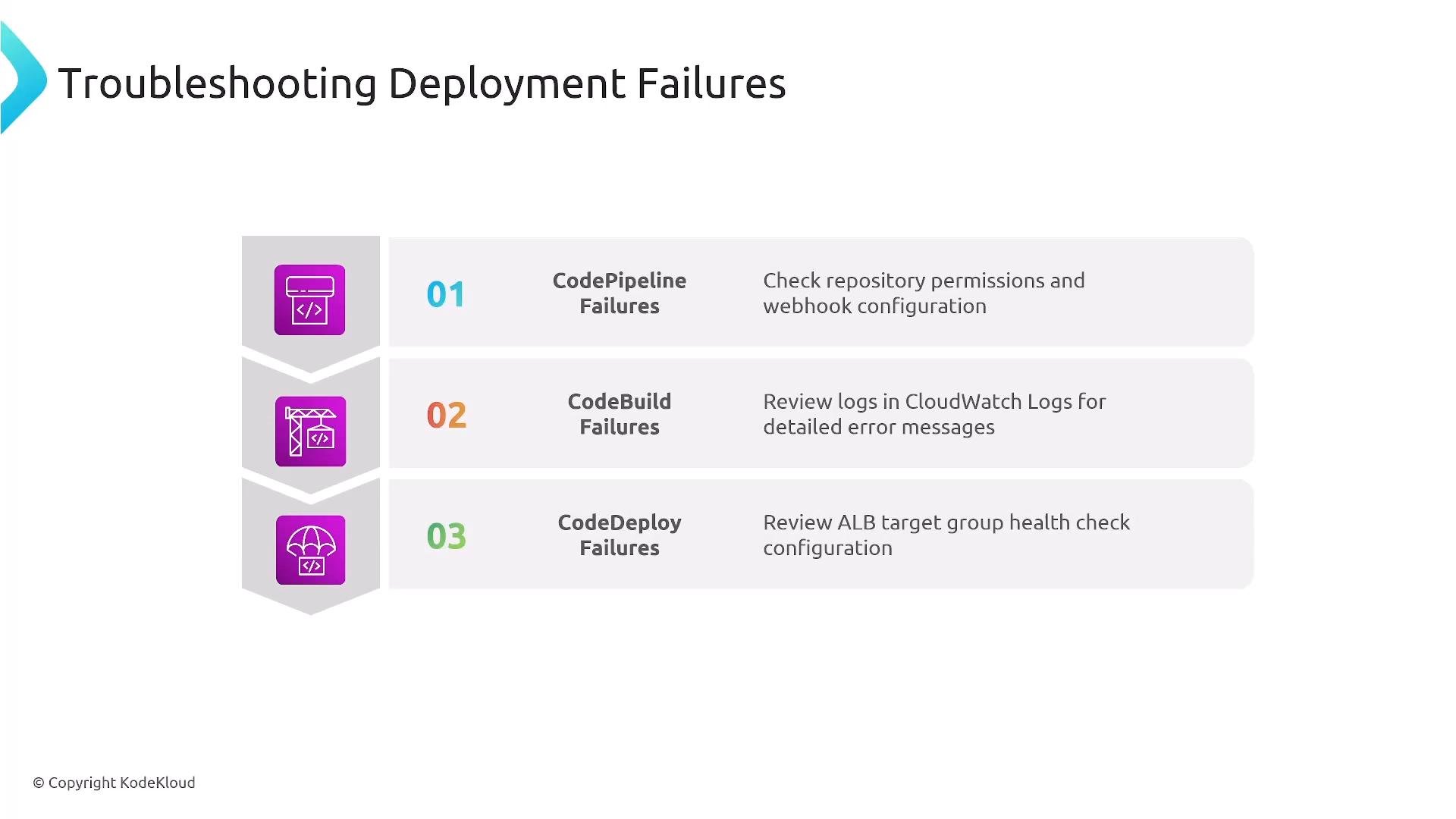
- Confirm pipeline service role has required actions on S3, CodeBuild, CodeDeploy
- Verify buildspec paths and artifact locations
- Confirm target instances / tasks pass health checks before traffic shift completes
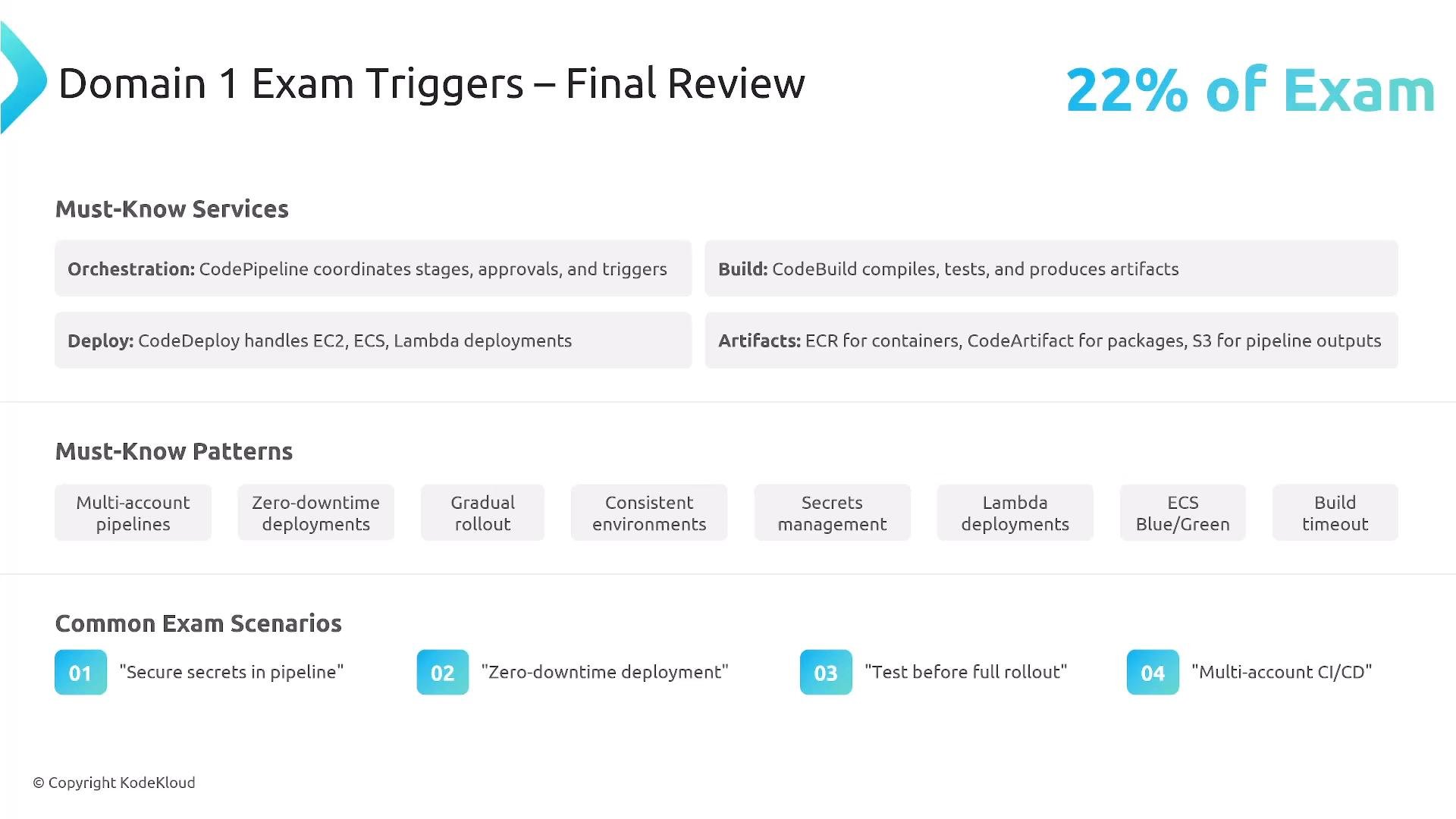
Exam scope and patterns to master
Be comfortable with:- CodePipeline stages and orchestration patterns
- CodeBuild phases and
buildspec.ymlusage - CodeDeploy deployment types for EC2, ECS (from ECR), and Lambda
- Note: Amazon EKS is usually managed with Kubernetes-native tools (kubectl, Helm, Argo CD) or pipeline steps applying manifests, not CodeDeploy directly
- Artifact storage and management (S3, ECR, CodeArtifact)
- Multi-account CI/CD patterns, zero-downtime deployments, gradual rollouts (canary/linear), and secrets management
- Creating consistent, repeatable environments: immutable infrastructure and golden AMI pipelines
Key takeaways
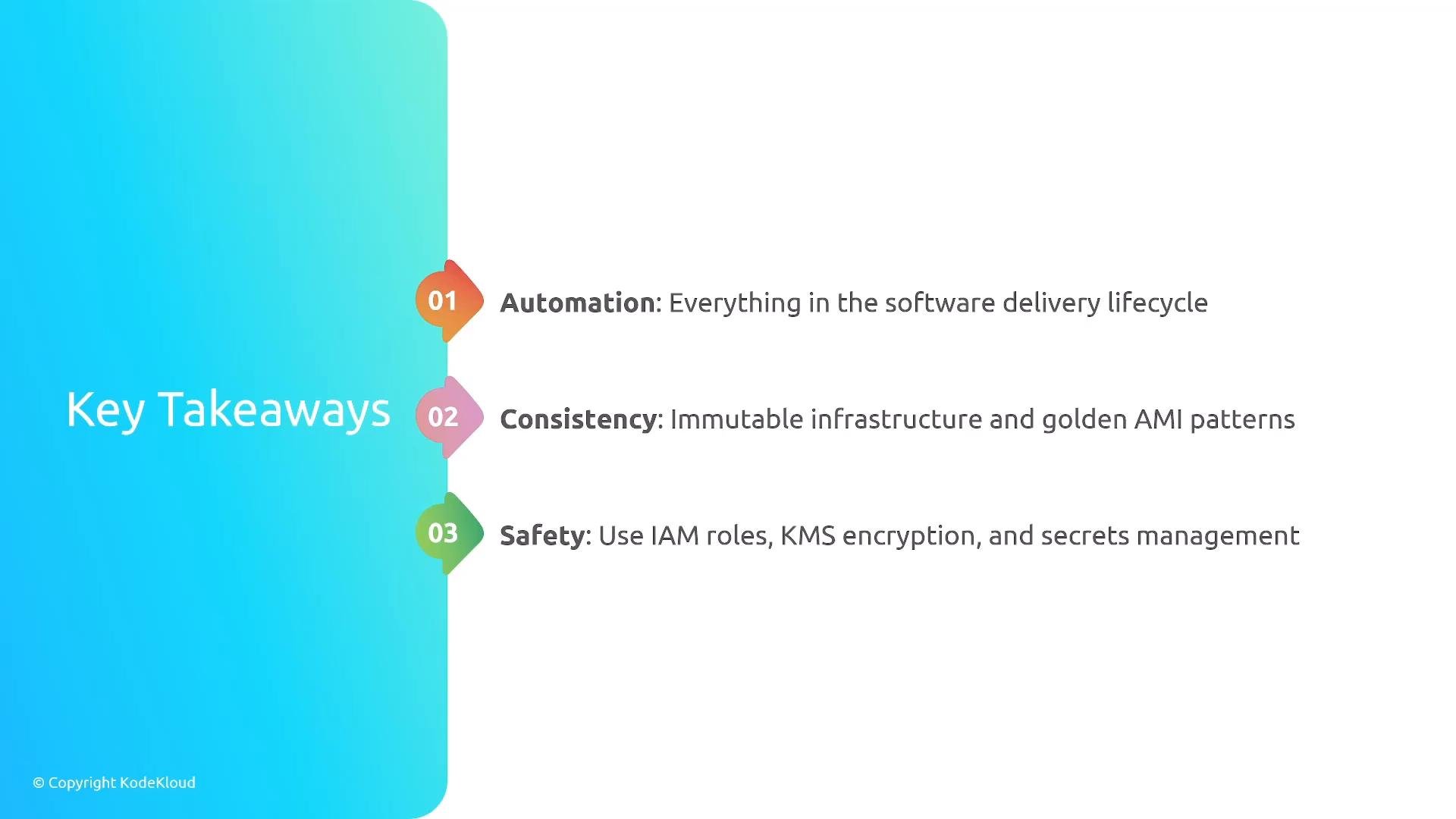
- Automation: Automate the software delivery lifecycle to reduce human error and increase repeatability.
- Consistency: Favor immutable infrastructure and golden image patterns for predictable deployments.
- Safety: Use IAM roles, KMS encryption, and proper secrets management; test before rollout; design for least privilege.
- Recreate a simple pipeline: source → CodeBuild tests → push image to ECR → deploy to ECS with a blue/green test
- Practice authoring a
buildspec.ymland injecting secrets securely - Review exam scenarios that ask you to choose deployment strategies based on downtime and rollback requirements
Links and references
- AWS CodePipeline: https://docs.aws.amazon.com/codepipeline/latest/userguide/welcome.html
- AWS CodeBuild: https://docs.aws.amazon.com/codebuild/latest/userguide/welcome.html
- AWS CodeDeploy: https://docs.aws.amazon.com/codedeploy/latest/userguide/welcome.html
- AWS Secrets Manager: https://docs.aws.amazon.com/secretsmanager/latest/userguide/intro.html
- AWS Systems Manager Parameter Store: https://docs.aws.amazon.com/systems-manager/latest/userguide/systems-manager-parameter-store.html
- Amazon ECR: https://docs.aws.amazon.com/AmazonECR/latest/userguide/what-is-ecr.html
- AWS CodeArtifact: https://docs.aws.amazon.com/codeartifact/latest/ug/what-is-codeartifact.html