Welcome to today’s lesson presented by Michael Forrester. In this session, we explore AWS cost optimization strategies, including licensing options, reservation models, savings plans, ROI/TCO analysis, and billing tools. This guide is structured for clarity and SEO optimization, complete with diagrams to illustrate each concept.

Licensing Options for AWS Services

AWS provides several pricing models to help you optimize costs for services such as Amazon EC2:
  • On-Demand Pricing:
    Pay the fixed hourly rate (e.g., $1 per hour) with no long-term commitment. This option offers maximum flexibility for dynamic workloads.
  • Reserved Instances:
    Commit to a one- or three-year term, which significantly reduces the hourly rate (for example, from $1 to 70 cents per hour). This model is ideal for steady-state or predictable workloads.
  • Dedicated Hosts:
    Reserve complete physical servers at a higher cost (e.g., $20 per hour). This option provides enhanced security and compliance by isolating your instances on dedicated hardware.
  • Spot Instances:
    Utilize excess AWS capacity at a much lower price (around 50% of the on-demand rate). These instances are best suited for non-critical, interruptible workloads such as batch processing or reporting, as they can be reclaimed by AWS with a two-minute warning.
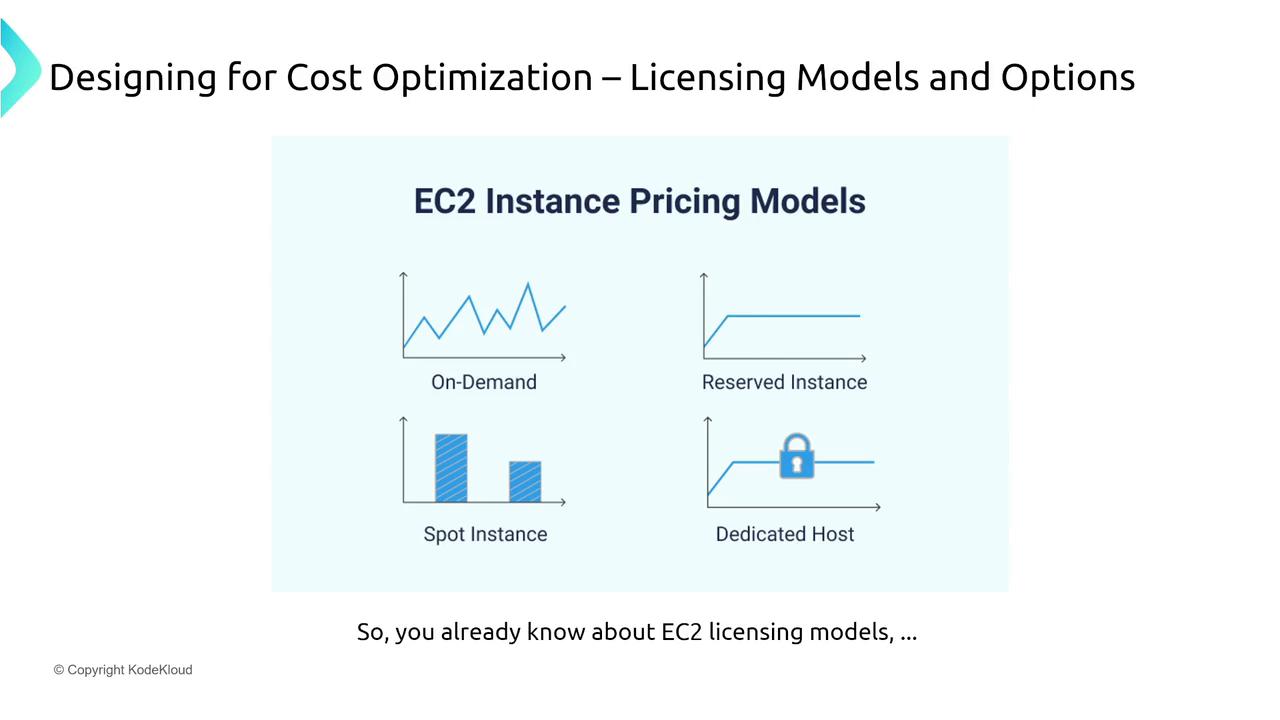
The diagram below visualizes these various EC2 instance pricing models as part of AWS cost optimization strategies:
The image illustrates different EC2 instance pricing models: On-Demand,
Reserved Instance, Spot Instance, and Dedicated Host, as part of cost
optimization
strategies.

Reserved Instance Variations

Reserved Instances offer different types of commitments to suit varying business needs:
  • Standard Reserved Instances:
    Offer the highest discounts (up to 66% off) in exchange for a strict one- or three-year commitment. An example is reserving a Red Hat Linux M5 XL instance in a specific availability zone (e.g., Virginia) to achieve maximum savings.
  • Convertible Reserved Instances:
    Provide flexibility by allowing changes in instance types, operating systems, or locations as your requirements evolve.
  • Scheduled Instances:
    Reserve capacity during predetermined time periods (for instance, extra web servers during business hours, Monday through Friday from 8 a.m. to 8 p.m.), rather than a continuous 24/7 commitment.
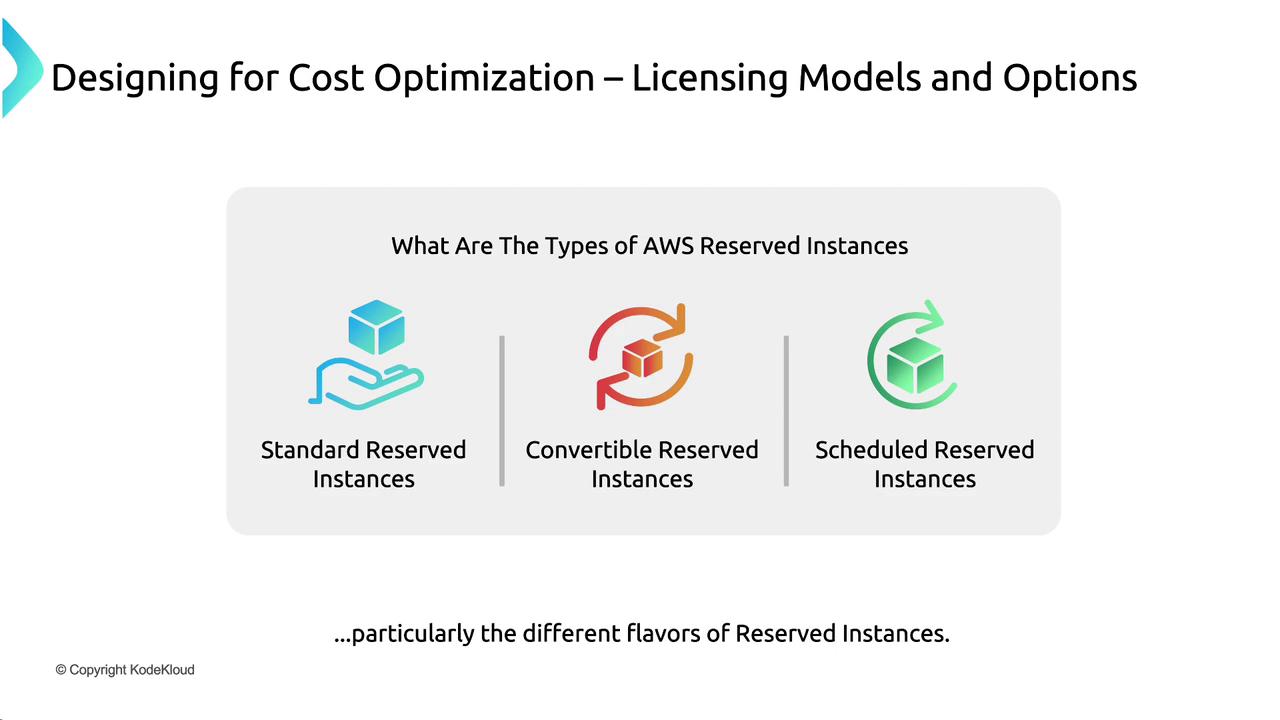
The following image outlines these different types of Reserved Instances:
The image outlines three types of AWS Reserved Instances: Standard,
Convertible, and Scheduled, as part of cost optimization
strategies.

Savings Plans

AWS offers Savings Plans as another layer of cost optimization:
  • Compute Savings Plans:
    These plans offer discounted rates across services such as EC2, AWS Fargate, and AWS Lambda. By committing to a specific spend—turning 10,000intoaneffective10,000 into an effective 30,000 usage bucket over one or three years—you can secure substantial discounts.
    AWS Fargate is integrated with ECS and EKS rather than being a standalone service.
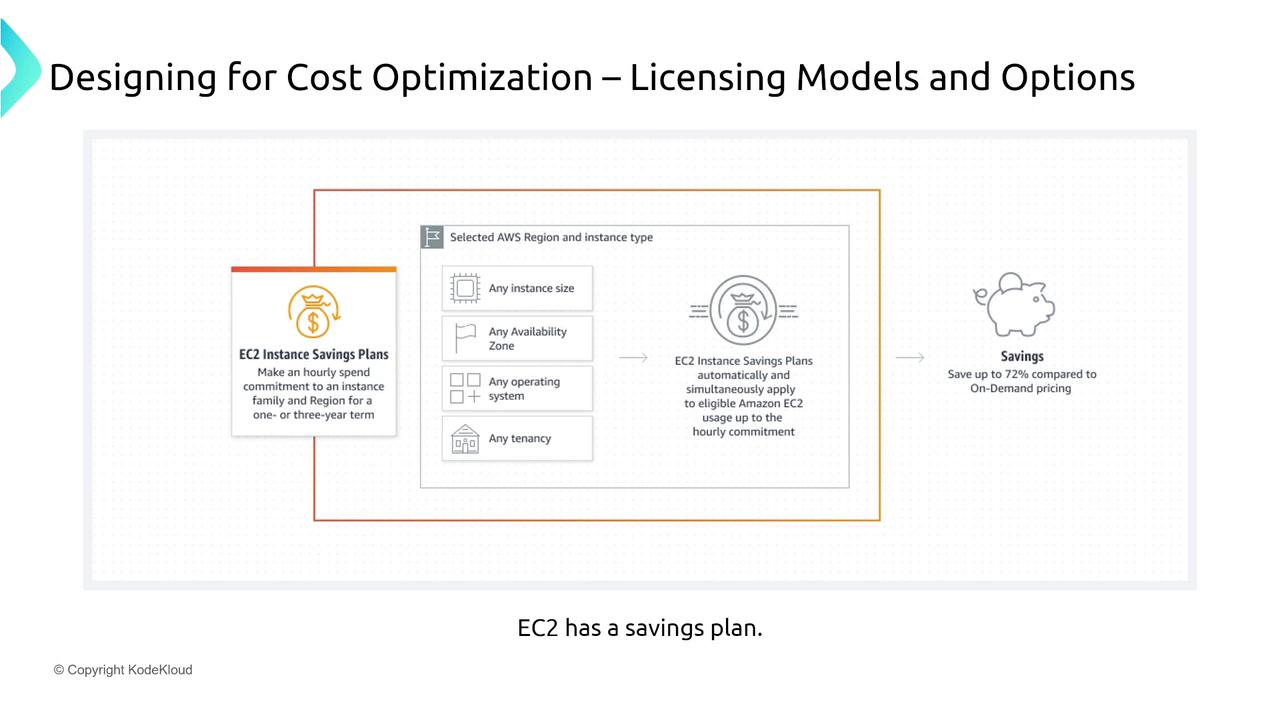
  • EC2 Instance Savings Plans:
    Focus exclusively on virtual machine usage and can save up to 72% with a three-year commitment and partial upfront payment.
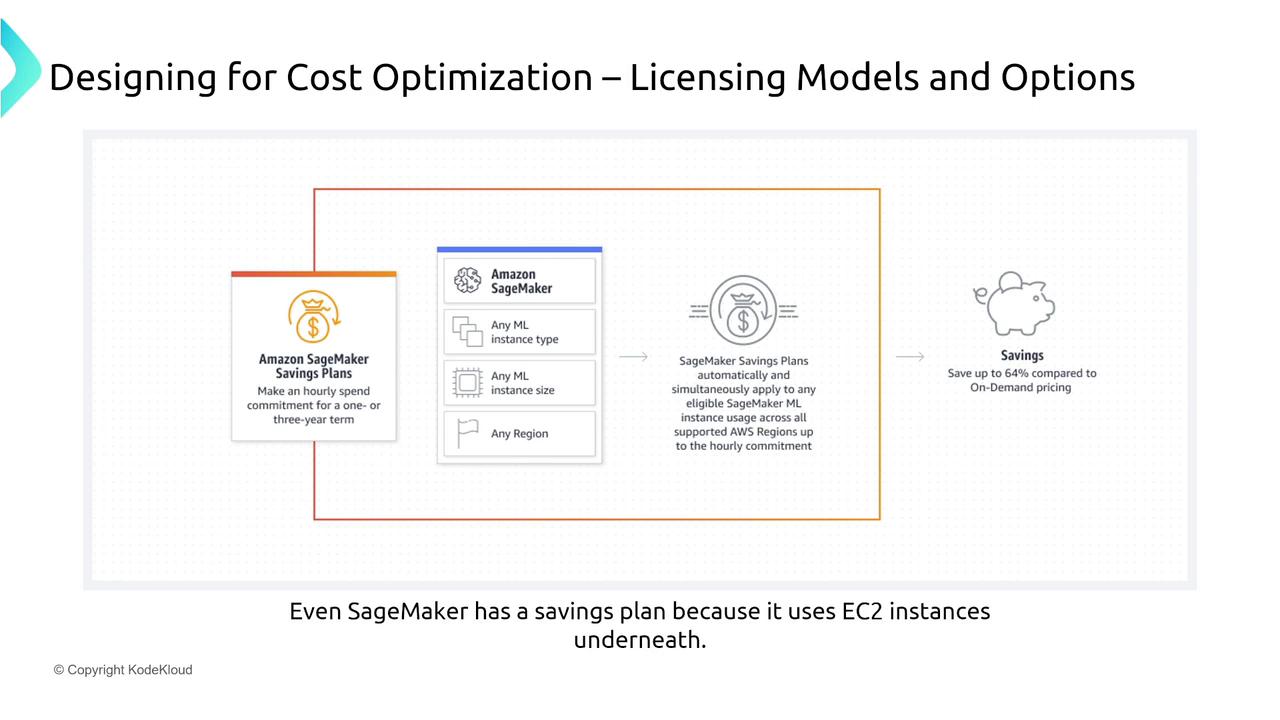
  • SageMaker Savings Plans:
    Tailored for machine learning workloads, these plans can offer up to 64% discounts, which is critical considering the high compute requirements of ML applications.
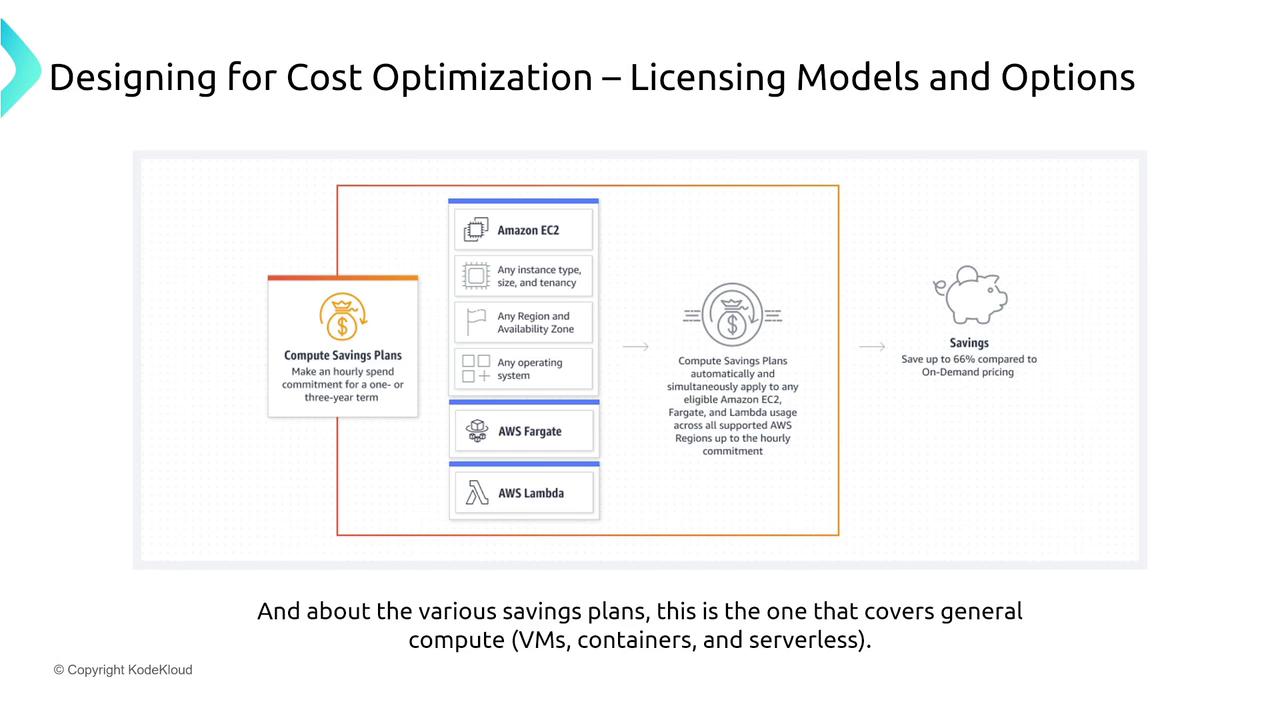
The diagram below highlights Compute Savings Plans covering multiple services (Virtual Machines, Fargate, and Serverless):
The image illustrates AWS Compute Savings Plans, highlighting cost
optimization options for Amazon EC2, AWS Fargate, and AWS Lambda, with
potential savings of up to 66% compared to on-demand
pricing.
Additionally, consider the specific advantages of EC2 Instance Savings Plans:
The image explains EC2 Instance Savings Plans for cost optimization,
highlighting savings of up to 72% compared to on-demand pricing. It includes
options for instance size, availability zone, operating system, and
tenancy.
For machine learning applications, the SageMaker Savings Plans provide targeted benefits:
The image illustrates Amazon SageMaker Savings Plans for cost optimization,
highlighting savings of up to 64% compared to on-demand pricing. It explains
the application of savings plans to various ML instance types, sizes, and
regions.

Reservations Beyond Compute

Reservations are available for numerous other AWS services to maximize cost savings:
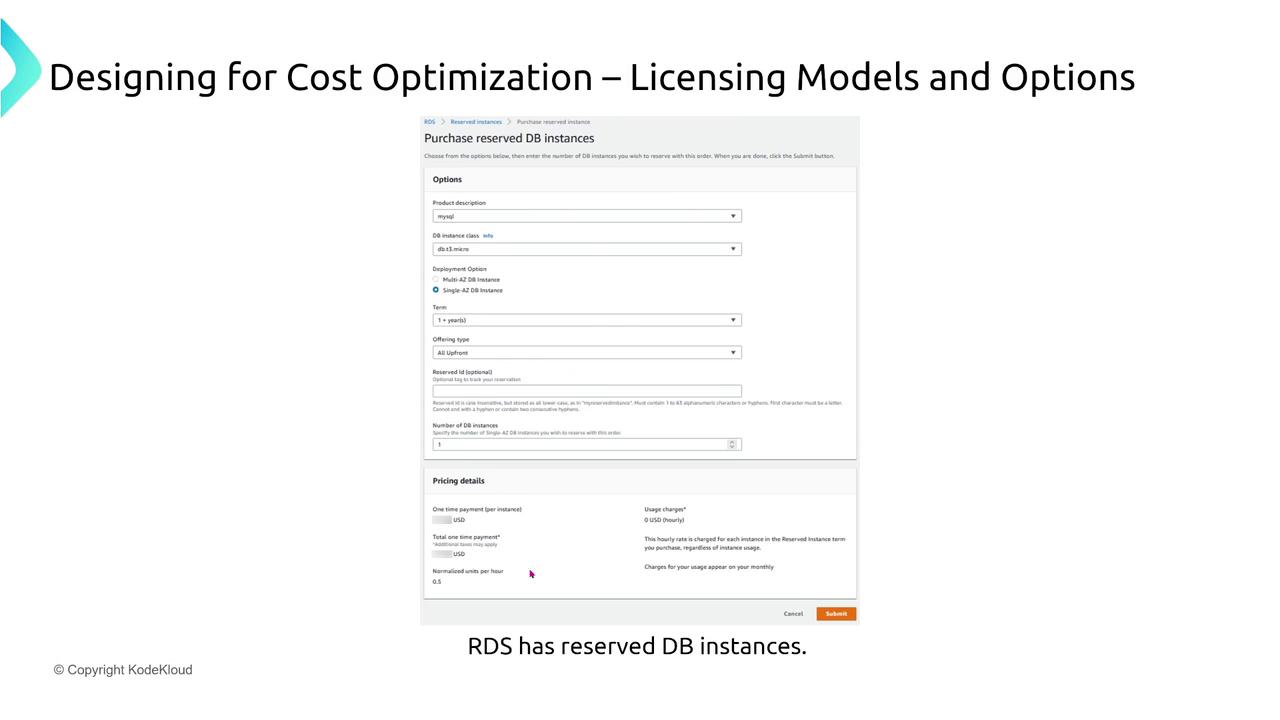
  • Amazon RDS:
    Reserve database instances (e.g., a MySQL T3 micro) for one or three-year periods to reduce long-term deployment costs.
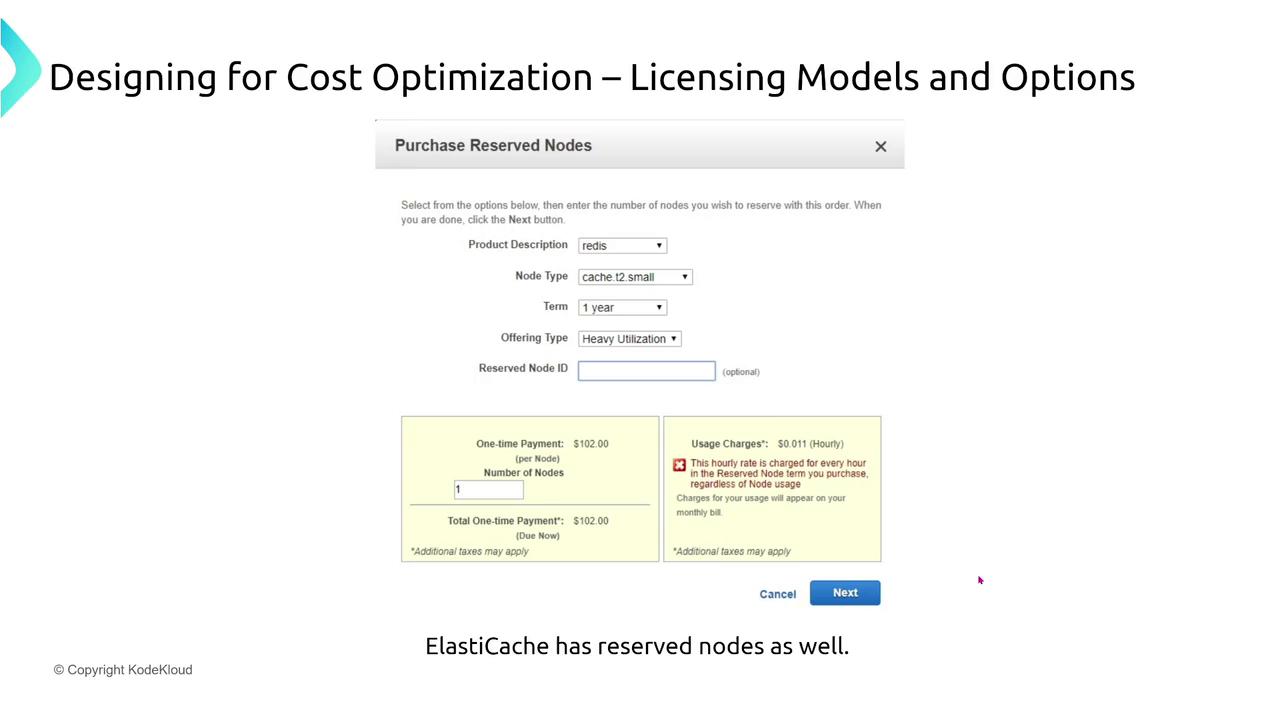
  • ElastiCache:
    Reserve cache nodes (for instance, a T2 small node for one year) to lower caching service expenses.
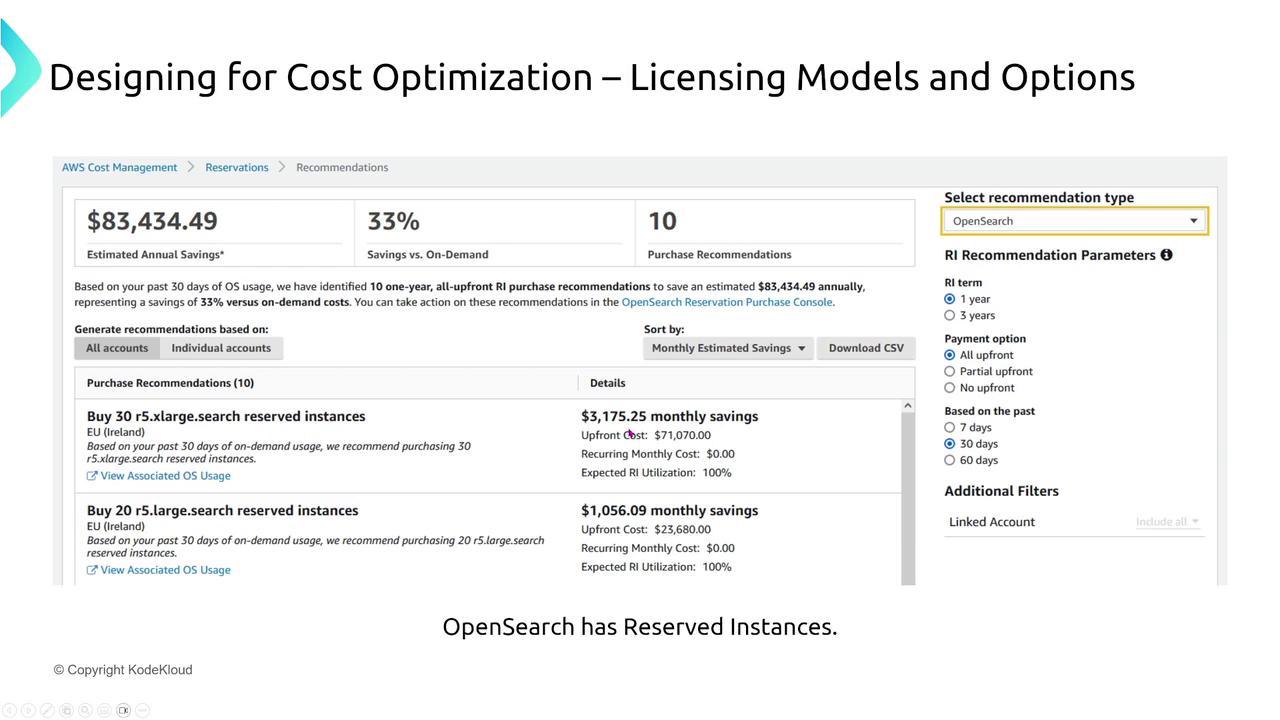
  • OpenSearch:
    Utilize reserved capacity options similar to those for virtual machines, unlocking significant discounts.
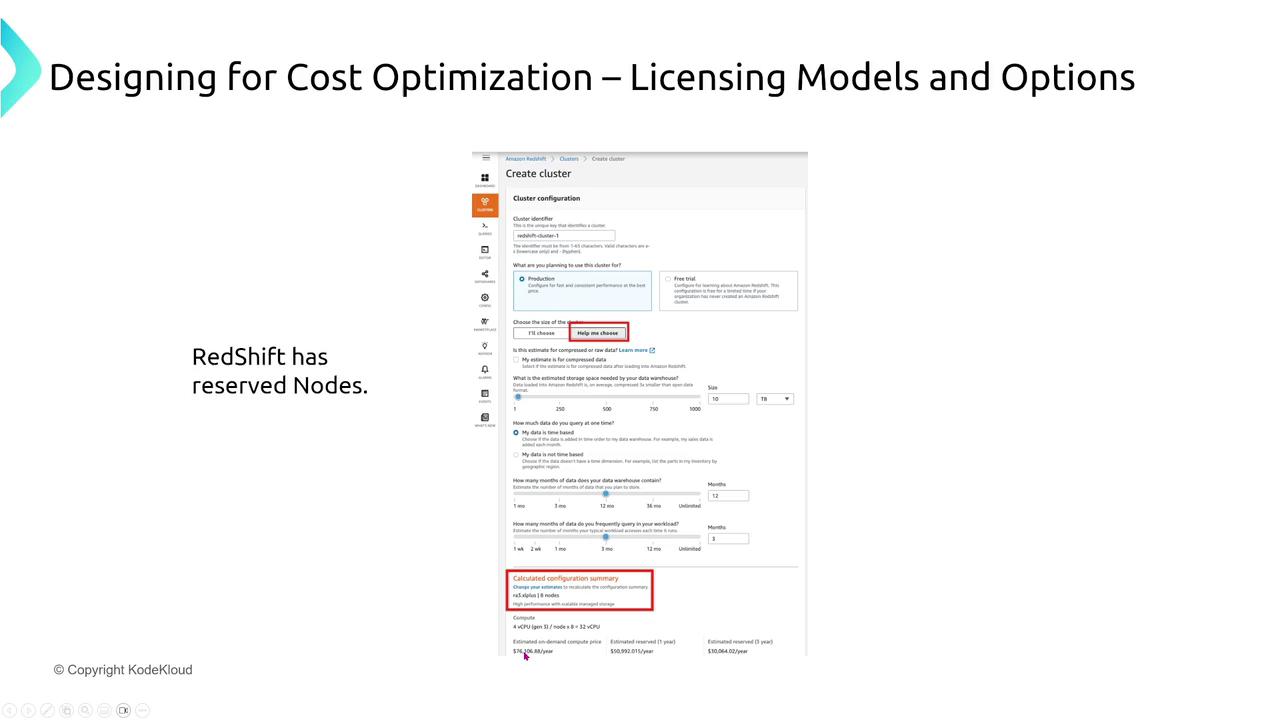
  • Redshift:
    Switch from on-demand pricing (approximately $76,000 per year) to reserved nodes, potentially saving over 30%—tens of thousands of dollars.
  • DynamoDB:
    Even as a serverless service, you can reserve read/write capacity units for predictable workloads.
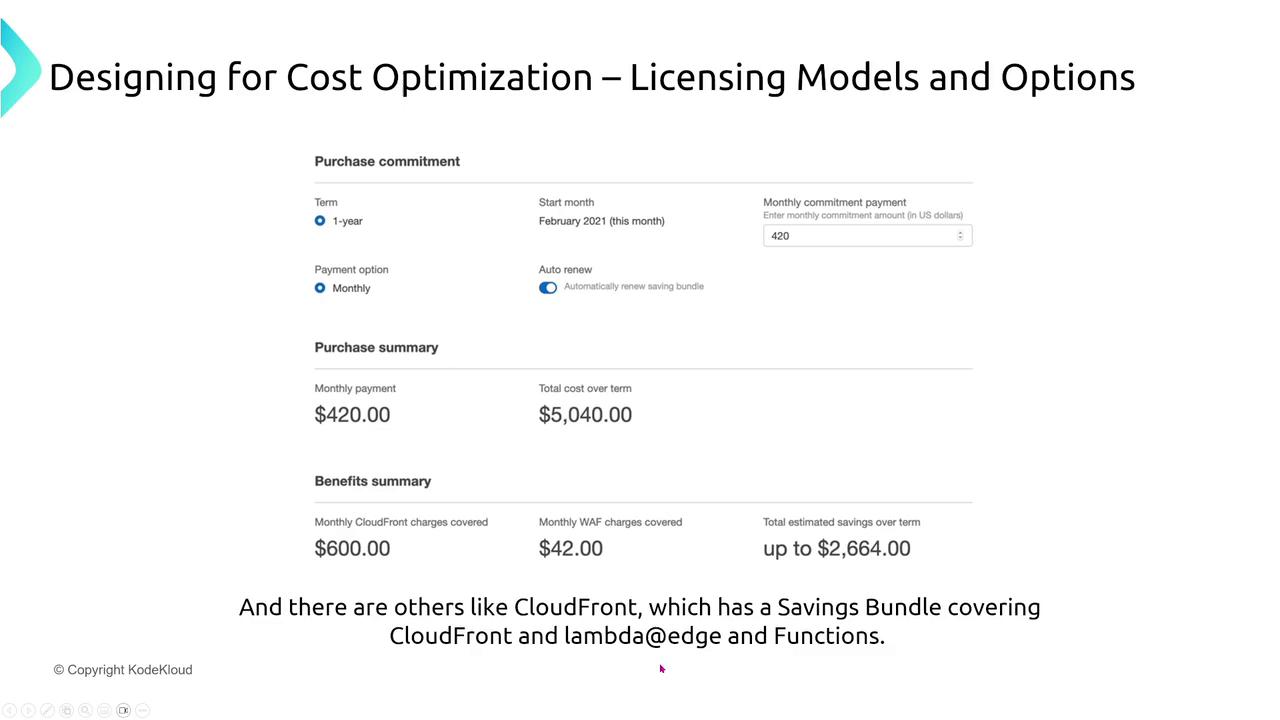
  • CloudFront:
    Leverage bundled cost-saving options, including CloudFront Functions and Lambda@Edge.
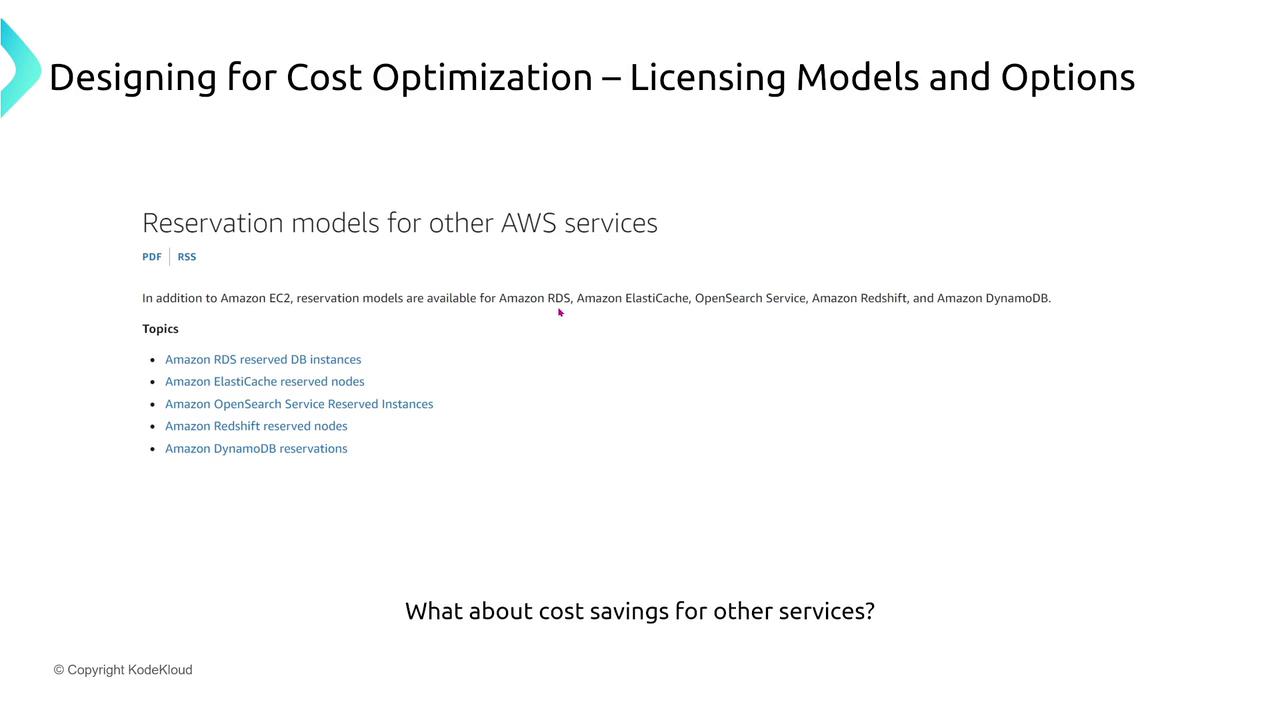
The image below summarizes the reservation options available across AWS services:
The image is a slide titled "Designing for Cost Optimization – Licensing
Models and Options," discussing reservation models for AWS services like
Amazon RDS, ElastiCache, OpenSearch, Redshift, and DynamoDB. It includes a
question about cost savings for other
services.
Additional images provide further insight into the reservation purchasing process:
The image shows a form for purchasing reserved database instances, focusing
on cost optimization and licensing options. It includes fields for product
description, instance class, deployment options, term, and pricing
details.
The image shows a form for purchasing reserved nodes, specifically for a
Redis product, with options for node type, term, and offering type. It
includes cost details for one-time payment and usage charges, related to
ElastiCache.
The following diagram demonstrates AWS Cost Management recommendations for OpenSearch reservations:
The image shows a screenshot of AWS Cost Management recommendations for
purchasing reserved instances to optimize costs, specifically for OpenSearch,
with estimated savings and purchase
options.
For Redshift, the reserved node configuration screen highlights significant cost reductions:
The image shows a screenshot of an Amazon Redshift cluster configuration
page, highlighting cost optimization options and reserved nodes. It includes a
note about RedShift having reserved nodes and is titled "Designing for Cost
Optimization – Licensing Models and
Options."
CloudFront’s bundled saving options are depicted in the image below:
The image is a slide about cost optimization in licensing models, showing a
purchase commitment summary with monthly payments and potential savings. It
mentions CloudFront and its savings bundle
options.
If additional discounts are needed beyond the public options, consider exploring enterprise agreements with your AWS representative.

ROI and Total Cost of Ownership (TCO)

Cost optimization extends beyond pricing models—it also involves a deeper understanding of the financial impact through ROI and TCO analysis.

Return on Investment (ROI)

ROI measures whether each dollar spent on AWS delivers more value through benefits such as reduced downtime, faster time-to-market, and lower infrastructure expenses as a percentage of revenue. The bar chart below illustrates the positive impact of migration on key cost metrics:
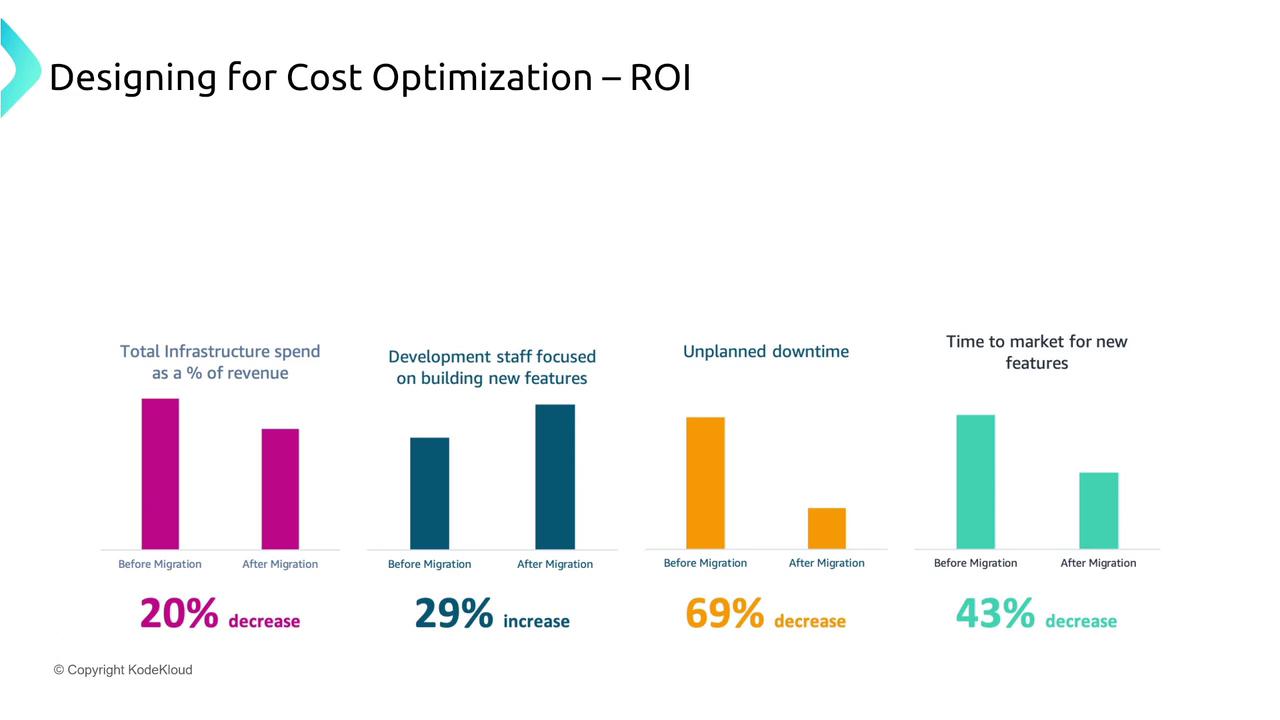
The image is a bar chart illustrating the impact of migration on cost
optimization, showing decreases in infrastructure spend, unplanned downtime,
and time to market, and an increase in development staff focus on new
features.

Total Cost of Ownership (TCO)

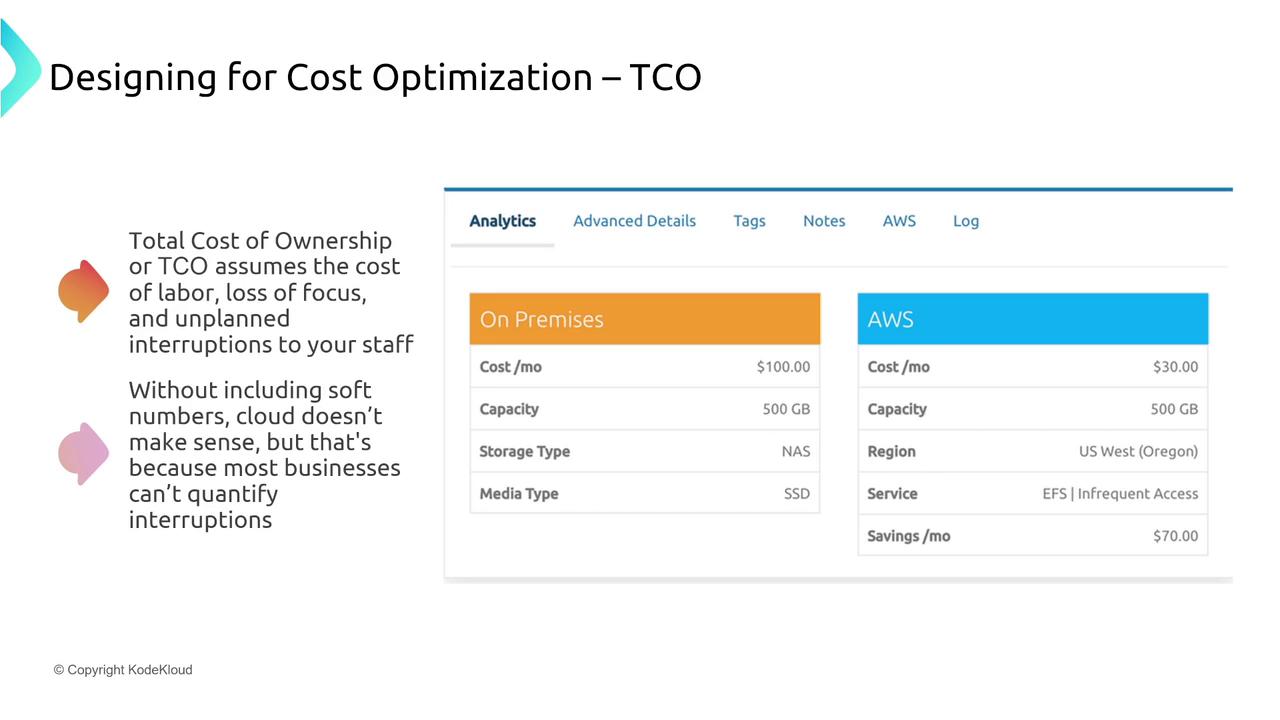
TCO factors in both direct and indirect costs, including labor, maintenance, compliance, and potential disruptions. For example, while AWS may offer lower direct costs (e.g., 30permonthvs.30 per month vs. 100 on-premises), the associated intangible benefits—such as increased uptime, reduced labor expenses, and an enhanced focus on innovation—are equally important. The diagram below summarizes the ROI benefits and key advantages offered by AWS:
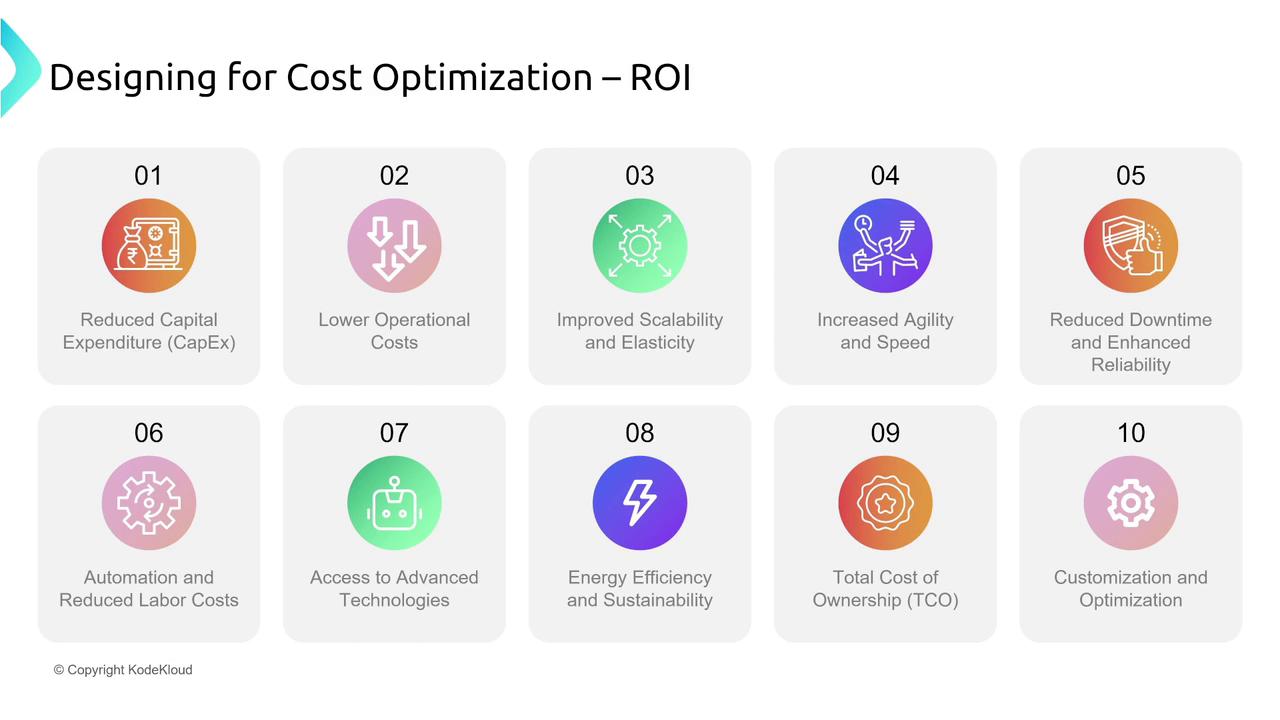
The image is a diagram titled "Designing for Cost Optimization – ROI,"
listing ten benefits such as reduced capital expenditure, lower operational
costs, and improved scalability. Each benefit is represented with an icon and
brief
description.
Another image compares the TCO between on-premises and AWS solutions, emphasizing the value of considering both tangible and intangible costs:
The image compares the Total Cost of Ownership (TCO) for on-premises and AWS
cloud storage, highlighting cost, capacity, and savings. It also discusses the
importance of considering labor and interruptions in cost
optimization.

AWS Billing Tools

Effectively managing billing is critical for optimizing your AWS spending. AWS offers several tools that cater to different aspects of cost management:

Billing Dashboard

The Billing Dashboard is an intuitive interface that presents cost details by service, region, and usage. It offers a comprehensive overview of your spending without requiring custom visualization.
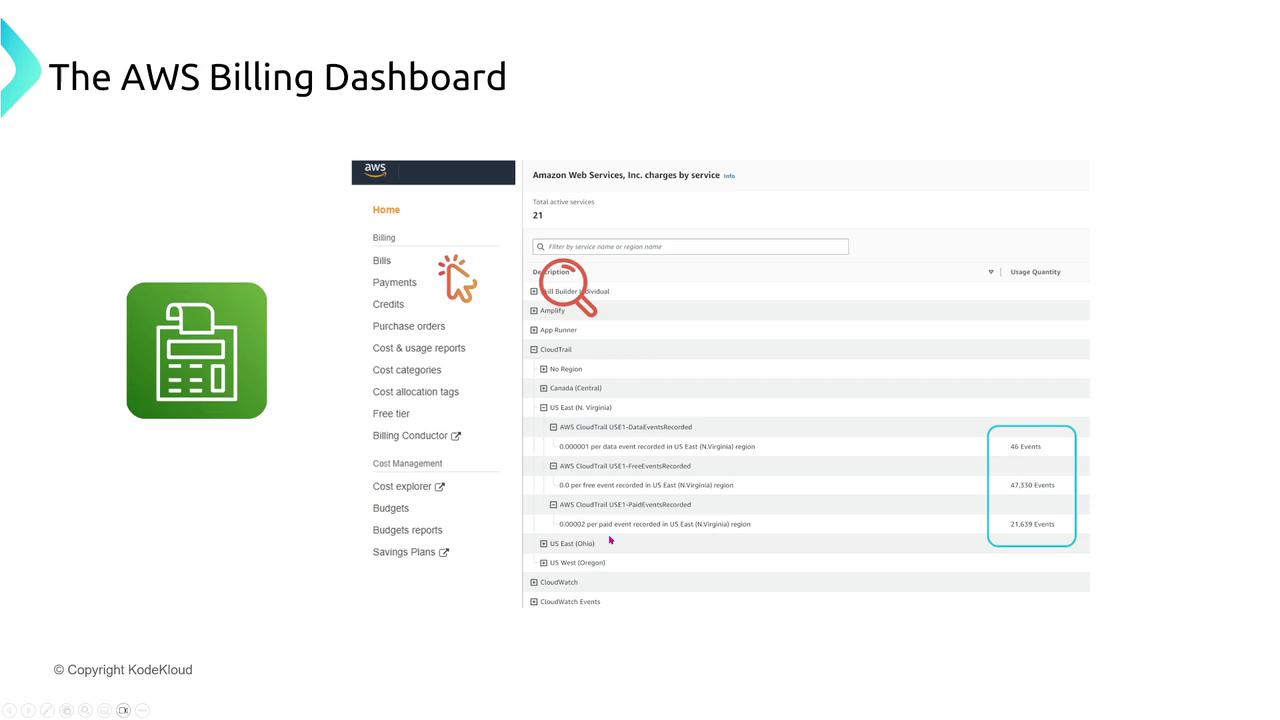
The image shows the AWS Billing Dashboard interface, highlighting various
billing and cost management options, with a focus on service charges and usage
events.

Cost Explorer

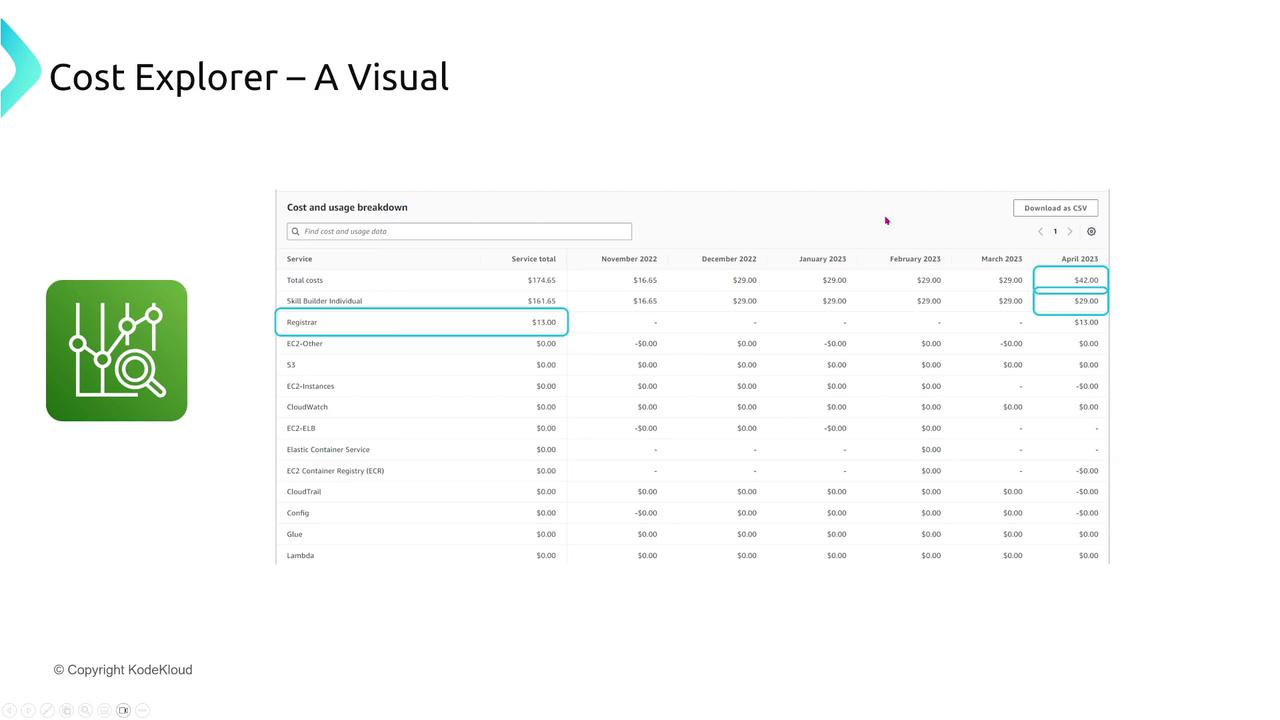
Cost Explorer provides interactive, visual presentations of your spending data. Filter and chart cost data by dimensions such as usage types, locations, and accounts. It also offers CSV export options for detailed analysis.
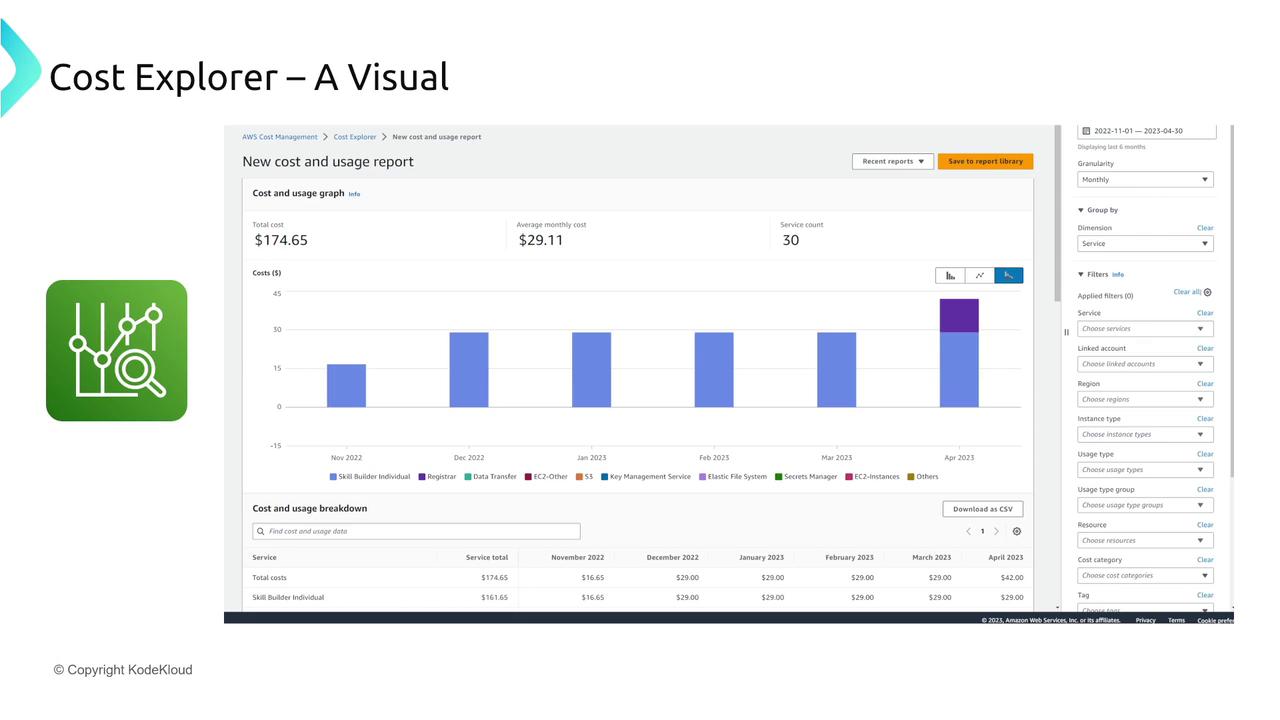
The image shows a cost and usage report from AWS Cost Explorer, featuring a
bar graph of monthly costs and a breakdown of services. It includes filters
and options for customizing the
report.
The image shows a cost explorer visual with a table detailing cost and usage
breakdown for various services over several months, highlighting specific
costs for April 2023. There's also a green icon with a graph and magnifying
glass.

Cost and Usage Report

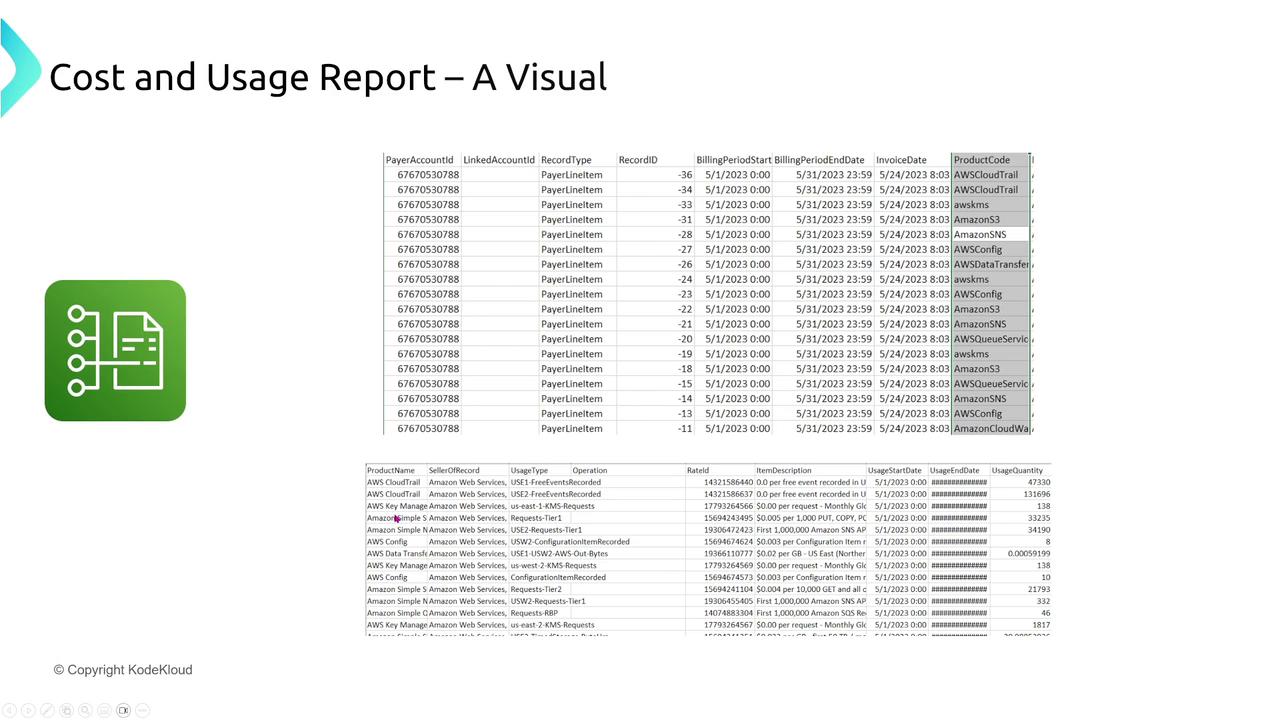
For granular monitoring, the Cost and Usage Report provides detailed data in CSV format to an S3 bucket. Analyze the report further using tools such as Athena or QuickSight.
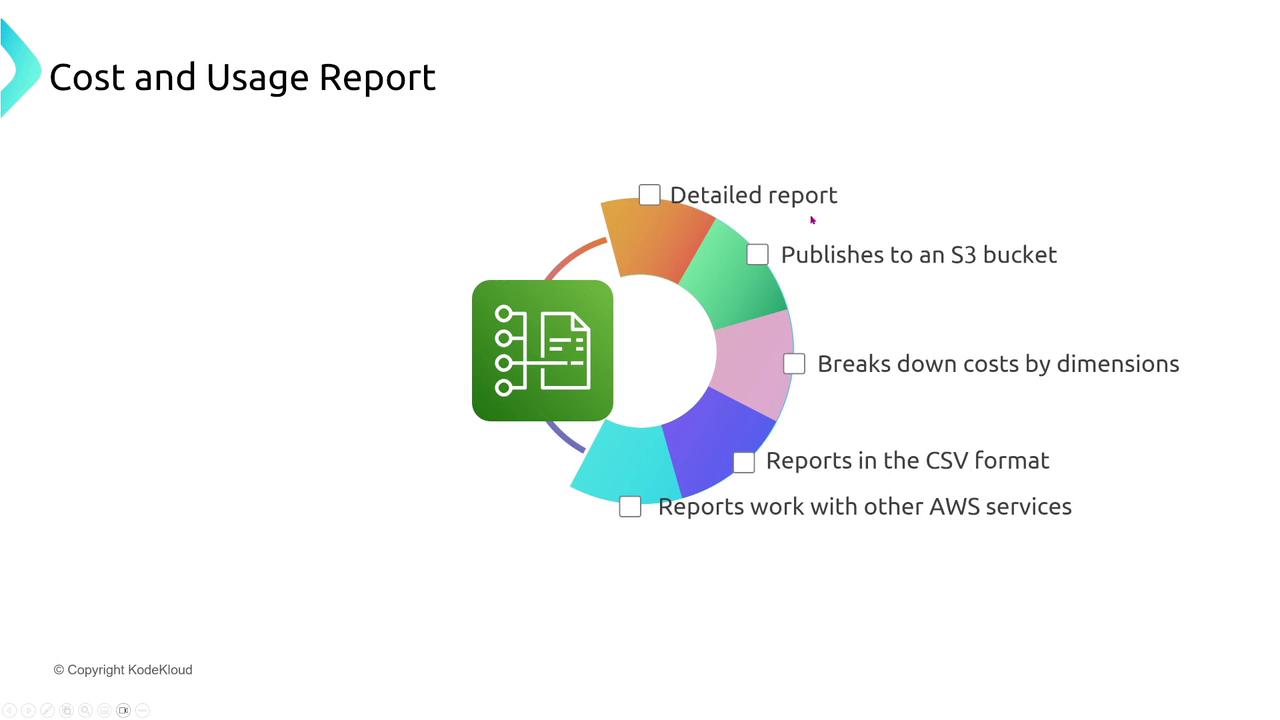
The image is a diagram illustrating features of a "Cost and Usage Report,"
including detailed reporting, publishing to an S3 bucket, cost breakdown by
dimensions, CSV format, and compatibility with other AWS
services.
The image shows a "Cost and Usage Report" with a table detailing various AWS
services, including account IDs, billing periods, and product codes. There's
also a green icon with a document and network nodes on the
left.

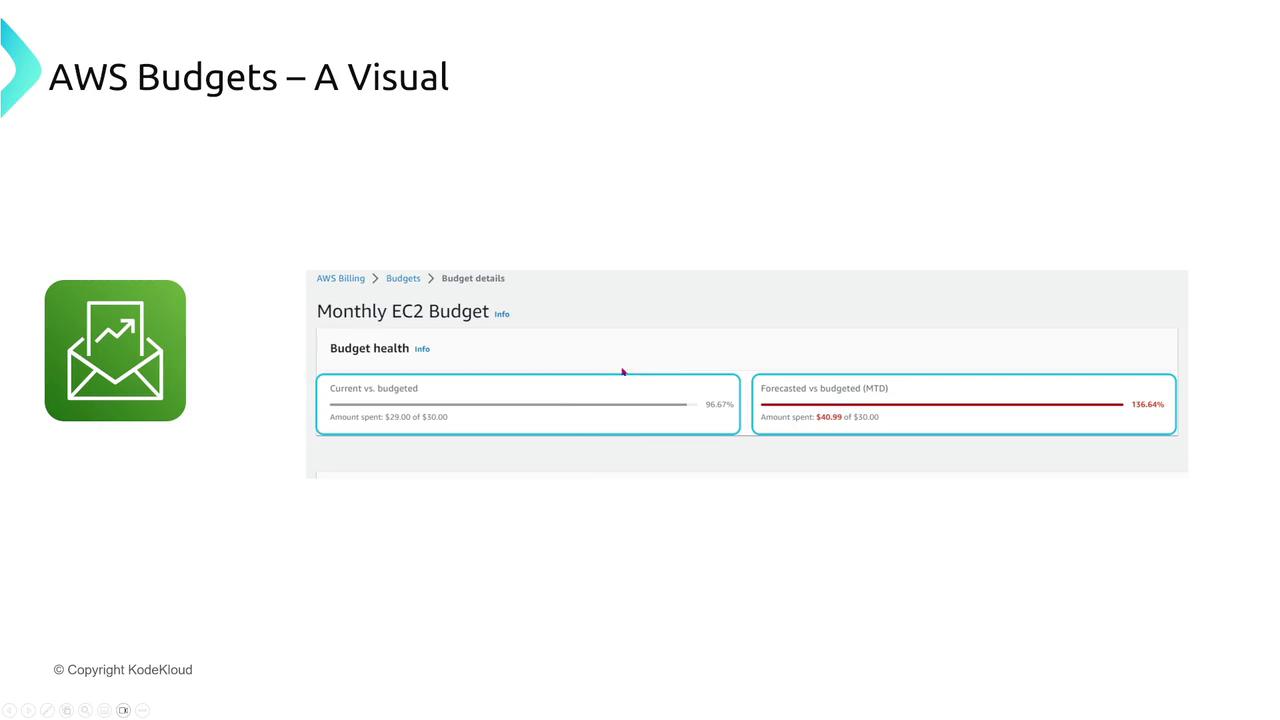
AWS Budgets

AWS Budgets allow you to set spending limits, track usage by service or account, and trigger automated actions when thresholds are met (for example, sending notifications or even halting instance launches).
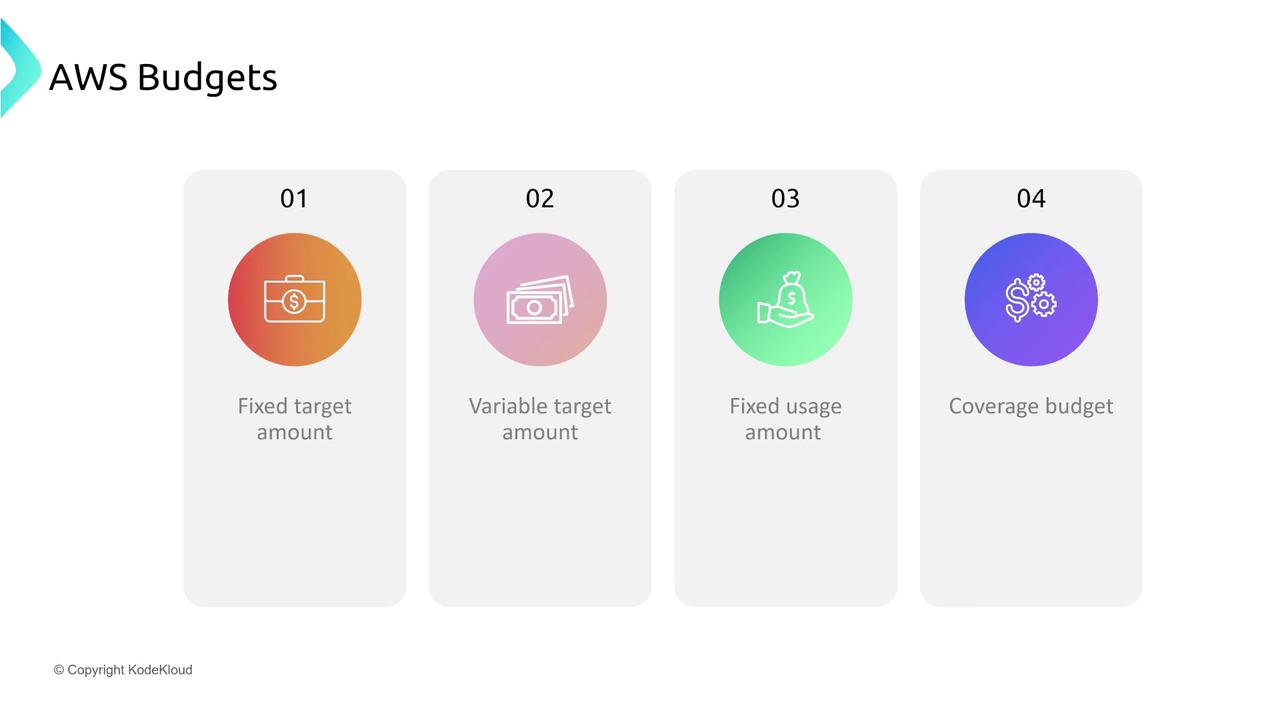
The image is an infographic titled "AWS Budgets" showing four types of
budget categories: fixed target amount, variable target amount, fixed usage
amount, and coverage budget. Each category is represented with an icon and a
gradient color
background.
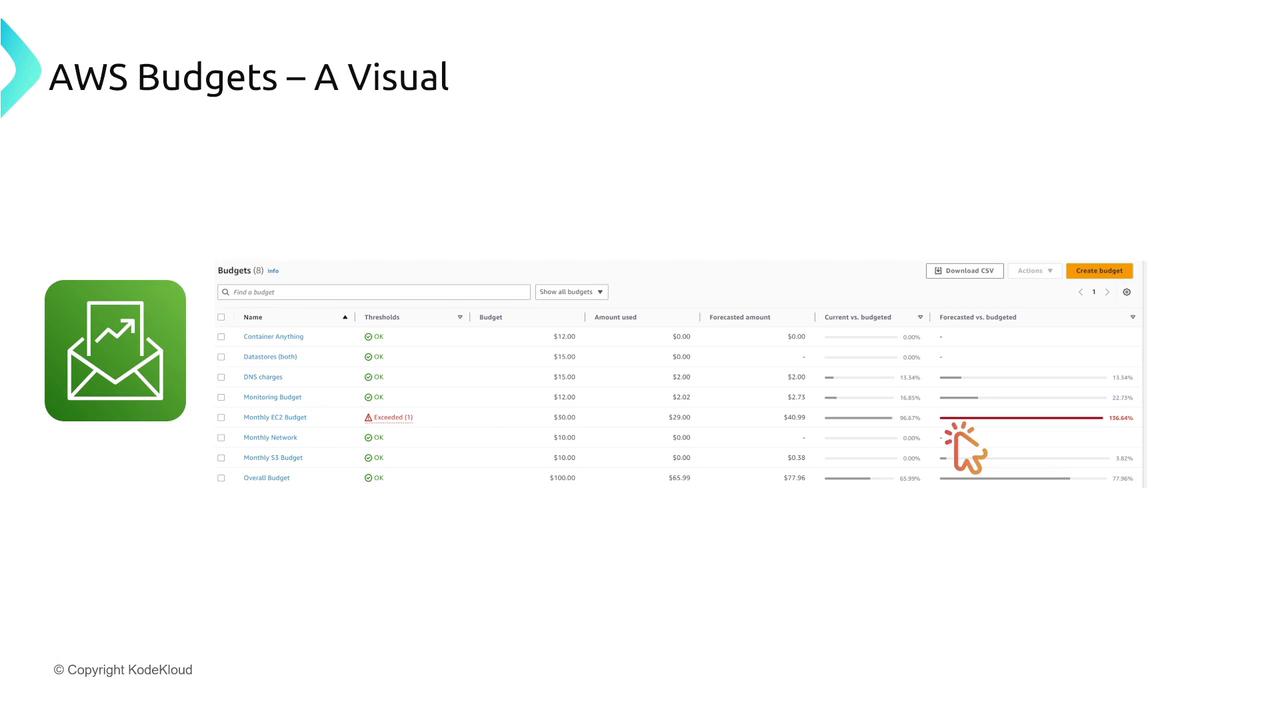
The image shows a visual representation of AWS Budgets, featuring a table
with budget details such as thresholds, amounts used, and forecasted amounts.
An icon with an envelope and graph is also present, indicating budget
notifications.
The image shows a visual representation of an AWS EC2 budget, indicating
current and forecasted spending against the budget. It includes a green icon
with an envelope and graph, and the budget details show spending exceeding the
budgeted
amount.

Summary

In this lesson, we covered a comprehensive overview of AWS cost optimization strategies:
  • Licensing models including On-Demand, Reserved Instances (Standard, Convertible, Scheduled), Spot Instances, and Dedicated Hosts.
  • Savings Plans across Compute (covering EC2, Fargate, and Lambda), EC2-specific plans, and SageMaker options.
  • Reservations for services beyond compute, such as RDS, ElastiCache, OpenSearch, Redshift, DynamoDB, and CloudFront.
  • The importance of evaluating ROI and TCO, factoring in both tangible and intangible benefits like improved uptime and reduced labor costs.
  • AWS billing tools including the Billing Dashboard, Cost Explorer, the Cost and Usage Report, and AWS Budgets to monitor and control expenditure.
For further reading on AWS cost optimization strategies, check out the AWS Cost Management Documentation.
Keep these concepts in mind as exam questions frequently focus on cost and billing management. If you have any questions or need further assistance, feel free to reach out via the forums at michael@kodekloud.com. Happy learning and best of luck on your AWS certification journey!

Watch Video