

Pod-level identity: IRSA + OIDC (recommended pattern)
Historically, Kubernetes workloads were given permissions at the node level. Today the recommended pattern is IAM Roles for Service Accounts (IRSA), which uses an OpenID Connect (OIDC) provider tied to the EKS cluster. With IRSA, a pod (via its Kubernetes service account) presents a service-account JWT to AWS STS using the AssumeRoleWithWebIdentity flow and receives temporary credentials scoped by the IAM role policy. Conceptual components:- An OIDC provider registered in IAM that represents the EKS cluster issuer.
- A Kubernetes
ServiceAccountannotated with the IAM role ARN for pods that need permissions. - The pod (or AWS SDK inside it) calls STS with the service-account JWT and role ARN; STS validates the JWT against the IAM-registered OIDC provider and returns temporary credentials.
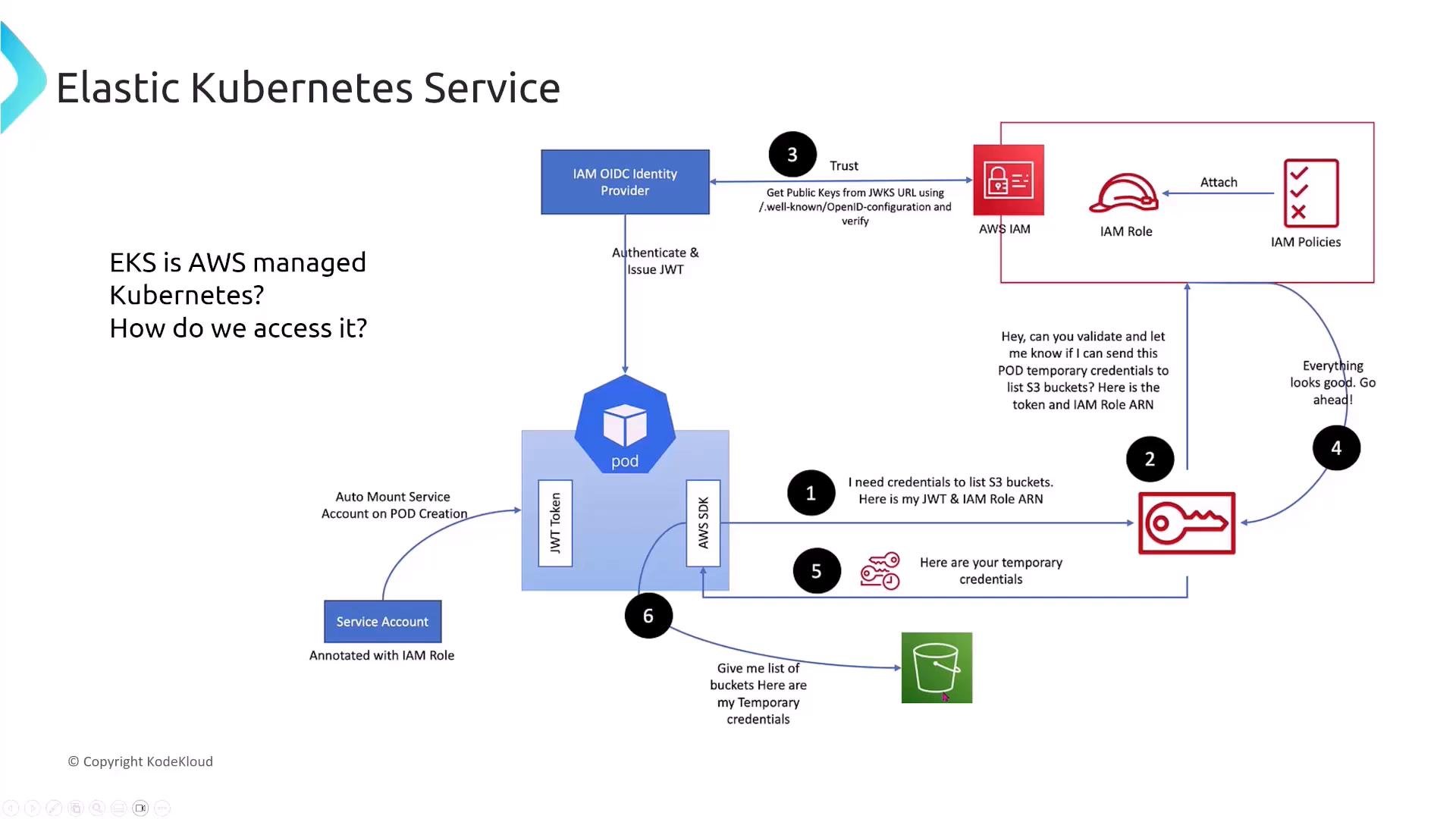
- Register the cluster OIDC issuer URL as an IAM OIDC identity provider (establishes trust).
- Create an IAM role with a trust policy that allows
sts:AssumeRoleWithWebIdentityfor tokens issued by that provider and restricted bysub/audconditions. - Annotate the Kubernetes service account with the IAM role ARN.
- Pod presents its service-account JWT to STS; STS validates the OIDC token and returns temporary credentials for AWS APIs (S3, DynamoDB, etc.).
IRSA enables least-privilege access for workloads: prefer per-service-account roles over broad node-level permissions. For details see the AWS docs for IAM Roles for Service Accounts (IRSA) and enabling OIDC for EKS.
- IAM Roles for Service Accounts (IRSA): https://docs.aws.amazon.com/eks/latest/userguide/iam-roles-for-service-accounts.html
- Enable IAM roles for service accounts (OIDC): https://docs.aws.amazon.com/eks/latest/userguide/enable-iam-roles-for-service-accounts.html
Quiz: essential step to integrate OIDC with IAM
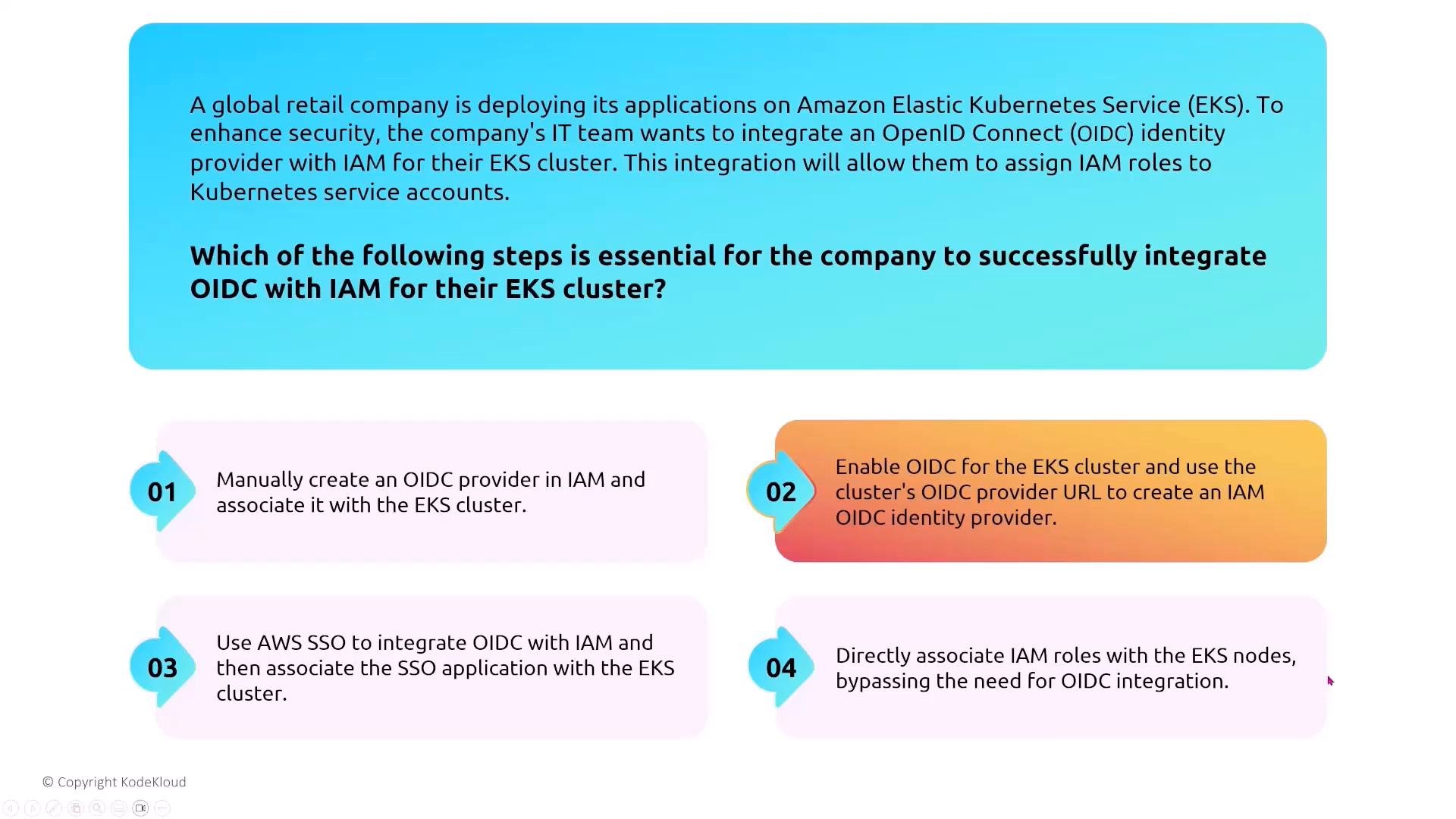
Question: A global retail company wants to register their EKS cluster as an OIDC identity provider in IAM so Kubernetes service accounts can assume IAM roles. Which step is essential? Answer summary:- The essential step is enabling and using the cluster’s OIDC issuer URL to create the IAM OIDC identity provider in IAM. This establishes the trust relationship STS uses to validate service-account JWTs. Manually creating a generic OIDC provider without the cluster issuer URL is error-prone, and AWS Identity Center (SSO) is unrelated to IRSA.
EKS IAM integration — correct summary
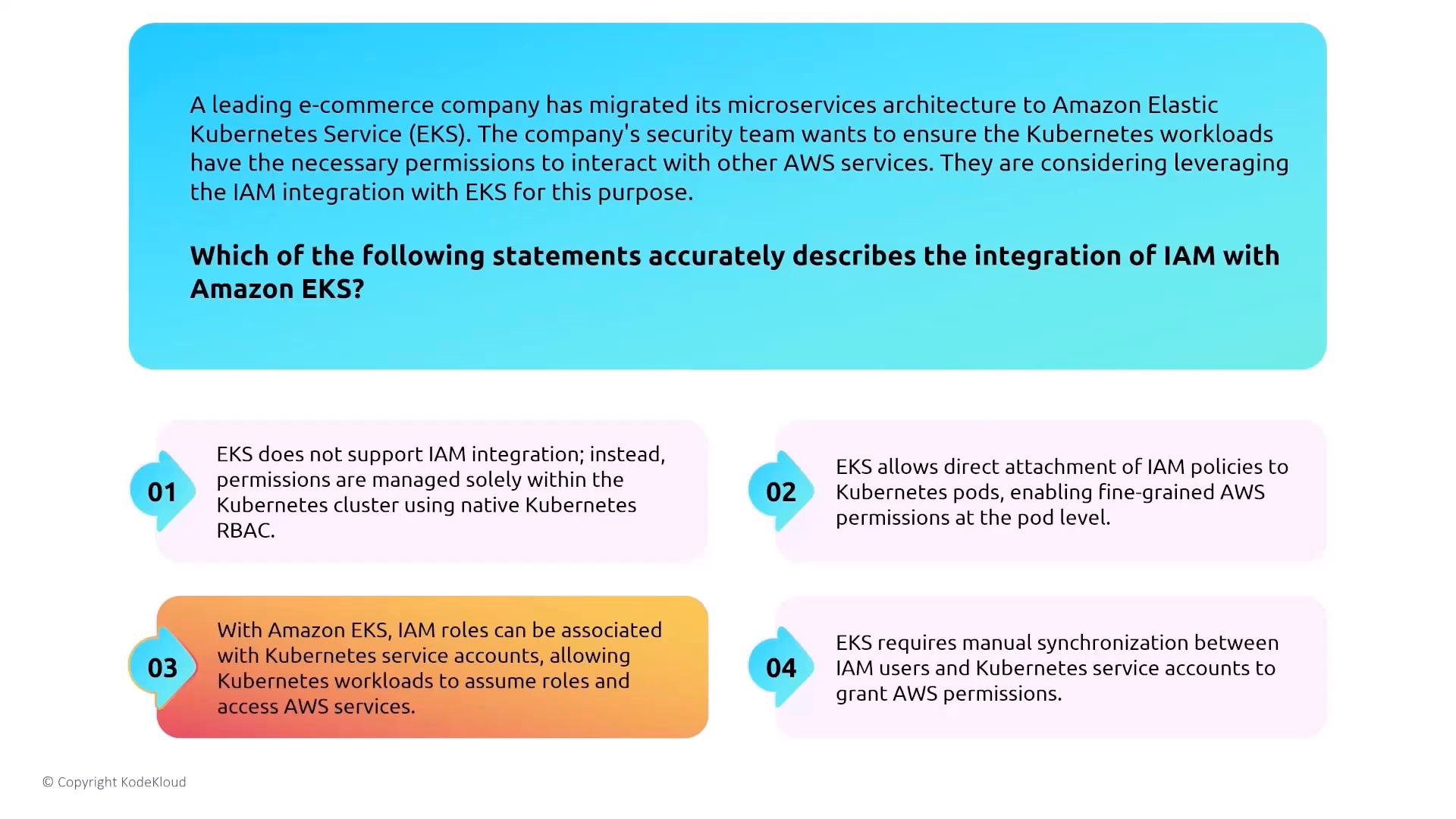
EKS supports IAM integration at multiple levels. The most exam- and production-relevant statement is:- Use IRSA: associate IAM roles with Kubernetes service accounts so pods assume AWS roles and directly access services. Pod-level identity provides finer-grained least-privilege access than node-level IAM role attachment.
Cluster, node, and pod IAM roles — responsibilities
Table: IAM role purposes in EKS
Connector roles are primarily for management-plane integrations; they are not a substitute for least-privilege pod or node roles.
Pod/Node/Cluster quiz context (short):
- Cluster role: EKS control plane needs rights to create/manage AWS resources (EC2, ELB).
- Node role: Needed to pull container images and send logs (ECR, CloudWatch).
- Pod execution (IRSA): Preferred to let individual pods assume roles and access services.
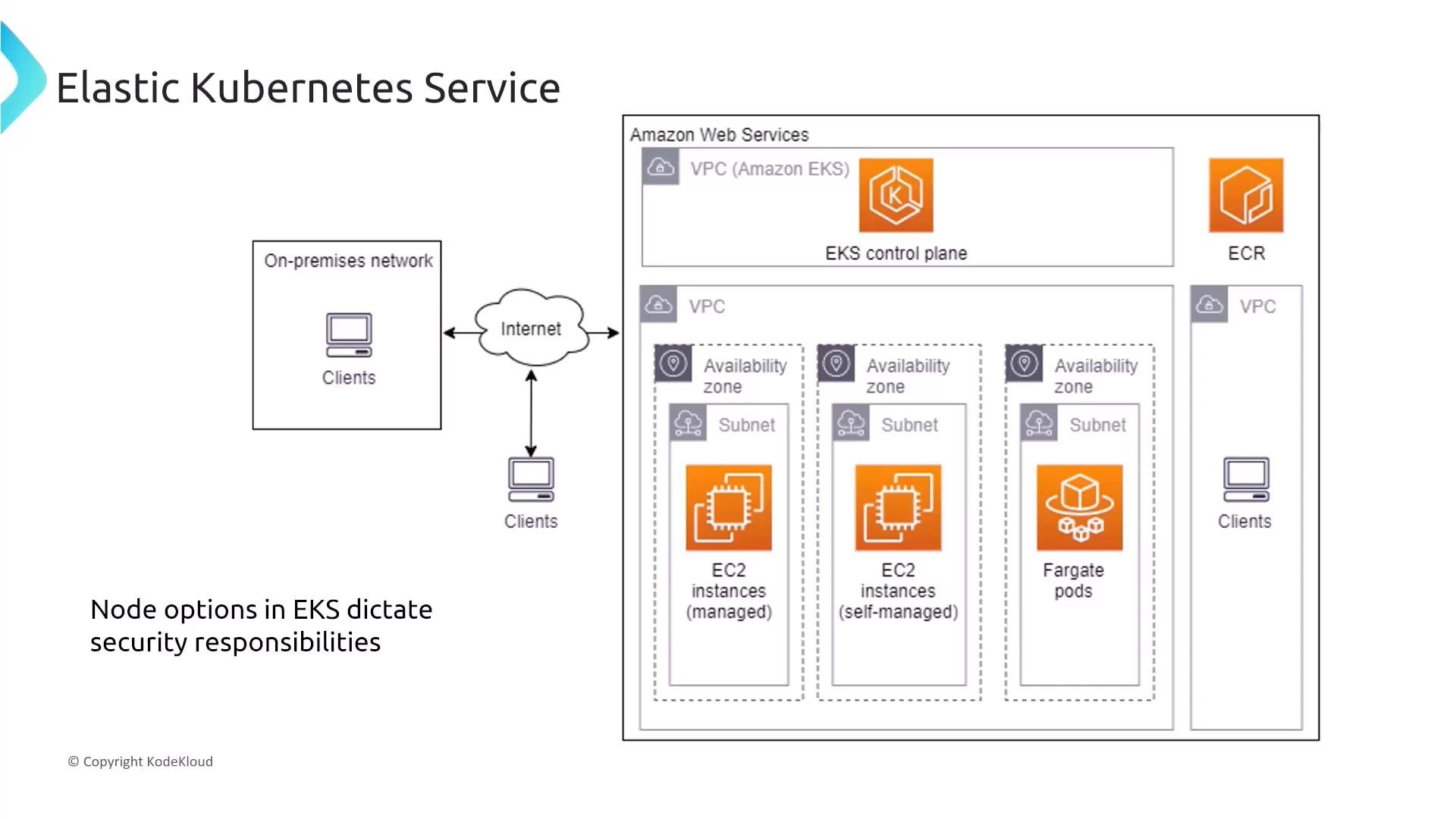
Node types: responsibility tradeoffs
Large architecture walkthrough
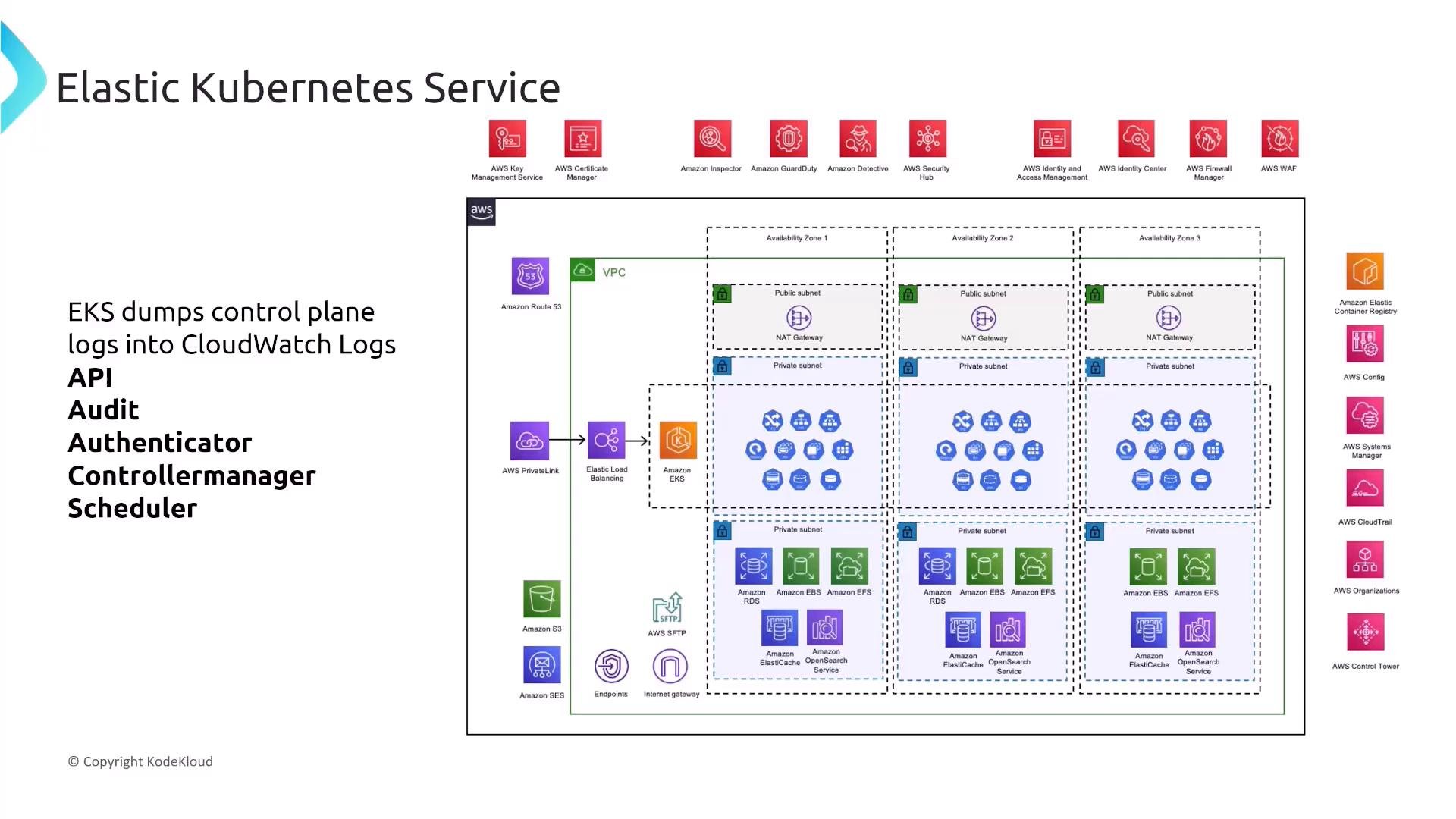
The diagram below consolidates key components and interactions: multi-AZ VPC layout, public/private subnets, NAT & Internet Gateways, load balancers, storage (EBS, EFS, FSx), databases, ECR, and EKS control plane. Note where security controls apply — network boundaries, IAM trust, encryption, logging, and detection (CloudWatch, Config, GuardDuty). Review each component to identify where to apply controls:- Network segmentation (subnets, NACLs, Security Groups)
- IAM least privilege (IRSA, node roles)
- Data protection (KMS, encrypted volumes)
- Observability (control plane logs, node/app logs)
EKS advantages
- AWS manages the EKS control plane (high availability, automated patching).
- EKS integrates with core AWS services (IAM, CloudWatch, VPC), improving observability and operational security.
Data protection: encryption at rest and in transit
- Kubernetes Secrets are Base64-encoded by default — not strongly encrypted. Enable KMS-integrated envelope encryption for Kubernetes secrets and use customer-managed KMS keys (CMKs) when you require strong encryption.
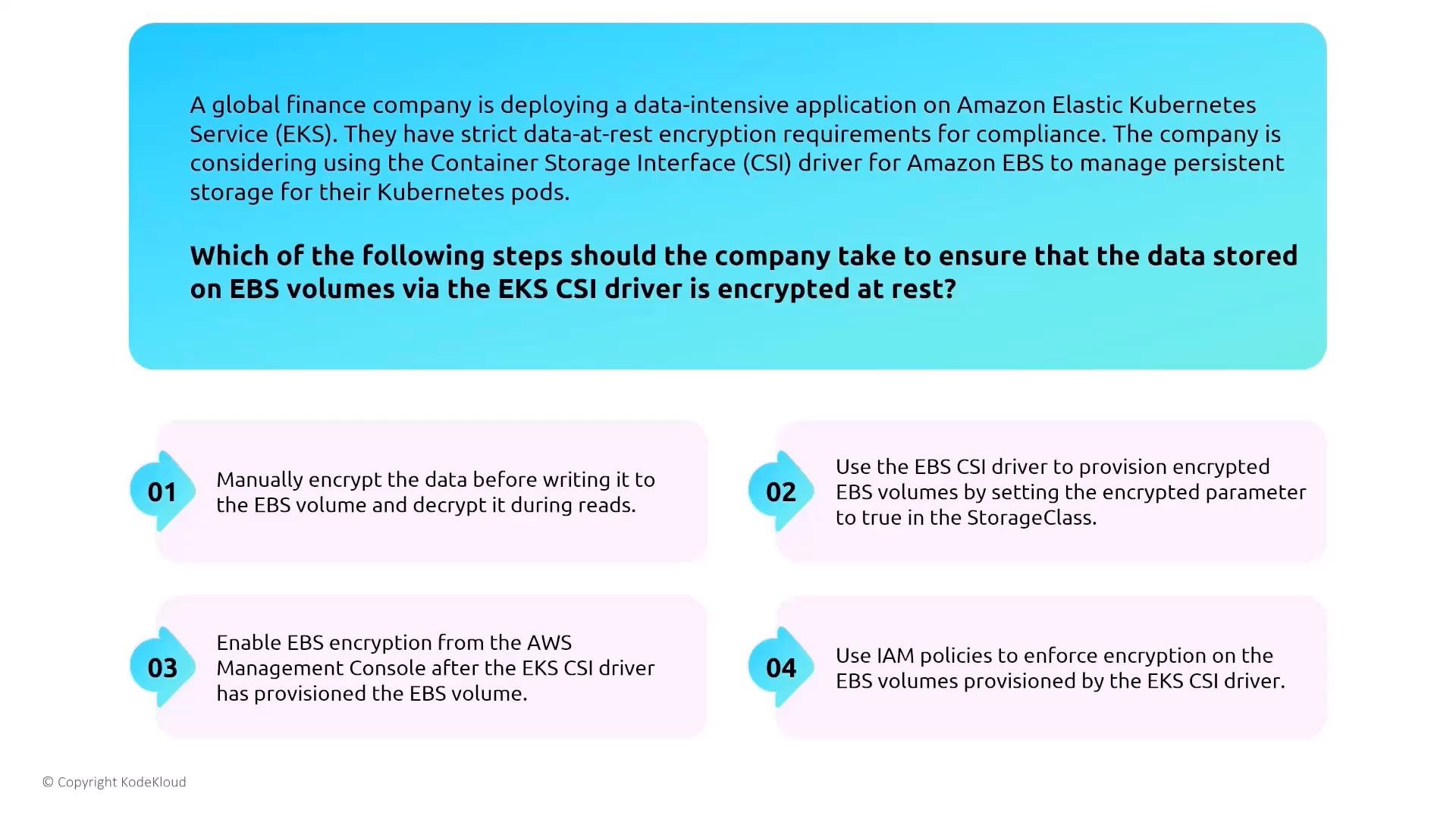
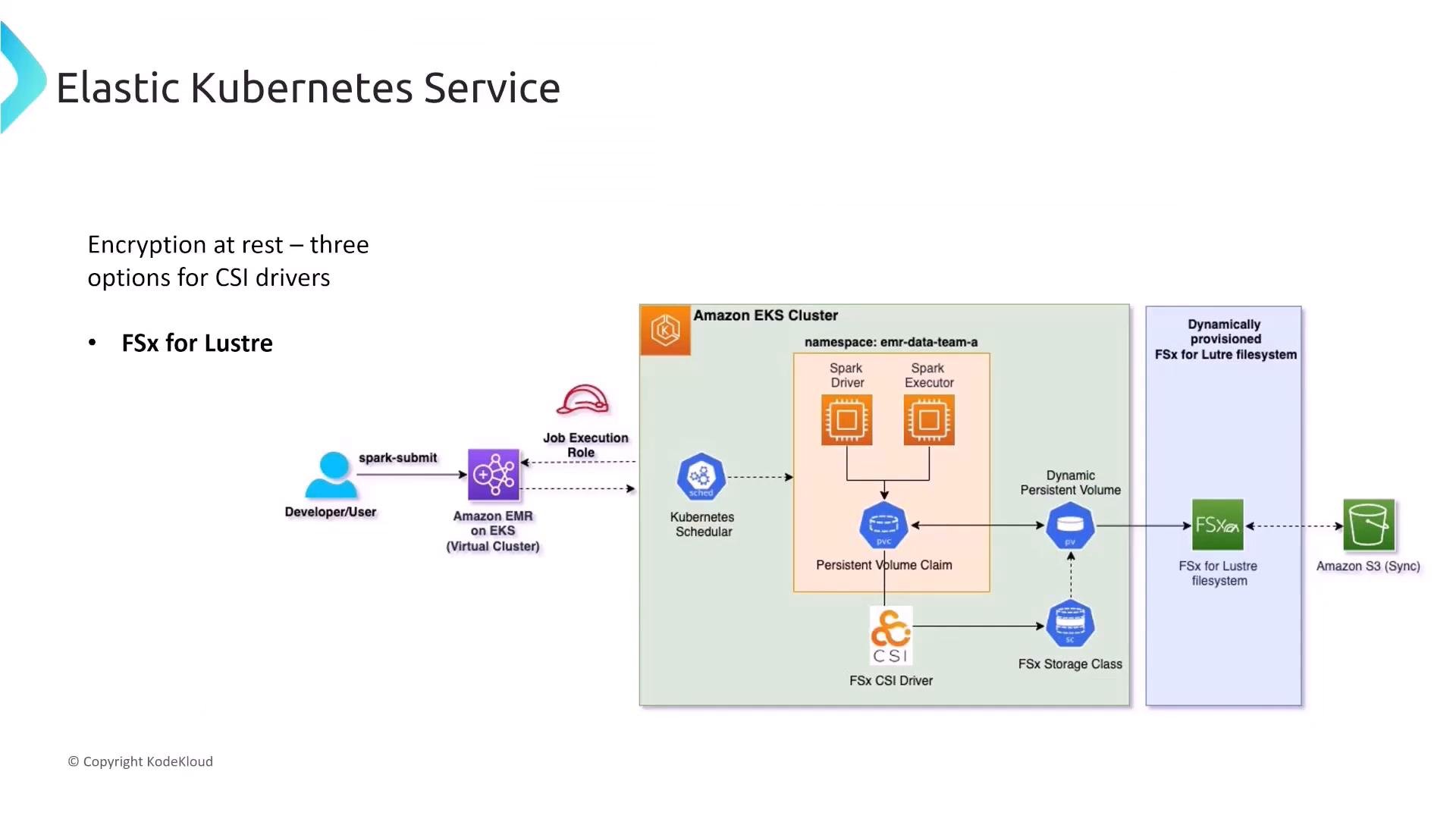
- Ensure underlying volumes (EBS, EFS, FSx) are encrypted. Use the CSI drivers and StorageClass parameters to request encrypted storage dynamically.
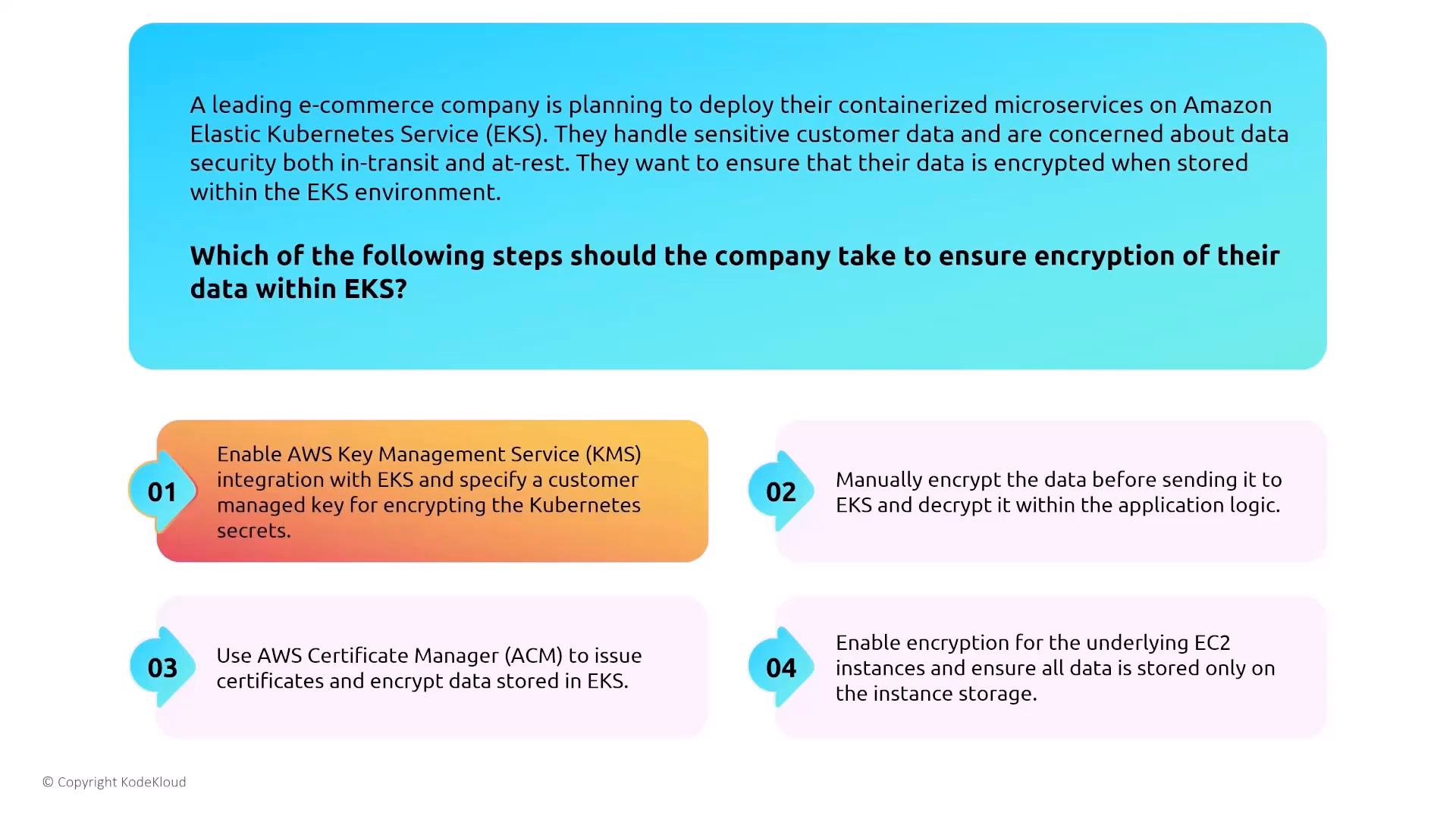
Kubernetes Secrets are not encrypted by default. If your workloads handle sensitive data, enable KMS-backed encryption of secrets and ensure storage volumes are encrypted with appropriate KMS keys.
Detection and logging (control plane & nodes)
- Enable EKS control plane logs in the cluster settings (API, audit, authenticator, controllerManager, scheduler) and stream them to CloudWatch Logs for audit and incident investigations.
- Collect node and application logs with Fluentd/Fluent Bit and forward to CloudWatch or your logging pipeline.
- Control plane logs are configured via the EKS cluster logging settings; node/app logs are collected by agents running on the nodes or as DaemonSets.
Multi-tenancy considerations
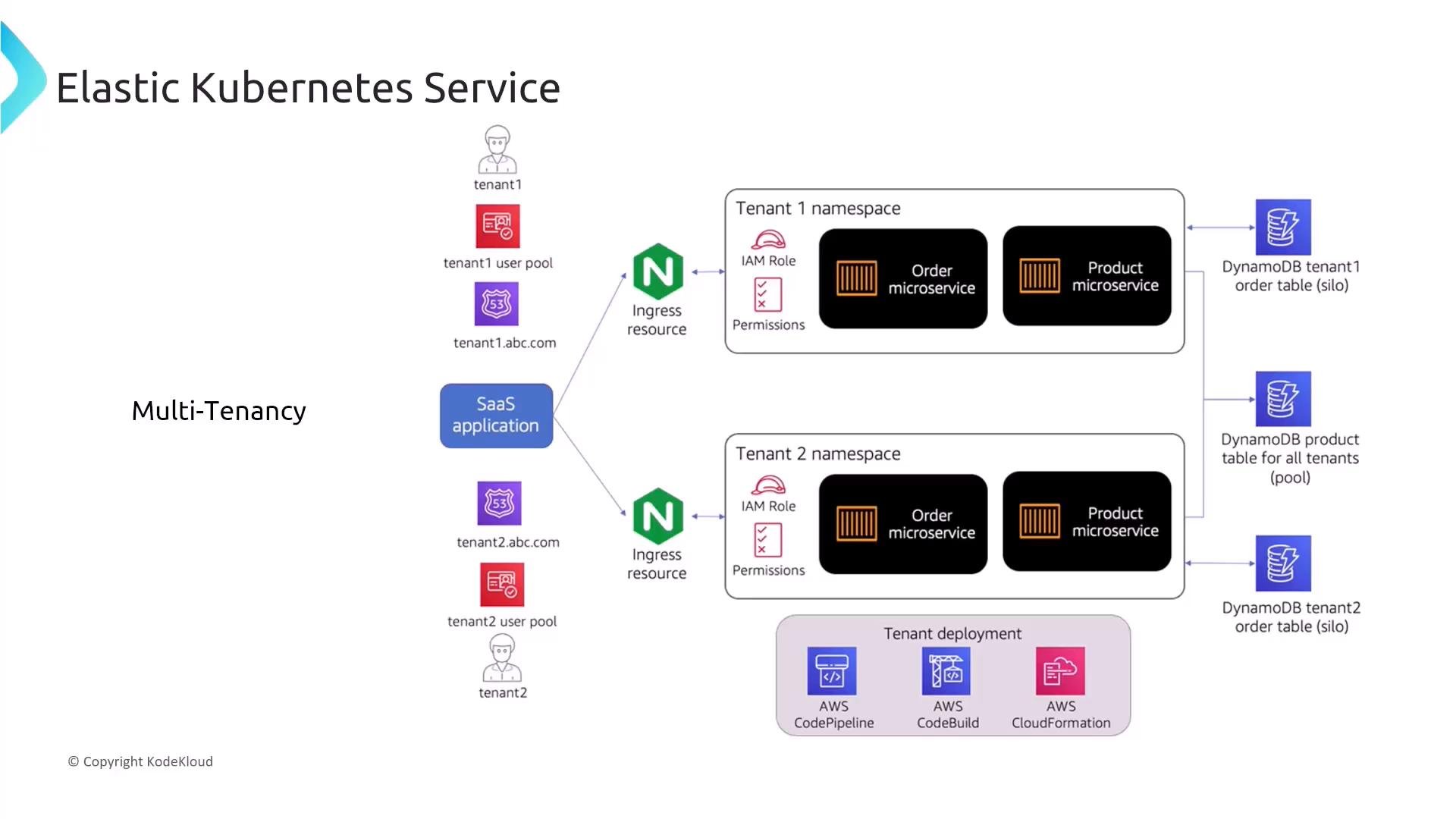
Kubernetes provides primitives (namespaces, RBAC, resource quotas, NetworkPolicy) for logical isolation, but the cluster boundary is the strongest isolation boundary. For strict tenant isolation, use separate clusters and VPCs. Common hybrid approach:- Single cluster for cost efficiency + namespaces + RBAC + network policies + quotas for team isolation.
- Use dedicated clusters for tenants with strict compliance or blast-radius isolation requirements.
Network security and NetworkPolicy
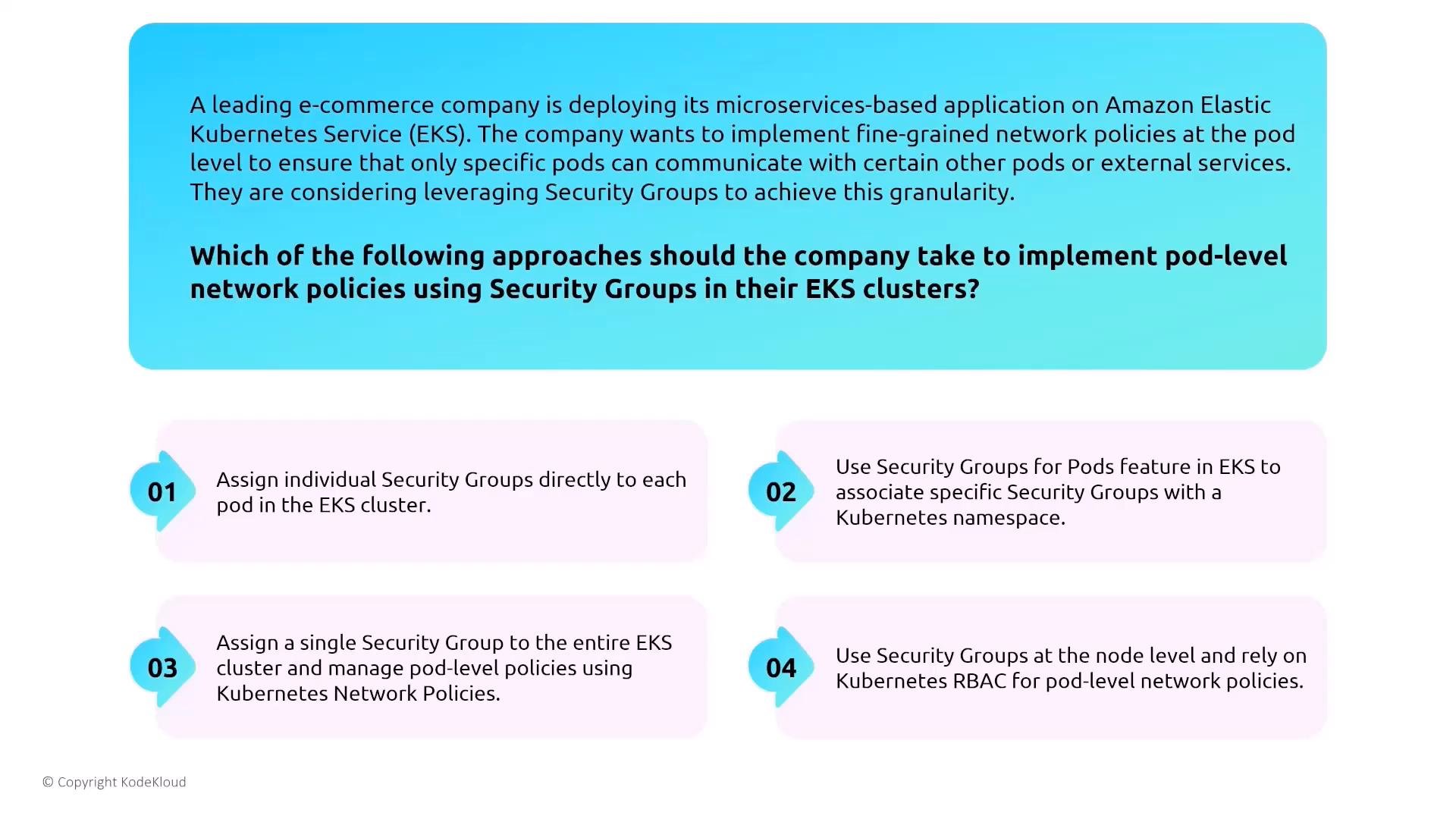
- By default pod-to-pod traffic is allowed. To restrict east-west traffic, use Kubernetes
NetworkPolicyobjects together with the AWS VPC CNI plugin (which gives pods VPC IP addresses). - Security Groups for Pods can also provide AWS-level filtering, but
NetworkPolicyis the Kubernetes-native enforcement mechanism. - Example configuration toggle (as JSON):
Service mesh and mTLS
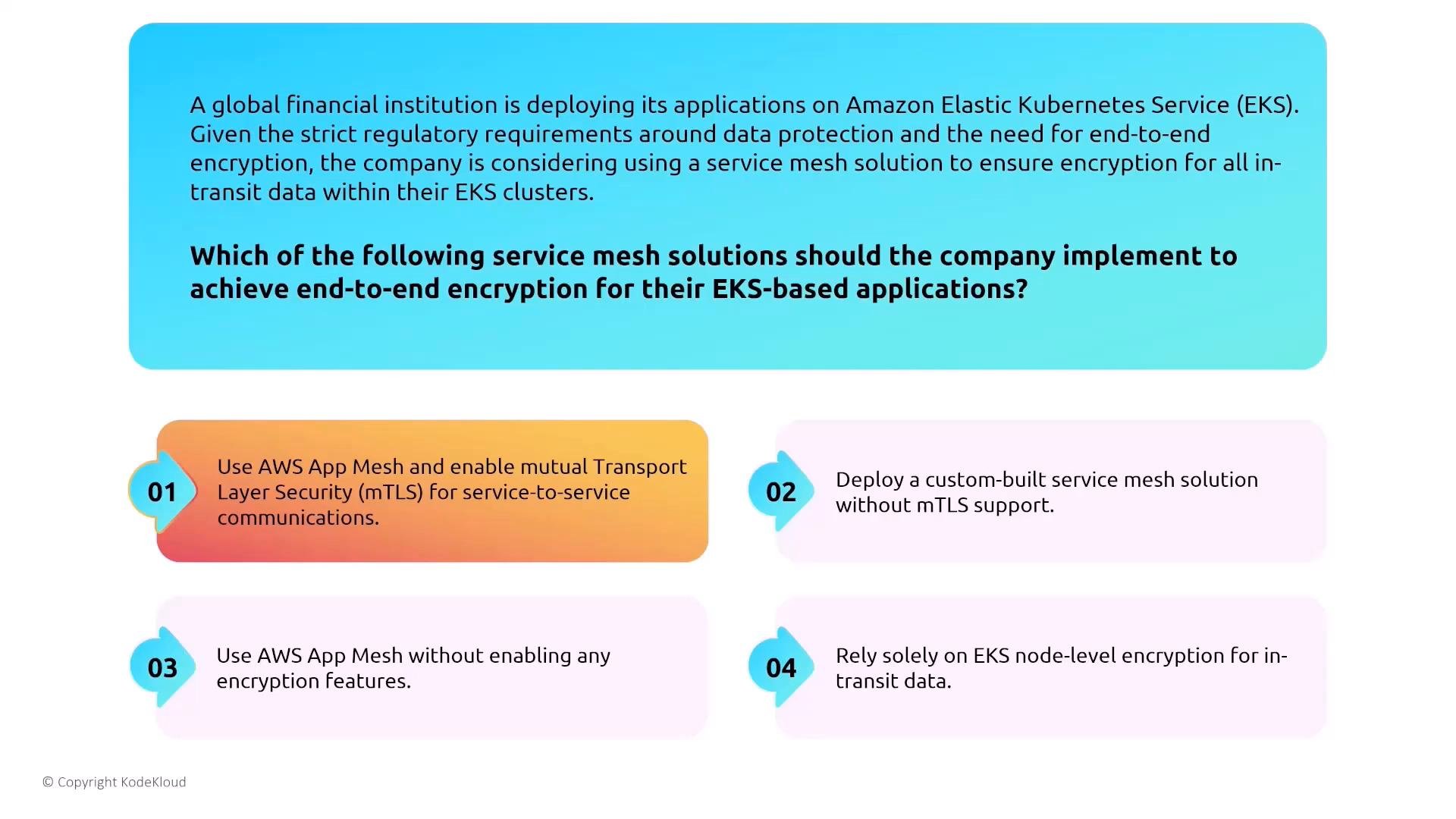
- If you need end-to-end encryption and mutual authentication between services, deploy a service mesh that supports mutual TLS (mTLS). AWS App Mesh, Istio, and Linkerd are common choices.
- Use mTLS where regulatory or security requirements demand encryption-in-transit and strong service identity.
Load balancing: ALB vs. NLB and the AWS Load Balancer Controller
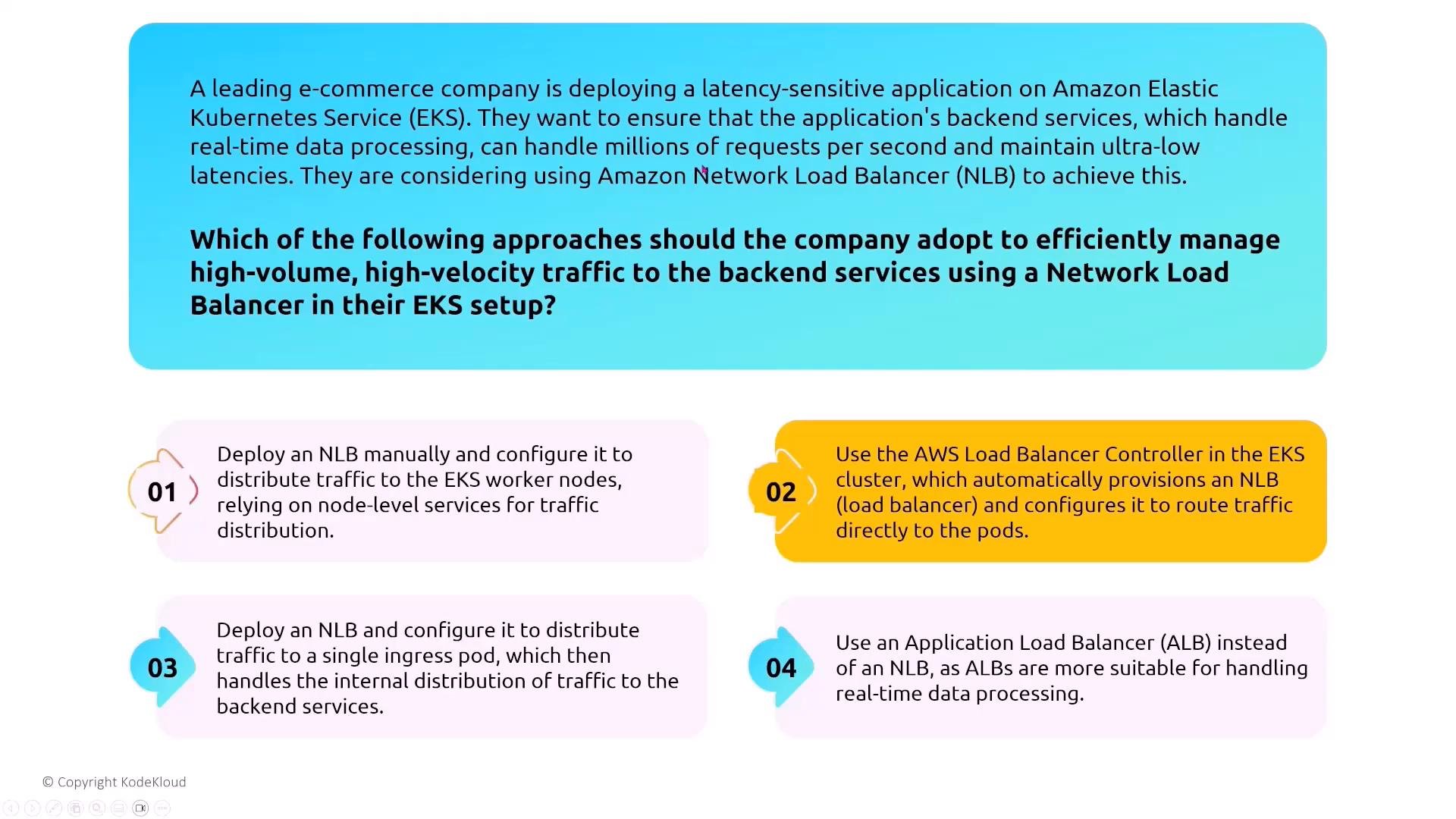
- ALB (Application Load Balancer): Use for HTTP/HTTPS Layer 7 features such as path-based routing, host-based routing, and WAF integration. Use the AWS Load Balancer Controller (previously ALB Ingress Controller) to provision ALBs for Ingress resources.
- NLB (Network Load Balancer): Use when you need ultra-low latency, extreme performance, or TCP/UDP passthrough. The AWS Load Balancer Controller can provision NLBs for Service resources or annotated Ingress/Service manifests.
- AWS Load Balancer Controller: https://kubernetes-sigs.github.io/aws-load-balancer-controller/
CSI drivers and storage encryption
Use the official Kubernetes CSI drivers for EBS, EFS, and FSx and configure encryption in StorageClass or PersistentVolume definitions so dynamically provisioned volumes are encrypted at creation. Example StorageClass for EBS (illustrative):- For EFS and FSx CSI drivers: set encryption parameters in the StorageClass or provision volumes with encryption enabled and use KMS CMKs if required.
Final notes and recommended controls
Summary checklist for production EKS security:- Use the cluster OIDC provider + IRSA for least-privilege pod access to AWS services.
- Enable KMS-backed encryption for Kubernetes secrets and ensure CSI-backed volumes are created encrypted.
- Export EKS control plane logs to CloudWatch and collect node/app logs with Fluent Bit/Fluentd.
- Apply Kubernetes NetworkPolicy and use the VPC CNI + Security Groups for Pods to control east-west traffic.
- Choose node type (self-managed vs managed node group vs Fargate) according to compliance and operational capability.
- Use the AWS Load Balancer Controller for ALB/NLB provisioning and pick ALB for L7 routing and NLB for extremely high-performance needs.
- Consider a service mesh with mTLS for strong inter-service encryption/identity when needed.
- IAM Roles for Service Accounts (IRSA): https://docs.aws.amazon.com/eks/latest/userguide/iam-roles-for-service-accounts.html
- EKS control plane logging: https://docs.aws.amazon.com/eks/latest/userguide/control-plane-logs.html
- AWS Load Balancer Controller: https://kubernetes-sigs.github.io/aws-load-balancer-controller/
- EBS CSI driver (EKS docs): https://docs.aws.amazon.com/eks/latest/userguide/ebs-csi.html
- EFS CSI driver (EKS docs): https://docs.aws.amazon.com/eks/latest/userguide/efs-csi.html