

What is a Network ACL (NACL)?
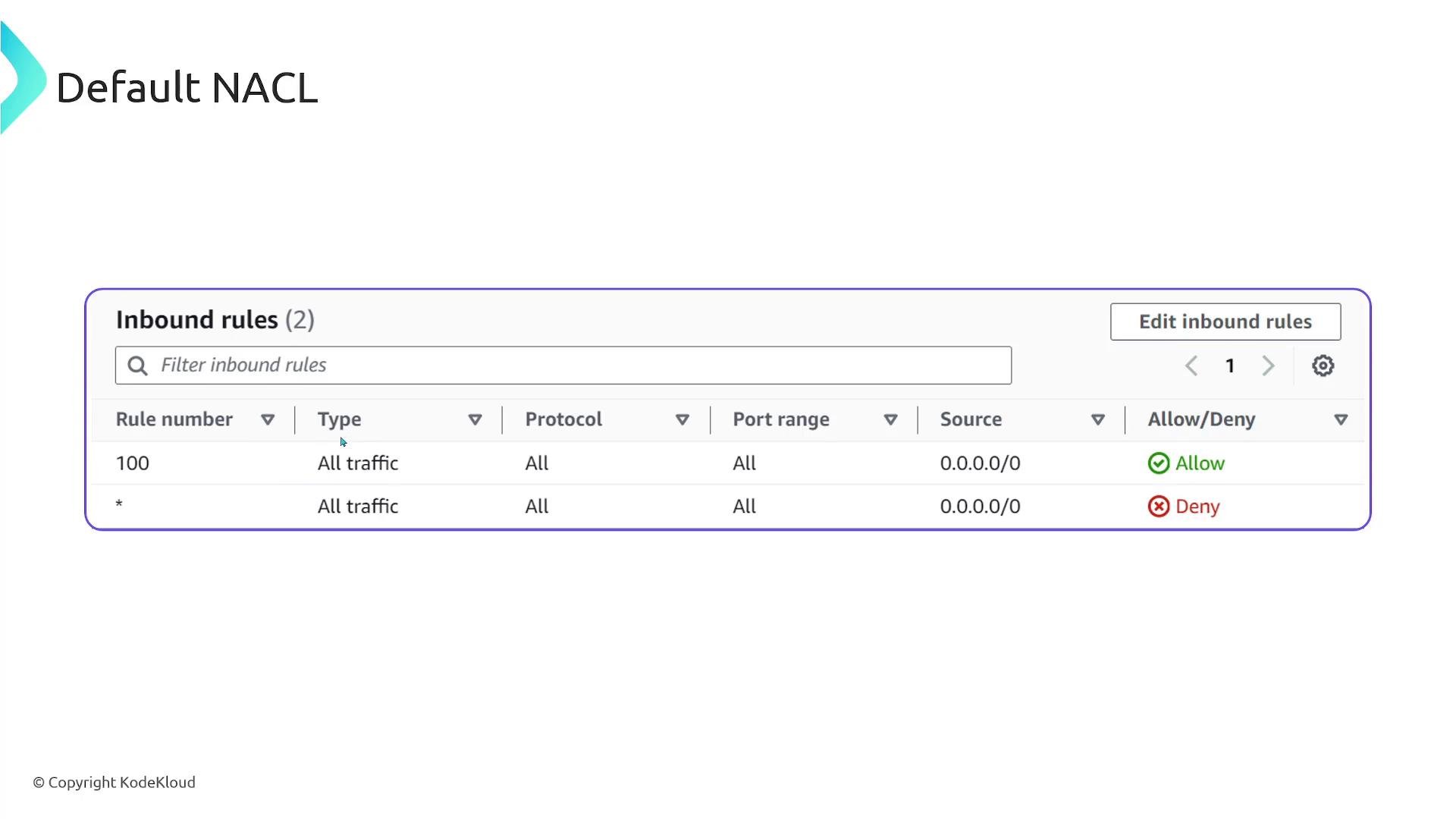
A Network Access Control List (NACL) is a stateless, subnet-level firewall for your VPC. NACLs control traffic entering and leaving a subnet and can be associated with one or more subnets in the same VPC. Because they are associated at the subnet level, a single NACL can be reused across multiple subnets that require the same traffic controls. Each NACL contains an ordered list of rules. Each row in a NACL rule table contains:- Rule number (priority — lower numbers are evaluated first)
- Type (protocol/service)
- Protocol (TCP/UDP/ICMP/All)
- Port range
- Source or destination (CIDR)
- Action (Allow or Deny)
Two primary AWS firewall mechanisms
- NACLs: operate at the subnet level — filter traffic entering and leaving subnets (stateless).
- Security Groups: operate at the resource (ENI/instance) level — control inbound and outbound traffic for the resource (stateful).
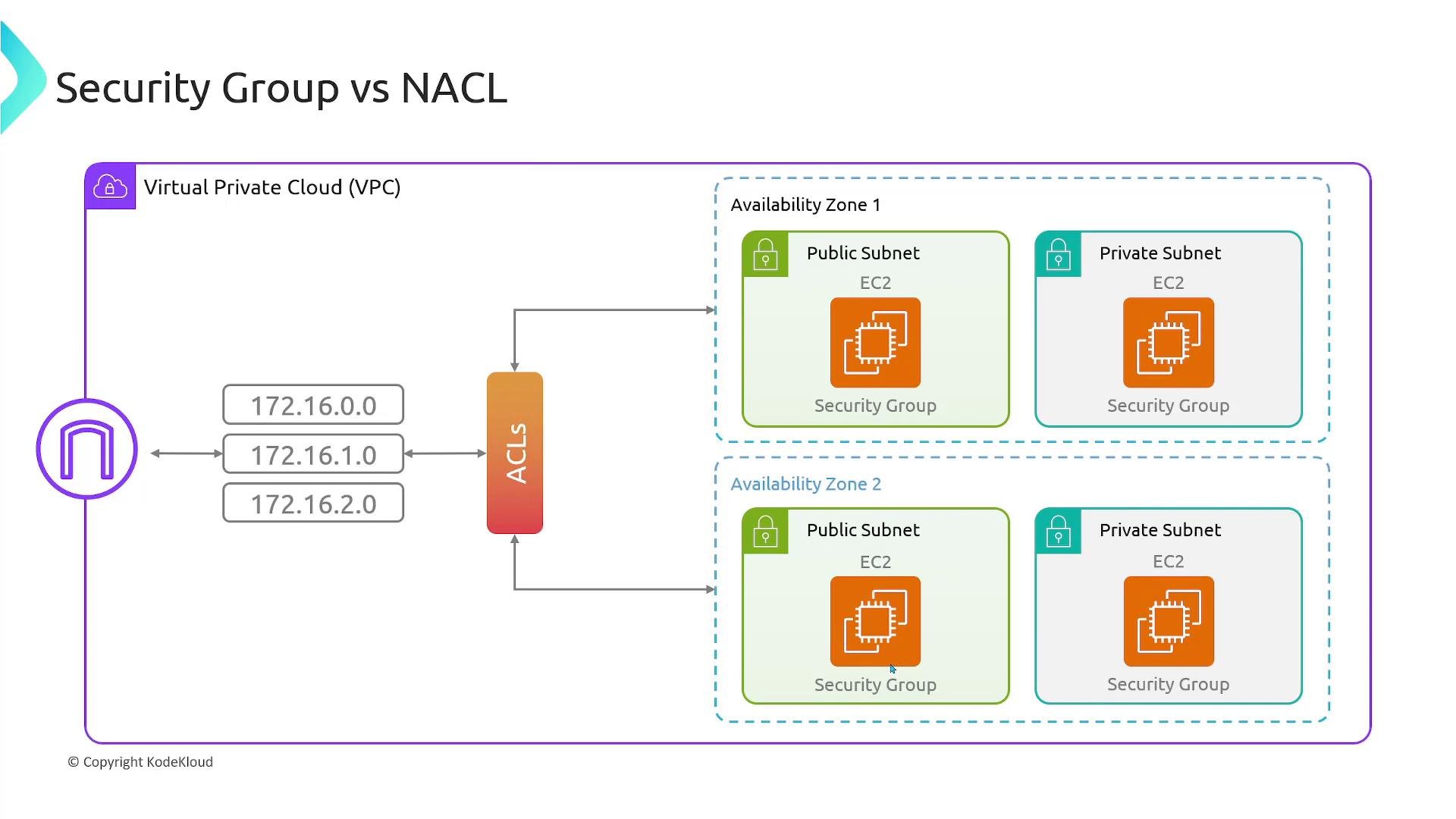
Key behavioral differences (at a glance)
Exam tip: Remember “NACL = stateless, numbered rules, allow and deny” and “Security Group = stateful, no deny rules, rules are permissive only.”
Security Groups — deeper dive
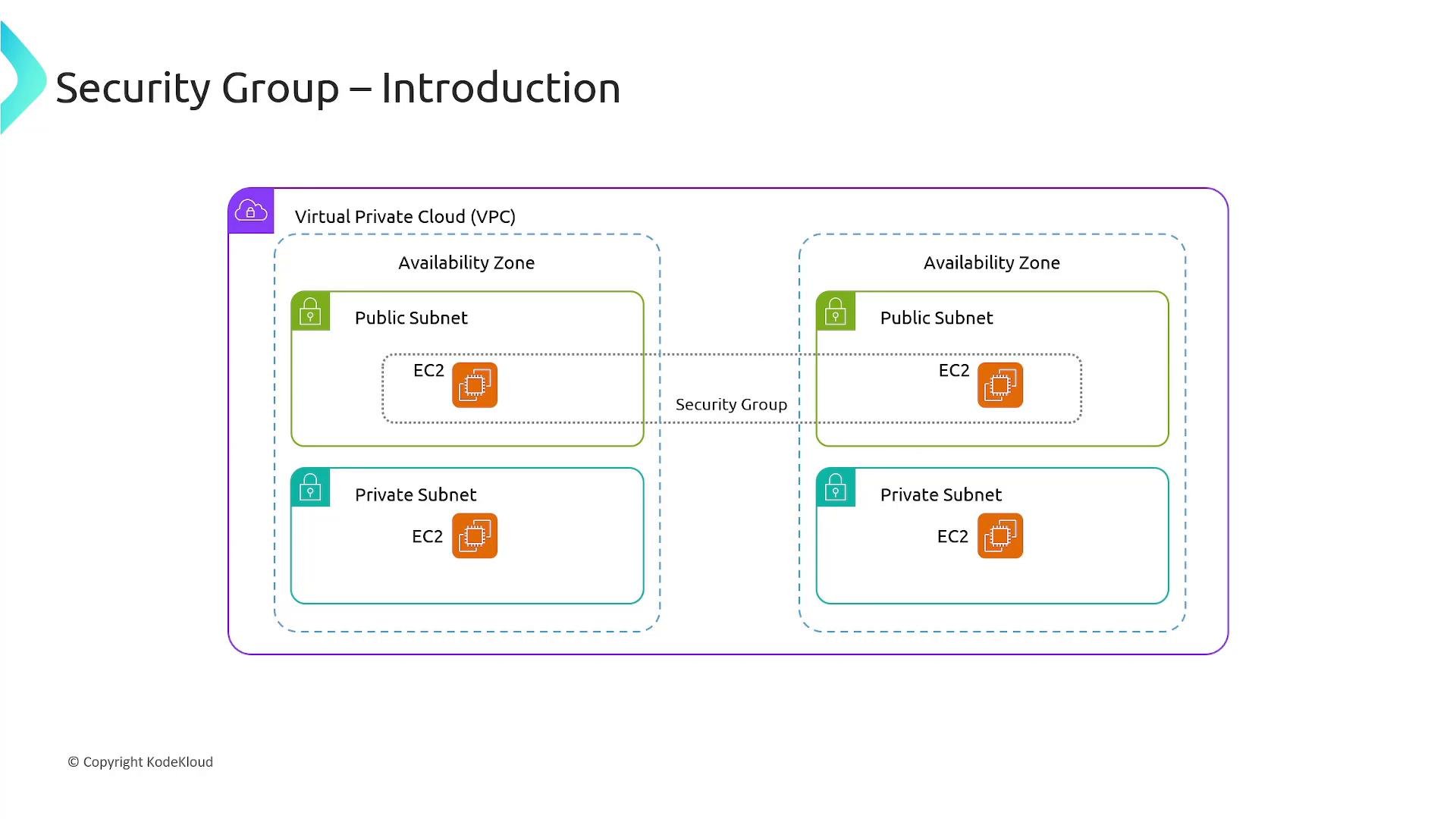
Security groups act as virtual firewalls attached to resources (EC2, ENIs, etc.) to control inbound and outbound traffic. They are stateful: if an inbound packet is allowed, the response is automatically allowed as part of the same connection. Key points:- A single security group can be attached to multiple instances to simplify management (e.g., one security group for all web servers).
- A single instance can have multiple security groups attached; effective permissions are the union of their allow rules.
- Security groups are scoped to a VPC — you cannot attach a security group from another VPC directly.
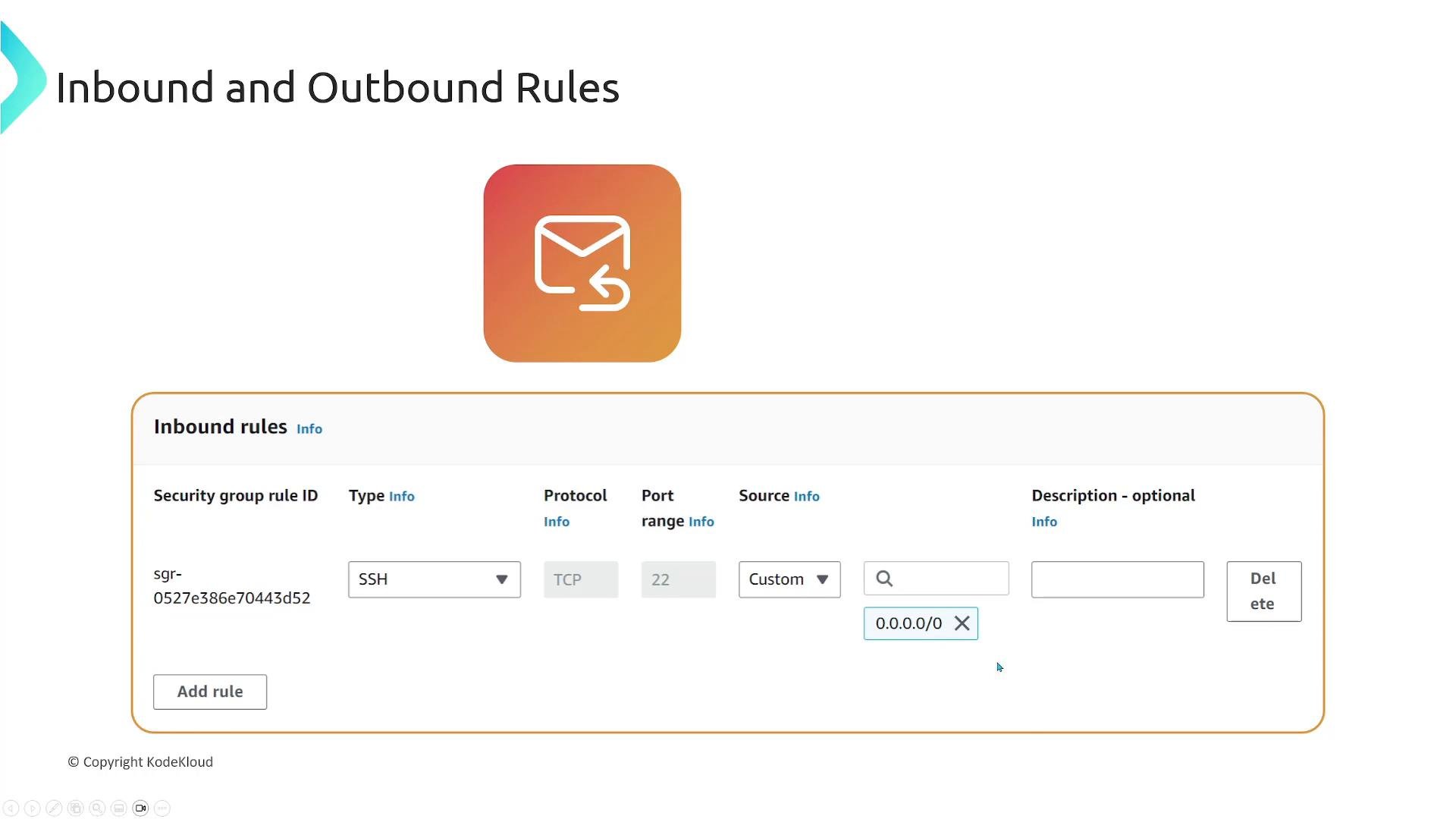
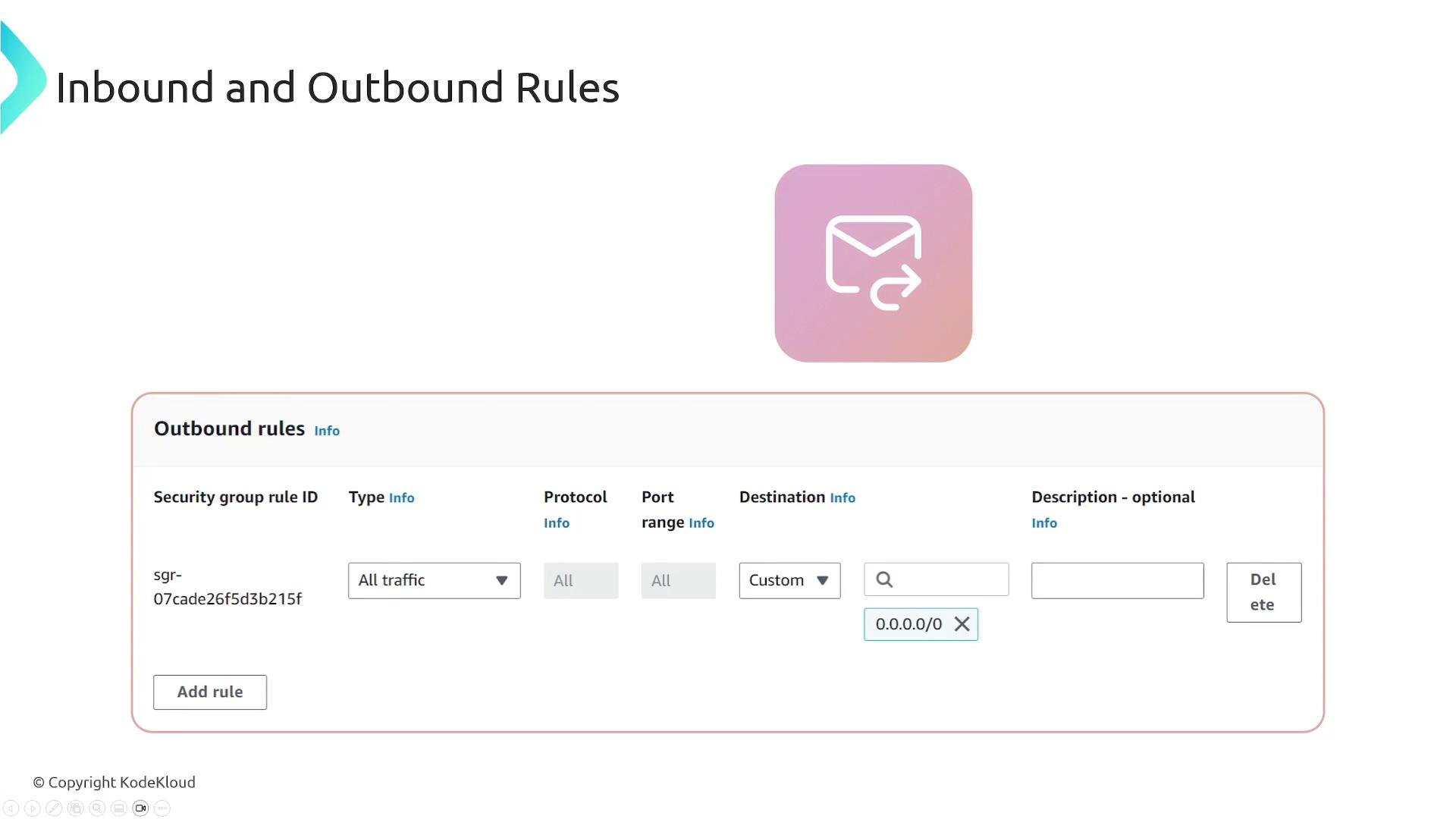
- Rules are defined as separate Inbound and Outbound sections and include protocol, port range, and source/destination (CIDR or another security group).
Services exempt from security group filtering
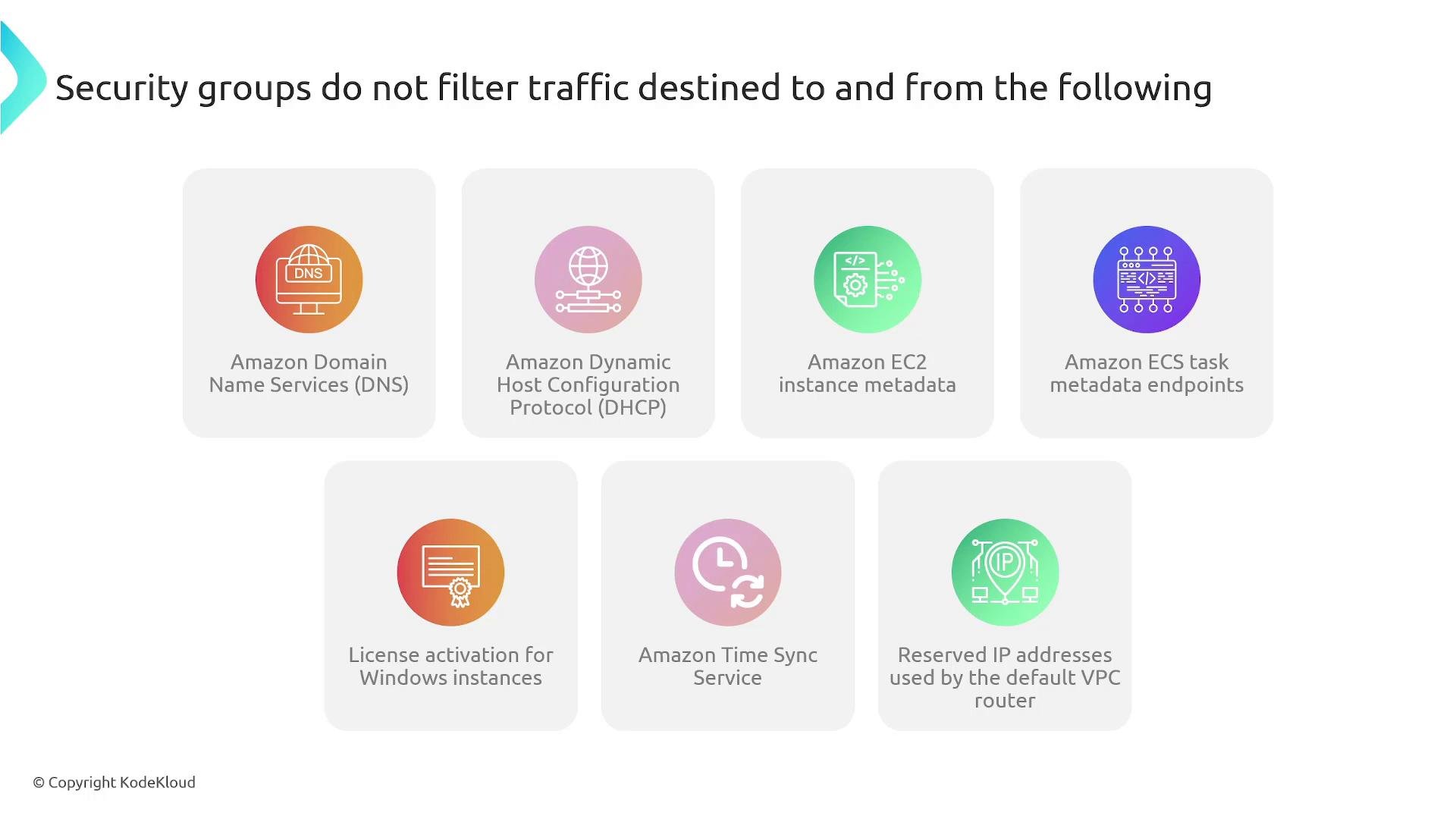
Certain AWS-managed endpoints or services are not filtered by security groups; traffic to and from these services is allowed regardless of security group rules. Examples include:- Amazon DNS servers
- Amazon DHCP
- EC2 instance metadata service
- ECS task metadata endpoints
- Windows license activation services
- Amazon Time Sync Service
- Reserved IP addresses used by the default VPC router
Practical guidance and troubleshooting
- Default behaviors:
- Default NACL: allows all inbound and outbound traffic until you modify it.
- New custom security group: denies all inbound traffic and allows all outbound traffic by default.
- When to use which:
- Use NACLs for broad, stateless subnet-level controls or to quickly block entire IP ranges.
- Use Security Groups for stateful, resource-level, fine-grained access control.
- Troubleshooting checklist:
- Check the instance’s security group inbound/outbound rules.
- Check the subnet’s NACL inbound/outbound rules.
- Verify routing and network ACL rule ordering (remember numbered NACL rules).
- Confirm there are no other network appliances (NAT, firewalls) blocking traffic.
- Check whether traffic involves exempted AWS endpoints (these bypass security groups).
Links and references
- AWS VPC Security Groups documentation
- AWS Network ACLs documentation
- Kubernetes Basics (for general networking concepts)