

Key VMware components (quick recap)
Many enterprises already operate these components on‑premises. When they adopt AWS they frequently face the challenge of operating and troubleshooting two different platforms — native AWS services (for example, Amazon EC2 and VPCs) and on‑prem VMware — which increases operational complexity and skill requirements.
What is VMware Cloud on AWS?
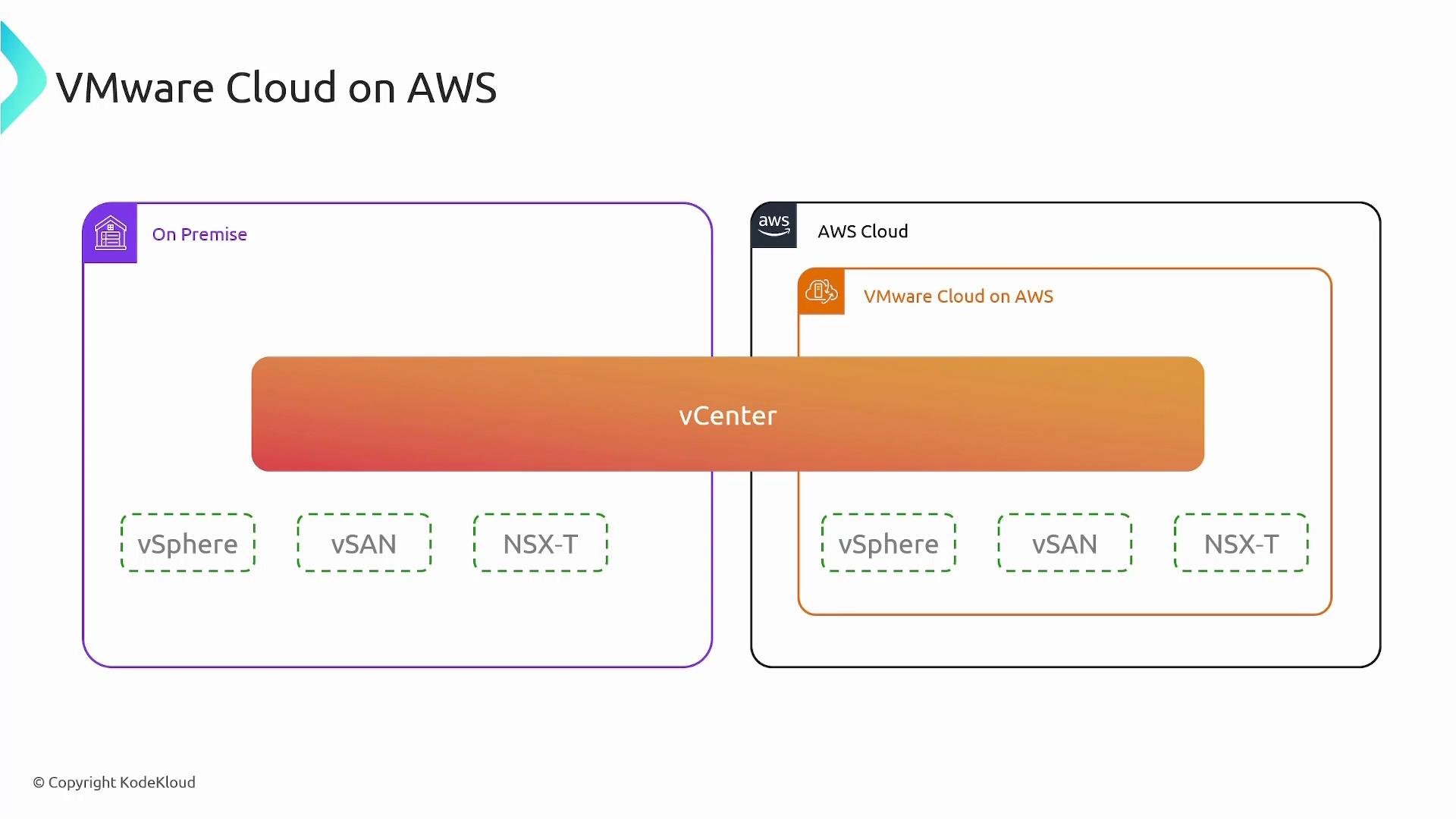
VMware Cloud on AWS delivers a full VMware Software-Defined Data Center (SDDC) — vSphere, vSAN, NSX‑T, and vCenter — running on AWS bare‑metal infrastructure. AWS provides and manages the physical hosts, networking, and underlying AWS fabric while VMware manages the SDDC software lifecycle. You continue to operate your VMs using the same VMware tools and workflows (vCenter, vSphere Client, etc.), but those VMs run on AWS infrastructure. This unified operational model enables:- Consistent tooling and operational processes across on‑premises and cloud.
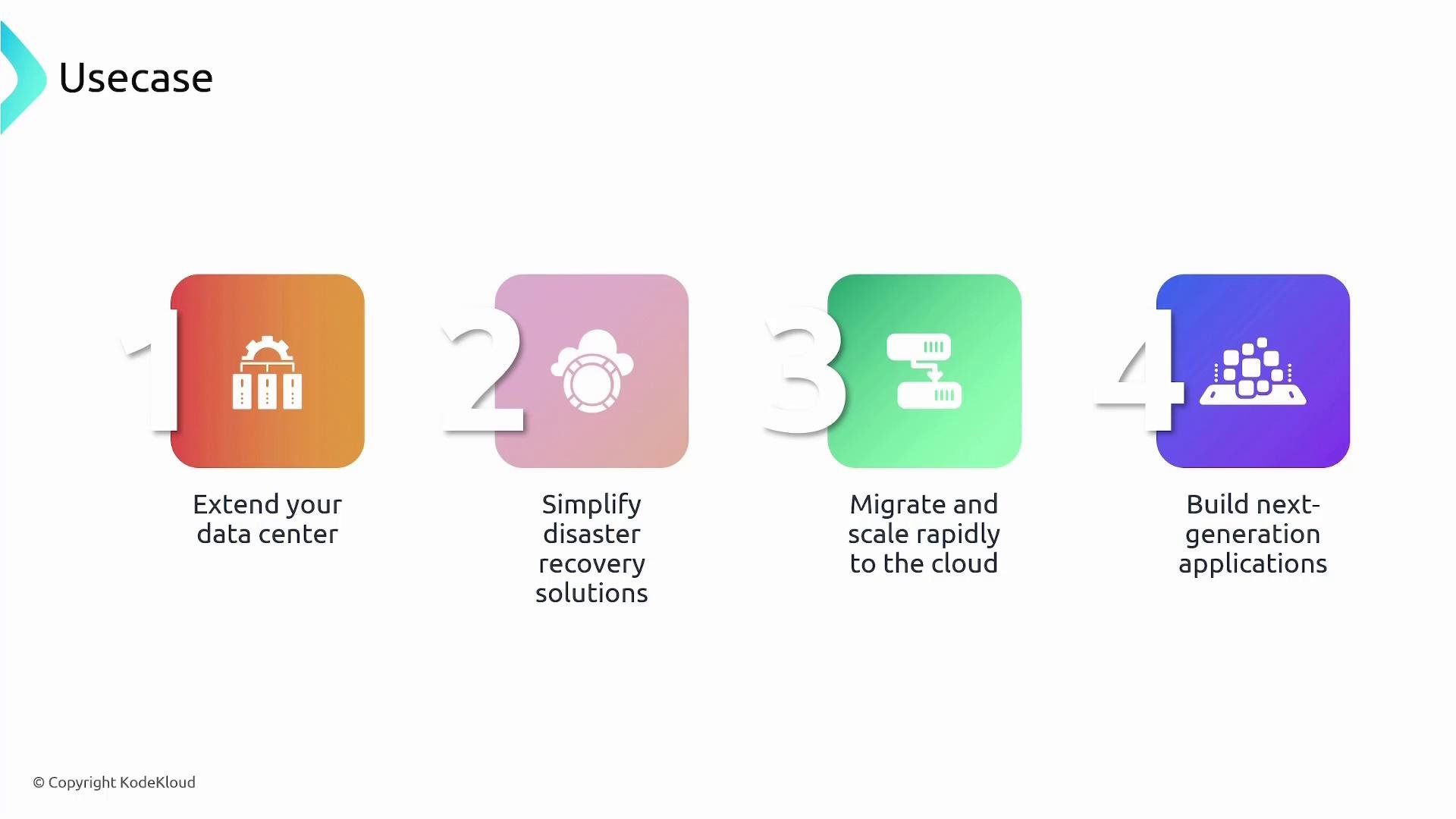
- Simple VM mobility (no disk format conversion) using technologies like HCX or vMotion where supported.
- Rapid capacity extension for bursts, migrations, or test/dev without purchasing new hardware.
- Simplified disaster recovery by using an identical VMware stack in the cloud.
- Easier modernization by integrating VMware workloads with native AWS services (databases, analytics, machine learning, serverless, etc.).
How VMC integrates with AWS and your data center
- SDDC on AWS: VMware SDDC runs on AWS bare‑metal hosts. vCenter is exposed to you for VM operations and lifecycle management of your workloads.
- Hybrid connectivity: Connect your on‑prem data center to VMC using Direct Connect or VPN for low-latency, secure networking between environments.
- Mobility tools: Use VMware HCX, vMotion, or other supported tools to migrate VMs without re‑platforming.
- AWS native services: Once VMs are on AWS, you can integrate with managed services such as RDS, SageMaker, Lambda, and others to modernize applications without disrupting VMware operations.
Common use cases
VMware Cloud on AWS delivers VMware SDDC on AWS bare‑metal hosts. VMware provides and manages the VMware software stack and the SDDC lifecycle; you manage your VMs and use the vCenter instance exposed to you for operational tasks. This gives you consistent operational tools across on‑premises and cloud.
Best practices and considerations
- Plan networking carefully: design subnets, route tables, and security between on‑prem and VMC, and consider NSX‑T constructs for micro‑segmentation and overlay networks.
- Use HCX or vMotion for minimal-downtime migrations when supported.
- Leverage AWS native services selectively to modernize parts of your application while preserving critical legacy components inside VMware.
- Monitor costs: compute, storage, and network egress can add up — use AWS billing tools and VMware cost tracking to optimize expenses.
- Consider compliance and data residency requirements when moving workloads to AWS.
Links and references
- VMware Cloud on AWS — https://cloud.vmware.com/vmc-aws
- VMware HCX — https://www.vmware.com/products/hcx.html
- vSphere vMotion — https://www.vmware.com/products/vsphere/vmotion.html
- AWS Direct Connect — https://aws.amazon.com/directconnect/
- Kubernetes Documentation
- Learn more from related KodeKloud courses: