This article explores the Amazon Route 53 Application Recovery Controller and its role in automating application recovery processes and ensuring system readiness during failures.
In this article, we explore the Amazon Route 53 Application Recovery Controller and its role in simplifying and automating application recovery processes. This service continuously monitors your application’s health and readiness, ensuring that your system is prepared for any failure.Amazon Route 53 Application Recovery Controller eliminates the need for manual intervention during failovers by automating continuous checks on your backup or standby site. In the event of a failure in the primary deployment, the controller redirects traffic seamlessly to the standby environment.
The controller monitors the primary deployment against predefined criteria. For example, if an application’s performance degrades beyond a 5% threshold or during scheduled maintenance, the controller can automatically or manually divert traffic to the standby site.
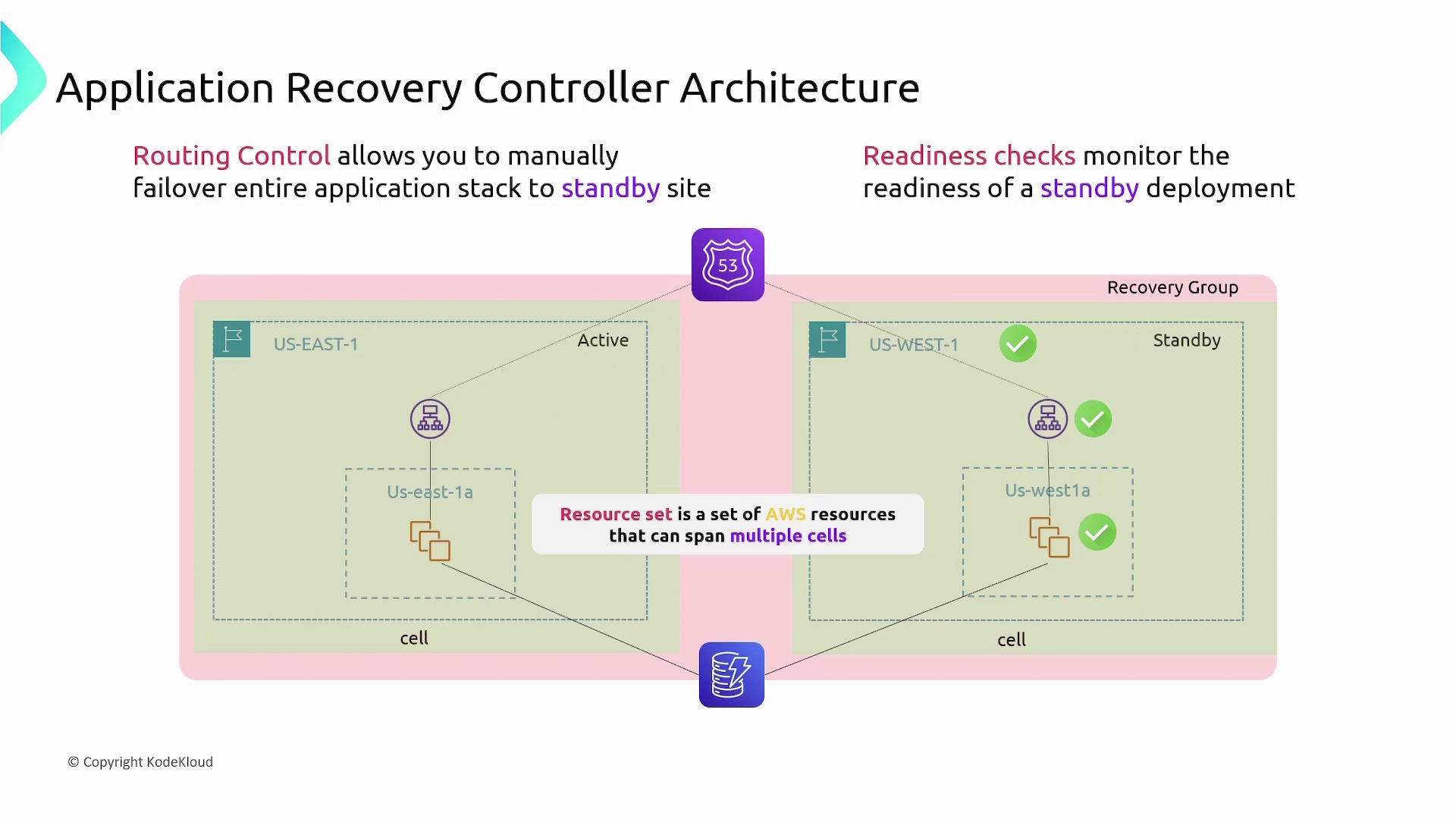
A typical architecture in the US East-1 region includes the following components for the active site:
A load balancer
EC2 instances within an availability zone
A DynamoDB table accessed by the EC2 instances
The backup site in another region is set up identically, with its own load balancer and EC2 instances that connect to the same global DynamoDB table.Route 53, our DNS management service, initially directs traffic to the active site’s load balancer. When a failover is needed, Route 53 updates the DNS record to point to the standby site.Below is a diagram illustrating the Application Recovery Controller architecture, emphasizing how traffic routing is managed between active and standby sites:
Understanding the core elements of the Application Recovery Controller is essential:
Concept
Description
Cells
Groups of AWS resources required to operate an application independently (e.g., a load balancer and EC2 instances).
Recovery Group
A collection of cells representing an application or group of applications monitored for failover readiness.
Resource Set
A collection of AWS resources that may span multiple accounts or cells, such as a global DynamoDB table shared across deployments.
The controller continuously performs readiness checks on the standby deployment, ensuring every resource is operational and available for failover. Additionally, its routing control feature enables manual traffic redirection to the standby site, facilitating a full failover when necessary.
When a failover is triggered, Route 53 updates the DNS configuration to route traffic to the standby site. This feature minimizes downtime, but ensure that your standby environment is regularly tested and maintained for uninterrupted availability.
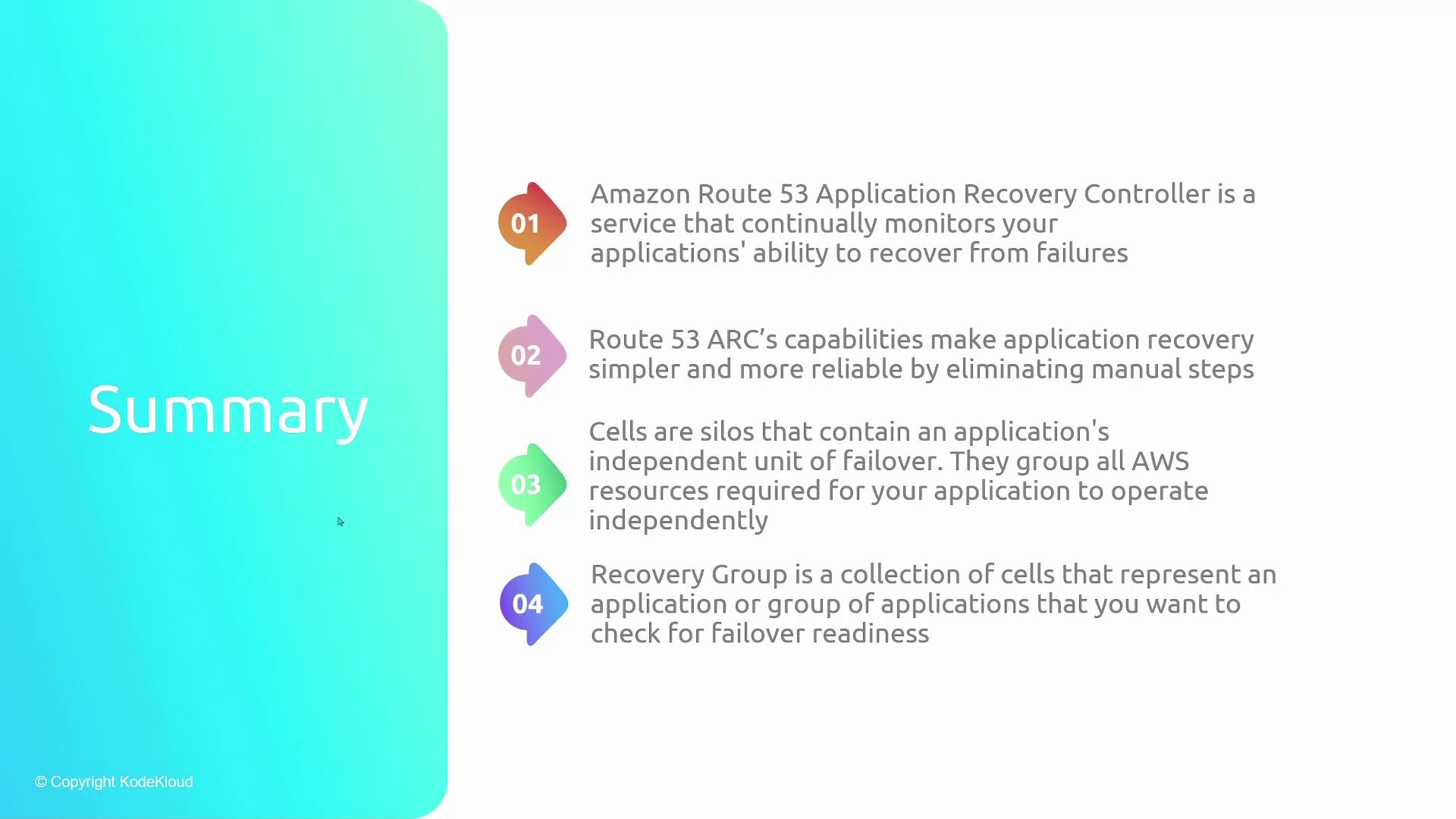
Below is a summary diagram highlighting the key features of the Route 53 Application Recovery Controller, including its monitoring capabilities, simplified failover process, and resource optimization for recovery readiness:
Amazon Route 53 Application Recovery Controller is an indispensable service for ensuring application resiliency. By automating continuous health checks and enabling rapid failover, it simplifies the recovery process and helps maintain high availability with minimal manual intervention.For more details on setting up and managing failover scenarios, refer to the Amazon Route 53 Application Recovery Controller documentation.