

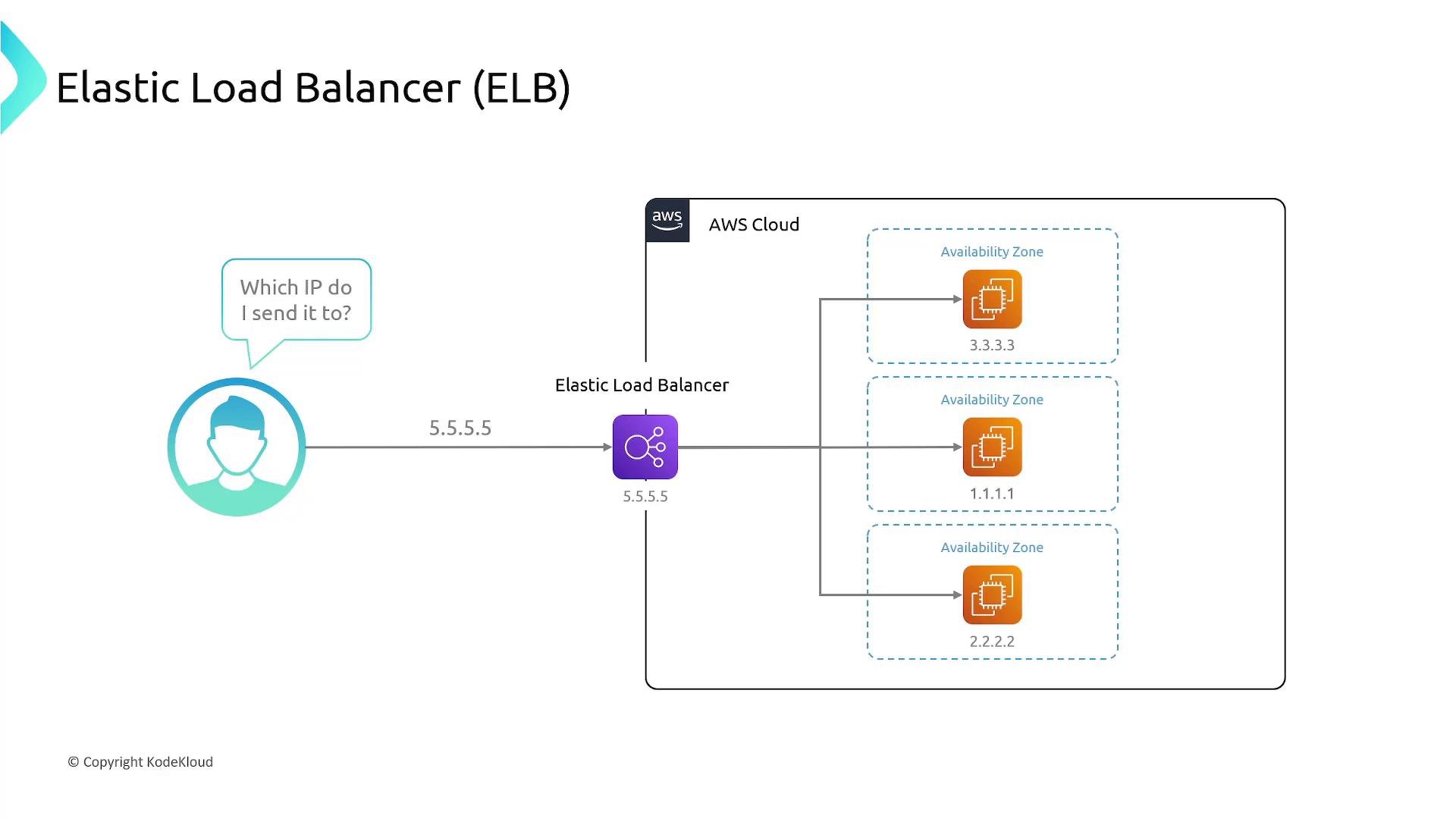
1.1.1.1. If that instance fails, the application becomes unavailable. To add redundancy you deploy the app across multiple EC2 instances in different Availability Zones (AZs). Each instance has its own IP (for example 3.3.3.3, 1.1.1.1, 2.2.2.2), so exposing or asking users to choose among multiple IPs is a poor design. Instead, you place a load balancer in front of the instances. The load balancer provides a single IP/DNS name for clients and distributes requests to the backend instances.
Classic Load Balancer was the original offering but lacks features of newer load balancers and is generally not recommended for new deployments.
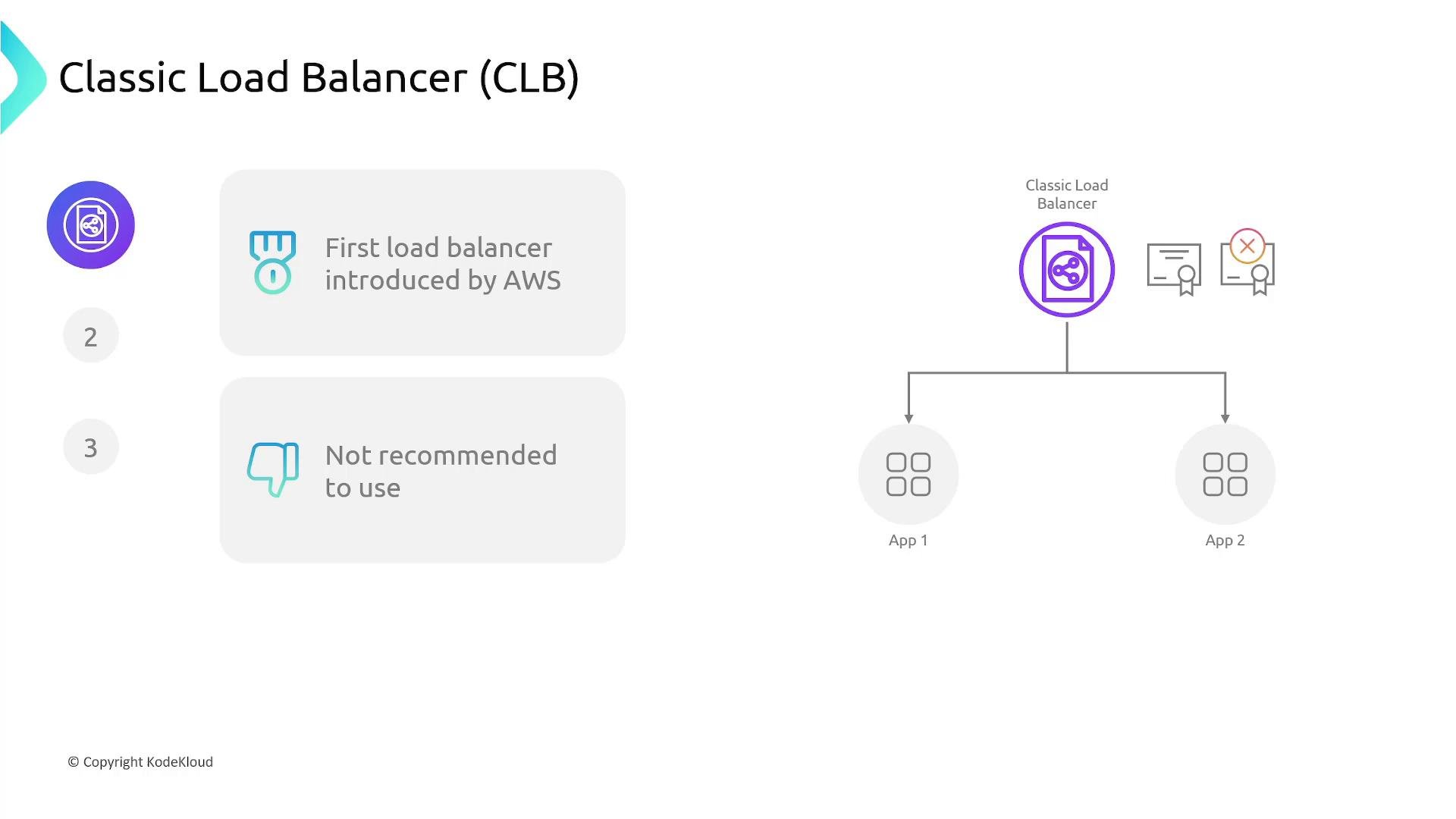
Classic Load Balancer (CLB) is considered legacy. For new applications use ALB or NLB depending on protocol and requirements.
Application Load Balancer (ALB)
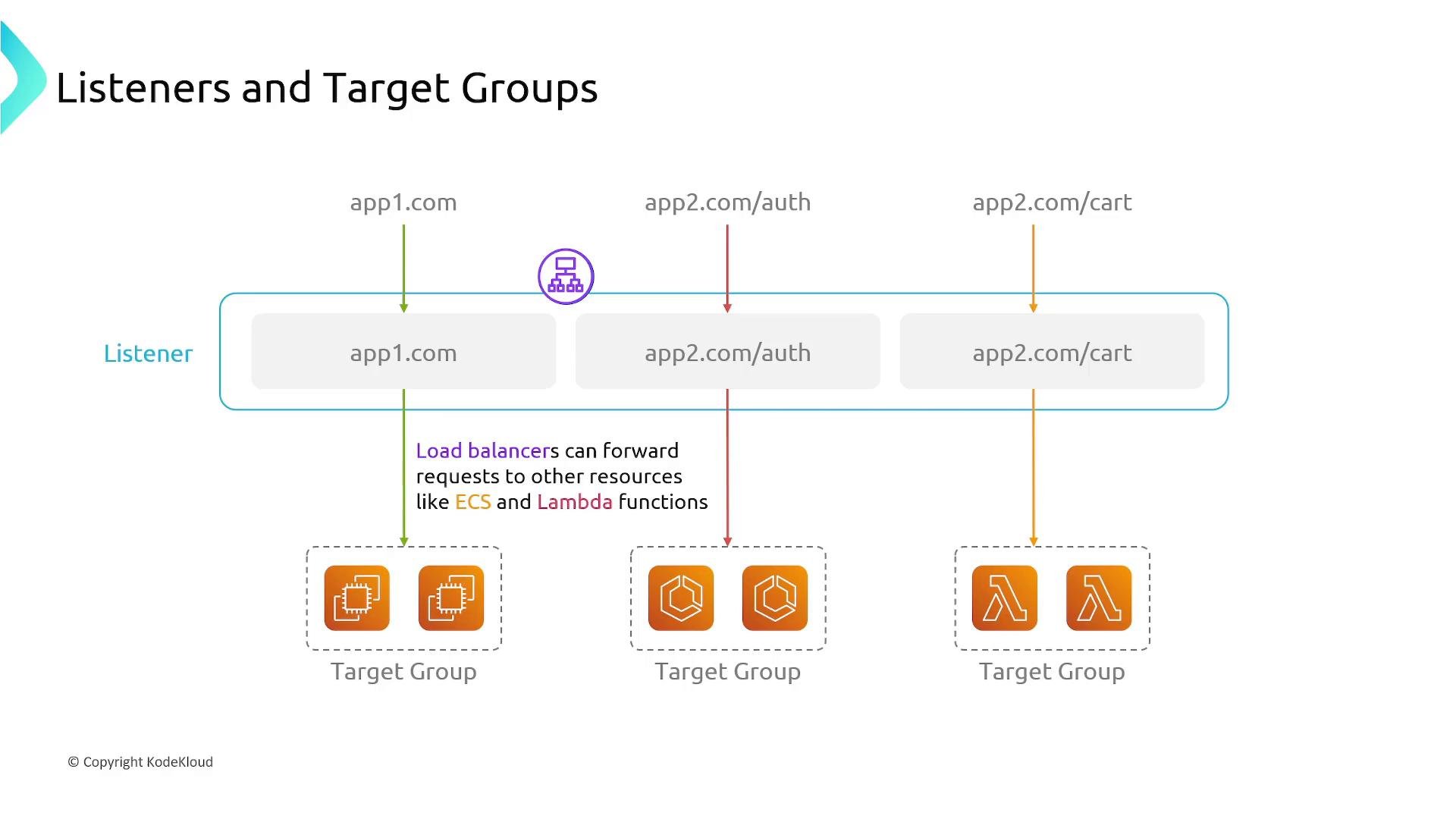
Application Load Balancer (ALB) operates at the application layer (Layer 7). It is optimized for HTTP/HTTPS and WebSocket traffic and can route requests using content from the HTTP request:- Host-based routing (virtual hosts, e.g.,
app1.example.com) - Path-based routing (e.g.,
/auth,/cart) - Header, query string and method-based rules
- HTTP redirects and custom responses
- Application-specific health checks
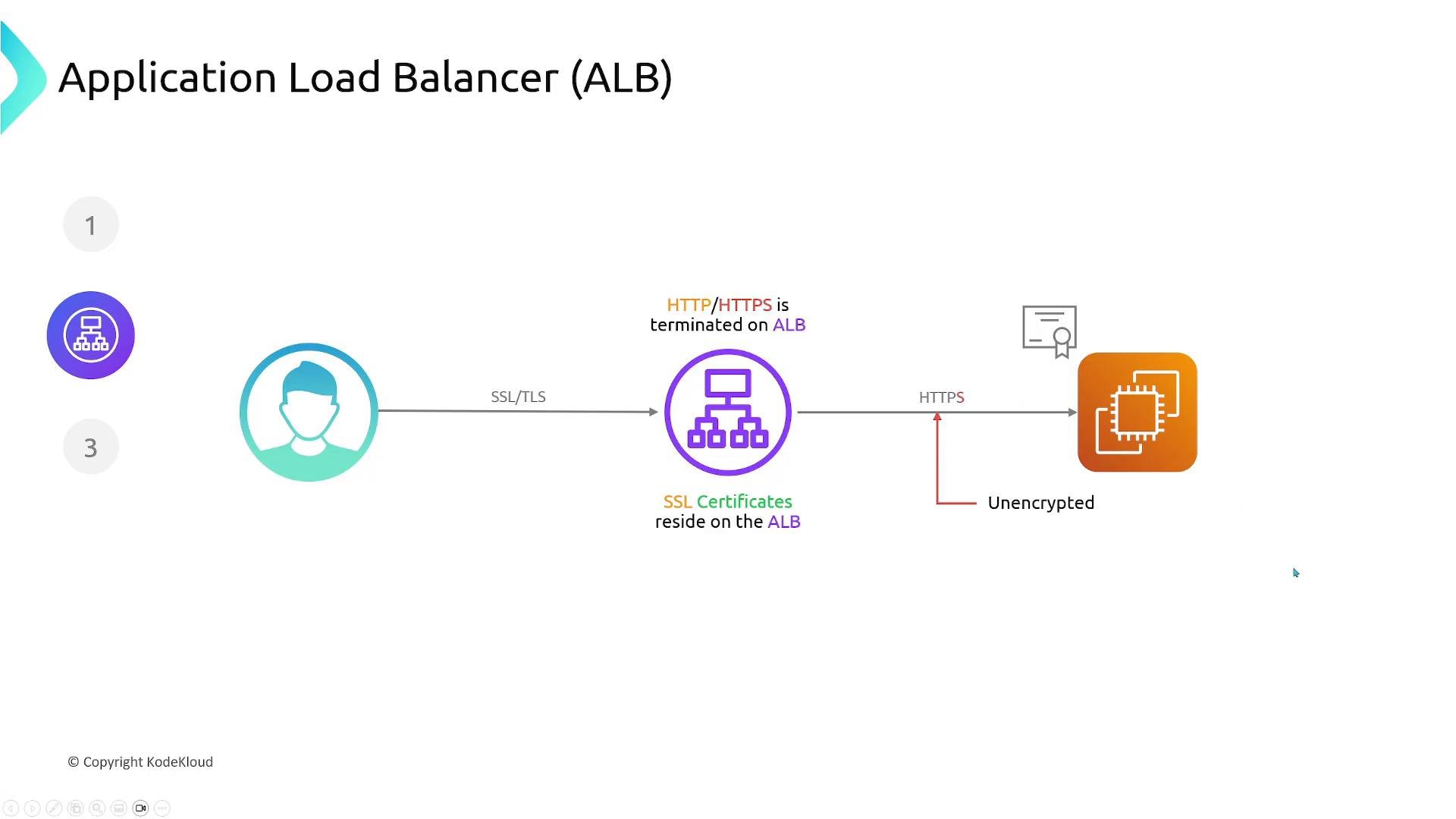
If you need ALB to forward encrypted traffic to backends, configure the backend targets with HTTPS and provide certificates on the targets. By default, ALB decrypts inbound HTTPS.
Network Load Balancer (NLB)
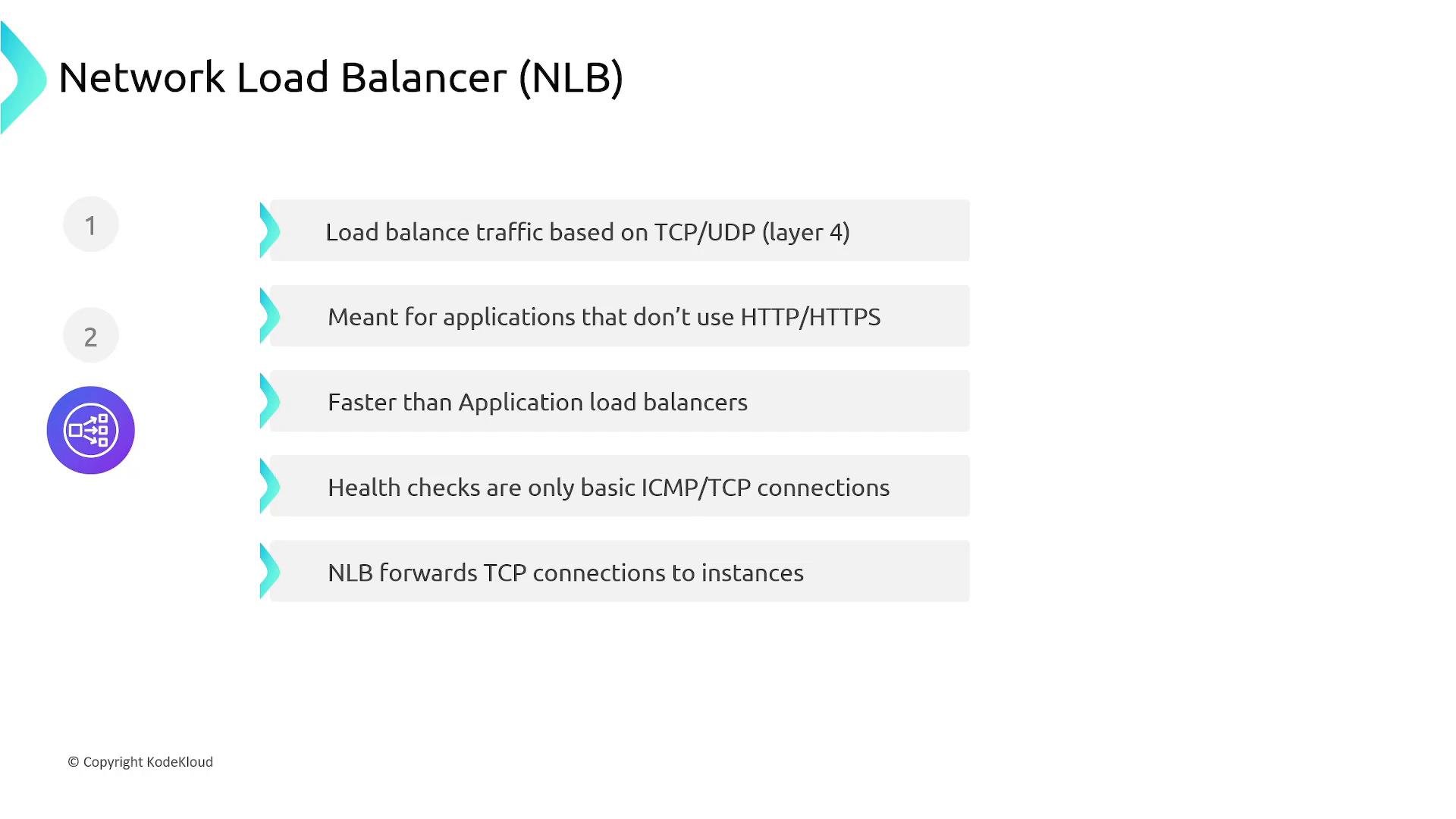
Network Load Balancer (NLB) works at Layer 4 (transport) and forwards TCP/UDP connections without interpreting HTTP. Use NLB when you need:- Support for non-HTTP/HTTPS protocols or TCP/UDP-based applications
- Ultra-low latency and very high throughput
- Large numbers of concurrent connections
- Static IPs (you can assign Elastic IPs per AZ)
How ELB is deployed inside a VPC
When you create a load balancer you select subnets (usually one per Availability Zone). AWS deploys load balancer nodes into those subnets. A DNS name is created for the load balancer; DNS queries are distributed across the load balancer nodes, and each node forwards traffic to registered targets in its AZ (or to other AZs if cross-zone load balancing is enabled).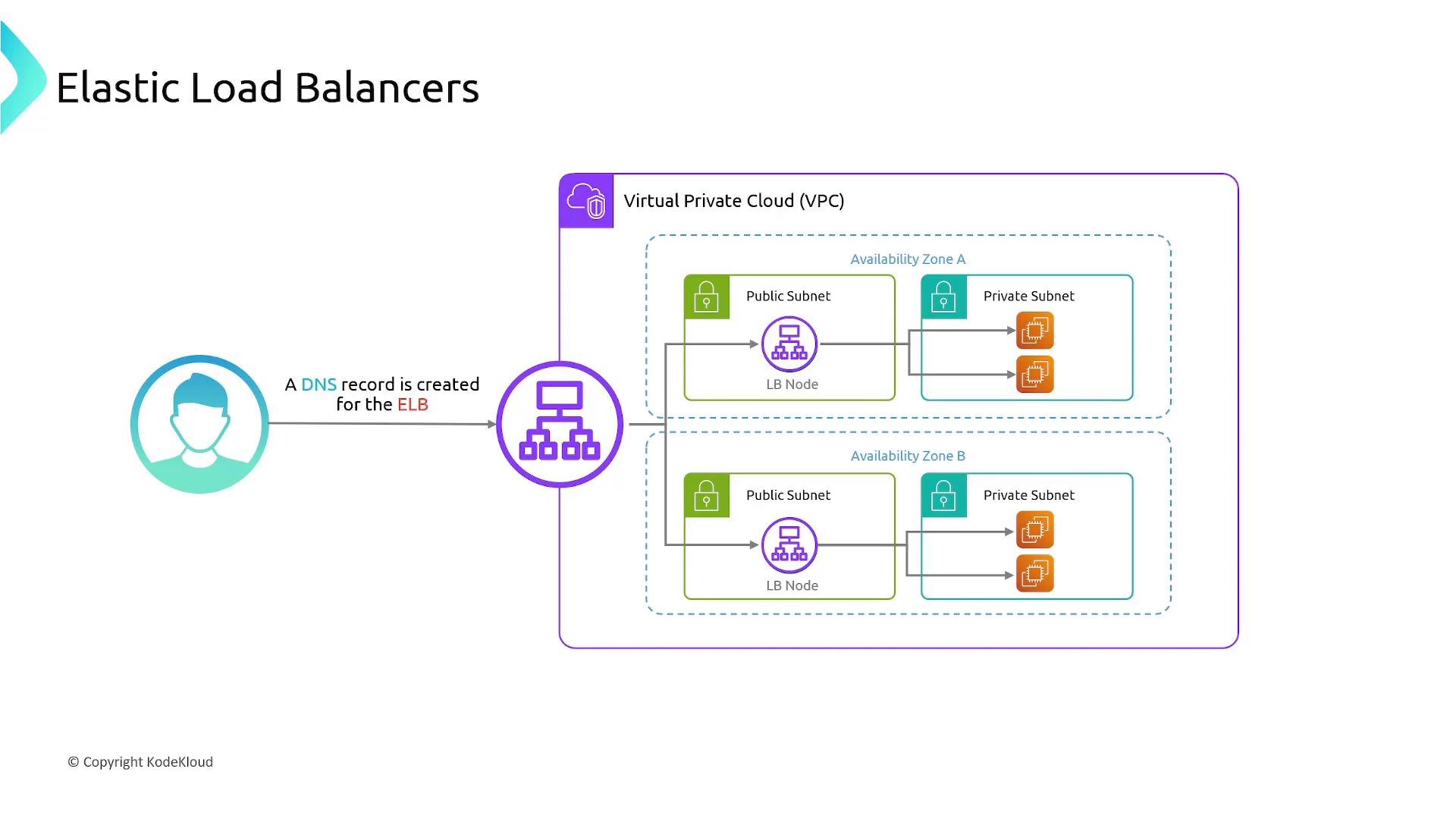
Cross-zone load balancing
By default each load balancer node forwards traffic only to targets in the same AZ. This can cause uneven distribution when AZs have unequal numbers of targets. For example, if AZ A has one instance and AZ B has two instances, and DNS splits client traffic 50/50 across AZs, the single instance in AZ A gets 50% of traffic while each instance in AZ B gets 25% each. Cross-zone load balancing lets nodes route traffic across AZ boundaries to distribute load evenly across all targets.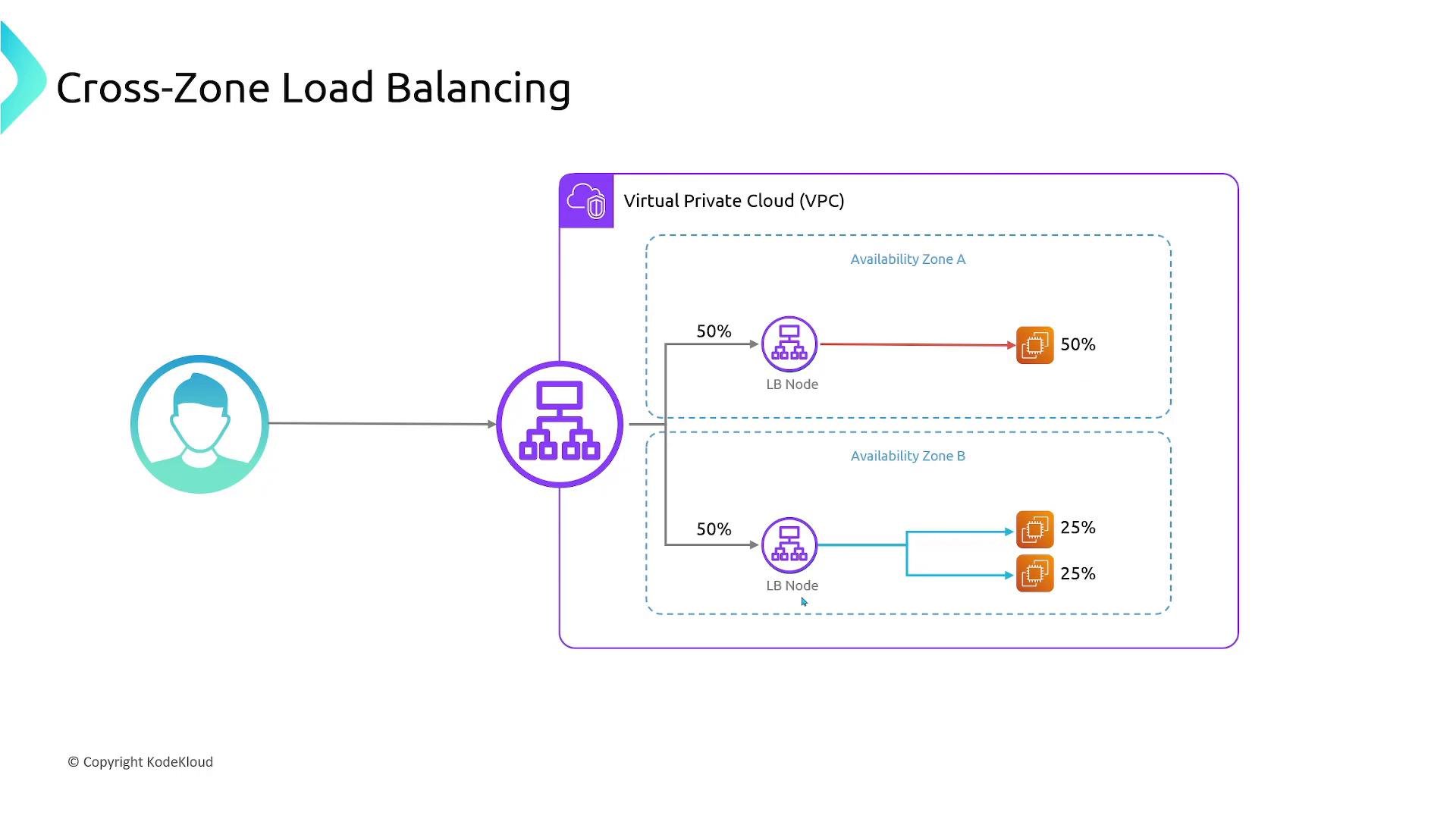
Public vs Private load balancers
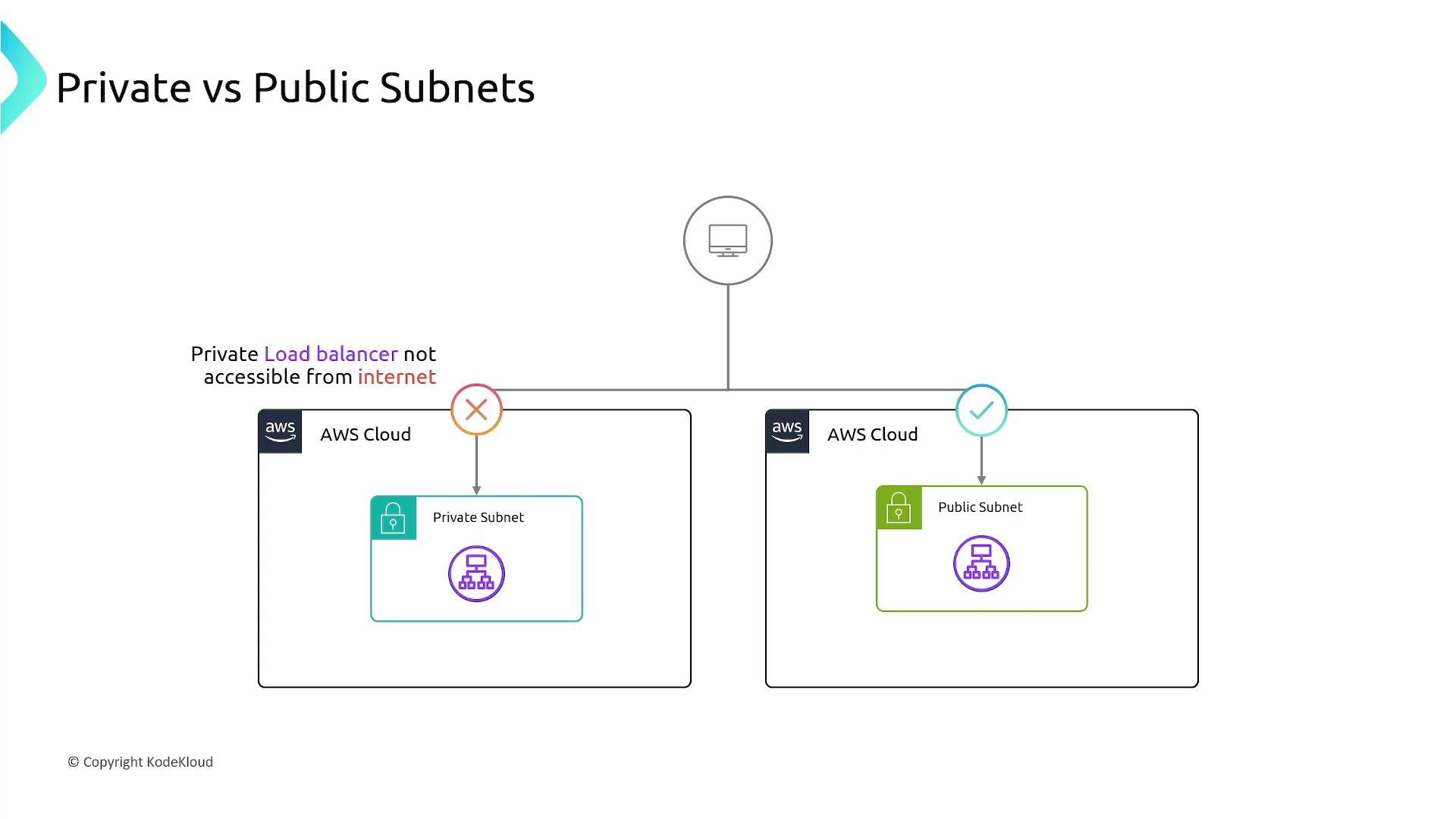
Load balancers can be internet-facing (public) or internal (private):- Public (internet-facing) — deployed in public subnets and reachable from the internet; use for frontend web or API tiers.
- Internal (private) — deployed in private subnets and reachable only from within the VPC or connected networks; use for internal services, databases, or microservices to avoid direct internet exposure.
Example architecture
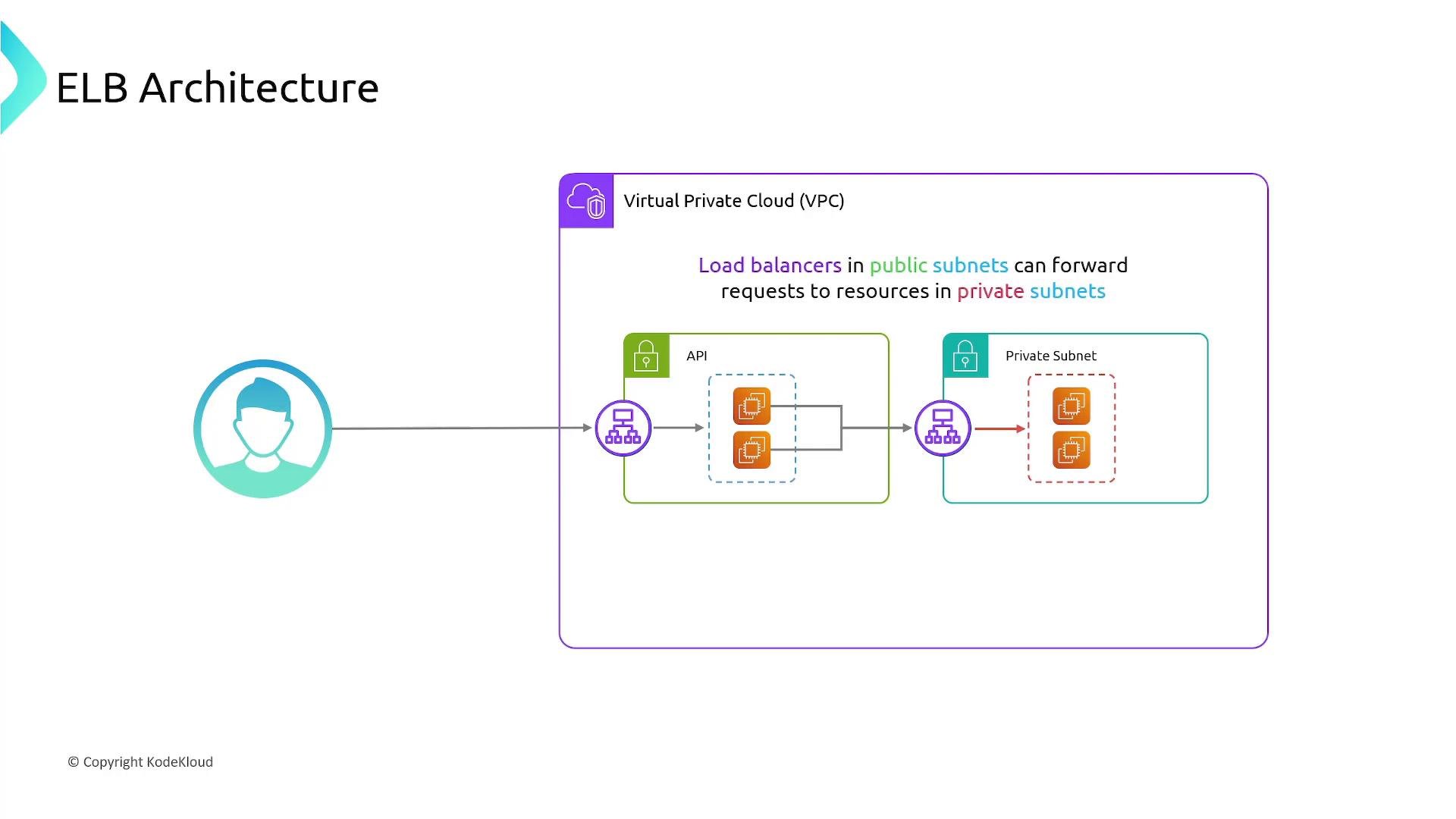
A common and secure pattern is:- Expose a public ALB for the web/API tier.
- Place API servers in private subnets behind the public ALB.
- Use an internal (private) load balancer or service mesh between API servers and backend databases/services.
Listeners and Target Groups
Two core ELB concepts to configure are listeners and target groups:- Listener: Monitors for connection requests on a specified protocol and port (for ALB: HTTP/HTTPS; for NLB: TCP/UDP). Listeners evaluate rules (host/path/header for ALB) and forward traffic accordingly.
- Target Group: A logical group of targets (EC2 instances, IP addresses, AWS ECS services, or Lambda functions) that receive traffic from the load balancer. Each target group has its own health check configuration; unhealthy targets are automatically removed from rotation.
Summary
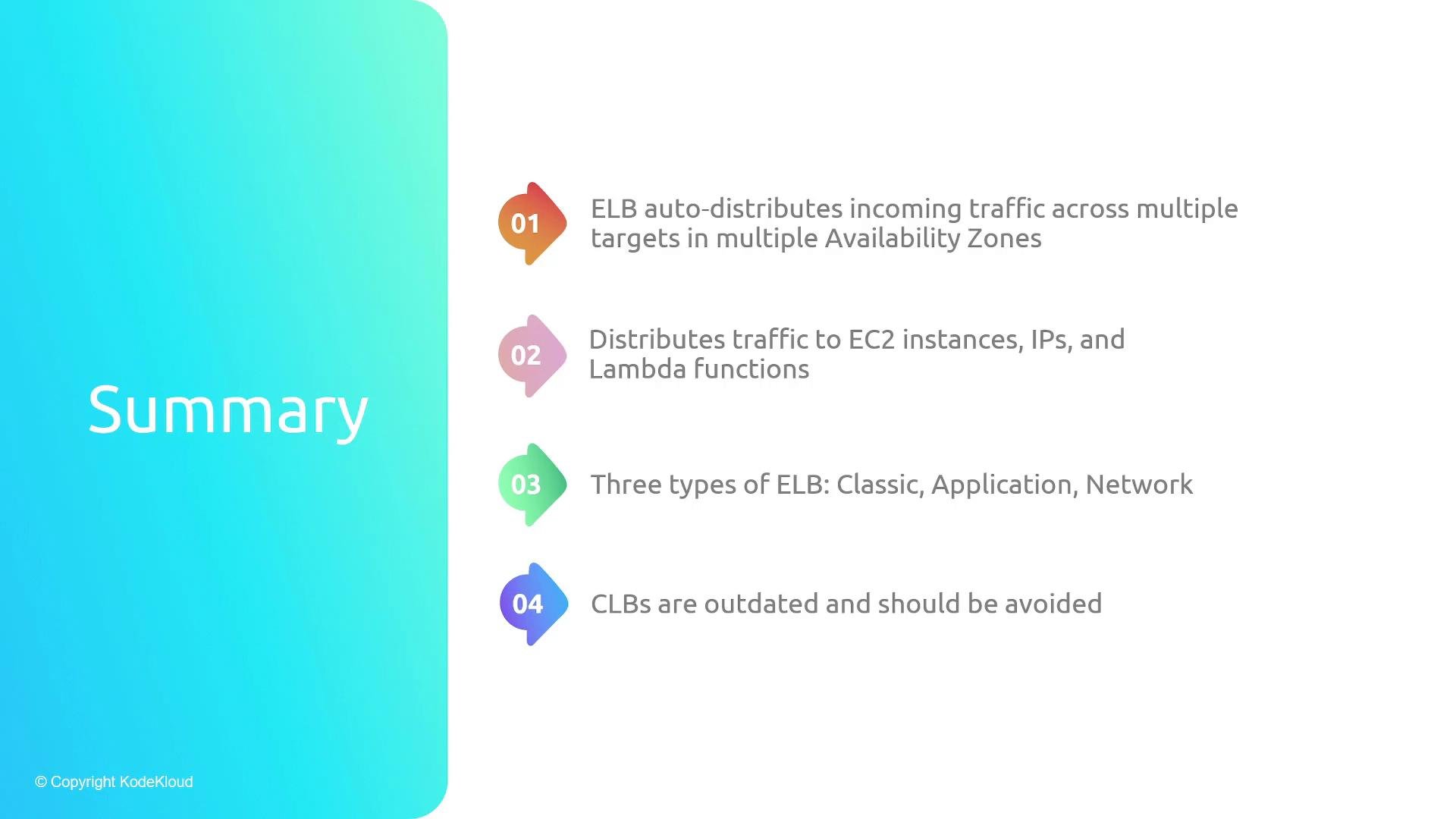
- Elastic Load Balancers distribute incoming traffic across multiple targets and AZs, increasing availability and fault tolerance.
- ELB can route to EC2 instances, IP addresses, ECS services, and Lambda functions.
- Choose the right type:
- Classic Load Balancer (legacy — avoid for new deployments)
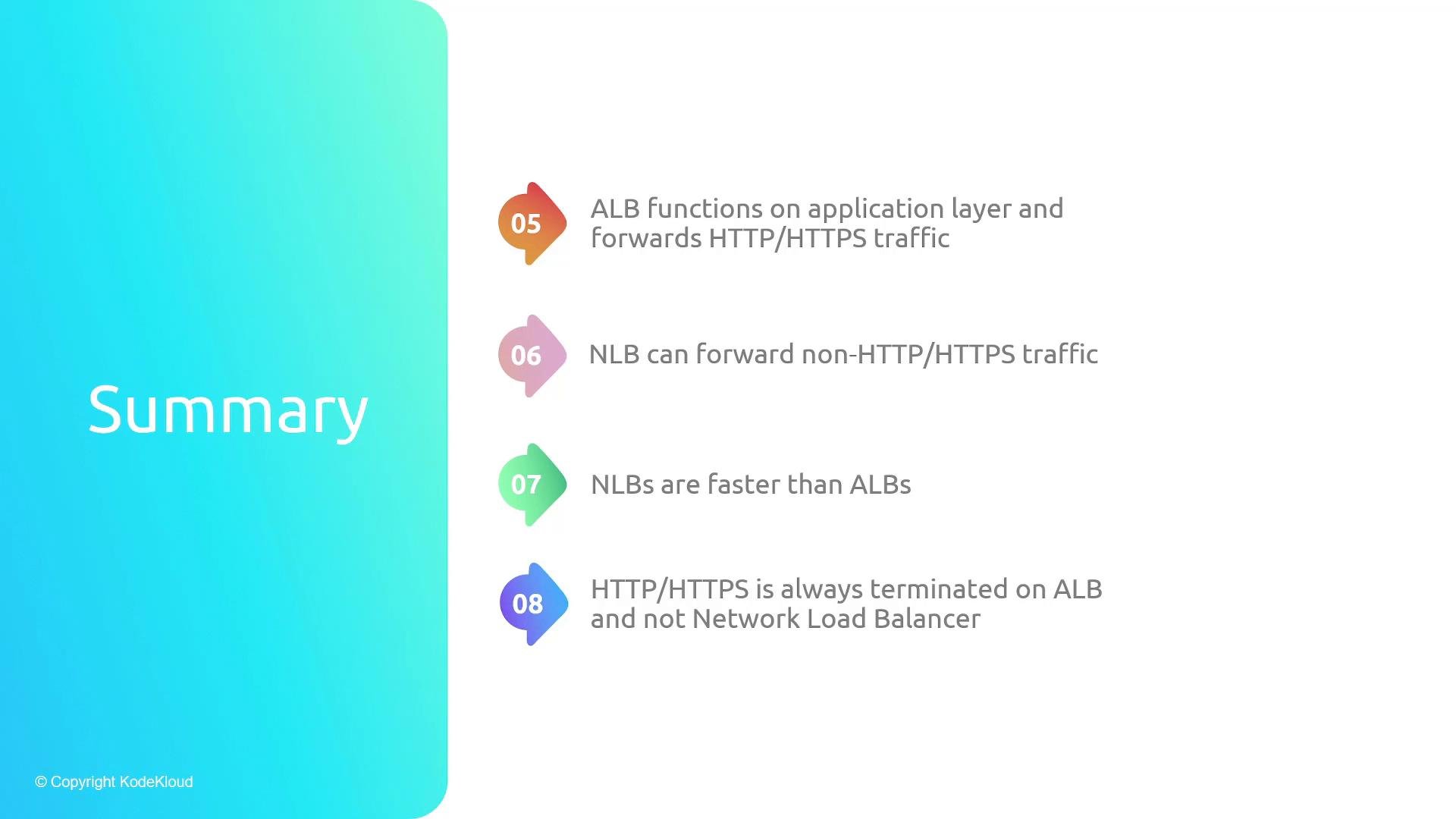
- Application Load Balancer (Layer 7 — HTTP/HTTPS/WebSockets; advanced routing and TLS termination)
- Network Load Balancer (Layer 4 — TCP/UDP; high performance; supports static IPs and TLS offload)
- ALB terminates HTTP/HTTPS by default; NLB forwards transport-layer connections by default but can also terminate TLS via TLS listeners.
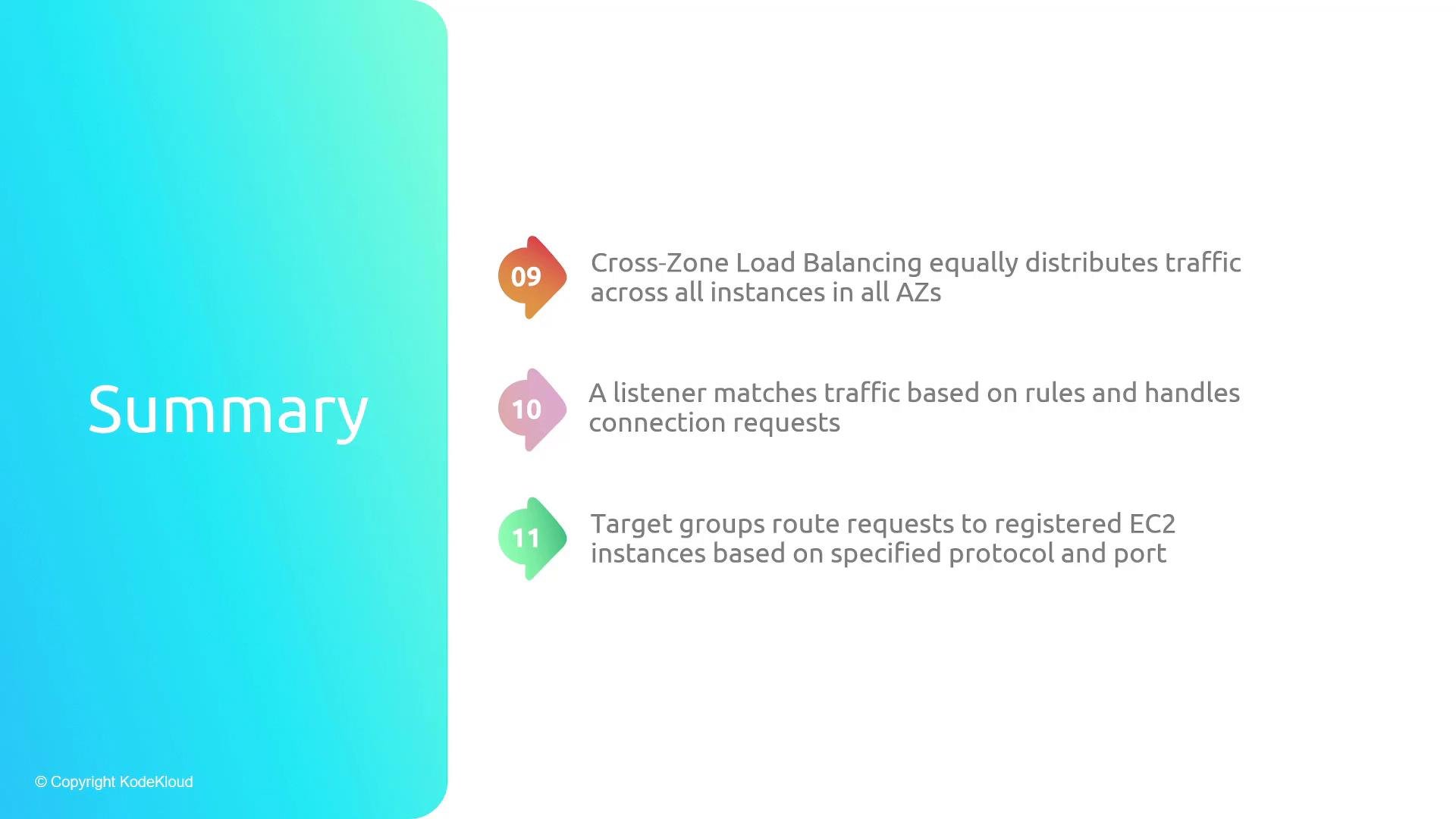
- Cross-zone load balancing evens traffic across all instances in all AZs.
- Listeners accept client connections and forward to target groups; target groups contain registered targets and health checks.
Links and References
- AWS Elastic Load Balancing documentation
- Application Load Balancer overview
- Network Load Balancer overview
- Amazon EC2 documentation
- Amazon ECS documentation
- AWS Lambda documentation